How To Install Grav CMS on Popos
To Install Grav CMS on Popos
Grav is a free and open source content management system which does not use a database to store its data but has all its data stored in flat files in markdown format. Grav is written in PHP and contains a score of plugins for the users to use. It uses twig templating, YAML, parse down and doctrine cache for faster performance. In this tutorial, we will cover the installation of Grav CMS on PopOS.
Pre-Requisites
Before proceeding to the installation, check whether the target machine contains both Apache web server and PHP.
The required PHP-MODULES are,
apt-get install php-mysql php-curl php-json php-cgi php libapache2-mod-php php-mcrypt php-xmlrpc php-gd php-mbstring php  php-common  php-xmlrpc php-soap  php-xml php-intl  php-cli  php-ldap php-zip php-readline
php-imap php-tidy php-recode
Installation
Let' s first download grav cms source package from the terminal as follows.
root@linuxhelp:~# wget https://getgrav.org/download/core/grav-admin/1.4.3 -O grav.zip
--2018-05-11 02:28:40--  https://getgrav.org/download/core/grav-admin/1.4.3
Resolving getgrav.org (getgrav.org)... 45.79.6.45
Connecting to getgrav.org (getgrav.org)|45.79.6.45|:443... connected.
HTTP request sent, awaiting response... 302 Found
Location: https://github.com/getgrav/grav/releases/download/1.4.3/grav-admin-v1.4.3.zip [following]
--2018-05-11 02:28:42--  https://github.com/getgrav/grav/releases/download/1.4.3/grav-admin-v1.4.3.zip
Resolving github.com (github.com)... 192.30.253.112, 192.30.253.113
Connecting to github.com (github.com)|192.30.253.112|:443... connected.
HTTP request sent, awaiting response... 302 Found
Location: https://github-production-release-asset-2e65be.s3.amazonaws.com/22553797/dfdfa9ac-3e6c-11e8-89b0-c47120745211?X-Amz-Algorithm=AWS4-HMAC-SHA256& X-Amz-Credential=AKIAIWNJYAX4CSVEH53A%2F20180511%2Fus-east-1%2Fs3%2Faws4_request& X-Amz-Date=20180511T085950Z& X-Amz-Expires=300& X-Amz-Signature=2ffa2c6be8f691c8ef45c23705cebb13ef63688ef8282442fec8279dedebad62& X-Amz-SignedHeaders=host& actor_id=0& response-content-disposition=attachment%3B%20filename%3Dgrav-admin-v1.4.3.zip& response-content-type=application%2Foctet-stream [following]
--2018-05-11 02:28:46--  https://github-production-release-asset-2e65be.s3.amazonaws.com/22553797/dfdfa9ac-3e6c-11e8-89b0-c47120745211?X-Amz-Algorithm=AWS4-HMAC-SHA256& X-Amz-Credential=AKIAIWNJYAX4CSVEH53A%2F20180511%2Fus-east-1%2Fs3%2Faws4_request& X-Amz-Date=20180511T085950Z& X-Amz-Expires=300& X-Amz-Signature=2ffa2c6be8f691c8ef45c23705cebb13ef63688ef8282442fec8279dedebad62& X-Amz-SignedHeaders=host& actor_id=0& response-content-disposition=attachment%3B%20filename%3Dgrav-admin-v1.4.3.zip& response-content-type=application%2Foctet-stream
Resolving github-production-release-asset-2e65be.s3.amazonaws.com (github-production-release-asset-2e65be.s3.amazonaws.com)... 52.216.228.200
Connecting to github-production-release-asset-2e65be.s3.amazonaws.com (github-production-release-asset-2e65be.s3.amazonaws.com)|52.216.228.200|:443... connected.
HTTP request sent, awaiting response... 200 OK
Length: 8757355 (8.4M) [application/octet-stream]
Saving to: ‘ grav.zip’

grav.zip           100%[================> ]   8.35M   815KB/s    in 12s

2018-05-11 02:28:59 (724 KB/s) - ‘ grav.zip’  saved [8757355/8757355]
Extract the downloaded files in the following manner.
root@linuxhelp:~# unzip grav.zip
Archive:  grav.zip
   creating: grav-admin/
  inflating: grav-admin/.htaccess
  inflating: grav-admin/CHANGELOG.md
  inflating: grav-admin/CODE_OF_CONDUCT.md
  inflating: grav-admin/CONTRIBUTING.md
  inflating: grav-admin/LICENSE.txt
  inflating: grav-admin/README.md
..
.
.
creating: grav-admin/vendor/twig/twig/src/Util/
  inflating: grav-admin/vendor/twig/twig/src/Util/DeprecationCollector.php
  inflating: grav-admin/vendor/twig/twig/src/Util/TemplateDirIterator.php
  inflating: grav-admin/vendor/autoload.php
Move the extracted directory to html location as follows.
root@linuxhelp:~# mv grav-admin /var/www/html/grav
Next, you need to change ownership and permission of the Grav directory.
root@linuxhelp:~# chown -R www-data:www-data /var/www/html/grav
root@linuxhelp:~# chmod -R 775 /var/www/html/grav
And then create virtual host for grav cms. so create a new file in a sites-available location, add the following lines.
root@linuxhelp:~# vim /etc/apache2/sites-available/grav.conf
< VirtualHost *:80>
ServerAdmin admin@linuxhelp1.com
ServerName linuxhelp1.com
DocumentRoot /var/www/html/grav/
ServerAlias www.linuxhelp1.com

< Directory /var/www/html/grav/>
AllowOverride All
allow from all
< /Directory>

ErrorLog /var/log/apache2/grav.com-error_log
CustomLog /var/log/apache2/grav.com-access_log common
< /VirtualHost>
Enable the newly created conf file.
root@linuxhelp:~# a2ensite grav.conf
Enabling site grav.
To activate the new configuration, you need to run:
  systemctl reload apache2
Disable the default conf file.
root@linuxhelp:~# a2dissite 000-default.conf
Site 000-default disabled.
To activate the new configuration, you need to run:
  systemctl reload apache2
Configure php, by changing the values in php.ini file as follows.
root@linuxhelp:~# vim /etc/php/7.1/apache2/php.ini
[..]
memory_limit = 256M
upload_max_filesize = 100M
max_execution_time = 360
date.timezone = Asia/Kolkata
[..]
Next, enable the rewrite module.
root@linuxhelp:~# a2enmod rewrite
Enabling module rewrite.
To activate the new configuration, you need to run:
  systemctl restart apache2
Finally, restart the apache service.
root@linuxhelp:~# systemctl restart apache2
Give entry in hosts file , < machine ip > followed by < domain name> .
root@linuxhelp:~# vim /etc/hosts
For eg) 192.168.7.240 linuxhelp1.com
Now you can proceed the further installation and configuration from the browser by navigating to the following URL: http://< ipaddress or domain name.
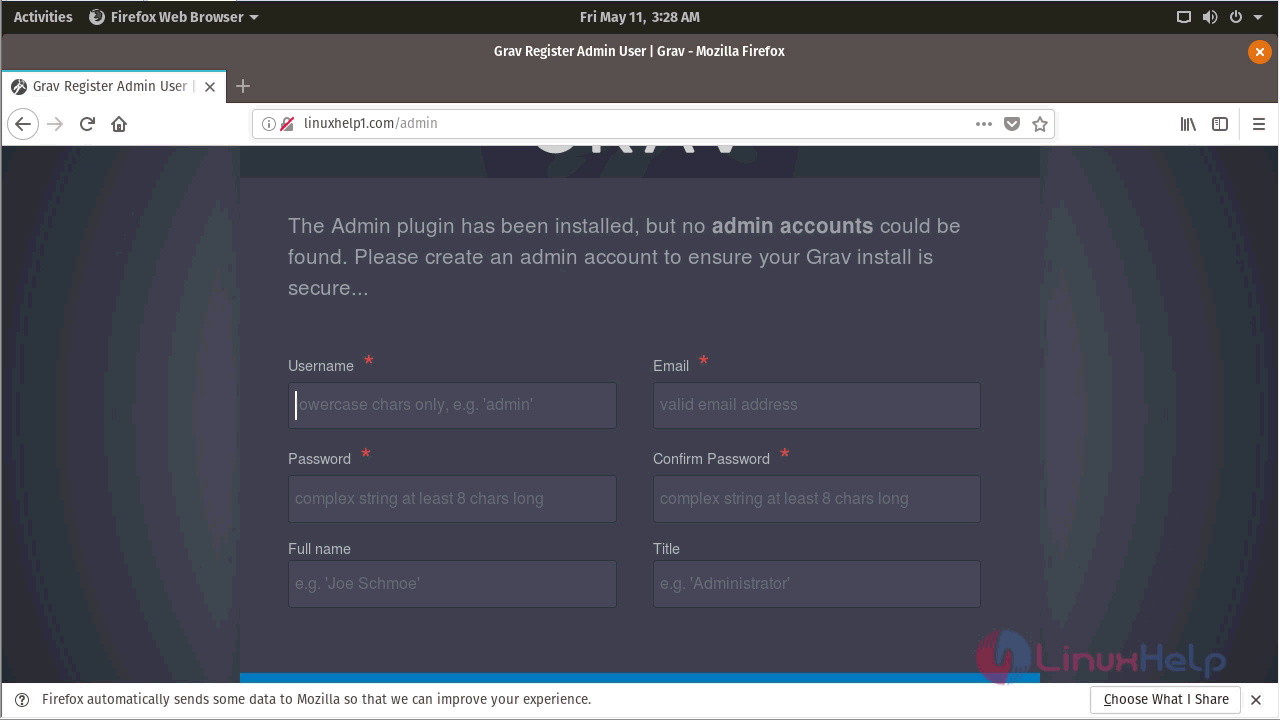
First, start with creating the admin user account for grav CMS.
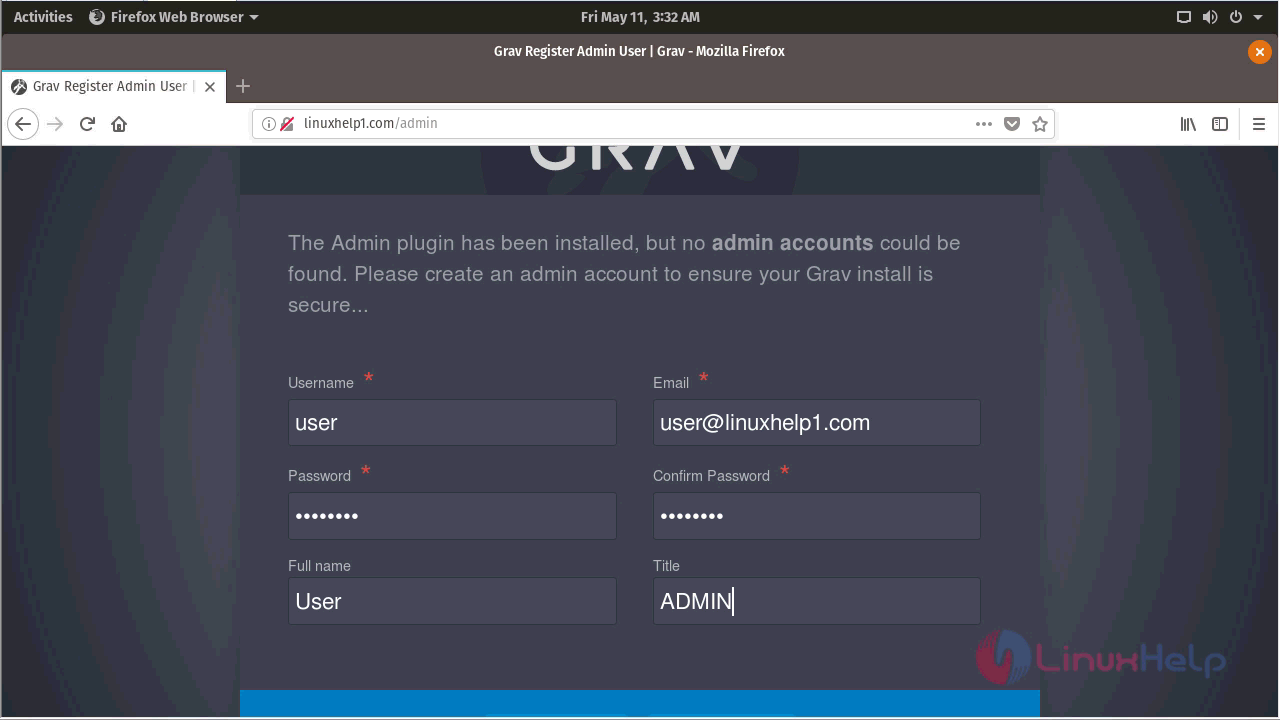
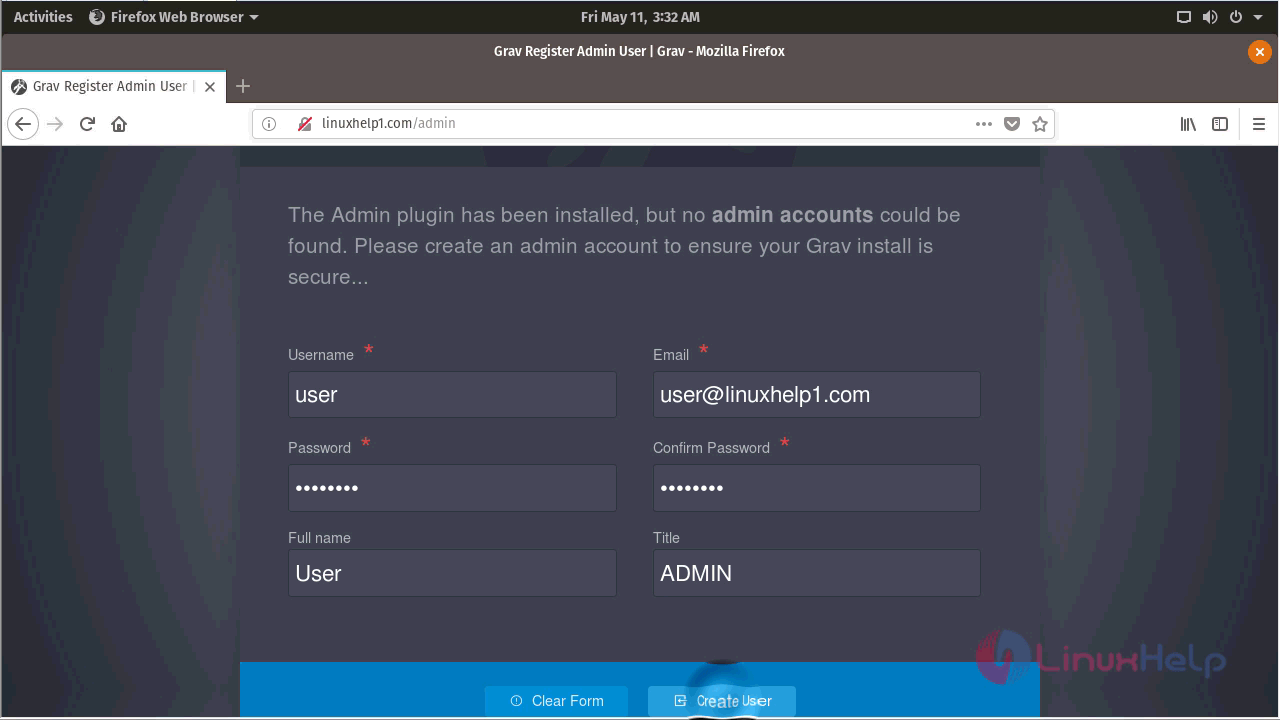
After creating the user you will see the Grav CMS dashboard as shown here.
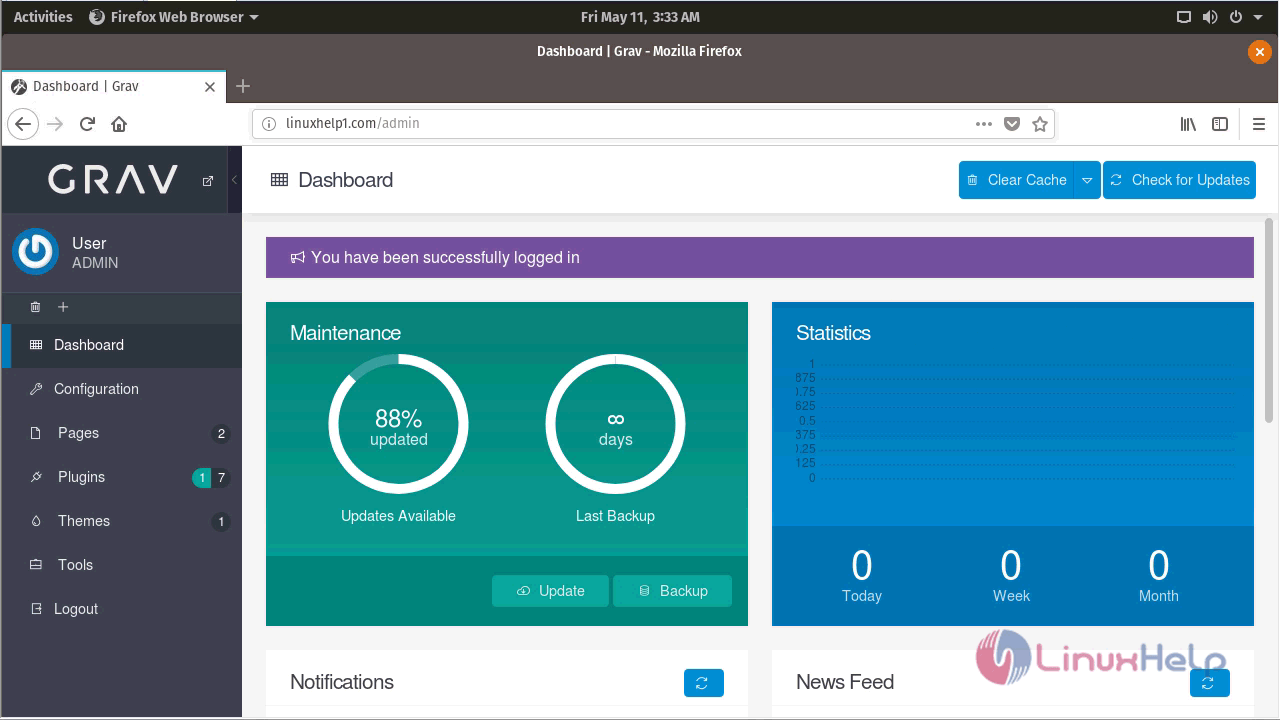
With this, the method to Install Grav CMS on Popos comes to an end.
Comments ( 0 )
No comments available