How to install OpenSUSE Leap 42.1
To Install Open SUSE Leap 42.1
OpenSUSE Leap is a hybrid type of Linux distribution. Leap uses source from SUSE Linux Enterprise (SLE), which gives Leap a level of stability. It unites with other community developments to provide a stable Linux experience. In this manual we will learn how to install OpenSUSE Leap.
Boot the OpenSUSE into a DVD or Pendrive by ISO image file.
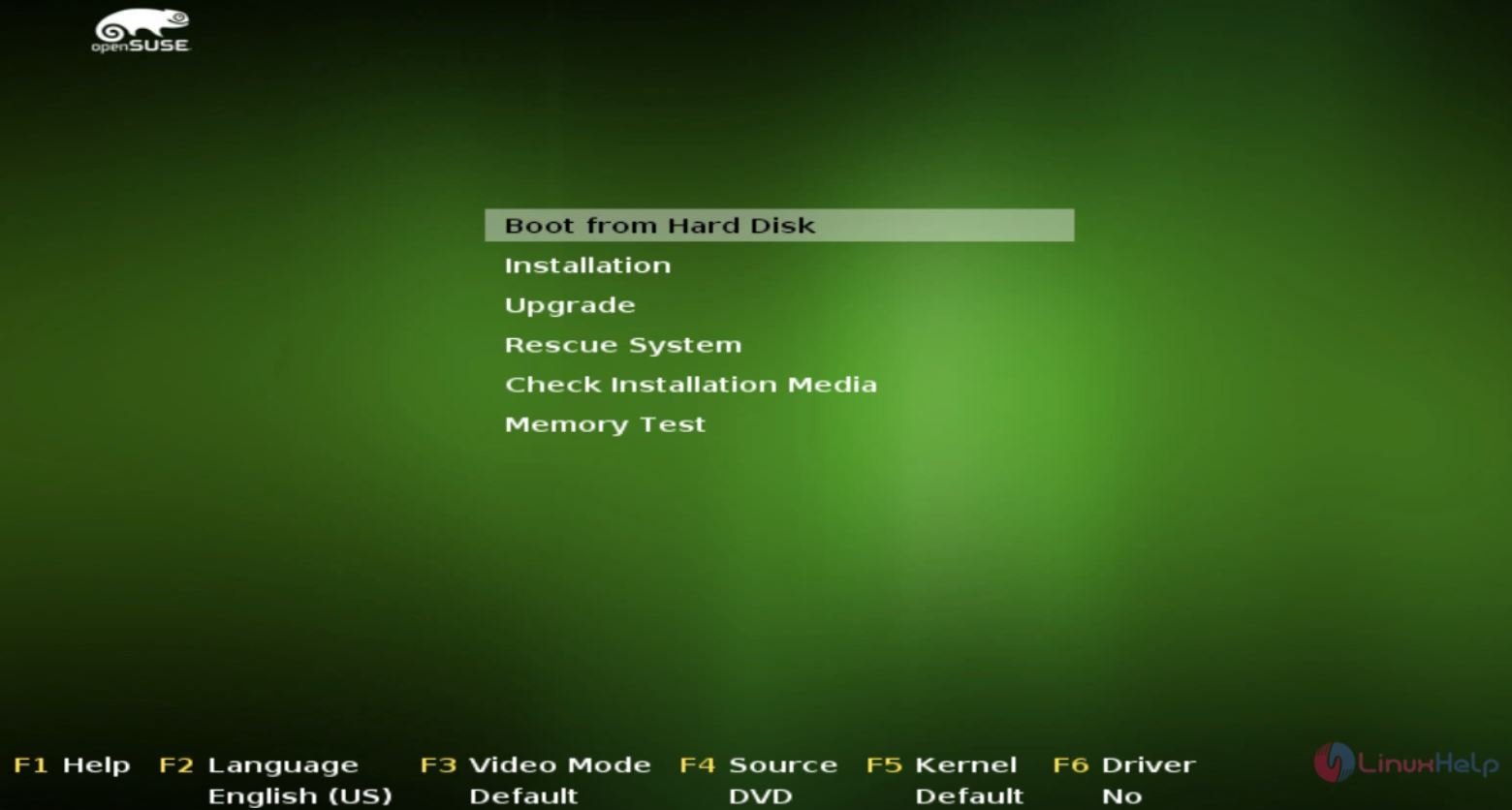
Select Installation interface to start the installation of OpenSUSE.

Select the preferred language and keyboard layout. Then click Next.

Now start configuring the network. Select the network and click edit.

Enter IP address, Hostname, gateway and click next.

Again enter the host name, domain name and the server details.


Now lets begin the partitioning. Click Create partitions setup to proceed further.

To perform manual partitioning, select custom partitioning.

Choose the disk to be partitioned and click Add partition.

Choose the partition type and click Next.

Now enter the size of the partition as required.

Choose the mounting and formatting options and click Finish.

In the same way, create swap and boot partitions.


To set the Time zone and region, click on Other settings to change the time and date settings.


If you require the additional products, select it or else skip with next.

Choose the type of Desktop environment and hit next.

Create new user and password for login credential.

Trigger the Install button to start the installation process.


Choose the Details tab to view the installation information.

Now the installation is successfully completed. Click OpenSUSE Leap 42.1 to open it.


Comments ( 0 )
No comments available