• Categories
    Category
    {{ postCtrl.tags }}
    • {{ category.tag_type }}

      • {{tag.tag_name}}
      • View more
  • Categories
    Category
    {{ postCtrl.tags }}
    • {{ category.tag_type }}

      • {{tag.tag_name}}
      • View more
  • News
  • Tutorials
  • Forums
  • Tags
  • Users
Tutorial News Comments FAQ Related Articles

Basic configuration before installing Matrix COSEC

{{postValue.id}}

Basic configuration before installing Matrix COSEC

Matrix COSEC is a flexible and scalable mobility management solution for organizations. It covers things such as Time-Attendance, Access Control, Visitor Management, Employee Self Service Portal, Roster Management, Contract Workers Management, Cafeteria Management, etc. The Matrix COSEC contains all the necessary hardware devices and a suite of software application modules.

Features

  • Centralised Monitoring and Control
  • Multiple Credentials such as Palm Vein, Fingerprint, Card, PIN, etc.
  • 1 Million Users and 65,000 Door Controllers
  • Connectivity options include Ethernet, Wi-Fi, 3G/4G, PoE
  • Employee Self-Service Portal on Web and Mobile platforms
  • Supports SMS and Email Notifications
  • Integration Using API, Database to Database and Export
  • Integration with ERP, Payroll, HRM
  • Integration with Fire Alarm, Video Surveillance and others

Installl the .NET Framework.

The initial thing to do before installing Matrix is to iInstall the .NET framework. Make sure its version is 4 or advanced.
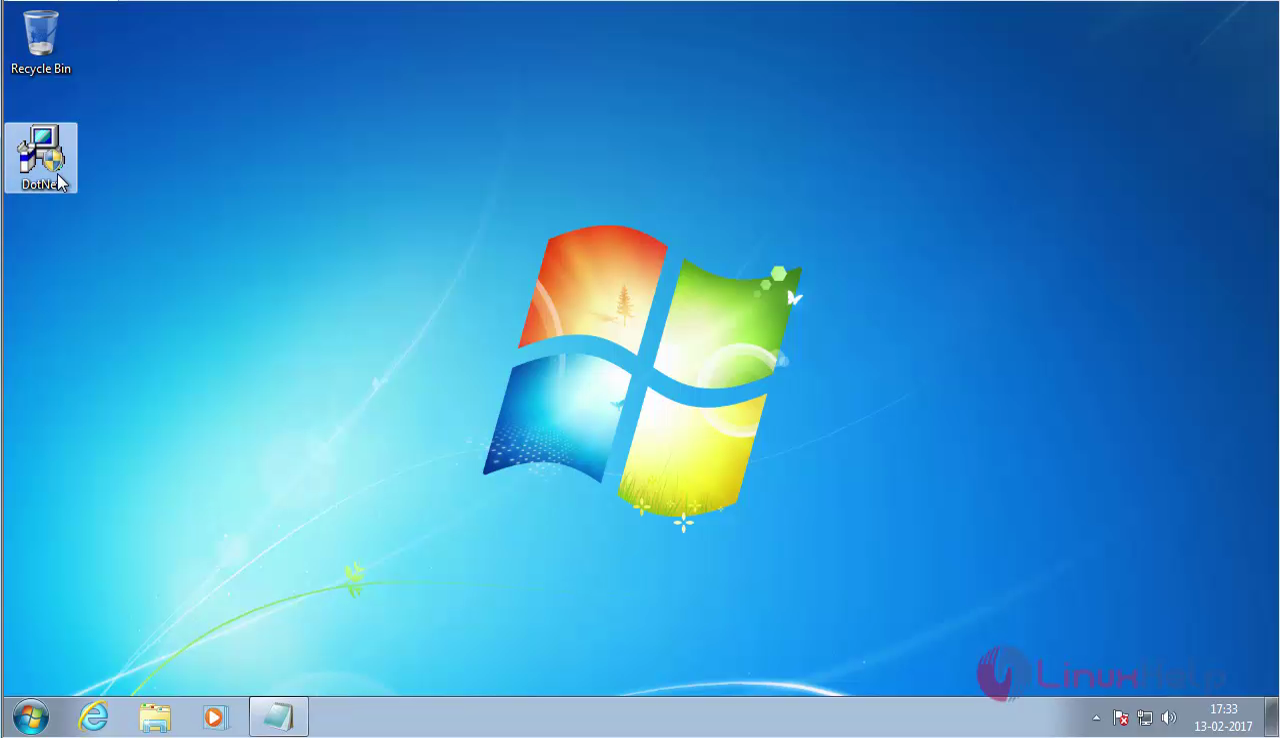
desktop

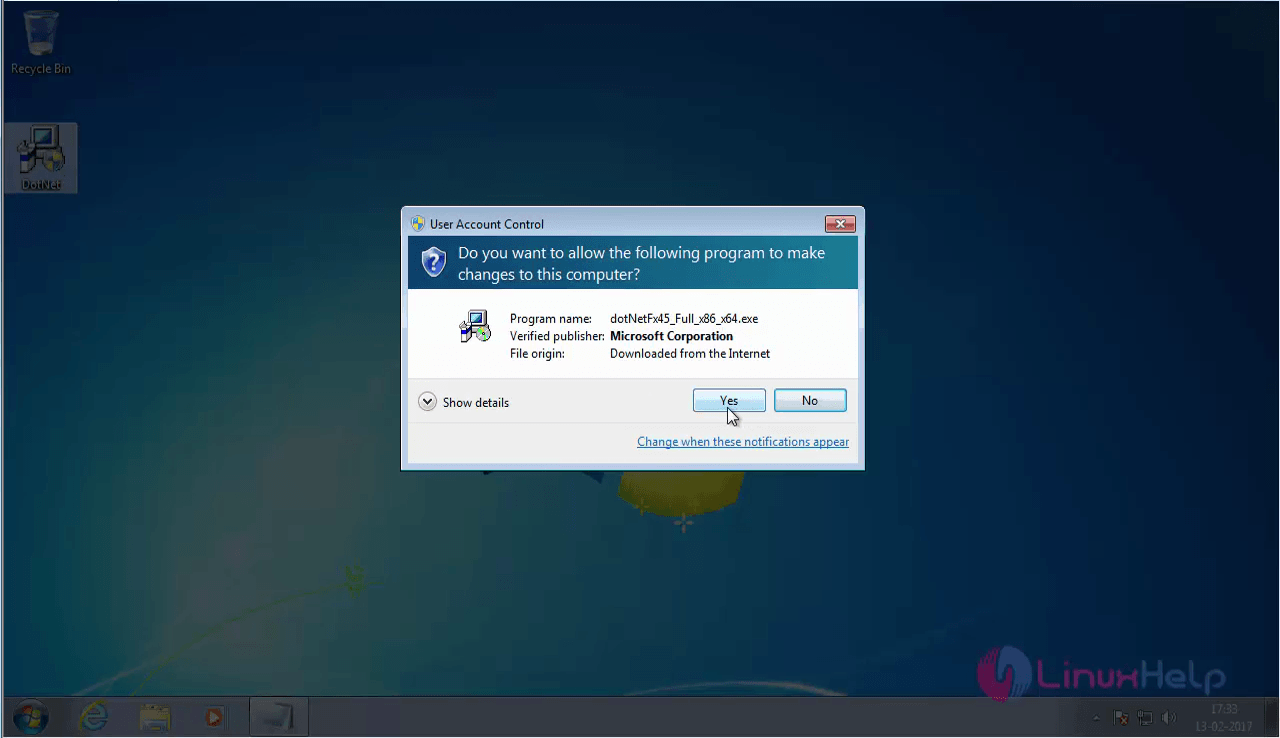
Click on the yes option.
click_yes

The license agreement dialog box appears. Click install
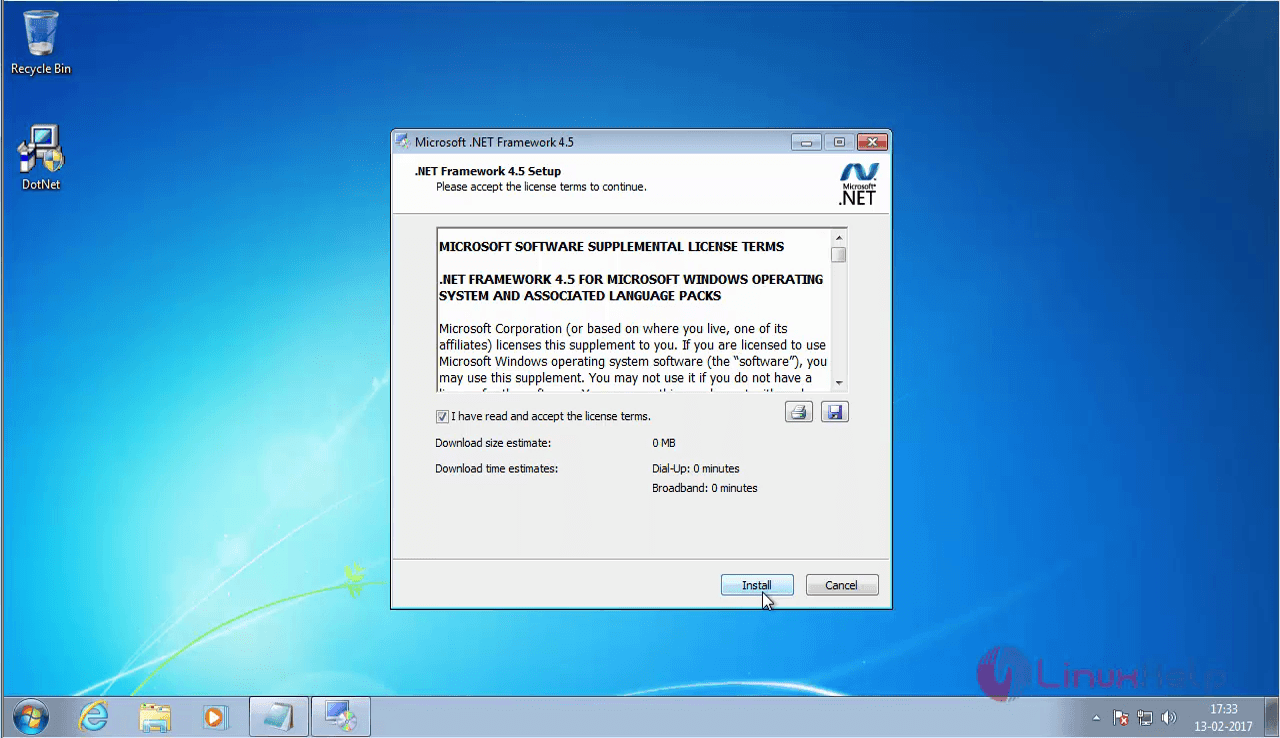
click_install


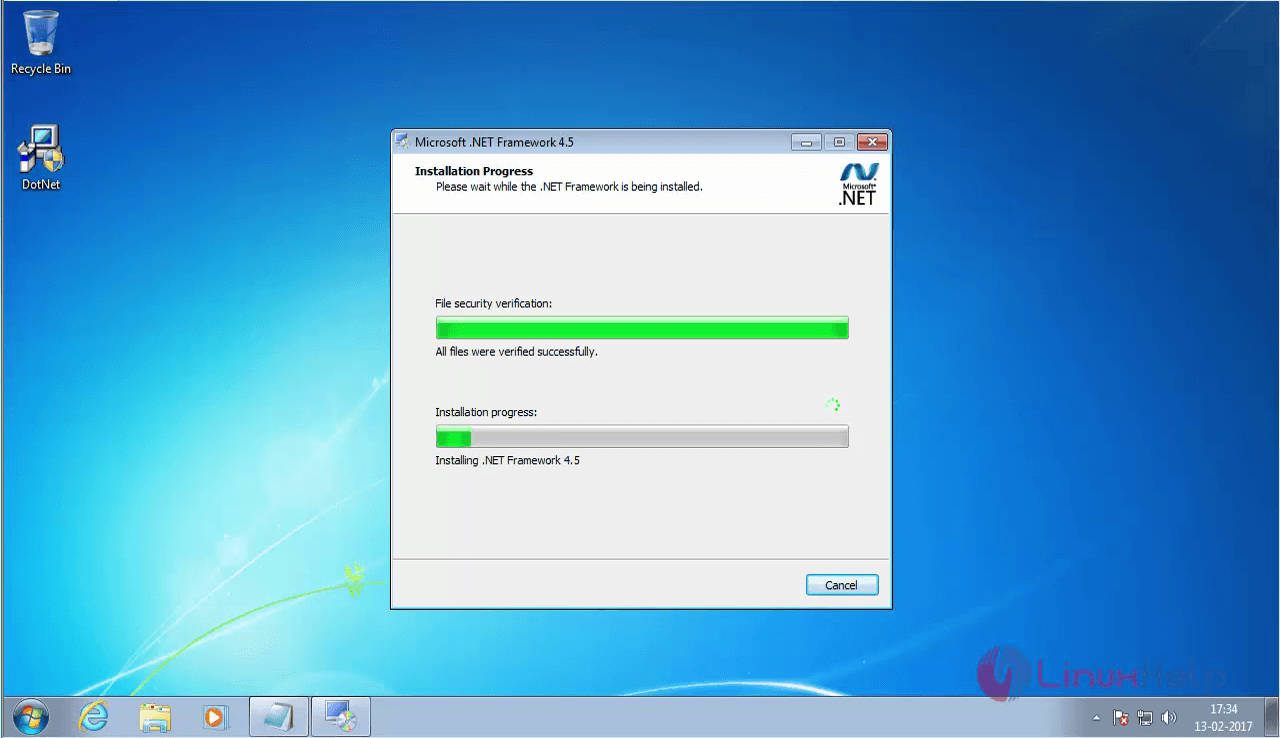
installation_process

The installation of .NET framework is now complete.
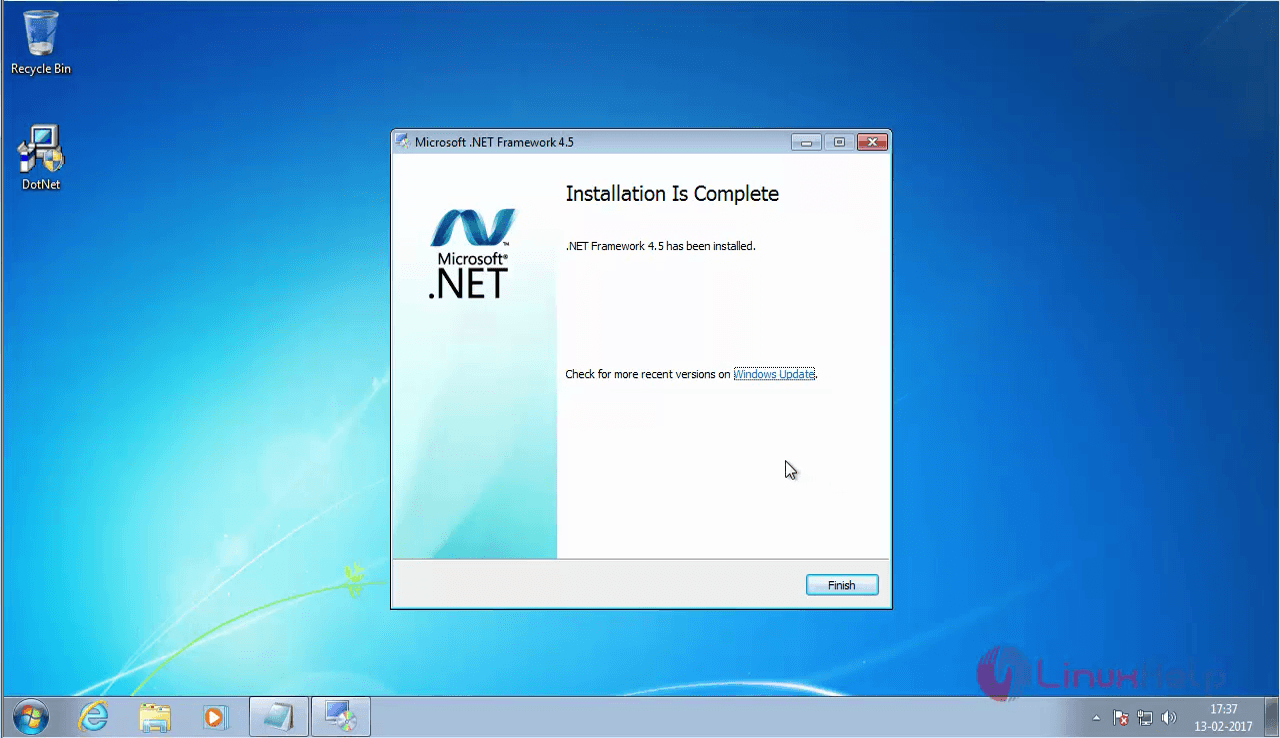
.NET_framework

Turn off the windows firewall

Once .NETframework is installed, the next thing to do is to turn off the Windows Firewall. Go to start menu and search for windows firewall. Click on the windows firewall program.
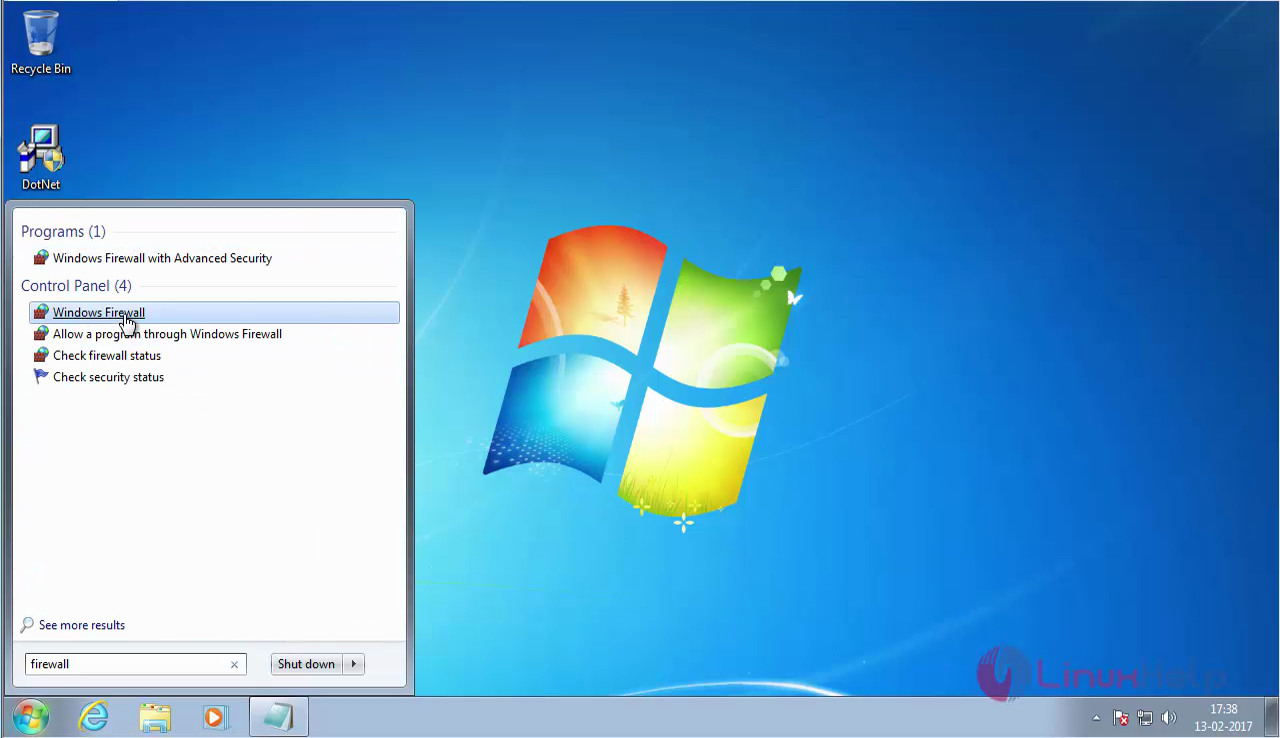
windows_firewall

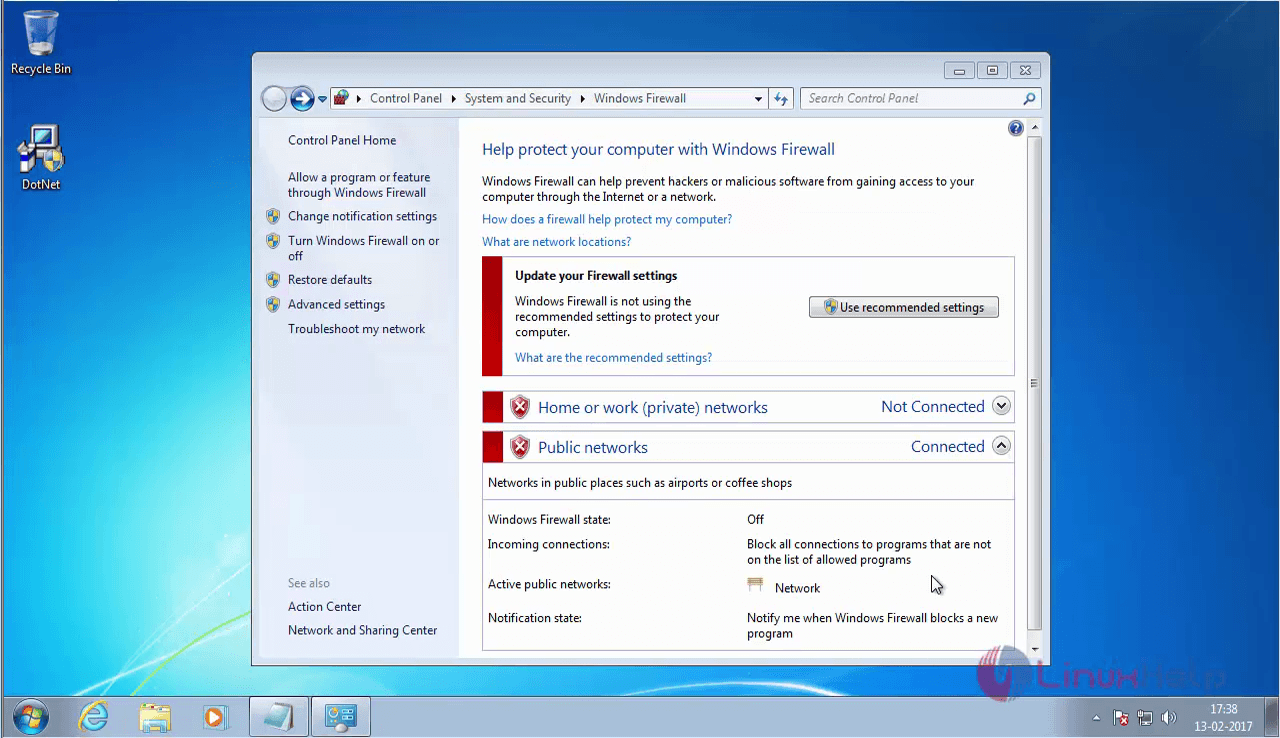
The windows firewall dialog box apprears. Choose " Turn Windows Firewall on or off" option in the left pane.
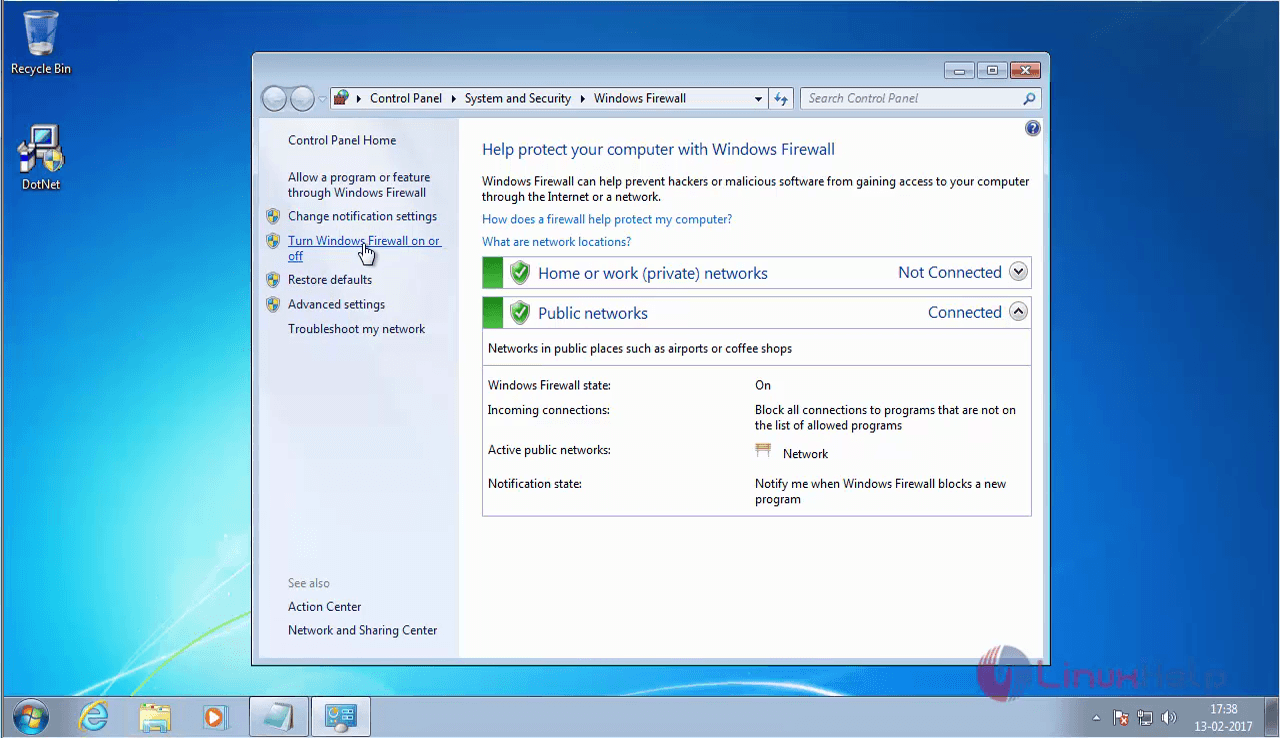
turn_windows_firewall_on_or_off

Now click on the Turn off Windows Firewall radio button and click Ok
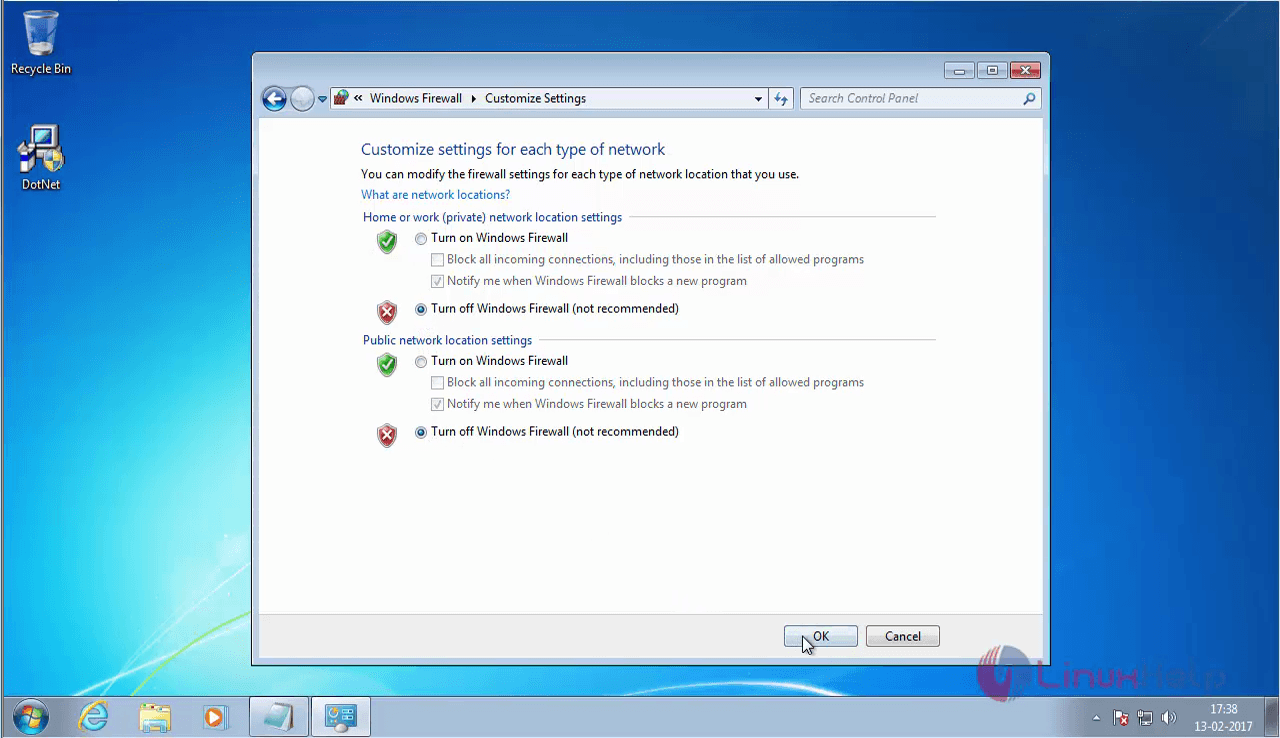
customizes_settings

The firewall is now turned off.
windows_firewall

Turn on the IIS service features

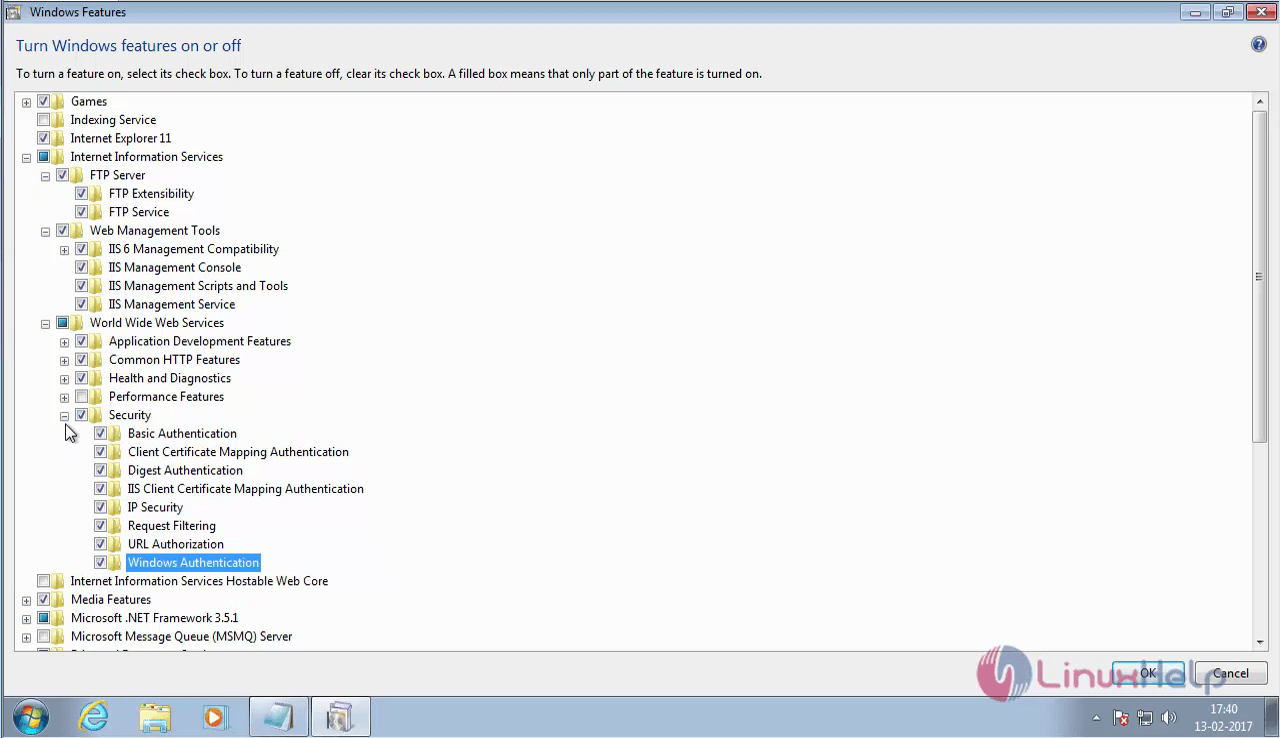
The next thing to do is to turn on the IIS service features. Go to the start menu and search windows feature and click on the Turn Windows features on or off program.
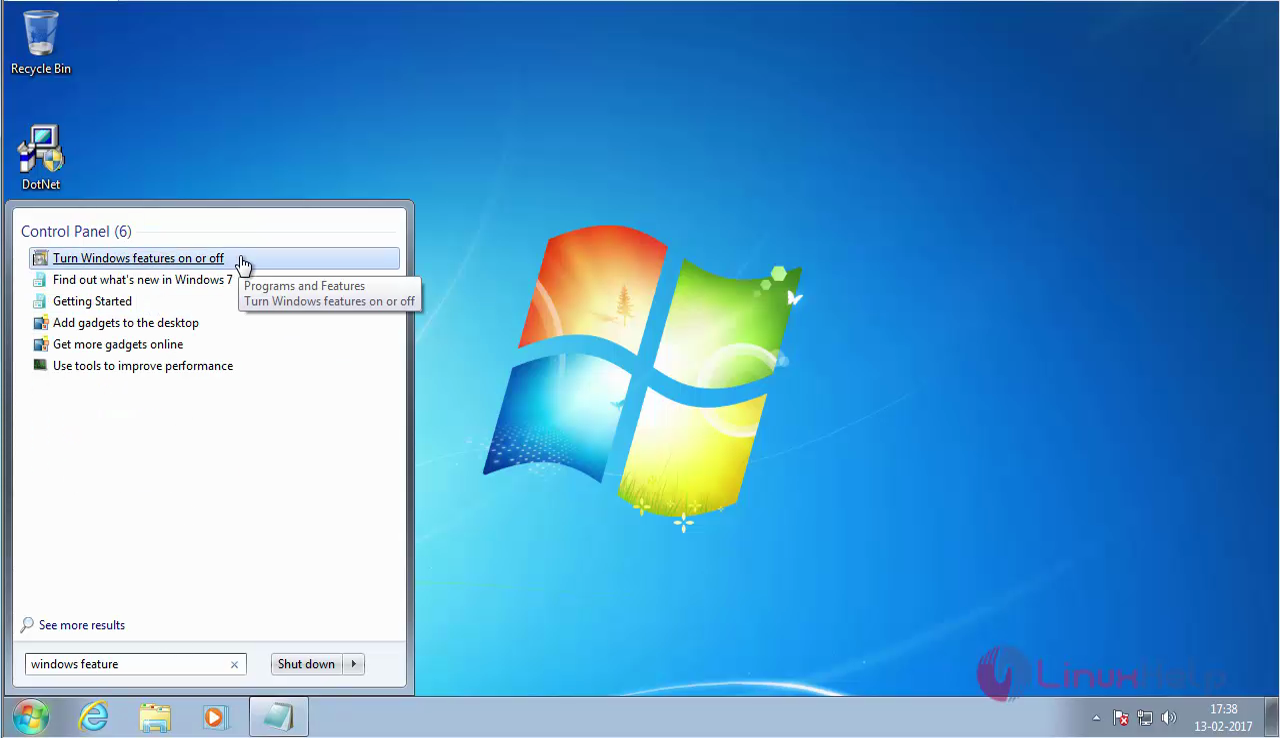
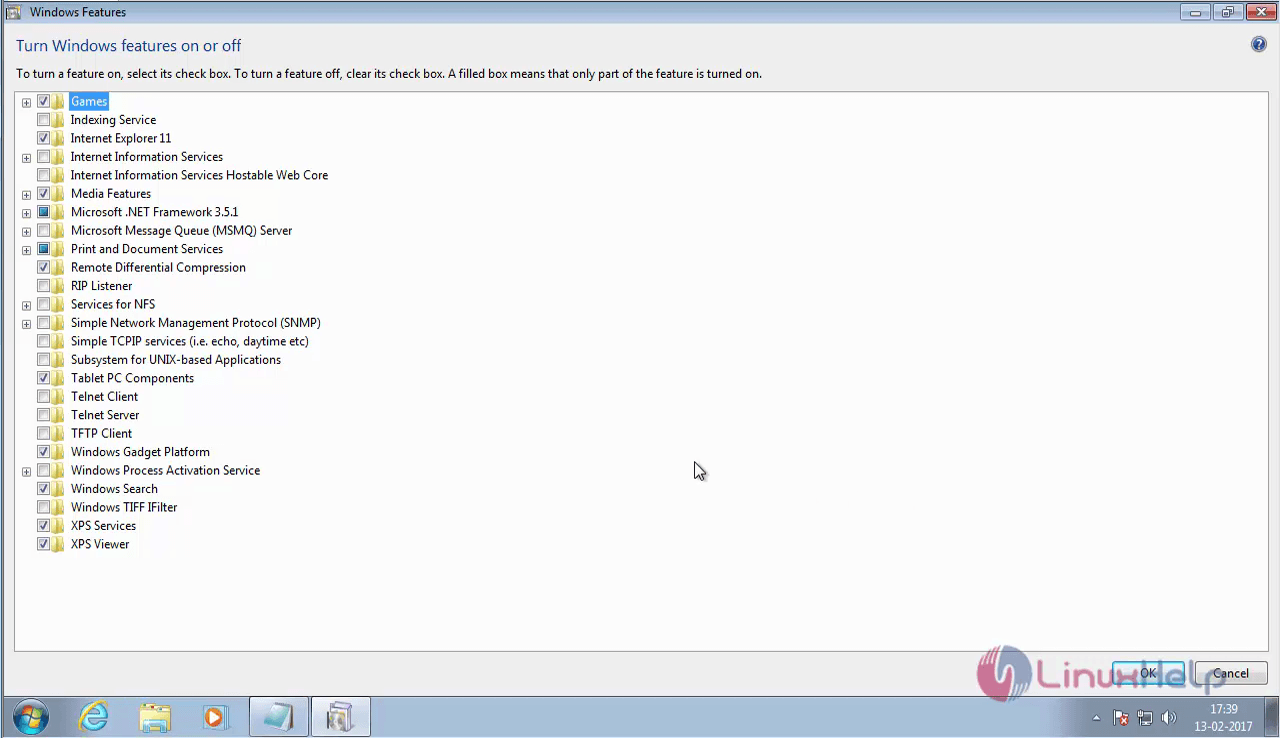
turn_off_windows

games_option

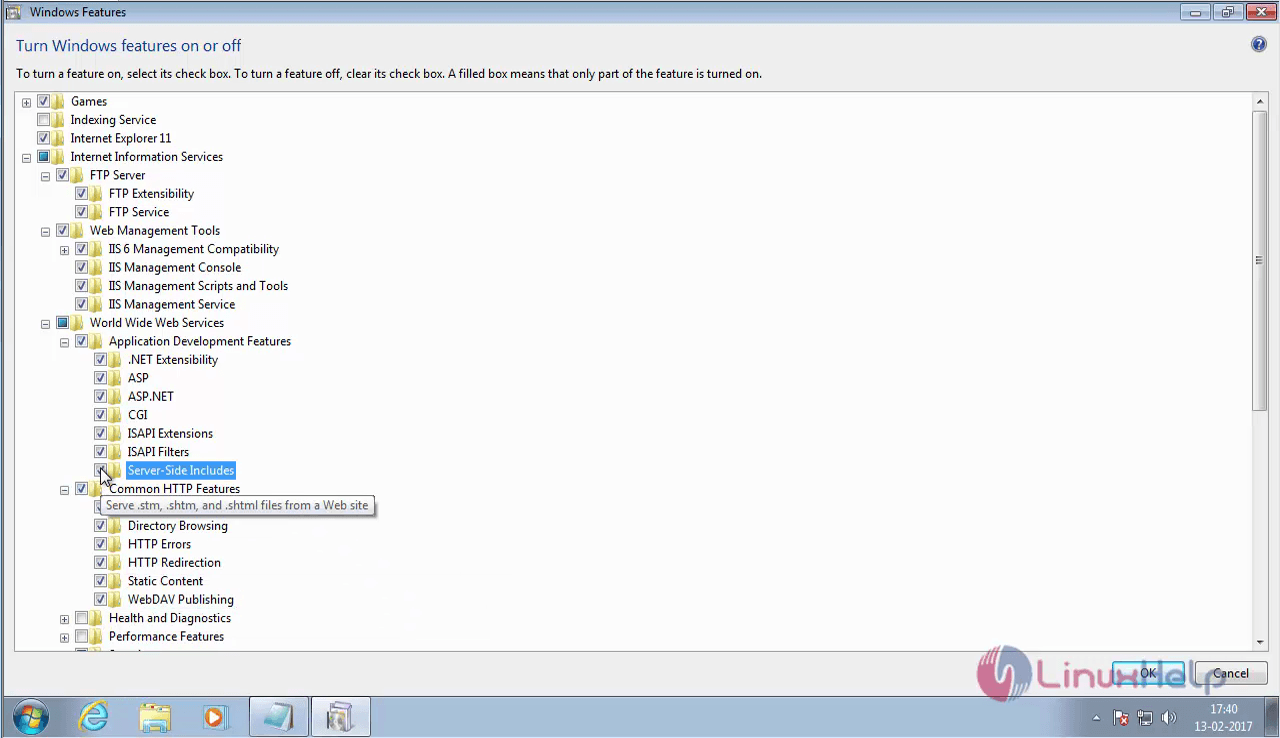
Once it is opened, enable the required services as follows.
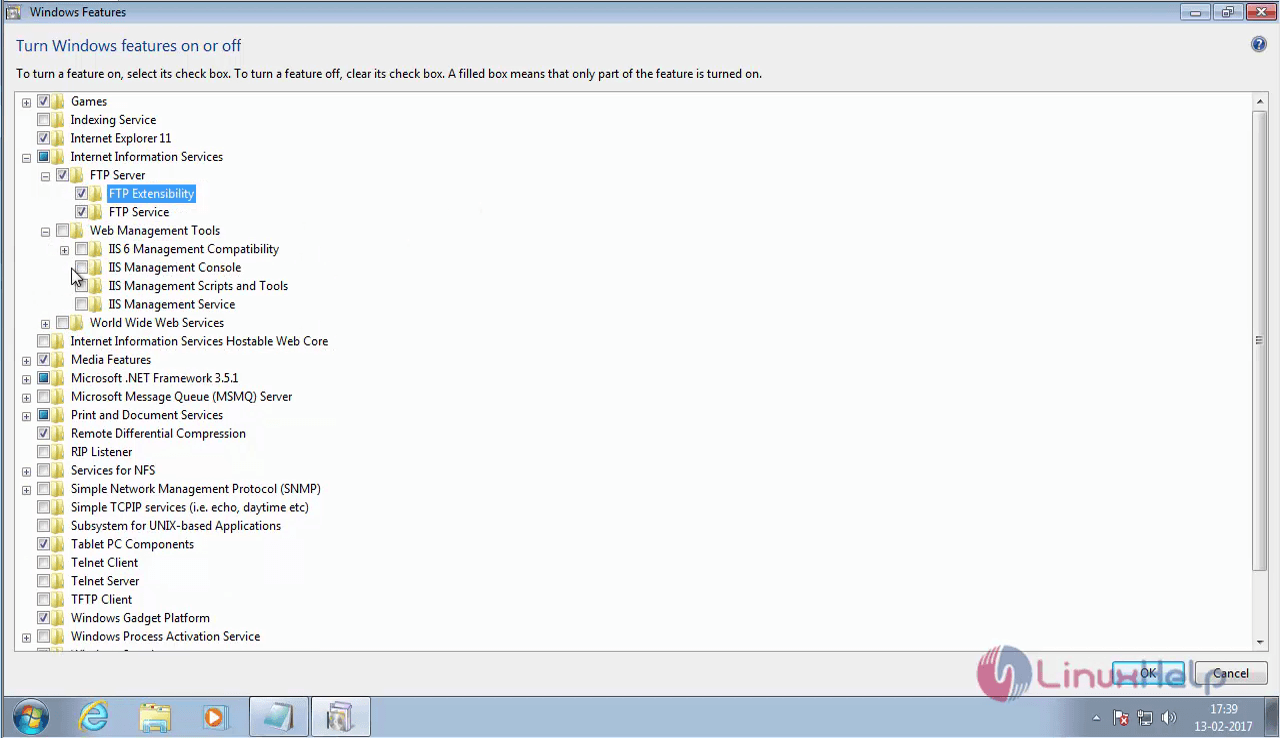
open_required_services
server_side_instruction


Windows_authentication

Once the required features are enabled, you have to enable the .NET framework.
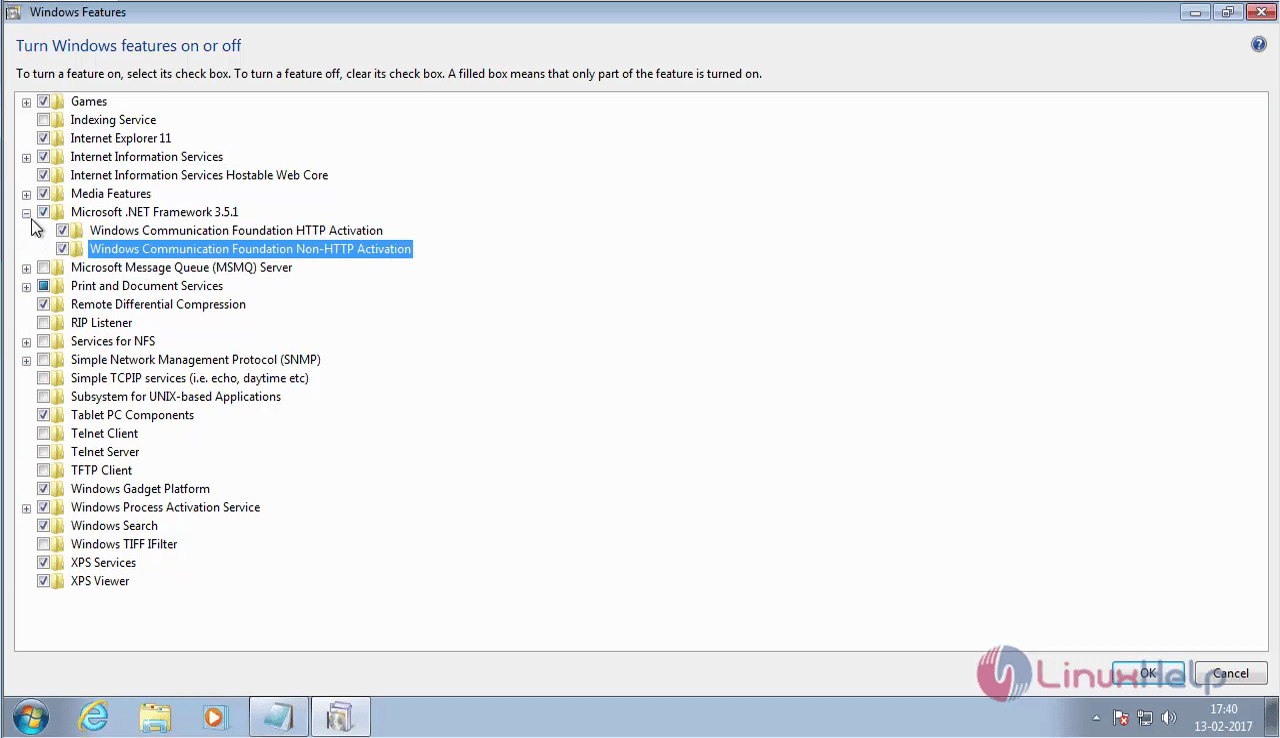
.net_framework

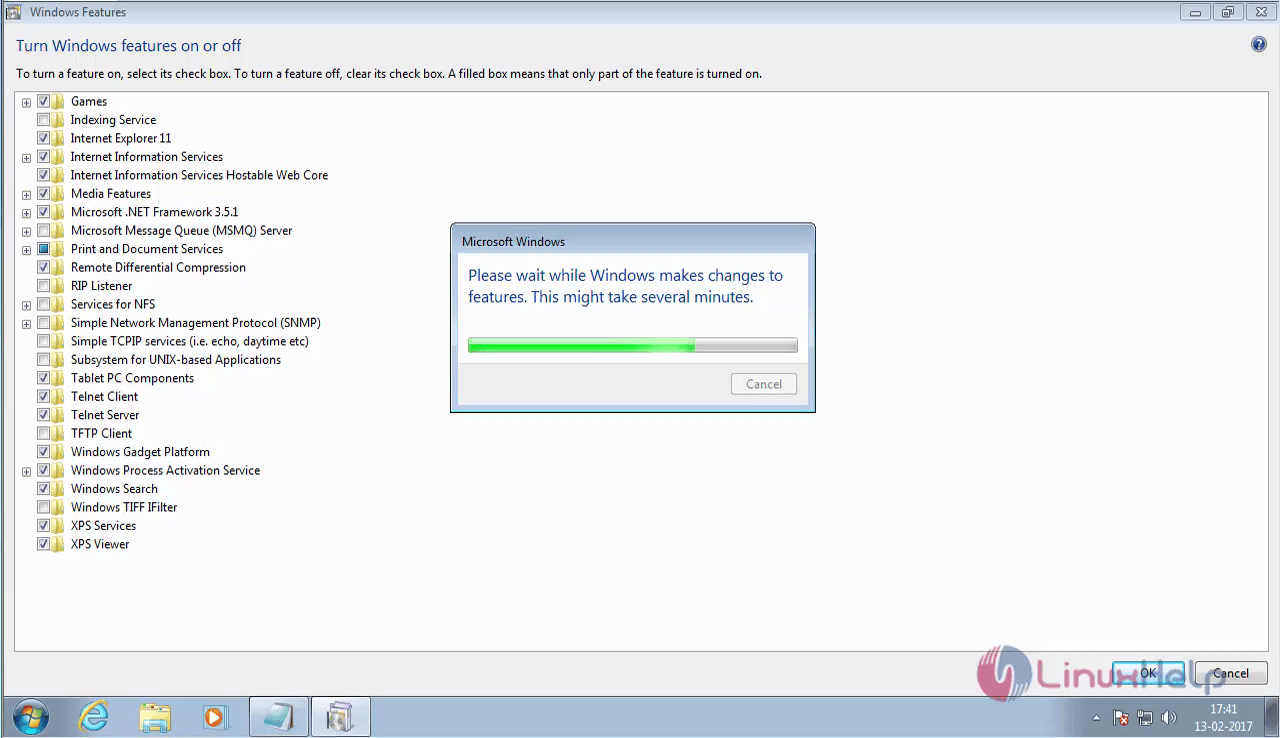
Once the .NET framework is enabled, you' ll have to enable the Telnet service and finally click OK.
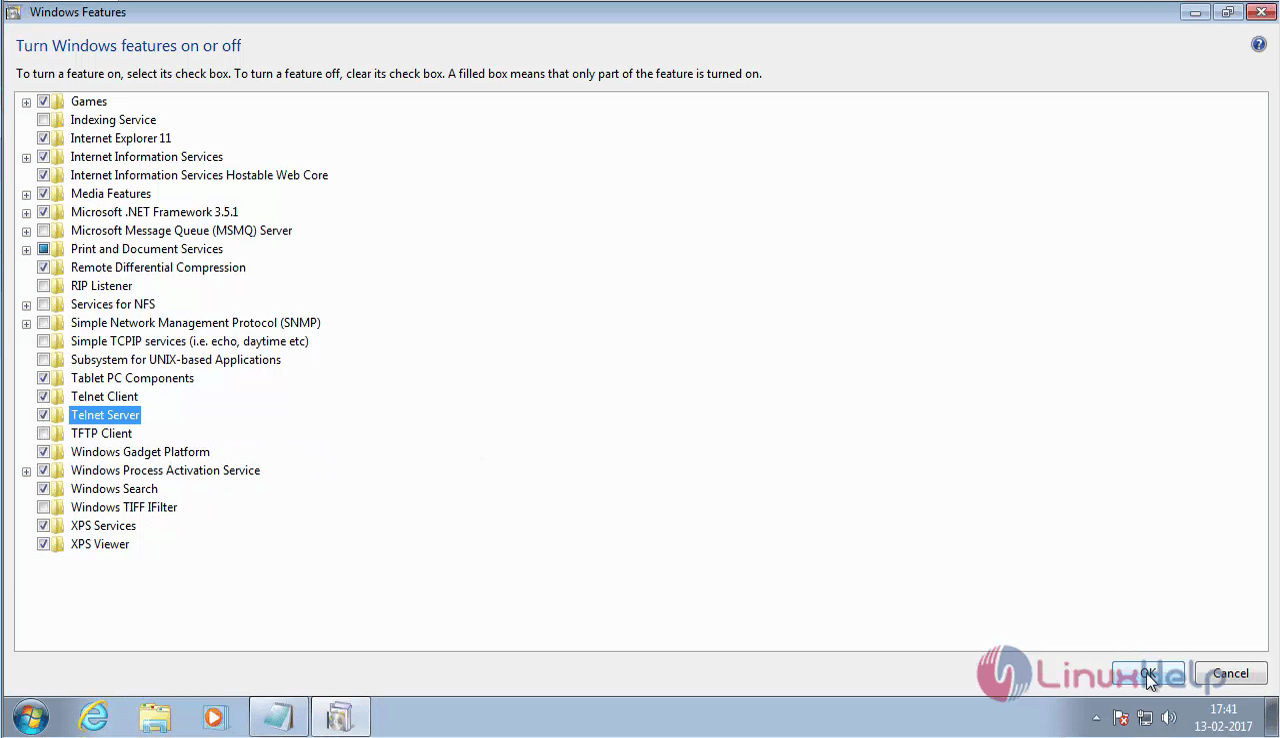
telnet_server
turn_off_windows_firewall

Now your system is ready for the installation of Martix COSEC.

Tags:
jackson
Author: 

Comments ( 0 )

No comments available

Add a comment
{{postCtrl.cmtErrMsg}}

Frequently asked questions ( 5 )

Q

What is the essential purpose of this device in Matrix COSEC?

A

Matrix COSEC is a flexible and scalable mobility management solution for organizations. It covers things such as
Time-Attendance, Access Control, Visitor Management, Employee Self Service Po

Q

what are the connectivity options avilable for it Matrix COSEC?

A

Connectivity options include Ethernet, Wi-Fi, 3G/4G, PoE in Matrix COSEC

Q

Is this be integrated with any ERP or HRM management software in Matrix COSEC?

A

Yes, Here it is Integration with ERP, Payroll, HRM is available to Matrix COSEC

Q

What are the types of credentials that are available in Matrix COSEC?

A

For enrolling there are multiple Credentials such as Palm Vein, Fingerprint, Card, PIN, etc.

Q

Why Exit switch is not working in COSEC Device?

A

By default, Exit Switch is disabled.
To enable it, open COSEC WEB -> Devices -> Device Configurations -> Exit switch

Back To Top!
Rank
User
Points

Top Contributers

userNamenaveelansari
135850

Top Contributers

userNameayanbhatti
92510

Top Contributers

userNamehamzaahmed
32150

Top Contributers

1
userNamelinuxhelp
31040

Top Contributers

userNamemuhammadali
24500
Can you help Isaiah ?
What is the use of SUID & SGID commands

How to set the special permissions to the files and folders using SUID and SGID commands...

Networking
  • Routing
  • trunk
  • Netmask
  • Packet Capture
  • domain
  • HTTP Proxy
Server Setup
  • NFS
  • KVM
  • Memory
  • Sendmail
  • WebDAV
  • LXC
Shell Commands
  • Cloud commander
  • Command line archive tools
  • last command
  • Shell
  • terminal
  • Throttle
Desktop Application
  • Linux app
  • Pithos
  • Retrospect
  • Scribe
  • TortoiseHg
  • 4Images
Monitoring Tool
  • Monit
  • Apache Server Monitoring
  • EtherApe 
  • Arpwatch Tool
  • Auditd
  • Barman
Web Application
  • Nutch
  • Amazon VPC
  • FarmWarDeployer
  • Rukovoditel
  • Mirror site
  • Chef
Contact Us | Terms of Use| Privacy Policy| Disclaimer
© 2025 LinuxHelp.com All rights reserved. Linux™ is the registered trademark of Linus Torvalds. This site is not affiliated with linus torvalds in any way.