Best Command line Text Editors in Linux
Best Command line Text Editors in Linux
In this article we will discuss about various command line text editors in Linux.
Vi/Vim Editor
Vim editor is a flexible editor which is the improved version of vi editor. It is used by linux power users and developers.
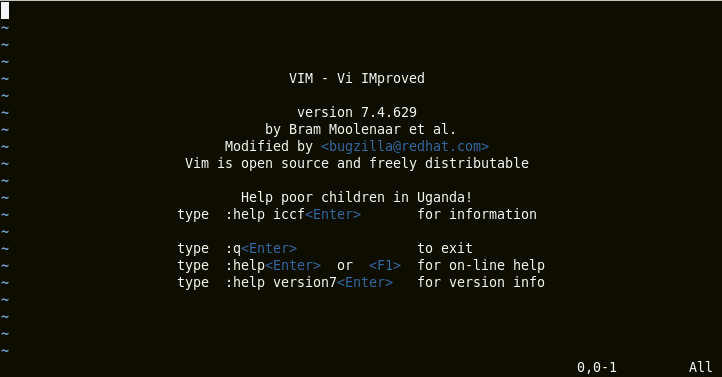
To install vi/vim editor
On Debian and its derivatives
# apt-get install vim
On newer Fedora 22+ versions
# dnf install vim
On RedHat based systems
[root@linuxhelp]# yum install vim
Resolving Dependencies
There are unfinished transactions remaining. You might consider running yum-complete-transaction first to finish them.
-->  Running transaction check
--->  Package vim-enhanced.x86_64 2:7.4.629-5.el6 will be installed
-->  Processing Dependency: vim-common = 2:7.4.629-5.el6 for package: 2:vim-enhanced-7.4.629-5.el6.x86_64
.
.
.
Installed:
vim-enhanced.x86_64 2:7.4.629-5.el6
Dependency Installed:
vim-filesystem.x86_64 2:7.4.629-5.el6
Dependency Updated:
vim-common.x86_64 2:7.4.629-5.el6
Complete!
Vim editor basic usage guide
Press Esc and do the following options,
| I | Inserting text |
| :q | quit |
| :q! | quit forcefully |
| :wq | save and quit |
| :wq! | save and quit forcefully |
Saved in current location
Emacs Editor
Emacs editor is complex text editor and it is more productive because it provides integrated environment for different tasks.
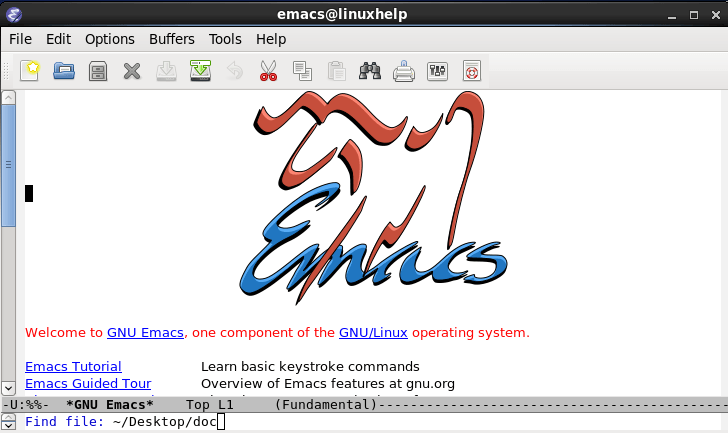
To install Emacs editor:
On Debian and its derivatives
apt-get install emacs
On newer Fedora 22+ versions
dnf install emacs
apt-get install emacs23-nox
On RedHat based systems
[root@linuxhelp]# yum install emacs
Resolving Dependencies
There are unfinished transactions remaining. You might consider running yum-complete-transaction first to finish them.
-->  Running transaction check
--->  Package emacs.x86_64 1:23.1-28.el6 will be installed
-->  Finished Dependency Resolution
Dependencies Resolved

=============================================================================================
Package Arch Version Repository Size
=============================================================================================
Installing:
emacs x86_64 1:23.1-28.el6 base 2.2 M

Transaction Summary
=============================================================================================
.
.
.
Installed:
emacs.x86_64 1:23.1-28.el6
Complete!
Emacs editor basic usage guide
c-x + c-f - opening new file & finding files [c-ctrl]
Enter the new filename with path
c-x + c-s - save
c-x + c-c - quit
Nano Editor
Nano editor is a simple and it is reinstalled in Linux. It is the most frequently used command line text editors. It has features like cut text, spell check, uncut text, next page, and justify etc.
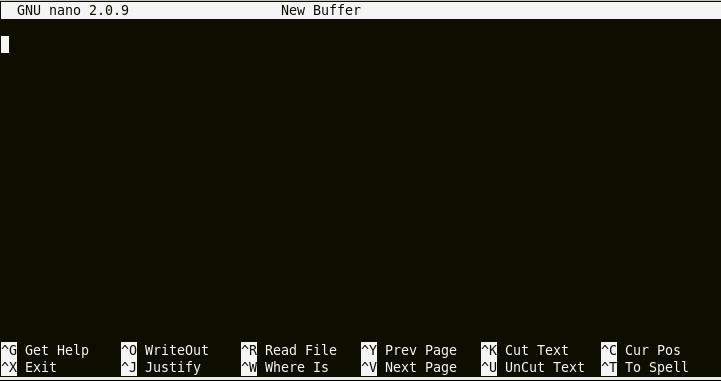
To install nano editor
On Debian and its derivatives
apt-get install nano
On newer Fedora 22+ versions
dnf install nano
On RedHat based systems
[root@linuxhelp]# yum install nano
Resolving Dependencies
There are unfinished transactions remaining. You might consider running yum-complete-transaction first to finish them.
-->  Running transaction check
--->  Package nano.x86_64 0:2.0.9-7.el6 will be installed
-->  Finished Dependency Resolution

.
.
.
Installing : nano-2.0.9-7.el6.x86_64
1/1
Verifying : nano-2.0.9-7.el6.x86_64
1/1
Installed:
nano.x86_64 0:2.0.9-7.el6
Complete!
Basic usage of nano editor :
Just enter the text
Ctrl + x - exit
Saving option will be asked while saving, select yes or no
Enter file name and press enter
Saved in current.
Comments ( 0 )
No comments available