• Categories
    Category
    {{ postCtrl.tags }}
    • {{ category.tag_type }}

      • {{tag.tag_name}}
      • View more
  • Categories
    Category
    {{ postCtrl.tags }}
    • {{ category.tag_type }}

      • {{tag.tag_name}}
      • View more
  • News
  • Tutorials
  • Forums
  • Tags
  • Users
Tutorial News Comments FAQ Related Articles

How to add Callback in Elastix

{{postValue.id}}

To add Callback in Elastix

The Callback option available in Elastix is used for hanging up on the caller and then to make a call back to the selected destination. It reduces the phone charges. This article covers the procedure involved in adding the Callback feature in Elastix.


Adding Callback

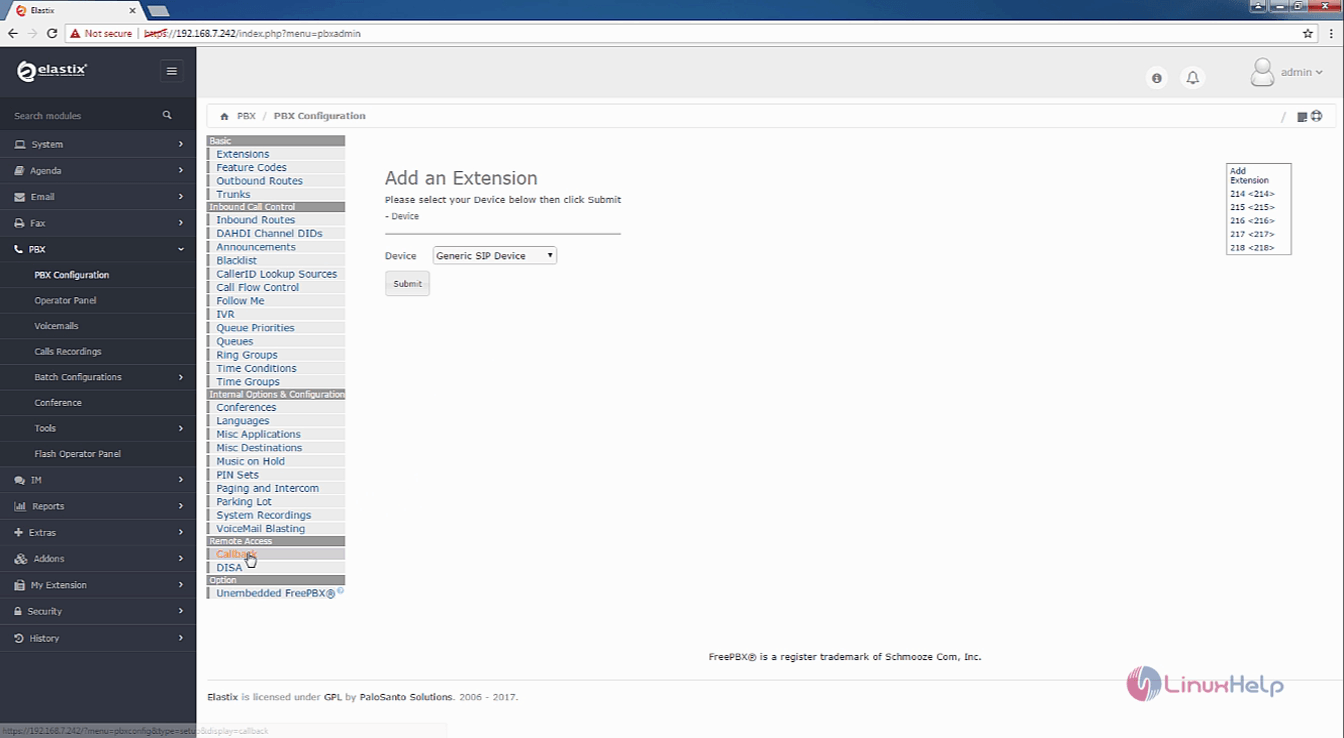
Open the Elastix dashboard and choose PBX ---> PBX configuration from the left pane. Choose Callback option.
pbx_configuration


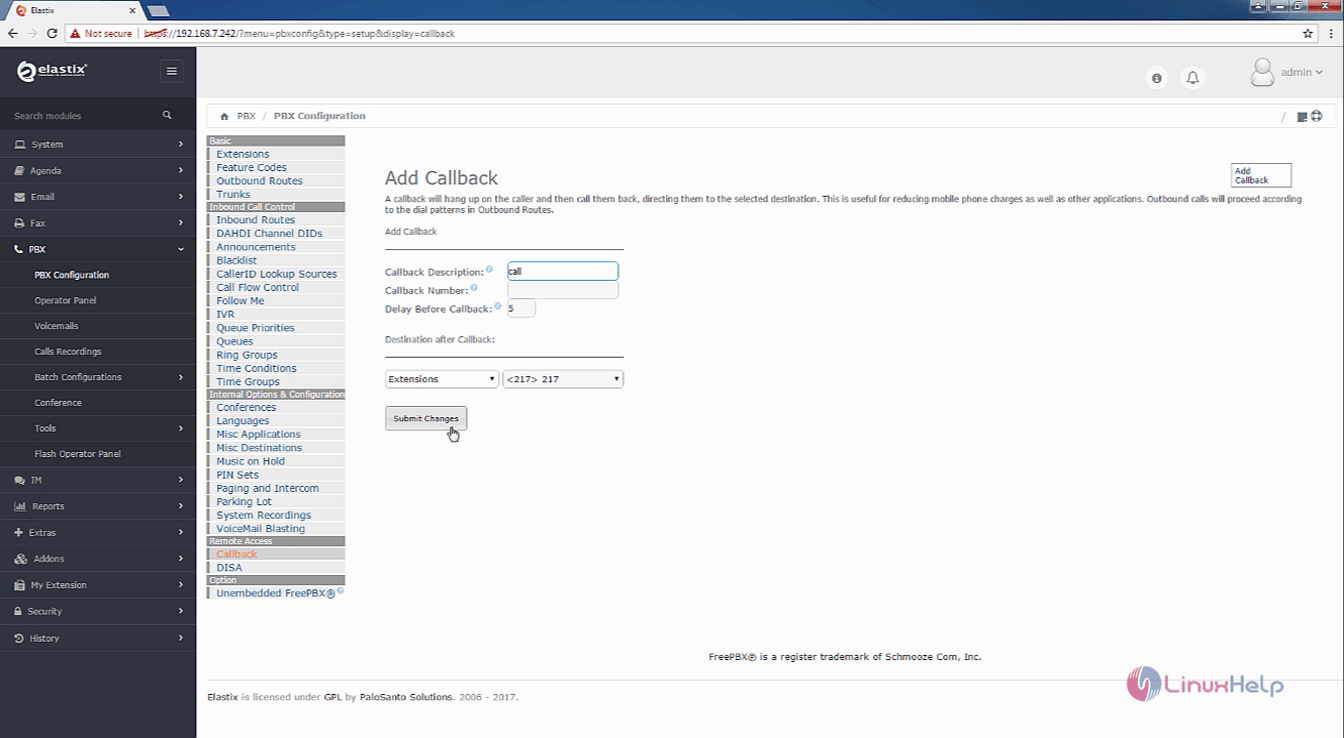
Enter the details such as callback description, delay before callback and select the destination before callback.
Callback number is optional, you can enter your callback number or leave it has empty

After configuring click submit changes and then Apply config
submit_changes

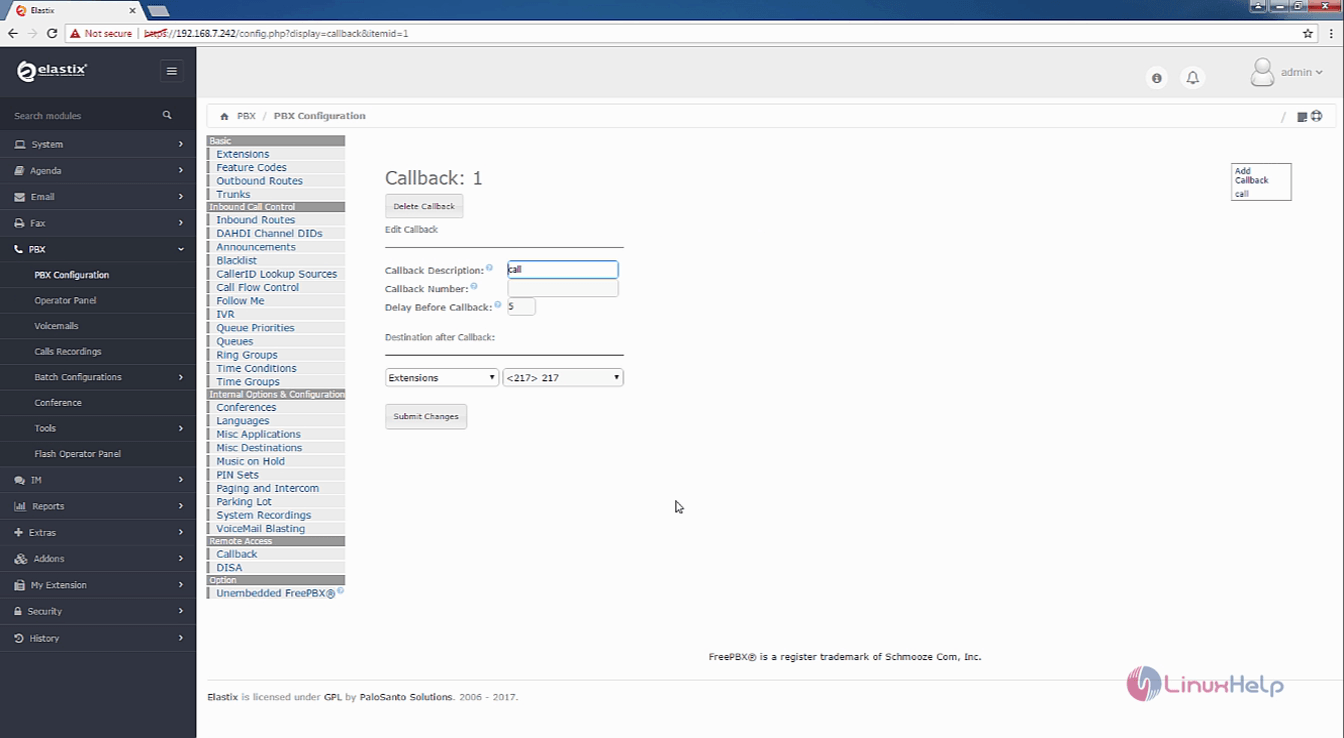
New Callback is now created.
new_callback

Tags:
elijah
Author: 

Comments ( 0 )

No comments available

Add a comment
{{postCtrl.cmtErrMsg}}

Frequently asked questions ( 5 )

Q

Does elastix server provide call center setup?

A

Yes, this includes capabilities like call center software with predicitive dialling

Q

what is the next step after partitioning the elastix?

A

After the partioning


we need to configure Network and hostname we can either configure the network now or can also be done after the installation is completed

Q

Why do I have to pay some licences for some parts, isn't this against the spirit of Open Source software?

A

For general IP PBX functionality, you do not require these additional licences. They are supplied by third party companies and generally only extend the functionality of the Elastix product.

Q

where the back up will be saved in Elastix?

A

After creating a backup file that displays in dashboard and you have to download for future use

Q

How to add the path to add users and group in Elastixs?

A

To add user and grups
System -> Users -> Group for group and System -> Users -> Users for users

Back To Top!
Rank
User
Points

Top Contributers

userNamenaveelansari
135850

Top Contributers

userNameayanbhatti
92510

Top Contributers

userNamehamzaahmed
32150

Top Contributers

1
userNamelinuxhelp
31040

Top Contributers

userNamemuhammadali
24500
Can you help Sebastian ?
How to change non required to required field in SuiteCRM Custom/Default Modules

How to change not required to the required field in SuiteCRM Custom/Default Modules?

Networking
  • Routing
  • trunk
  • Netmask
  • Packet Capture
  • domain
  • HTTP Proxy
Server Setup
  • NFS
  • KVM
  • Memory
  • Sendmail
  • WebDAV
  • LXC
Shell Commands
  • Cloud commander
  • Command line archive tools
  • last command
  • Shell
  • terminal
  • Throttle
Desktop Application
  • Linux app
  • Pithos
  • Retrospect
  • Scribe
  • TortoiseHg
  • 4Images
Monitoring Tool
  • Monit
  • Apache Server Monitoring
  • EtherApe 
  • Arpwatch Tool
  • Auditd
  • Barman
Web Application
  • Nutch
  • Amazon VPC
  • FarmWarDeployer
  • Rukovoditel
  • Mirror site
  • Chef
Contact Us | Terms of Use| Privacy Policy| Disclaimer
© 2025 LinuxHelp.com All rights reserved. Linux™ is the registered trademark of Linus Torvalds. This site is not affiliated with linus torvalds in any way.