• Categories
    Category
    {{ postCtrl.tags }}
    • {{ category.tag_type }}

      • {{tag.tag_name}}
      • View more
  • Categories
    Category
    {{ postCtrl.tags }}
    • {{ category.tag_type }}

      • {{tag.tag_name}}
      • View more
  • News
  • Tutorials
  • Forums
  • Tags
  • Users
Tutorial News Comments FAQ Related Articles

How to add 'Follow-me' for an extension in Elastix

{{postValue.id}}

To add Follow-Me for an extension in Elastix

Elastix is an open source software for PBX Unified Communication Solution, it is a web based interface for configuration and management for call center like module. In this tutorial, we can see how to create the Follow-Me extention in Elastix.

To add Follow-Me

Once you log into Elastix, select PBX option from the left pane. Choose PBX configuration and click follow-me option.
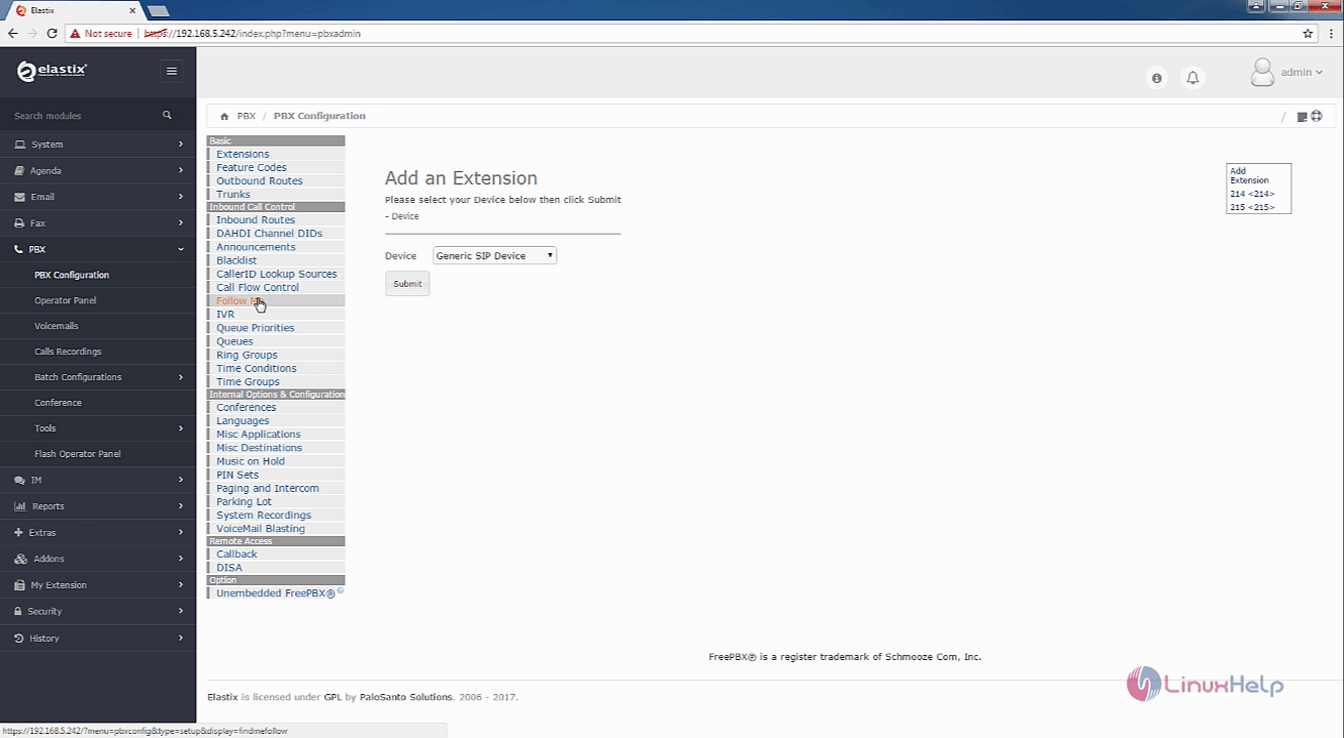
1

Select the extension for which you need to add ' Follow-Me'
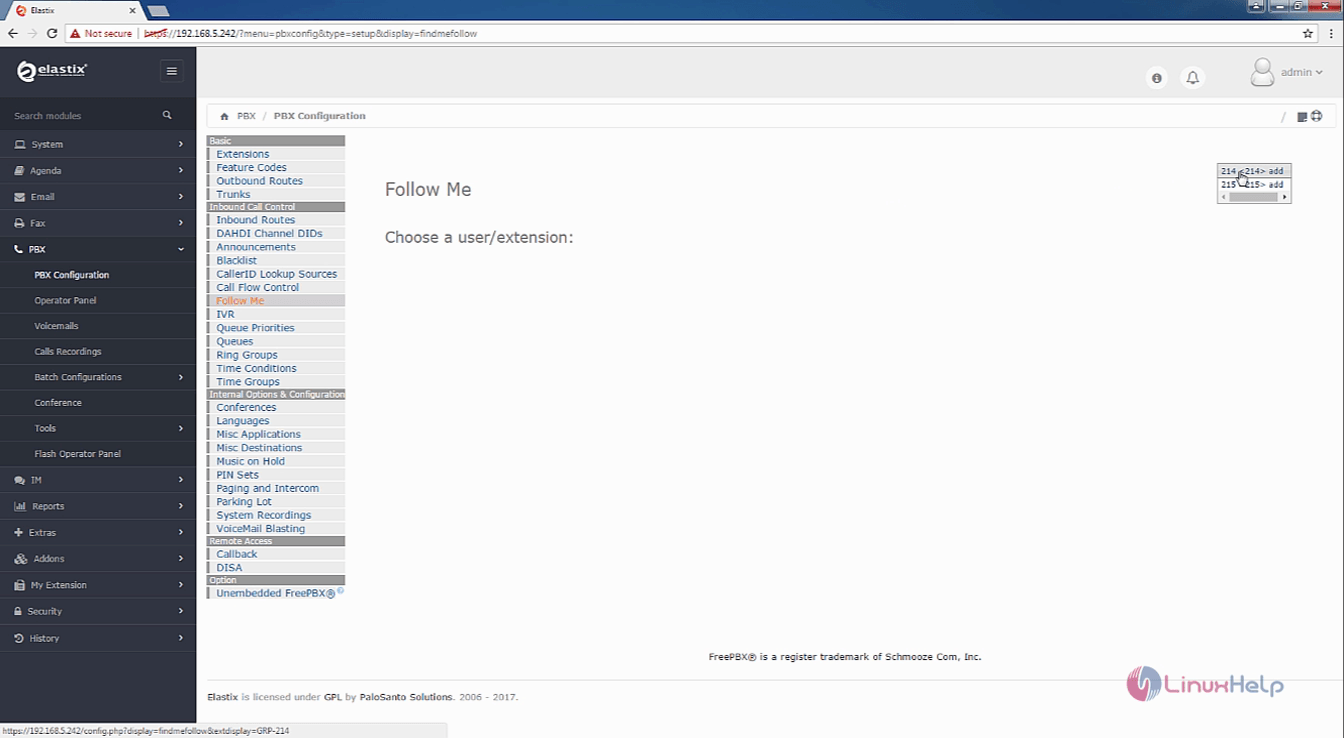
2
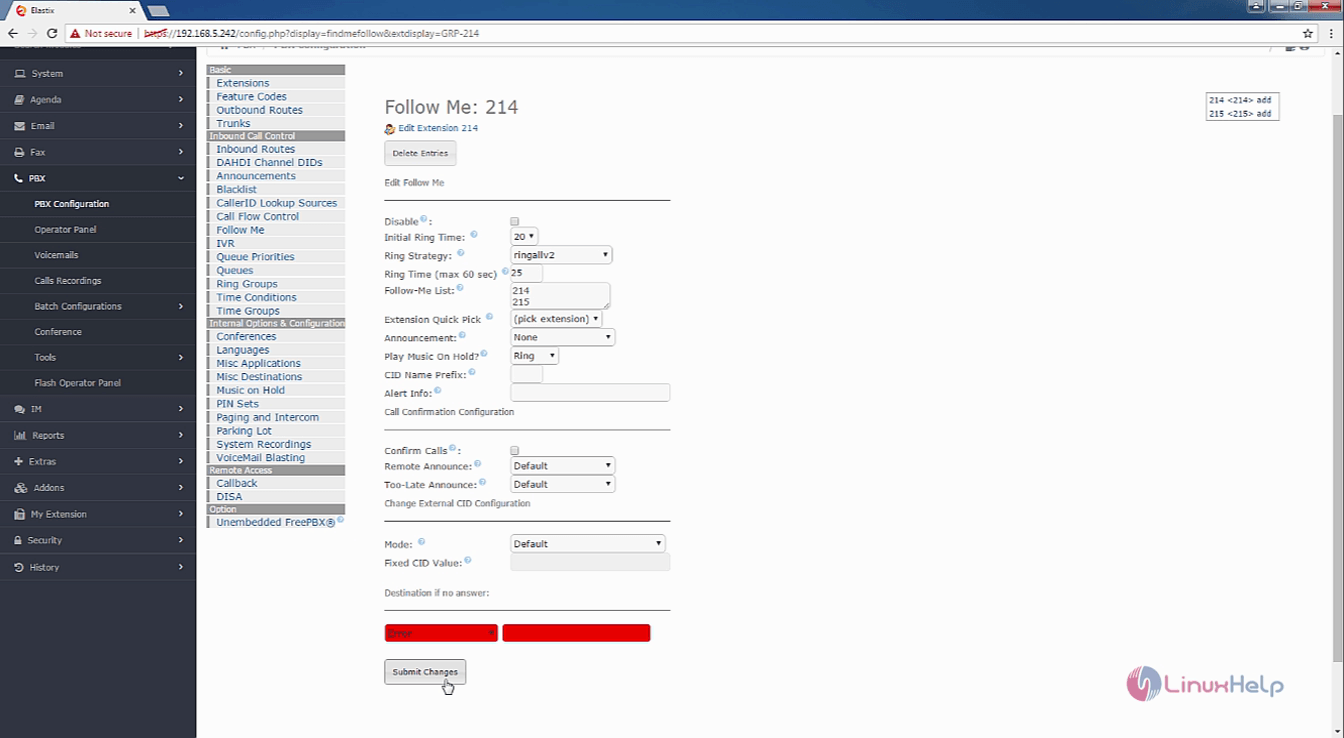
Use the disable option to disable the follow-me for the extension, and then select all the needed information. Use the extension quick pick option to add extentions. Make all the neccessory configuration.

In this tutorial, the follow me option is set for 214 extention.
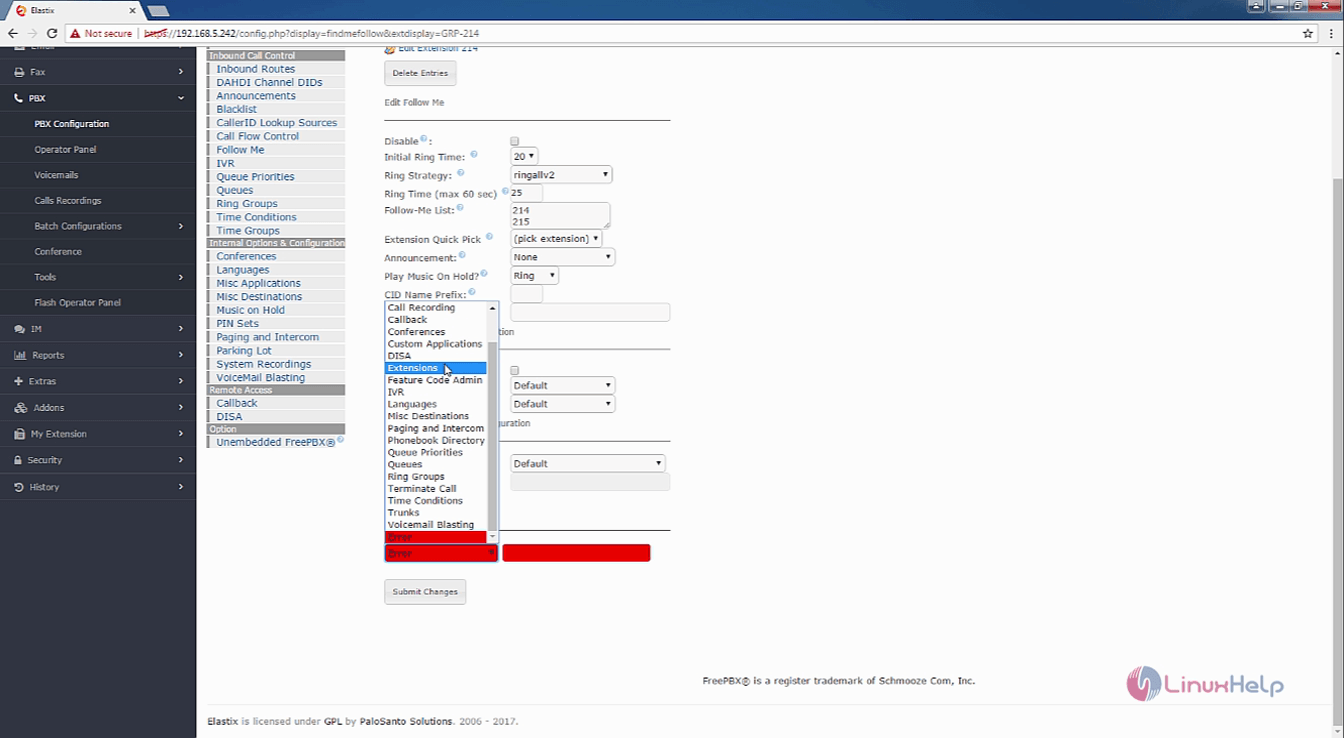
3

After configuring the options, click submit changes
4
5
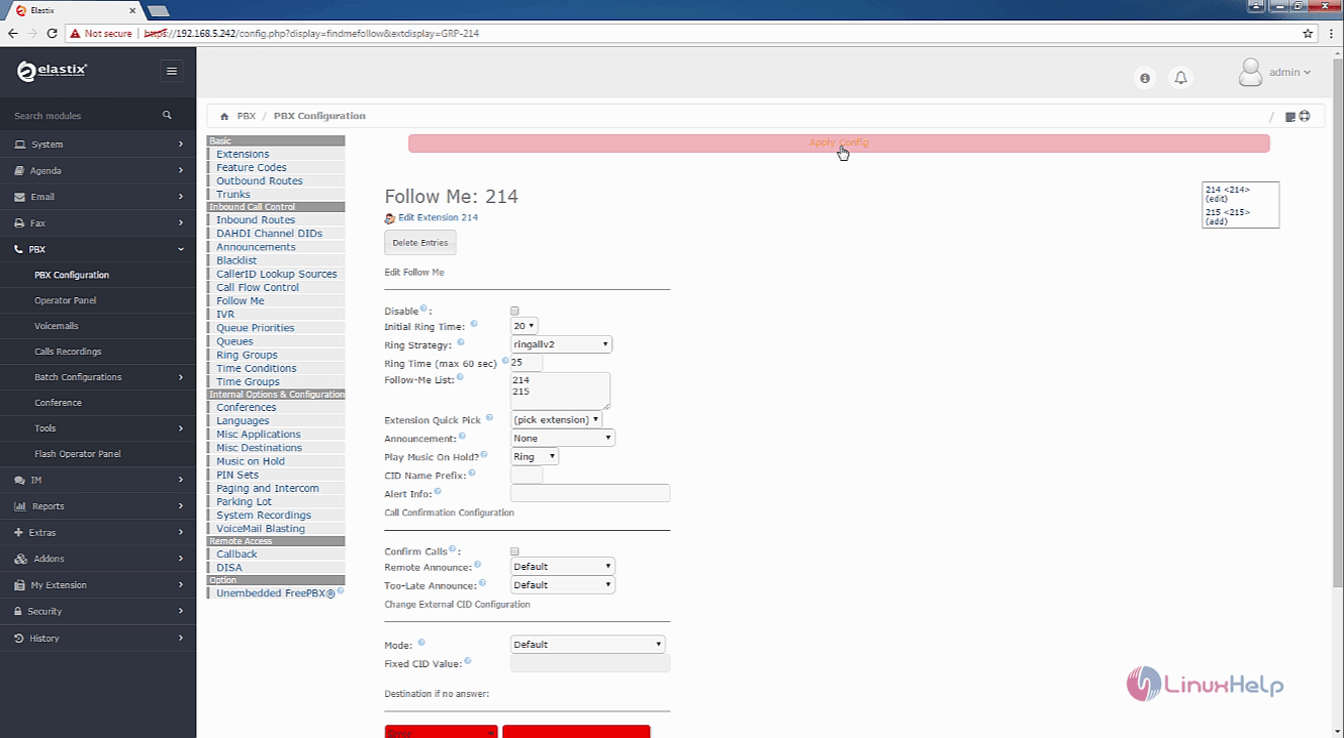
Now the new ' Follow-Me' for the 214 extension is created.

Tags:
ethan
Author: 

Comments ( 0 )

No comments available

Add a comment
{{postCtrl.cmtErrMsg}}

Frequently asked questions ( 5 )

Q

Does elastix server provide call center setup?

A

Yes, this includes capabilities like call center software with predicitive dialling

Q

Why do I have to pay some licences for some parts, isn't this against the spirit of Open Source software?

A

For general IP PBX functionality, you do not require these additional licences. They are supplied by third party companies and generally only extend the functionality of the Elastix product.

Q

Is adding a call center can be done simply by addon?

A

You can add on but need to configure

Q

what is the procedure for creating the partition in elastics?

A

Step is to create system partition requires before installing elastix. We need to create 3 partitions.


1. The System or Boot partition requires minimum 500M which should be mounted on /boot mount point.


2. The Swap partition which should double your RAM size, will be mounted on swap.


3. The Root partition which can set size according to your needs and should be mounted on /.

Q

what is the next step after partitioning the elastix?

A

After the partioning


we need to configure Network and hostname we can either configure the network now or can also be done after the installation is completed

Back To Top!
Rank
User
Points

Top Contributers

userNamenaveelansari
135850

Top Contributers

userNameayanbhatti
92510

Top Contributers

userNamehamzaahmed
32150

Top Contributers

1
userNamelinuxhelp
31040

Top Contributers

userNamemuhammadali
24500
Can you help Ganesh Konka ?
Zentya 6.1 http proxy configuration

please send link for creating zentyal 6.1 for http proxy and firewall as gateway.

Networking
  • Routing
  • trunk
  • Netmask
  • Packet Capture
  • domain
  • HTTP Proxy
Server Setup
  • NFS
  • KVM
  • Memory
  • Sendmail
  • WebDAV
  • LXC
Shell Commands
  • Cloud commander
  • Command line archive tools
  • last command
  • Shell
  • terminal
  • Throttle
Desktop Application
  • Linux app
  • Pithos
  • Retrospect
  • Scribe
  • TortoiseHg
  • 4Images
Monitoring Tool
  • Monit
  • Apache Server Monitoring
  • EtherApe 
  • Arpwatch Tool
  • Auditd
  • Barman
Web Application
  • Nutch
  • Amazon VPC
  • FarmWarDeployer
  • Rukovoditel
  • Mirror site
  • Chef
Contact Us | Terms of Use| Privacy Policy| Disclaimer
© 2025 LinuxHelp.com All rights reserved. Linux™ is the registered trademark of Linus Torvalds. This site is not affiliated with linus torvalds in any way.