• Categories
    Category
    {{ postCtrl.tags }}
    • {{ category.tag_type }}

      • {{tag.tag_name}}
      • View more
  • Categories
    Category
    {{ postCtrl.tags }}
    • {{ category.tag_type }}

      • {{tag.tag_name}}
      • View more
  • News
  • Tutorials
  • Forums
  • Tags
  • Users
Tutorial News Comments FAQ Related Articles

How to add Music on Hold Module in Elastix

{{postValue.id}}

To add Music on Hold Module in Elastix

Elastix is an Open source Software for your server for PBX Unified communications solution. The ' Music on Hold' module in Elastix is a feature to reassure callers that they are still connected to their calls. In this article, we are going to see the method to add the ' Music on Hold' module in Elastix.

To Add Music on Hold

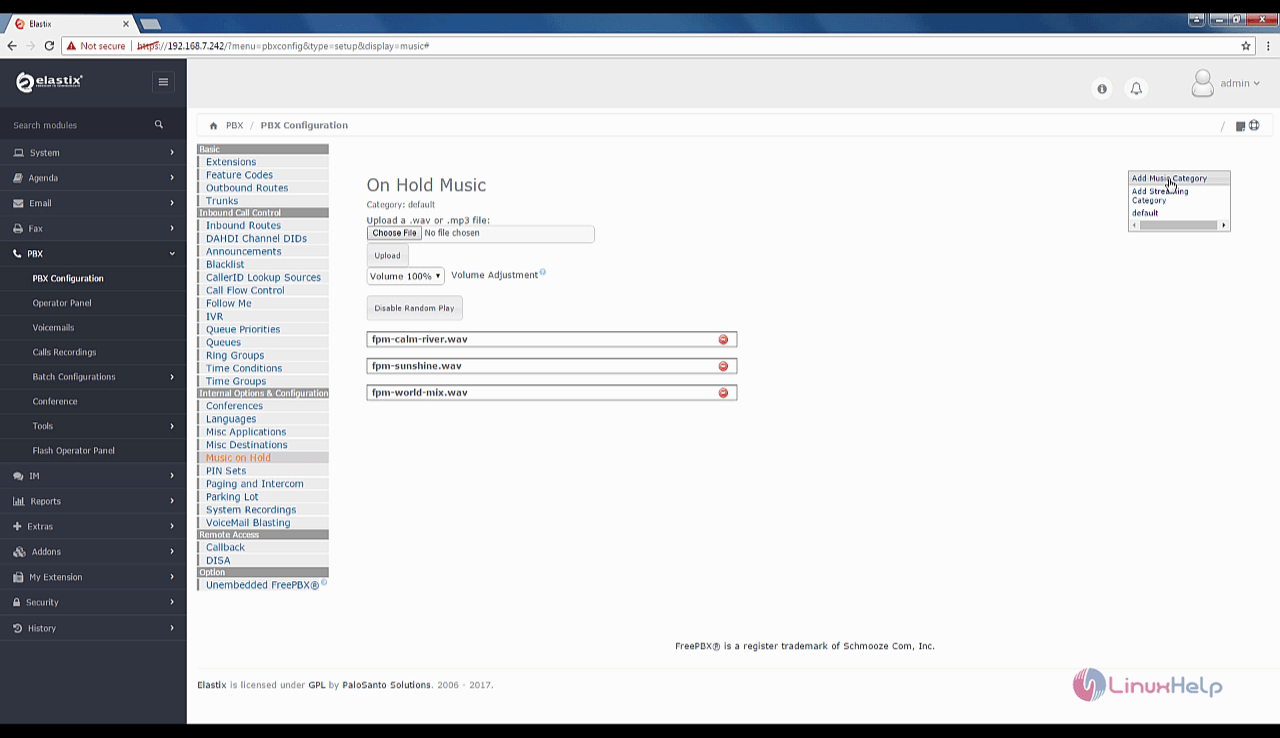
Open the Elastix dashboard and choose PBX --> PBX configuration from the left pane. Now choose Internal Options & Configuration --> Music on Hold
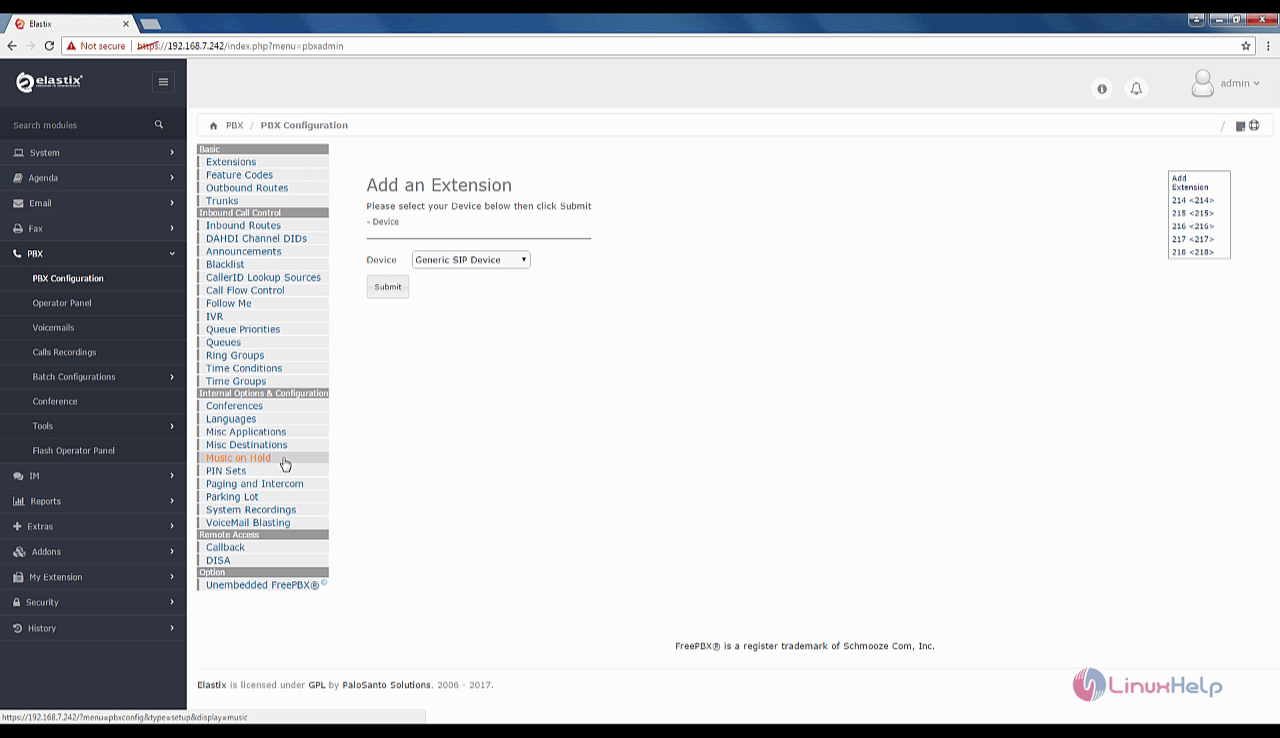
Add_an_extension

Now, click on Choose File to add your own music. Upload your music files.
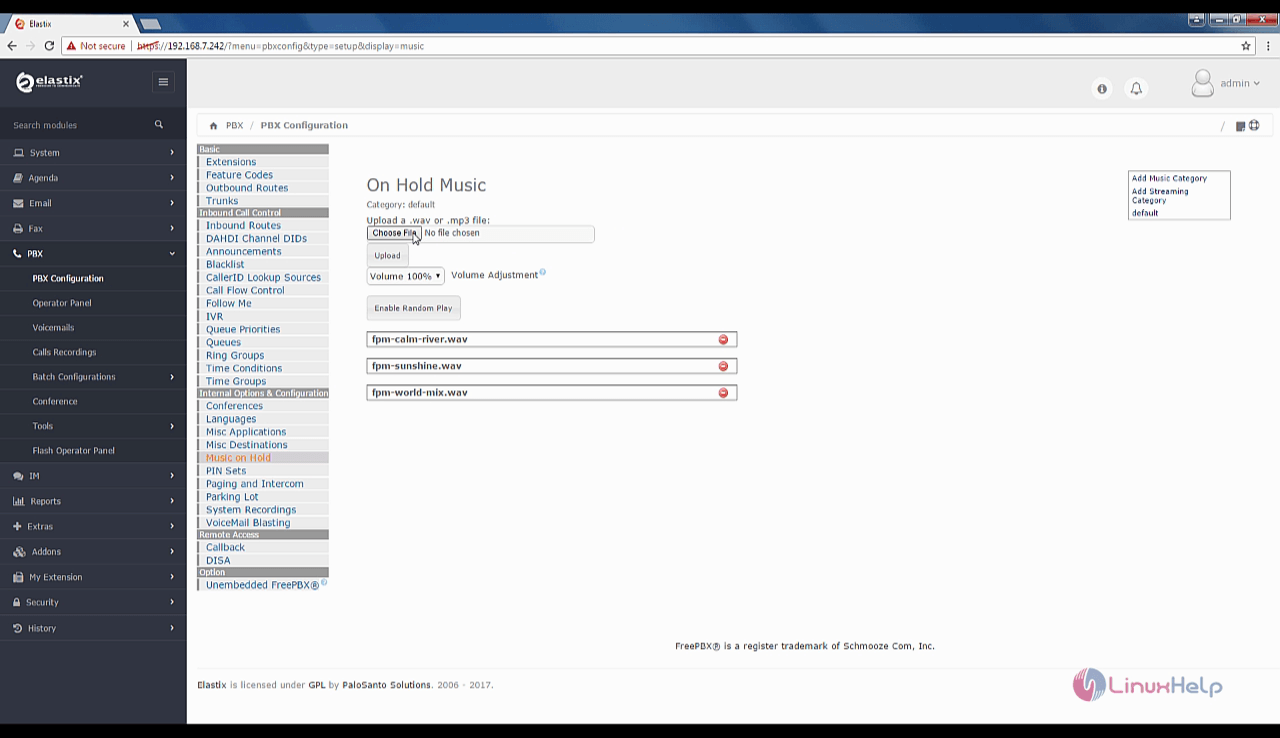
select_upload
Instead, you can also enable the Random Play option.
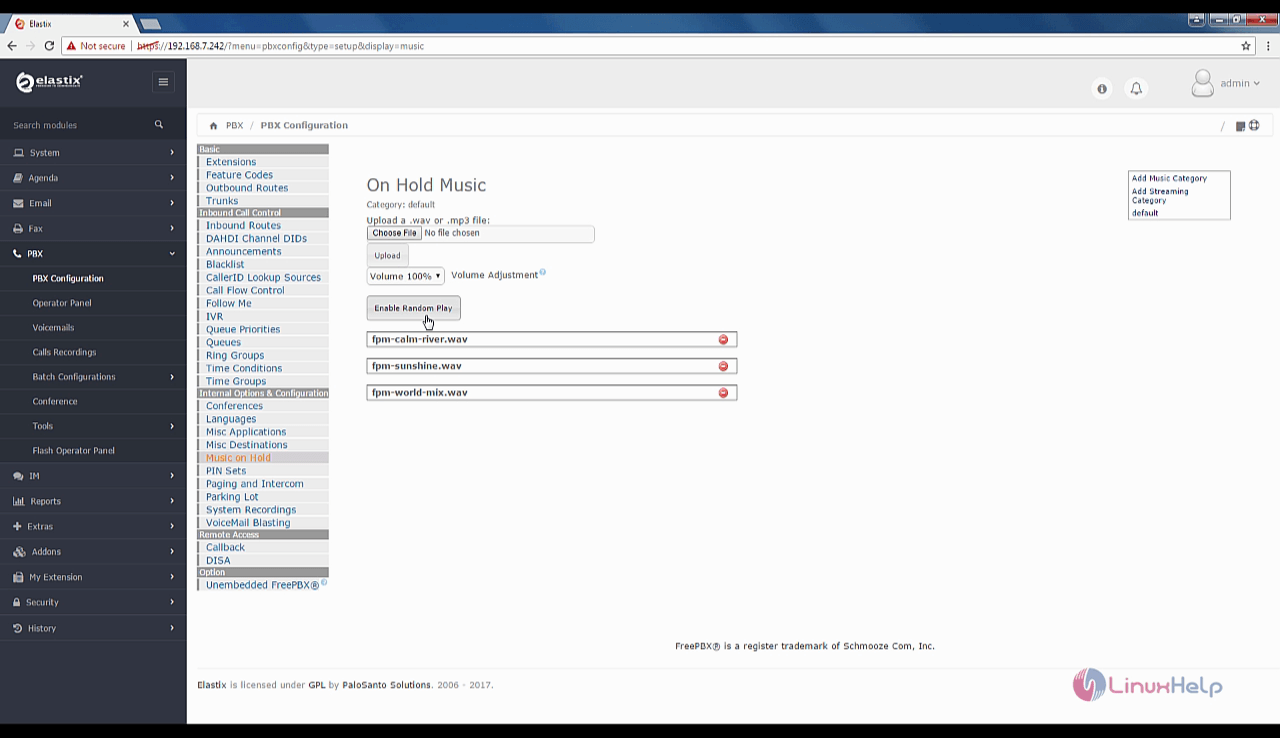
random-play

Click on ' Apply Config' to add the random music.
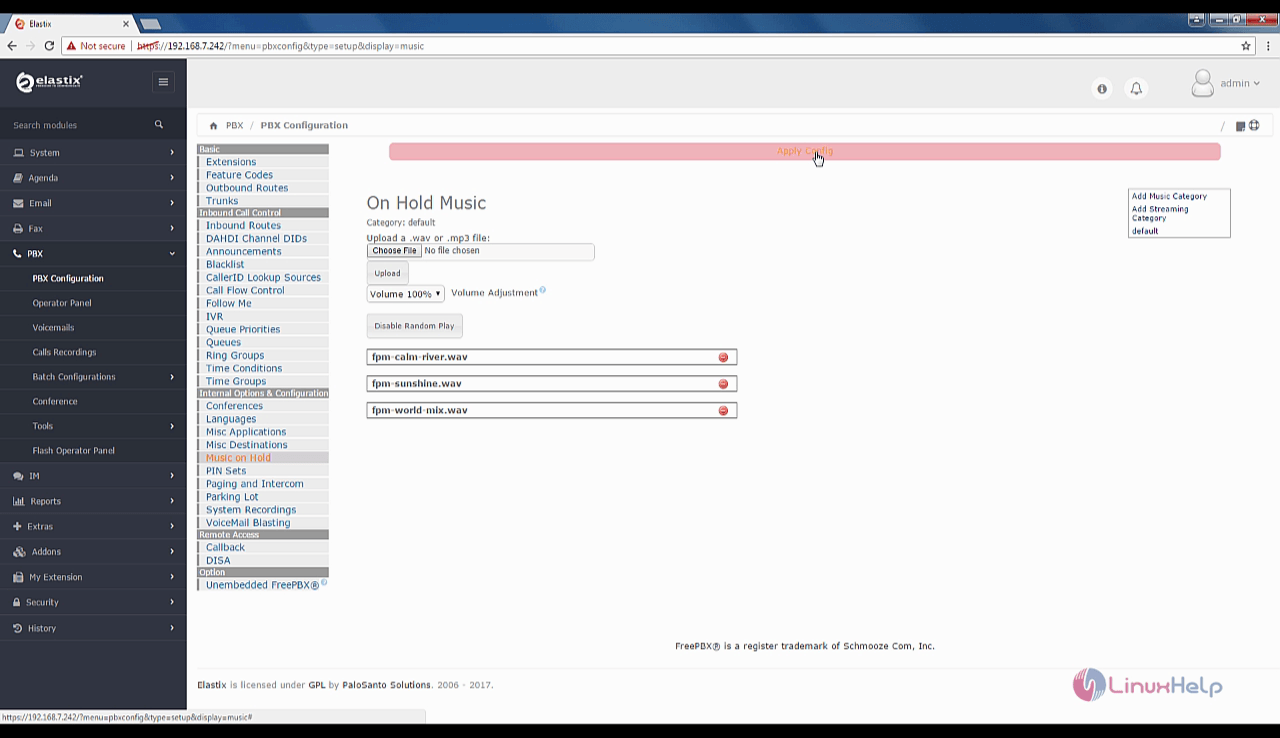
random_music
Random music files in Elastix will be played during hold. You can also add music category in Elastix.
On_Hold_Music

Tags:
michael
Author: 

Comments ( 0 )

No comments available

Add a comment
{{postCtrl.cmtErrMsg}}

Frequently asked questions ( 5 )

Q

Why I am getting the error message: "Library not loaded: libANNlib.dylib" (on Mac) or similar on Linux.?

A

On Linux, the solution is: add the elastix lib directory to your LD_LIBRARY_PATH. You can add the following line to ~/.bashrc or ~/.bash_profile:


export LD_LIBRARY_PATH=yourelastixdir/lib:$LD_LIBRARY_PATH

Q

where the back up will be saved in Elastix?

A

After creating a backup file that displays in dashboard and you have to download for future use

Q

How I need to perform a remote update as the client is in the next State or Country?

A

Still perform an image backup. Get the client to pickup a external hard drive and send him a copy of say Clonezilla and a step by step guide to performing a backup. I have done this on a couple of occasions (for new clients with existing Elastix system) and they either got a local IT guy to follow instructions or as most with any basic sense, they can do it themselves.

Q

What format it gets downloaded in Elastix?

A

It will gets downloaded as a tar file in the elastix.

Q

How Can I upgrade the individual modules in Freepbx in Elastixs?

A

Yes, these are within the Freepbx framework. For instance, say you are on Freepbx 2.8.1.4 and there are updates to the Core and say the Queues Module, you can generally upgrade these safely. However if you see that there is a 2.9 upgrade tool, don't use this. Wait for Elastix to release Freepbx 2.9.

Back To Top!
Rank
User
Points

Top Contributers

userNamenaveelansari
135850

Top Contributers

userNameayanbhatti
92510

Top Contributers

userNamehamzaahmed
32150

Top Contributers

1
userNamelinuxhelp
31040

Top Contributers

userNamemuhammadali
24500
Can you help David Lopez Guillen ?
Ayuda urgente instale SSL para servidor Opensuse y ahora no funciona tengo servicio web

hola segui este tutorial para tener un certificado ssl y ahora no se ve mi app en la red, espero alguien pueda ayudarme, tengo M9oodle en3.5 en un servidor open suse y ahora no funciona por favor ayuda.

https://www.linuxhelp.com/how-to-create-ssl-certificate-in-opensuse

Networking
  • Routing
  • trunk
  • Netmask
  • Packet Capture
  • domain
  • HTTP Proxy
Server Setup
  • NFS
  • KVM
  • Memory
  • Sendmail
  • WebDAV
  • LXC
Shell Commands
  • Cloud commander
  • Command line archive tools
  • last command
  • Shell
  • terminal
  • Throttle
Desktop Application
  • Linux app
  • Pithos
  • Retrospect
  • Scribe
  • TortoiseHg
  • 4Images
Monitoring Tool
  • Monit
  • Apache Server Monitoring
  • EtherApe 
  • Arpwatch Tool
  • Auditd
  • Barman
Web Application
  • Nutch
  • Amazon VPC
  • FarmWarDeployer
  • Rukovoditel
  • Mirror site
  • Chef
Contact Us | Terms of Use| Privacy Policy| Disclaimer
© 2025 LinuxHelp.com All rights reserved. Linux™ is the registered trademark of Linus Torvalds. This site is not affiliated with linus torvalds in any way.