• Categories
    Category
    {{ postCtrl.tags }}
    • {{ category.tag_type }}

      • {{tag.tag_name}}
      • View more
  • Categories
    Category
    {{ postCtrl.tags }}
    • {{ category.tag_type }}

      • {{tag.tag_name}}
      • View more
  • News
  • Tutorials
  • Forums
  • Tags
  • Users
Tutorial News Comments FAQ Related Articles

How to add NFS Datastore in VMware Vcenter 6.0

{{postValue.id}}

To add NFS Datastore in VMware Vcenter 6.0

ESXi can access a designated NFS volume located on a NAS server, mount the volume, and use it for its storage needs. You can use NFS volumes to store and boot virtual machines in the same way that you use VMFS datastores. This turorial demonstrates the method to add NFS data store in VMware vsphere 6.0.

Adding NFS Datastore

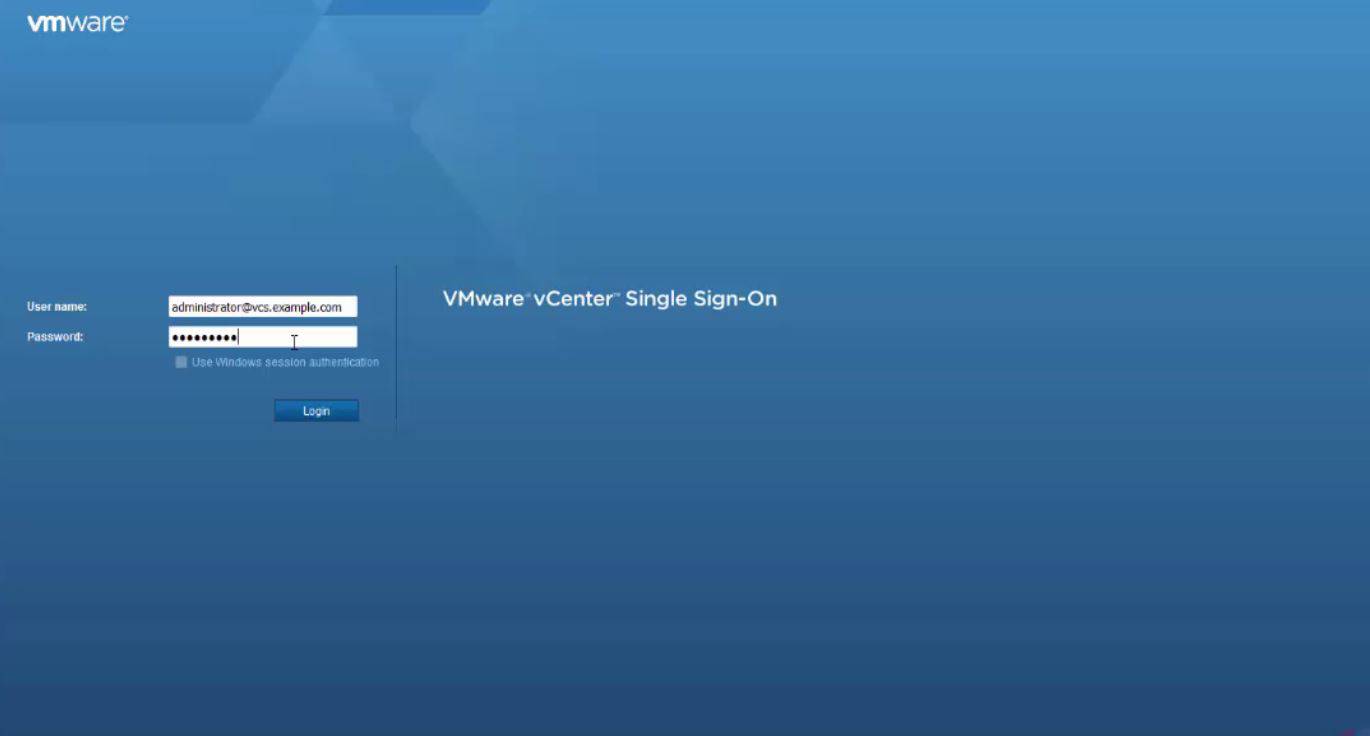
First, you need to log into vcenter Web client.
1

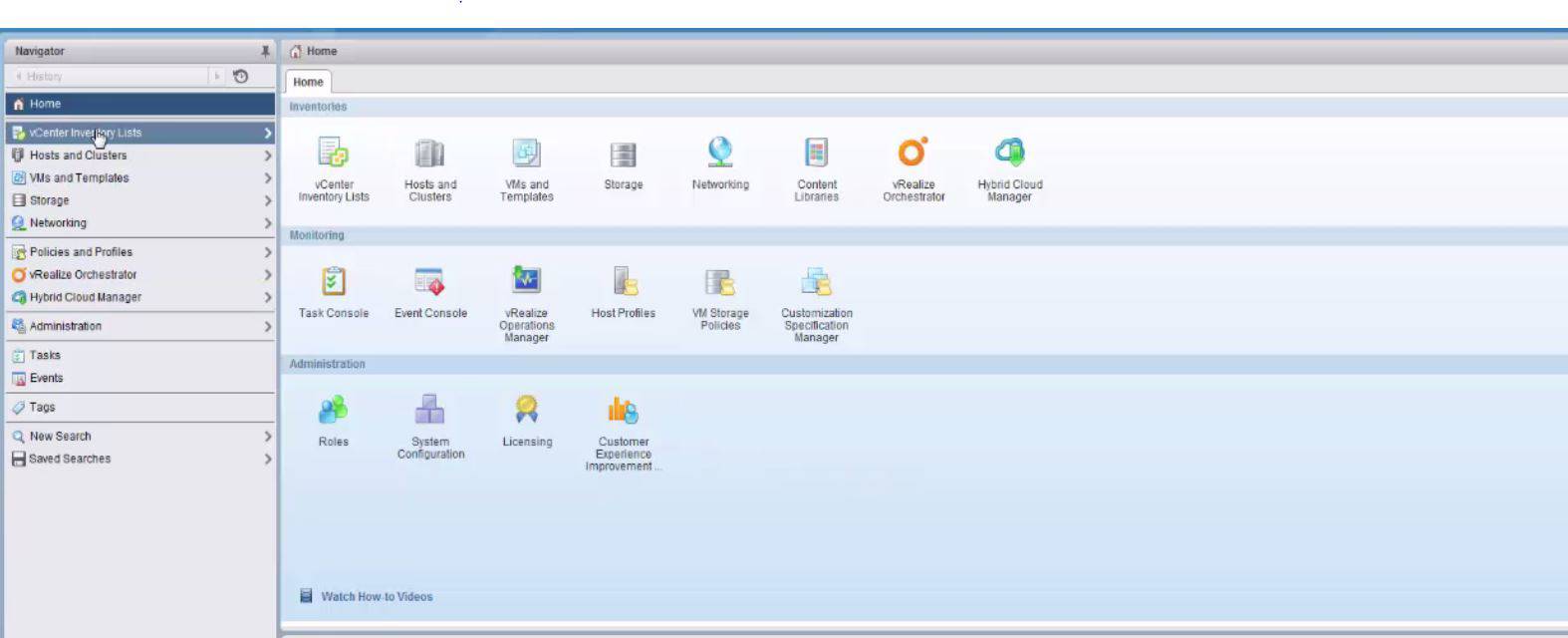
Next, you need to select vcenter inventory lists as follows.
2

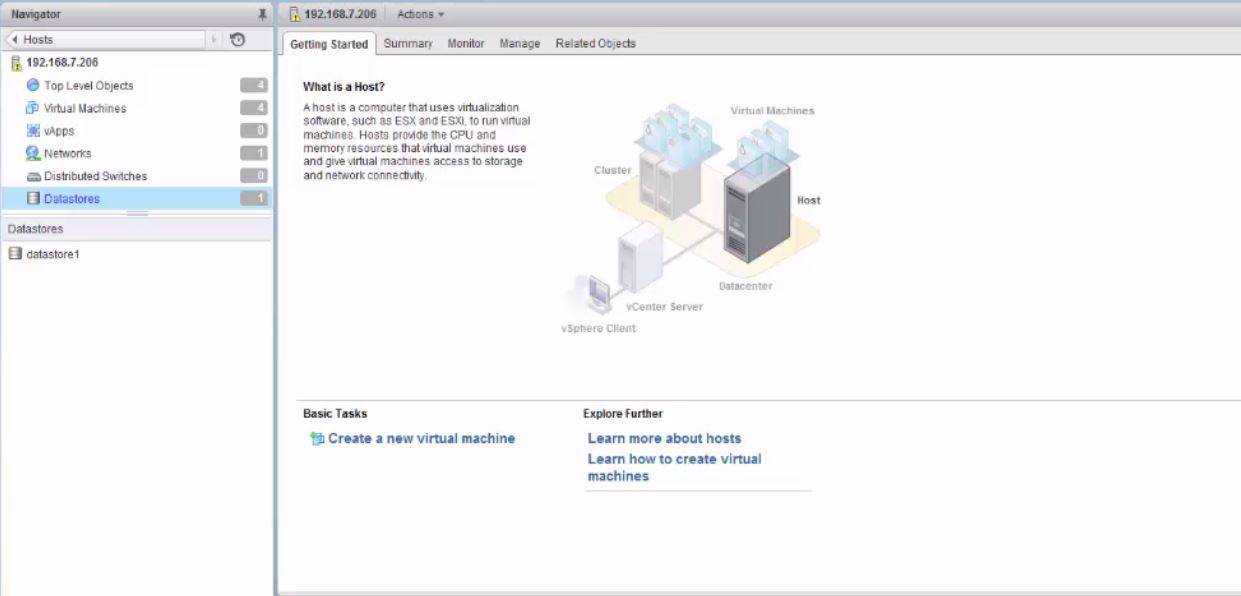
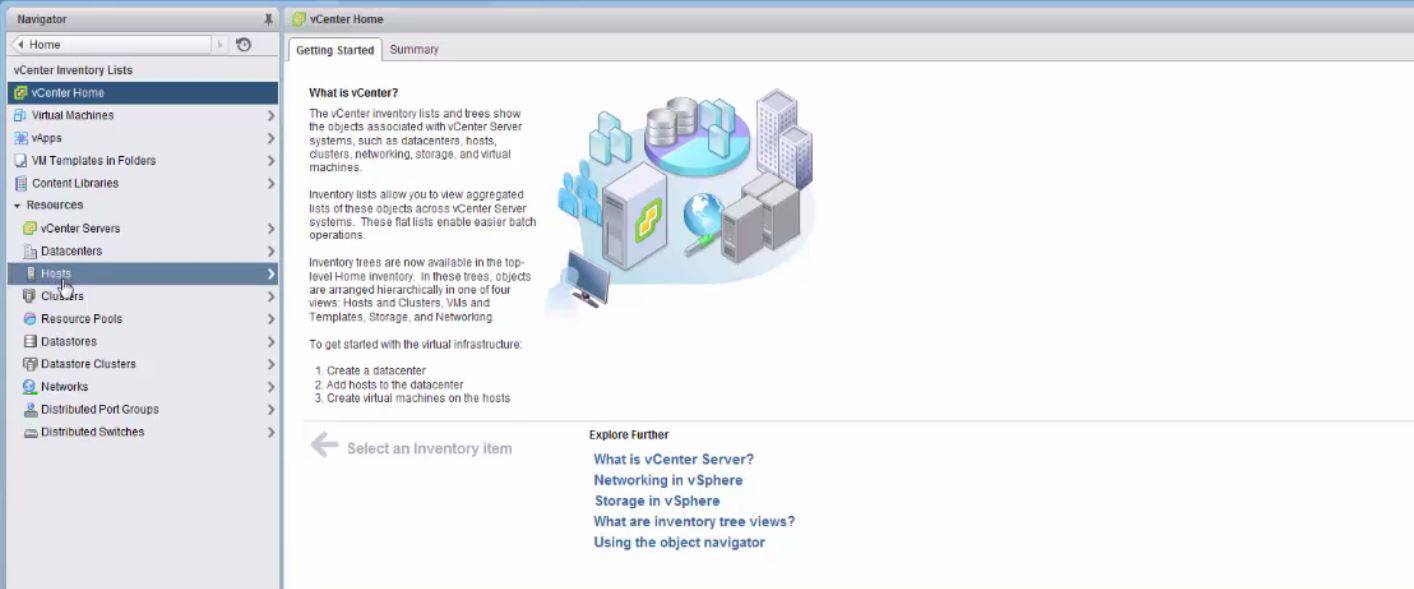
After that, you need to select the hosts menu as follows.
3

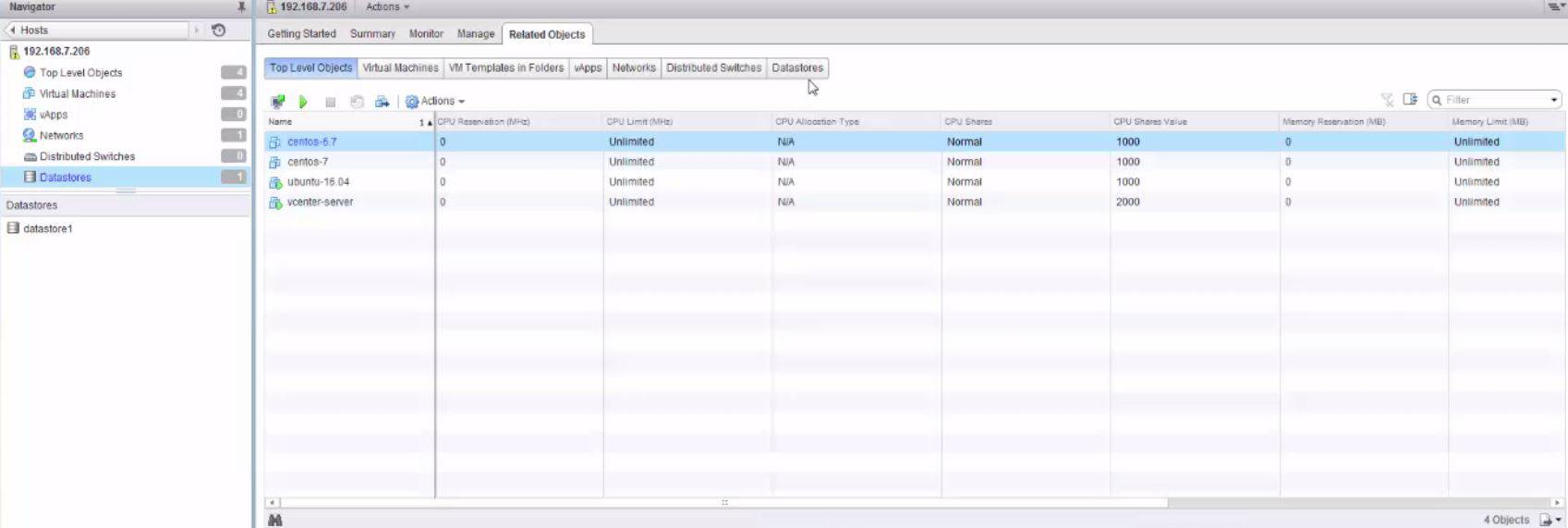
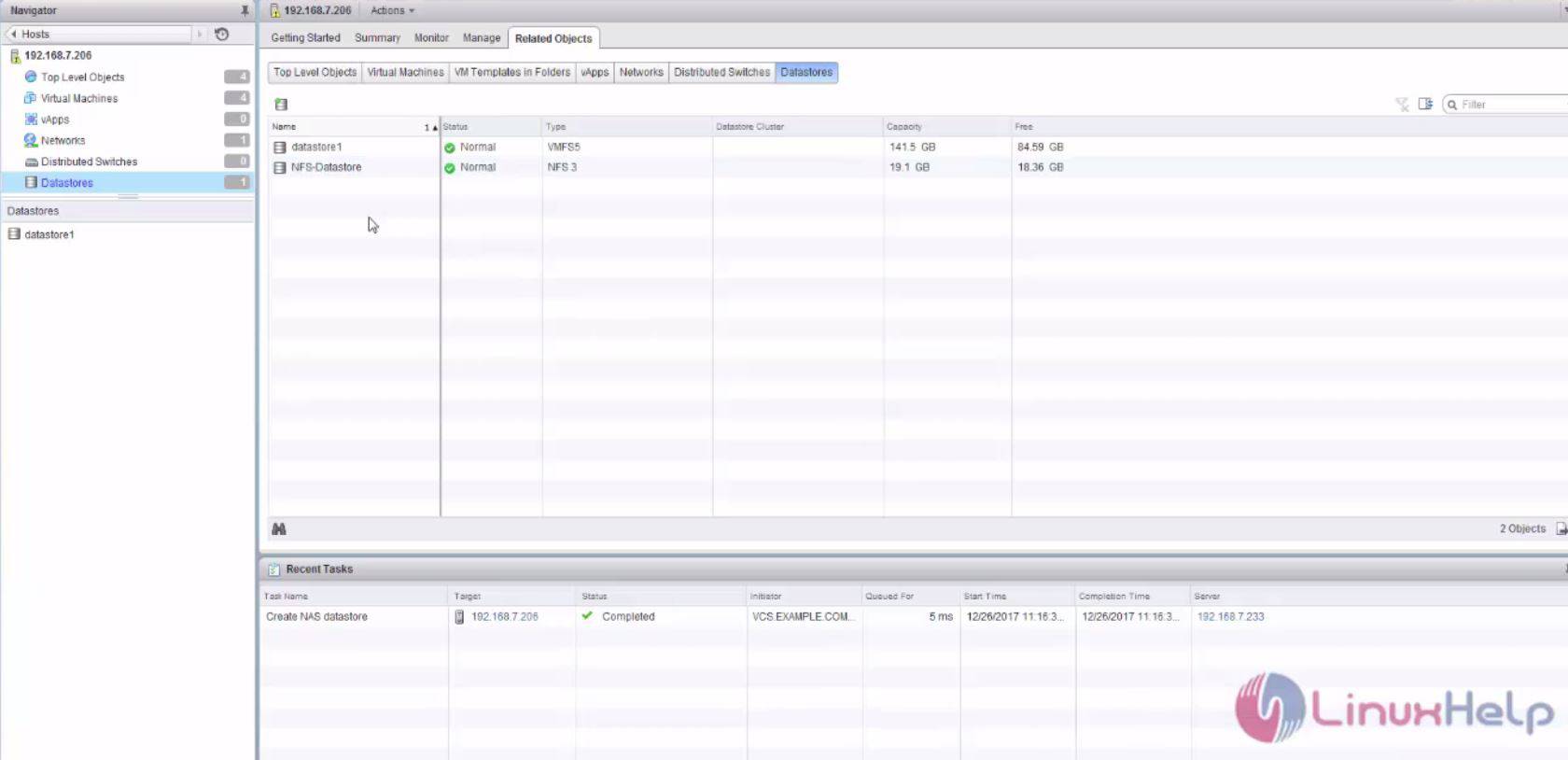
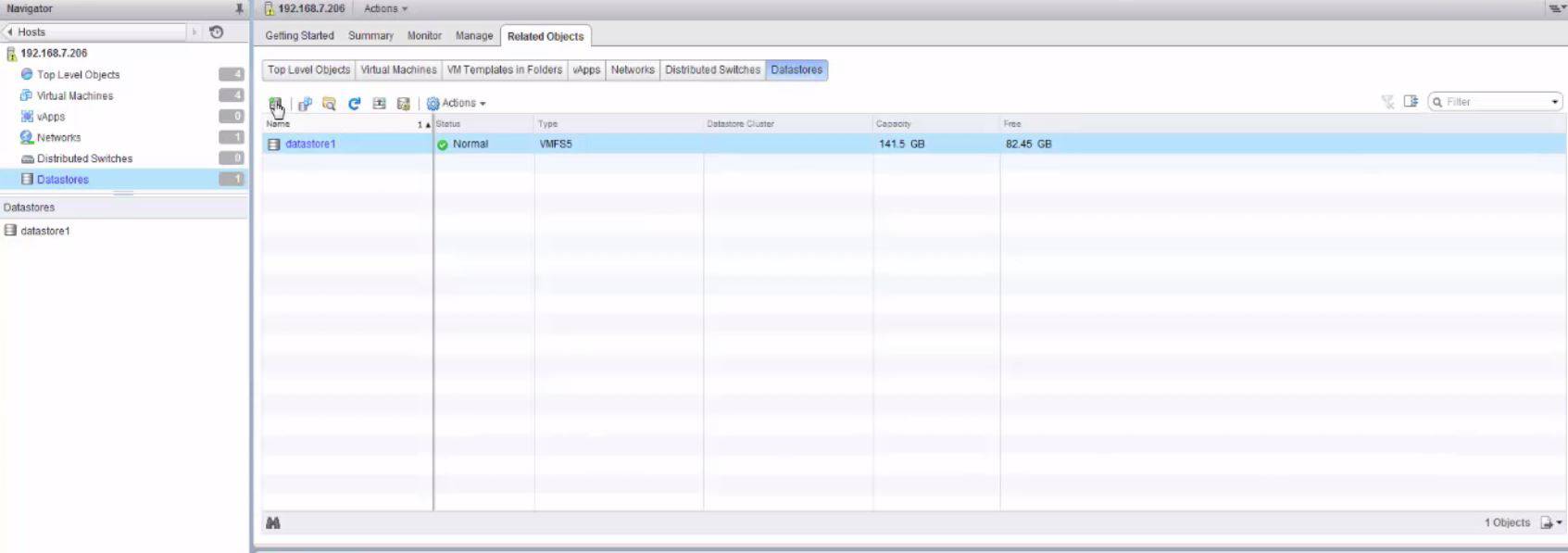
Later, click on the datastore option and select related objects.
4
5

And then click the datastore menu to create NFS datastore and follow the below steps to create NFS datastore.
datastore

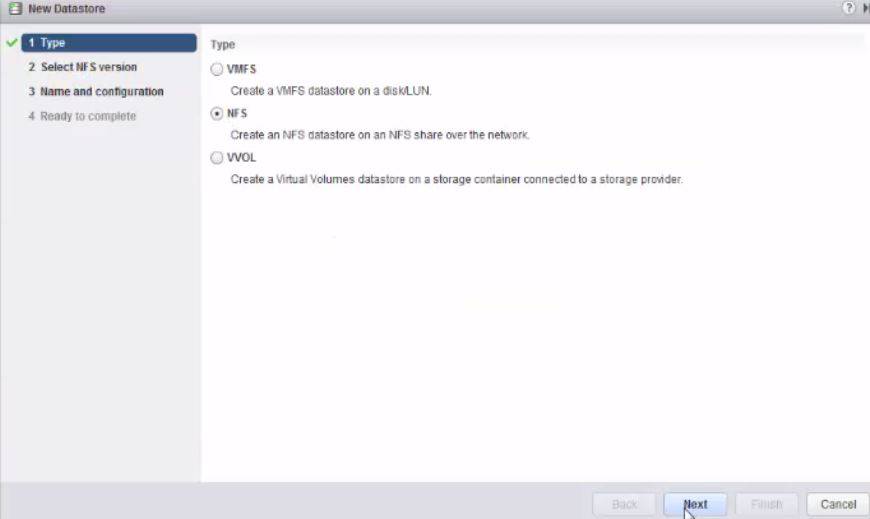
You should select the type of datastore now.
New datastore

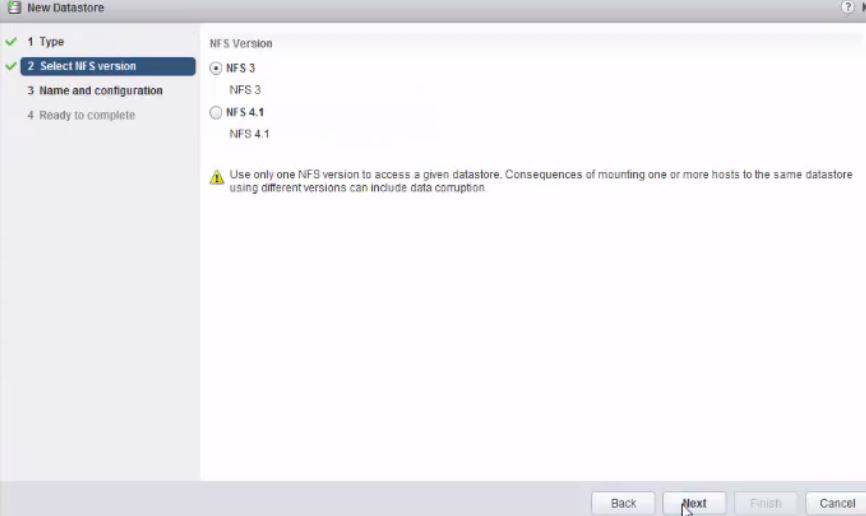
And also select the version of NFS.
NFS version

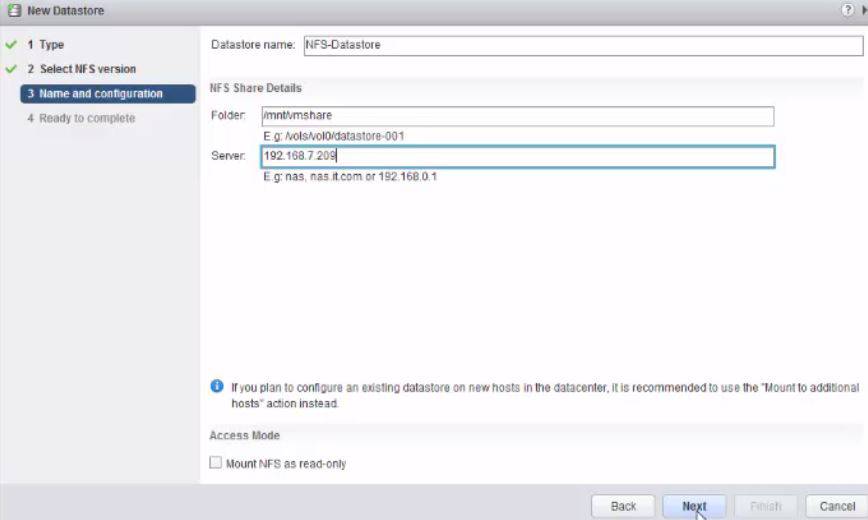
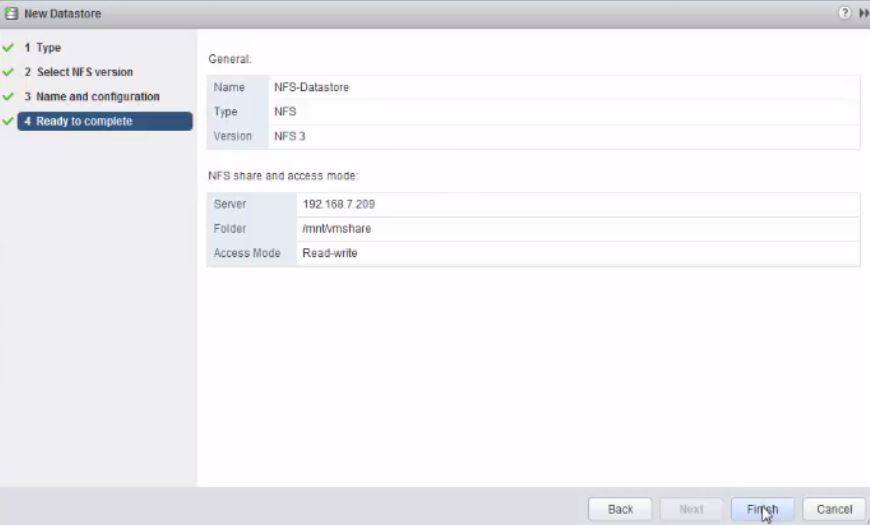
Then, enter the datastore name, NFS mount point, NFS server name and NFS permission. Click Next to continue.
NFS mount point

And then, you need to check the summary and click Finish.
finish

Your NFS datastore has now been created.
created

Now you can manage your virtual machine with the NFS Datastore and move the virtual machine file into NFS datastore.

Tags:
jackson
Author: 

Comments ( 0 )

No comments available

Add a comment
{{postCtrl.cmtErrMsg}}

Frequently asked questions ( 5 )

Q

Can I run NFS across the TCP/IP Transport Protocol?

A

Client support for NFS over TCP is integrated into all 2.4 and later kernels.

Server support for TCP appears in 2.4.19 and later 2.4 kernels, and in 2.6 and later kernels. Not all 2.4-based

Q

What is NFS Datastore in VMware?

A

ESXi can access a designated NFS volume located on a NAS server, mount the volume, and use it for its storage needs. You can use NFS volumes to store and boot virtual machines in the same way that you use VMFS datastores.

Q

Does the Bareos VMware Backup Plugin work on NFS datastore?

A

Currently, the Bareos VMware Backup Plugin does not work on NFS datastores. It will fail with an error message similar to.

Q

How install NFS share on ESXi?

A

Follow these steps to install NFS share on ESXi:
Step 1: Log in to vSphere Web Client, select the ESXi host on which you want to add the datastore. Then go to “Related Objects” > “Datastores”, and select “Create a new datastore” icon. Step 2: Select “NFS”, and then click “Next”. Step 3: Datastore name: Give a name for this NFS share.

Q

How to Adding NFS Datastore?

A

Use the following steps:
First, you need to log into vcenter Web client.
Next, you need to select vcenter inventory lists as follows.
After that, you need to select the hosts menu as follows.
Later, click on the datastore option and select related objects
And then click the datastore menu to create NFS datastore and follow the below steps to create NFS datastore.
You should select the type of datastore now.
Back To Top!
Rank
User
Points

Top Contributers

userNamenaveelansari
135850

Top Contributers

userNameayanbhatti
92510

Top Contributers

userNamehamzaahmed
32150

Top Contributers

1
userNamelinuxhelp
31040

Top Contributers

userNamemuhammadali
24500
Can you help legeek ?
Installation of the call center module

hello

I wish to install a call center in virtual with issabel, I downloaded the latest version of it , but I don' t arrive to install the call center module in issabel. please help me

thanks!

Networking
  • Routing
  • trunk
  • Netmask
  • Packet Capture
  • domain
  • HTTP Proxy
Server Setup
  • NFS
  • KVM
  • Memory
  • Sendmail
  • WebDAV
  • LXC
Shell Commands
  • Cloud commander
  • Command line archive tools
  • last command
  • Shell
  • terminal
  • Throttle
Desktop Application
  • Linux app
  • Pithos
  • Retrospect
  • Scribe
  • TortoiseHg
  • 4Images
Monitoring Tool
  • Monit
  • Apache Server Monitoring
  • EtherApe 
  • Arpwatch Tool
  • Auditd
  • Barman
Web Application
  • Nutch
  • Amazon VPC
  • FarmWarDeployer
  • Rukovoditel
  • Mirror site
  • Chef
Contact Us | Terms of Use| Privacy Policy| Disclaimer
© 2025 LinuxHelp.com All rights reserved. Linux™ is the registered trademark of Linus Torvalds. This site is not affiliated with linus torvalds in any way.