• Categories
    Category
    {{ postCtrl.tags }}
    • {{ category.tag_type }}

      • {{tag.tag_name}}
      • View more
  • Categories
    Category
    {{ postCtrl.tags }}
    • {{ category.tag_type }}

      • {{tag.tag_name}}
      • View more
  • News
  • Tutorials
  • Forums
  • Tags
  • Users
Tutorial News Comments FAQ Related Articles

How to add Product on Invoice Ninja

{{postValue.id}}

How to add Product on Invoice Ninja

In our precursory article, we have seen how to create a new client in Invoice Ninja. Today you will be explained on how to add a product on Invoice Ninja. Invoice Ninja is a popular, open source application for invoicing, tracking time, expenses and accepting payments from customers. It supports 45 integrated payment gateways to send invoices to customers within seconds. The administrator can add a new product on Invoice Ninja easily within a few clicks.

Add Product - Procedure

To add a new product, log in to Invoice Ninja with your required credentials. The dashboard appears on the screen, with all the modules on the left pane of the menu.
dashboard

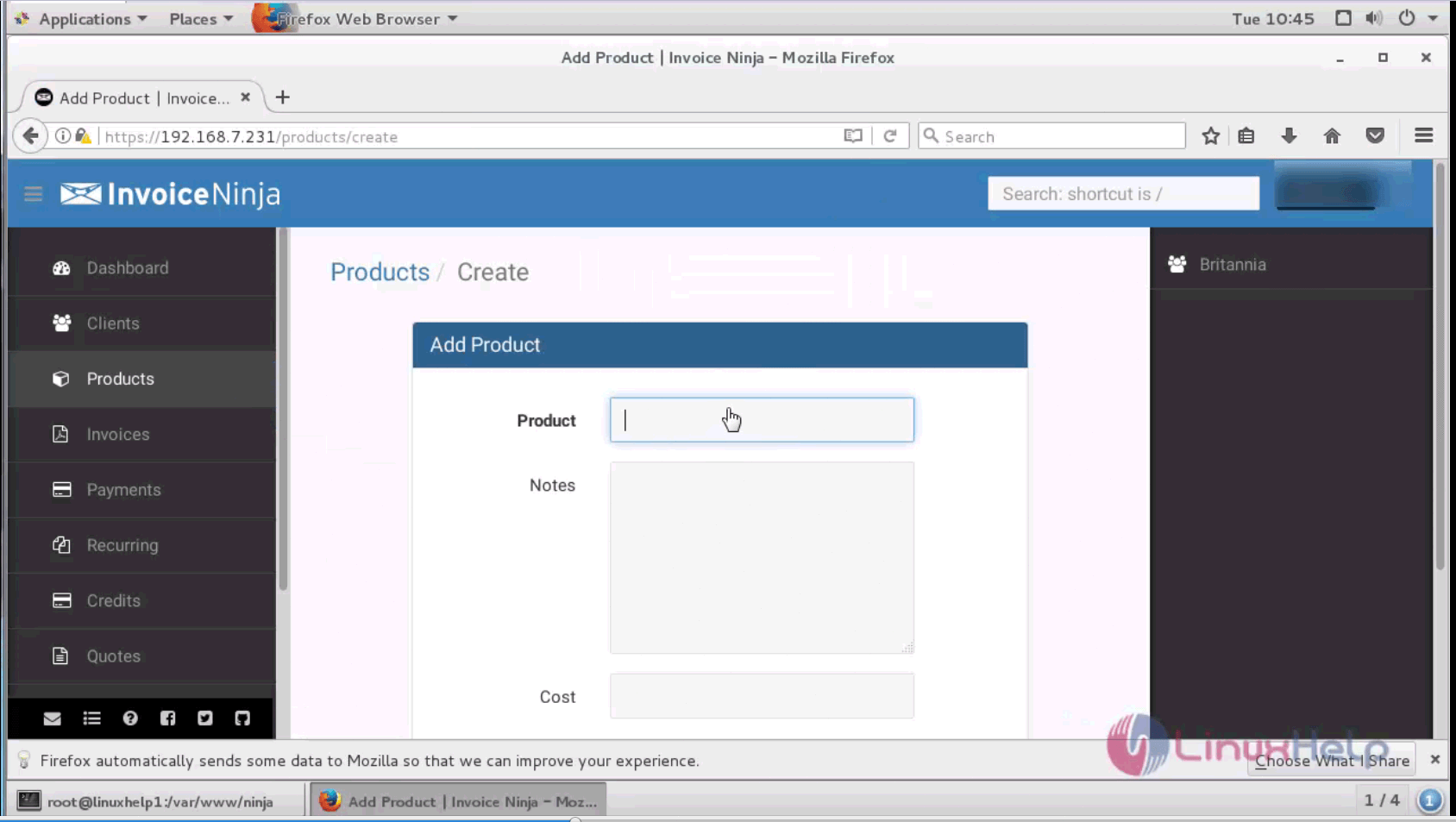
Select the products option in the dashboard. A page for adding a new product appears on the screen. You can enter the product name, description and the total cost to be brought in bulk of the concerned product.
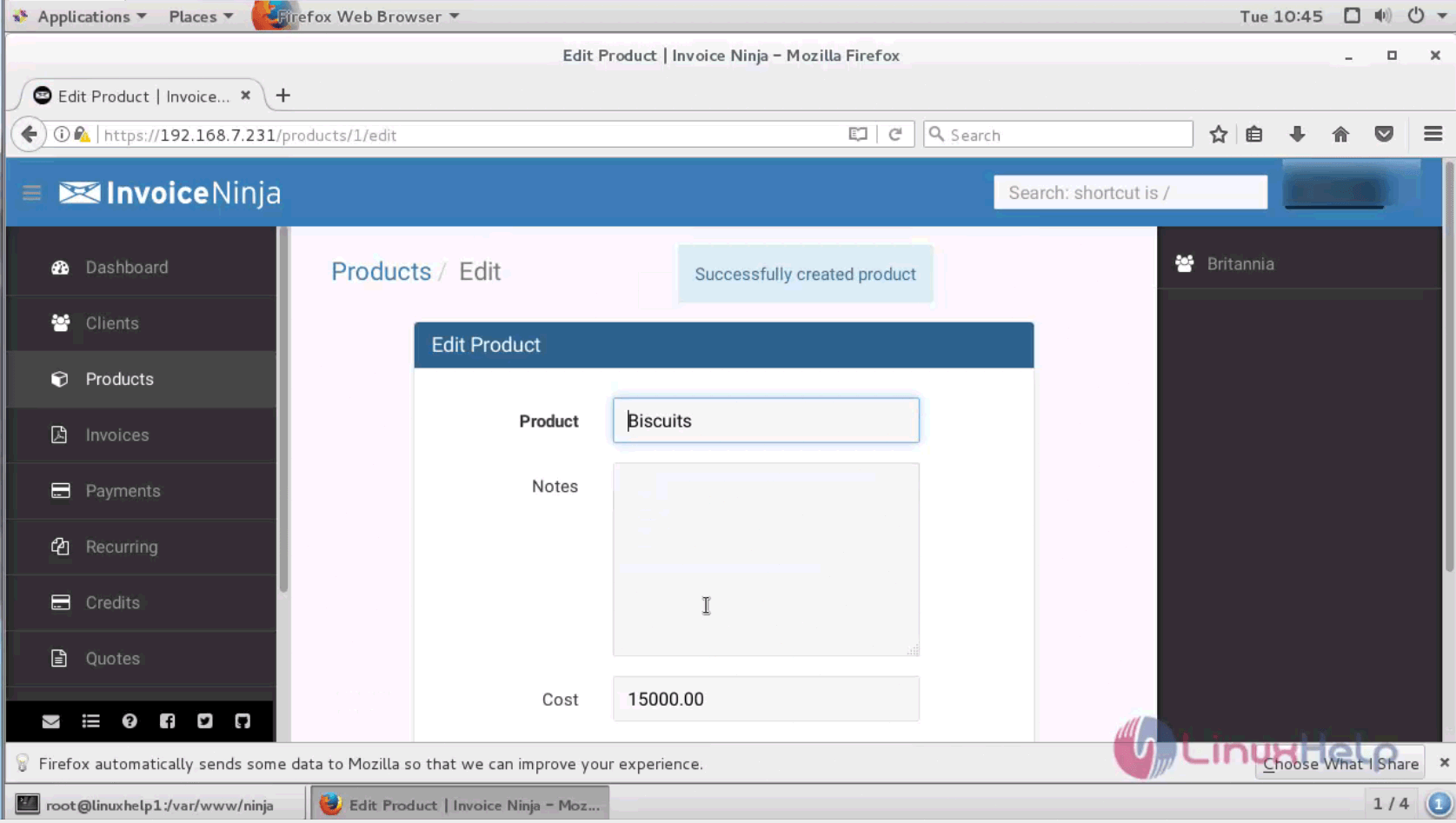
product menu

The newly added product is displayed on the table. You can also add various products easily and can be viewed in table format.
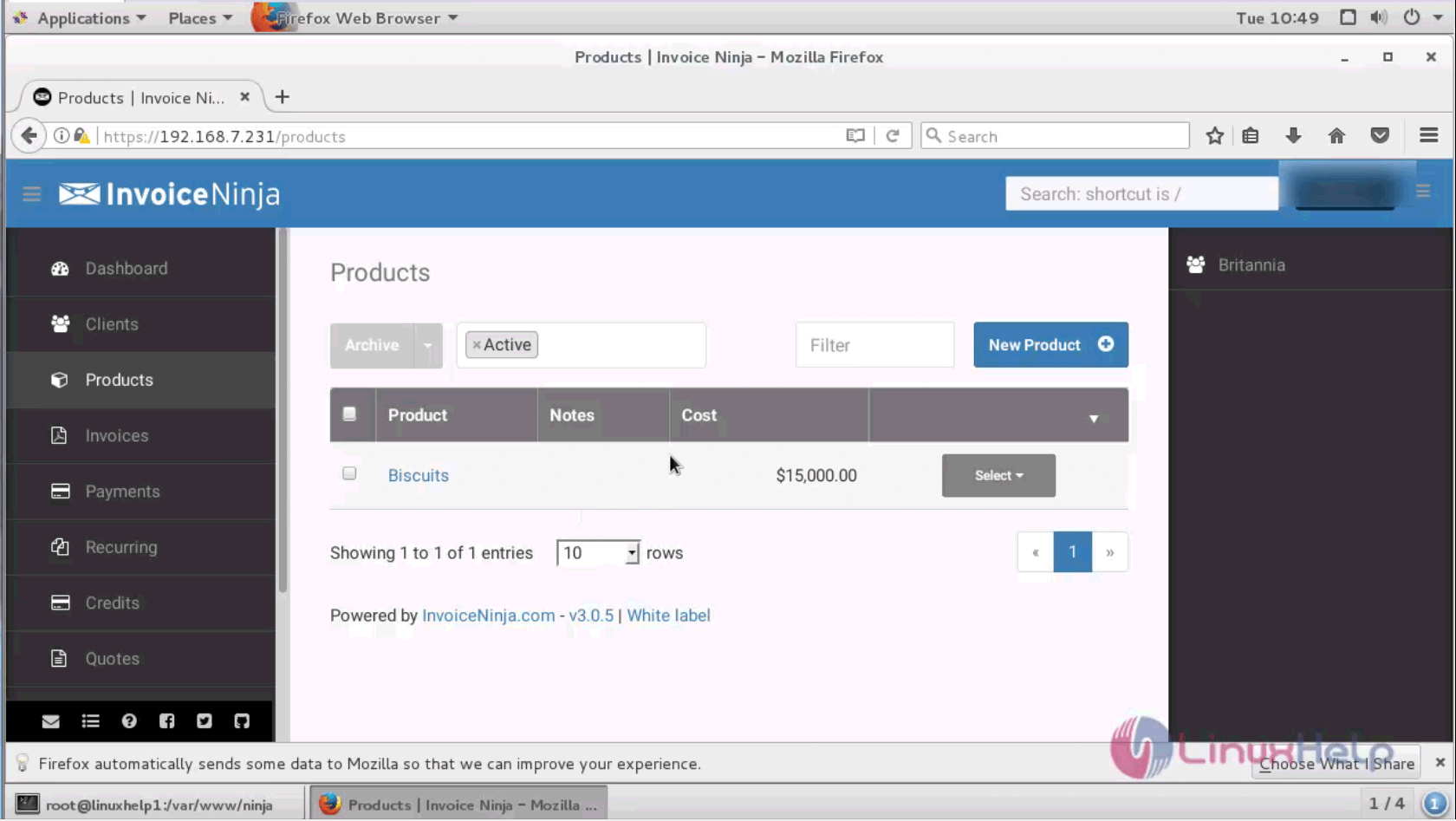
new product

A new product is added successfully on Invoice Ninja. Stay tuned to know about Invoice creation in Invoice Ninja in our upcoming article.

Tags:
ethan
Author: 

Comments ( 0 )

No comments available

Add a comment
{{postCtrl.cmtErrMsg}}

Frequently asked questions ( 5 )

Q

How I run two separate businesses. Can I use Invoice Ninja for both?

A

Yes! You can run up to five separate invoicing accounts for your businesses, under one Invoice Ninja login with no extra fees.

Q

Why Can I try out the free version before deciding if I want to upgrade to Pro?

A

Of course! Sign up for the free version. You can choose to upgrade to Pro at any time.

Q

What are the main differences between the free, Pro and Enterprise versions?

A

The free version allows you to invoice up to 100 clients, while Pro and Enterprise give you unlimited clients

Q

How do I convert a quote to an invoice?

A

In the Quote section, select a quote from your quote library, locate the “Action” dropdown on the far right and select “Convert to Invoice”.

Q

How do I add my company logo in Invoice Ninja?

A

Your company logo can be uploaded in the company details section. Simply upload the logo from a file on your computer, save the file and you’ll be able to view the logo in your invoices instantly. File types supports are JPEG, GIF, and PNG. Recommended logo size is: 200px width by 120px height.

Back To Top!
Rank
User
Points

Top Contributers

userNamenaveelansari
135850

Top Contributers

userNameayanbhatti
92510

Top Contributers

userNamehamzaahmed
32150

Top Contributers

1
userNamelinuxhelp
31040

Top Contributers

userNamemuhammadali
24500
Can you help Owen ?
How to add SSH key to my Gitlab account

I need to add the SSH key in my gitlab account. How to do so ????

Networking
  • Routing
  • trunk
  • Netmask
  • Packet Capture
  • domain
  • HTTP Proxy
Server Setup
  • NFS
  • KVM
  • Memory
  • Sendmail
  • WebDAV
  • LXC
Shell Commands
  • Cloud commander
  • Command line archive tools
  • last command
  • Shell
  • terminal
  • Throttle
Desktop Application
  • Linux app
  • Pithos
  • Retrospect
  • Scribe
  • TortoiseHg
  • 4Images
Monitoring Tool
  • Monit
  • Apache Server Monitoring
  • EtherApe 
  • Arpwatch Tool
  • Auditd
  • Barman
Web Application
  • Nutch
  • Amazon VPC
  • FarmWarDeployer
  • Rukovoditel
  • Mirror site
  • Chef
Contact Us | Terms of Use| Privacy Policy| Disclaimer
© 2025 LinuxHelp.com All rights reserved. Linux™ is the registered trademark of Linus Torvalds. This site is not affiliated with linus torvalds in any way.