How to add right click image converter and resizer in Ubuntu
To install right click image converter and resizer in Ubuntu
In this article we will show how to install nautilus-image-converter (resizer) and nautilus-image-tools (converter) to add right click image converter and resizer in Ubuntu.
To install nautilus-image-converter and nautilus-image-tools
Run the following command to add the required repositories.
root@linuxhelp:~# add-apt-repository ppa:atareao/nautilus-extensions
 Some useful extensions for Nautilus
 More info: https://launchpad.net/~atareao/+archive/ubuntu/nautilus-extensions
Press [ENTER] to continue or ctrl-c to cancel adding it

gpg: keyring `/tmp/tmpru9h8jwu/secring.gpg'  created
gpg: keyring `/tmp/tmpru9h8jwu/pubring.gpg'  created
gpg: requesting key 36FD5529 from hkp server keyserver.ubuntu.com
gpg: /tmp/tmpru9h8jwu/trustdb.gpg: trustdb created
gpg: key 36FD5529: public key " Launchpad PPA for atareao"  imported
gpg: Total number processed: 1

gpg:               imported: 1  (RSA: 1)
OK
Then update the apt source by using the following command.
root@linuxhelp:~# apt-get update
Hit:1 http://in.archive.ubuntu.com/ubuntu xenial InRelease
Hit:2 http://security.ubuntu.com/ubuntu xenial-security InRelease
Get:3 http://ppa.launchpad.net/atareao/nautilus-extensions/ubuntu xenial InRelease [17.6 kB]
Get:4 http://in.archive.ubuntu.com/ubuntu xenial-updates InRelease [95.7 kB]
Hit:5 http://in.archive.ubuntu.com/ubuntu xenial-backports InRelease
Get:6 http://ppa.launchpad.net/atareao/nautilus-extensions/ubuntu xenial/main amd64 Packages [2,596 B]
Get:7 http://ppa.launchpad.net/atareao/nautilus-extensions/ubuntu xenial/main i386 Packages [2,596 B]
Get:8 http://ppa.launchpad.net/atareao/nautilus-extensions/ubuntu xenial/main Translation-en [1,016 B]
Fetched 119 kB in 1s (68.3 kB/s)
Reading package lists... Done
Execute the following command to install nautilus image tool.
root@linuxhelp:~# apt-get install nautilus-image-tools
Reading package lists... Done
Building dependency tree
Reading state information... Done
.
.
.
.
Preparing to unpack .../python-nautilus_1.1-4_amd64.deb ...
Unpacking python-nautilus (1.1-4) ...
Selecting previously unselected package nautilus-image-tools.
Preparing to unpack .../nautilus-image-tools_0.0.3-0extras15.10.6_all.deb ...
Unpacking nautilus-image-tools (0.0.3-0extras15.10.6) ...
Setting up gir1.2-nautilus-3.0:amd64 (1:3.18.4.is.3.14.3-0ubuntu5) ...
Setting up python-gi (3.20.0-0ubuntu1) ...
Setting up python-pil:amd64 (3.1.2-0ubuntu1) ...
Setting up python-imaging (3.1.2-0ubuntu1) ...
Setting up python-nautilus (1.1-4) ...
Setting up nautilus-image-tools (0.0.3-0extras15.10.6) ...
Then install image convert tool by using following command.
root@linuxhelp:~# apt-get install nautilus-image-converter
Reading package lists... Done
Building dependency tree
Reading state information... Done
The following NEW packages will be installed:
  nautilus-image-converter
0 upgraded, 1 newly installed, 0 to remove and 284 not upgraded.
Need to get 22.6 kB of archives.
After this operation, 304 kB of additional disk space will be used.
Get:1 http://in.archive.ubuntu.com/ubuntu xenial/universe amd64 nautilus-image-converter amd64 0.3.1~git20110416-1ubuntu1 [22.6 kB]
Fetched 22.6 kB in 0s (28.5 kB/s)
Selecting previously unselected package nautilus-image-converter.
(Reading database ... 204613 files and directories currently installed.)
Preparing to unpack .../nautilus-image-converter_0.3.1~git20110416-1ubuntu1_amd64.deb ...
Unpacking nautilus-image-converter (0.3.1~git20110416-1ubuntu1) ...
Setting up nautilus-image-converter (0.3.1~git20110416-1ubuntu1) ...
Now the installation is successfully completed and its ready to use. check the right click option, by clicking on your image.
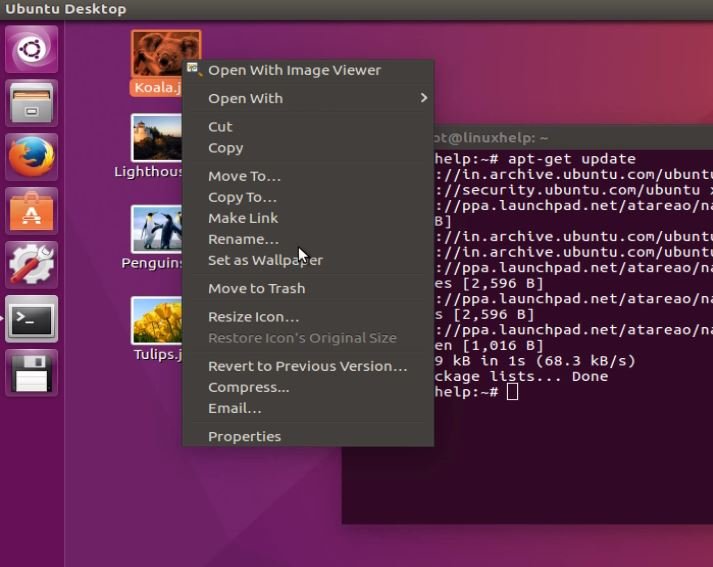
Then run the following command to start the right click image converter and resizer in Ubuntu.
root@linuxhelp:~# nautilus
The home directory of nautilus appears.
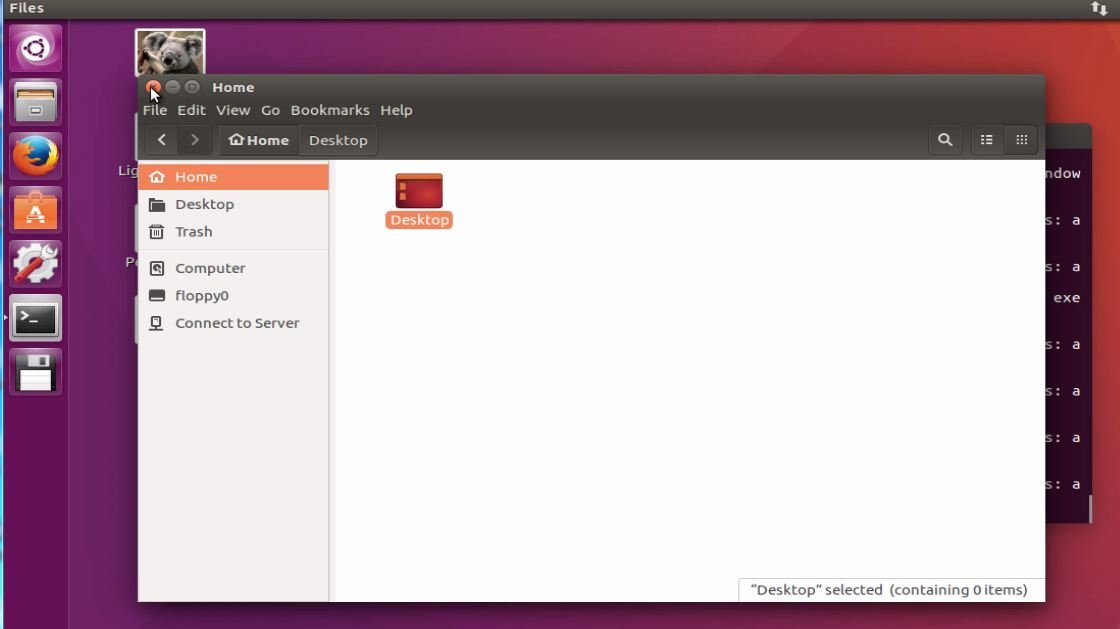
Open the image directory of nautilus.
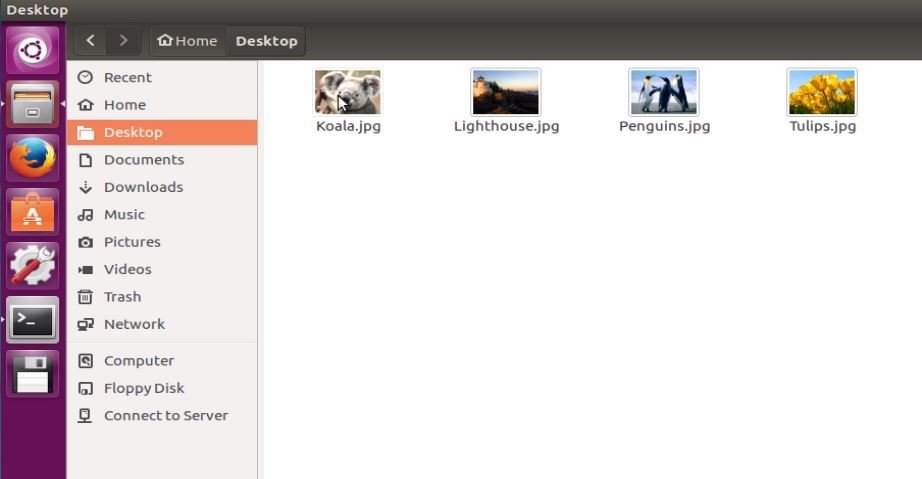
And check the right click option.
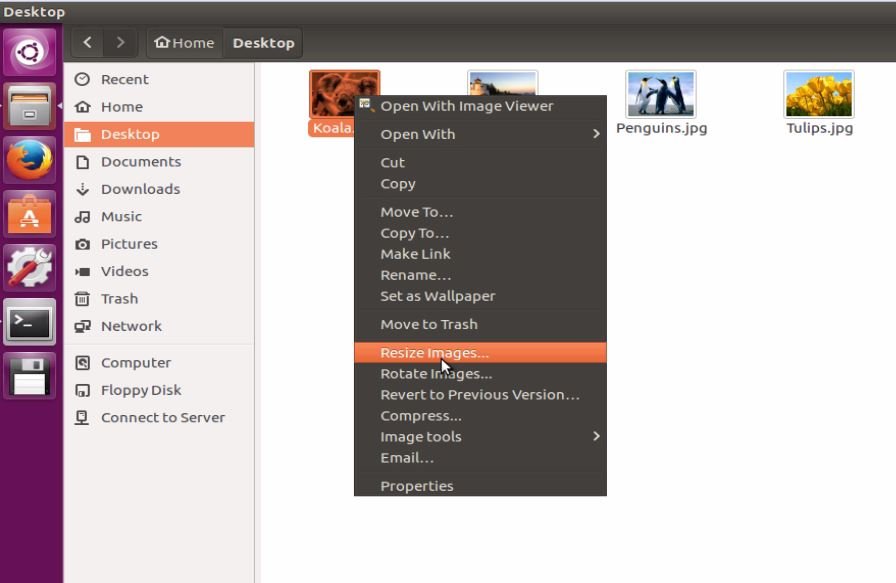
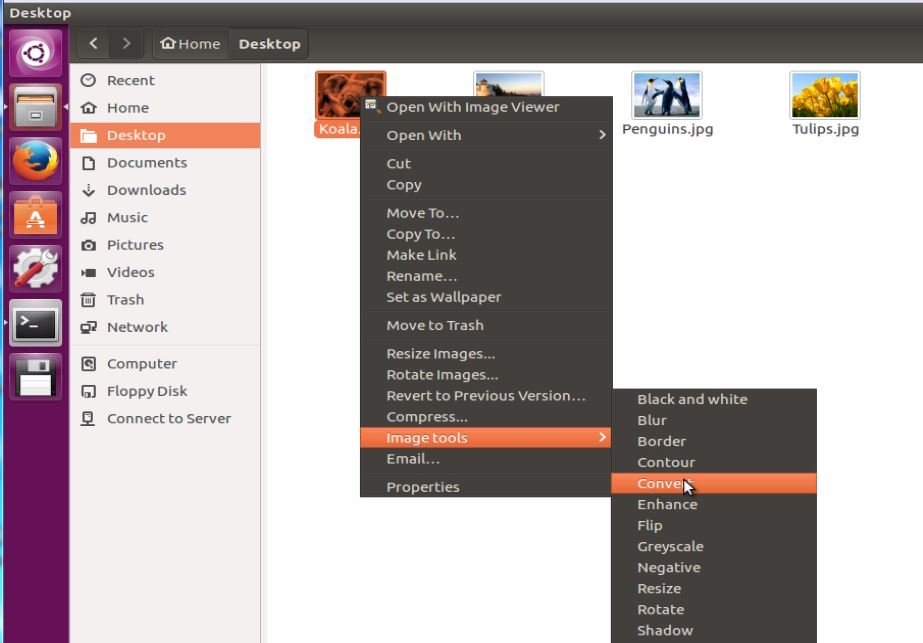
Right click on any image and choose the image tool and click convert.
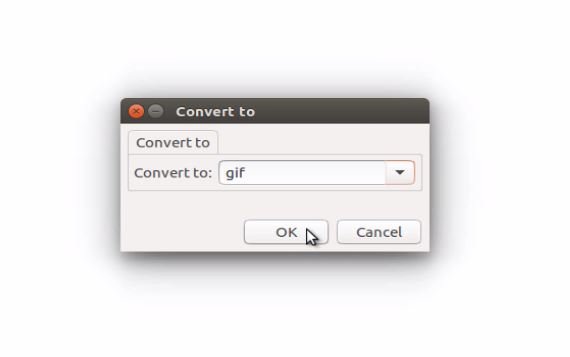
Choose the convert type and click “ ok”
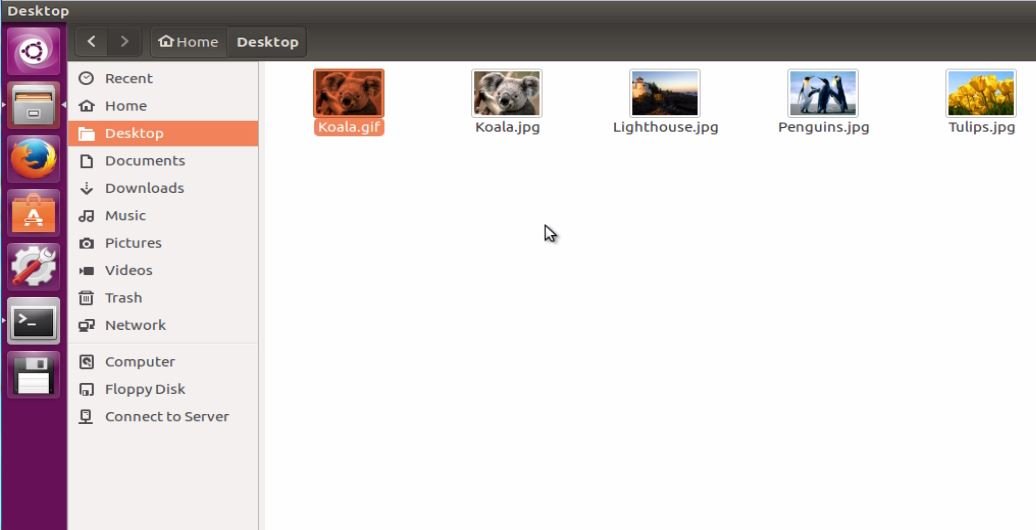
The converted image will appear in the same image directory.
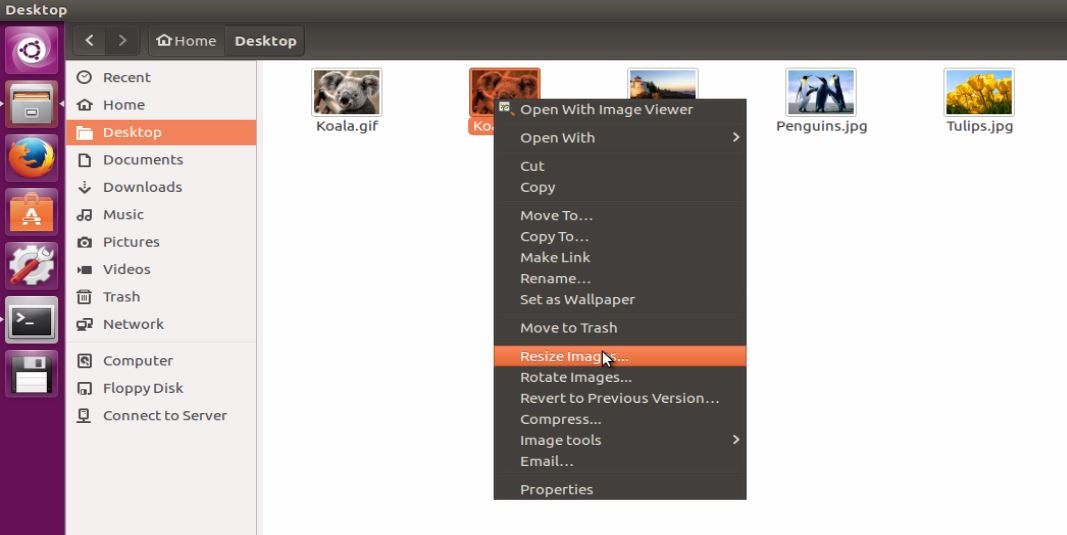
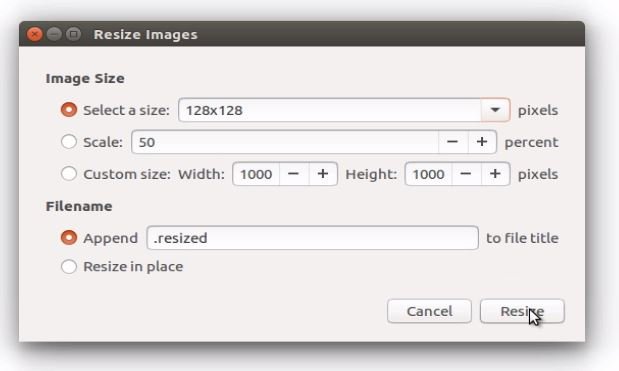
To resize the image, right click on the image and choose “ resize image”
Then select the size for the image in which you want to change and click “ rezise”
Comments ( 0 )
No comments available