• Categories
    Category
    {{ postCtrl.tags }}
    • {{ category.tag_type }}

      • {{tag.tag_name}}
      • View more
  • Categories
    Category
    {{ postCtrl.tags }}
    • {{ category.tag_type }}

      • {{tag.tag_name}}
      • View more
  • News
  • Tutorials
  • Forums
  • Tags
  • Users
Tutorial News Comments FAQ Related Articles

How to block domain using squid in windows 7

{{postValue.id}}

To block domain using Squid in Windows 7

Squid is a caching proxy for the Web and it by tracking the objects use over the network. Squid has variety of uses and advantages such as speeding up web browsing for end user, reduces bandwidth and improves response times by caching and reusing frequently-requested web pages. It also can work as web filtering and can control the browsing traffic. In this tutorial, you will learn about the method to configure Squid Proxy Cache on Windows 7.

The installation of Squid on Windows 7 has already been covered, if you have missed it you can check it from here.

Installing squid

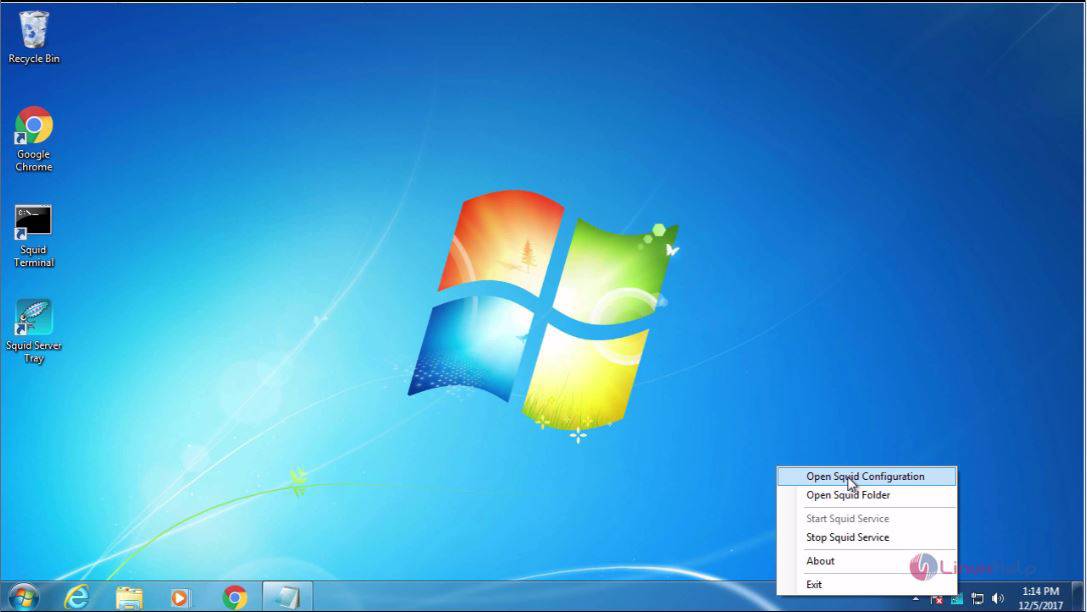
First, open the Squid configuration file.
Squid

And in that file, you need to add the following. Refer the following images to see the places where those lines are to be added.
acl new src 192.168.7.152
acl block dstdomain " /etc/squid/block.txt"
http_access deny new block
http_access allow new
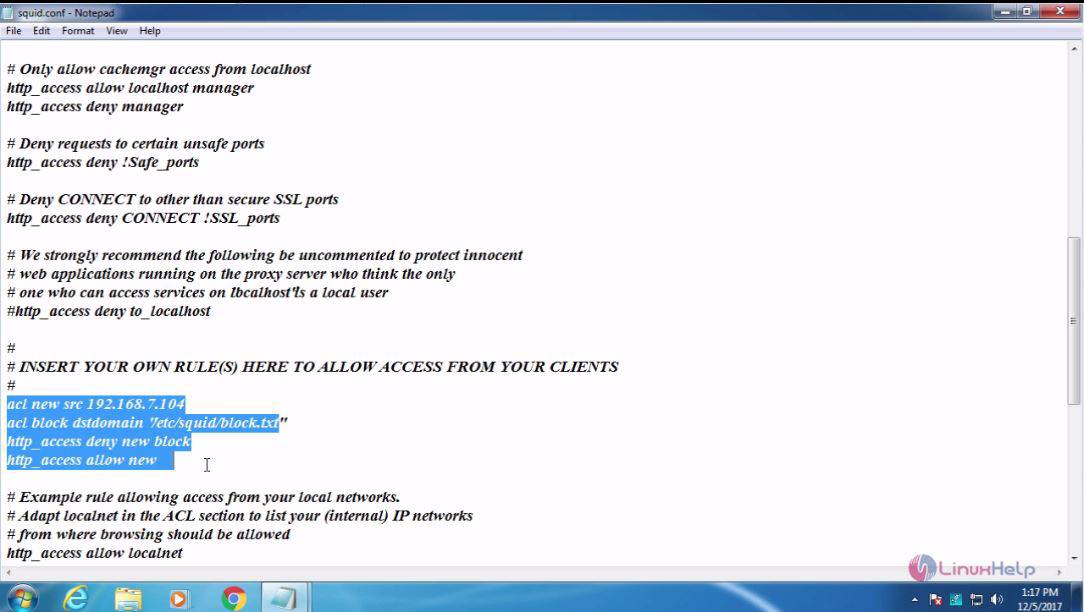
block

Once it is done, you shall save and close the configuration file.
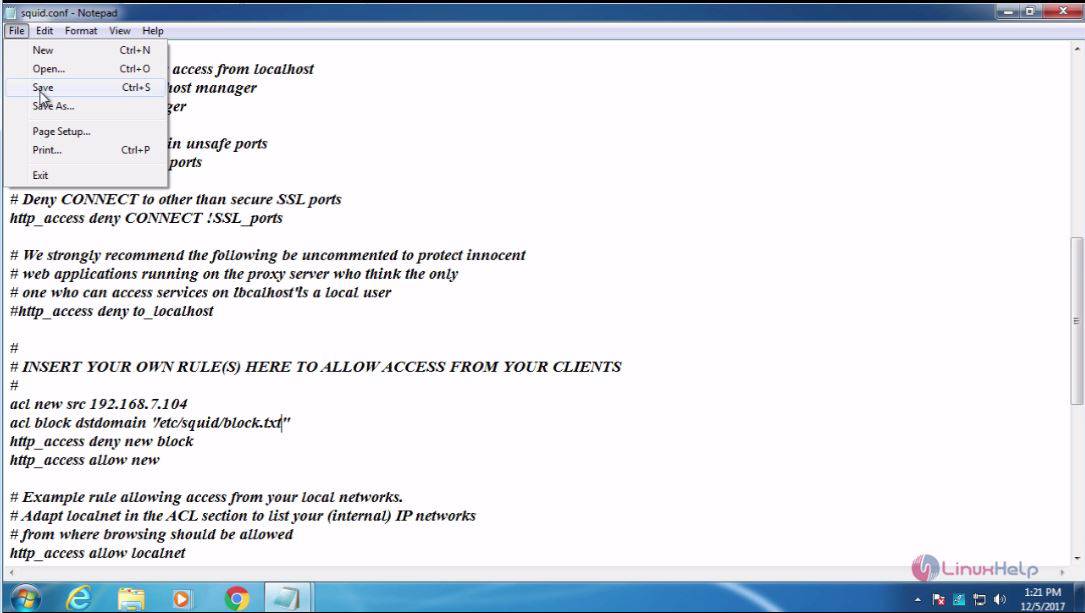
Configure

Now, for adding the block list file, you need to open the Squid folder
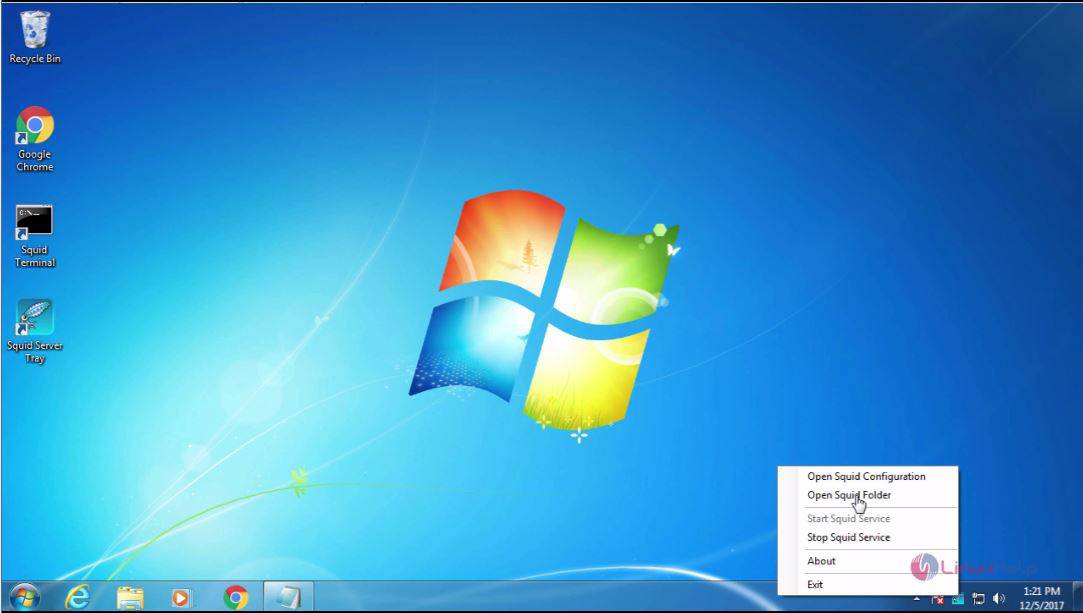
Folder

And in that folder, create a new text file.
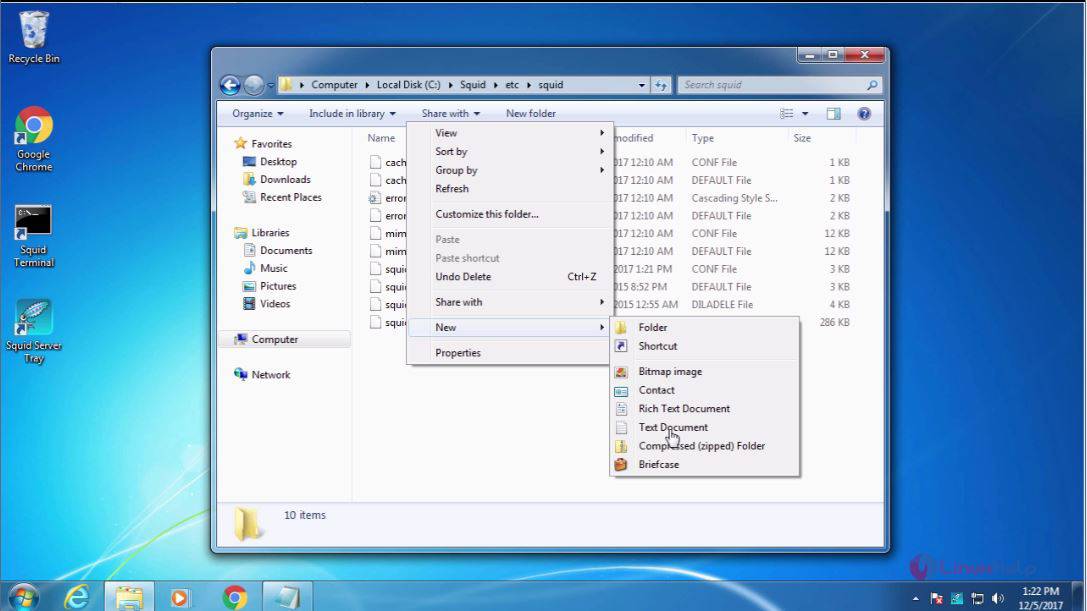
Text

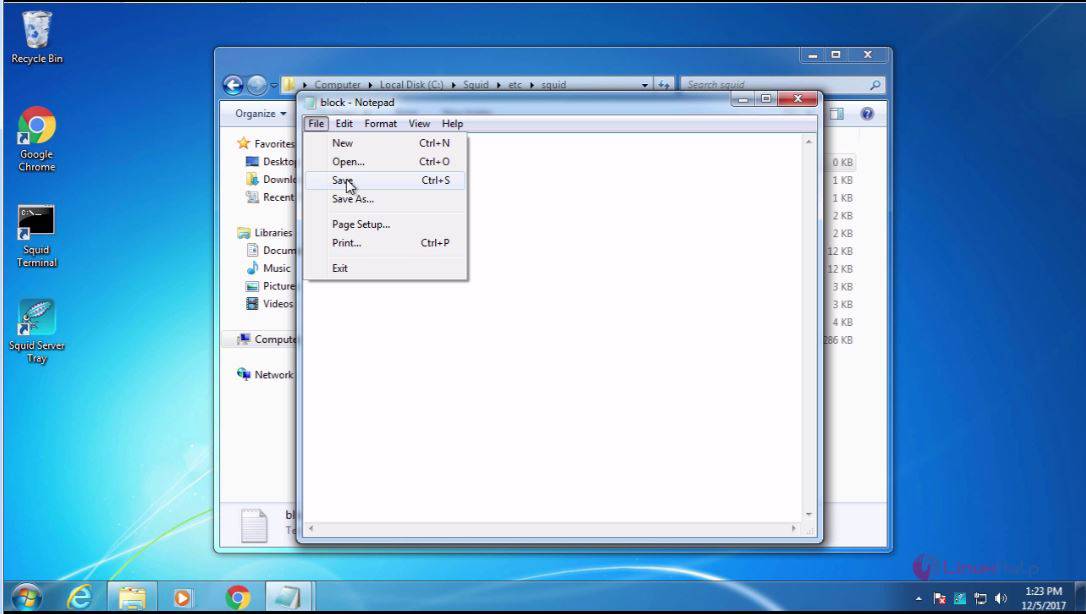
In that text file, you add the sites that are to be blocked and then save and close it.
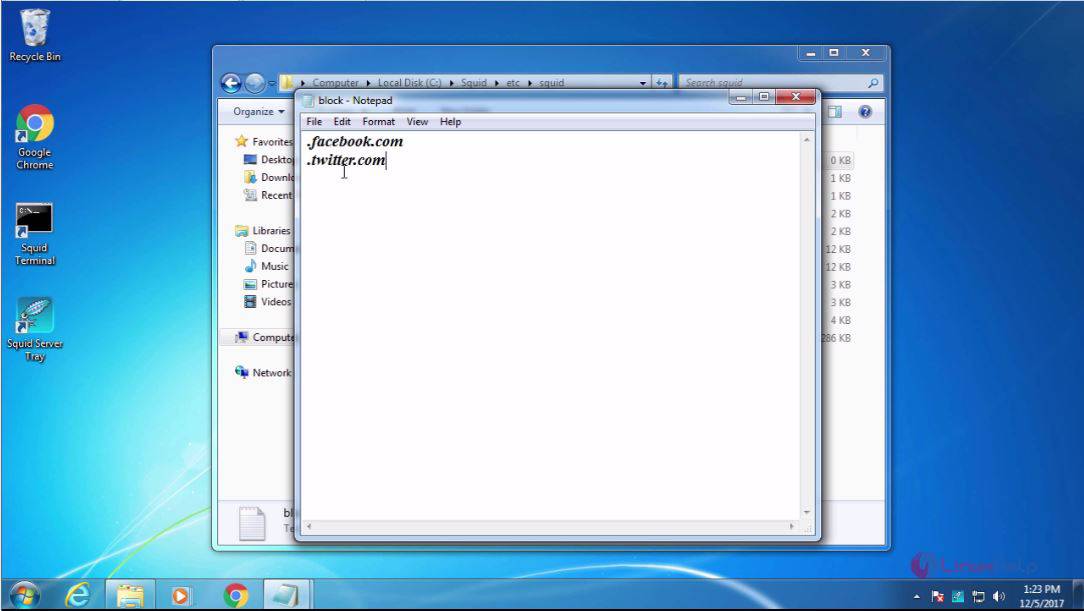
Blocked

Squid 1

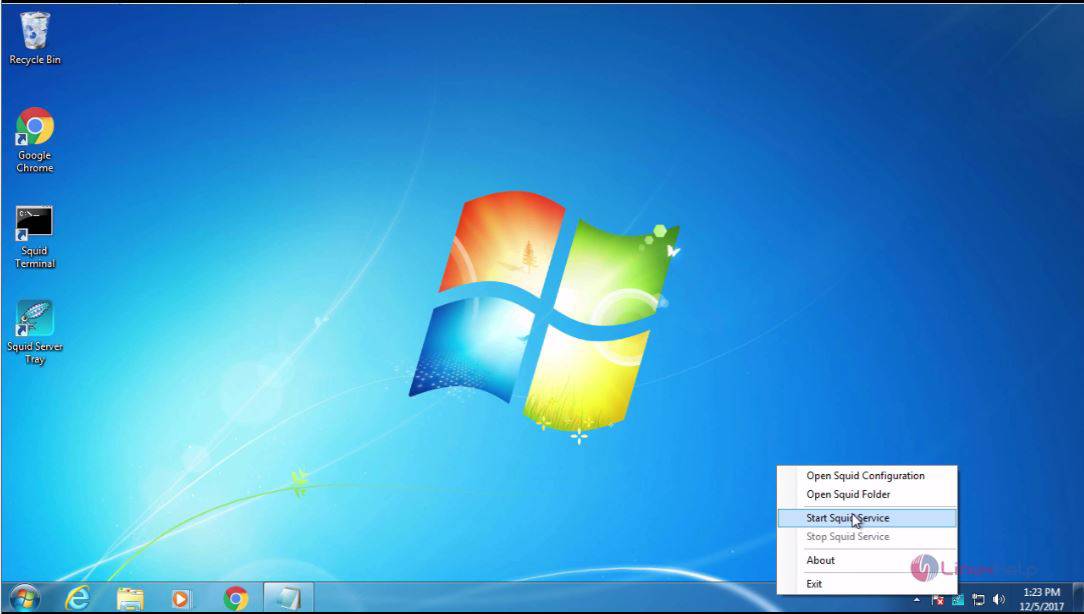
You should also stop and start the squid service for the changes to take effect.
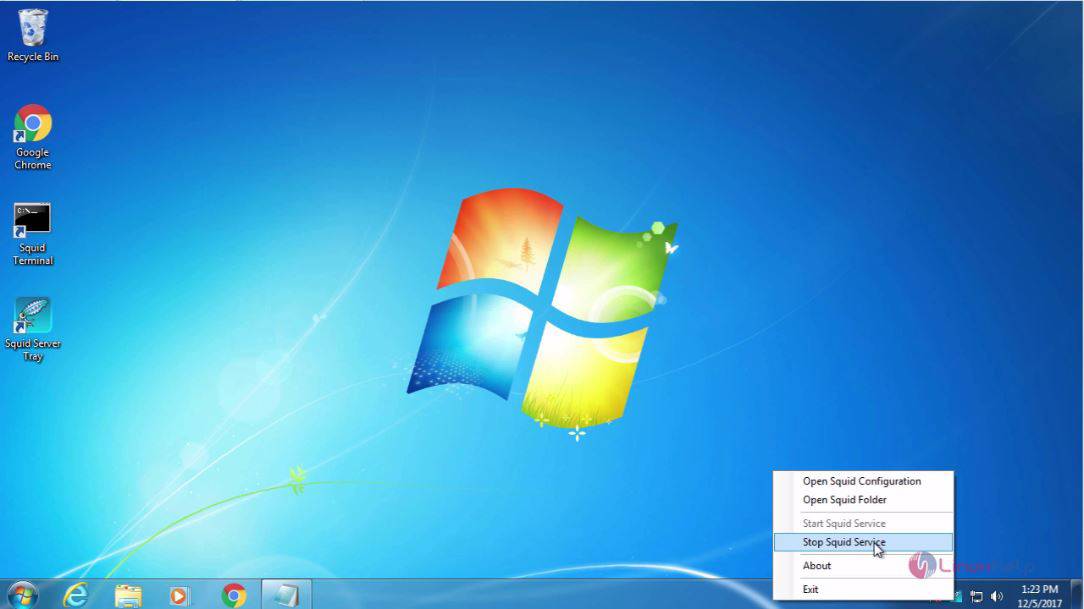
Effect
Start

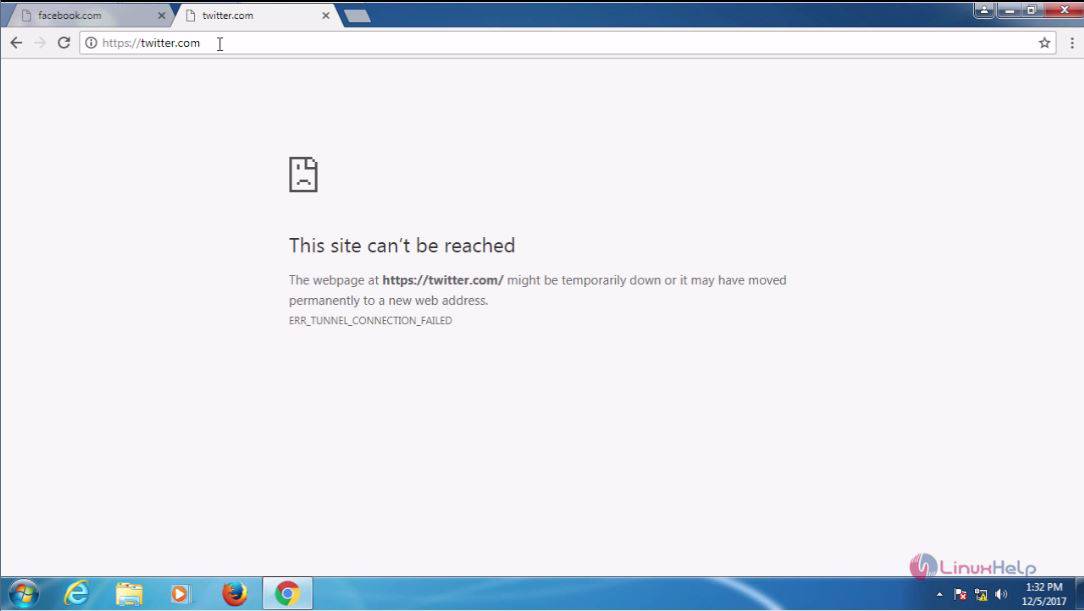
Once the service is started again, you shall check the blocked site in client machine.
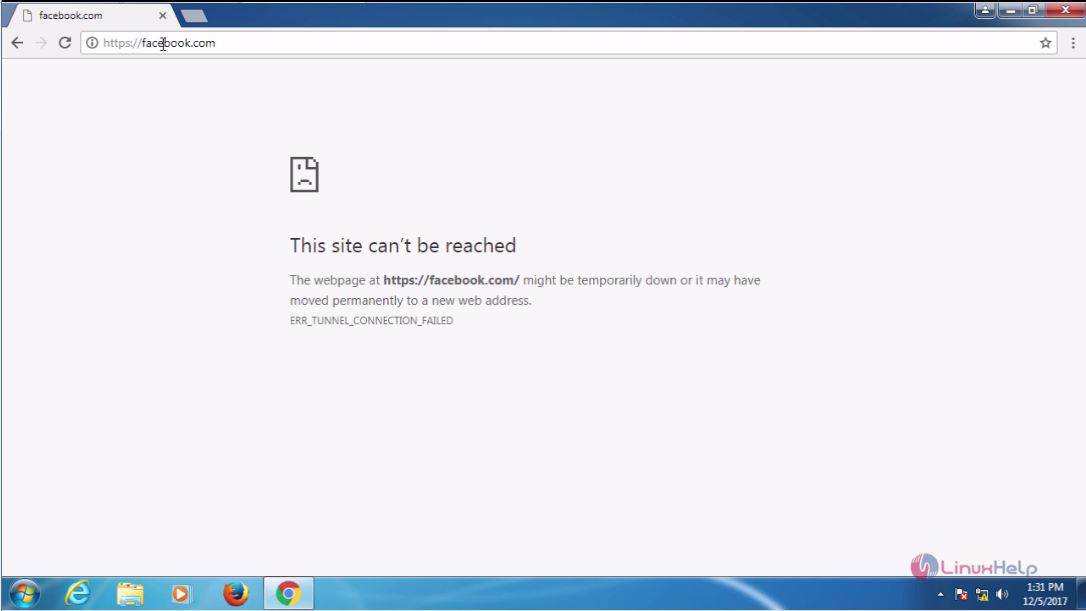
Client
Service

You can notice that you can’ t access those blocked sites. With this, the method to block a domain using squid in Windows 7 comes to an end.

Tags:
jayce
Author: 

Comments ( 1 )

lakshminarayanans
I have followed your post. But its not working for me in AWS EC2 windows instance.
Add a comment
{{postCtrl.cmtErrMsg}}

Frequently asked questions ( 5 )

Q

how to configure squid on windows?

A

use the below link to configure squid on windows https://www.linuxhelp.com/how-to-configure-squid-in-windows-7/

Q

How to block keywords in linux server?

A

refer the below link to block keyword for linux server

https://www.linuxhelp.com/how-to-block-keywords-and-extensions-in-squid-2/

Q

where to refer the installation and configuration procedure for squid on Centos?

A

Follow this link to refer the installation and configuration procedure for squid on Centos
https://www.linuxhelp.com/how-to-install-and-configure-squid-part-1/

Q

why we need to block domain using squid in windows 7?

A

Squid is a caching proxy for the Web and it by tracking the objects use over the network. Squid has variety of uses and advantages such as speeding up web browsing for end user, reduces bandwidth and improves response times by caching and reusing frequently-requested web pages.

Q

what are the lines to be added in squid configuration file in windows7?

A

the lines to be added in squid configuration file in windows7 by following

acl new src 192.168.7.152
acl block dstdomain " /etc/squid/block.txt"
http_access deny new block
http_access allow new

Back To Top!
Rank
User
Points

Top Contributers

userNamenaveelansari
135850

Top Contributers

userNameayanbhatti
92510

Top Contributers

userNamehamzaahmed
32150

Top Contributers

1
userNamelinuxhelp
31040

Top Contributers

userNamemuhammadali
24500
Can you help Owen ?
How to add SSH key to my Gitlab account

I need to add the SSH key in my gitlab account. How to do so ????

Networking
  • Routing
  • trunk
  • Netmask
  • Packet Capture
  • domain
  • HTTP Proxy
Server Setup
  • NFS
  • KVM
  • Memory
  • Sendmail
  • WebDAV
  • LXC
Shell Commands
  • Cloud commander
  • Command line archive tools
  • last command
  • Shell
  • terminal
  • Throttle
Desktop Application
  • Linux app
  • Pithos
  • Retrospect
  • Scribe
  • TortoiseHg
  • 4Images
Monitoring Tool
  • Monit
  • Apache Server Monitoring
  • EtherApe 
  • Arpwatch Tool
  • Auditd
  • Barman
Web Application
  • Nutch
  • Amazon VPC
  • FarmWarDeployer
  • Rukovoditel
  • Mirror site
  • Chef
Contact Us | Terms of Use| Privacy Policy| Disclaimer
© 2025 LinuxHelp.com All rights reserved. Linux™ is the registered trademark of Linus Torvalds. This site is not affiliated with linus torvalds in any way.