• Categories
    Category
    {{ postCtrl.tags }}
    • {{ category.tag_type }}

      • {{tag.tag_name}}
      • View more
  • Categories
    Category
    {{ postCtrl.tags }}
    • {{ category.tag_type }}

      • {{tag.tag_name}}
      • View more
  • News
  • Tutorials
  • Forums
  • Tags
  • Users
Tutorial News Comments FAQ Related Articles

How to build Apache and PHP in WHM/cPanel

{{postValue.id}}

To build Apache and PHP in cPanel

WHM/cPanel uses " Easy Apache" system to manage PHP and Apache. By using this feature you can easily upgrade/downgrade versions of Apache and PHP. This also allows you to change the handler' s configuration, enable/disable suEXEC and PHP versions. Procedure to build Apache and PHP in WHM/cPanel is explained in this tutorial.

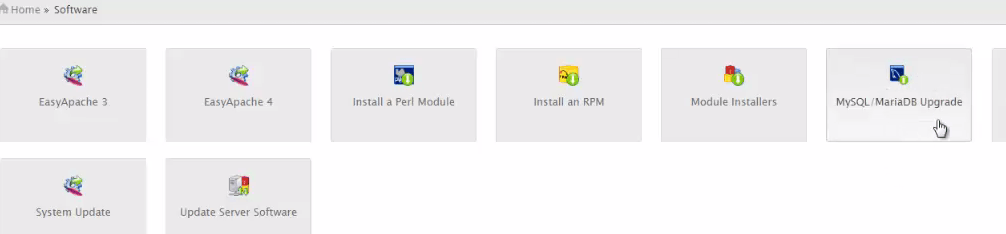
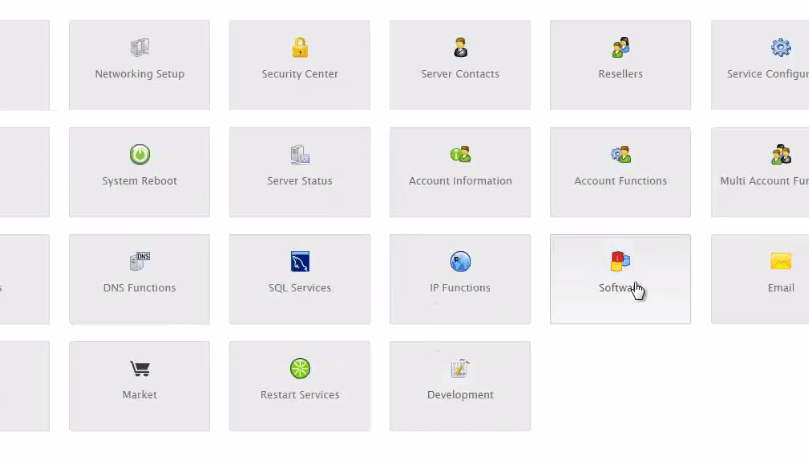
Login to the WHM Page and then navigate to Software-> EasyApache3.
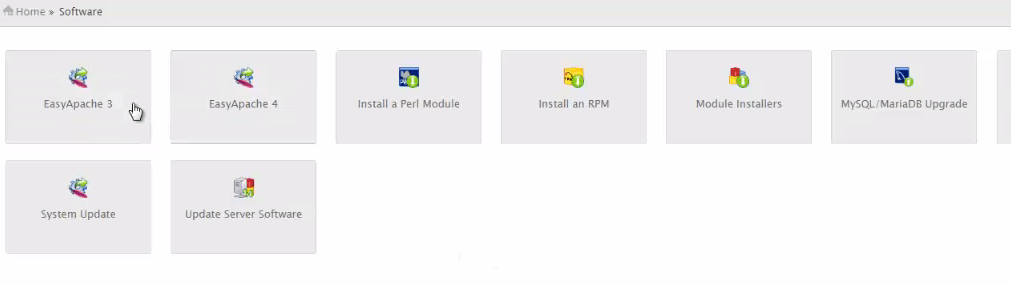

home page

Check for the latest version of Apache and PHP software. To add additional modules in Apache and PHP. Click customized Profile.
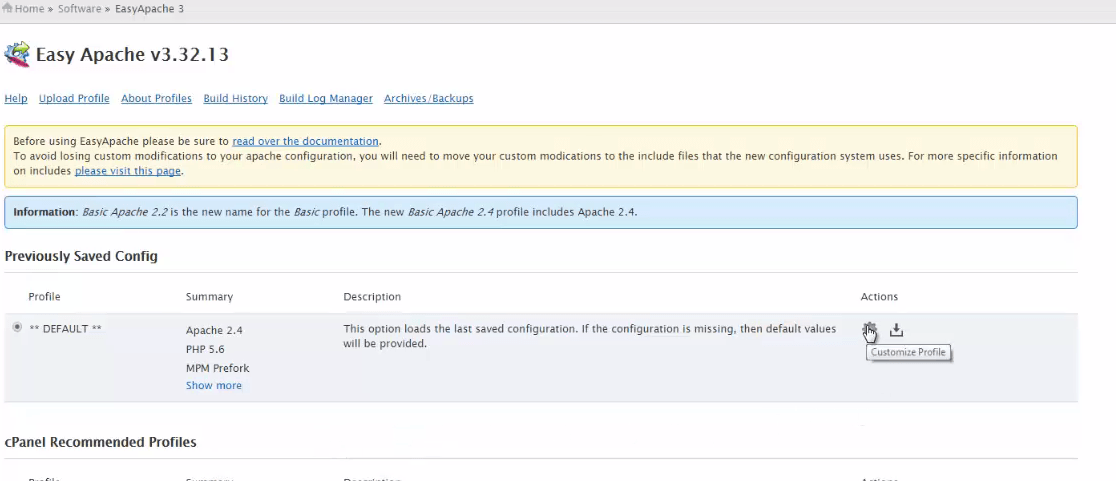

Customize profile

Apache version

Now choose the required version of Apache and Click Next Step to proceed.
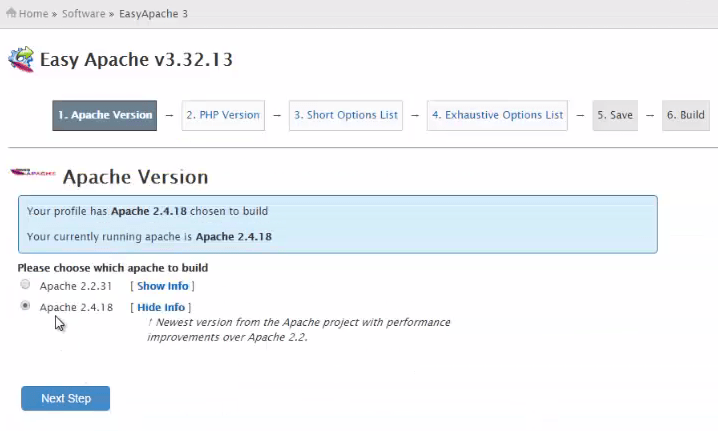

apache

PHP version

Choose the required version of PHP and Click Next Step to proceed.
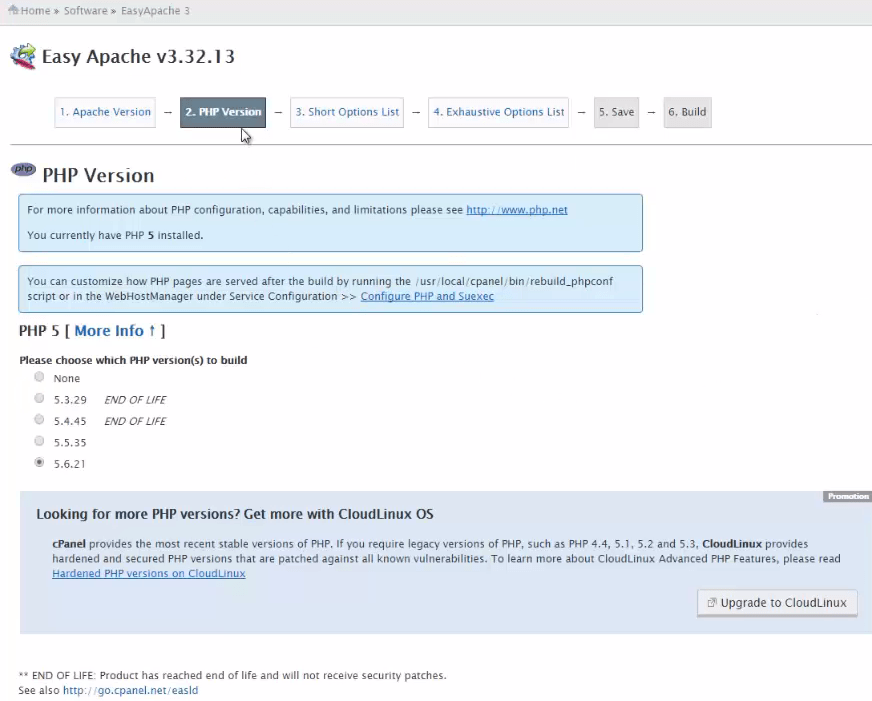

php

Short Option List

Mod SuPHP 0.7.2 and IonCube 4 loader are available in the option list by default. To add additional modules in Option List. Click " Exhaustive Option List"
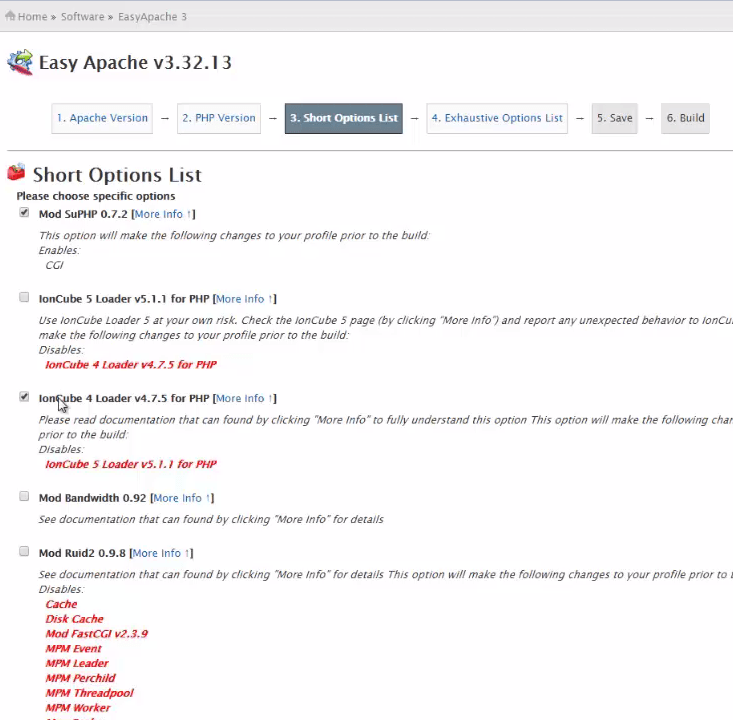
short_option

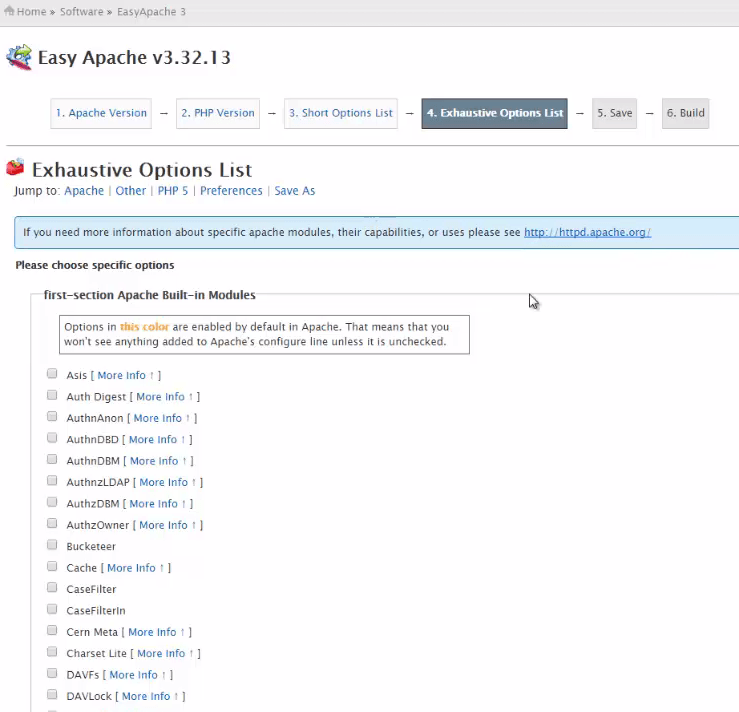
Exhaustive Option List

It contains all the Built-in modules in Apache. To know more about specific Apache modules visit,
http://httpd.apache.org/

Apache Built-in modules

Now select Apache Built-in modules as per your Server requirement.
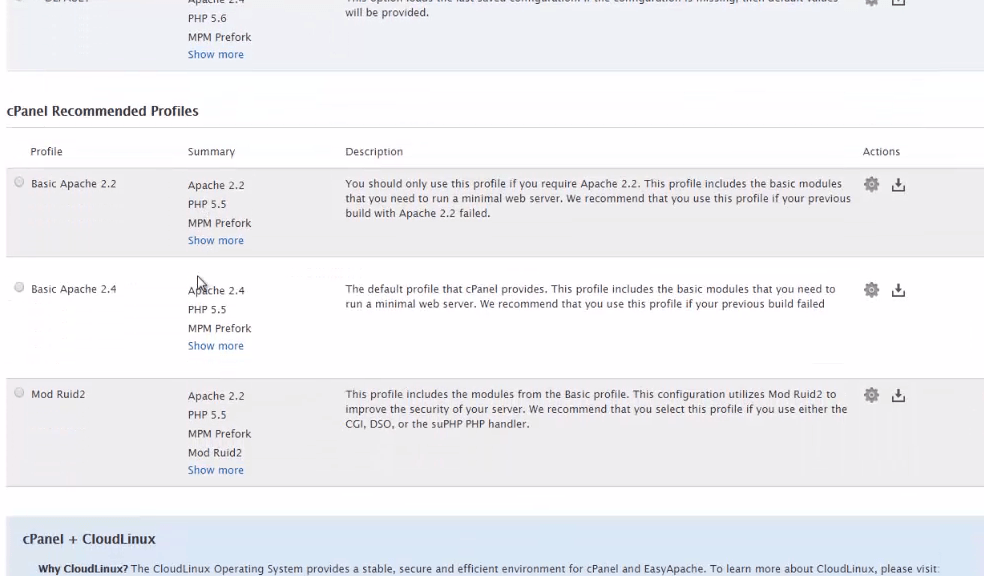

builtin_modules

Other modules

In ' Other modules' , Ioncube 4 loader will be enabled by default.
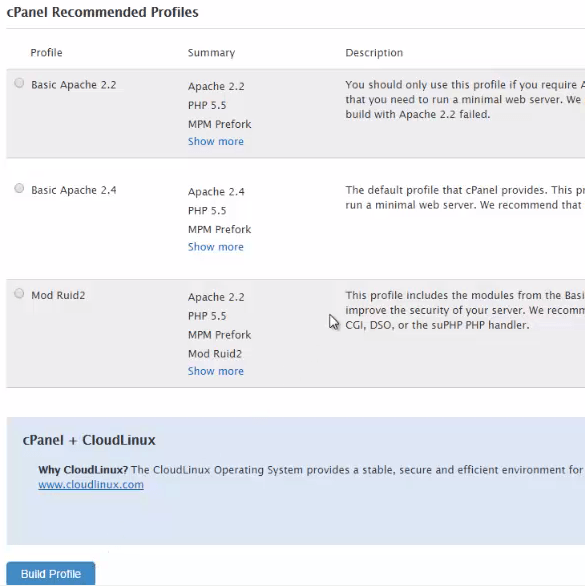

profiles

PHP Modules

Enable specific modules for PHP as required.
module_list

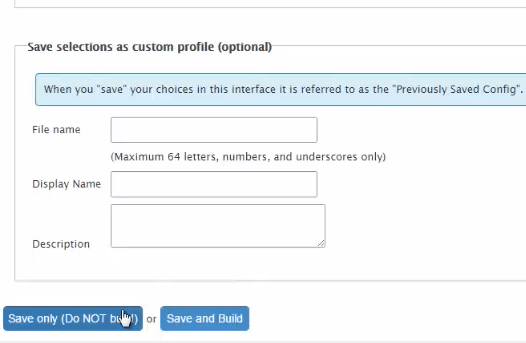
Preferences

Add your preferences. Here, we are Enabling ' Report errors to cPanel' .
Then select ' save only' or ' save and build' to continue. But it is recommended to click save only.
preferences
Click ' Build profile I just saved' to start building the Apache and PHP. You can also view the previous configuration by clicking ' Go back to profile screen' .

after_configuration
In the Acknowledgement window, Click ' I understand' to Start building Apache and PHP.

acknowledgement
list

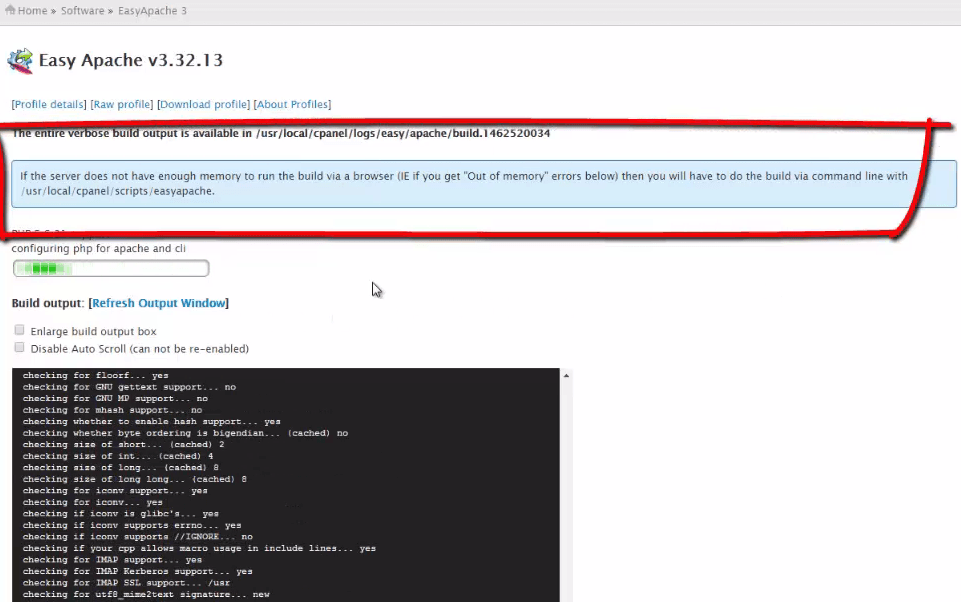
If the server does not have enough memory to build via a browser, then you have to build via command line with /usr/local/cPanel/scripts/easyapache
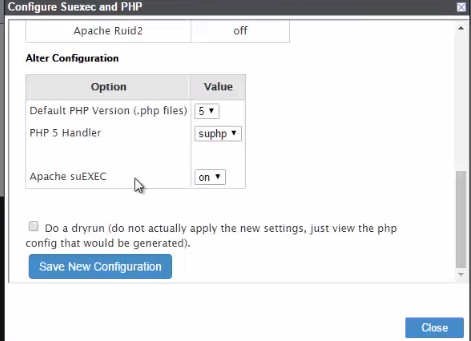
' Configure Suexec and PHP' window appears. Edit the setting if required and click Save new configuration and then Close.
configure

Now Apache and PHP is configured and build to the latest version.
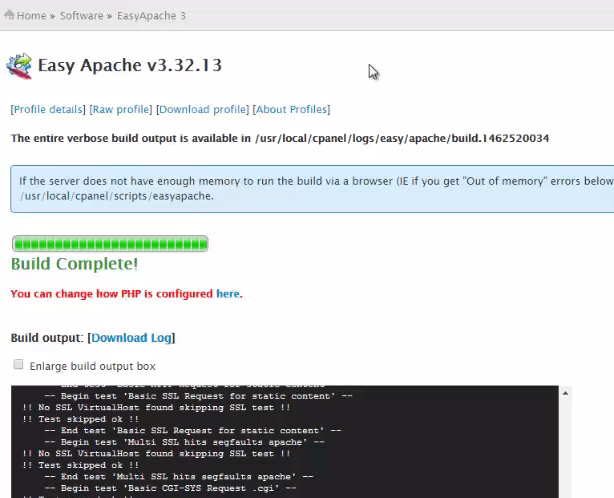

configured

Tags:
benjamin
Author: 

Comments ( 0 )

No comments available

Add a comment
{{postCtrl.cmtErrMsg}}

Frequently asked questions ( 5 )

Q

what is the difference between Cpanel Blacklist and CSf Deny?

A

*panel blacklist will act only as a safeguard for Bruteforce attack. *Whereas CSF will block that IP from anything to the server. So you may deny the IP only in CSF, no need of blacklist in CSF

Q

How to install and Configure Server Explorer on Cpanel?

A

Refer the following link to know configure server explorer on cpanel
https://www.linuxhelp.com/how-to-install-config-server-explorer-on-whm/

Q

How to block an IP of ssh my server from cpanel?

A

Go to Security Center -> Host access control, in that type, the daemon name as ssh and Access list as the IP you need to block and in action say "Deny". And in the next line daemon as ssh, access

Q

How to upgrade Apache and PHP using cPanel’s Easyapache?

A

We should follow these steps
1. Easyapache installs Zend Optimizer for PHP 5.2, and Zend Guard for PHP 5.3 and above; again, check to see that your site code is compatible before making changes.
2.select the most commonly used Apache and PHP modules. If there is a module you wish to install that is not on this list, select Exhaustive Options List. Otherwise, click Save and Build to begin the compile process.
3.make sure that they still run fine with the new versions of Apache and PHP

Q

What is the module used for cpanel apache and php?

A

modules are based on the requirement.
1.select Apache Built-in modules as per your Server requirement.
2. In 'Other modules', Ioncube 4 loader will be enabled by default.
3. Enable specific modules for PHP as required.

Back To Top!
Rank
User
Points

Top Contributers

userNamenaveelansari
135850

Top Contributers

userNameayanbhatti
92510

Top Contributers

userNamehamzaahmed
32150

Top Contributers

1
userNamelinuxhelp
31040

Top Contributers

userNamemuhammadali
24500
Can you help Luke ?
workbench for debian

I am using workbench in CentOS whereas now I need to use Debian Operating system so could you please help to install and use in Debian?

Networking
  • Routing
  • trunk
  • Netmask
  • Packet Capture
  • domain
  • HTTP Proxy
Server Setup
  • NFS
  • KVM
  • Memory
  • Sendmail
  • WebDAV
  • LXC
Shell Commands
  • Cloud commander
  • Command line archive tools
  • last command
  • Shell
  • terminal
  • Throttle
Desktop Application
  • Linux app
  • Pithos
  • Retrospect
  • Scribe
  • TortoiseHg
  • 4Images
Monitoring Tool
  • Monit
  • Apache Server Monitoring
  • EtherApe 
  • Arpwatch Tool
  • Auditd
  • Barman
Web Application
  • Nutch
  • Amazon VPC
  • FarmWarDeployer
  • Rukovoditel
  • Mirror site
  • Chef
Contact Us | Terms of Use| Privacy Policy| Disclaimer
© 2025 LinuxHelp.com All rights reserved. Linux™ is the registered trademark of Linus Torvalds. This site is not affiliated with linus torvalds in any way.