How to configure Apache Reverse Proxy on Rewrite rule on Ubuntu 22.04
To Configure Apache Reverse Proxy On Rewrite Rule
Introduction
The "Reverse Proxy" rule template provides a mechanism for generating inbound rewrite rules that proxy HTTP requests to an alternate server. Additionally, this template can optionally create an outbound rewrite rule to correct host names in the link URLs within HTML responses. The Apache HTTP Server's mod_rewrite module can be utilized to configure a reverse proxy and manage URL manipulations effectively.
Procedure
Step 1: Check the OS version
root@linuxhelp:~# lsb_release -a
No LSB modules are available.
Distributor ID:	Ubuntu
Description:	Ubuntu 22.04.3 LTS
Release:	22.04
Codename:	jammy
Step 2: Install Apache webserver by using apt command
root@linuxhelp:~# apt install apache2 -y
Reading package lists... Done
Building dependency tree... Done
Reading state information... Done
The following packages were automatically installed and are no longer required:
  libflashrom1 libftdi1-2 libllvm13
Use 'sudo apt autoremove' to remove them.
The following additional packages will be installed:
  apache2-bin apache2-data apache2-utils libapr1 libaprutil1 libaprutil1-dbd-sqlite3 libaprutil1-ldap
Suggested packages:
  apache2-doc apache2-suexec-pristine | apache2-suexec-custom
Enabling module mpm_event.
Enabling module authz_core.
Enabling module authz_host.
Enabling module authn_core.
Created symlink /etc/systemd/system/multi-user.target.wants/apache2.service → /lib/systemd/system/apache2.service.
Created symlink /etc/systemd/system/multi-user.target.wants/apache-htcacheclean.service → /lib/systemd/system/apache-htcacheclean.service
Processing triggers for ufw (0.36.1-4ubuntu0.1) ...
Processing triggers for man-db (2.10.2-1) ...
Processing triggers for libc-bin (2.35-0ubuntu3.1) ...
Step 3: Apache installed successfully, Then check the system IP address by using following command.
root@linuxhelp:~# ip a
1: lo: <LOOPBACK,UP,LOWER_UP> mtu 65536 qdisc noqueue state UNKNOWN group default qlen 1000
    link/loopback 00:00:00:00:00:00 brd 00:00:00:00:00:00
    inet 127.0.0.1/8 scope host lo
       valid_lft forever preferred_lft forever
    inet6 ::1/128 scope host
       valid_lft forever preferred_lft forever
2: ens33: <BROADCAST,MULTICAST,UP,LOWER_UP> mtu 1500 qdisc fq_codel state UP group default qlen 1000
    link/ether 00:0c:29:0c:1e:e5 brd ff:ff:ff:ff:ff:ff
    altname enp2s1
    inet 192.168.6.133/23 brd 192.168.7.255 scope global noprefixroute ens33
       valid_lft forever preferred_lft forever
    inet6 fe80::ed65:e6a5:ee5d:b483/64 scope link noprefixroute
       valid_lft forever preferred_lft forever
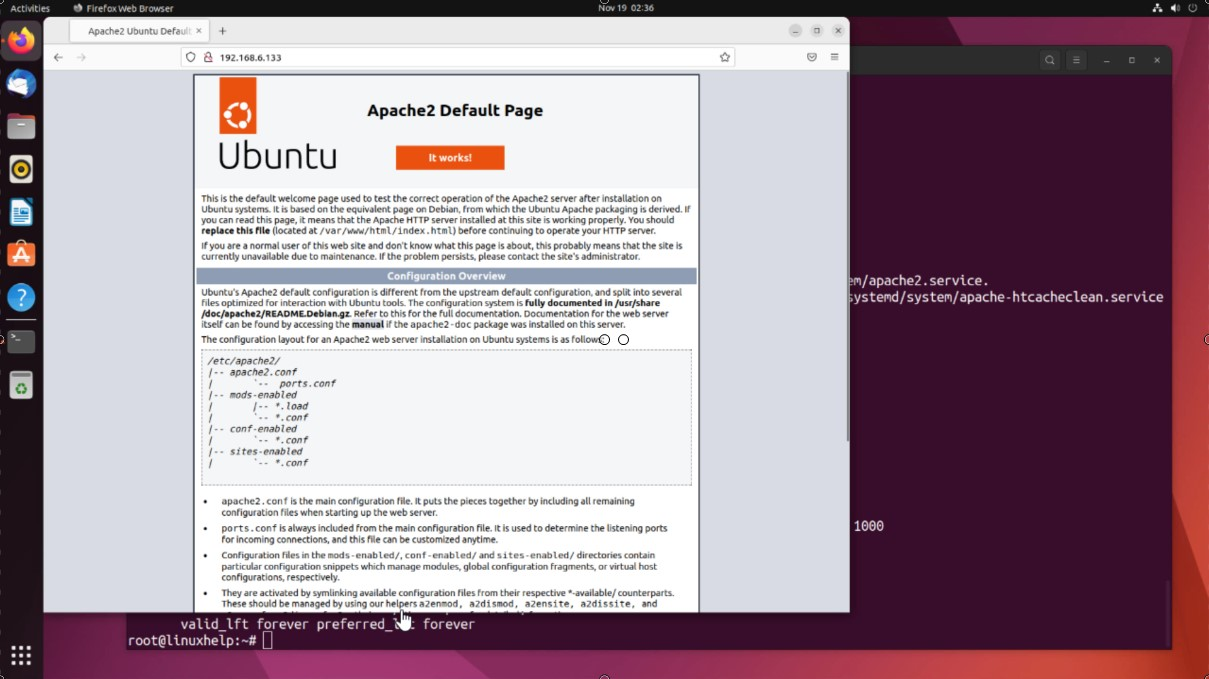
Step 4: Go to the browser and search with the system IP address
Step 5: Now enable some modules
root@linuxhelp:~# a2enmod proxy
Enabling module proxy.
To activate the new configuration, you need to run:
  systemctl restart apache2
root@linuxhelp:~# a2enmod proxy_http
Considering dependency proxy for proxy_http:
Module proxy already enabled
Enabling module proxy_http.
To activate the new configuration, you need to run:
  systemctl restart apache2
root@linuxhelp:~# a2enmod rewrite
Enabling module rewrite.
To activate the new configuration, you need to run:
  systemctl restart apache2
Step 6: Then edit the Apache default virtual host file and add some line in the file
root@linuxhelp:~# vim /etc/apache2/sites-enabled/000-default.conf
Add the following lines
RewriteEngine On
RewriteRule ^/old-path/(.*)$ /new-path/$1 [R=301,L]
ProxyPass / http://192.168.6.134:8080/
ProxyPassReverse / http://192.168.6.134:8080/
Step 7: Now restart the Apache2 service to apply changes
root@linuxhelp:~# systemctl restart apache2
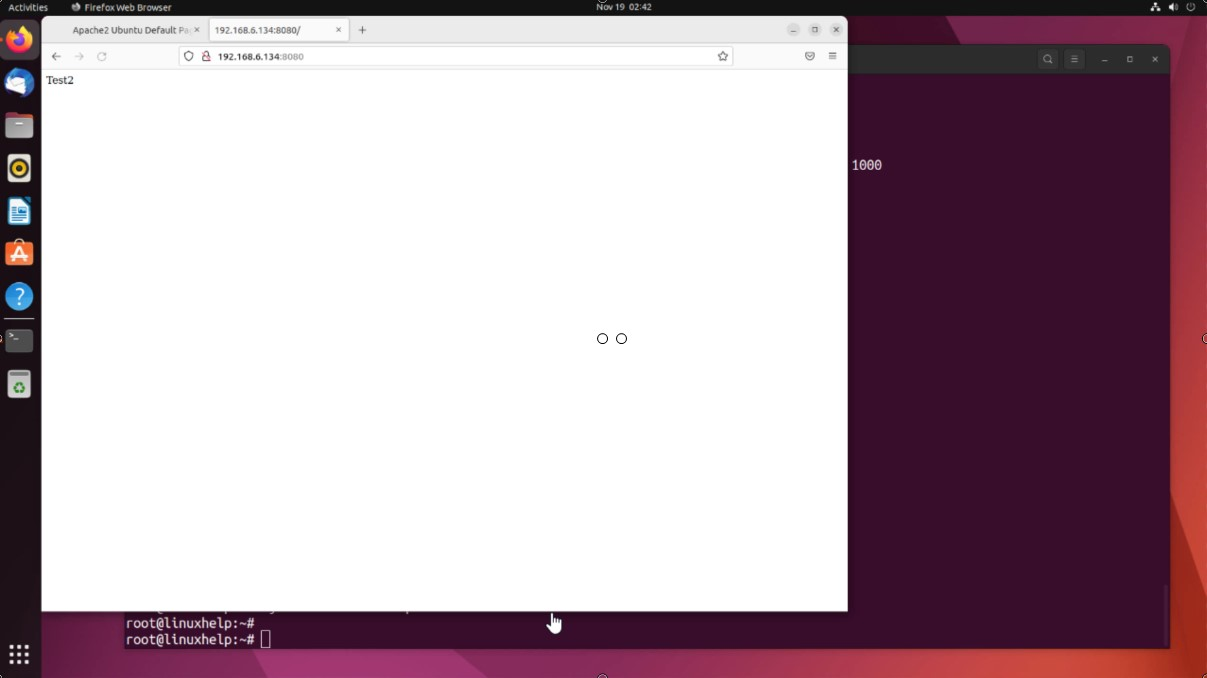
Step 8: Go to the browser and search with backend server IP
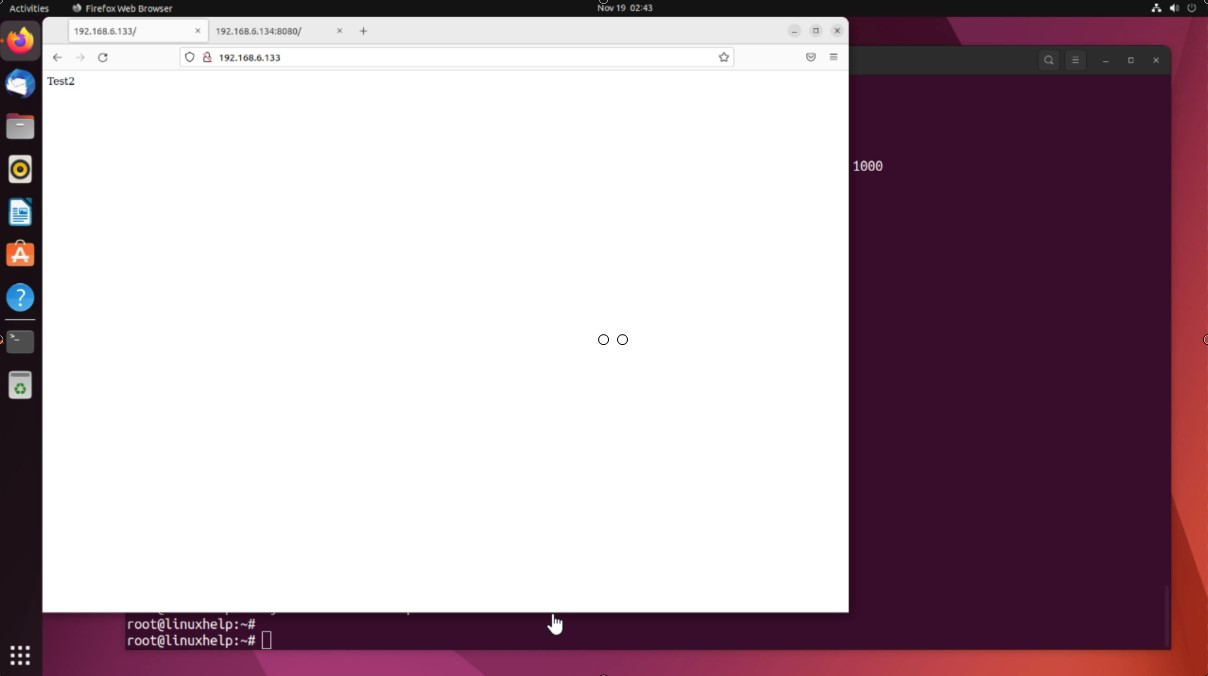
Step 9: Now reload the previous page that we are search with our system IP address. It will redirect to the backend server web page
Conclusion :
We have reached the end of this article. In this guide, we have walked you through the steps required to configure Apache Reverse Proxy on Rewrite rule on Ubuntu 22.04. Your feedback is much welcome.
Comments ( 0 )
No comments available