• Categories
    Category
    {{ postCtrl.tags }}
    • {{ category.tag_type }}

      • {{tag.tag_name}}
      • View more
  • Categories
    Category
    {{ postCtrl.tags }}
    • {{ category.tag_type }}

      • {{tag.tag_name}}
      • View more
  • News
  • Tutorials
  • Forums
  • Tags
  • Users
Tutorial News Comments FAQ Related Articles

How to configure E-mail settings in Elastix 5

{{postValue.id}}

How to configure E-mail settings in Elastix 5

Elastix is an Open source software for your server for PBX Unified communications solutions. It is one of the best tools availble for Asterisk-based PBXs into a single web based user interface for configuration and management. In this tutorial, we are going to see the configuration of email settings in Elastix 5 server.

Configuration Procedure

To start the configuration procedure, click settings option in the left side panel and then select E-mail option.
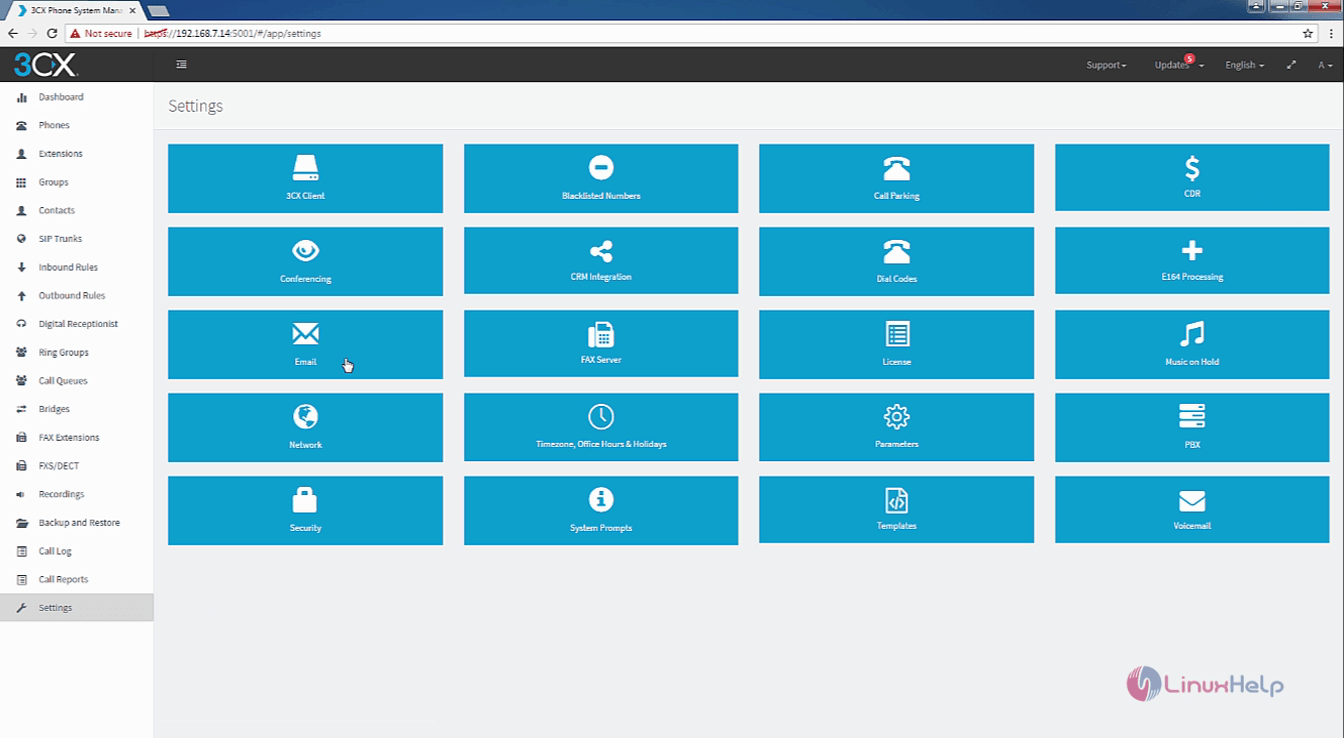
settings

First configure the mail server option by entering the mail server, destination address, the user' s email address and password.
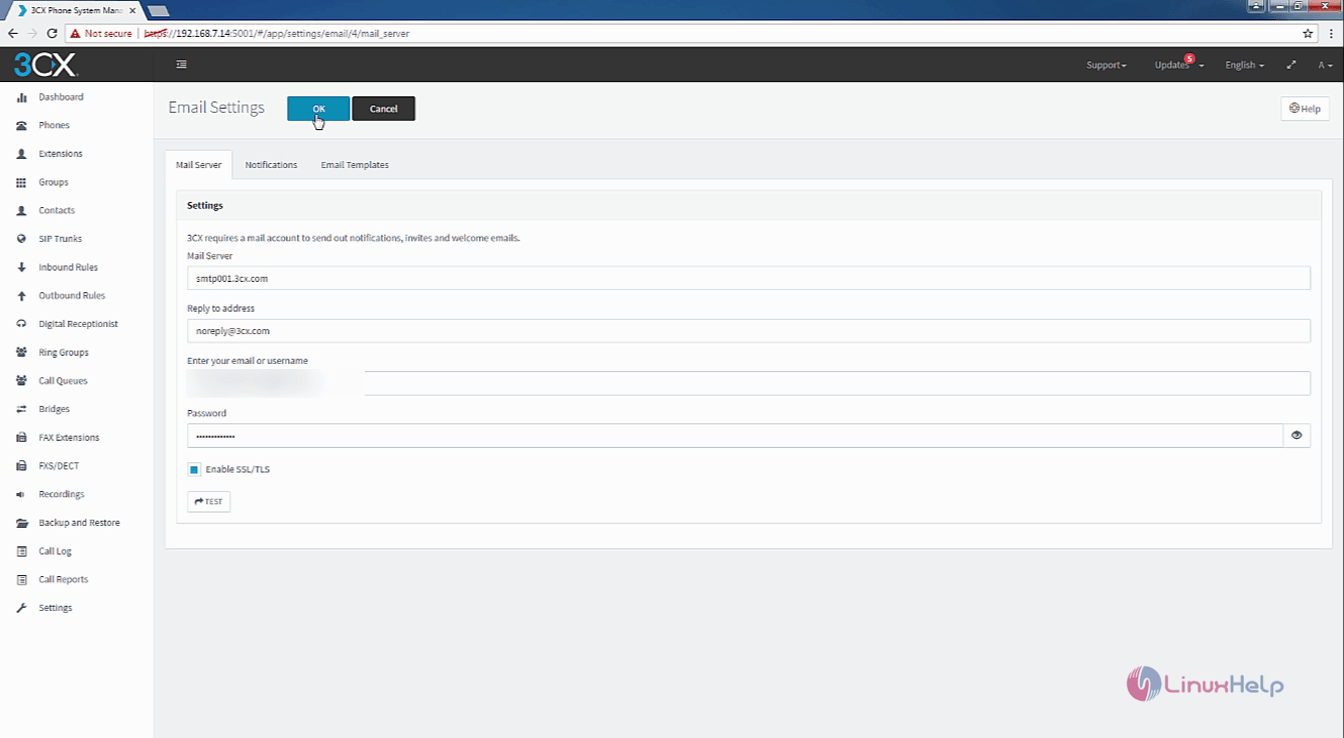
configuration

Next configure the notifications option. You can enter one or more e-mail addresses that can be separated by commas.
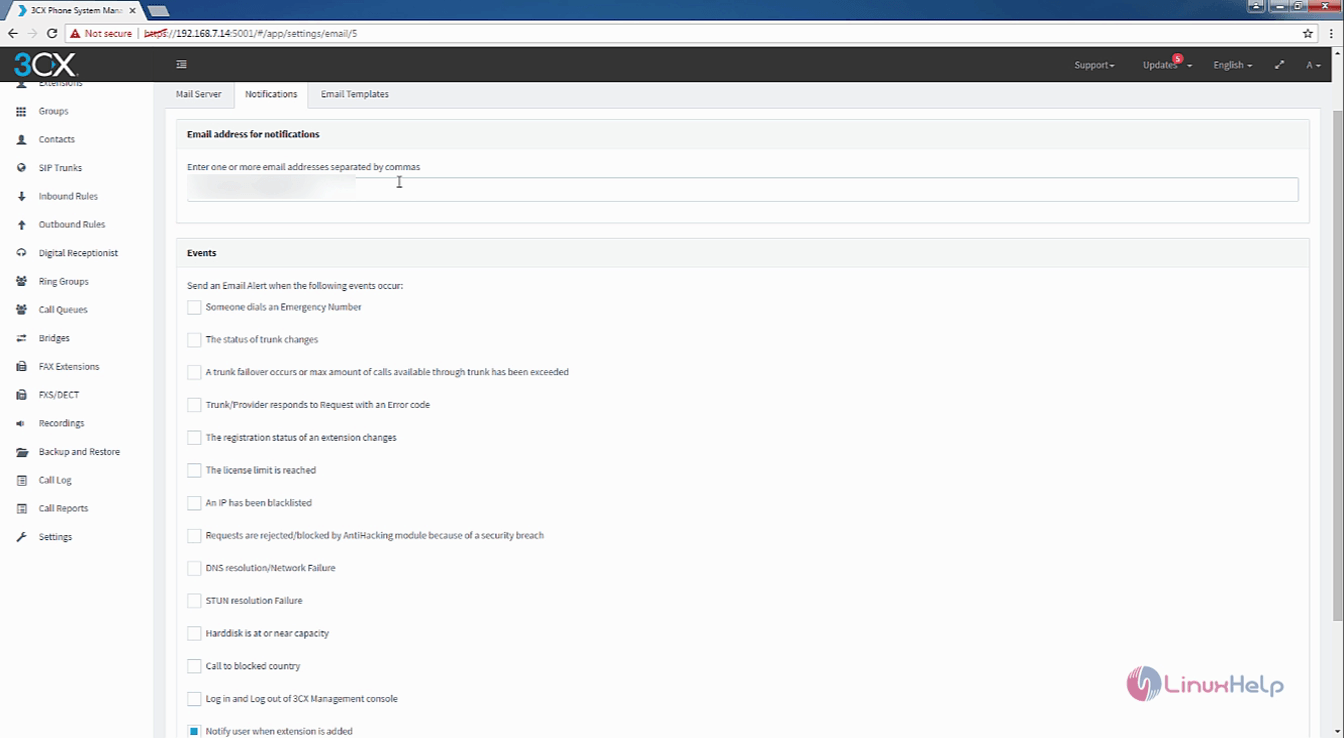
email address

Now enable or disable events for e-mail notification in the list of events.
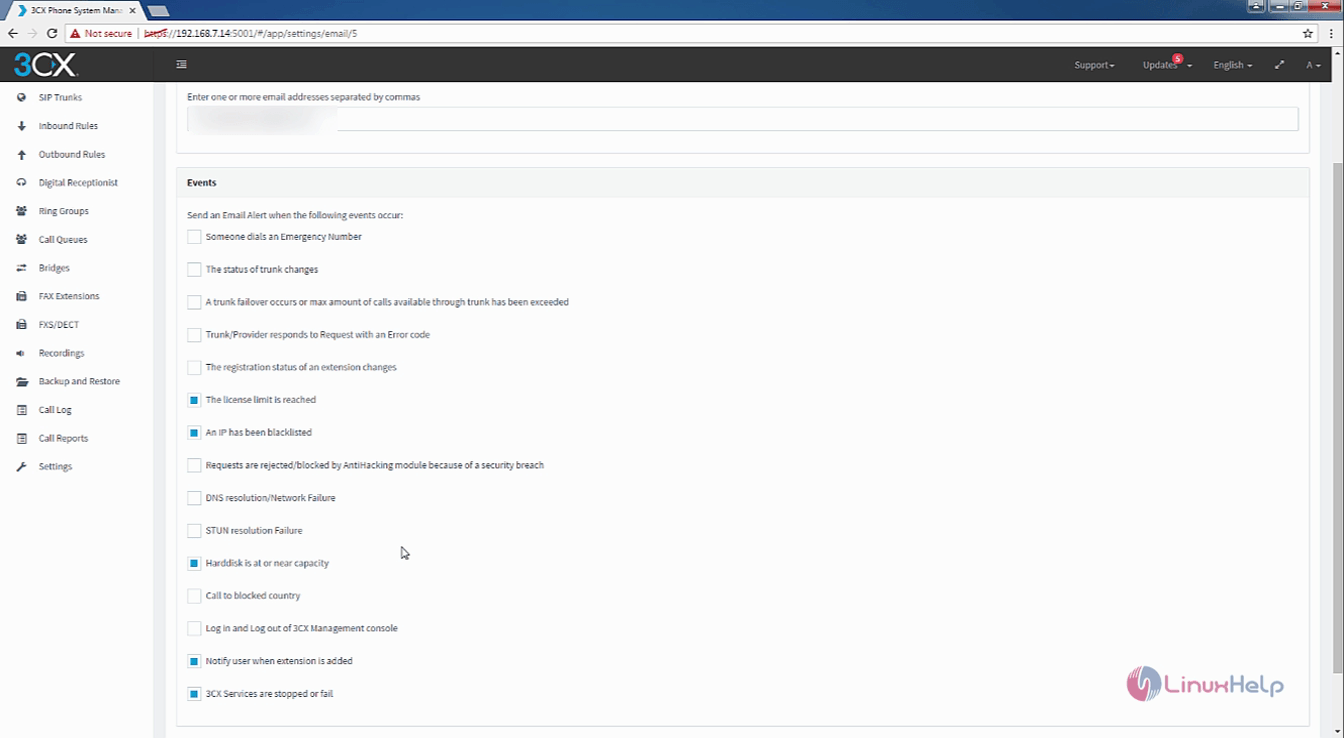
events

After configuring the events, select the e-mail templates to edit from the drop down list.
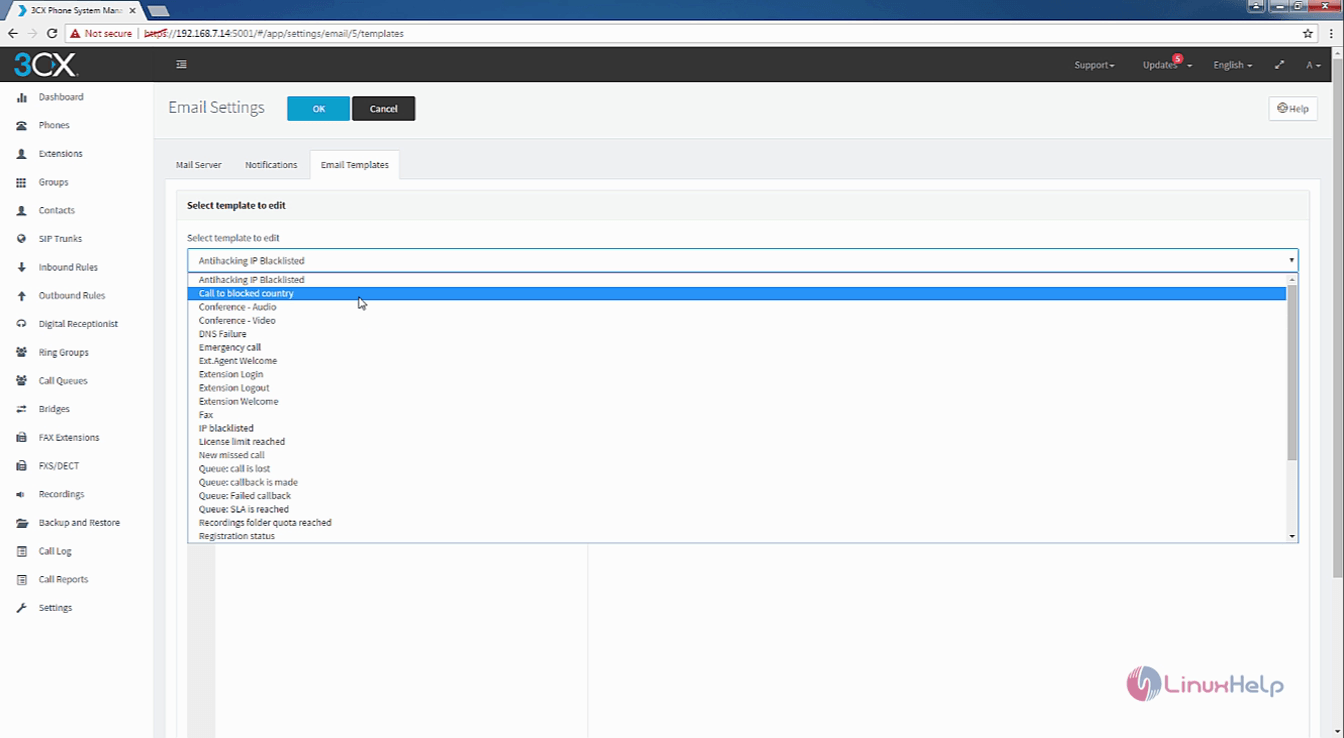
email template

Now the email template is selected, Select ok to finish the email configuration.
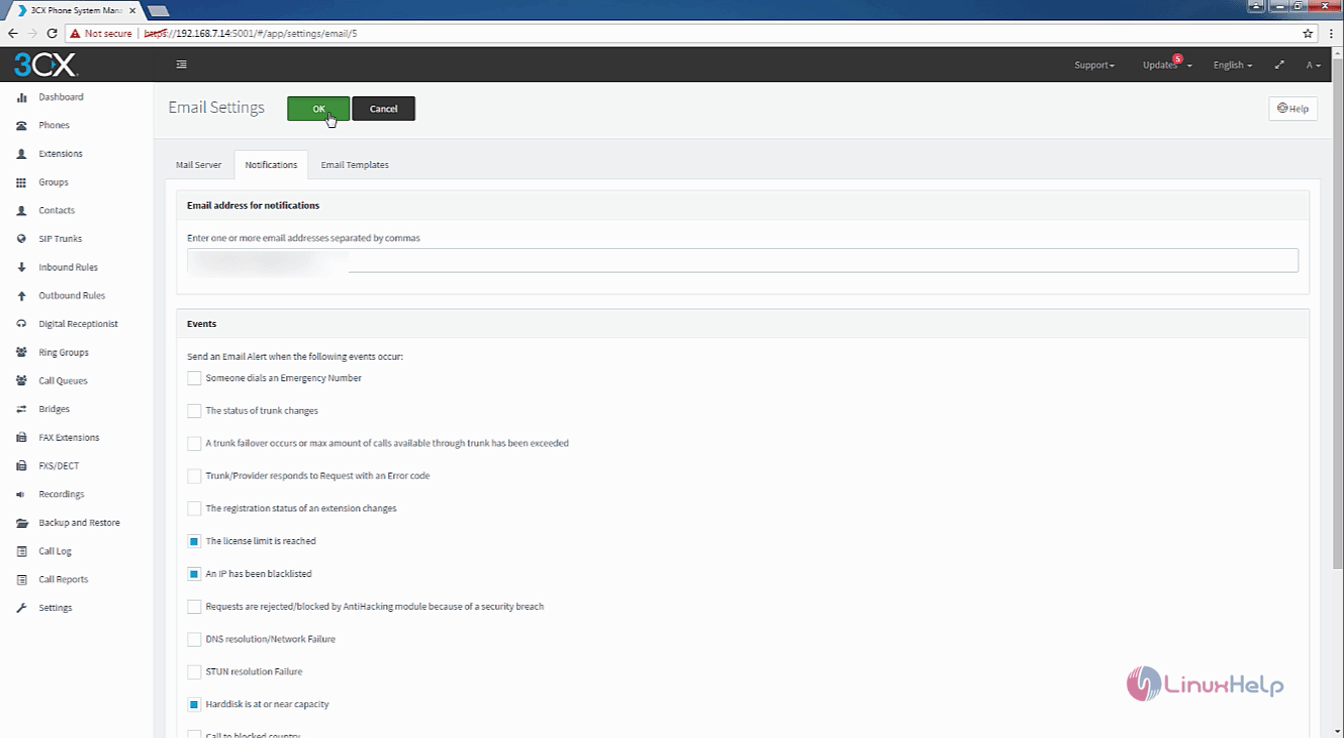
configuring email

The email server has been configured in the Elastix server. That was an easy configuration procedure wasn' t it?. Stay connected to know more about various other aspects of Elastix from our future articles.

Tags:
matthew
Author: 

Comments ( 0 )

No comments available

Add a comment
{{postCtrl.cmtErrMsg}}

Frequently asked questions ( 5 )

Q

Where to find the option for Email Settings in elastix5?

A

Find options for email settings are to click settings option in the left side panel and then select E-mail option.

Q

How to add ring group in Elastix 5?

A

add ring group in elastix to refer the below link
https://www.linuxhelp.com/how-to-add-ring-group-in-elastix-5/"

Q

where to refer creating extension in elastix?

A

reference for creating the extension by following llink
https://www.linuxhelp.com/how-to-create-extension-groups-elastix-5/

Q

what is elastix and why to configure Email settings in elastix?

A

Elastix is an Open source software for your server for PBX Unified communications solutions. It is one of the best tools availble for Asterisk-based PBXs into a single web based user interface for configuration and management

Q

How to edit the drop down list in elastix?

A

configuring the events, select the e-mail templates to edit from the drop down list.

Back To Top!
Rank
User
Points

Top Contributers

userNamenaveelansari
135850

Top Contributers

userNameayanbhatti
92510

Top Contributers

userNamehamzaahmed
32150

Top Contributers

1
userNamelinuxhelp
31040

Top Contributers

userNamemuhammadali
24500
Can you help Owen ?
How to add SSH key to my Gitlab account

I need to add the SSH key in my gitlab account. How to do so ????

Networking
  • Routing
  • trunk
  • Netmask
  • Packet Capture
  • domain
  • HTTP Proxy
Server Setup
  • NFS
  • KVM
  • Memory
  • Sendmail
  • WebDAV
  • LXC
Shell Commands
  • Cloud commander
  • Command line archive tools
  • last command
  • Shell
  • terminal
  • Throttle
Desktop Application
  • Linux app
  • Pithos
  • Retrospect
  • Scribe
  • TortoiseHg
  • 4Images
Monitoring Tool
  • Monit
  • Apache Server Monitoring
  • EtherApe 
  • Arpwatch Tool
  • Auditd
  • Barman
Web Application
  • Nutch
  • Amazon VPC
  • FarmWarDeployer
  • Rukovoditel
  • Mirror site
  • Chef
Contact Us | Terms of Use| Privacy Policy| Disclaimer
© 2025 LinuxHelp.com All rights reserved. Linux™ is the registered trademark of Linus Torvalds. This site is not affiliated with linus torvalds in any way.