How to configure Espeak on Ubuntu 21.04
- 00:34 lsb_release -a
- 00:47 apt list --installed | grep git
- 00:57 apt list --installed | grep make
- 01:17 git clone https://github.com/espeak-ng/espeak-ng.git
- 01:41 apt install autoconf automake pkg-config libgtk-3-dev dh-autoreconf
- 01:55 cd espeak-ng/
- 02:04 ./autogen.sh
- 02:13 ./configure --prefix=/usr
- 02:33 make
- 02:52 make install
- 03:08 espeak-ng -v en-us --stdout "hai how are you" -s 100 > /home/linuxhelp/Music/test.mp3
To Configure Espeak on Ubuntu 21.04
Introduction:
Espeak is an open-source, portable speech synthesizer software tool for English and other languages, which is available in a compact size for Linux and Windows. The voice is clear, and the speed is high, but it's not as smooth or natural as larger synthesizers that mimic human speech.
Installation Procedure:
Step 1: Check the OS version by using the below command
root@linuxhelp:~# lsb_release -a
No LSB modules are available.
Distributor ID:	Ubuntu
Description:	Ubuntu 21.04
Release:	21.04
Codename:	hirsute
Step 2: Check the dependency package GIT by using the below command
root@linuxhelp:~# apt list --installed | grep git

WARNING: apt does not have a stable CLI interface. Use with caution in scripts.

crda/hirsute,now 4.14+git20191112.9856751-1 amd64 [installed,automatic]
dash/hirsute,now 0.5.11+git20200708+dd9ef66+really0.5.11+git20200708+dd9ef66-5ubuntu1 amd64 [installed]
git-man/hirsute,hirsute,now 1:2.30.2-1ubuntu1 all [installed,automatic]
git/hirsute,now 1:2.30.2-1ubuntu1 amd64 [installed]


gnome-getting-started-docs/hirsute,hirsute,now 3.36.2+git20201004.1-0ubuntu1 all [installed,automatic]
gnome-user-docs/hirsute,hirsute,now 3.38.2+git20210212-0ubuntu1 all [installed,automatic]
kerneloops/hirsute,now 0.12+git20140509-6ubuntu3 amd64 [installed,automatic]
libfprint-2-2/hirsute,now 1:1.90.7+git20210222+tod1-0ubuntu2 amd64 [installed,automatic]
librtmp1/hirsute,now 2.4+20151223.gitfa8646d.1-2build2 amd64 [installed,automatic]
net-tools/hirsute,now 1.60+git20181103.0eebece-1ubuntu2 amd64 [installed,auto-removable]
xserver-xorg-video-intel/hirsute,now 2:2.99.917+git20200714-1ubuntu1 amd64 [installed,automatic]
xserver-xorg-video-qxl/hirsute,now 0.1.5+git20200331-1 amd64 [installed,automatic]
Step 3: Check dependency package make by using the below command
root@linuxhelp:~# apt list --installed | grep make

WARNING: apt does not have a stable CLI interface. Use with caution in scripts.

automake/hirsute,hirsute,now 1:1.16.3-2ubuntu1 all [installed,automatic]
libpagemaker-0.0-0/hirsute,now 0.0.4-1build1 amd64 [installed,automatic]
make/hirsute,now 4.3-4ubuntu1 amd64 [installed]
Step 4: Clone the espeak repository by using the below command
root@linuxhelp:~# git clone https://github.com/espeak-ng/espeak-ng.git
Cloning into 'espeak-ng'...
remote: Enumerating objects: 44044, done.
remote: Counting objects: 100% (1482/1482), done.
remote: Compressing objects: 100% (566/566), done.
remote: Total 44044 (delta 946), reused 1377 (delta 896), pack-reused 42562
Receiving objects: 100% (44044/44044), 51.17 MiB | 4.60 MiB/s, done.
Resolving deltas: 100% (30327/30327), done.
Step 5: Install the dependency Packages by using the below command
root@linuxhelp:~# apt install autoconf automake pkg-config libgtk-3-dev dh-autoreconf
Reading package lists... Done
Building dependency tree... Done
Reading state information... Done
autoconf is already the newest version (2.69-14).
autoconf set to manually installed.
automake is already the newest version (1:1.16.3-2ubuntu1).
automake set to manually installed.
dh-autoreconf is already the newest version (20).
dh-autoreconf set to manually installed.
pkg-config is already the newest version (0.29.2-1ubuntu1).
pkg-config set to manually installed.
  libxext-doc

Setting up libcairo2-dev:amd64 (1.16.0-5ubuntu1) ...
Setting up libgles-dev:amd64 (1.3.2-1) ...
Setting up libglvnd-dev:amd64 (1.3.2-1) ...
Setting up libpango1.0-dev:amd64 (1.48.2-1build2) ...
Setting up libegl1-mesa-dev:amd64 (21.0.3-0ubuntu0.3) ...
Setting up libgtk-3-dev:amd64 (3.24.25-1ubuntu4.1) ...
Step 6: Change to the espeak directory by using the below command
root@linuxhelp:~# cd espeak-ng/
Step 7: Install the espeak by using the below command
root@linuxhelp:~/espeak-ng# ./autogen.sh
libtoolize: putting auxiliary files in '.'.
libtoolize: copying file './ltmain.sh'

libtoolize: putting macros in AC_CONFIG_MACRO_DIRS, 'm4'.
libtoolize: copying file 'm4/libtool.m4'
libtoolize: copying file 'm4/ltoptions.m4'
libtoolize: copying file 'm4/ltsugar.m4'
libtoolize: copying file 'm4/ltversion.m4'
libtoolize: copying file 'm4/lt~obsolete.m4'
configure.ac:4: installing './compile'
configure.ac:4: installing './config.guess'
configure.ac:4: installing './config.sub'
configure.ac:3: installing './install-sh'
configure.ac:3: installing './missing'
Makefile.am:487: warning: '%'-style pattern rules are a GNU make extension
Makefile.am:498: warning: '%'-style pattern rules are a GNU make extension
Makefile.am:509: warning: '%'-style pattern rules are a GNU make extension
Makefile.am:512: warning: *F: non-POSIX variable name
Makefile.am:1056: warning: '%'-style pattern rules are a GNU make extension
Makefile.am: installing './INSTALL'
Makefile.am: installing './depcomp'
root@linuxhelp:~/espeak-ng#
root@linuxhelp:~/espeak-ng#
Step 8: Configure the installation by using the below command
root@linuxhelp:~/espeak-ng# ./configure --prefix=/usr
checking for a BSD-compatible install... /usr/bin/install -c
checking whether build environment is sane... yes
checking for a thread-safe mkdir -p... /usr/bin/mkdir -p
checking for ar... ar
checking for archiver @FILE support... @
checking for strip... strip

checking for ranlib... ranlib
checking command to parse /usr/bin/nm -B output from gcc object... ok
checking for sysroot... no
checking for a working dd... /usr/bin/dd
checking how to truncate binary pipes... /usr/bin/dd bs=4096 count=1
checking for mt... mt
checking if mt is a manifest tool... no
checking how to run the C preprocessor... gcc -E
checking for ANSI C header files... yes
checking for sys/types.h... yes
checking for sys/stat.h... yes
Step 9: Run the “make” command to update dependencies by using the below command
root@linuxhelp:~/espeak-ng# make
Makefile:2846: warning: ignoring prerequisites on suffix rule definition
make  all-am
make[1]: Entering directory '/root/espeak-ng'
Makefile:2846: warning: ignoring prerequisites on suffix rule definition
  CC       src/speak-ng.o
In file included from src/speak-ng.c:23:
src/espeak-ng.c: In function ‘main’:
src/espeak-ng.c:744:3: warning: ignoring return value of ‘fread’ declared with attribute ‘warn_unused_result’ [-Wunused-result]
  744 |   fread(p_text, 1, filesize, f_text);
      |   ^~~~~~~~~~~~~~~~~~~~~~~~~~~~~~~~~~
  CC       src/ucd-tools/src/libespeak_ng_la-case.lo
  CC       src/ucd-tools/src/libespeak_ng_la-categories.lo
  CC       src/ucd-tools/src/libespeak_ng_la-ctype.lo
  CC       src/ucd-tools/src/libespeak_ng_la-proplist.lo


CC       src/ucd-tools/src/libespeak_ng_la-scripts.lo
  CC       src/ucd-tools/src/libespeak_ng_la-tostring.lo
  CC       src/libespeak-ng/la-compiledata.lo
src/libespeak-ng/compiledata.c: In function ‘LoadDataFile.part.0.isra’:
src/libespeak-ng/compiledata.c:1034:40: warning: ‘%s’ directive output may be truncated writing up to 199 bytes into a region of size 180 [-Wformat-truncation=]
 1034 |  snprintf(filename, sizeof(filename), "%s/%s", phsrc, path);
      |                                        ^~      ~~~~~
In file included from /usr/include/stdio.h:866,
                 from src/include/compat/stdio.h:30,
                 from src/libespeak-ng/compiledata.c:27:
/usr/include/x86_64-linux-gnu/bits/stdio2.h:71:10: note: ‘__builtin___snprintf_chk’ output 2 or more bytes (assuming 201) into a destination of size 180
src/libespeak-ng/compiledata.c: In function ‘espeak_ng_CompilePhonemeDataPath’:
src/libespeak-ng/compiledata.c:2559:20: warning: ‘/phonemes’ directive writing 9 bytes into a region of size between 1 and 200 [-Wformat-overflow=]

Mbrola translation file: /root/espeak-ng/espeak-ng-data/mbrola_ph/us_phtrans -- 50 phonemes
mkdir -p espeak-ng-data/mbrola_ph
ESPEAK_DATA_PATH=/root/espeak-ng src/espeak-ng --compile-mbrola=phsource/mbrola/us3
Mbrola translation file: /root/espeak-ng/espeak-ng-data/mbrola_ph/us3_phtrans -- 47 phonemes
mkdir -p espeak-ng-data/mbrola_ph
ESPEAK_DATA_PATH=/root/espeak-ng src/espeak-ng --compile-mbrola=phsource/mbrola/vz
Mbrola translation file: /root/espeak-ng/espeak-ng-data/mbrola_ph/vz_phtrans -- 94 phonemes
make[1]: Leaving directory '/root/espeak-ng'
Step 10: Run “make install” to compile the programs by using the below command
root@linuxhelp:~/espeak-ng# make install
Makefile:2846: warning: ignoring prerequisites on suffix rule definition


make[1]: Entering directory '/root/espeak-ng'
Makefile:2846: warning: ignoring prerequisites on suffix rule definition
 /usr/bin/mkdir -p '/usr/lib'
 /bin/bash ./libtool   --mode=install /usr/bin/install -c   src/libespeak-ng.la '/usr/lib'
libtool: install: /usr/bin/install -c src/.libs/libespeak-ng.so.1.1.51 /usr/lib/libespeak-ng.so.1.1.51
libtool: install: (cd /usr/lib && { ln -s -f libespeak-ng.so.1.1.51 libespeak-ng.so.1 || { rm -f libespeak-ng.so.1 && ln -s libespeak-ng.so.1.1.51 libespeak-ng.so.1; }; })
libtool: install: (cd /usr/lib && { ln -s -f libespeak-ng.so.1.1.51 libespeak-ng.so || { rm -f libespeak-ng.so && ln -s libespeak-ng.so.1.1.51 libespeak-ng.so; }; })
libtool: install: /usr/bin/install -c src/.libs/libespeak-ng.lai /usr/lib/libespeak-ng.la
libtool: install: /usr/bin/install -c src/.libs/libespeak-ng.a /usr/lib/libespeak-ng.a
libtool: install: chmod 644 /usr/lib/libespeak-ng.a
/usr/bin/mkdir -p '/usr/bin'
  /bin/bash ./libtool   --mode=install /usr/bin/install -c src/speak-ng src/espeak-ng '/usr/bin'
libtool: install: /usr/bin/install -c src/speak-ng /usr/bin/speak-ng
libtool: install: /usr/bin/install -c src/.libs/espeak-ng /usr/bin/espeak-ng
make  install-exec-hook
make[2]: Entering directory '/root/espeak-ng'
Makefile:2846: warning: ignoring prerequisites on suffix rule definition
cd /usr/bin && rm -f espeak && ln -s espeak-ng espeak
cd /usr/bin && rm -f speak  && ln -s speak-ng speak
cd /usr/lib && rm -f libespeak.la && ln -s libespeak-ng.la libespeak.la
make[2]: Leaving directory '/root/espeak-ng'
 /usr/bin/mkdir -p '/usr/include/espeak'
 /usr/bin/install -c -m 644 src/include/espeak/speak_lib.h '/usr/include/espeak'
 /usr/bin/mkdir -p '/usr/include/espeak-ng'
 /usr/bin/install -c -m 644 src/include/espeak-ng/encoding.h src/include/espeak-ng/espeak_ng.h src/include/espeak-ng/speak_lib.h '/usr/include/espeak-ng'
make[2]: Entering directory '/root/espeak-ng'


Makefile:2846: warning: ignoring prerequisites on suffix rule definition
rm -rf /usr/share/espeak-ng-data
mkdir -p /usr/share/espeak-ng-data
cp -prf espeak-ng-data/* /usr/share/espeak-ng-data
make[2]: Leaving directory '/root/espeak-ng'
make[1]: Leaving directory '/root/espeak-ng'
Step 11: Run the following command to convert the text to speech by using the below command
root@linuxhelp:~/espeak-ng# espeak-ng -v en-us --stdout "hai how are you" -s 100 > /home/linuxhelp/Music/test.mp3
Step 12: Play the audio as shown in the below image
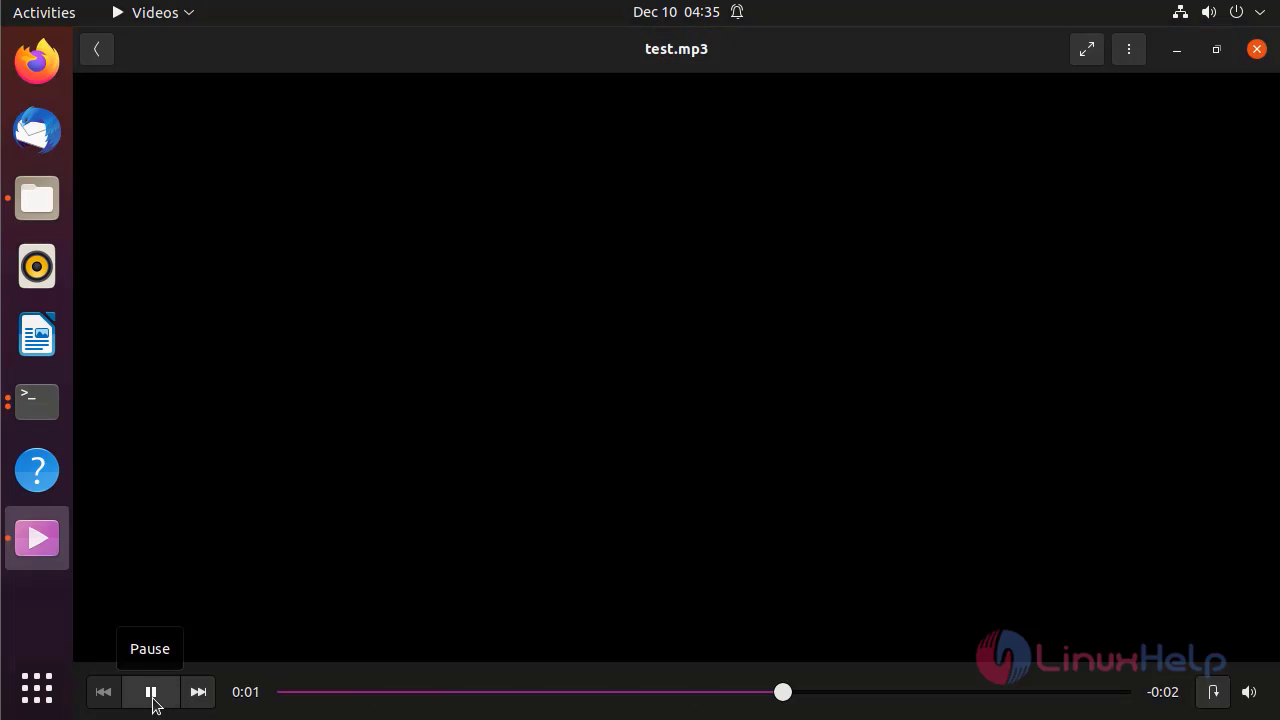
With this the process of installation and configure Espeak on Ubuntu 21.04 has comes to an end.
Comments ( 0 )
No comments available