• Categories
    Category
    {{ postCtrl.tags }}
    • {{ category.tag_type }}

      • {{tag.tag_name}}
      • View more
  • Categories
    Category
    {{ postCtrl.tags }}
    • {{ category.tag_type }}

      • {{tag.tag_name}}
      • View more
  • News
  • Tutorials
  • Forums
  • Tags
  • Users
Tutorial News Comments FAQ Related Articles

How to configure Matrix COSEC Tracker and Matrix COSEC monitor

{{postValue.id}}

To configure COSEC Tracker and COSEC Monitor

Matrix COSEC is a flexible, modular and scalable solution used for the management of people mobility. This article explains about the configuration of Matrix COSEC Tracker and COSEC Monitor.

To Configure COSEC Tracker

Choose the COSEC Tracker icon from your desktop.
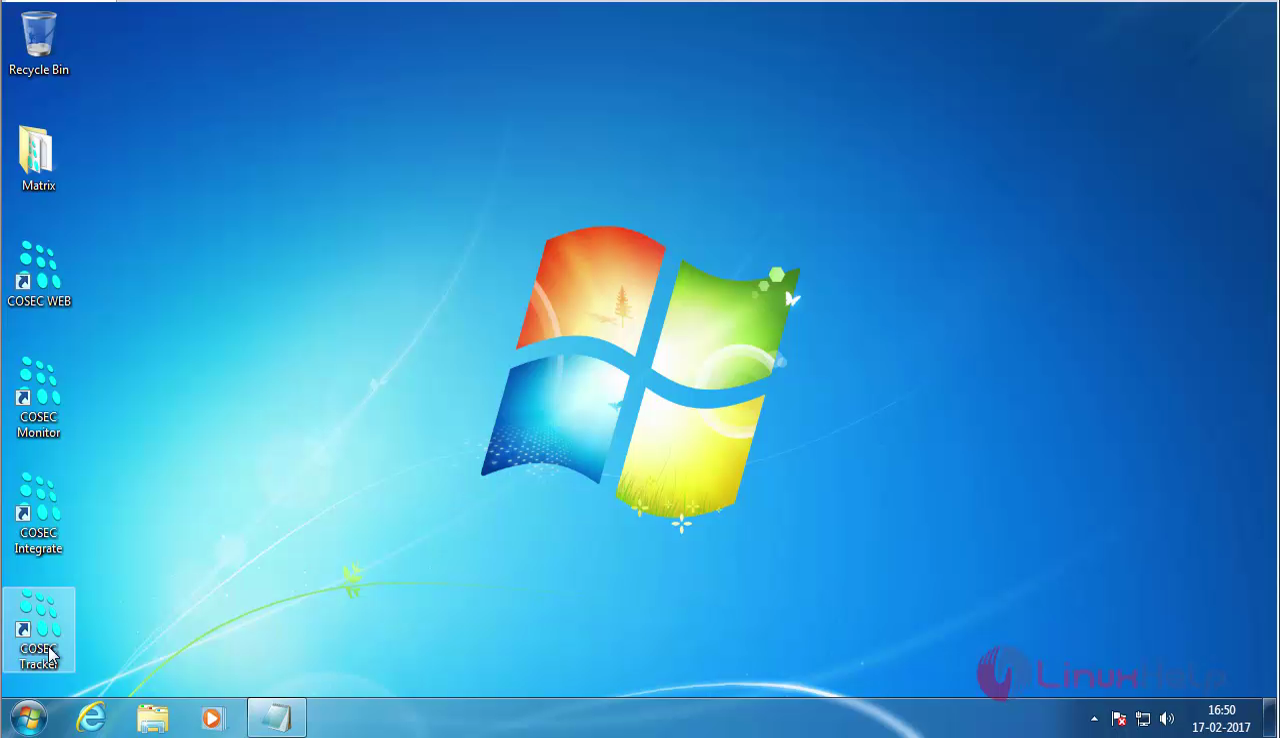
choose_Matrix

The Matrix COSEC Tracker' s dashboard appears.

By default the database connection is failed
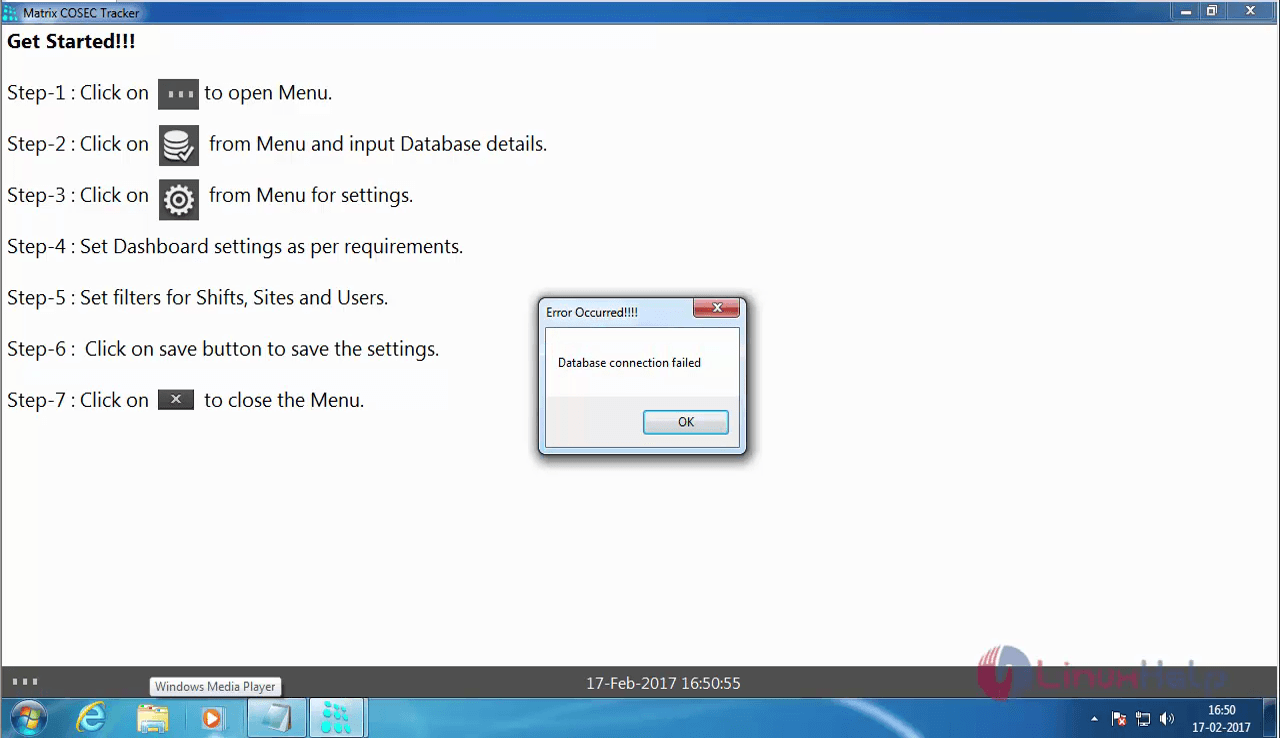
Matrix COSEC Tracker's dashboard

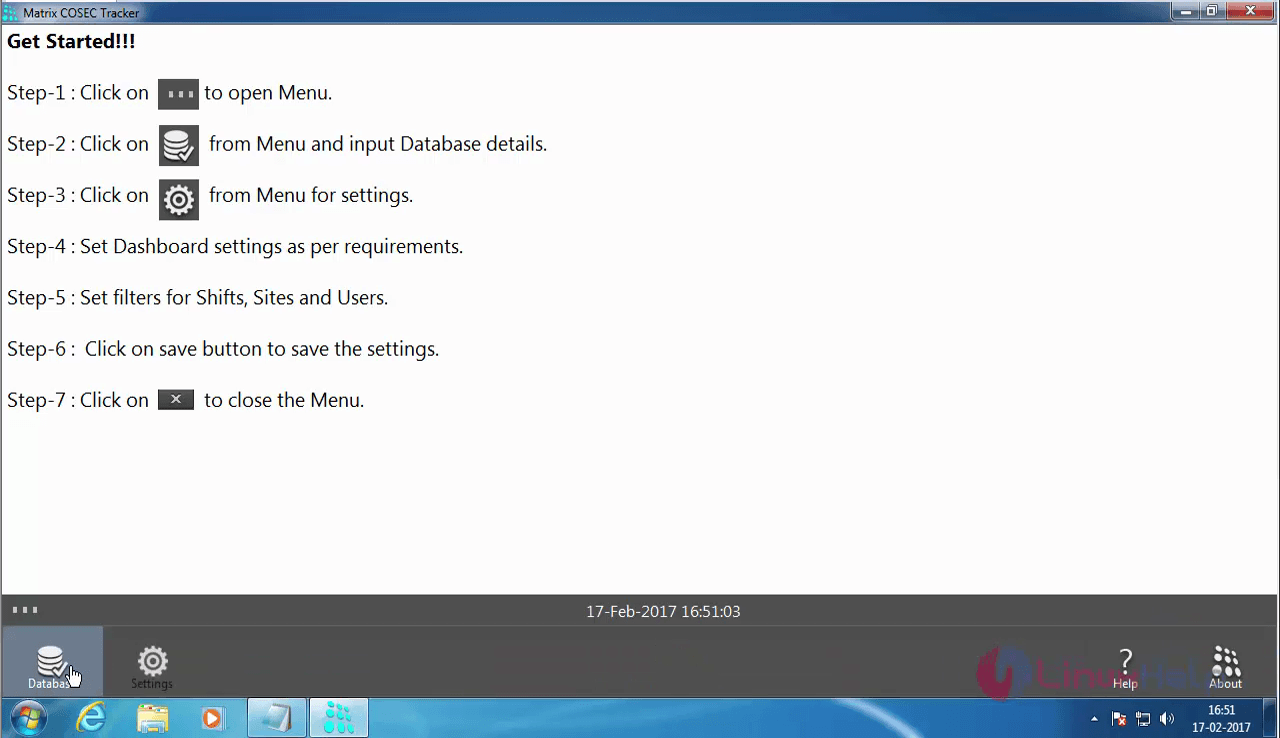
Choose the icon present in the " Step -1" part.
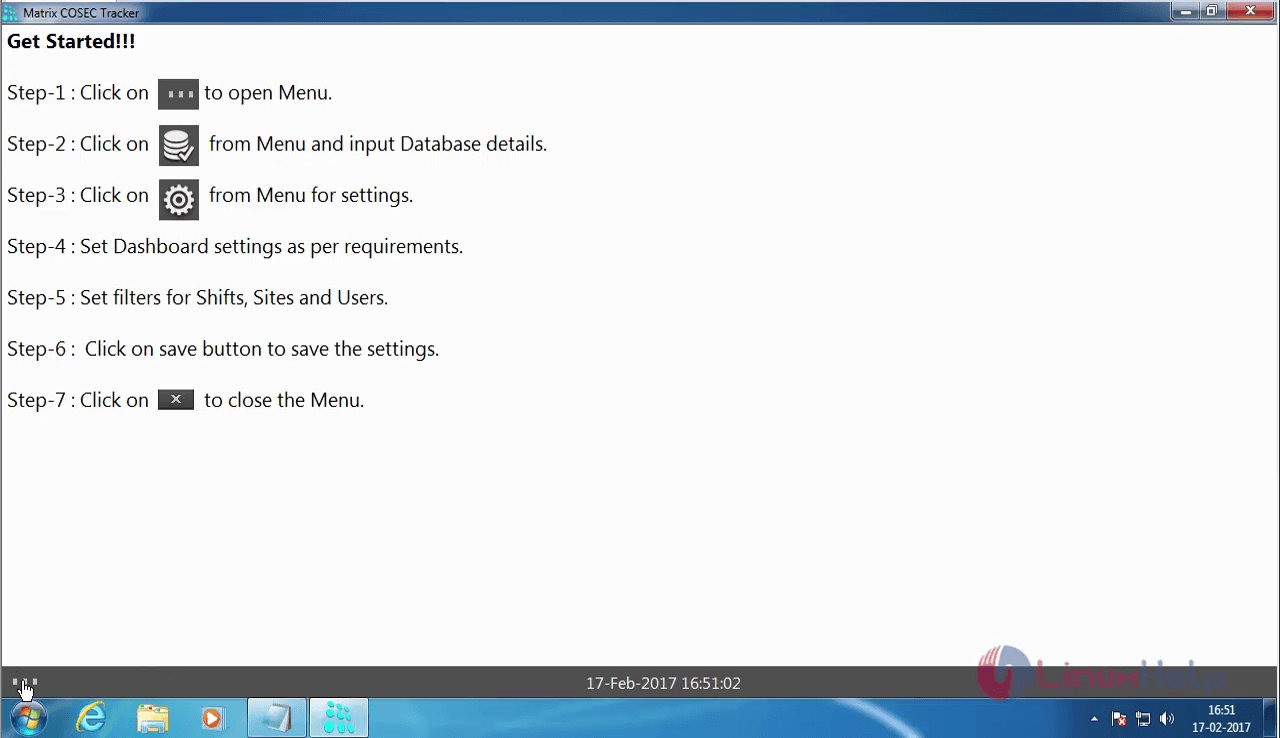
Matrix_COSEC_getting_started

Now, click on the database icon.

MATRIX_COSEC_DATABASE

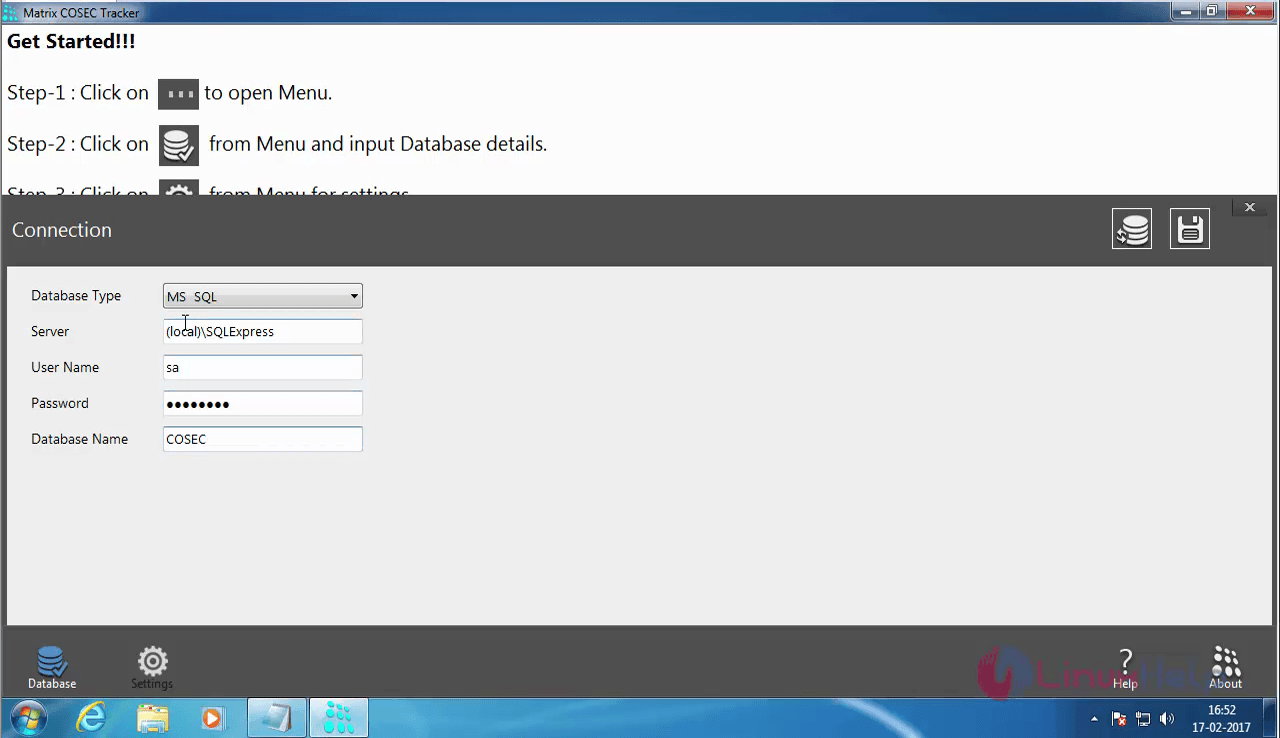
Once it is done, a Connection Window appears to configure the database.
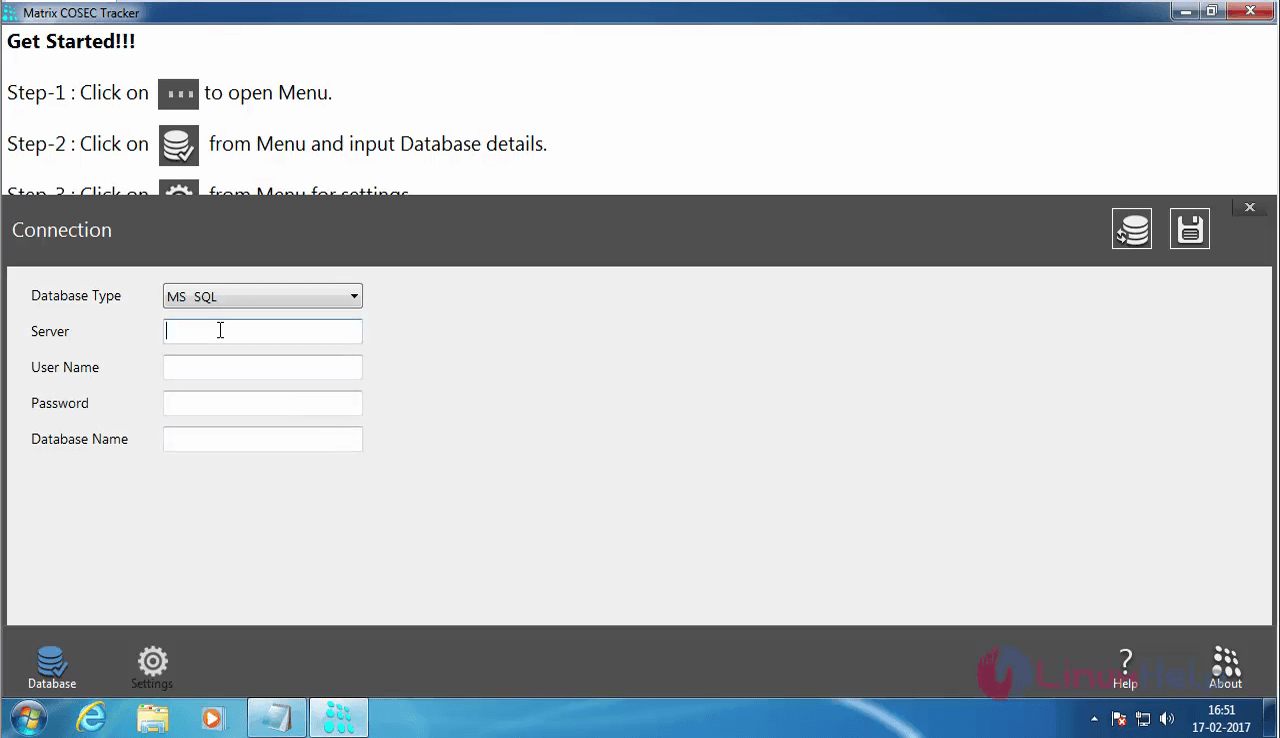
MATRIX_COSEC_CONNECTION

Now enter the details.

MATRIX_COSEC_DETAILS

Once the details are entered, click on the Test Connection icon present on the top right hand side.
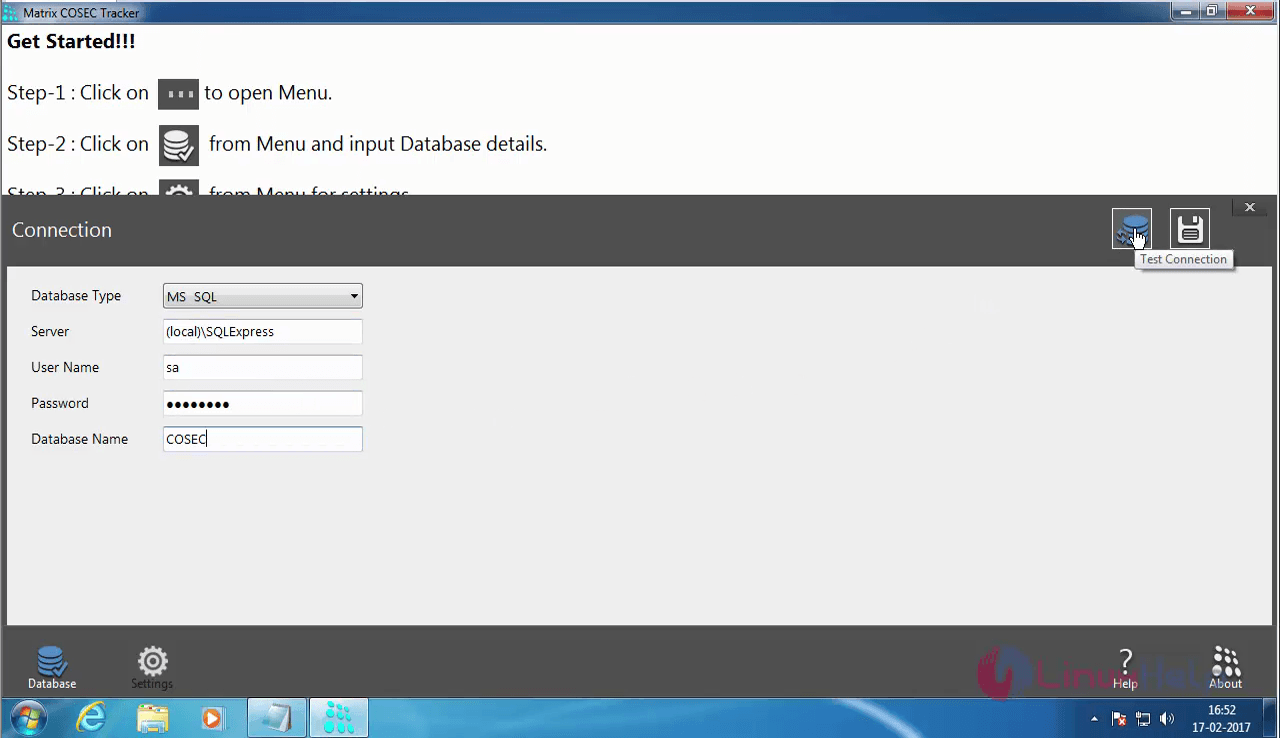
MATRIX_COSEC_LOGIN

The connection has been established now.
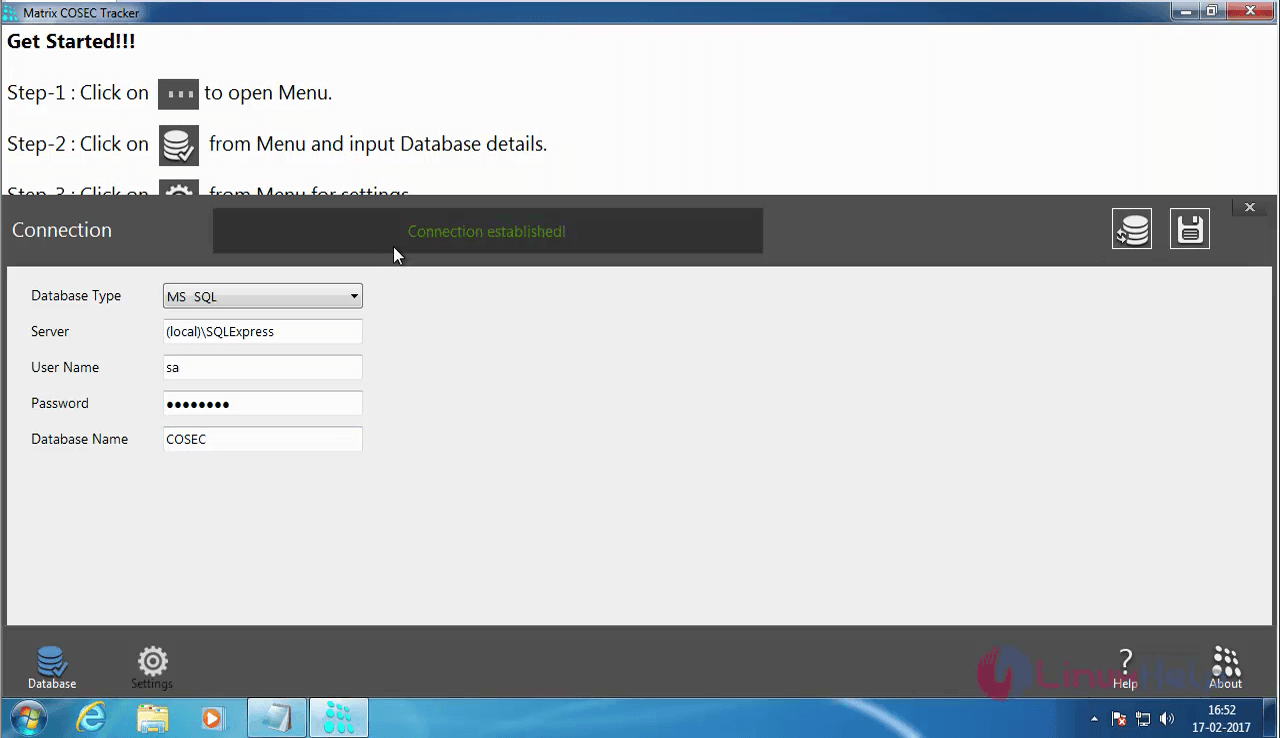
MATRIX_COSEC_CONNECTION

Now, to save the connection, click on the save icon.
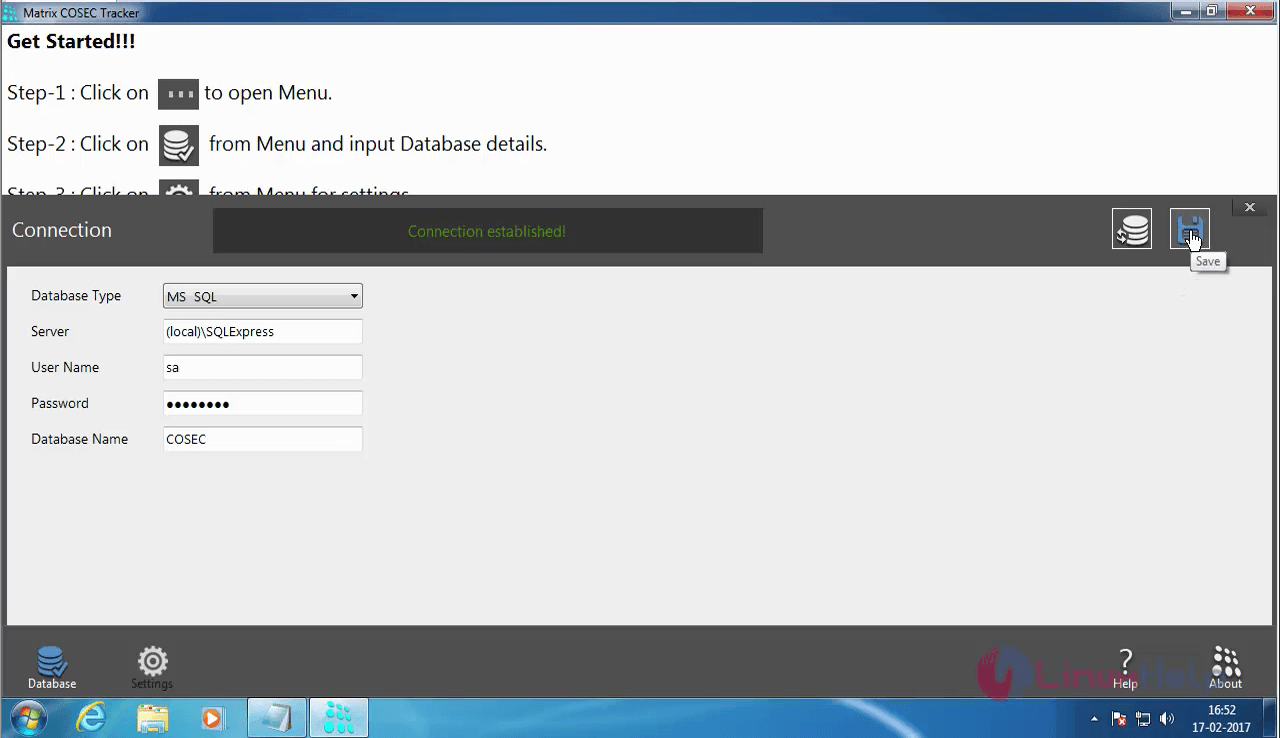
MATRIX_COSEC_SAVE

Once you have saved, a dialog box appears which warns you to close and re-open the application to reflect the changes.
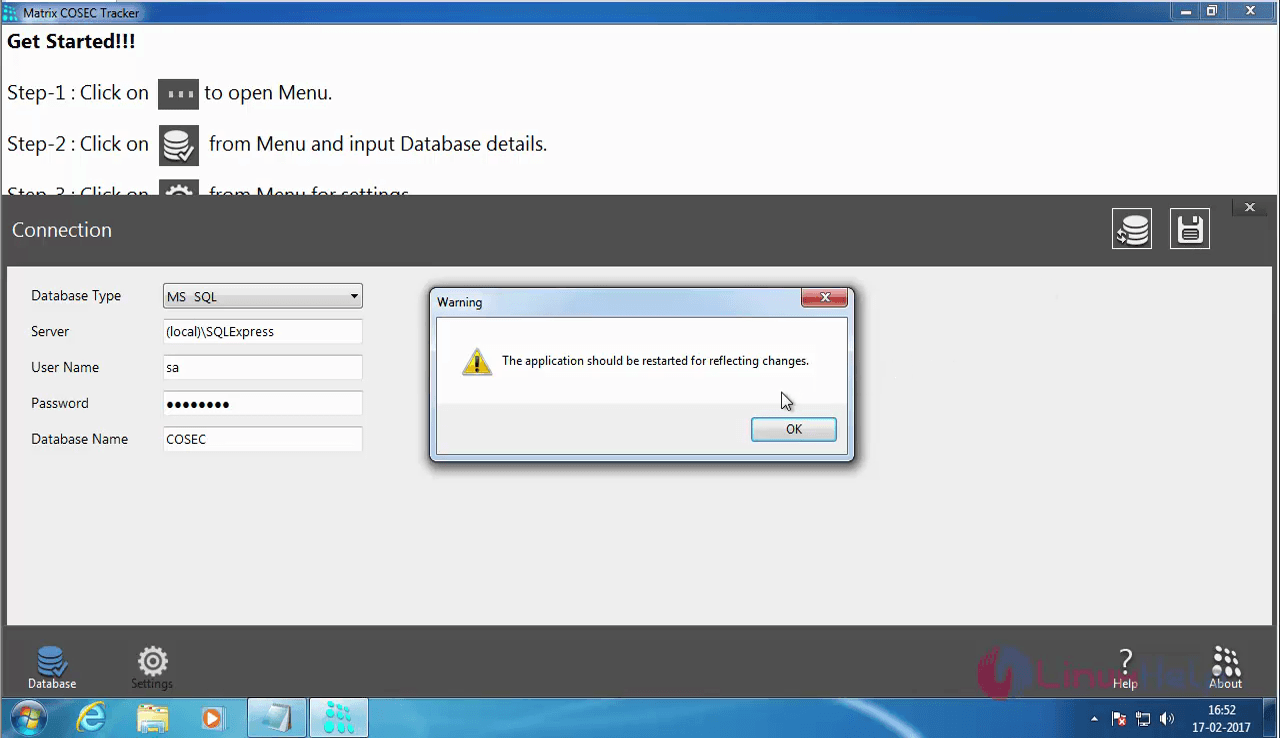
MATRIX_COSEC_SAVE

You can now see the Dashboard of the COSEC Tracker. Click on the + symbol.
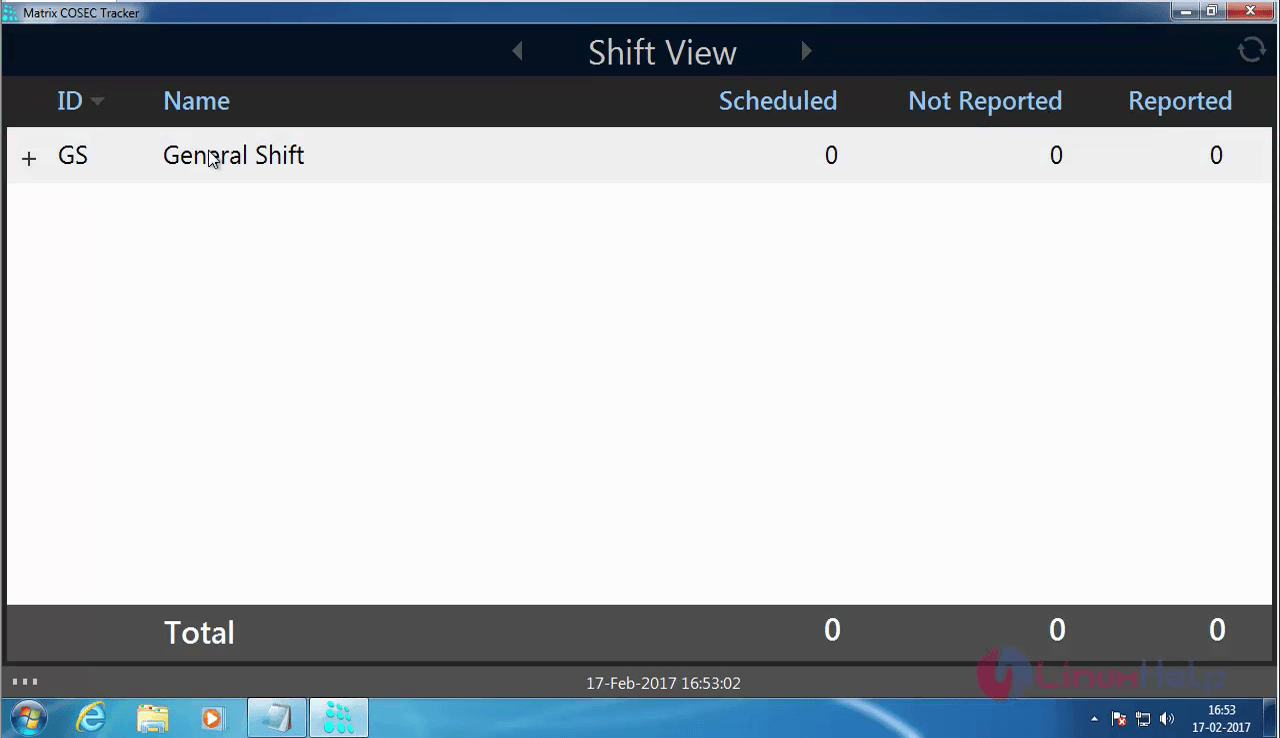
COSEC_TRACKER_GENERAL_SHIFT

You can see the detailed view of the particular shift which has been configured.
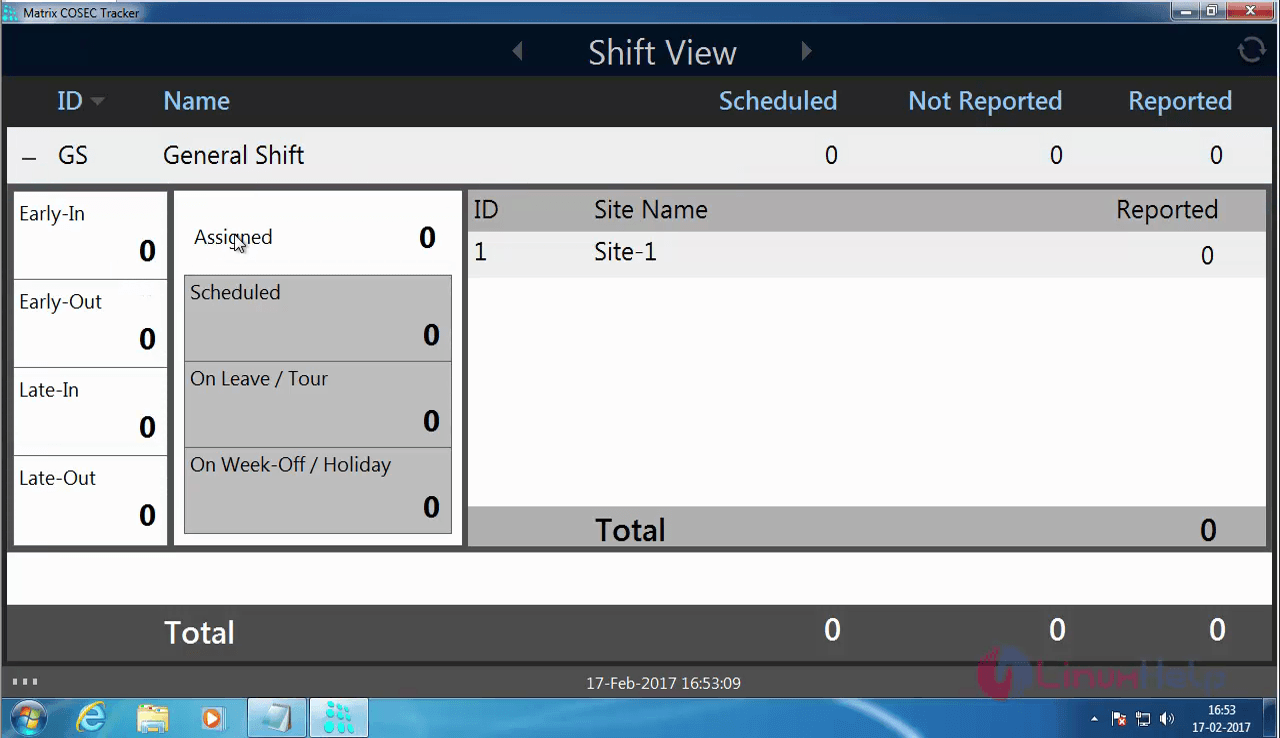
SHIFT_VIEW

The basic configuration of the tracker has now been completed.

To configure COSEC Monitor

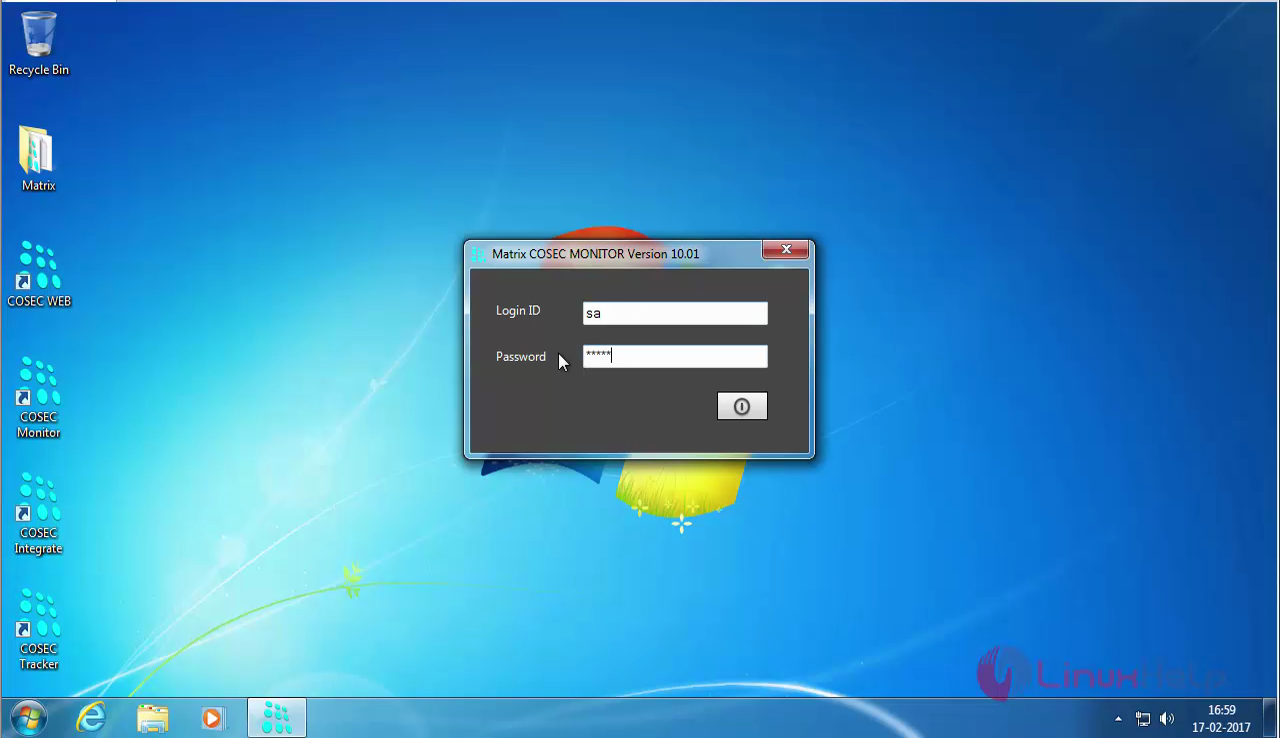
Click on the COSEC Monitor icon from your desktop.
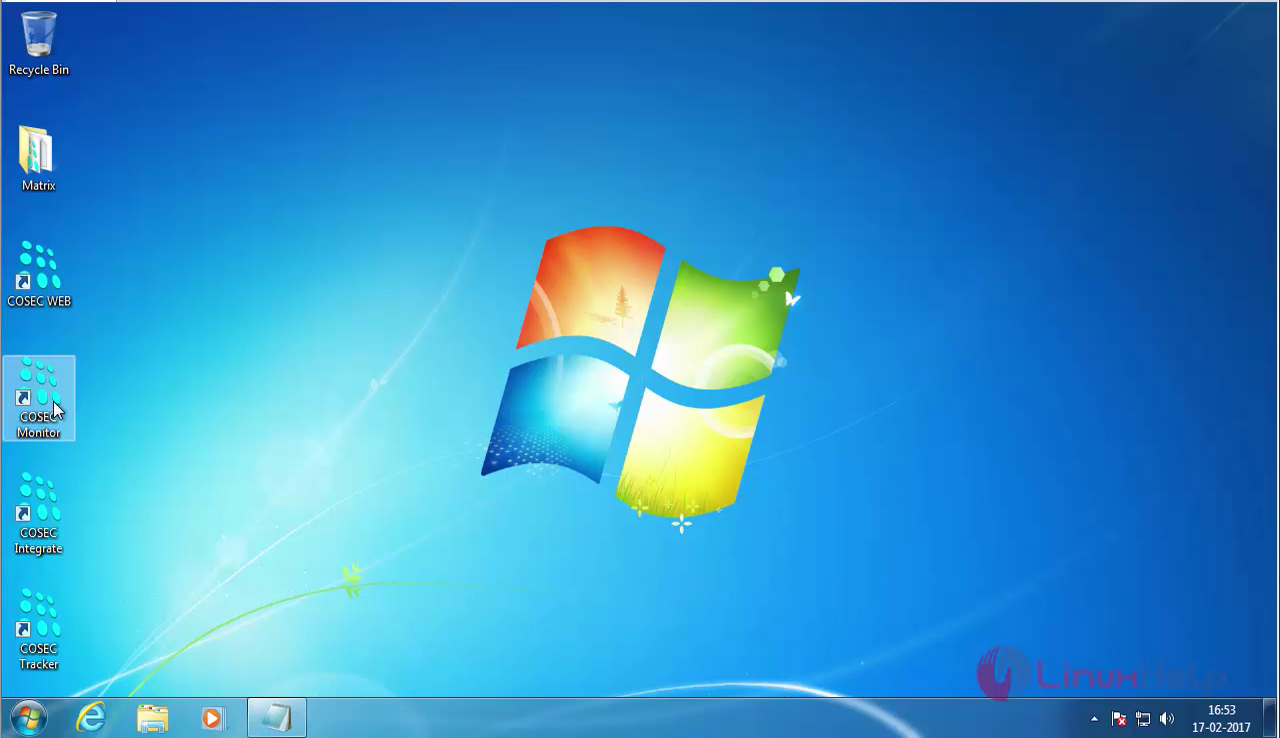
COSEC-Monitor-icon

An error message appears which informs you about Connectivity problem with the Monitor service.
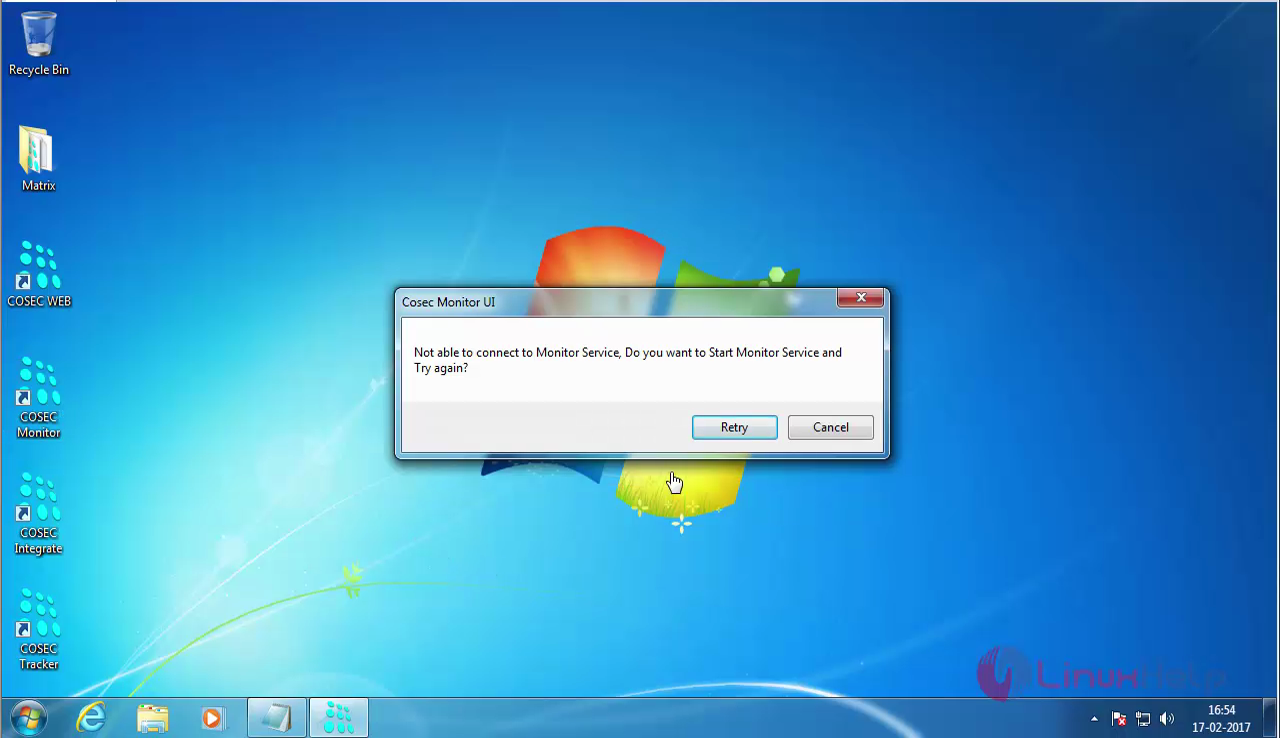
START_cosec_icon

So, to rectify it open the C drive and inetpub directory present in it.
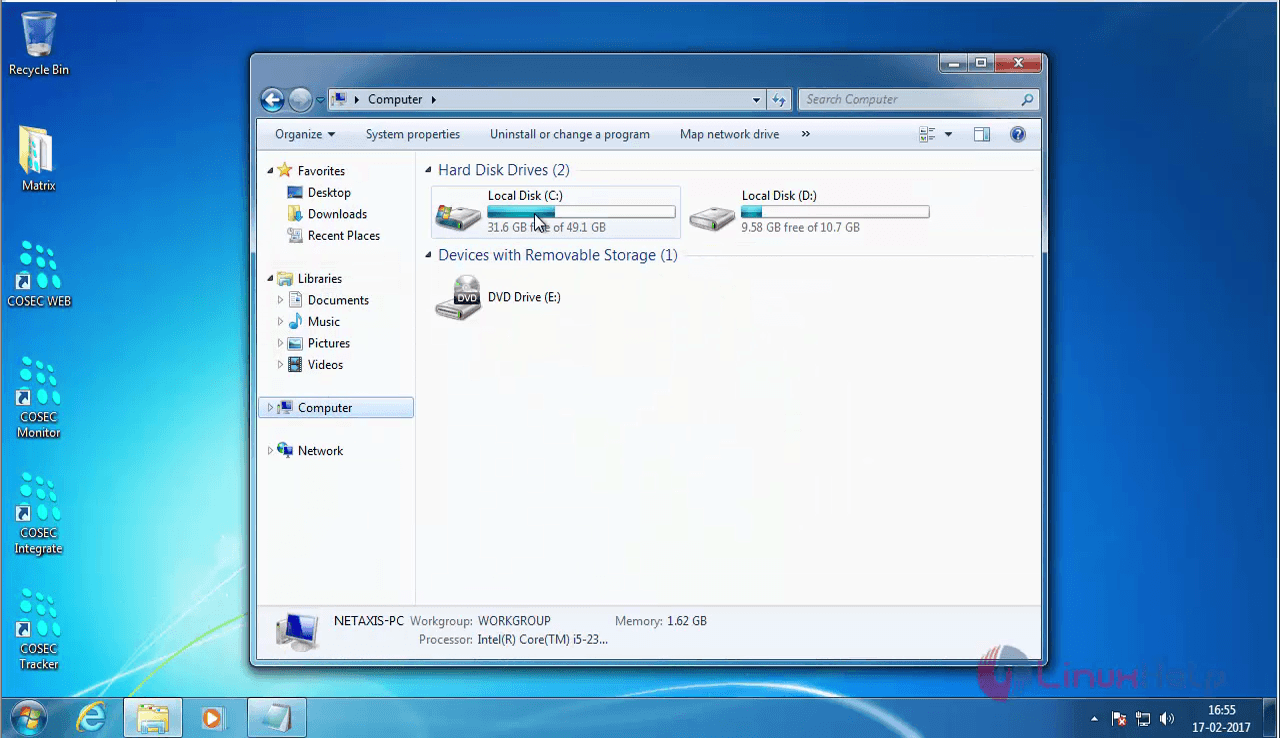
c_drive

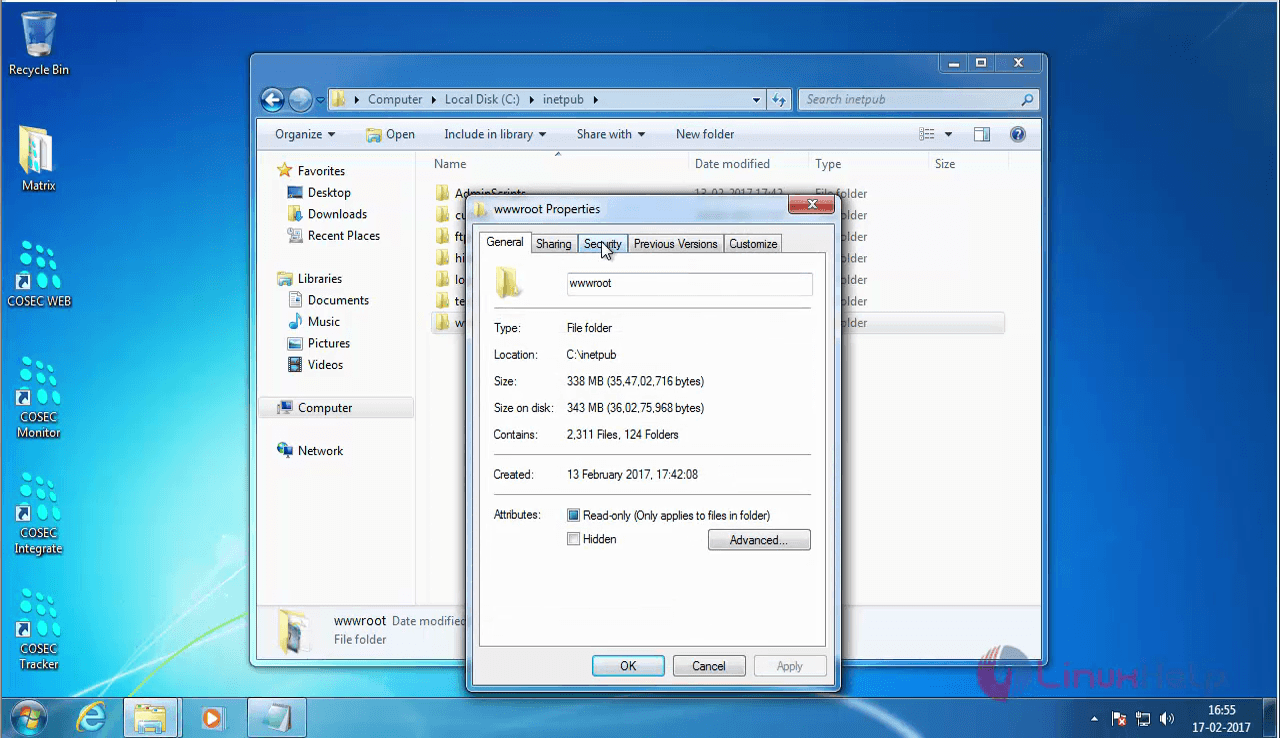
Now, find the wwwroot directory and right click on it. Open its properties.
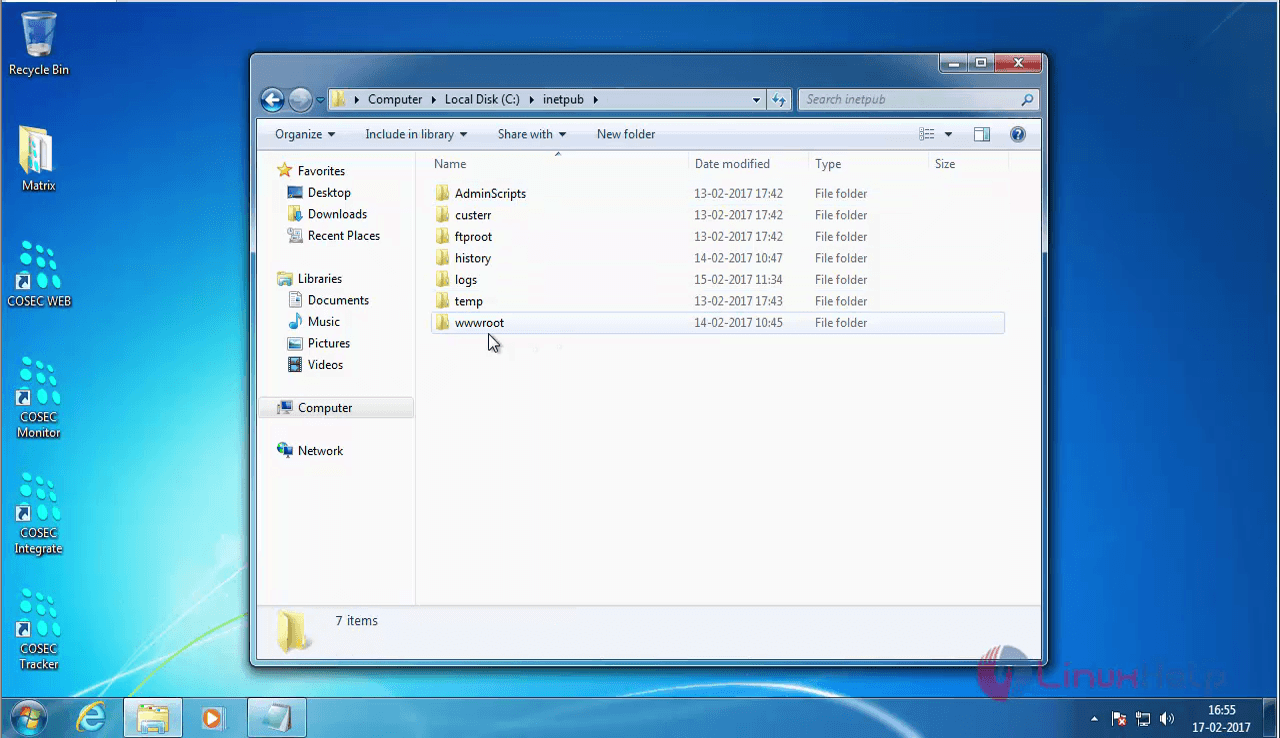
wwwroot

Choose the security tab

security-tab

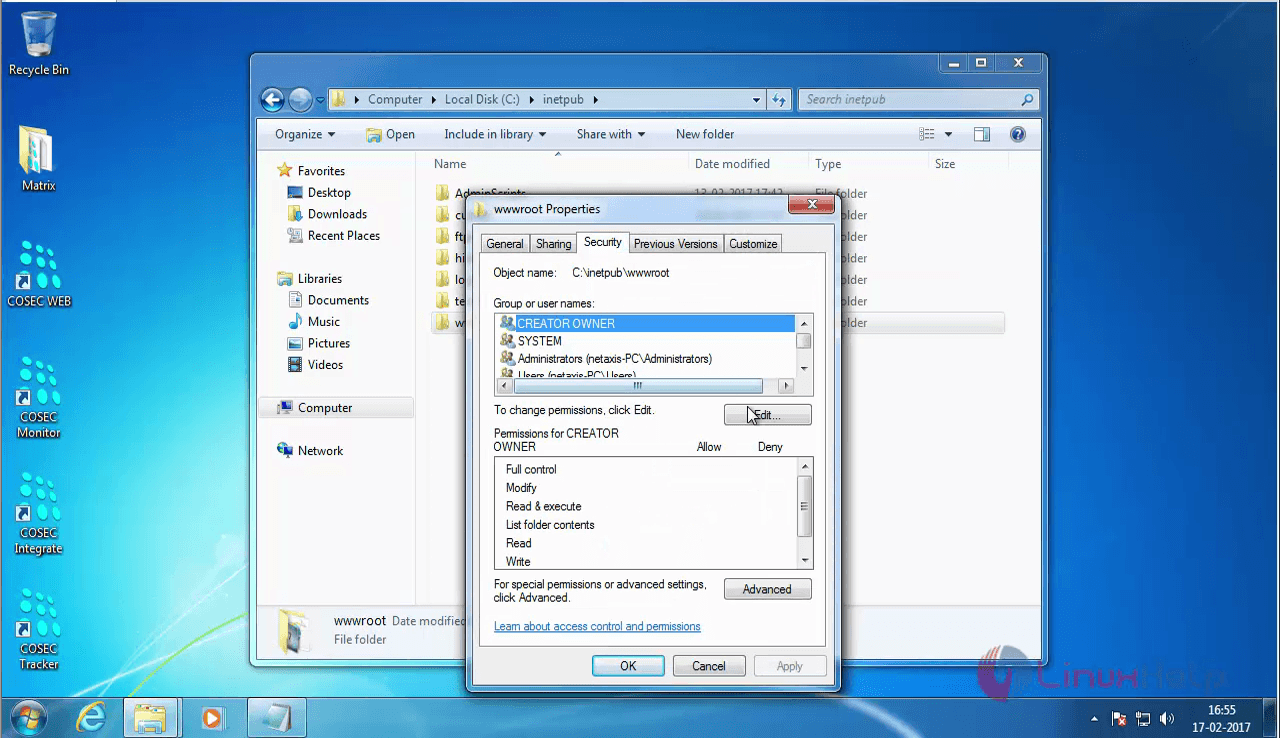
Click on the Edit option.

Edit

Choose the CREATE OWNER option in it.
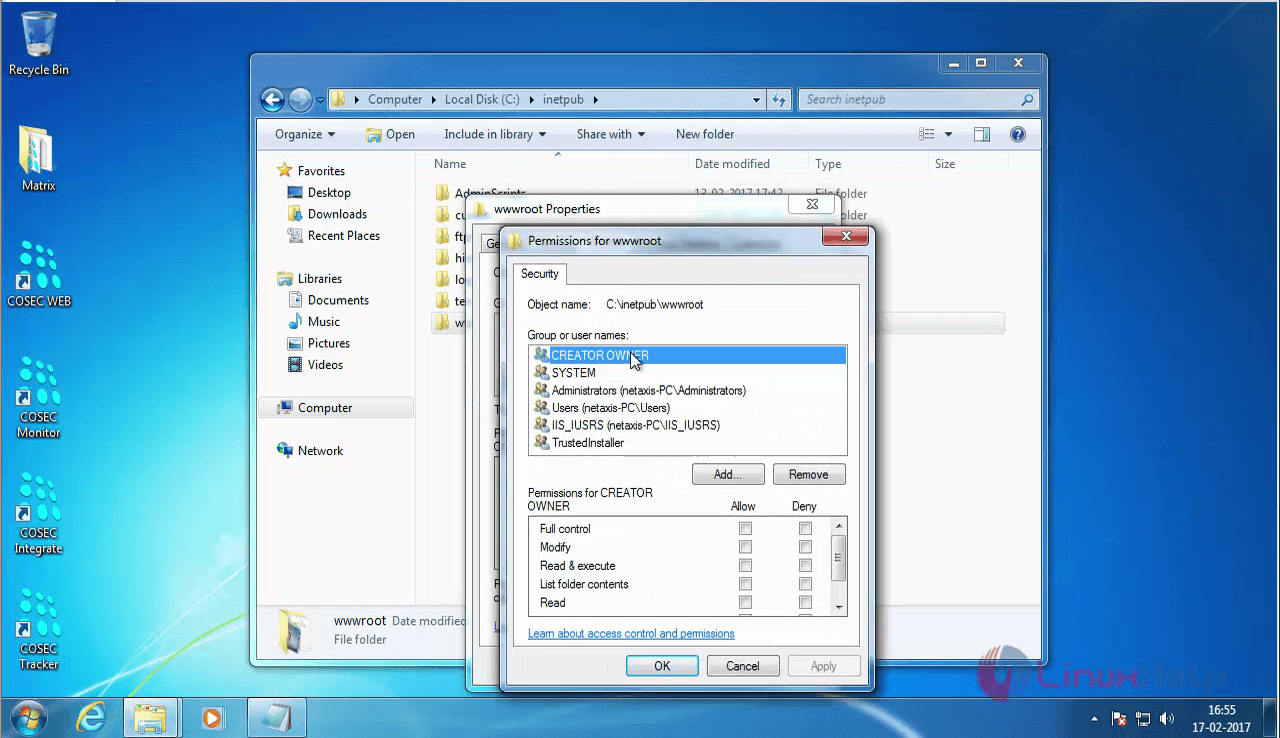
create_owner

Click on the Allow check box for Full control and click apply.
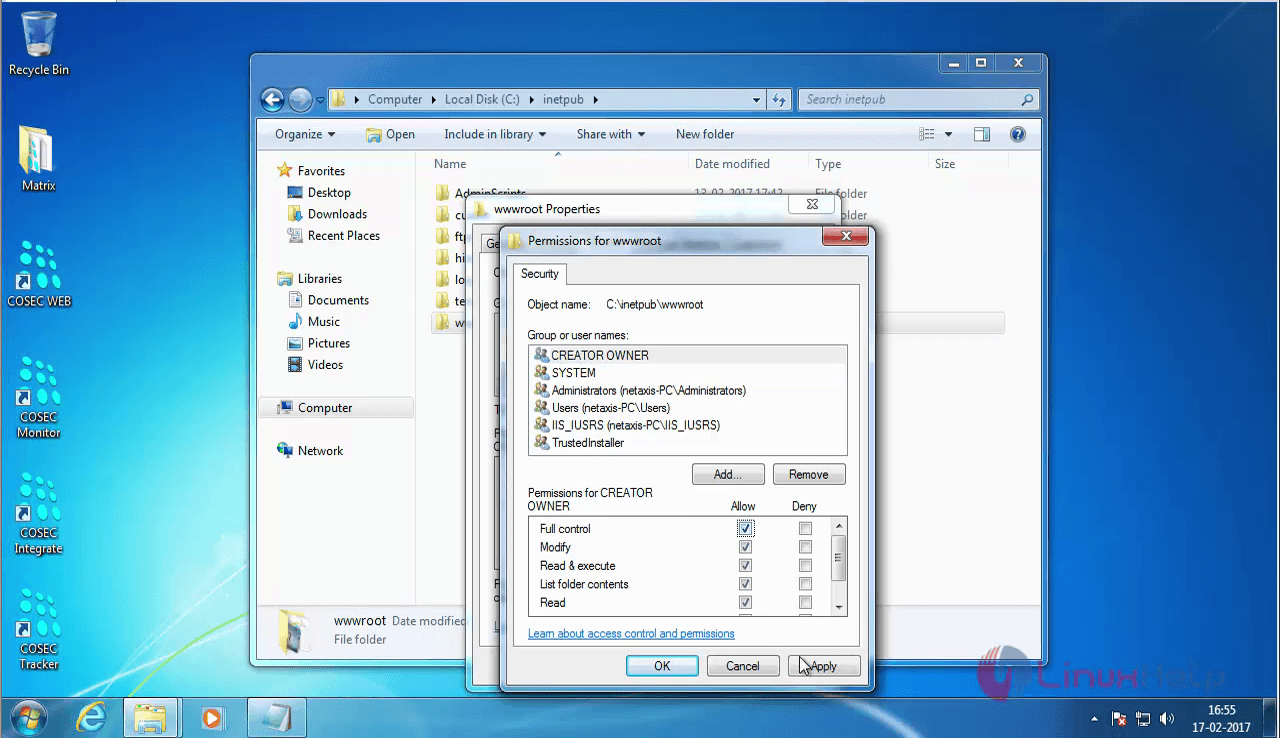
 Allow-check-box

Now, choose the the Matrix COSEC Monitor icon on your desktop. The COSEC Monitor service gets started.
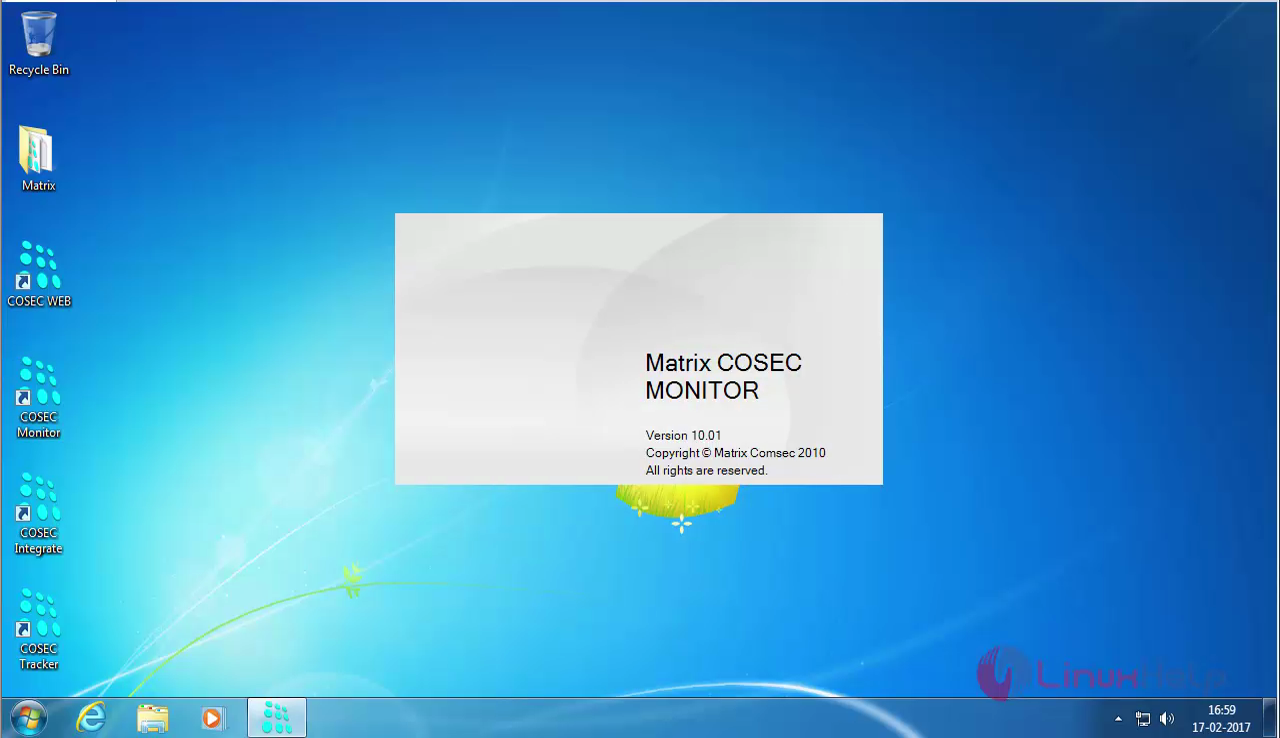
Matrix_open

It prompts you to enter your Login Credentials.
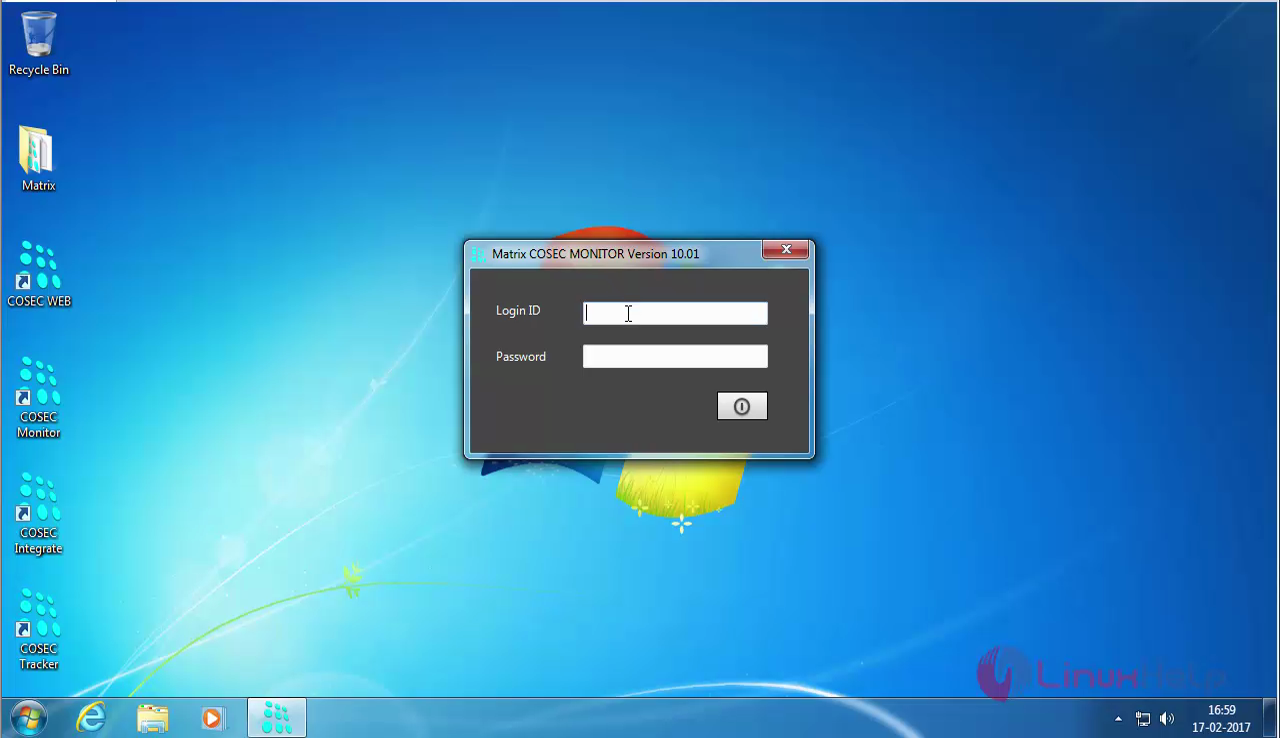
login

Enter your Login details.

Login_details

You can now see the COSEC Monitor Dashboard.
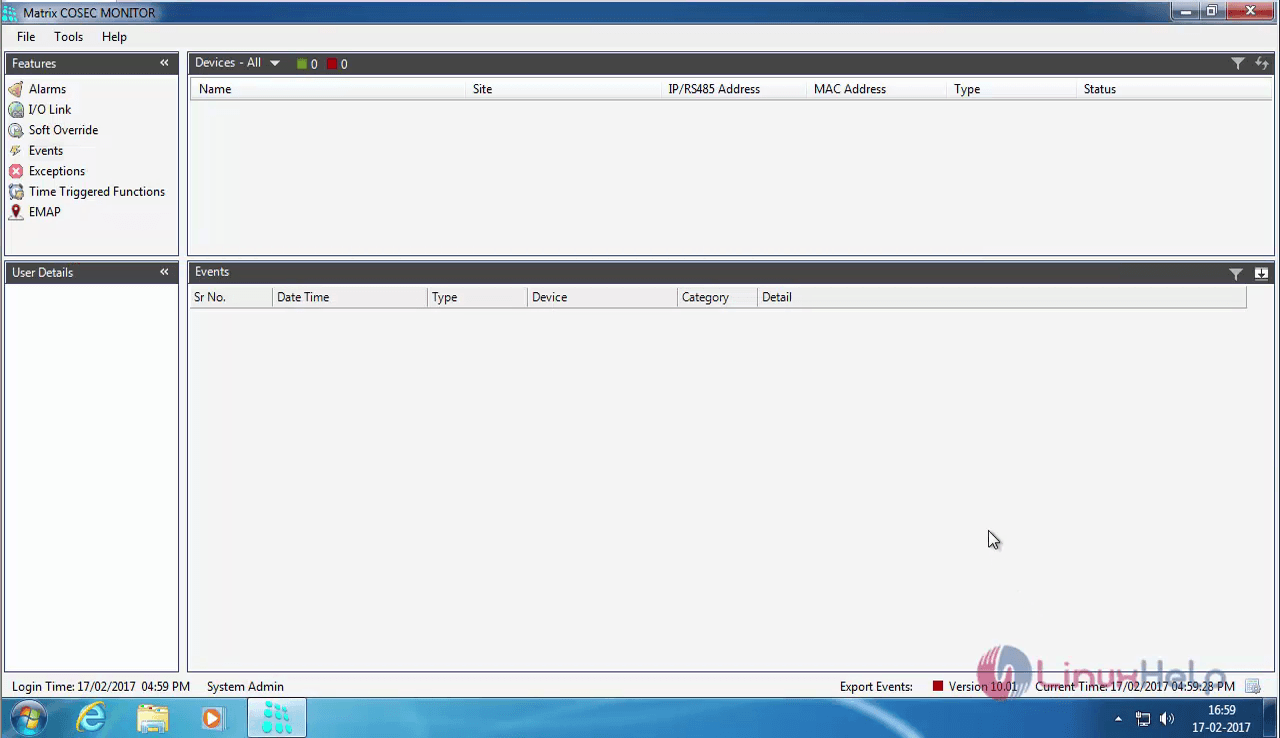
COSEC_MONITOR_DASHBOARD

Tags:
ethan
Author: 

Comments ( 0 )

No comments available

Add a comment
{{postCtrl.cmtErrMsg}}

Frequently asked questions ( 5 )

Q

Why Exit switch is not working in COSEC Device?

A

By default, Exit Switch is disabled.

To enable it, open COSEC WEB -> Devices -> Device Configurations -> Exit switch

Q

What are the types of credentials that are available in Matrix COSEC?

A

For enrolling there are multiple Credentials such as Palm Vein, Fingerprint, Card, PIN, etc.

Q

Is this be integrated with any ERP or HRM management software in Matrix COSEC?

A

Yes, Here it is Integration with ERP, Payroll, HRM is available to Matrix COSEC

Q

What is the essential purpose of this device in Matrix COSEC?

A

Matrix COSEC is a flexible and scalable mobility management solution for organizations. It covers things such as

Time-Attendance, Access Control, Visitor Management, Employee Self Service Po

Q

what are the connectivity options avilable for it Matrix COSEC?

A

Connectivity options include Ethernet, Wi-Fi, 3G/4G, PoE in Matrix COSEC

Back To Top!
Rank
User
Points

Top Contributers

userNamenaveelansari
135850

Top Contributers

userNameayanbhatti
92510

Top Contributers

userNamehamzaahmed
32150

Top Contributers

1
userNamelinuxhelp
31040

Top Contributers

userNamemuhammadali
24500
Can you help legeek ?
Installation of the call center module

hello

I wish to install a call center in virtual with issabel, I downloaded the latest version of it , but I don' t arrive to install the call center module in issabel. please help me

thanks!

Networking
  • Routing
  • trunk
  • Netmask
  • Packet Capture
  • domain
  • HTTP Proxy
Server Setup
  • NFS
  • KVM
  • Memory
  • Sendmail
  • WebDAV
  • LXC
Shell Commands
  • Cloud commander
  • Command line archive tools
  • last command
  • Shell
  • terminal
  • Throttle
Desktop Application
  • Linux app
  • Pithos
  • Retrospect
  • Scribe
  • TortoiseHg
  • 4Images
Monitoring Tool
  • Monit
  • Apache Server Monitoring
  • EtherApe 
  • Arpwatch Tool
  • Auditd
  • Barman
Web Application
  • Nutch
  • Amazon VPC
  • FarmWarDeployer
  • Rukovoditel
  • Mirror site
  • Chef
Contact Us | Terms of Use| Privacy Policy| Disclaimer
© 2025 LinuxHelp.com All rights reserved. Linux™ is the registered trademark of Linus Torvalds. This site is not affiliated with linus torvalds in any way.