• Categories
    Category
    {{ postCtrl.tags }}
    • {{ category.tag_type }}

      • {{tag.tag_name}}
      • View more
  • Categories
    Category
    {{ postCtrl.tags }}
    • {{ category.tag_type }}

      • {{tag.tag_name}}
      • View more
  • News
  • Tutorials
  • Forums
  • Tags
  • Users
Tutorial News Comments FAQ Related Articles

How to Create a Group on Gitlab

{{postValue.id}}

To Create a Group on Gitlab

GitLab is a web-based project manager which is used for team collaboration within a firm. It is used to create and edit new projects, merge finished code into the existing projects and more. In GitLab, projects can be created in 2 different ways, by using a user namespace or by using a group. A user must individually own project or he must belongs to any group which owns same project. So let’ s see how to create a Group on Gitlab.

Creating a Group

In order to create a group in GitLab, open your browser and call the IP address for your Gitlab server.
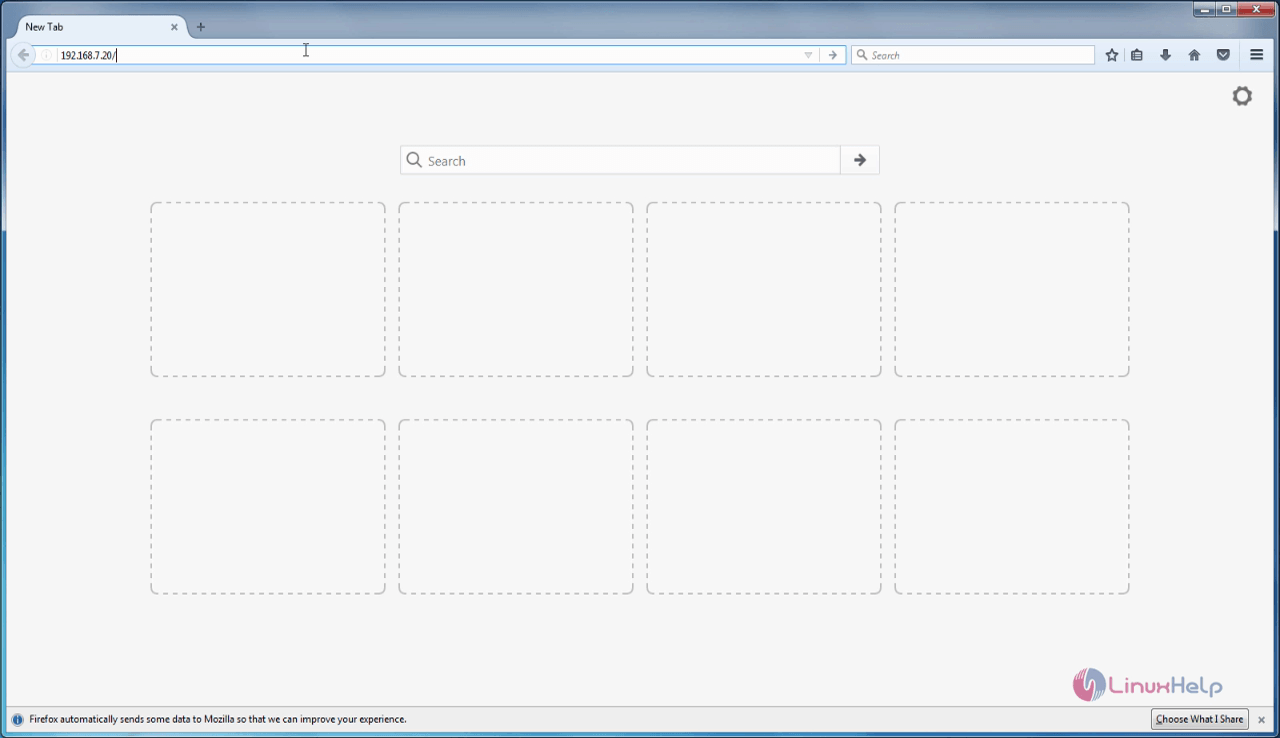
Web_browser

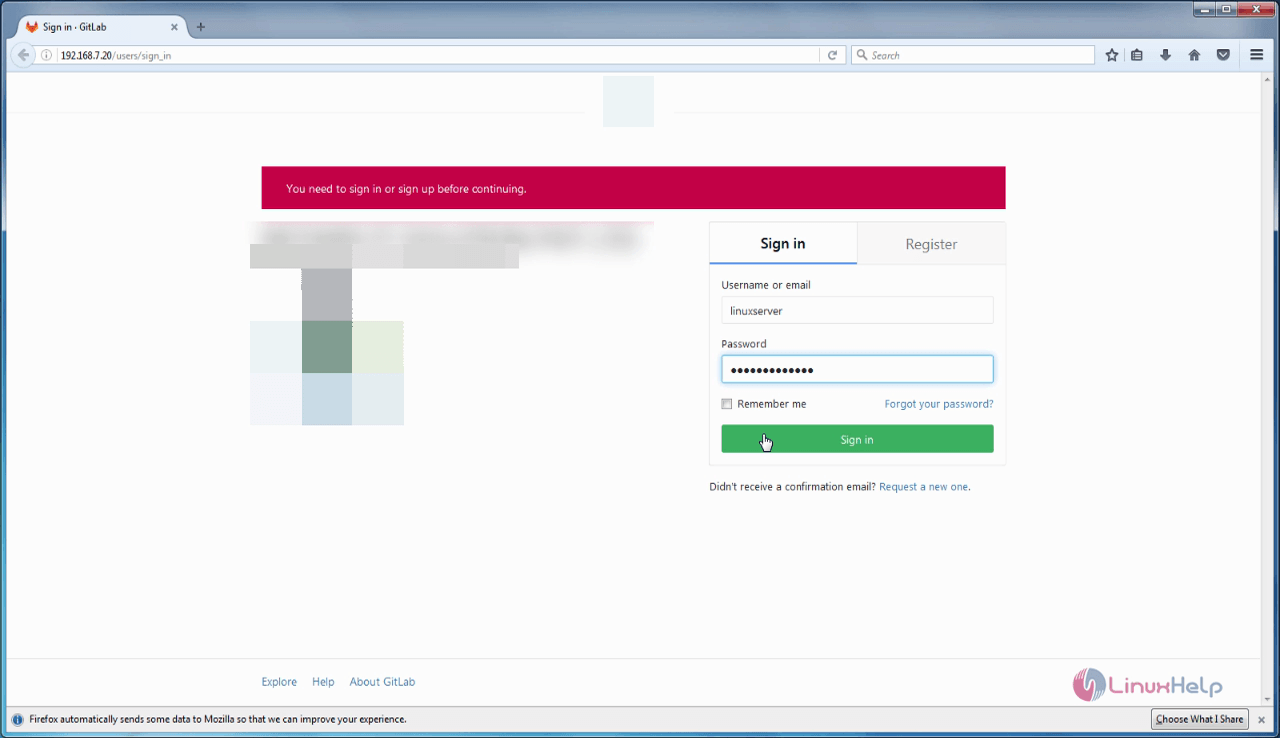
Log into Gitlab with your admin credentials.

Login_gitlab

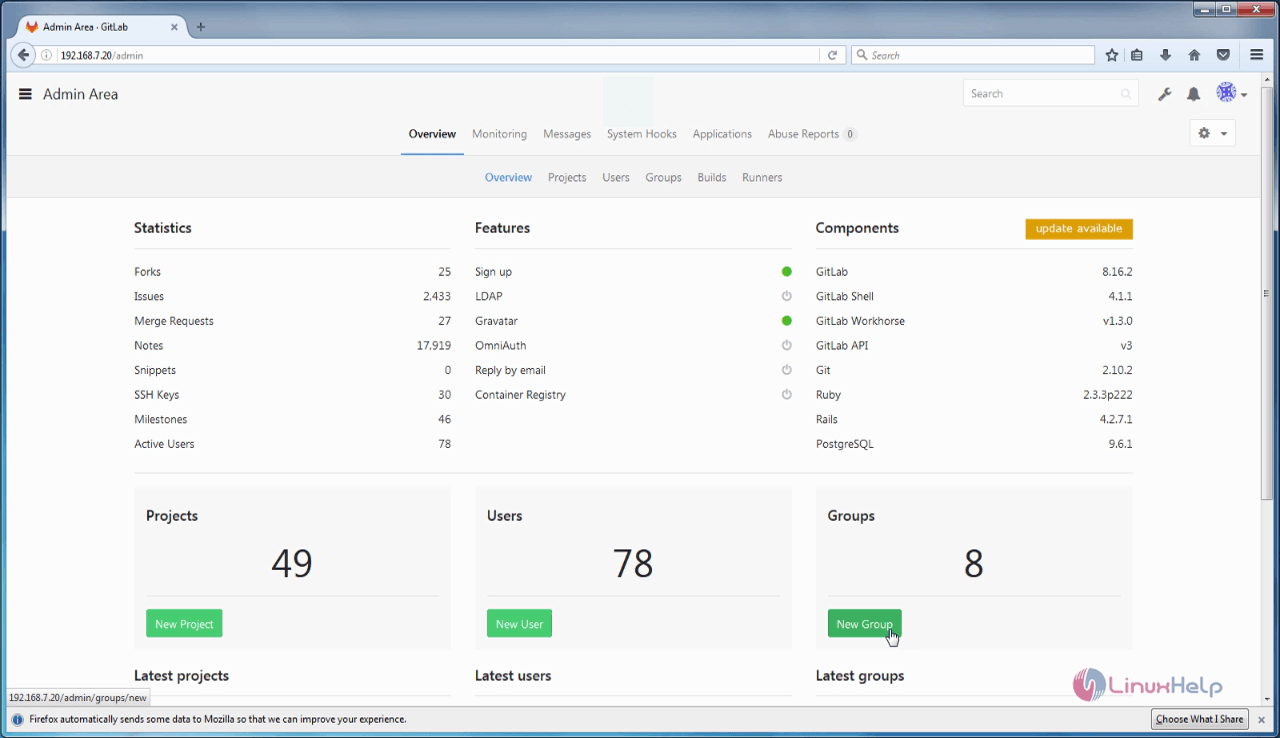
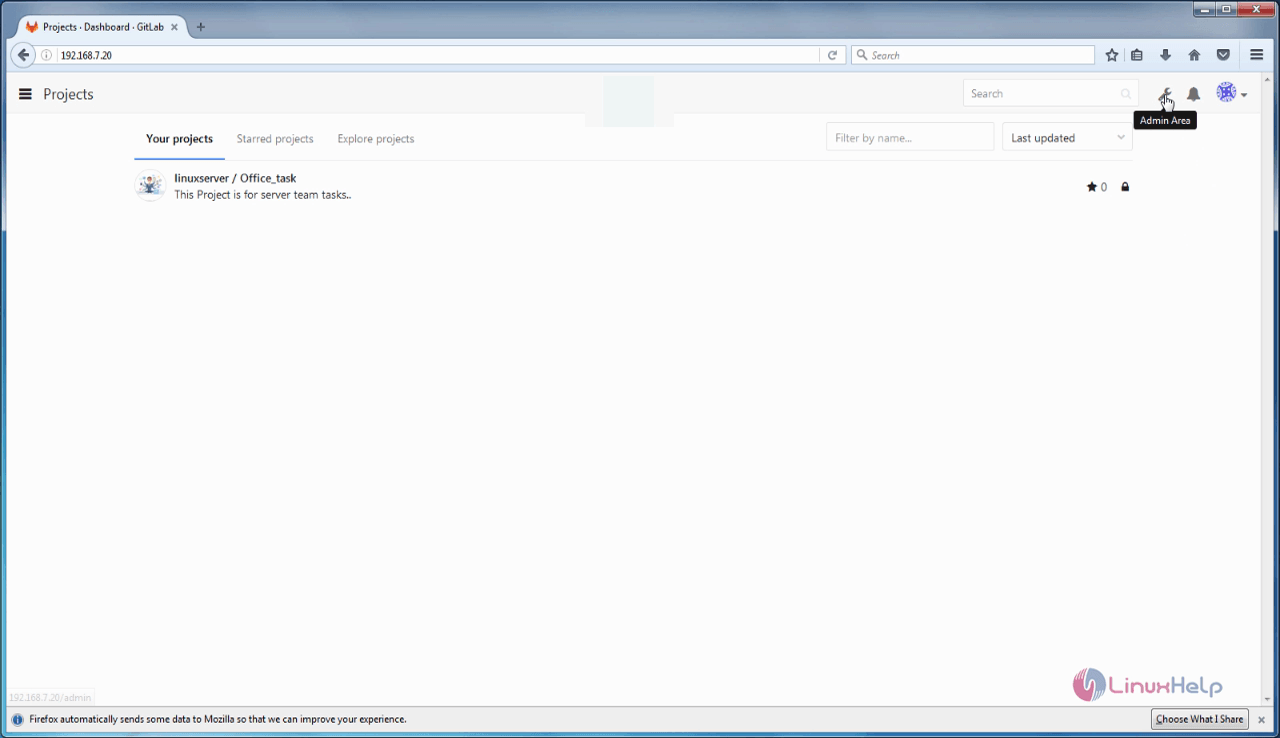
Now, choose the Admin Area

Gitlab_admin

To create Group click “ New Group”

new_group

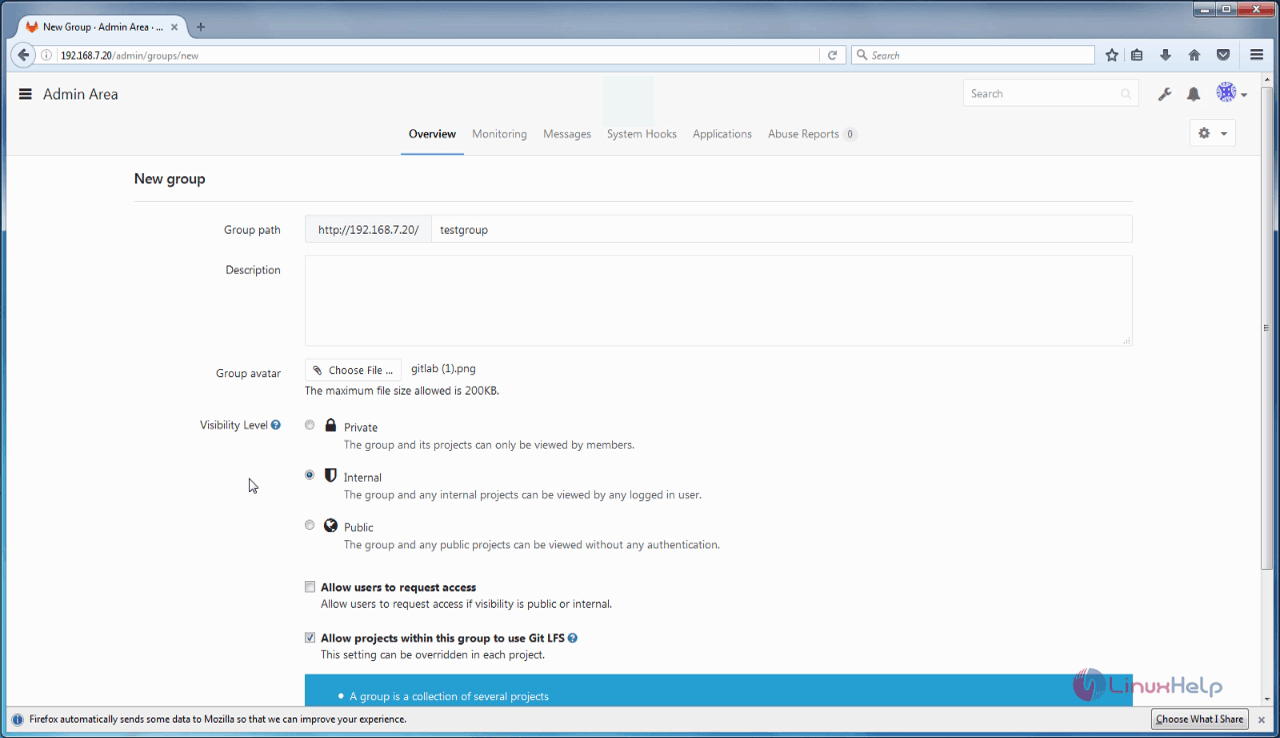
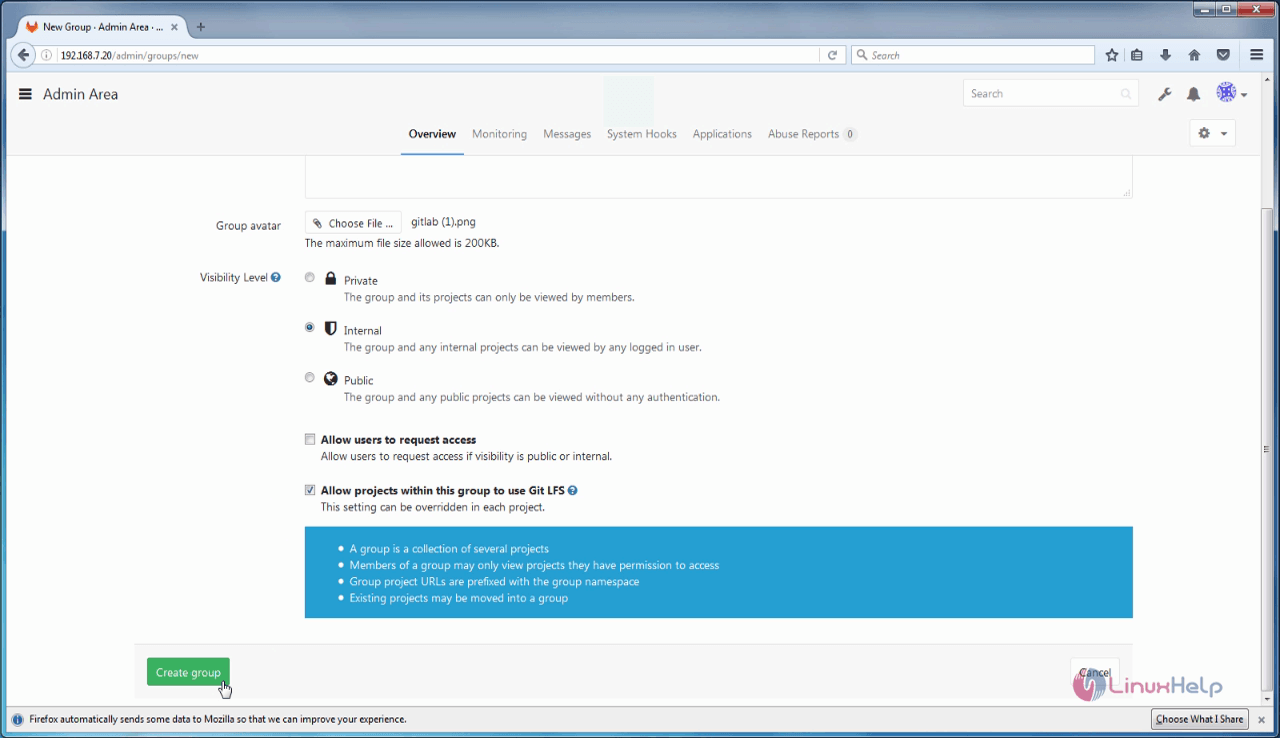
In the New Group window, enter all the needed information such as Group name, Description, Group avatar, Visibility Level and then click “ Create Group”

Group_information

Admin_area
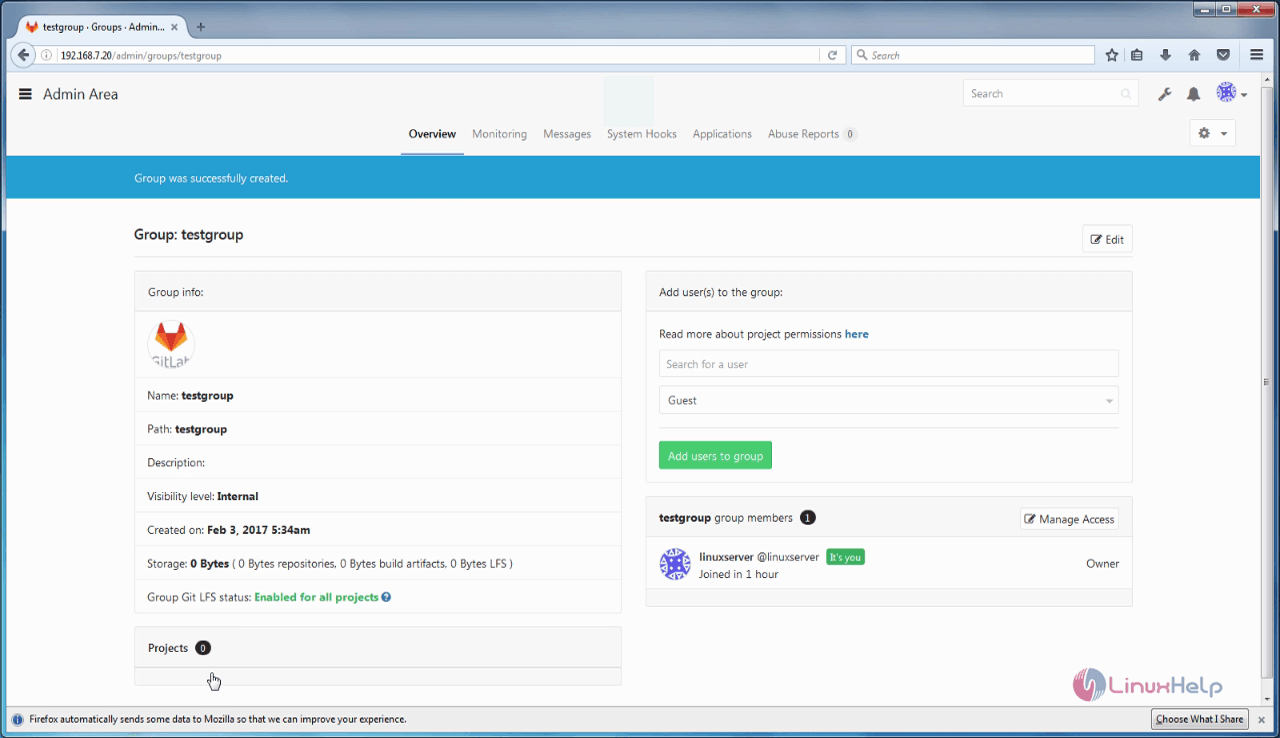
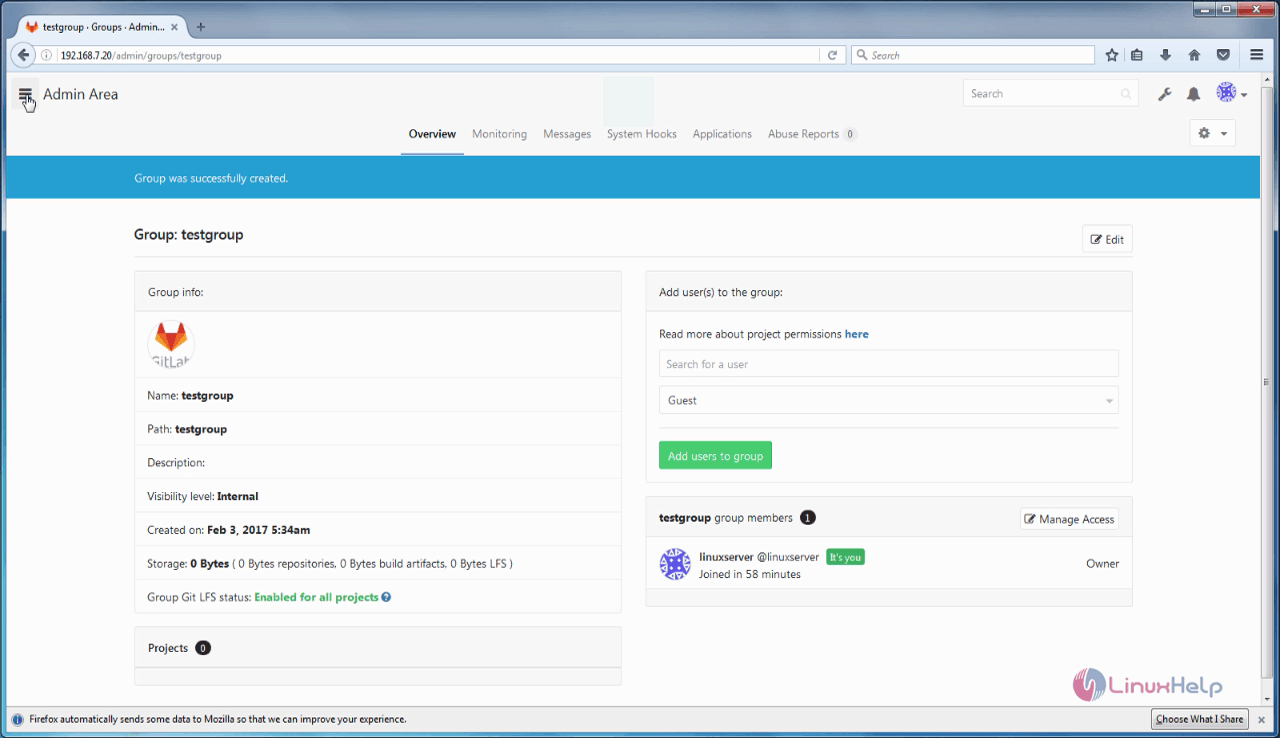
Your Gitlab group is now created.

Gitlab_group

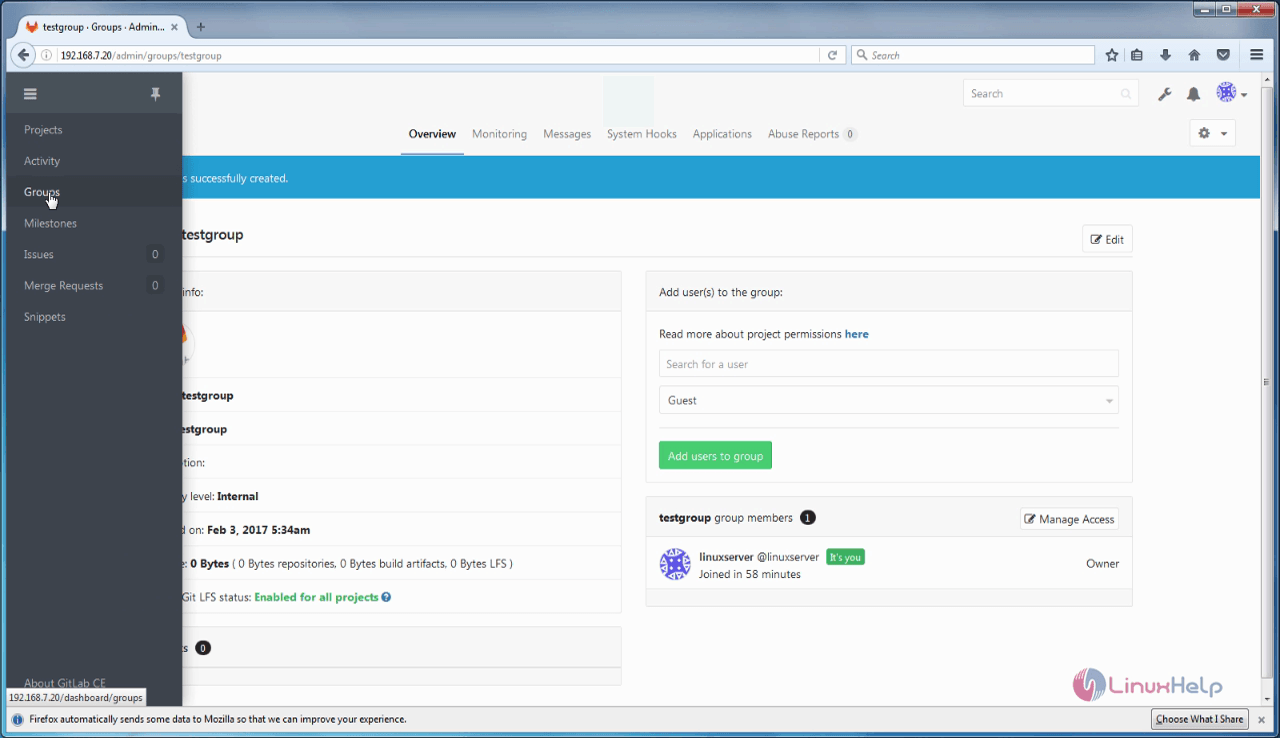
To view group click side bar and choose group option

GitLab_overview

add_user

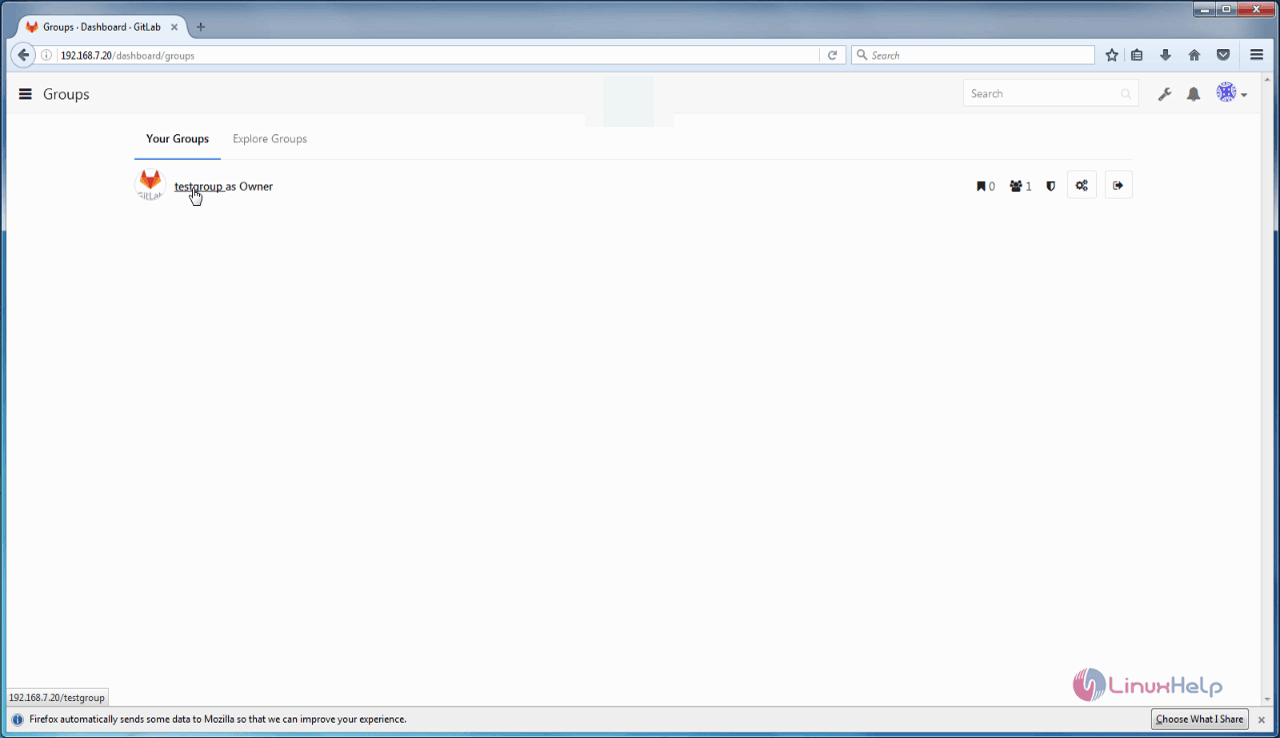
view_groups

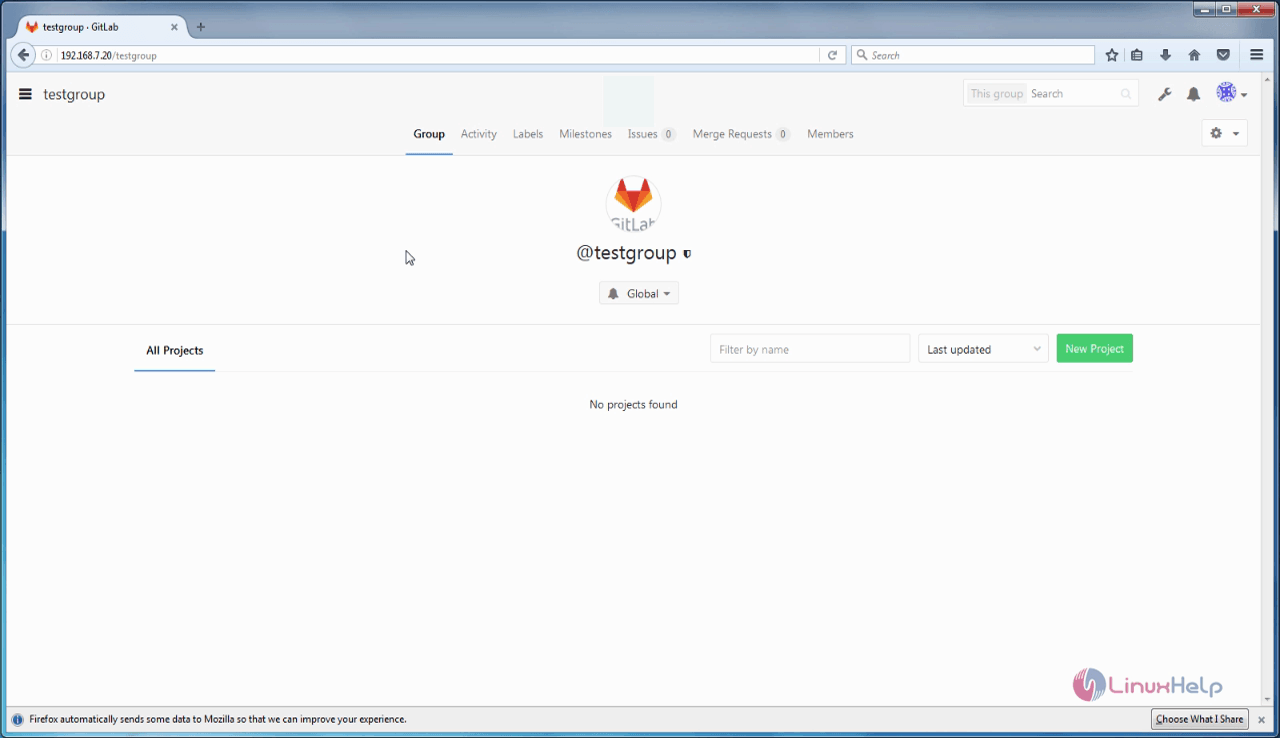
test_group

Tags:
caden
Author: 

Comments ( 0 )

No comments available

Add a comment
{{postCtrl.cmtErrMsg}}

Frequently asked questions ( 5 )

Q

Do we get any notification if gitlab releases any updates?

A

Yes, we are notified and you can see this in admin area

Q

what can I do? I want only my project members to access the project.

A

to access the project. of your project members then select internal option while adding project

Q

what is the purpose of creating a Group on Gitlab?

A

It is used to create and edit new projects, merge finished code into the existing projects and more. In GitLab, projects can be created in 2 different ways, by using a user namespace or by using a group. A user must individually own project or he must belongs to any group which owns same project

Q

how to create a group on gitlab?

A

In order to create a group in GitLab, open your browser and call the IP address for your Gitlab server.

Log into Gitlab with your admin credentials.
Now, choose the Admin Area
To create Group click &ldquo New Group&rdquo

Q

How to view group on gitlab?

A

In order to view the group already created
click side bar and choose group option
Back To Top!
Rank
User
Points

Top Contributers

userNamenaveelansari
135850

Top Contributers

userNameayanbhatti
92510

Top Contributers

userNamehamzaahmed
32150

Top Contributers

1
userNamelinuxhelp
31040

Top Contributers

userNamemuhammadali
24500
Can you help Owen ?
How to add SSH key to my Gitlab account

I need to add the SSH key in my gitlab account. How to do so ????

Networking
  • Routing
  • trunk
  • Netmask
  • Packet Capture
  • domain
  • HTTP Proxy
Server Setup
  • NFS
  • KVM
  • Memory
  • Sendmail
  • WebDAV
  • LXC
Shell Commands
  • Cloud commander
  • Command line archive tools
  • last command
  • Shell
  • terminal
  • Throttle
Desktop Application
  • Linux app
  • Pithos
  • Retrospect
  • Scribe
  • TortoiseHg
  • 4Images
Monitoring Tool
  • Monit
  • Apache Server Monitoring
  • EtherApe 
  • Arpwatch Tool
  • Auditd
  • Barman
Web Application
  • Nutch
  • Amazon VPC
  • FarmWarDeployer
  • Rukovoditel
  • Mirror site
  • Chef
Contact Us | Terms of Use| Privacy Policy| Disclaimer
© 2025 LinuxHelp.com All rights reserved. Linux™ is the registered trademark of Linus Torvalds. This site is not affiliated with linus torvalds in any way.