• Categories
    Category
    {{ postCtrl.tags }}
    • {{ category.tag_type }}

      • {{tag.tag_name}}
      • View more
  • Categories
    Category
    {{ postCtrl.tags }}
    • {{ category.tag_type }}

      • {{tag.tag_name}}
      • View more
  • News
  • Tutorials
  • Forums
  • Tags
  • Users
Tutorial News Comments FAQ Related Articles

How to Create a Vault on Amazon S3 Glacier in AWS

{{postValue.id}}

To create a Vault on Amazon S3 Glacier in AWS

Introduction:

Amazon S3 Glacier and S3 Glacier Deep Archive are strong, long-lasting, and extremely low-cost Amazon S3 cloud storage classes for data archiving and long-term reinforcement. They are created to deliver 99.999999999% durability and implement comprehensive security and compliance capabilities that can improve meet even the most stringent regulatory requirements. Customers can save data for as short as $1 per terabyte per month, important savings compared to on-premises solutions. Amazon S3 Glacier gives three options for access to archives, from a few minutes to numerous hours, and S3 Glacier Deep Archive gives two access options ranging from 12 to 48 hours. This tutorial will cover about to create Vault on Amazon S3 Glacier in AWS.

Procedure:

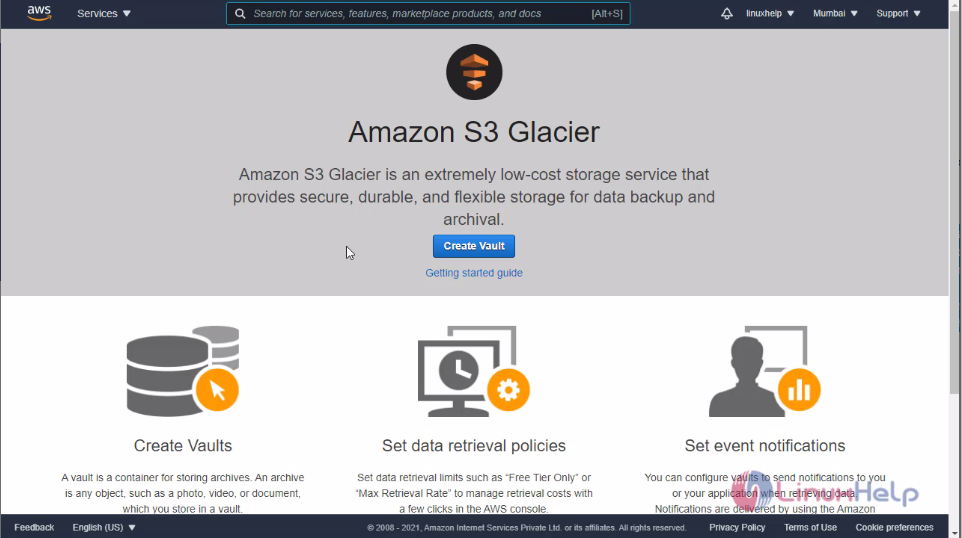
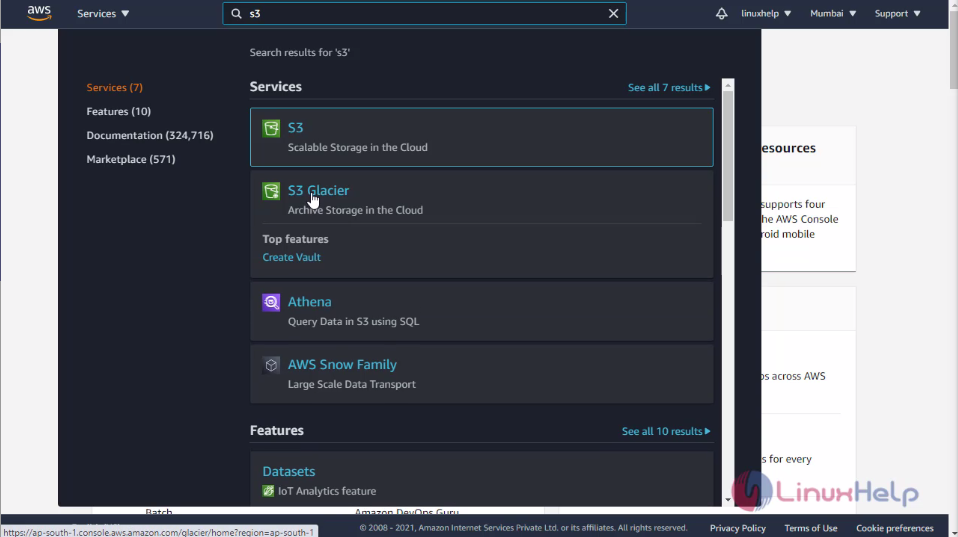
Switch you AWS account and login your account snap1 Then click services and search S3 there you can see the S3 Glacier click on it snap2 This is the dashboard of S3 Glacier snap3
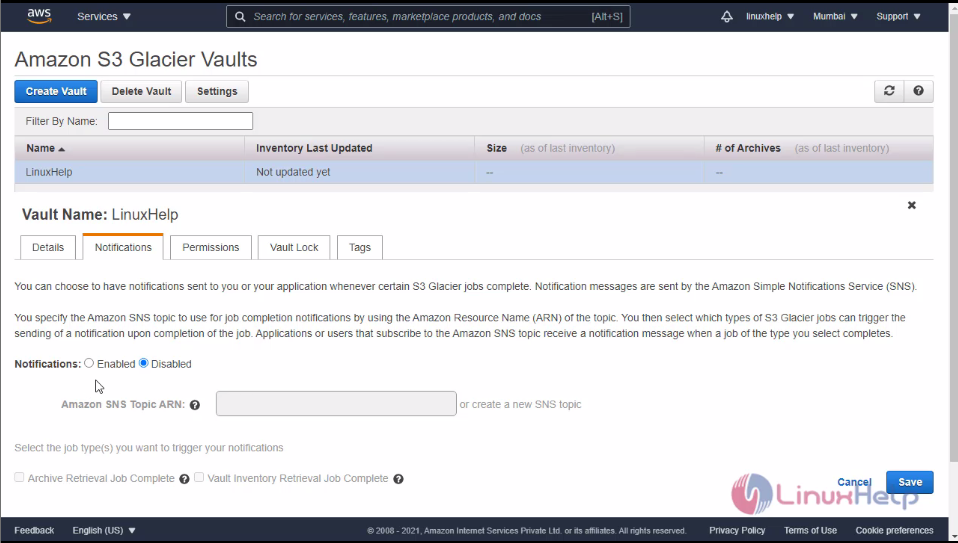
Here Click create vault for create a new vault for Glacier, then enter the valid vault name here and click next step snap4 Configure you event notification. I will select Don not enable notifications then click next step snap5 Here you can review your vault before creating, all your requirements are correct or not then click submit snap6 Here you can see the vault is created successfully. snap7 If you want to the see details about vault click vault. Then you can see you details, notification, permissions and all about the vault snap8

snap9 snap10 If you need to delete you vault select your vault and click delete then you vault will be deleted snap11 With this method, to create vault on Amazon S3 Glacier on AWS come to an end.

Tags:
sebastian
Author: 

Comments ( 0 )

No comments available

Add a comment
{{postCtrl.cmtErrMsg}}

Frequently asked questions ( 5 )

Q

Why is Amazon Glacier now called Amazon S3 Glacier?

A

Customers have long thought of Amazon Glacier, our backup and archival storage service, as a storage class of Amazon S3. In fact, a very high percentage of the data stored in Amazon Glacier today comes directly from customers using S3 Lifecycle policies to move cooler data into Amazon Glacier. Now, Amazon Glacier is officially part of S3 and will be known as Amazon S3 Glacier (S3 Glacier).

Q

What is Amazon S3 Glacier?

A

Amazon S3 Glacier is an extremely low-cost storage service that provides secure, durable, and flexible storage for data backup and archival. With Amazon S3 Glacier, customers can reliably store their data for as little as $0.004 per gigabyte per month.

Q

How should I choose between Amazon S3 Glacier and Amazon Simple Storage Service (Amazon S3)?

A

Amazon S3 is a durable, secure, simple, and fast storage service designed to make web-scale computing easier for developers. Use Amazon S3 if you need low latency or frequent access to your data. Use Amazon S3 Glacier if low storage cost is paramount, and you do not require millisecond access to your data.

Q

What kind of data can I store?

A

You can store virtually any kind of data in any format. You can also deploy compliance storage controls with Vault Lock to store regulatory and compliance archives in immutable, Write Once Read Many (WORM) formats.

Q

How much data can I store?

A

There is no maximum limit to the total amount of data that can be stored in Amazon S3 Glacier. Individual archives are limited to a maximum size of 40 terabytes.

Back To Top!
Rank
User
Points

Top Contributers

userNamenaveelansari
135850

Top Contributers

userNameayanbhatti
92510

Top Contributers

userNamehamzaahmed
32150

Top Contributers

1
userNamelinuxhelp
31040

Top Contributers

userNamemuhammadali
24500
Can you help Gibbson ?
How do i run both nginx and apache in same instance on centos

Hi...,

my server is based centos operating system and my webserver is already running on Apache.... i need to run both apache and nginx on same instance ... please help me to implement this concept...

Networking
  • Routing
  • trunk
  • Netmask
  • Packet Capture
  • domain
  • HTTP Proxy
Server Setup
  • NFS
  • KVM
  • Memory
  • Sendmail
  • WebDAV
  • LXC
Shell Commands
  • Cloud commander
  • Command line archive tools
  • last command
  • Shell
  • terminal
  • Throttle
Desktop Application
  • Linux app
  • Pithos
  • Retrospect
  • Scribe
  • TortoiseHg
  • 4Images
Monitoring Tool
  • Monit
  • Apache Server Monitoring
  • EtherApe 
  • Arpwatch Tool
  • Auditd
  • Barman
Web Application
  • Nutch
  • Amazon VPC
  • FarmWarDeployer
  • Rukovoditel
  • Mirror site
  • Chef
Contact Us | Terms of Use| Privacy Policy| Disclaimer
© 2025 LinuxHelp.com All rights reserved. Linux™ is the registered trademark of Linus Torvalds. This site is not affiliated with linus torvalds in any way.