• Categories
    Category
    {{ postCtrl.tags }}
    • {{ category.tag_type }}

      • {{tag.tag_name}}
      • View more
  • Categories
    Category
    {{ postCtrl.tags }}
    • {{ category.tag_type }}

      • {{tag.tag_name}}
      • View more
  • News
  • Tutorials
  • Forums
  • Tags
  • Users
Tutorial News Comments FAQ Related Articles

How to create Amazon Workspace in AWS

{{postValue.id}}

To create Amazon Workspace In AWS

Introduction:

Amazon WorkSpaces is a cloud-based virtual desktop that enables us to provision virtual, cloud-based Microsoft Windows or Amazon Linux desktops for the users, known as WorkSpaces. It excludes the need to procure and deploy hardware or install complex software which can also instantly add or remove users as we need to change. In this method, users can access their virtual desktops from multiple devices or web browsers.

Steps to create Amazon workspace

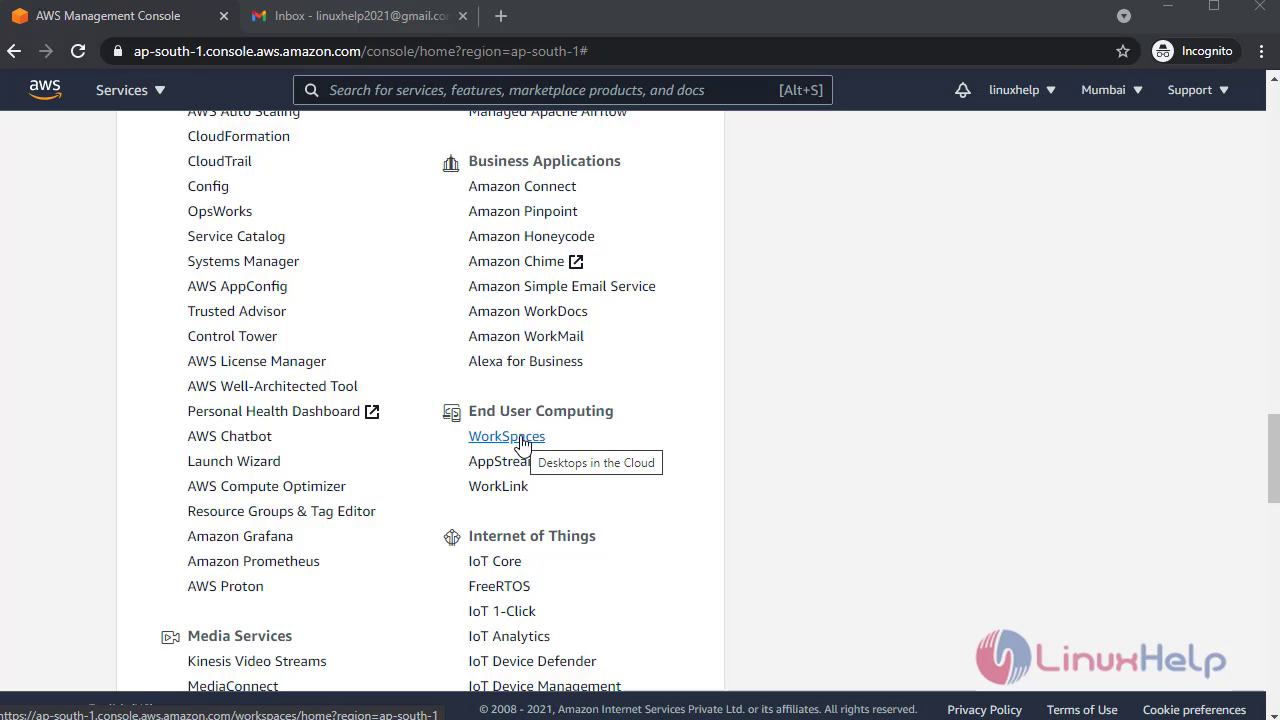
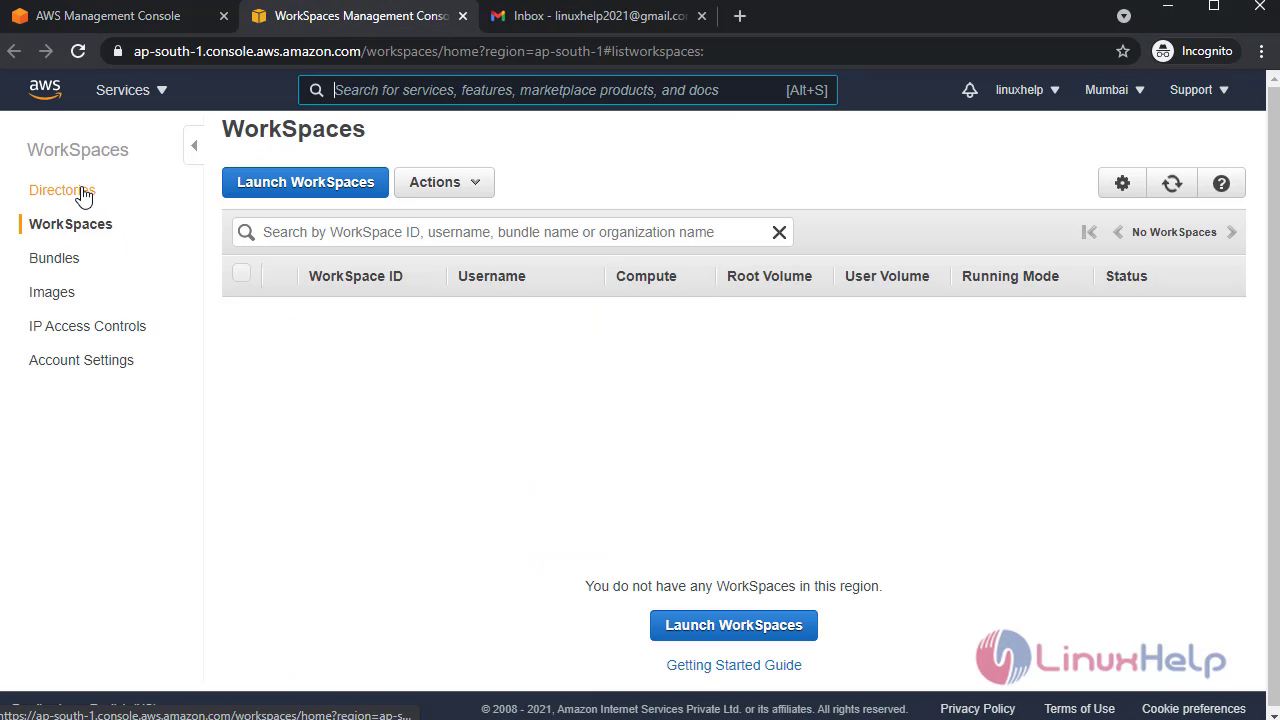
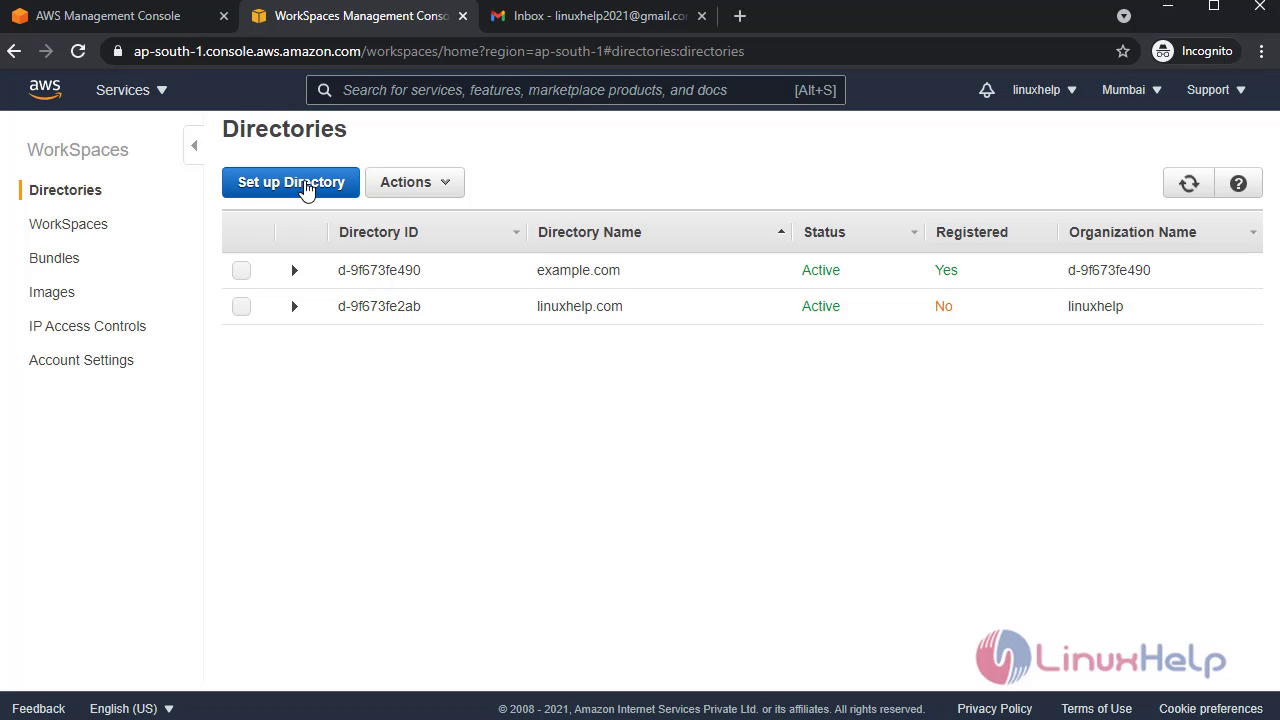
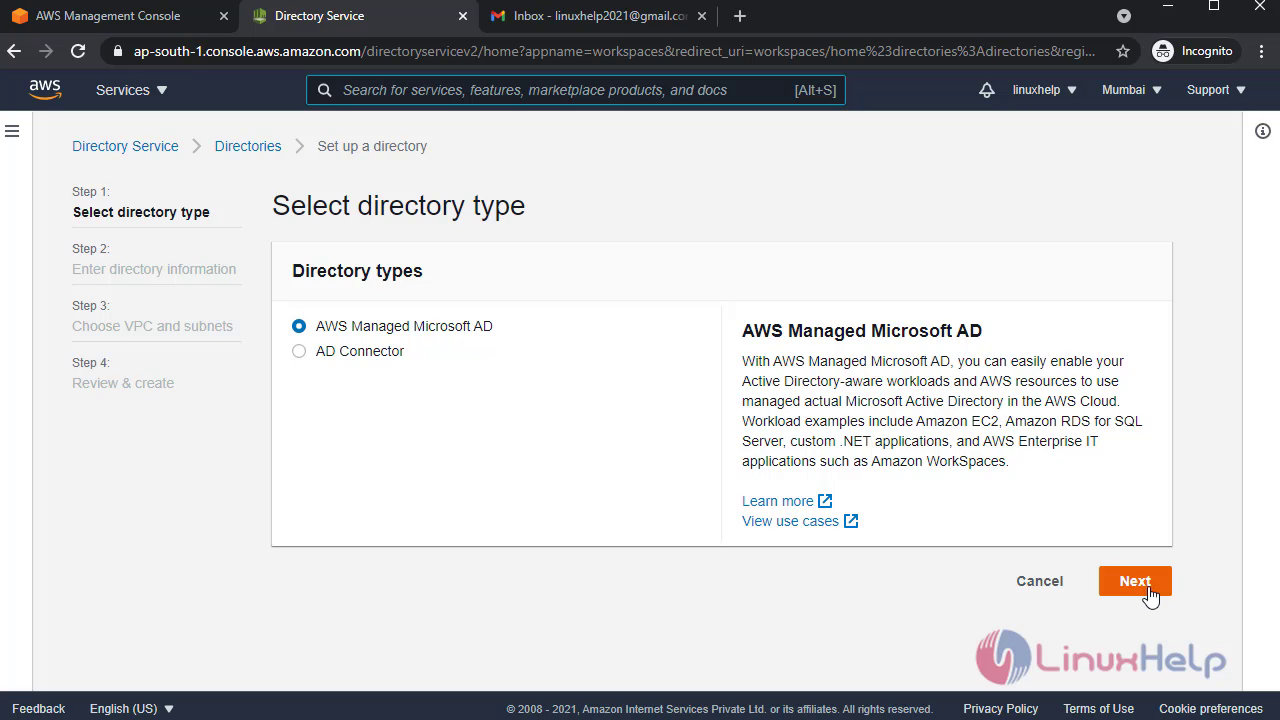
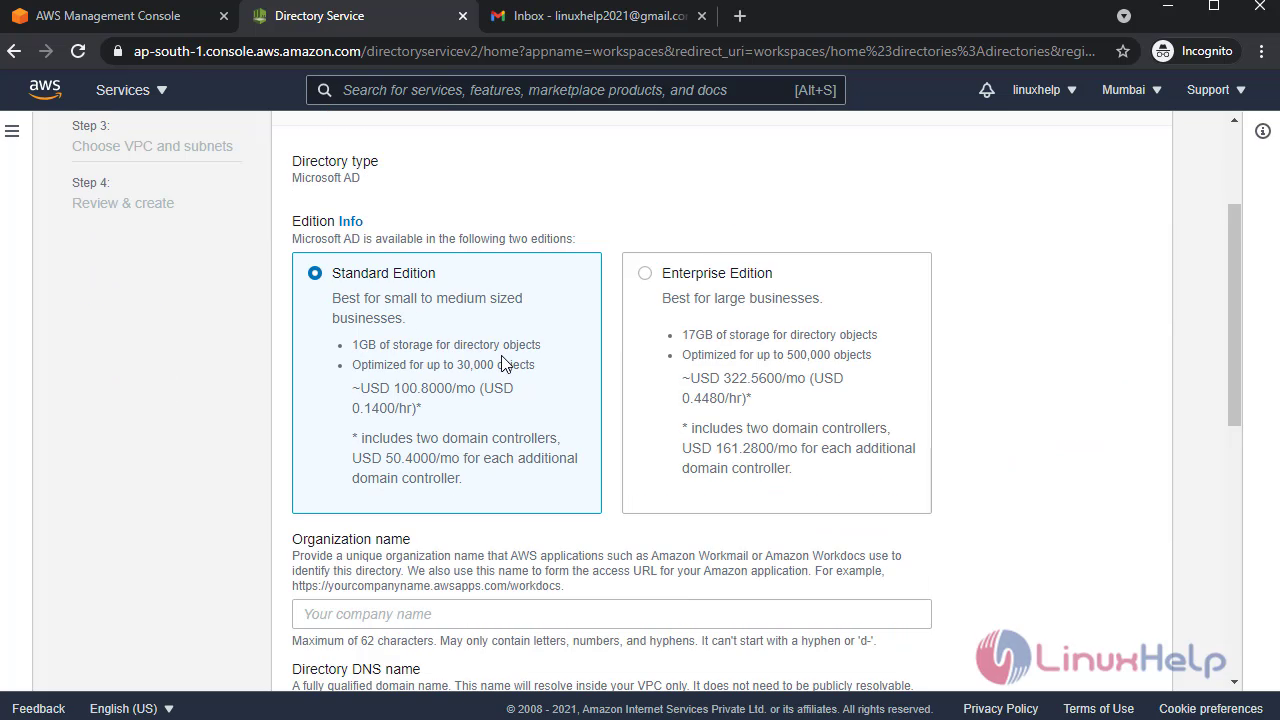
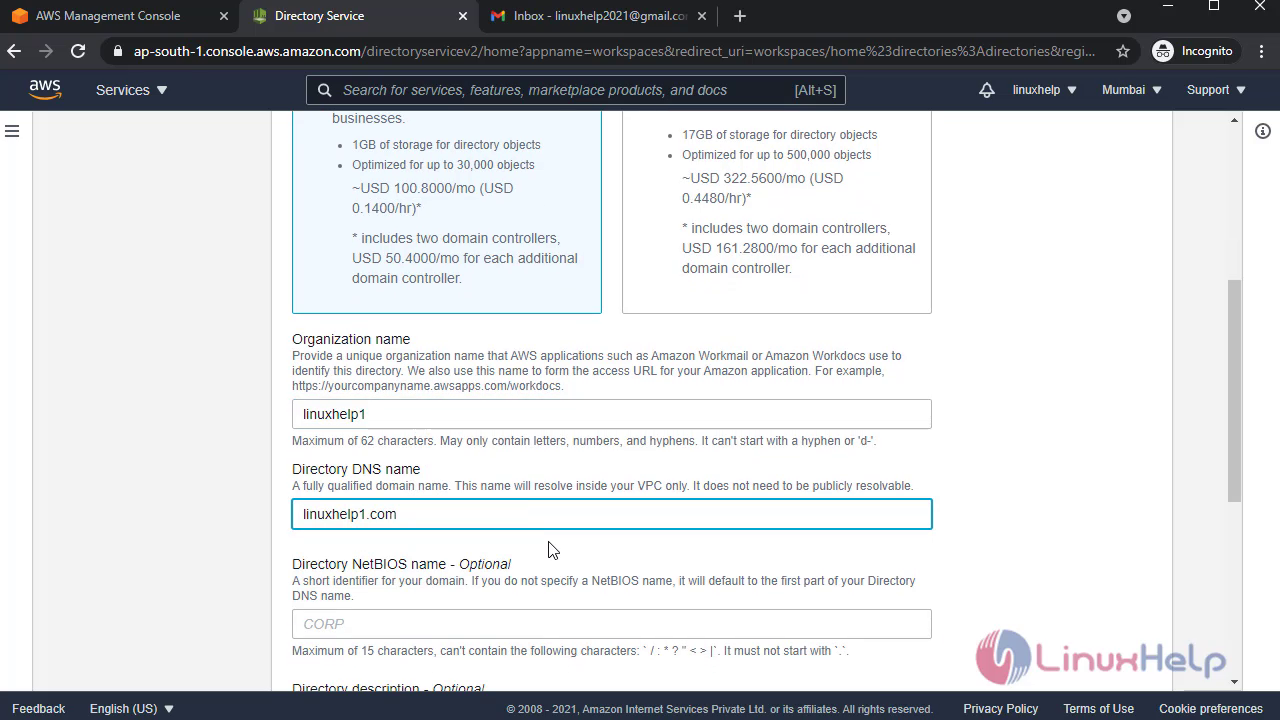
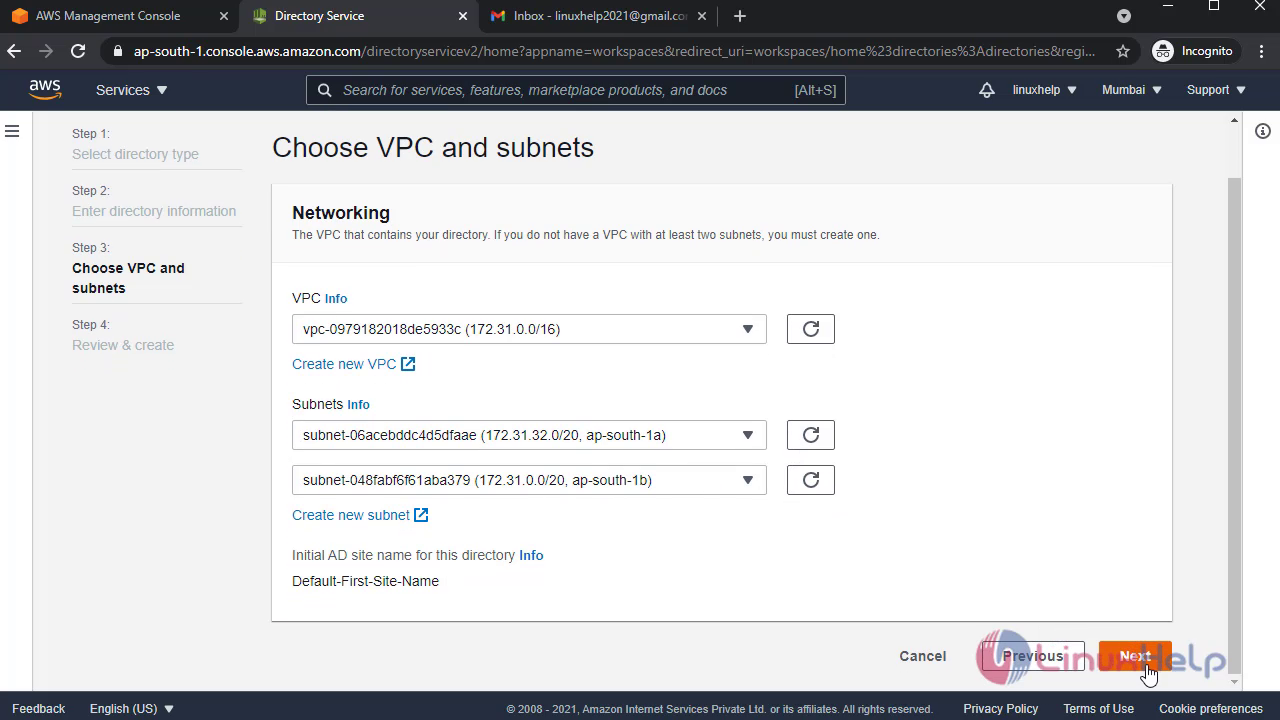
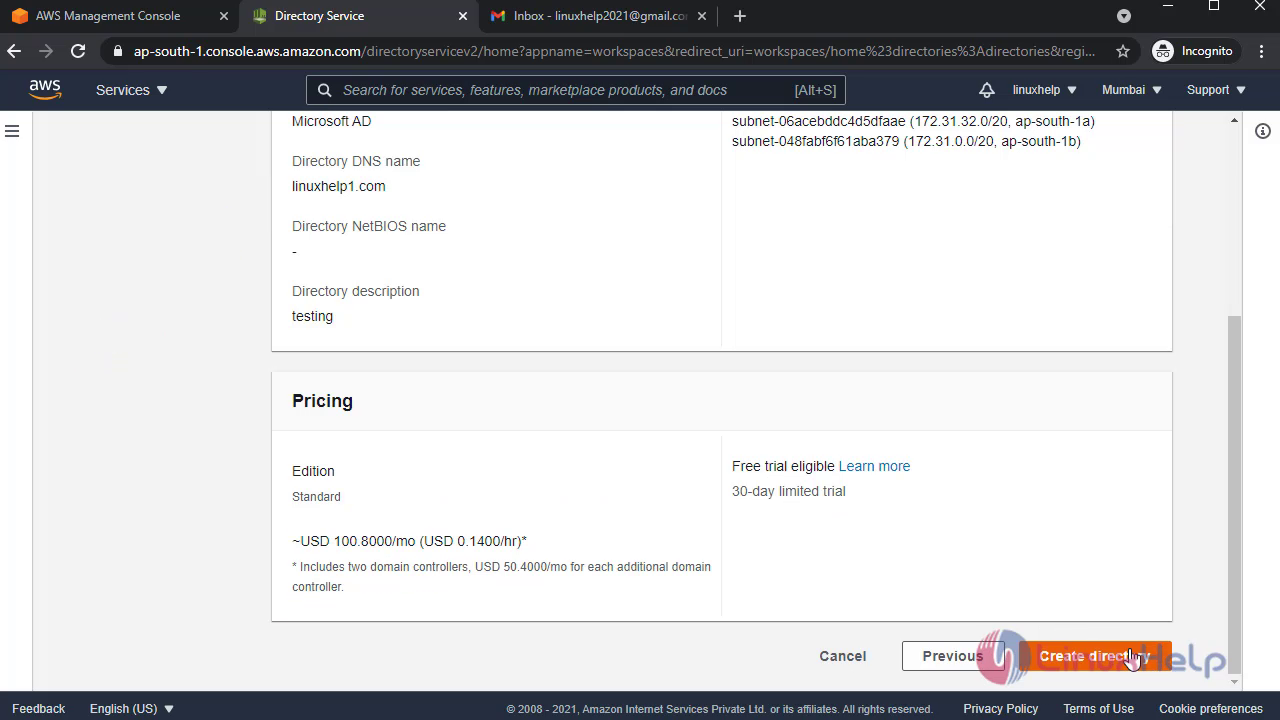
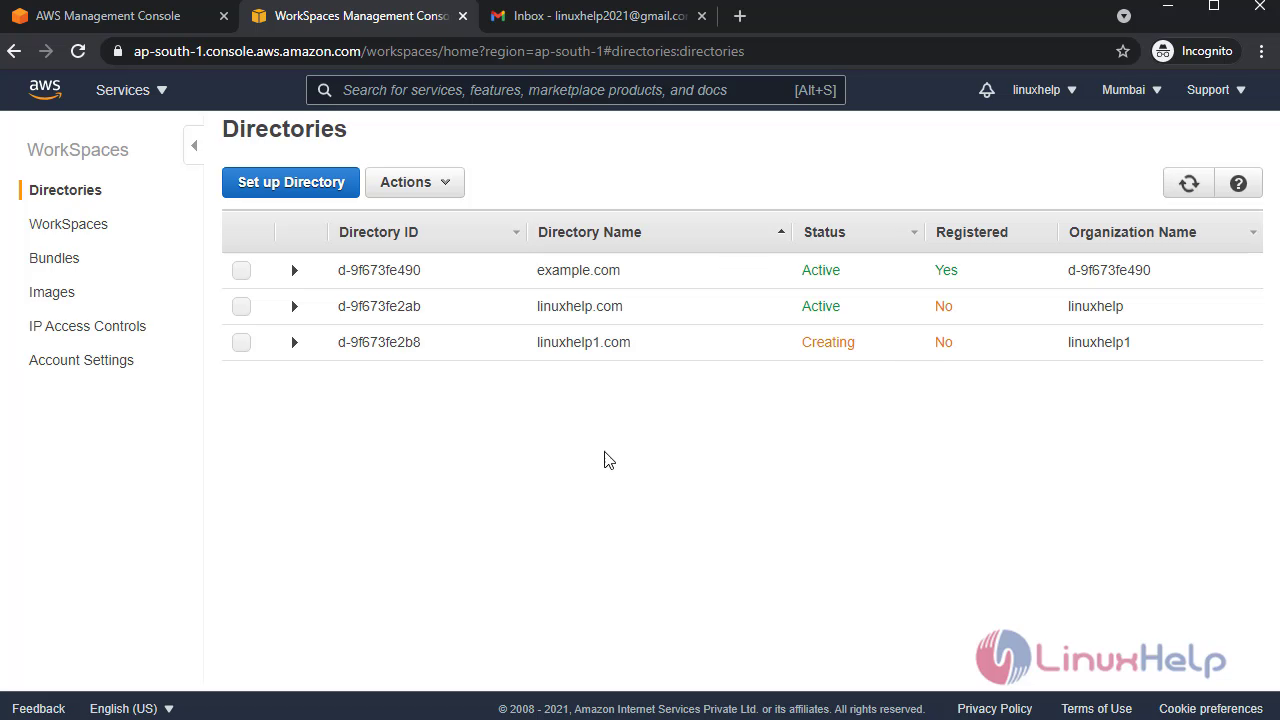
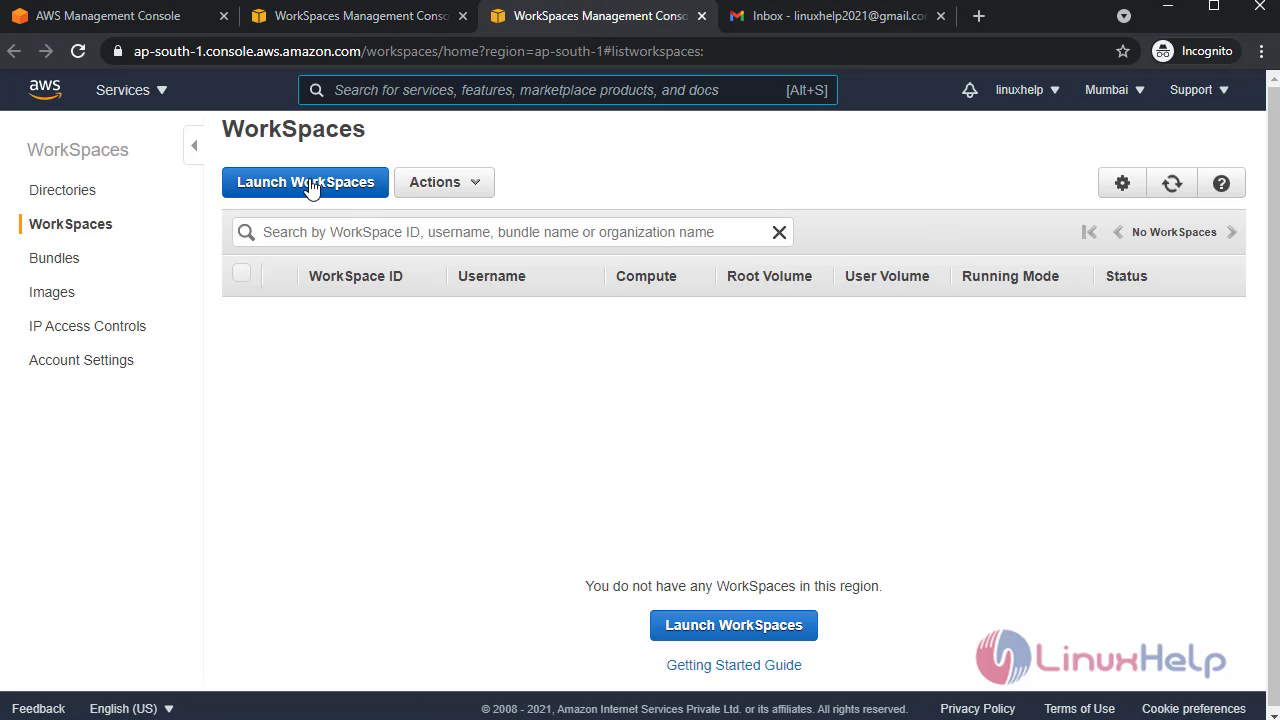
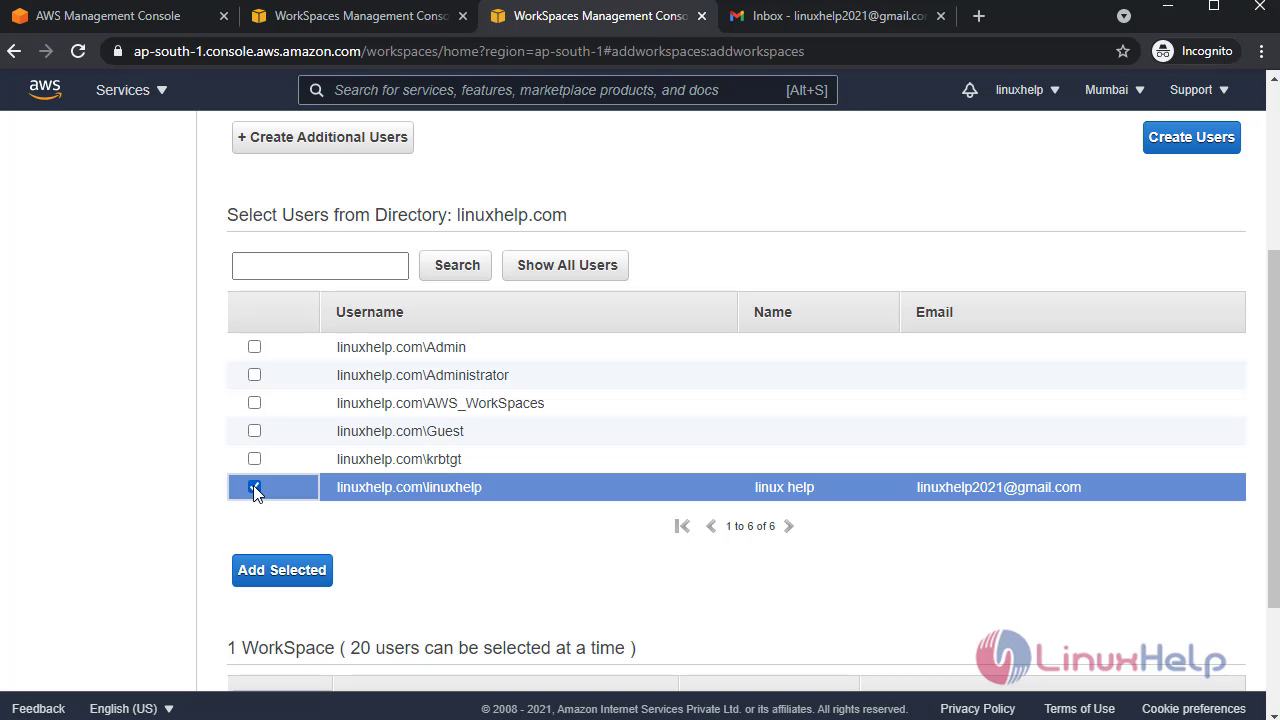
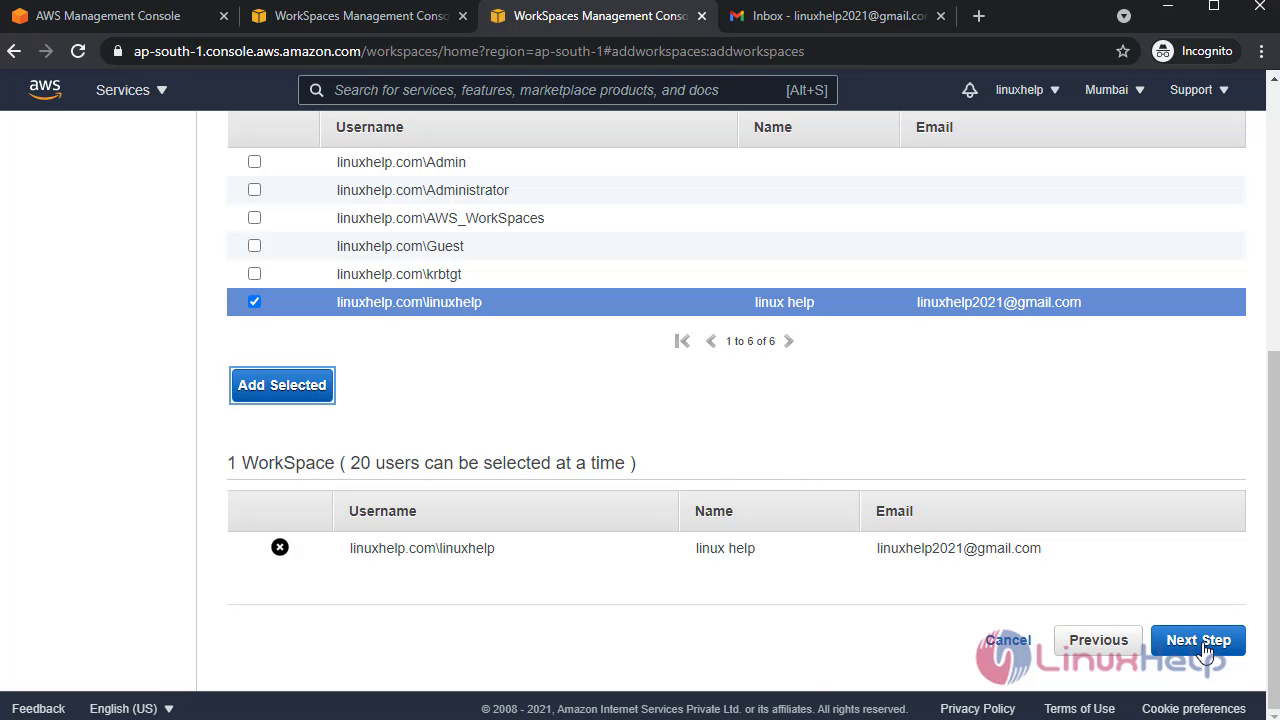
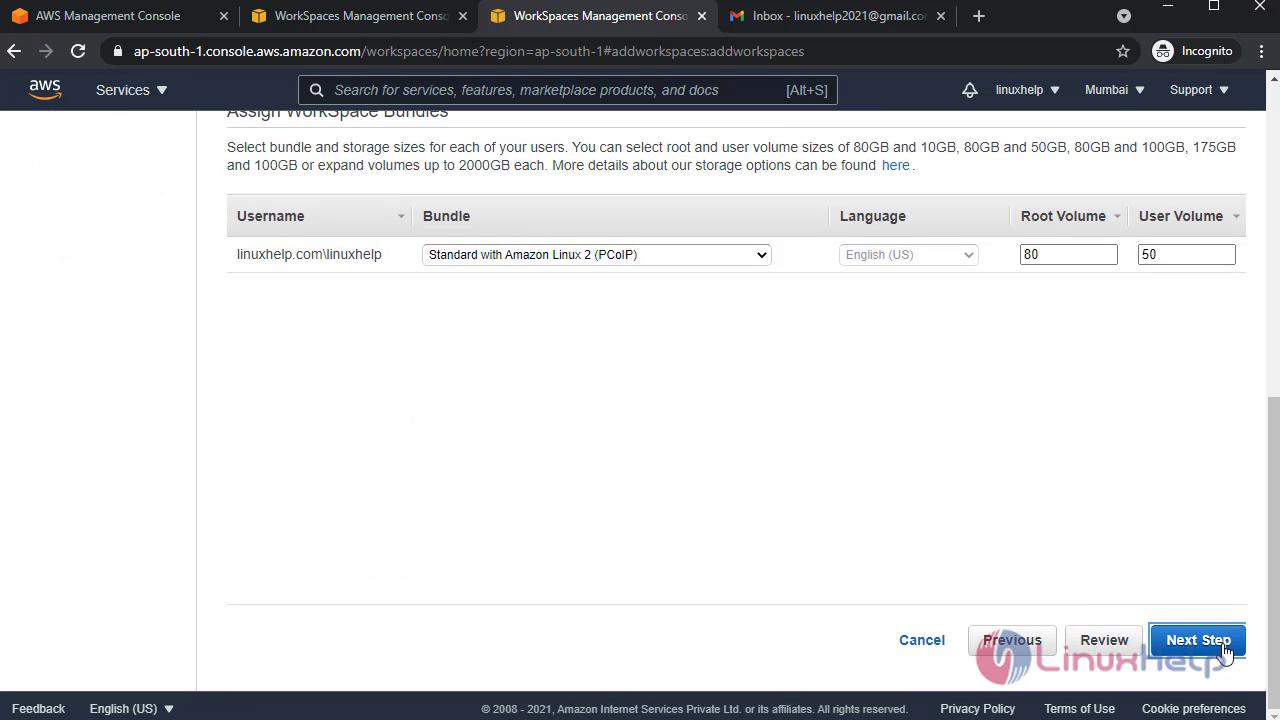
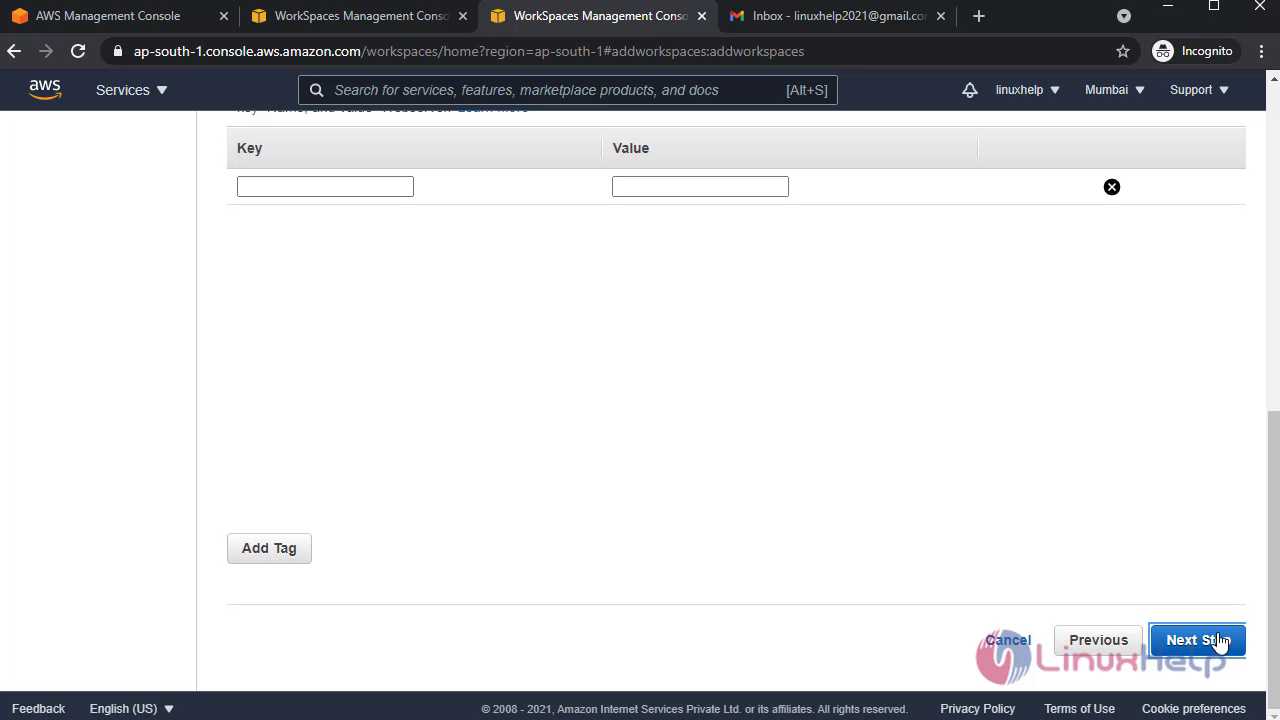
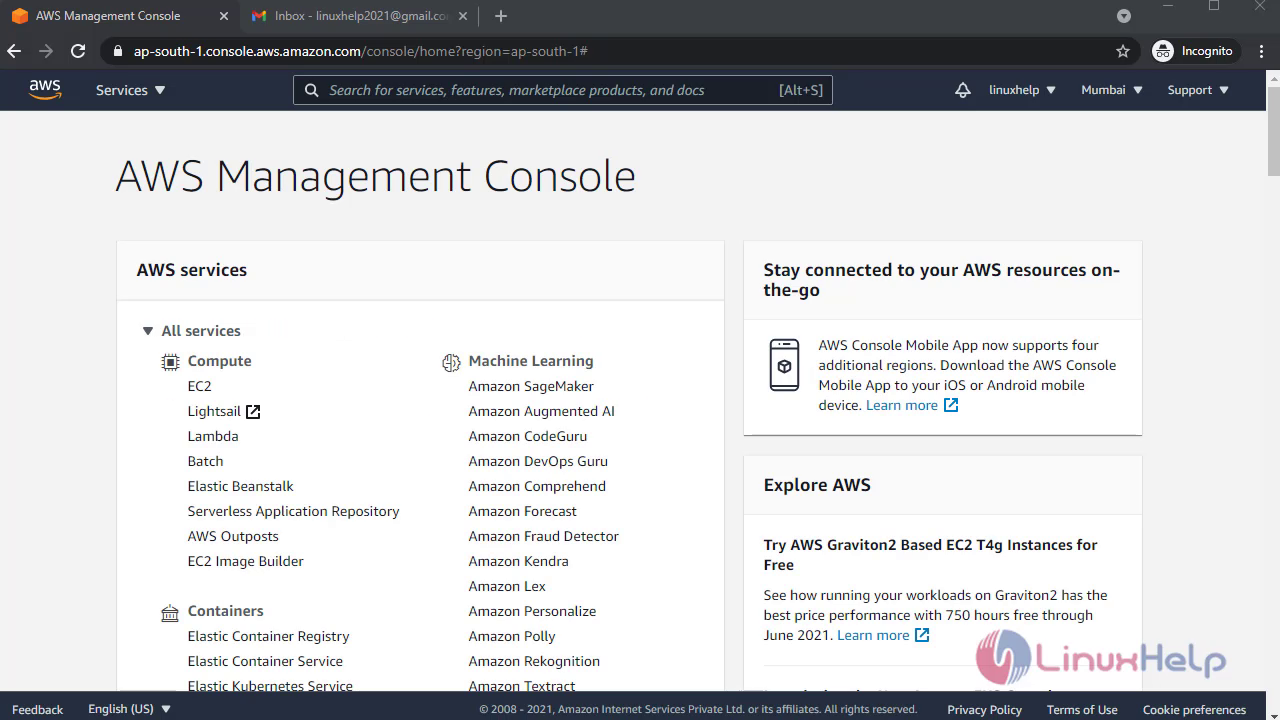
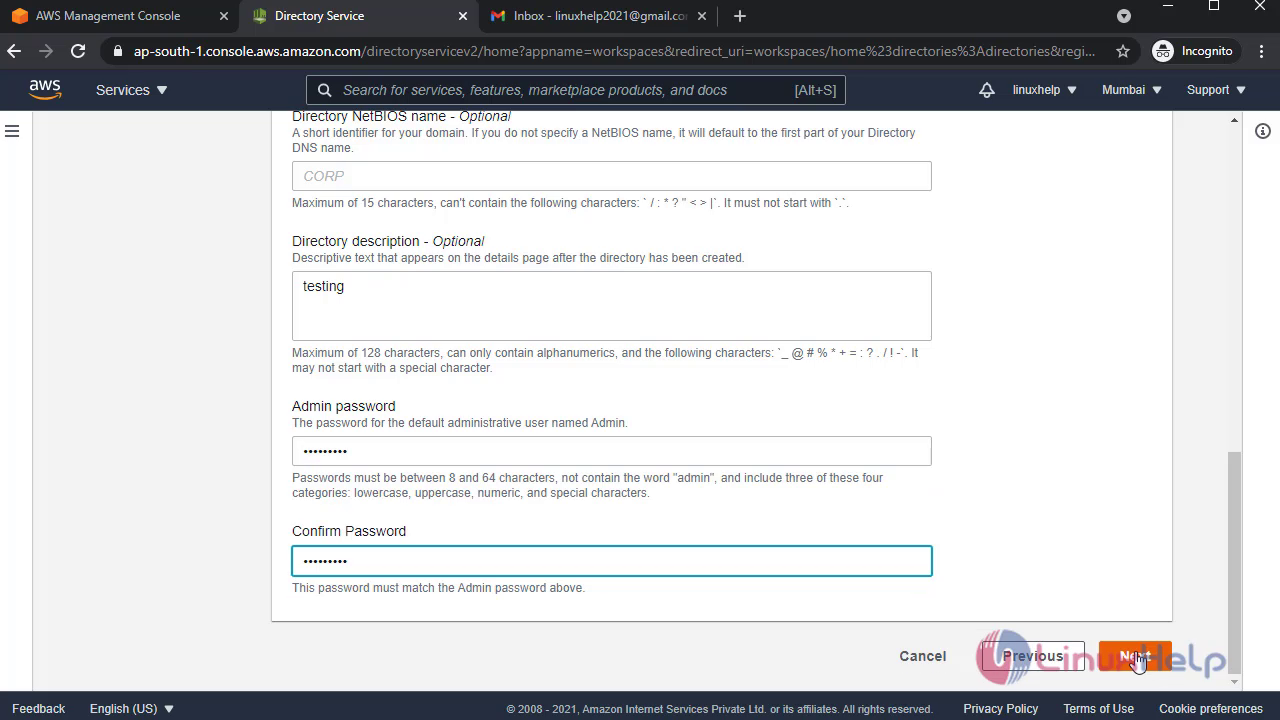
Login to an AWS account: Select the Workspace in management console page: snap1 snap2 Create a directory for workspace: snap3 snap4 snap5 snap6 snap7 snap8
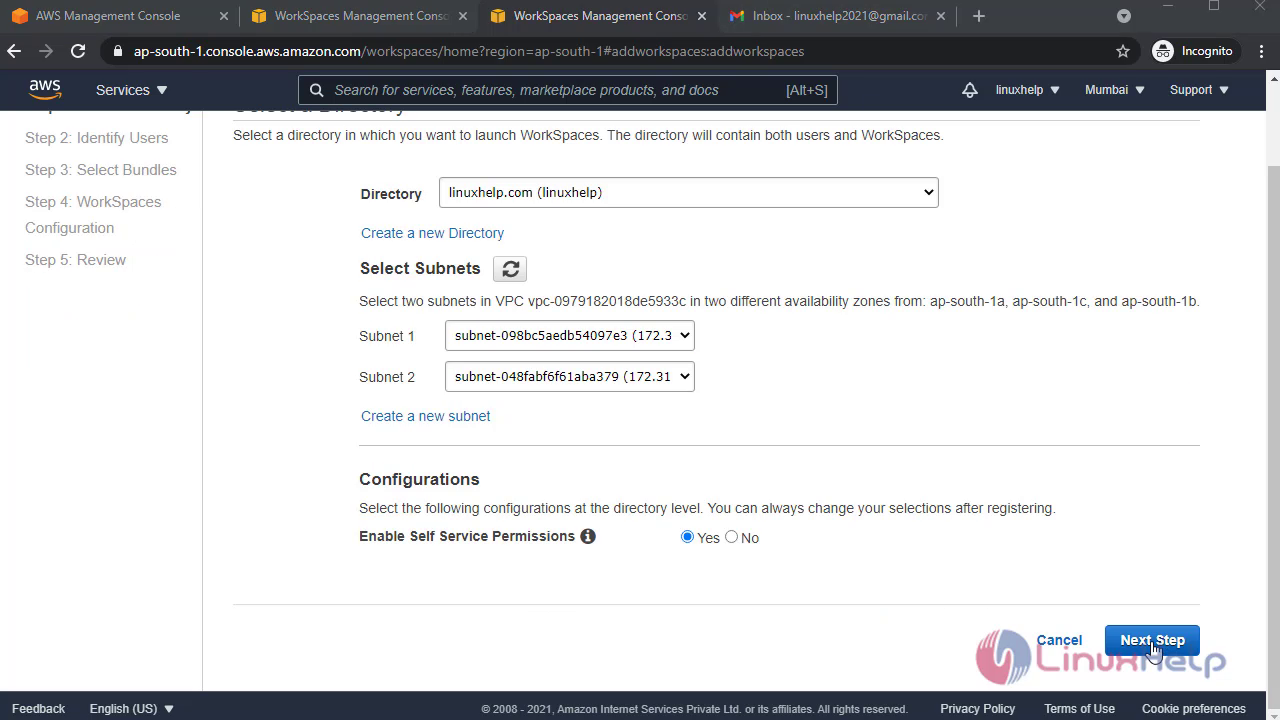
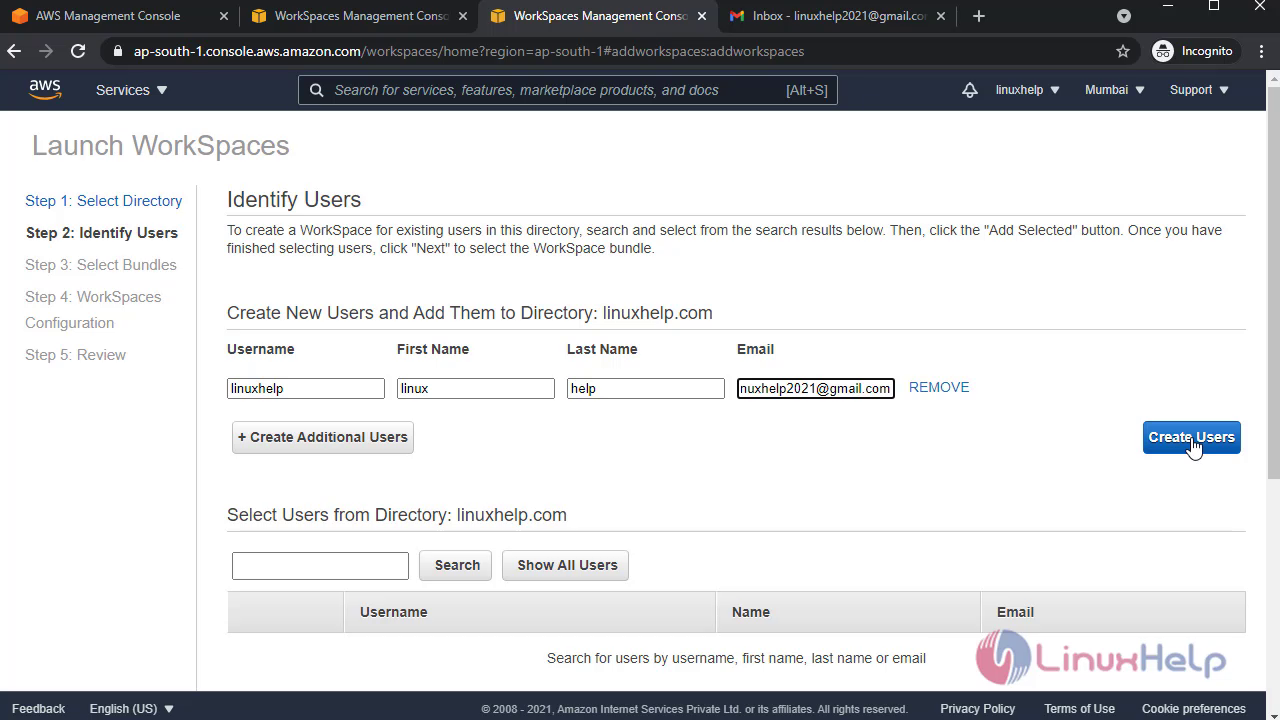
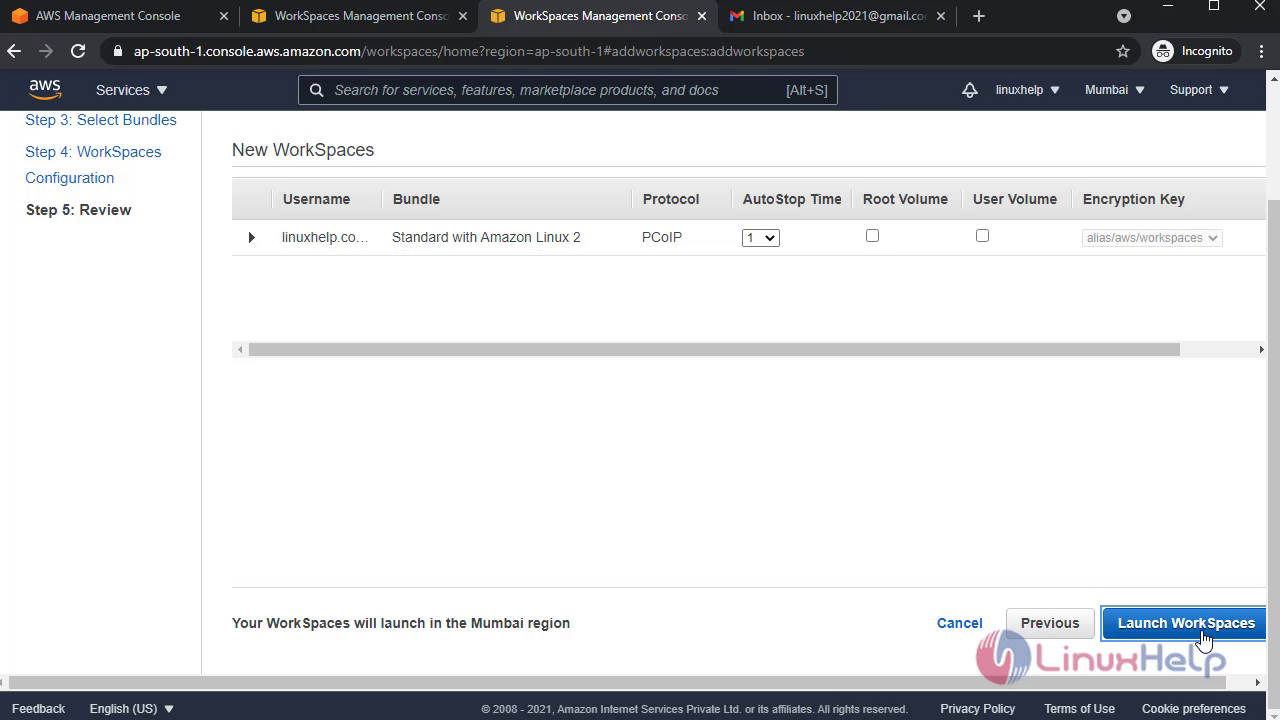
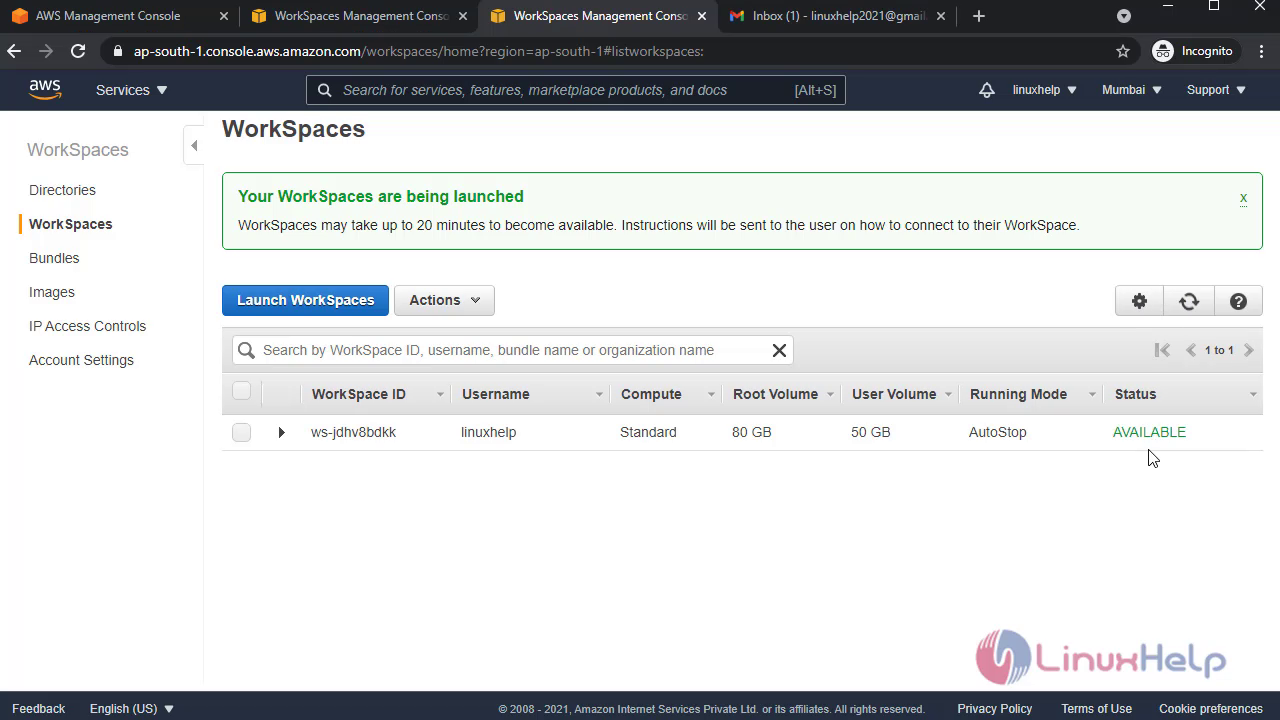
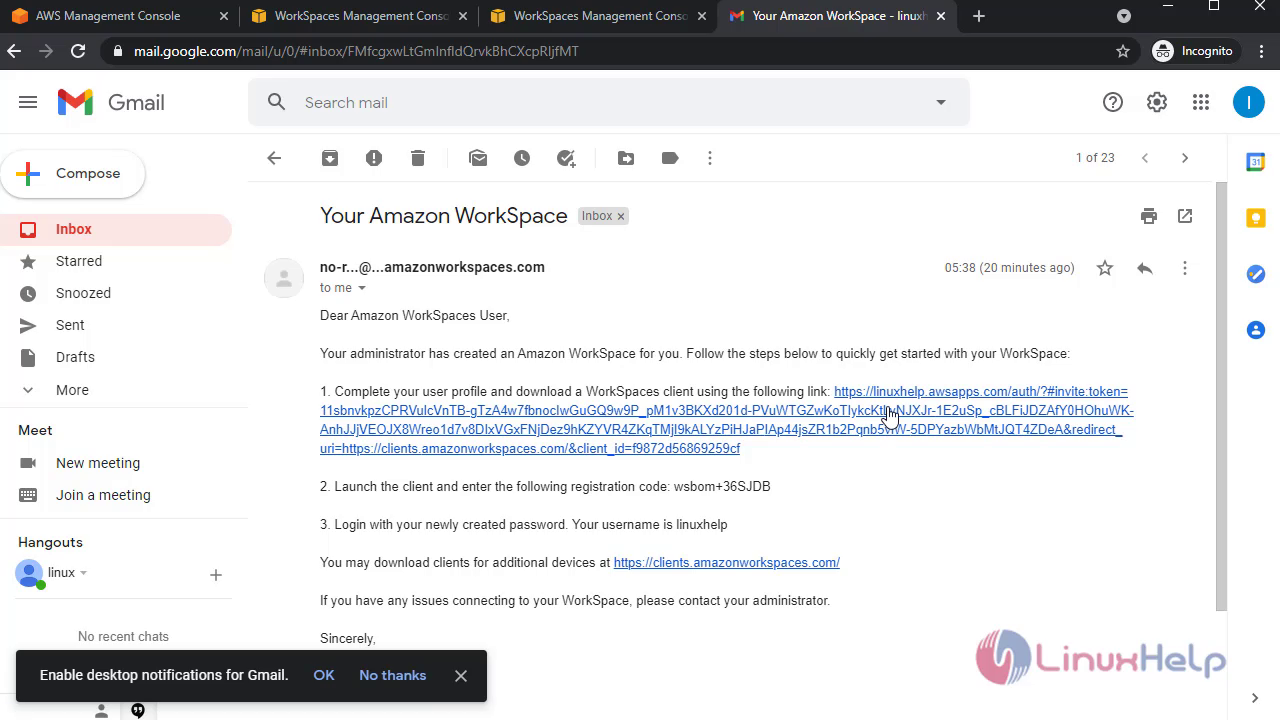
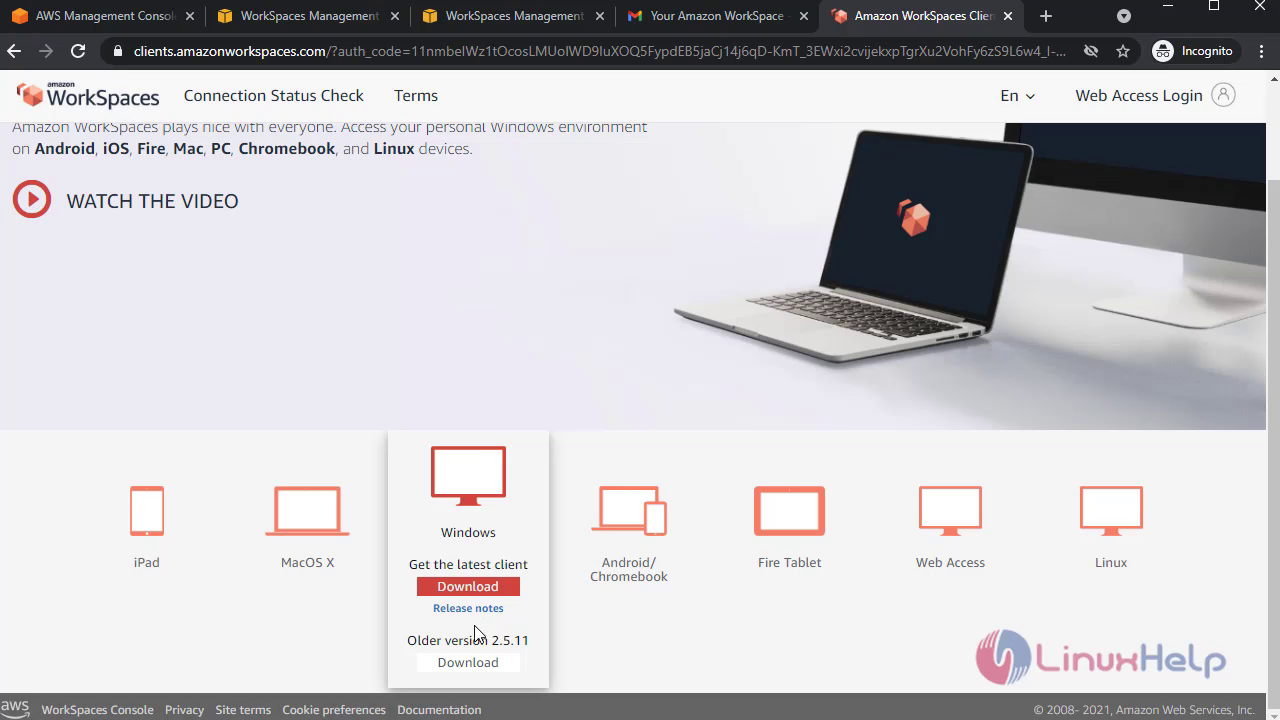
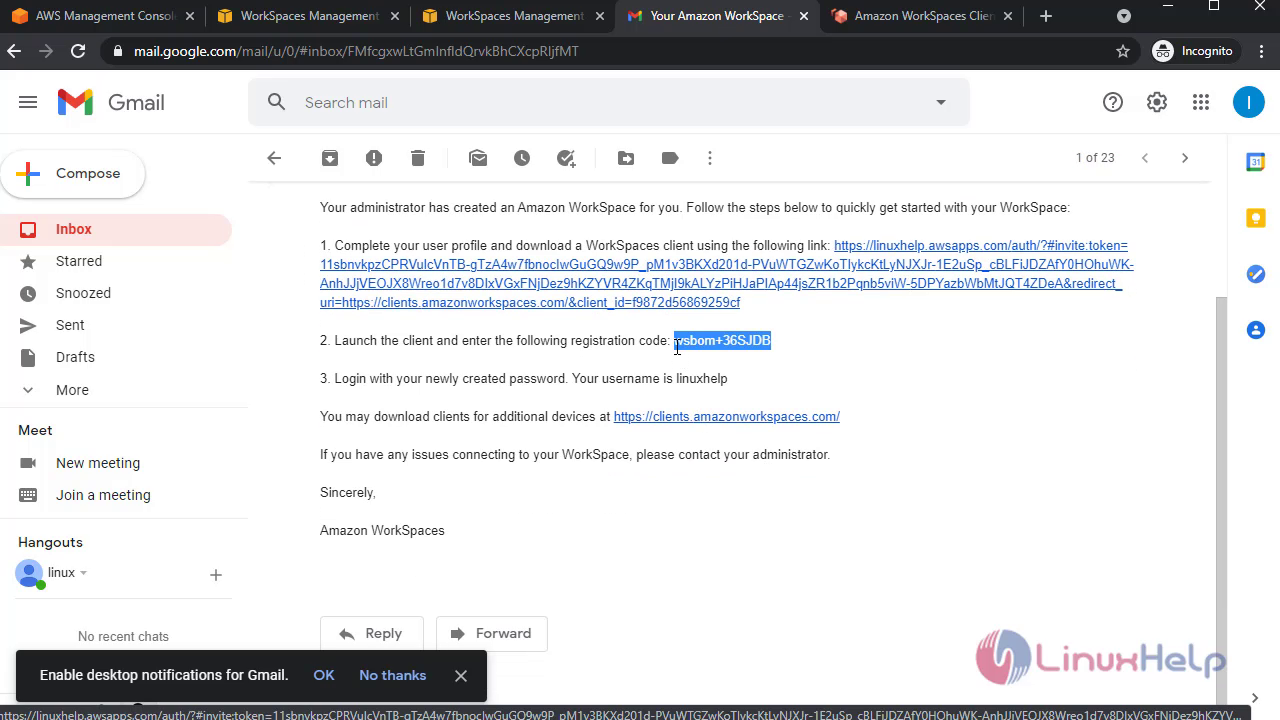
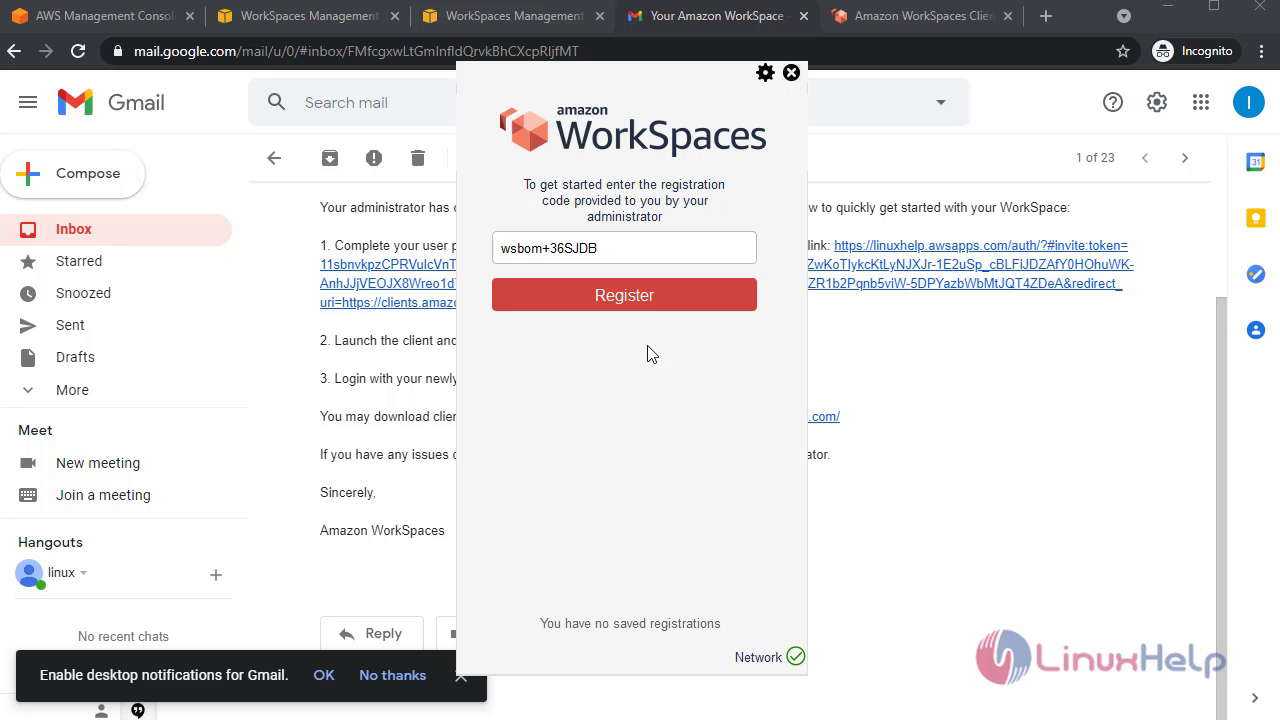
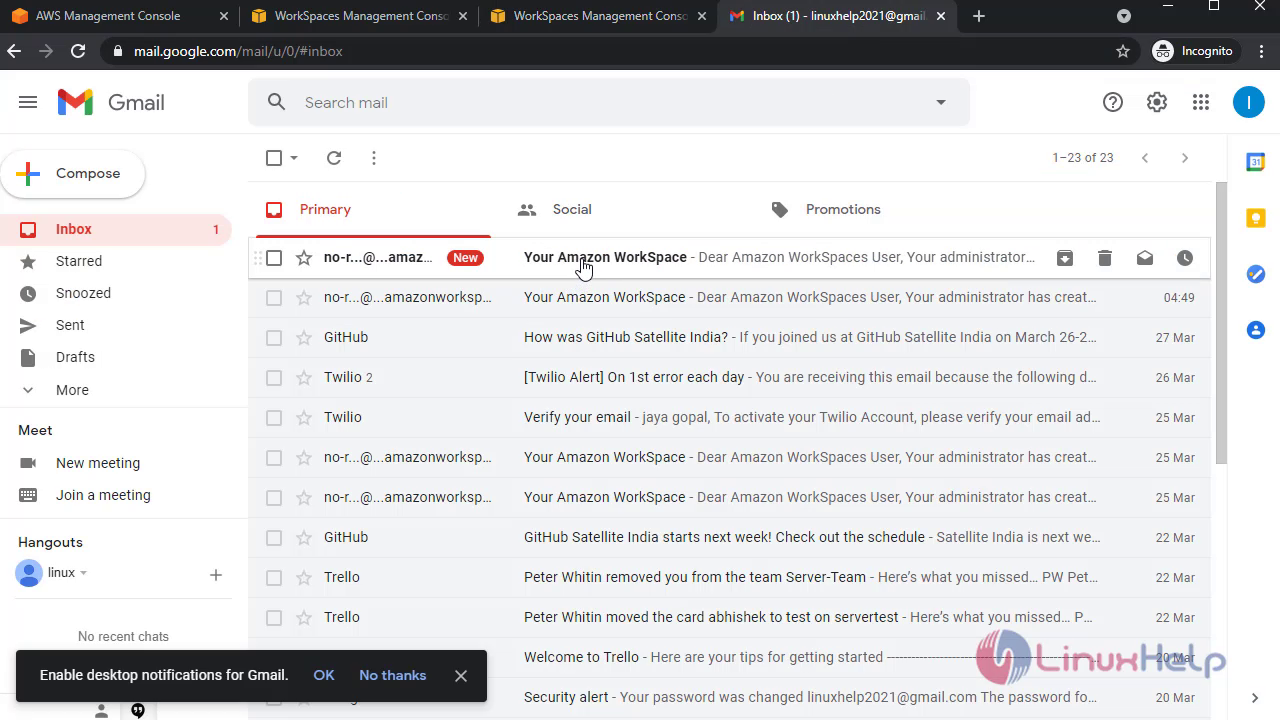
snap9 snap10 snap11 Then Launch a new workspace snap12 snap13 snap14 snap15 snap16 snap17 snap18 snap19 snap20 Then login to gmail account , here the link were given by administrator to download the amazon workspace application and register with given key to open amazon workspace: snap21 snap22
snap23 snap24 snap25 With this method Creation of Amazon workspace In AWS comes to an end.

Tags:
joshwariddin
Author: 

Comments ( 0 )

No comments available

Add a comment
{{postCtrl.cmtErrMsg}}

Frequently asked questions ( 5 )

Q

What is Amazon WorkSpaces?

A

Amazon WorkSpaces enables you to provision virtual, cloud-based Microsoft Windows or Amazon Linux desktops for your users, known as WorkSpaces. Amazon WorkSpaces eliminates the need to procure and deploy hardware or install complex software. You can quickly add or remove users as your needs change. Users can access their virtual desktops from multiple devices or web browsers.

Q

Are Amazon WorkSpaces persistent?

A

Yes. Each WorkSpace runs on an individual instance for the user it is assigned to. Applications and users’ documents and settings are persistent.

Q

Can users install applications on their Amazon WorkSpace?

A

By default, users are configured as local administrators of their WorkSpaces. Administrators can change this setting and can restrict users’ ability to install applications with technology such as Group Policy.

Q

Do users need an AWS account?

A

No. An AWS account is only needed to provision WorkSpaces. To connect to WorkSpaces, users will require only the information provided in the invitation email they will receive when their WorkSpace is provisioned.

Q

Can I copy my Amazon WorkSpaces Images to other AWS Regions?

A

Yes, you can use the WorkSpaces console, APIs, or CLI to copy your WorkSpaces Images to other AWS Regions where WorkSpaces is available. Log on to the WorkSpaces console and navigate to the “Images” section from the left-hand navigation menu. Simply select the image you would like to copy, click on the “Actions” button, and select the “Copy Image” option to get started.

Back To Top!
Rank
User
Points

Top Contributers

userNamenaveelansari
135850

Top Contributers

userNameayanbhatti
92510

Top Contributers

userNamehamzaahmed
32150

Top Contributers

1
userNamelinuxhelp
31040

Top Contributers

userNamemuhammadali
24500
Can you help Ganesh Konka ?
Zentya 6.1 http proxy configuration

please send link for creating zentyal 6.1 for http proxy and firewall as gateway.

Networking
  • Routing
  • trunk
  • Netmask
  • Packet Capture
  • domain
  • HTTP Proxy
Server Setup
  • NFS
  • KVM
  • Memory
  • Sendmail
  • WebDAV
  • LXC
Shell Commands
  • Cloud commander
  • Command line archive tools
  • last command
  • Shell
  • terminal
  • Throttle
Desktop Application
  • Linux app
  • Pithos
  • Retrospect
  • Scribe
  • TortoiseHg
  • 4Images
Monitoring Tool
  • Monit
  • Apache Server Monitoring
  • EtherApe 
  • Arpwatch Tool
  • Auditd
  • Barman
Web Application
  • Nutch
  • Amazon VPC
  • FarmWarDeployer
  • Rukovoditel
  • Mirror site
  • Chef
Contact Us | Terms of Use| Privacy Policy| Disclaimer
© 2025 LinuxHelp.com All rights reserved. Linux™ is the registered trademark of Linus Torvalds. This site is not affiliated with linus torvalds in any way.