• Categories
    Category
    {{ postCtrl.tags }}
    • {{ category.tag_type }}

      • {{tag.tag_name}}
      • View more
  • Categories
    Category
    {{ postCtrl.tags }}
    • {{ category.tag_type }}

      • {{tag.tag_name}}
      • View more
  • News
  • Tutorials
  • Forums
  • Tags
  • Users
Tutorial News Comments FAQ Related Articles

How to create and delete a user in COSEC Web

{{postValue.id}}

To create and delete a user in COSEC Web

Matrix COSEC is a flexible and scalable mobility management solution for organizations. This tutorial will help you create a new user account in the COSEC web application.

If you want to know more about Matrix COSEC click on the following links:
Basic configuration before installing Matrix COSEC: https://www.linuxhelp.com/basic-settings-before-installing-matrix-cosec/

How To Install Matric COSEC on Windows 7: https://www.linuxhelp.com/how-to-install-matric-cosec-on-windows-7/
How to change permission in Matrix COSEC and access COSEC Web: https://www.linuxhelp.com/how-to-change-permission-in-matrix-cosec-and-access-cosec-web/
How to configure Matrix COSEC Tracker and Matrix COSEC Monitor: https://www.linuxhelp.com/how-to-configure-matrix-cosec-tracker-and-matrix-cosec-monitor/

To create a new user.

Choose the COSEC Web icon from your desktop.
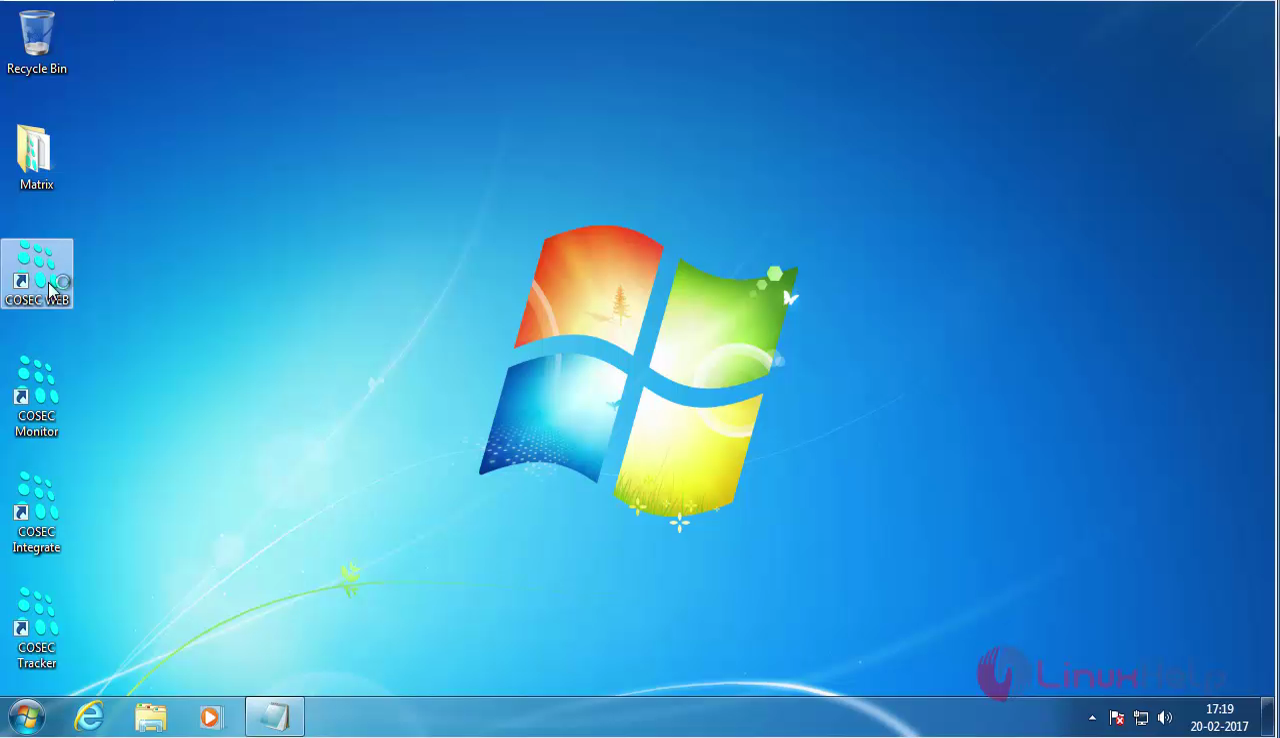
Cosec_web_icon

The COSEC Web login page appears on your screen.
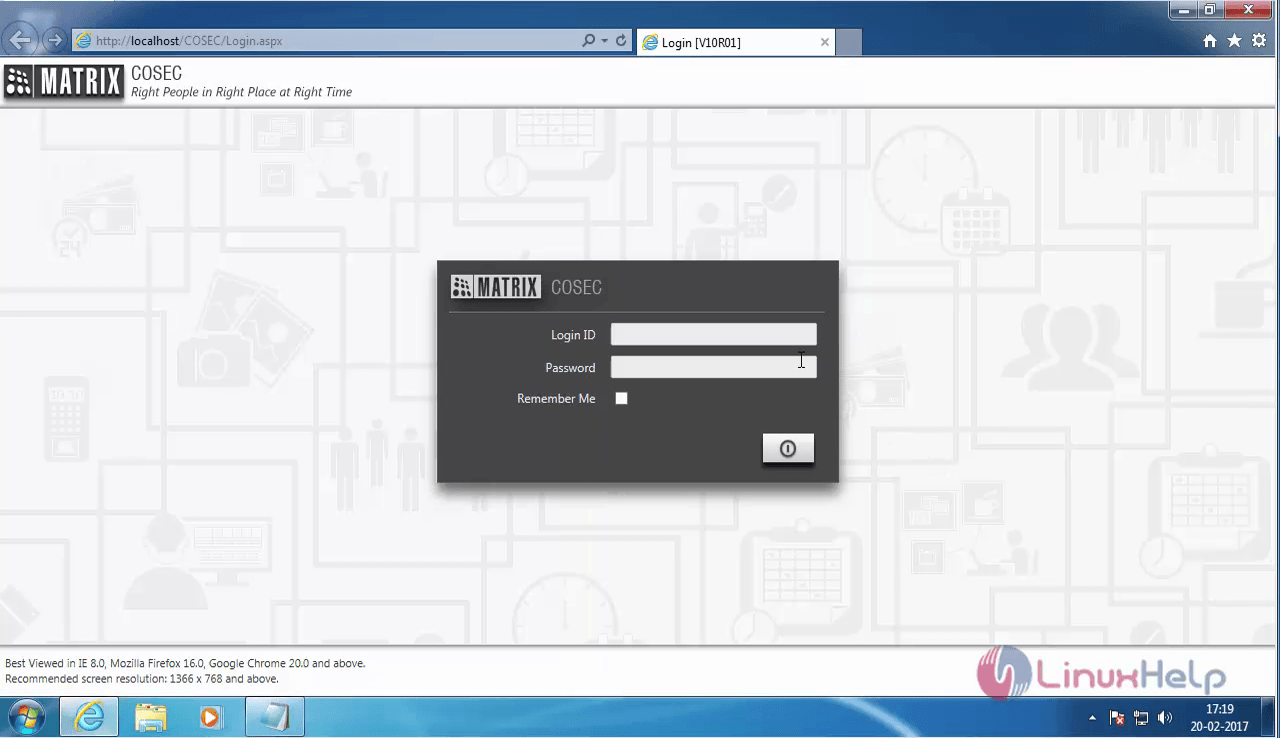
Login
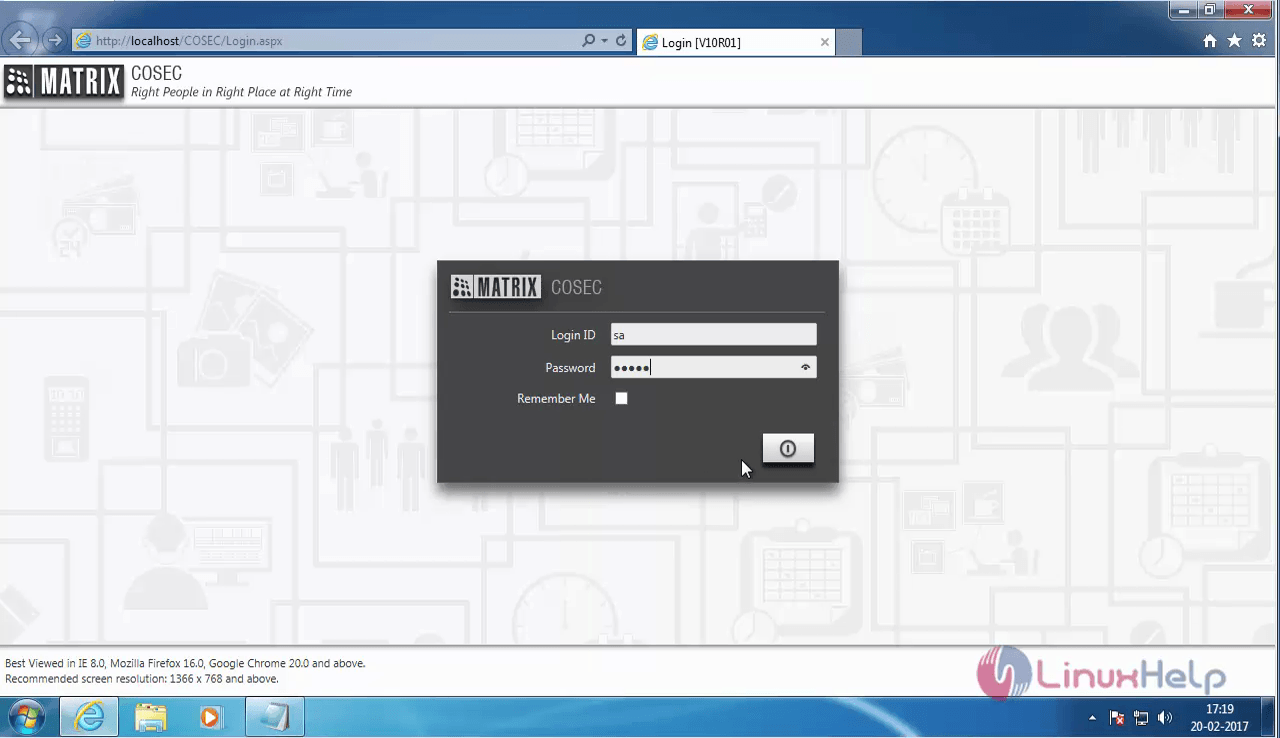
Enter your login credentials.

login_credentials

In the COSEC Dashboard, choose the Devices icon which is second from the first row.
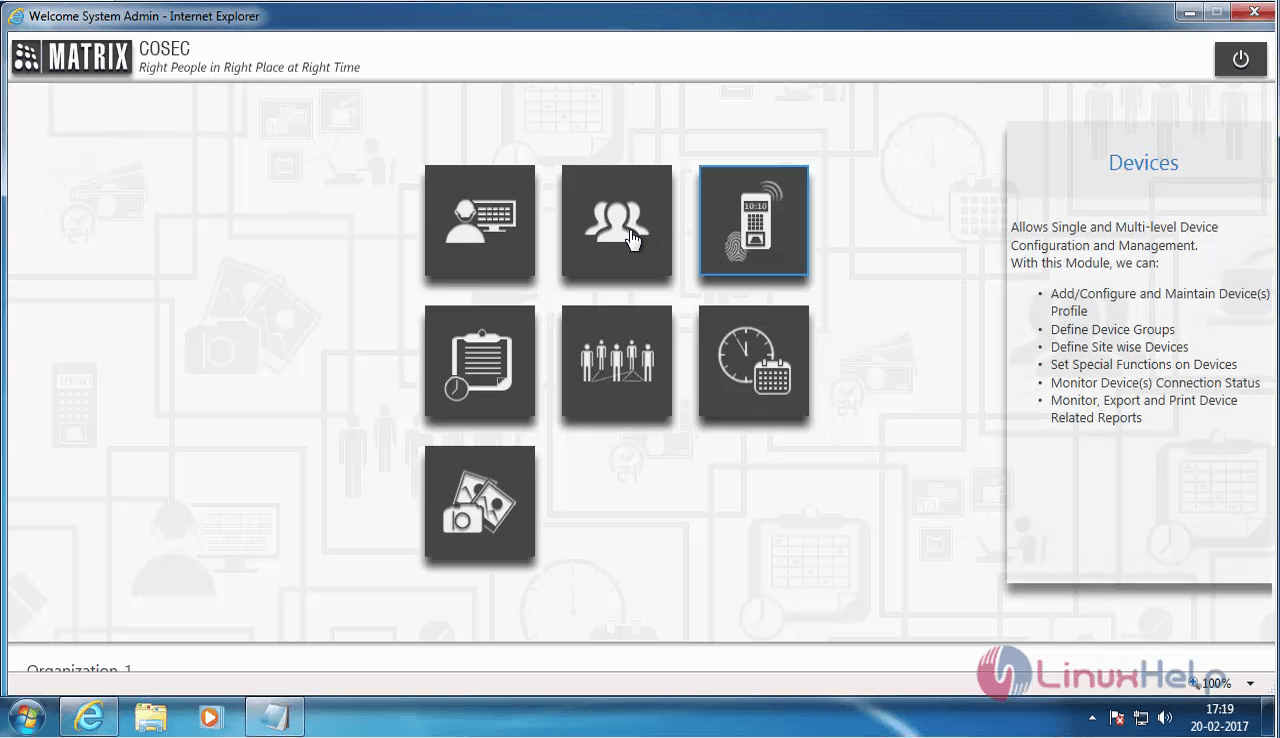
COSEC Dashboard

Now choose the User List option from the left pane.
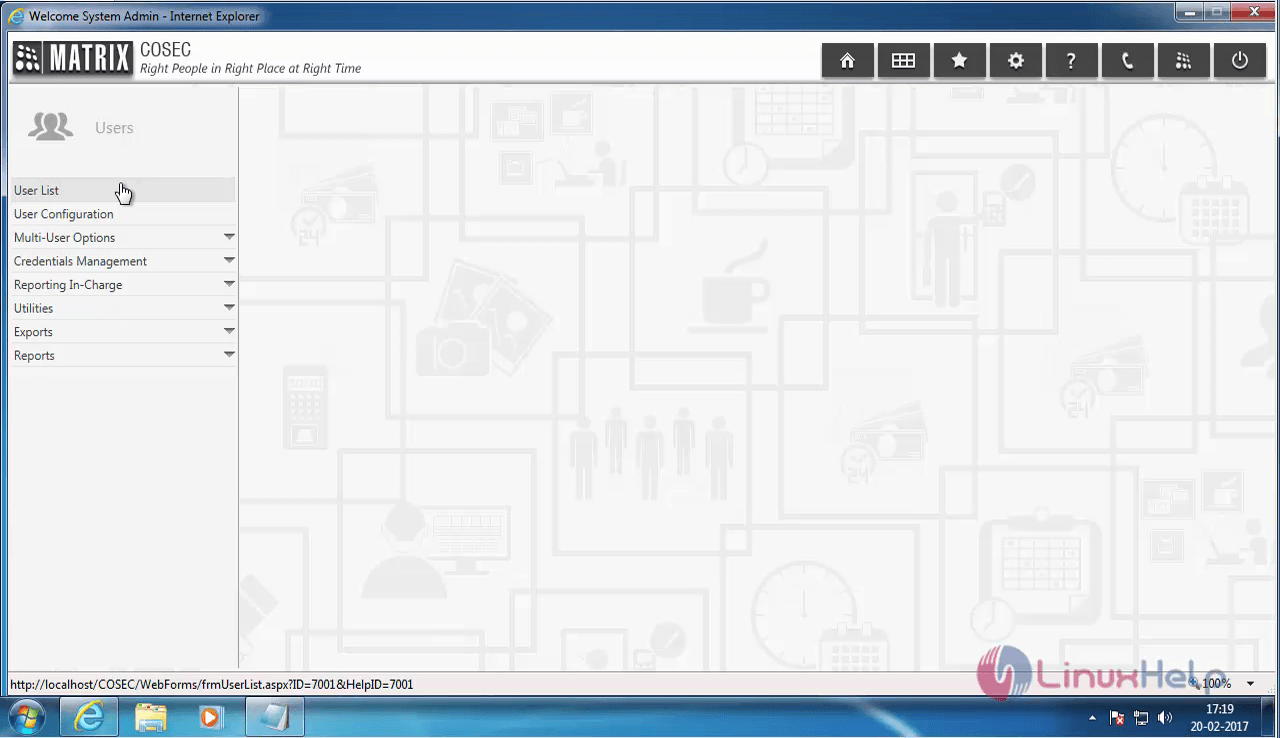
 User List

The User List is displayed on your screen. There are no users in the list, so let us create a new user.
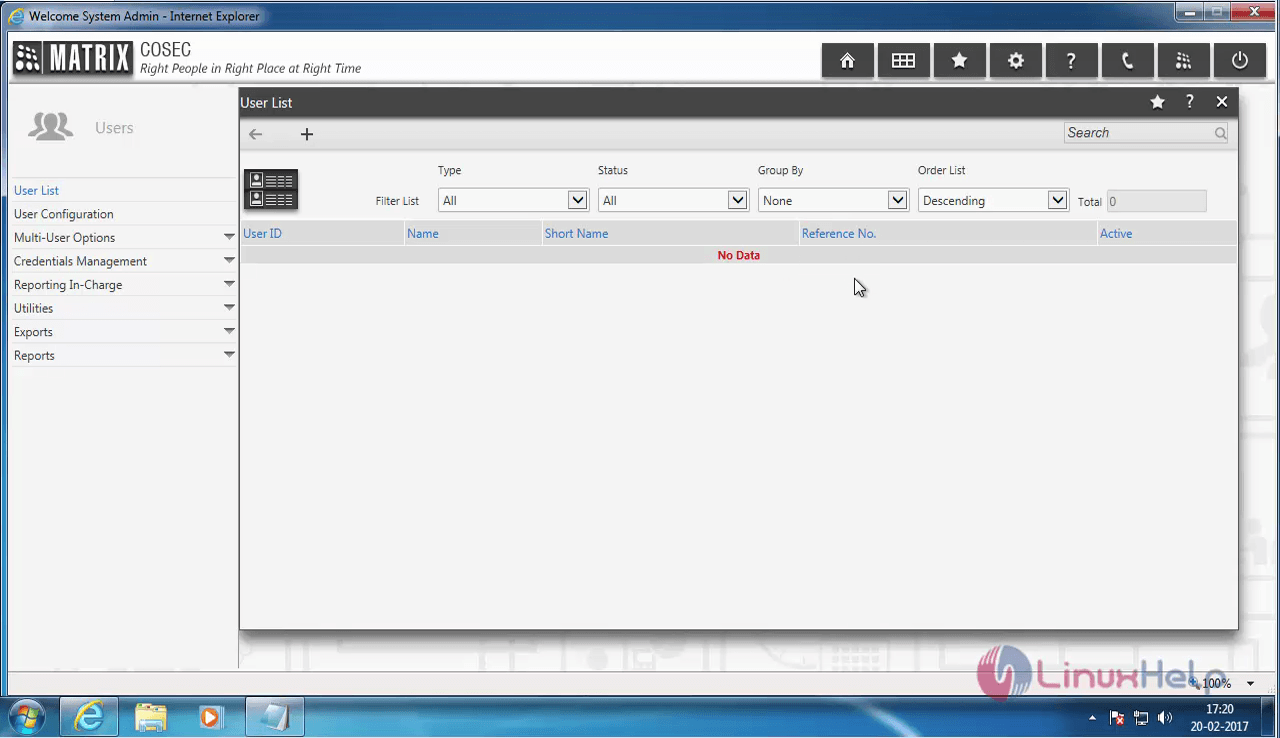
 User List display

Click on the + icon to create a new user.
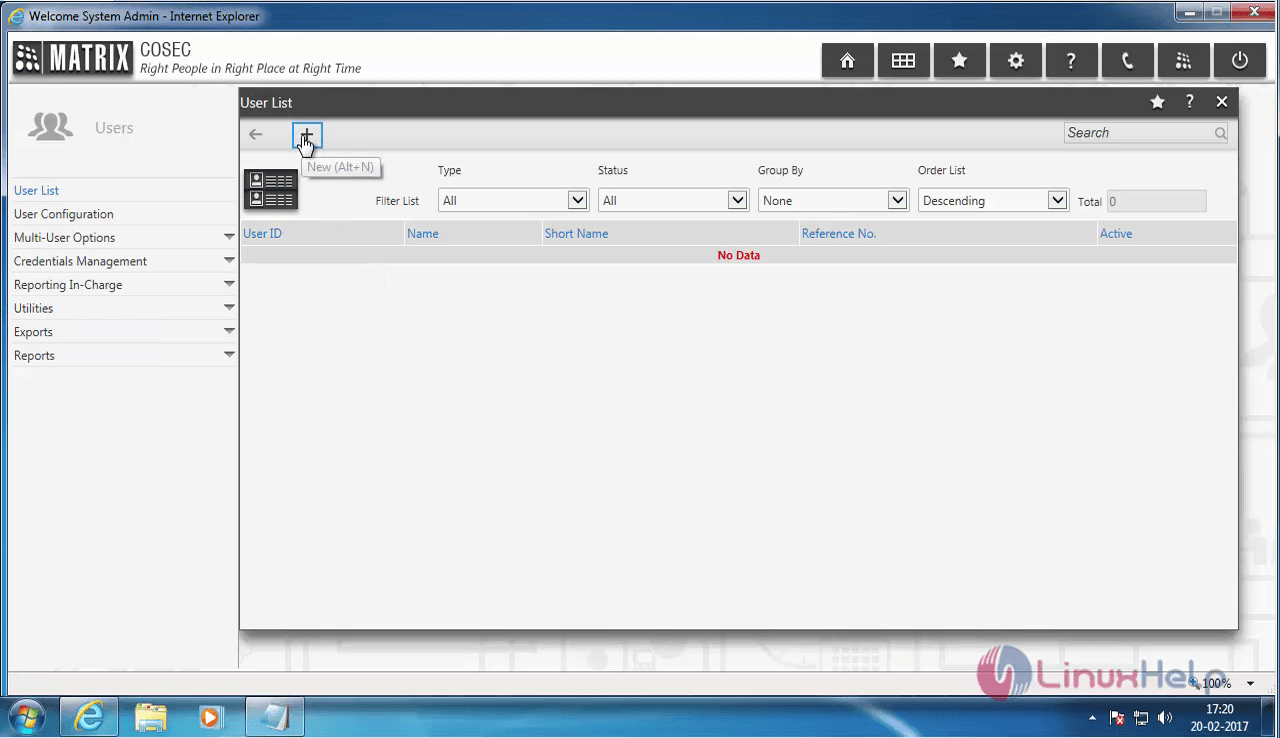
+ icon

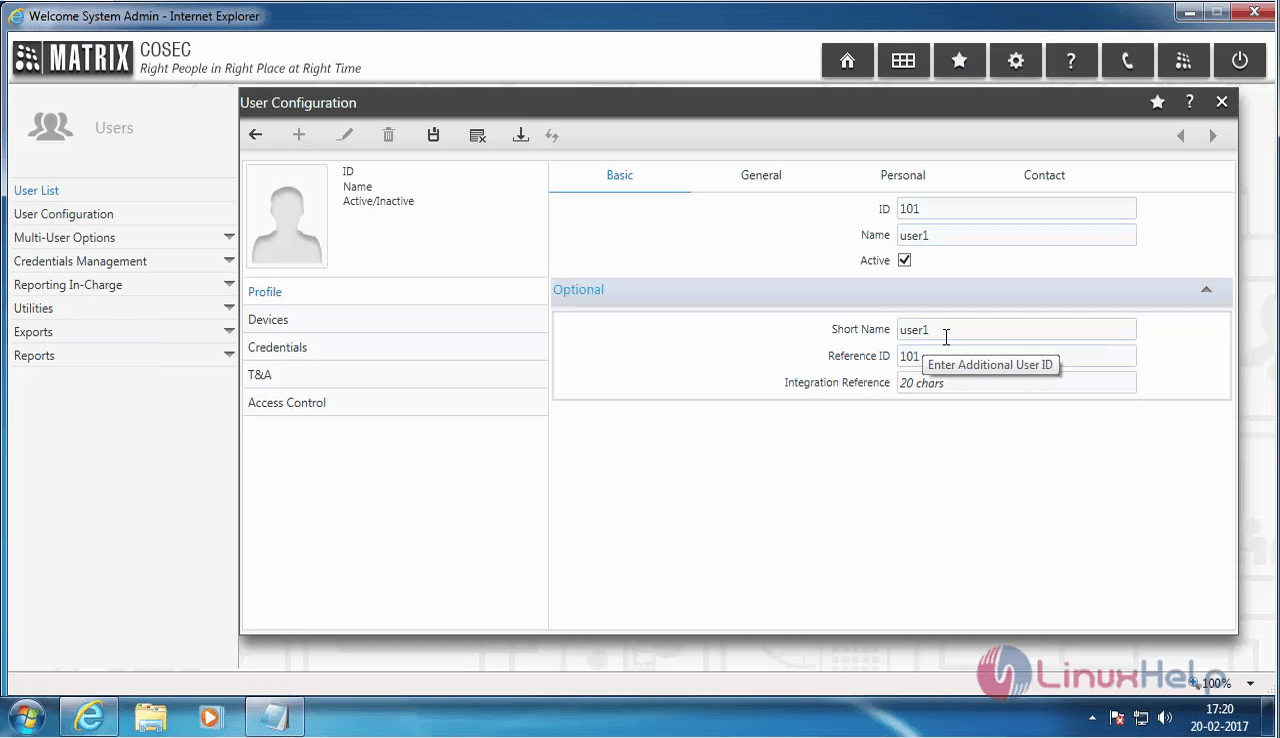
Enter all the basic details for the new user.
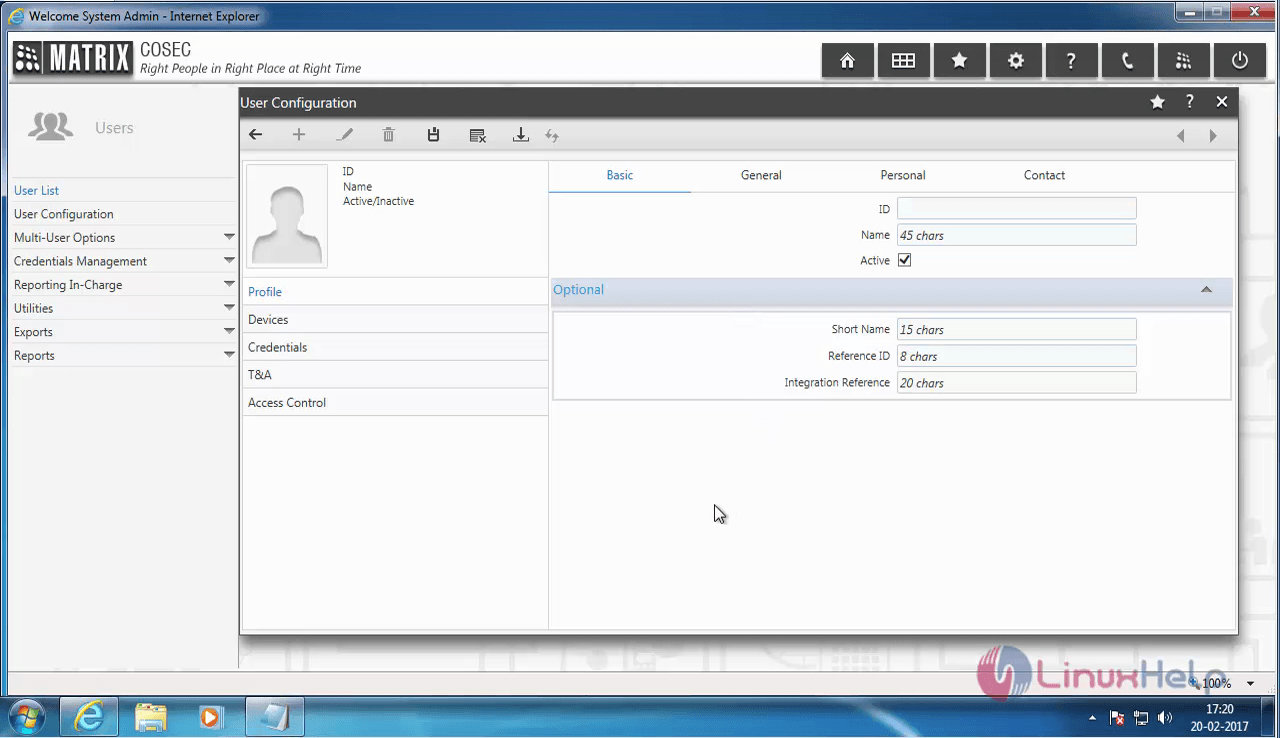
matrix_user

new-user

Once you have entered the details, click on the save button to save it.
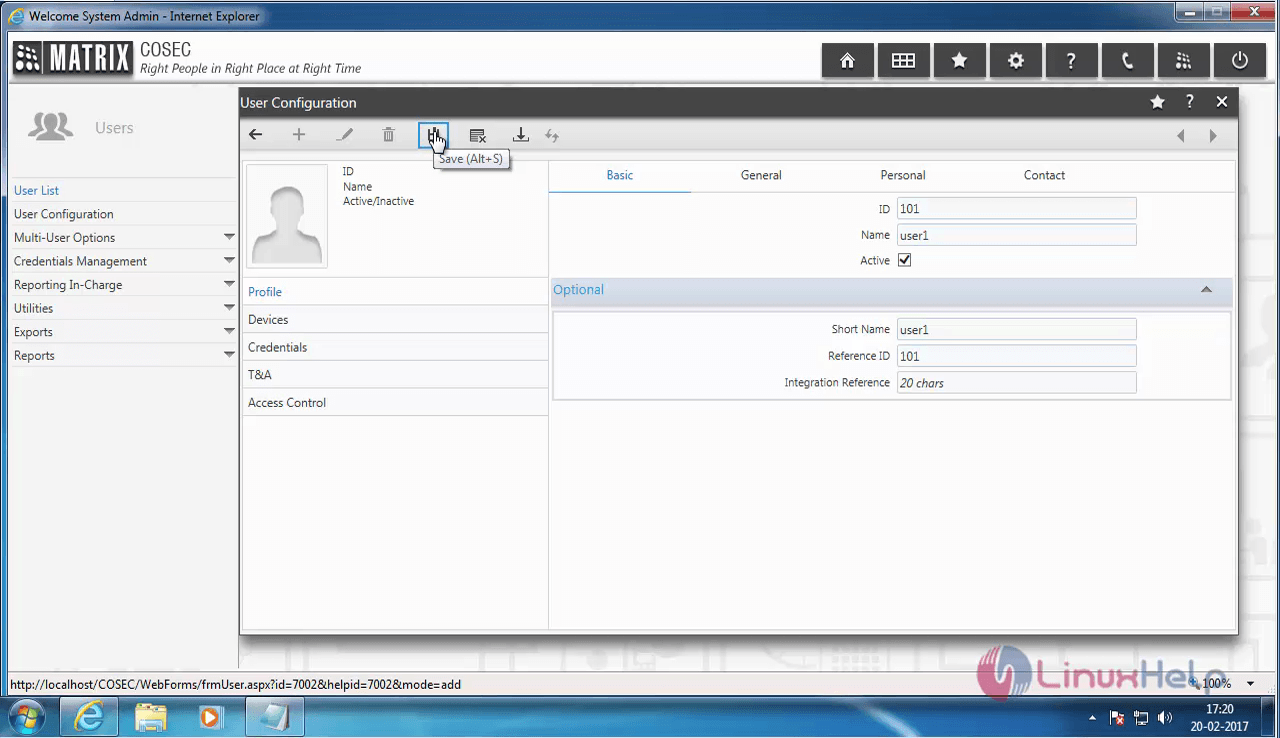
save

COSEC now asks for the general information. Enter them on the appropriate fields.
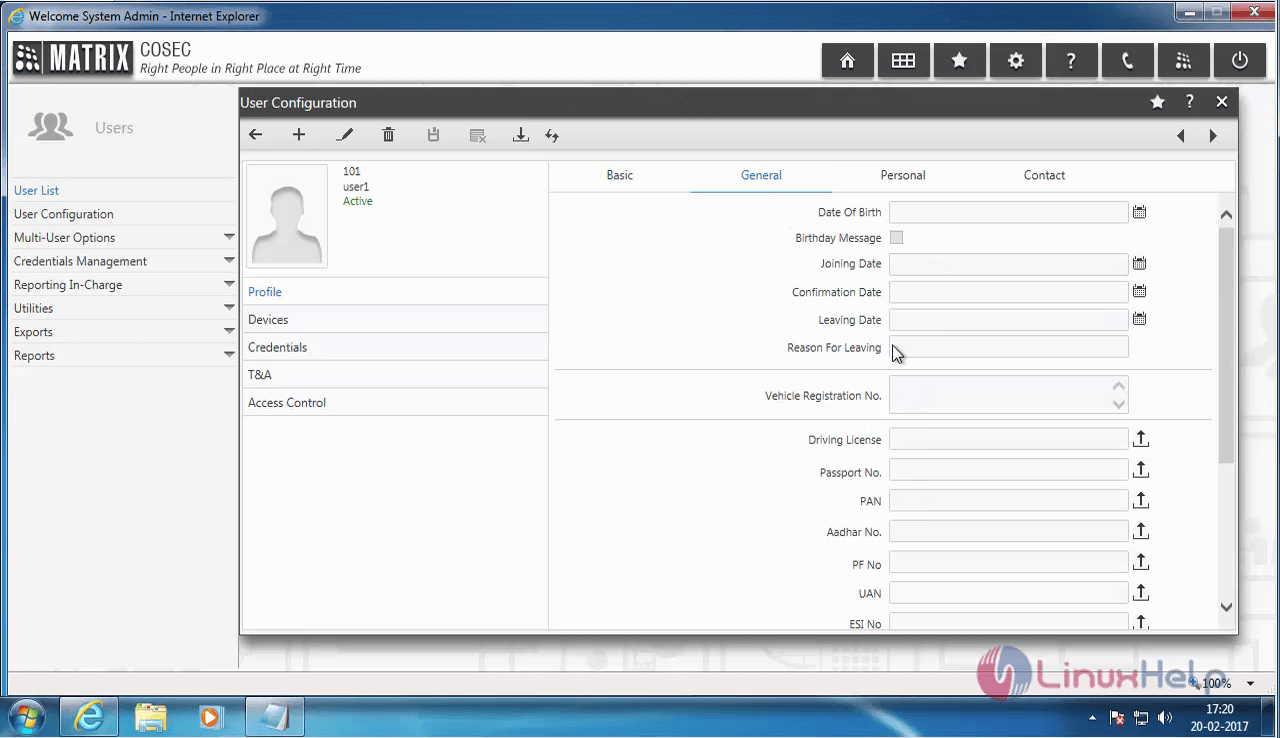
general_information

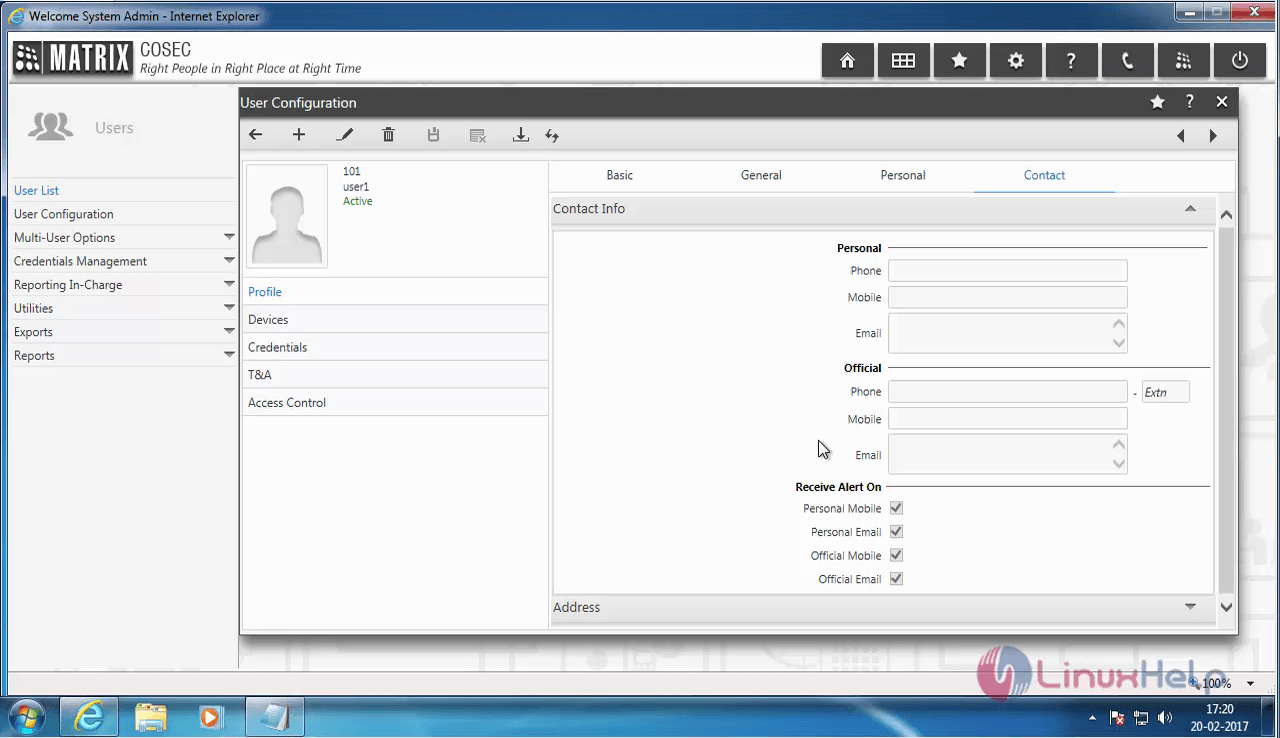
Once they are entered, choose the Personal and Contact tabs to enter the details.
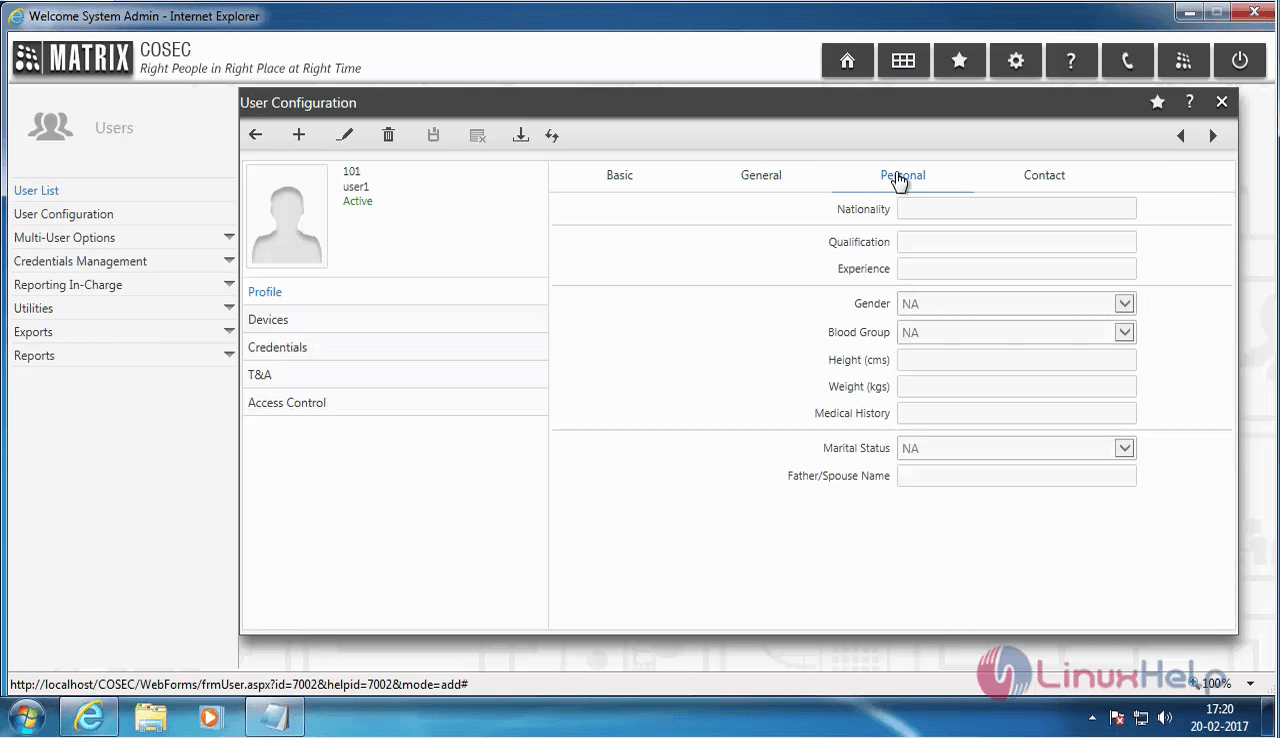
Matrix_Personal

profile_info

Once you are done, choose the Devices option which is available on the left side. Assign the Device Group and Device.
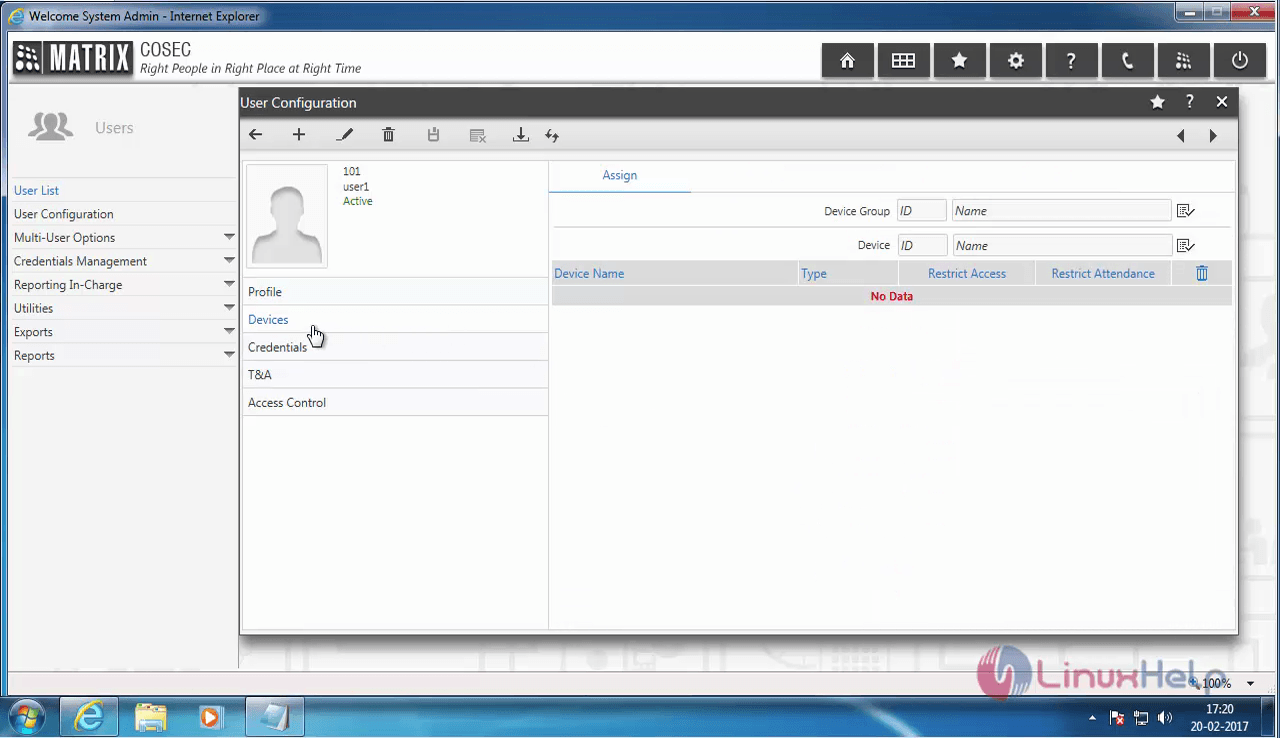
DEVICES

Choose the Credentials tab and enter all the details.
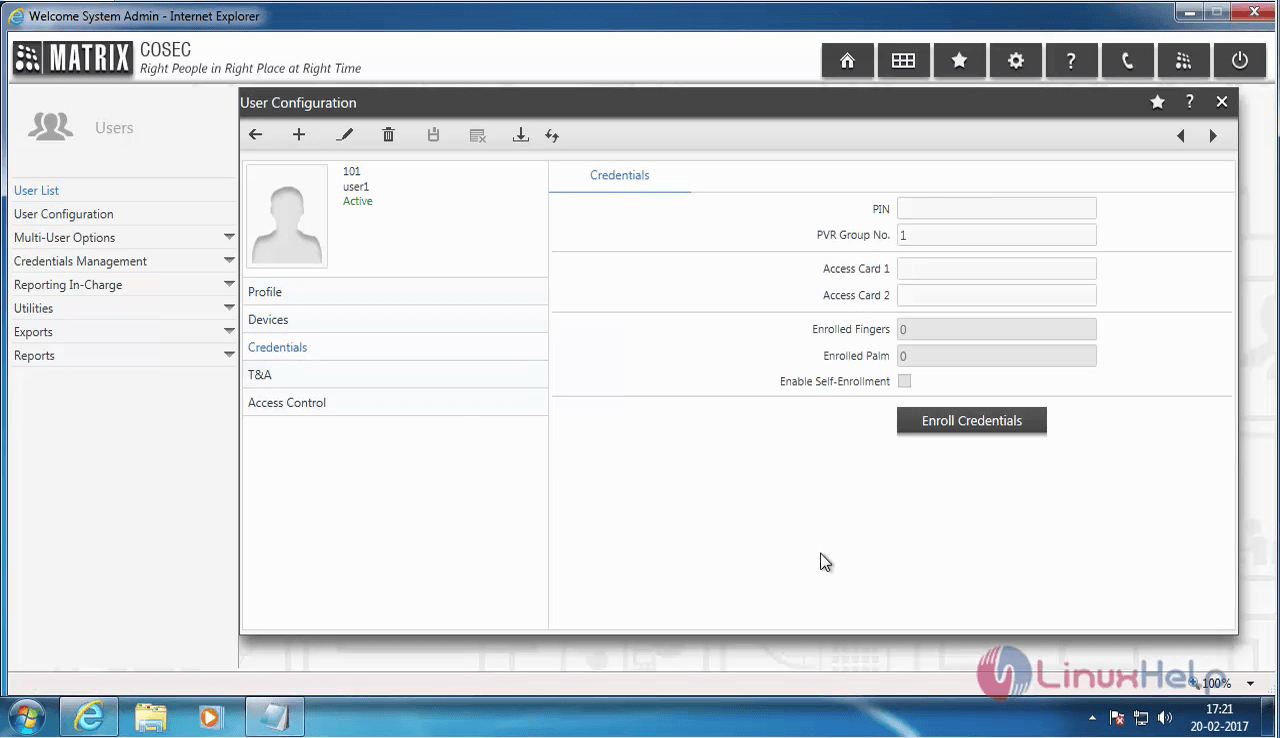
Credentials

Once it is done, click on the Enroll Credentials.
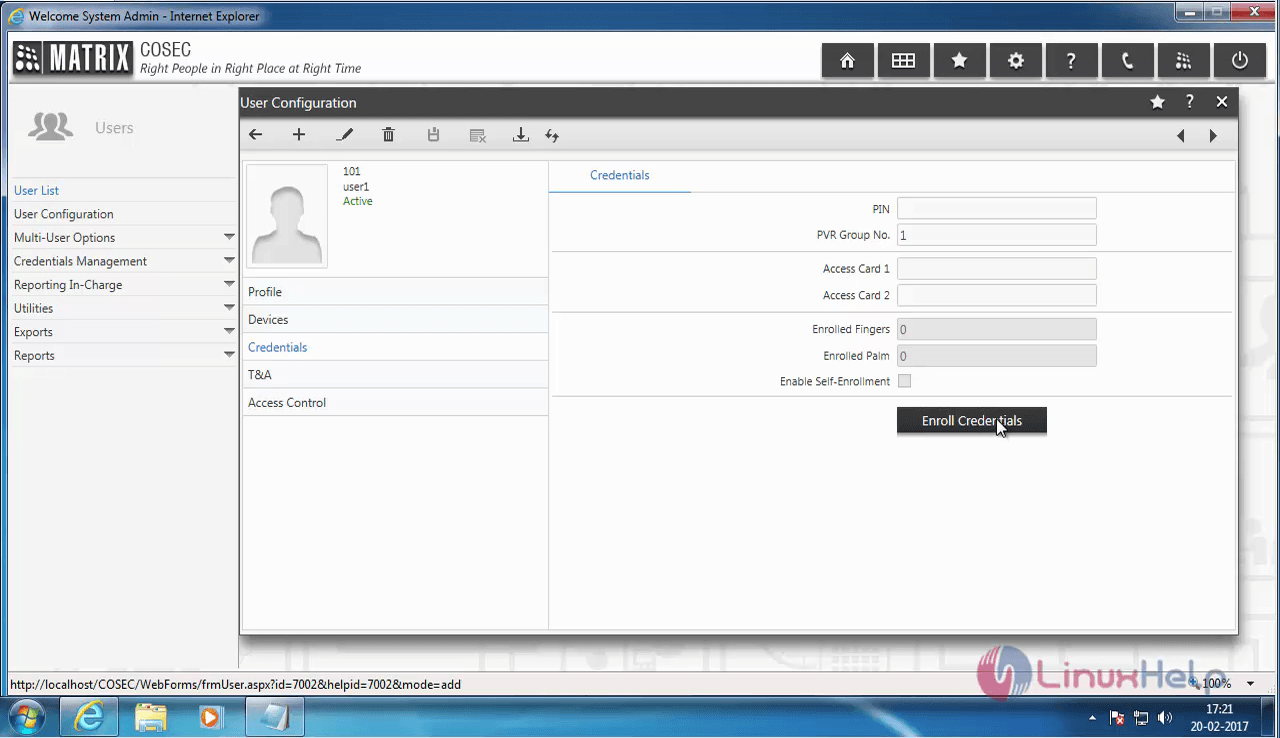
Enroll_Credentials

A pop up window appears. Enter the needed information. Once you have entered the information, click on the list icon.
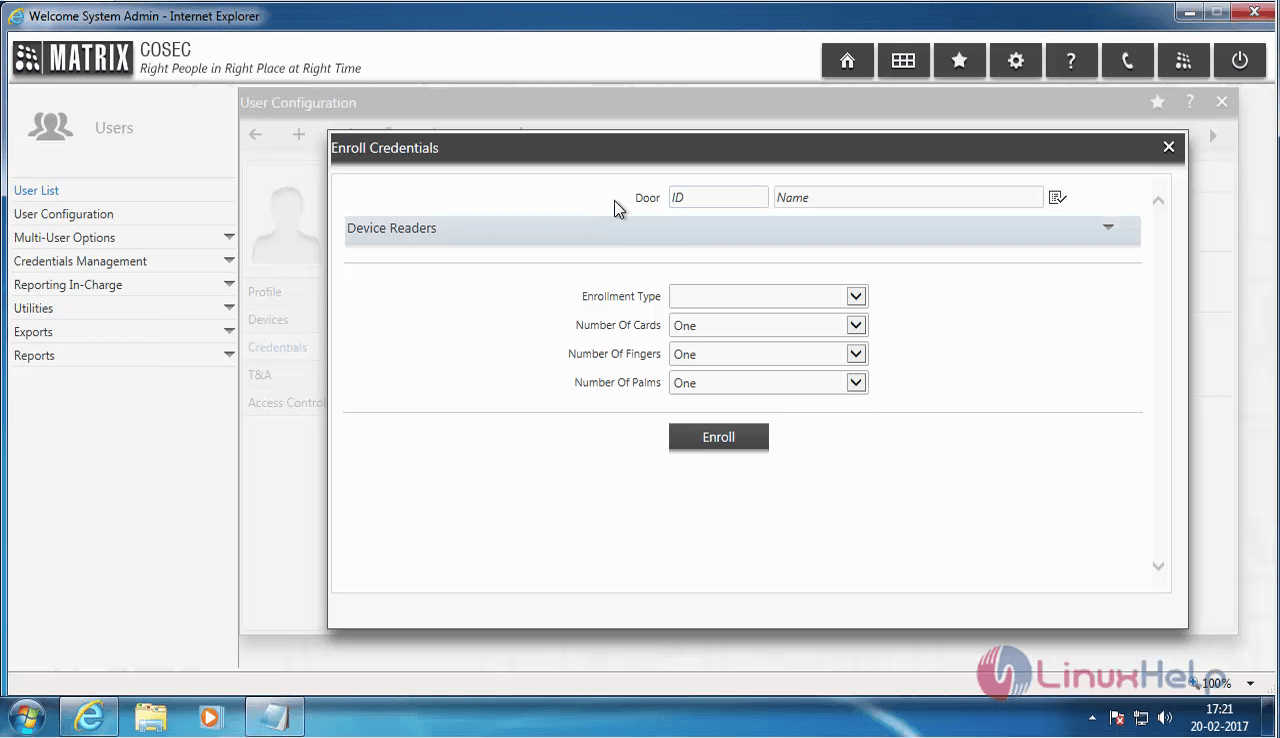
popupwindow

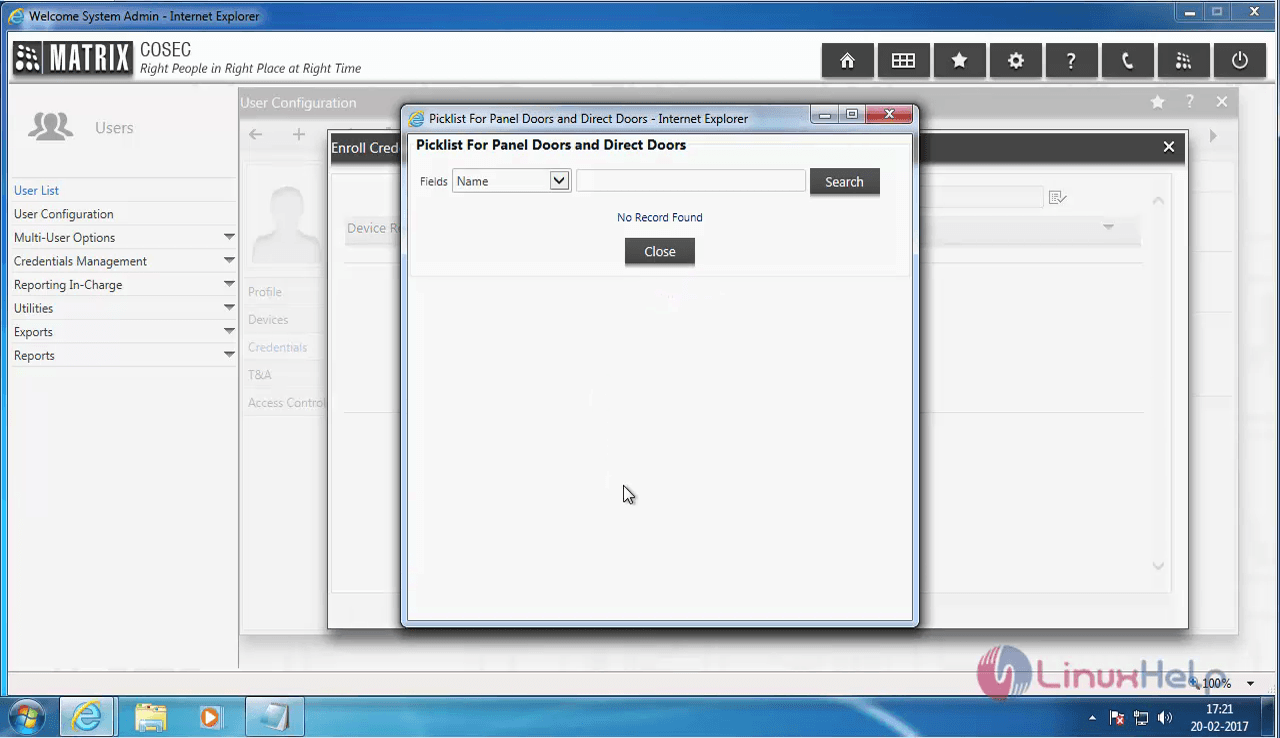
A pop up window appears to show the devices present in the network. There are no devices present in the network here.  no_devices
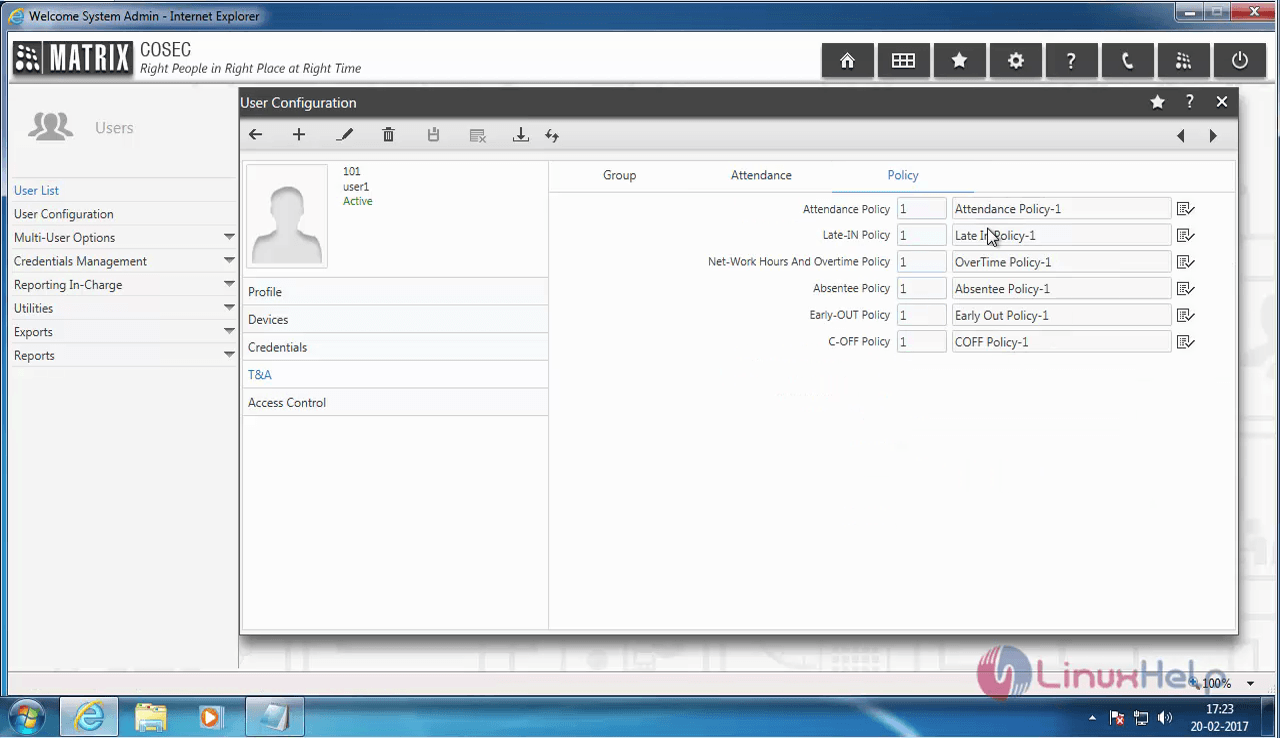
The T& A option available on the Left pane of the User Configuration window is used for enabling the Company' s Group, Attendance and Policies.
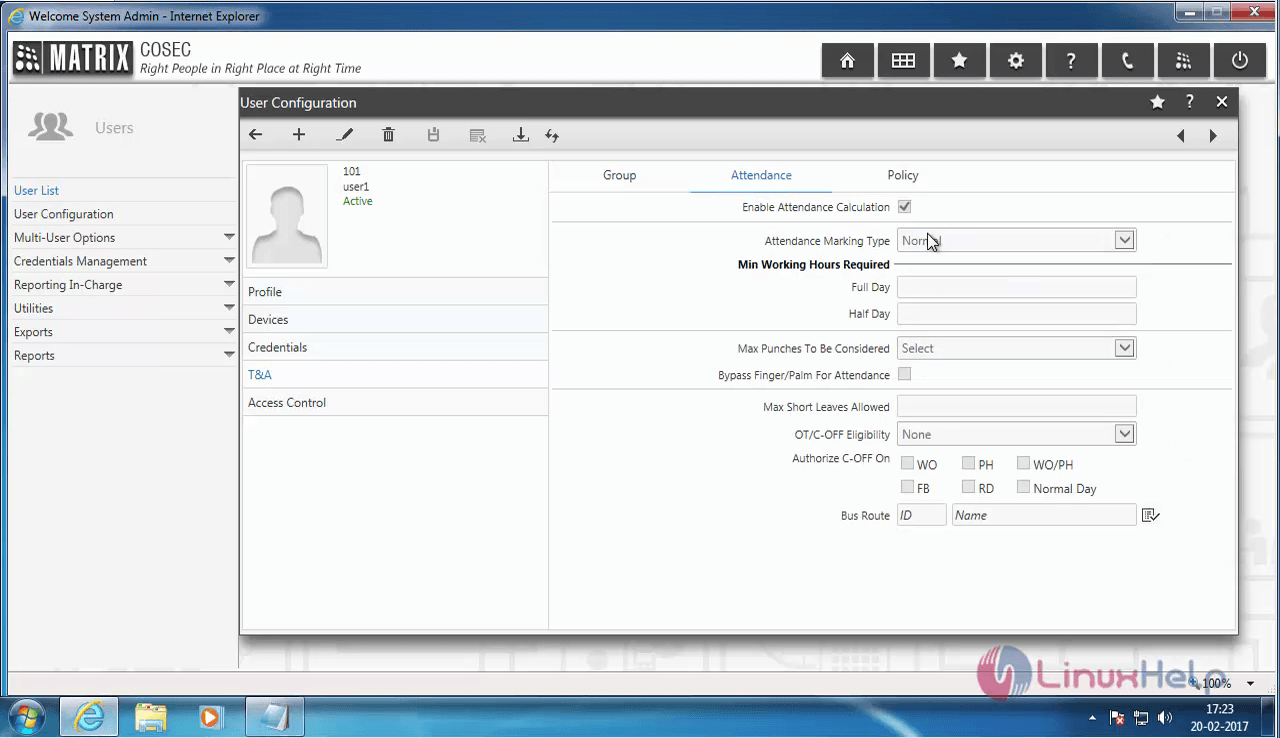
Attendance

Policies

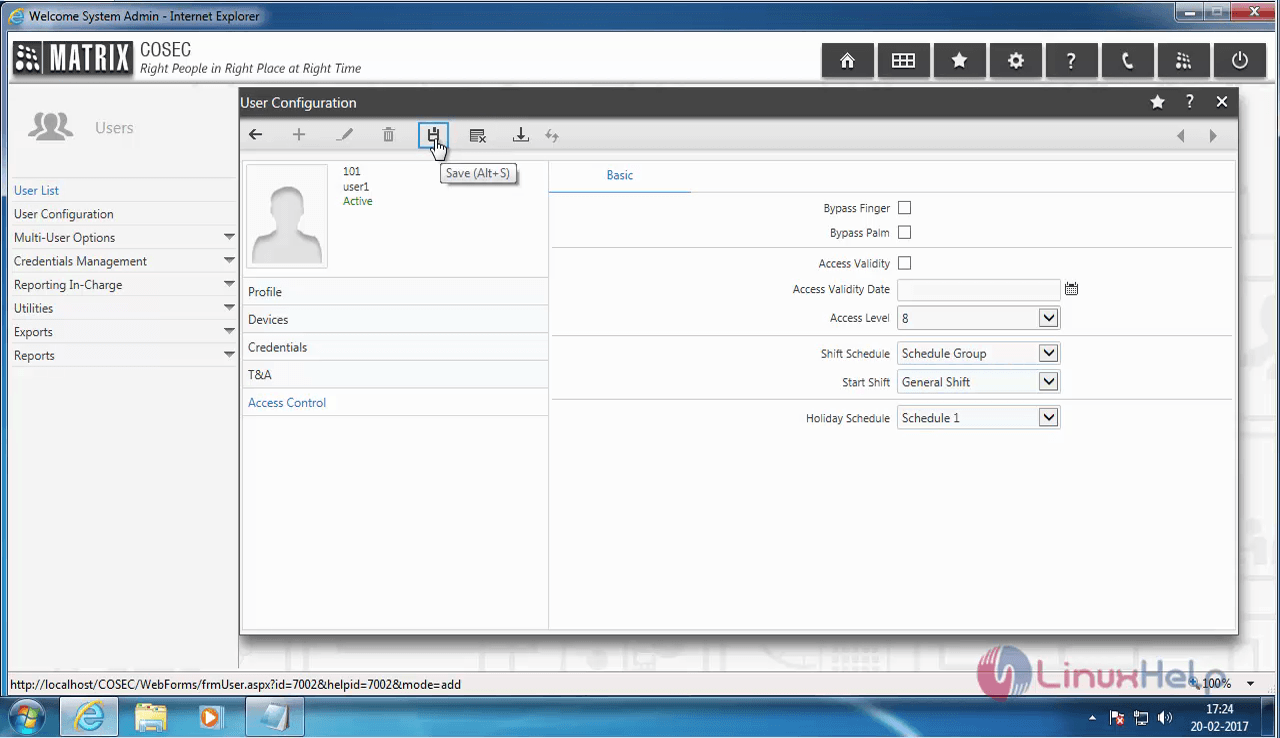
Choose the Access Control option to configure the Staff access and shits. Once you have entered all the information click on the save button.
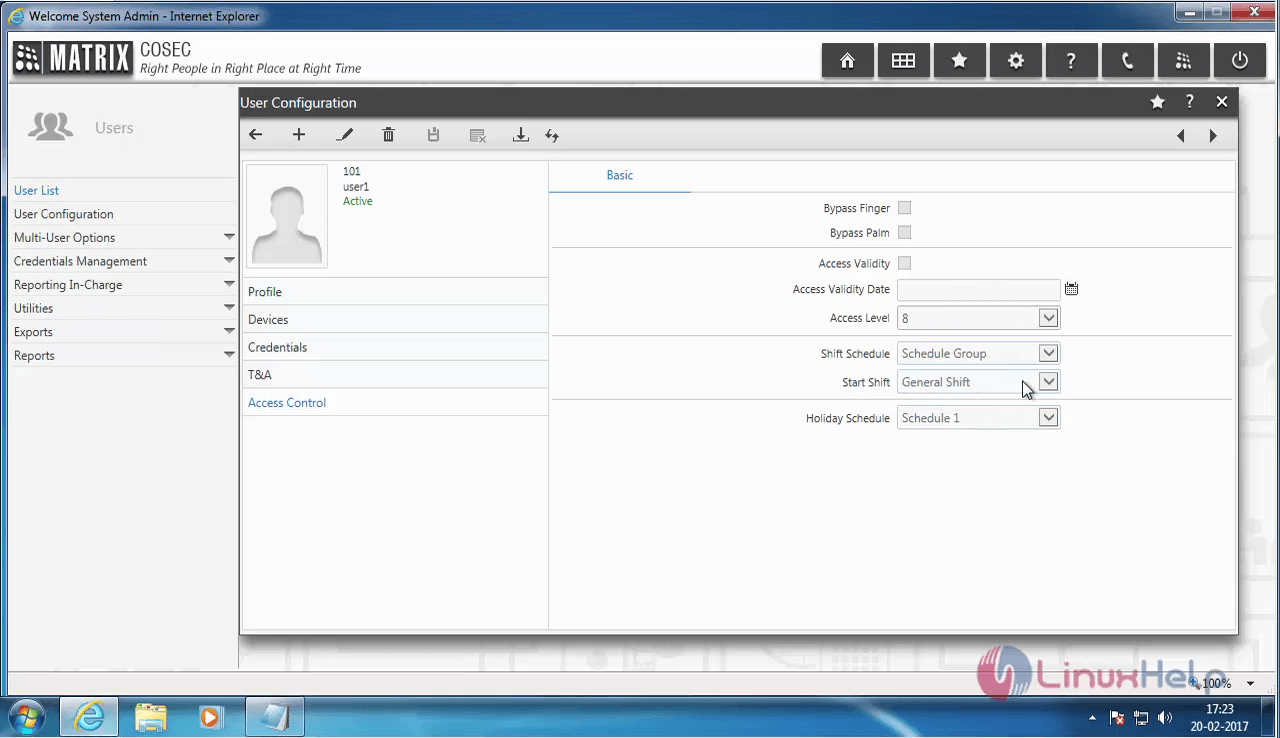
Access Control

If you want to edit any information click on the pen icon.
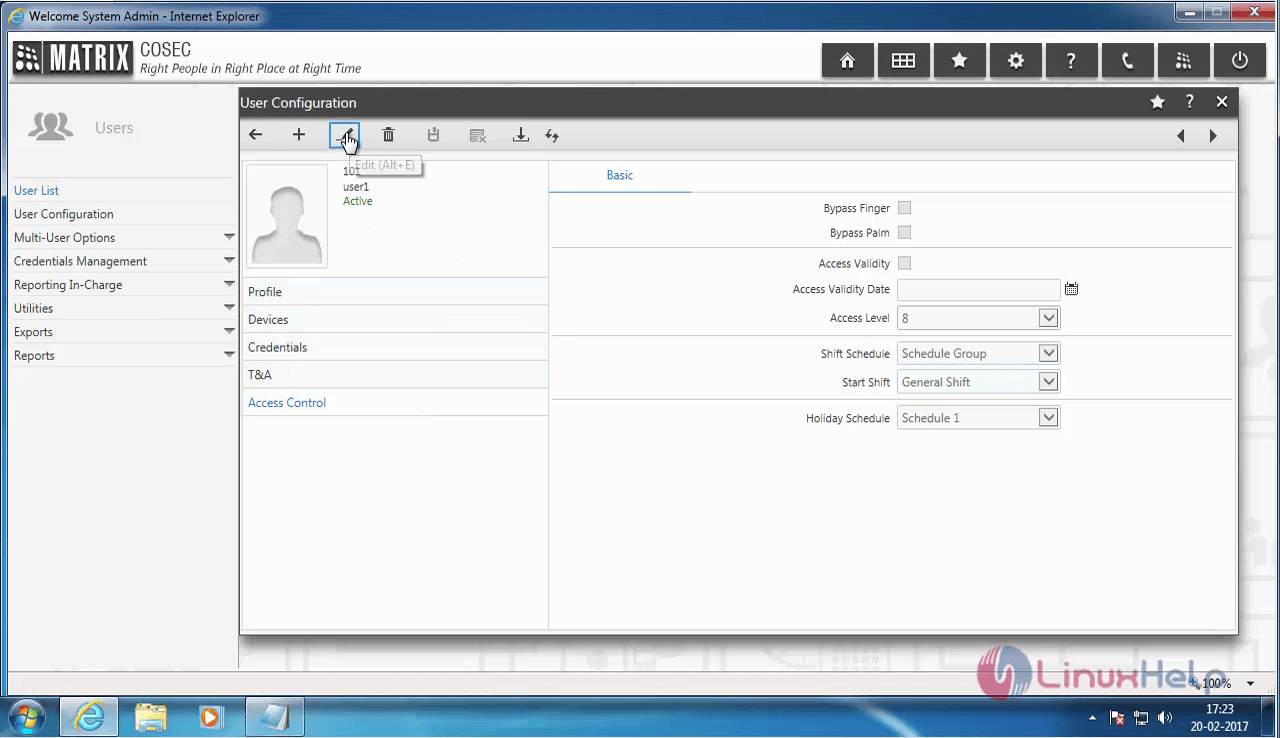
edit

Save the changes.

Save

The new user information has been saved.
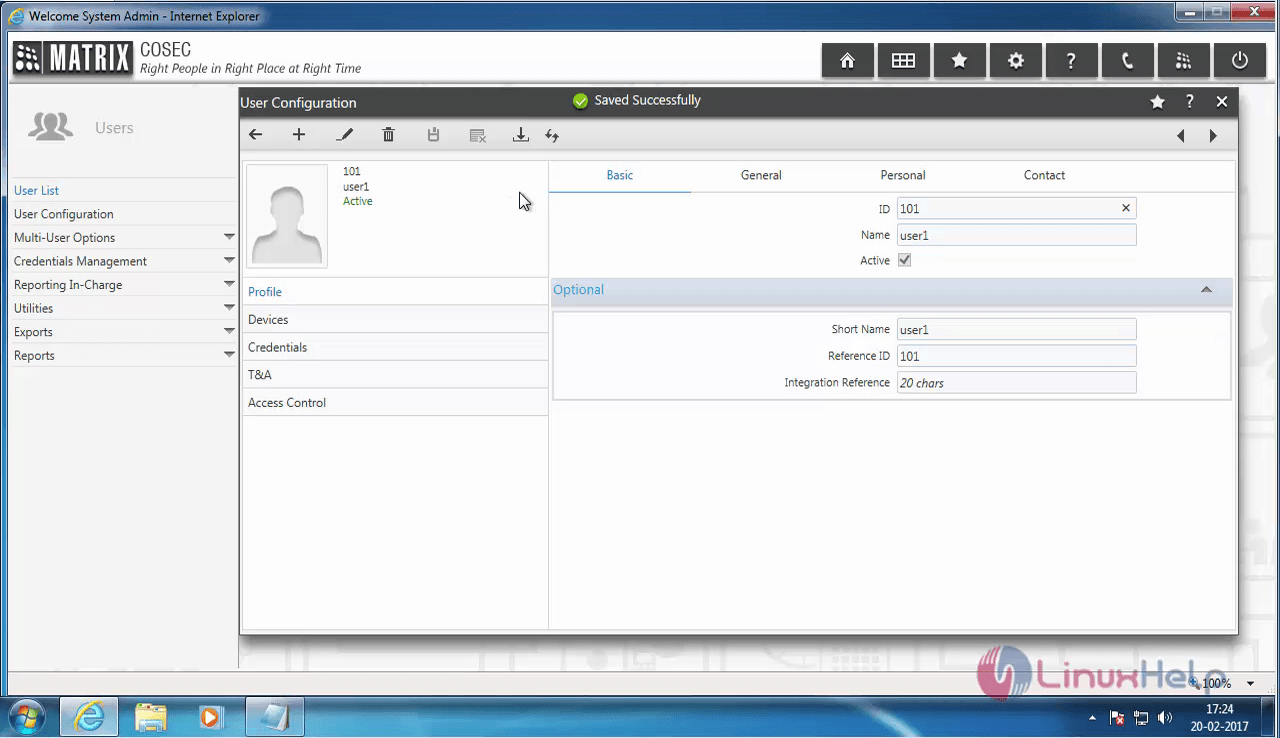
user information

To Delete a user

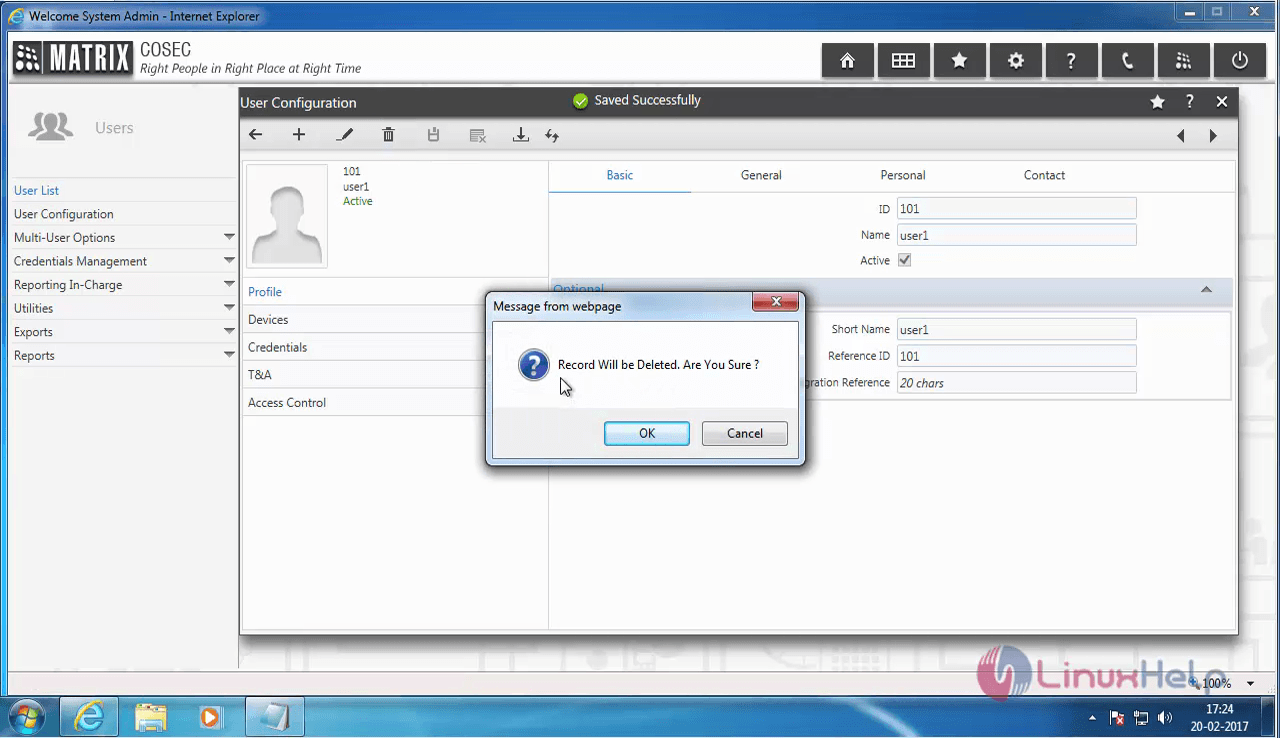
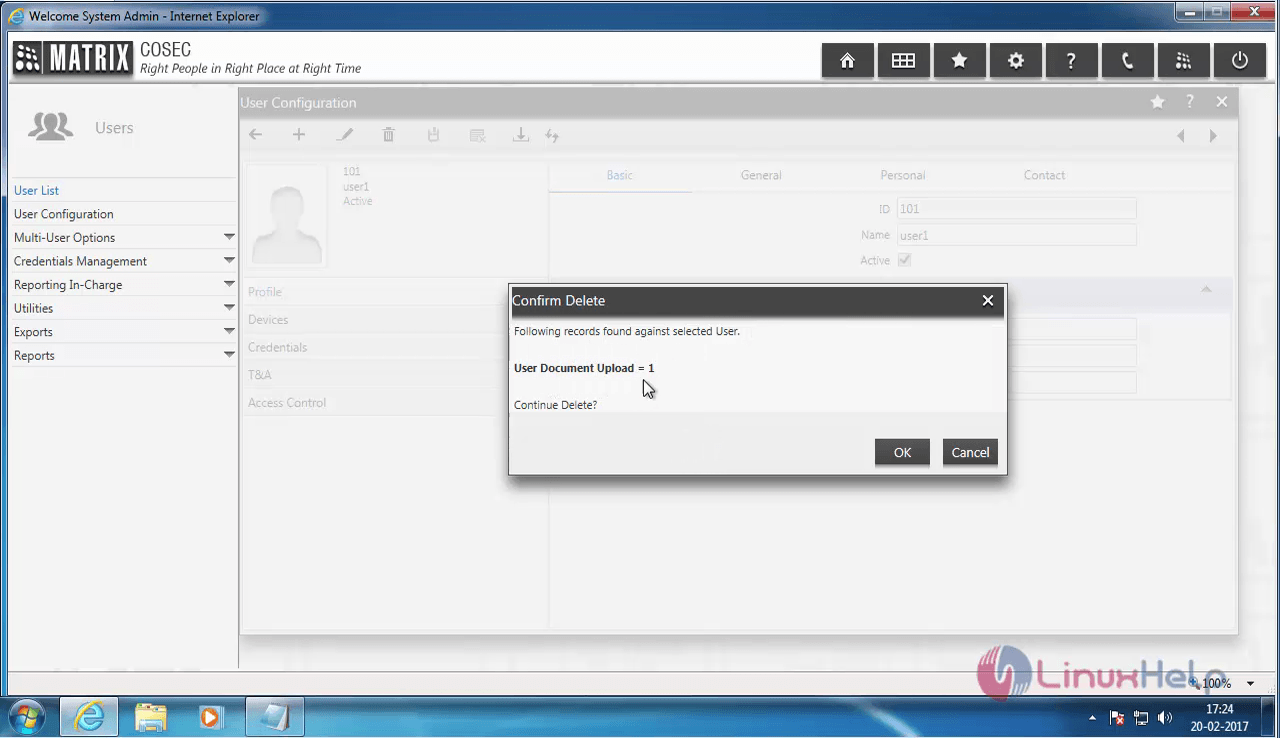
You can delete a User from the COSEC Web by clicking on the delete icon.
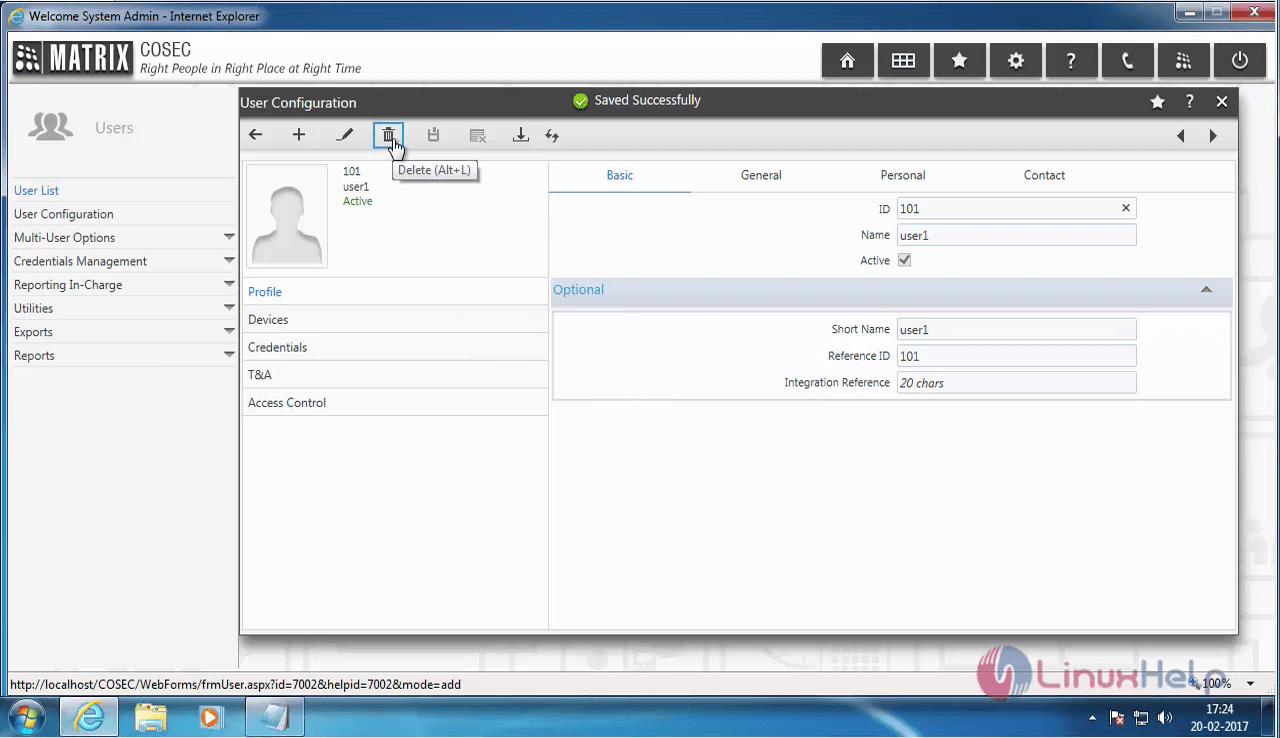
Delete_user

delete_user_confirmation

Confirm_Delete

The account has been deleted successfully.
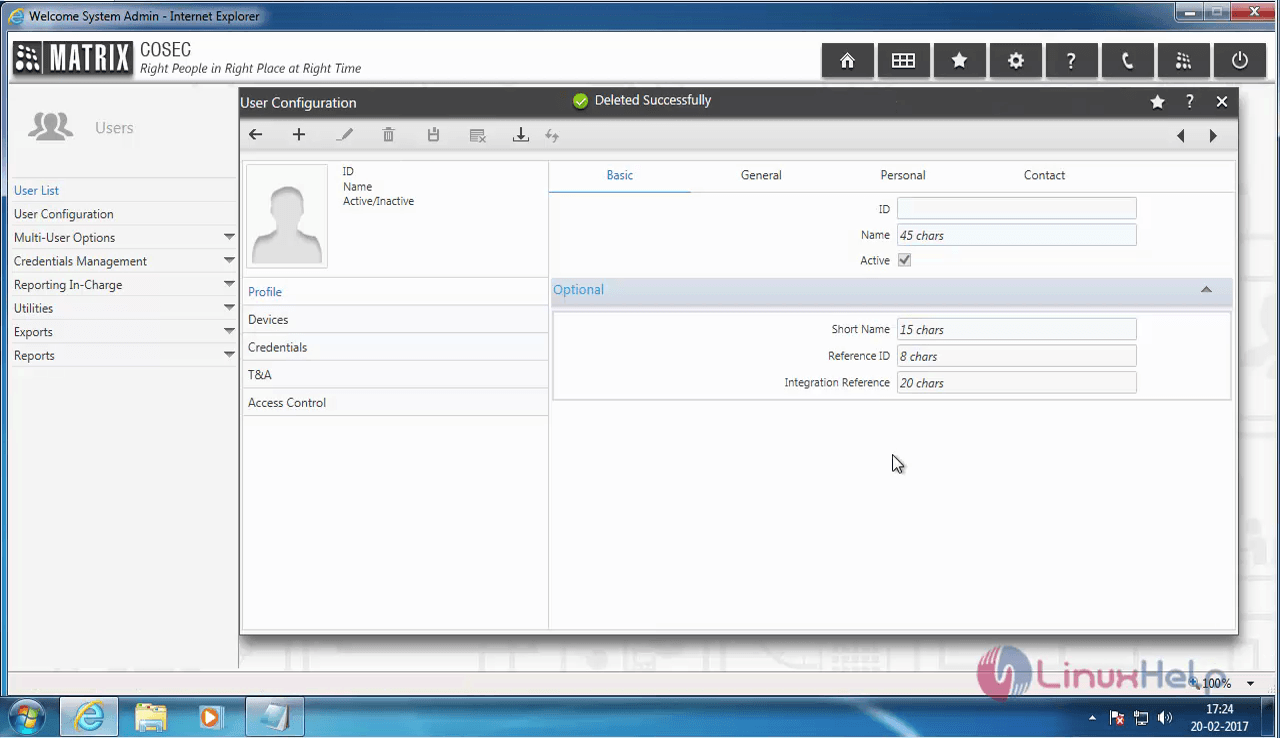
deleted_successfully

Tags:
oliver
Author: 

Comments ( 0 )

No comments available

Add a comment
{{postCtrl.cmtErrMsg}}

Frequently asked questions ( 5 )

Q

I need to know what are the similar products like this available in market?

A

These are the products VMware AirWatch, MobileIron, Citrix XenMobile, BlackBerry, IBM MaaS 360

Q

Is it a open source?

A

no, it is not a open source software

Q

Mention any open source tools like this?

A

you can try Convertigo, OpenMobster, WSO2 EMM, Miradore Online

Q

What is COSEC Web?

A

Matrix COSEC is a flexible and scalable mobility management solution for organizations. This tutorial will help you create a new user account in the COSEC web application.

Q

What are the prerequisites for API?

A

The prerequisites for API is
COSEC Device
COSEC Database
COSEC Platform

Back To Top!
Rank
User
Points

Top Contributers

userNamenaveelansari
135850

Top Contributers

userNameayanbhatti
92510

Top Contributers

userNamehamzaahmed
32150

Top Contributers

1
userNamelinuxhelp
31040

Top Contributers

userNamemuhammadali
24500
Can you help keel johnston ?
Unhide the folders on windows Explorer

Give any solutions to unhide folder using command prompt?

forum3

Networking
  • Routing
  • trunk
  • Netmask
  • Packet Capture
  • domain
  • HTTP Proxy
Server Setup
  • NFS
  • KVM
  • Memory
  • Sendmail
  • WebDAV
  • LXC
Shell Commands
  • Cloud commander
  • Command line archive tools
  • last command
  • Shell
  • terminal
  • Throttle
Desktop Application
  • Linux app
  • Pithos
  • Retrospect
  • Scribe
  • TortoiseHg
  • 4Images
Monitoring Tool
  • Monit
  • Apache Server Monitoring
  • EtherApe 
  • Arpwatch Tool
  • Auditd
  • Barman
Web Application
  • Nutch
  • Amazon VPC
  • FarmWarDeployer
  • Rukovoditel
  • Mirror site
  • Chef
Contact Us | Terms of Use| Privacy Policy| Disclaimer
© 2025 LinuxHelp.com All rights reserved. Linux™ is the registered trademark of Linus Torvalds. This site is not affiliated with linus torvalds in any way.