• Categories
    Category
    {{ postCtrl.tags }}
    • {{ category.tag_type }}

      • {{tag.tag_name}}
      • View more
  • Categories
    Category
    {{ postCtrl.tags }}
    • {{ category.tag_type }}

      • {{tag.tag_name}}
      • View more
  • News
  • Tutorials
  • Forums
  • Tags
  • Users
Tutorial News Comments FAQ Related Articles

How to create Blacklist entries in Elastix

{{postValue.id}}

To create Blacklist entries in Elastix

Blacklist is a module available in Elastix and is used to block any unknown mobile numbers or spams. This article covers the process involved in adding the blacklist module in Elastix.

To create a Blacklist

Open the Elastix dashboard and choose PBX ---> PBX Configuration from the left pane of the dashboard. From the listed options, choose Blacklist.
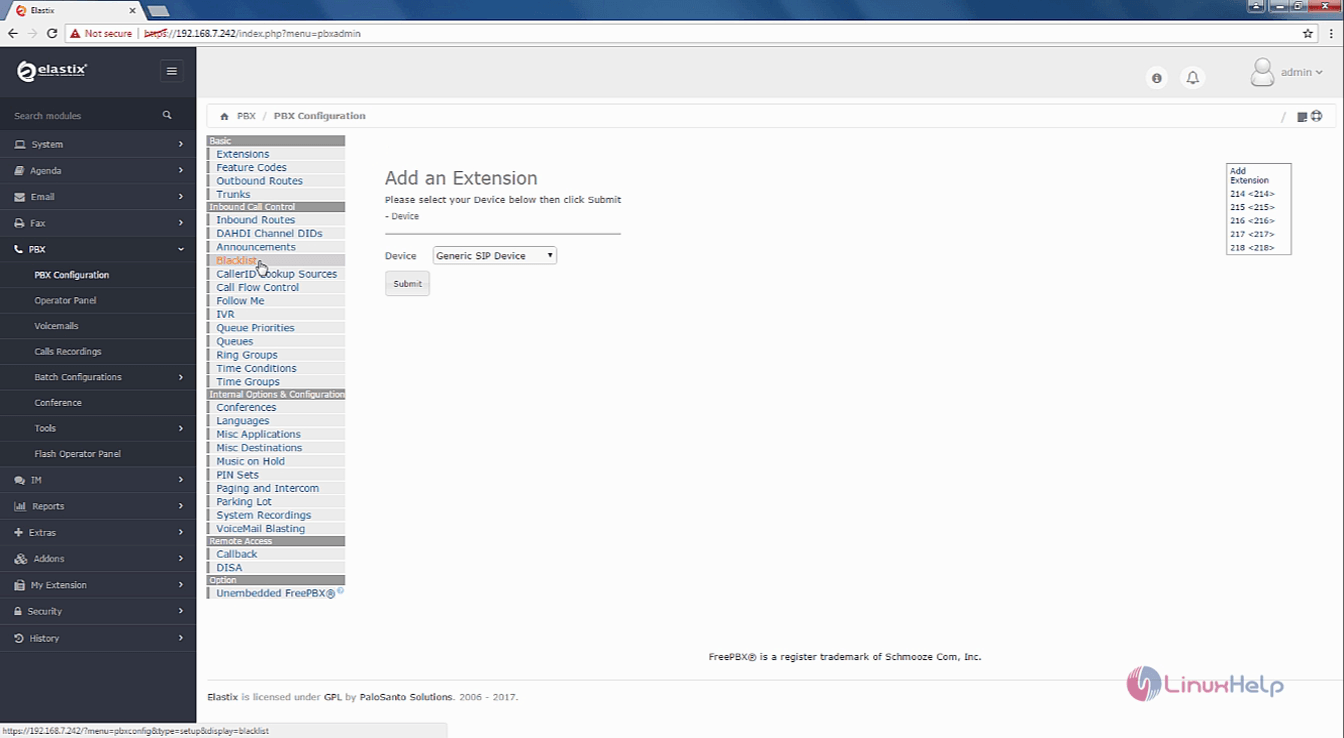
Elastix_Blacklist

Enter the number or caller ID you want to add in the blacklist. It is optional to give the description. Once you have entered the details click on the Blocked/Unknown caller ID checkox and click submit changes.
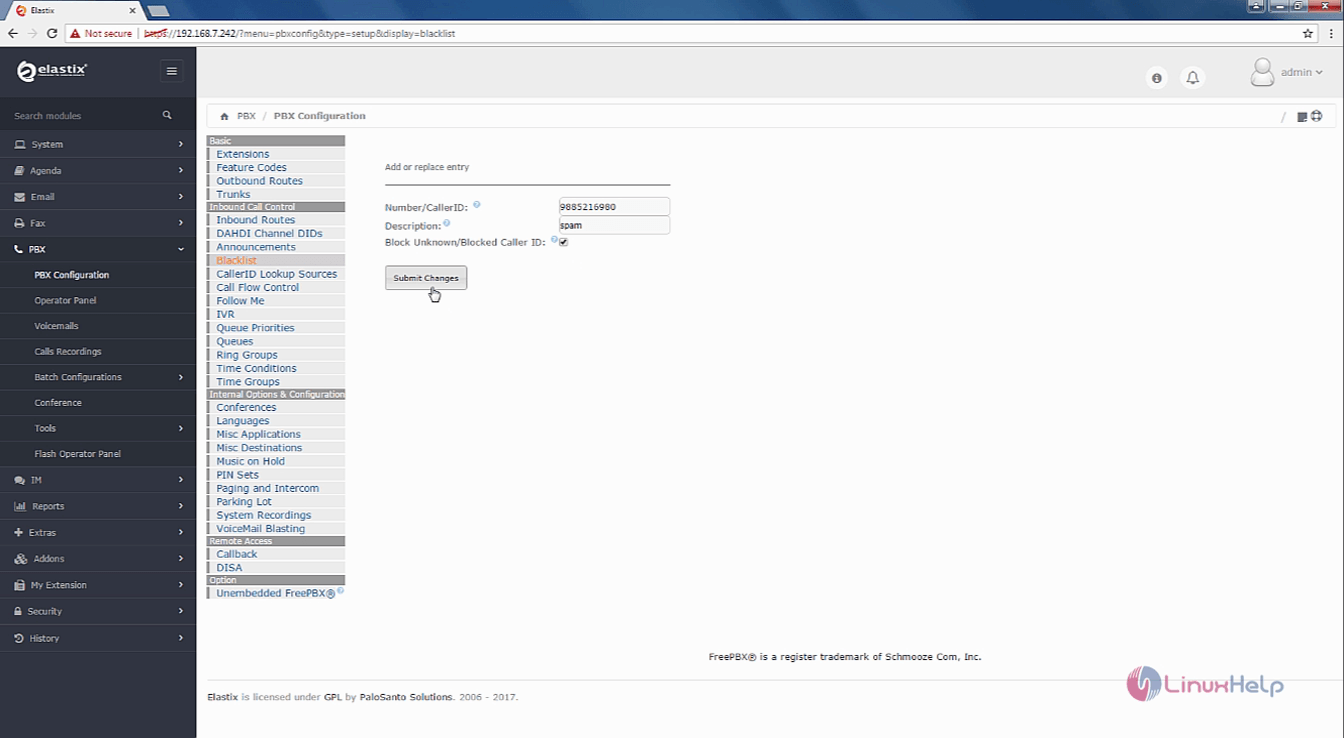
PBX_configurations
Once it is done, click on the Apply Config option.
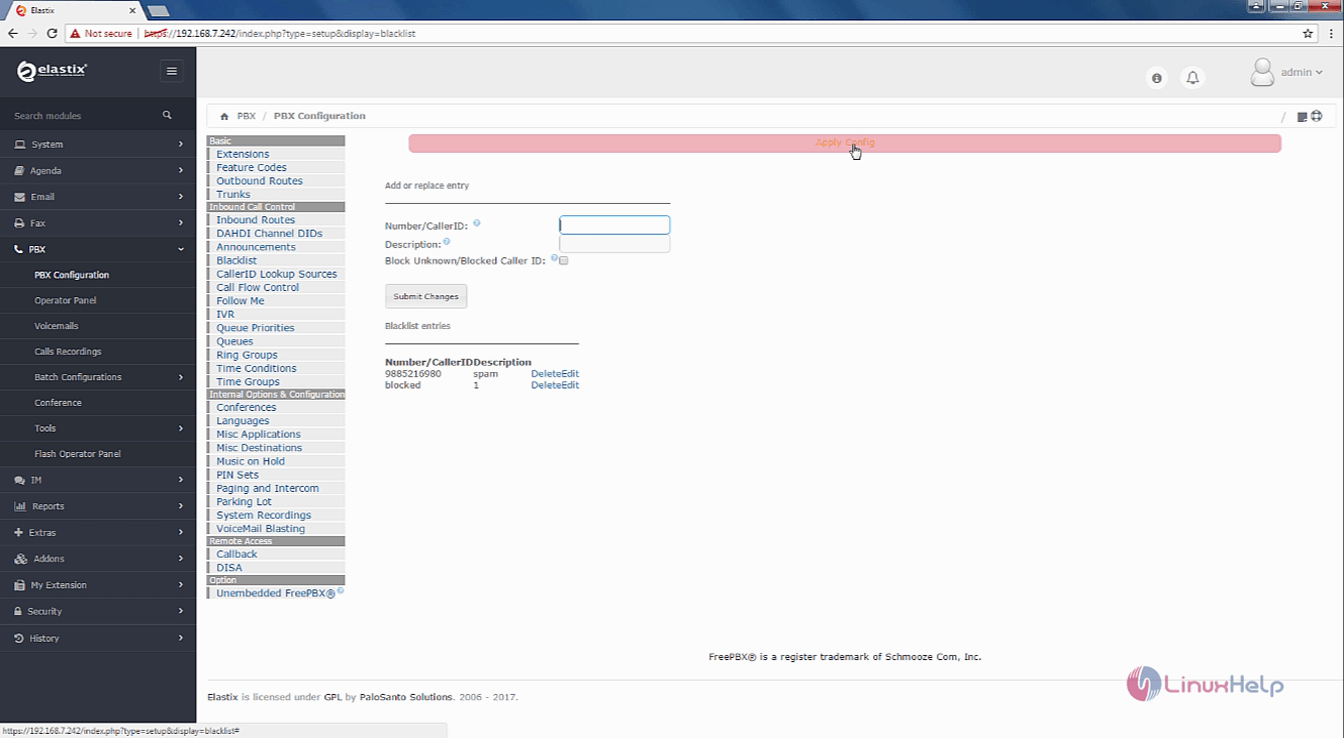
Elastix_apply_config
The New blacklist entry is added successfully.
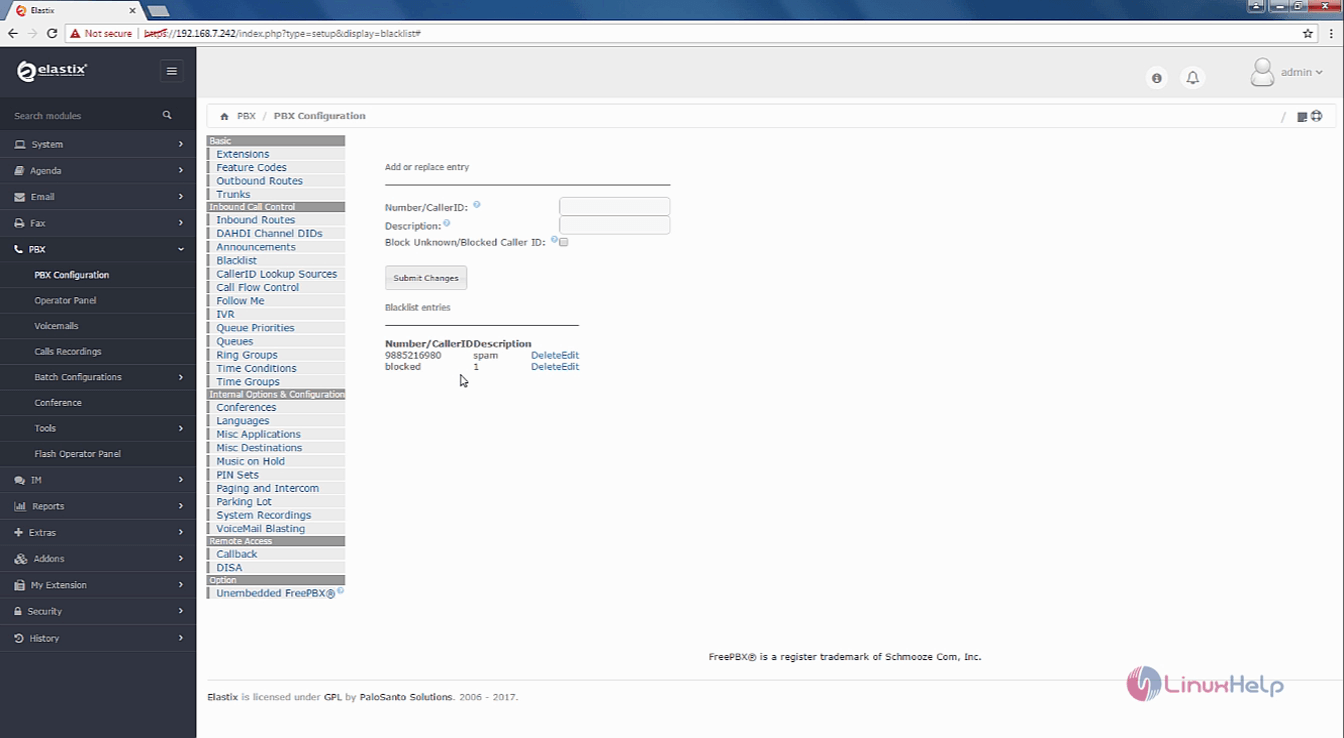
Blacklist_added

If you want to edit or delete the blacklist entry, choose the options present under the Number/CallerIDDescription.
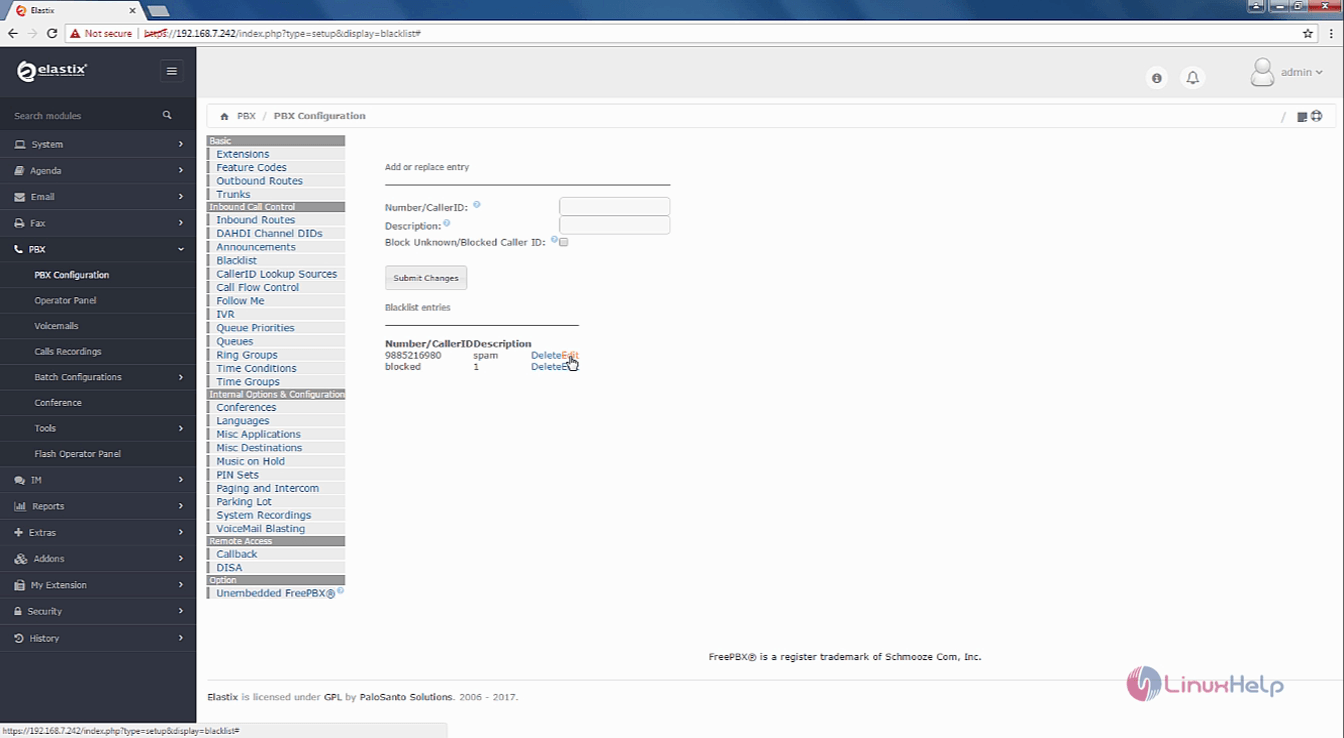
Elastix_Delete

Tags:
william
Author: 

Comments ( 0 )

No comments available

Add a comment
{{postCtrl.cmtErrMsg}}

Frequently asked questions ( 5 )

Q

With what compilers does elastix work?

A

At least with the ones that are used on the nightly dashboard: http://my.cdash.org/index.php?project=elastix. Currently (2013), these include Microsoft Visual C++ 2008 and 2010 on Windows and GCC 4.x and clang 3.3+ on Linux 64bit or on Mac OS X. The underlying ITK code works with numerous compilers.

Q

Is it possible to apply the inverse transformation with elastic?

A

Section 6.1.6 of the manual explains how to compute the inverse.

Q

I registered two downsampled images. How do I apply the transformation to the full sized moving image?

A

You take the TransformParameter.txt file resulting from the registration and change the Size and Spacing to the ones of the full image. Then you can use transformix to apply this transformation:
(FinalBSplineInterpolationOrder 0)

Q

Is it possible to transform a set of points instead of a complete image with transform is?

A

Yes, that is possible. See section 4.2 of the manual.
transformix -tp TransformParameters.txt -out outputDirectory -def FileWithPoints.txt

Q

Can messages to a group be moderated?

A

Yes, but only if you use Groups for Business.

Back To Top!
Rank
User
Points

Top Contributers

userNamenaveelansari
135850

Top Contributers

userNameayanbhatti
92510

Top Contributers

userNamehamzaahmed
32150

Top Contributers

1
userNamelinuxhelp
31040

Top Contributers

userNamemuhammadali
24500
Can you help Luk Van De Looverbosch ?
How to create a root ?

Hello,
How to create root@linuxhelp in Linux Mint 20.1 64-bit ?
Thanks in advance for your reply.
Best regards.

Networking
  • Routing
  • trunk
  • Netmask
  • Packet Capture
  • domain
  • HTTP Proxy
Server Setup
  • NFS
  • KVM
  • Memory
  • Sendmail
  • WebDAV
  • LXC
Shell Commands
  • Cloud commander
  • Command line archive tools
  • last command
  • Shell
  • terminal
  • Throttle
Desktop Application
  • Linux app
  • Pithos
  • Retrospect
  • Scribe
  • TortoiseHg
  • 4Images
Monitoring Tool
  • Monit
  • Apache Server Monitoring
  • EtherApe 
  • Arpwatch Tool
  • Auditd
  • Barman
Web Application
  • Nutch
  • Amazon VPC
  • FarmWarDeployer
  • Rukovoditel
  • Mirror site
  • Chef
Contact Us | Terms of Use| Privacy Policy| Disclaimer
© 2026 LinuxHelp.com All rights reserved. Linux™ is the registered trademark of Linus Torvalds. This site is not affiliated with linus torvalds in any way.