• Categories
    Category
    {{ postCtrl.tags }}
    • {{ category.tag_type }}

      • {{tag.tag_name}}
      • View more
  • Categories
    Category
    {{ postCtrl.tags }}
    • {{ category.tag_type }}

      • {{tag.tag_name}}
      • View more
  • News
  • Tutorials
  • Forums
  • Tags
  • Users
Tutorial News Comments FAQ Related Articles

How to create Bucket in AWS S3

{{postValue.id}}

To create Bucket in AWS S3

If you want to learn about the method to create Bucket in AWS S3, then this tutorial will be of help to you. Amazon Simple Storage Service (Amazon S3) is storage for the Internet and it is used for storing and retrieving any amount of data at any time, from anywhere on the web. You can accomplish these tasks using the AWS Management Console, which is a simple and intuitive web interface. You can upload unlimited files and storage capacities S3 provides up to 5TB. Those who are using free tier only eligible to access and upload 5GB storage space.

Creating Buckets in AWS

First, you need to log in to the AWS Management Console and open the Amazon S3 console.
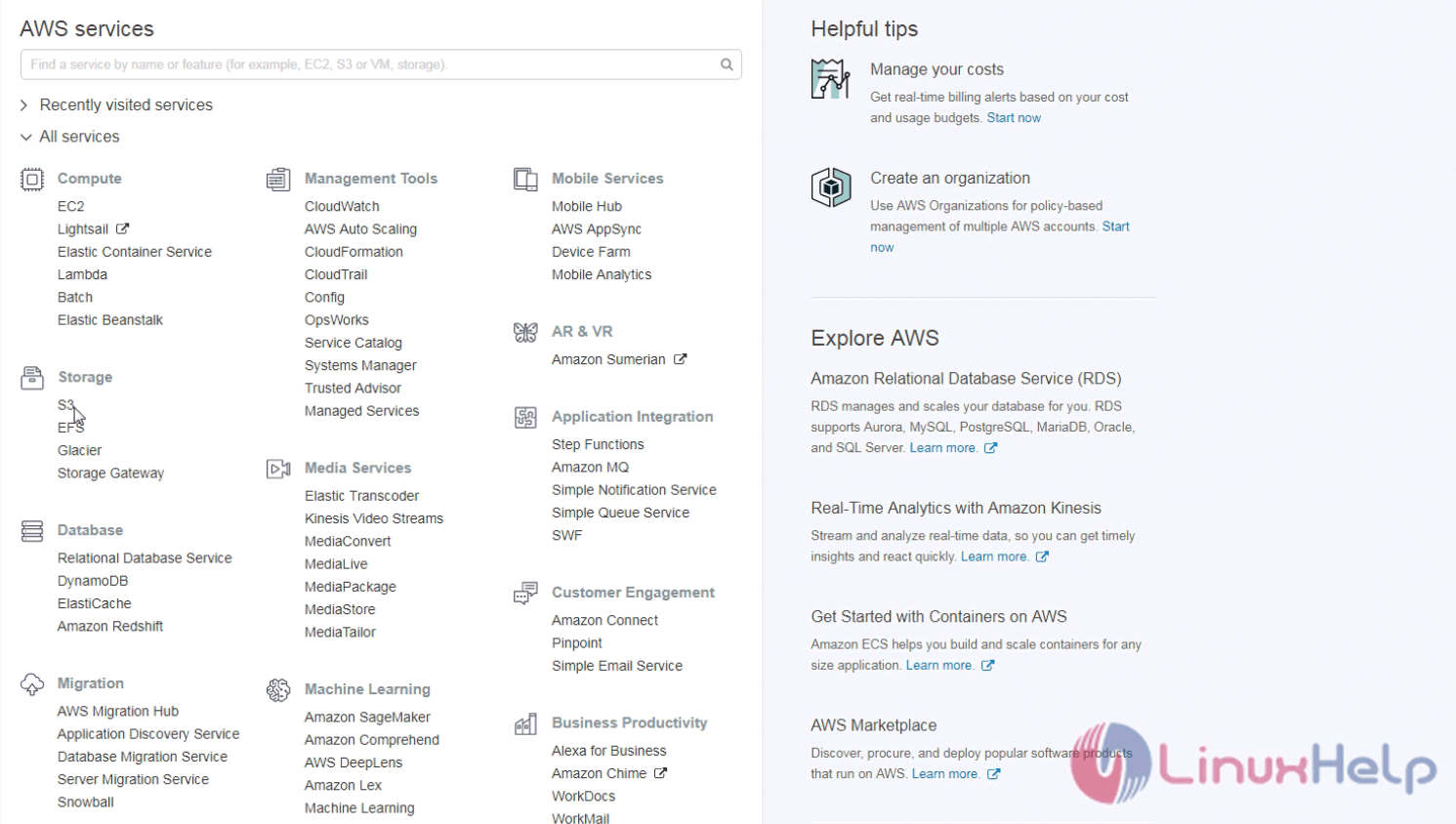
Log

And then, choose the Create bucket option.
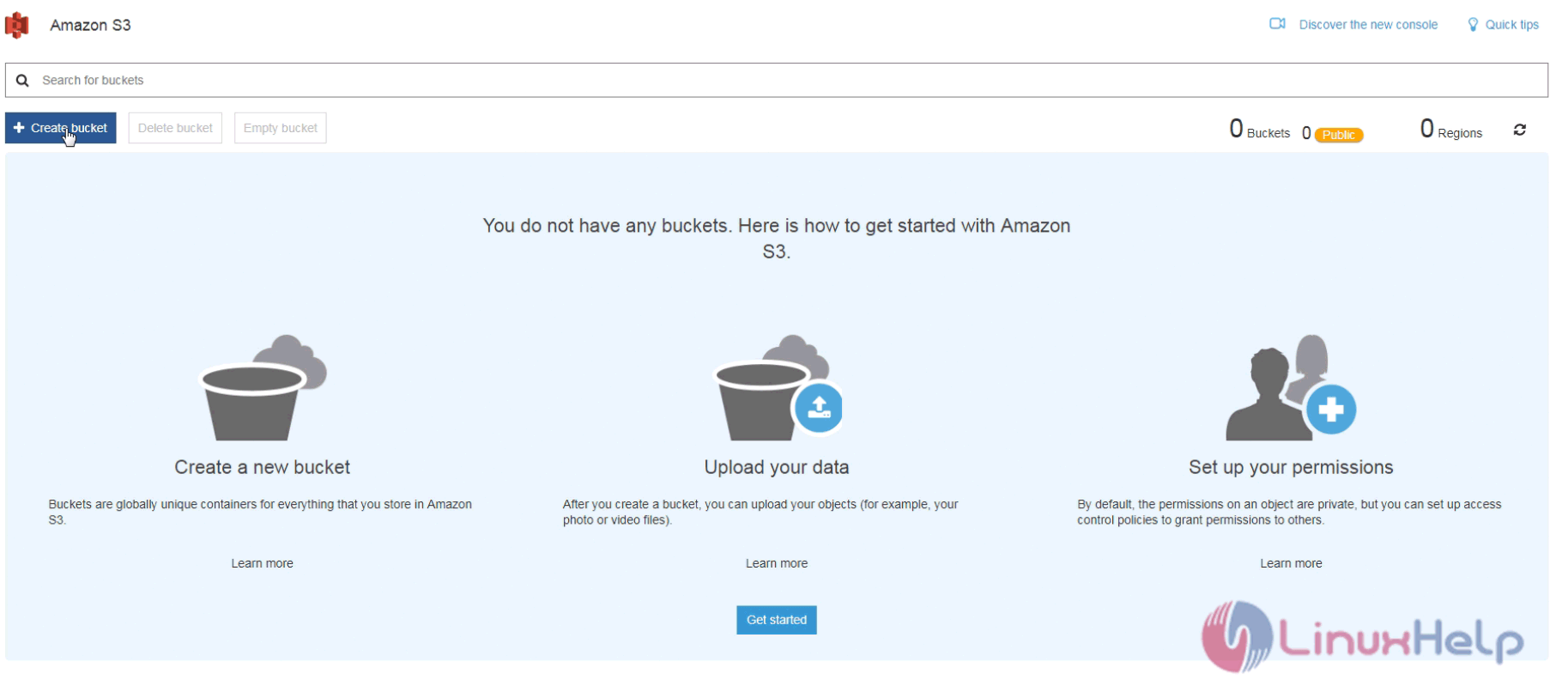
Bucket

In the Bucket name field, enter the unique DNS-compliant name for your new bucket. The name is unique because once you created bucket you cannot change the bucket name.
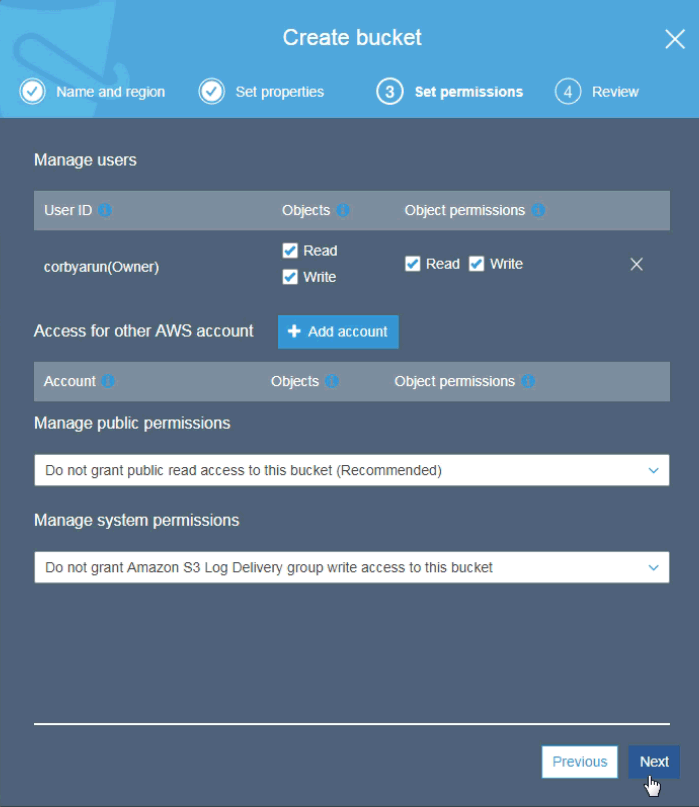
Click Next in the all the steps and finally preview your settings have you made it.
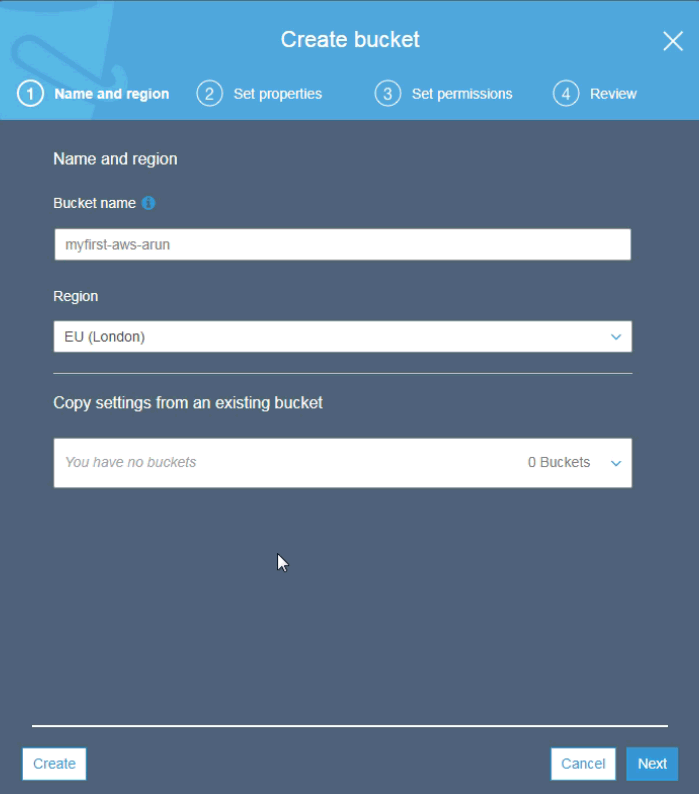
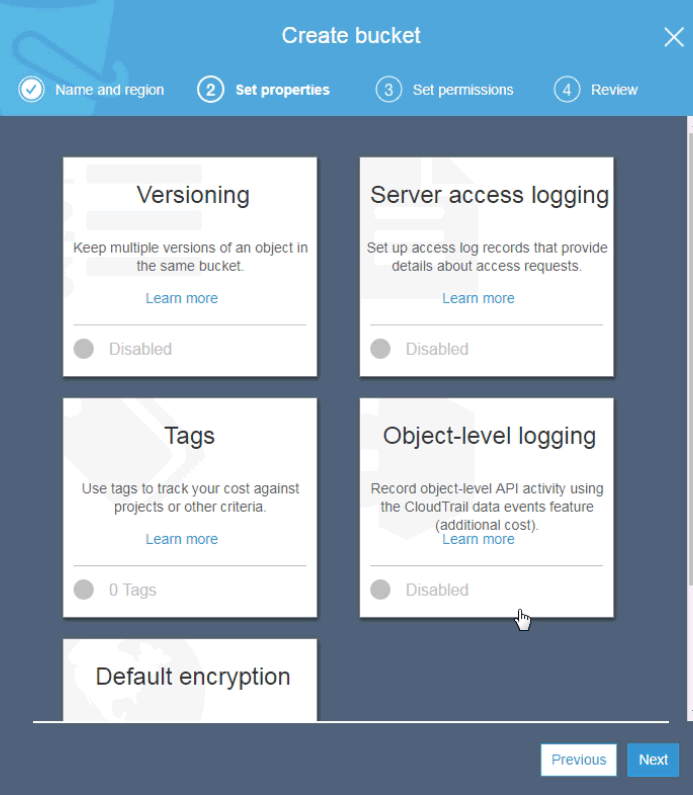
DNS
DNS 2
Logging

Click on the Create bucket button now.
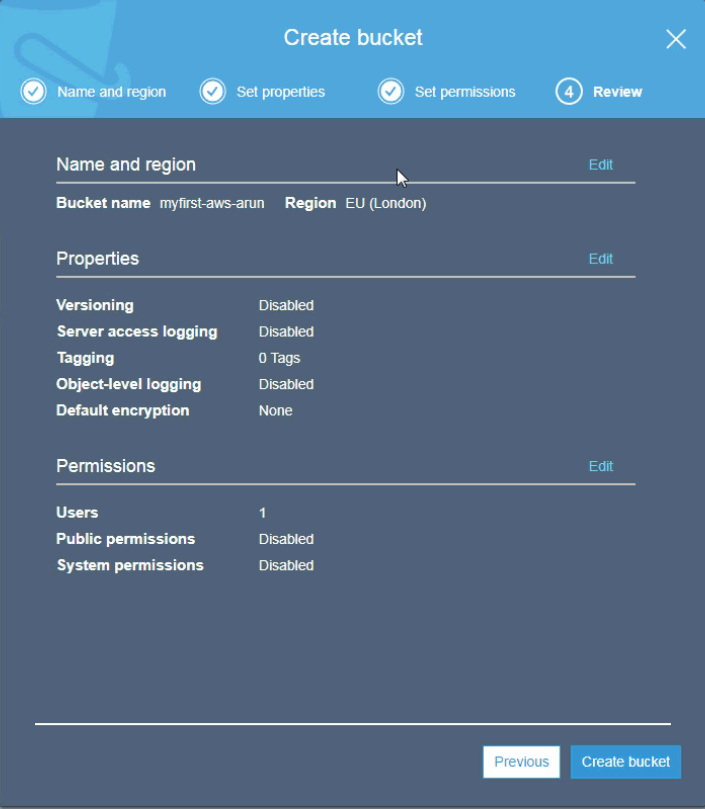
Region


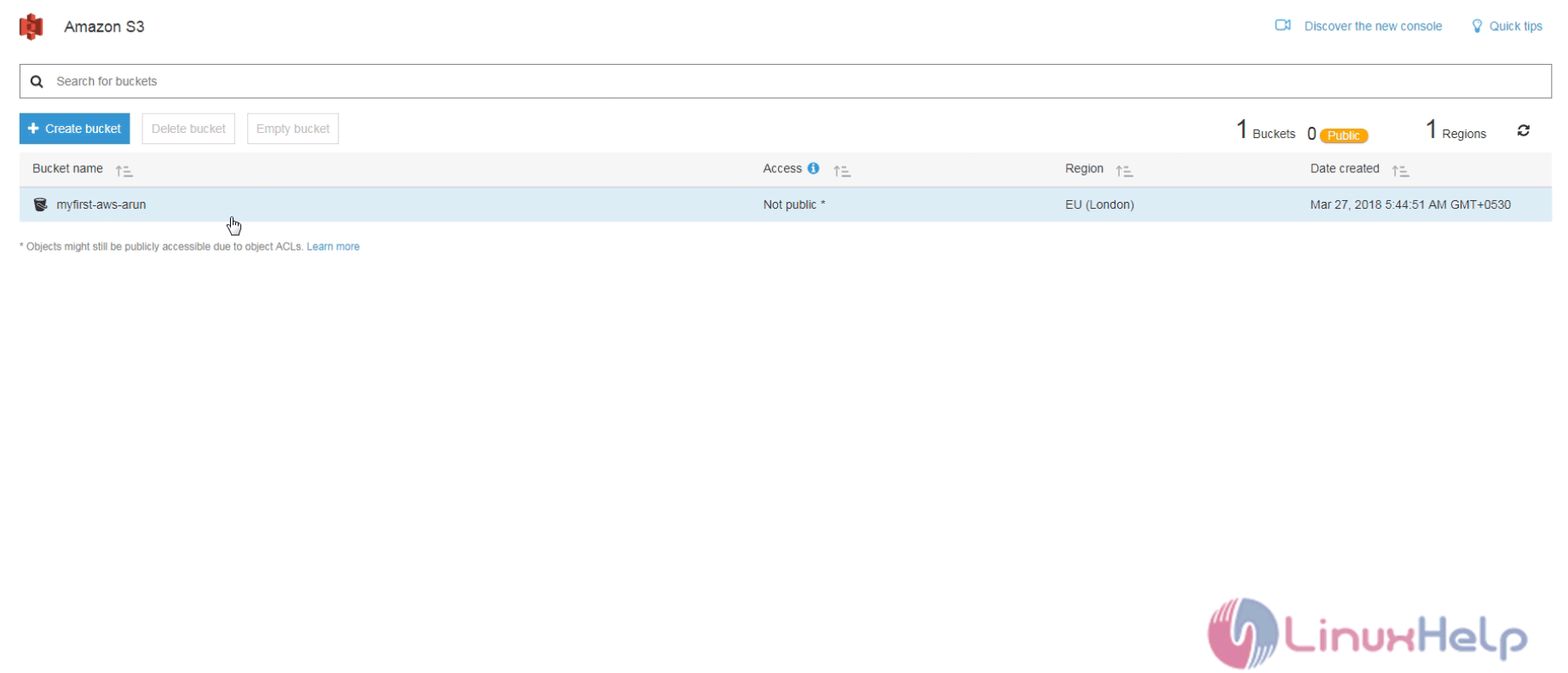
Now the bucket is created.
Bucket

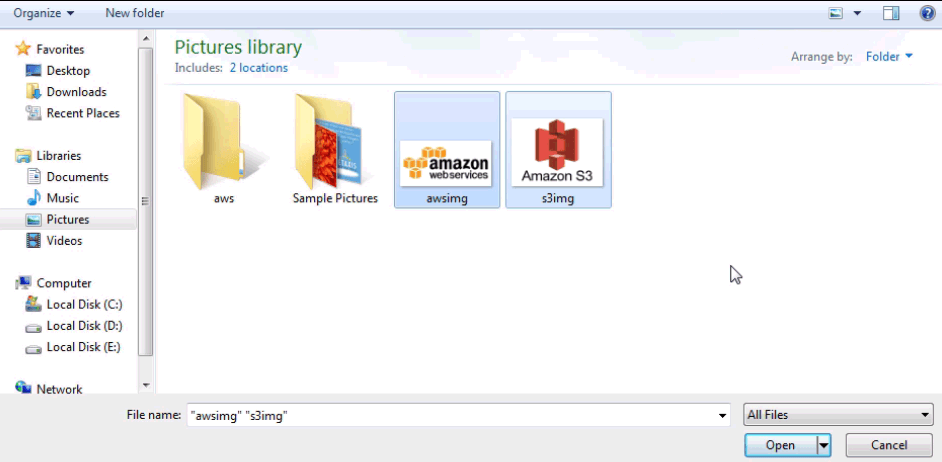
Now proceed with the following steps to upload some files into buckets.
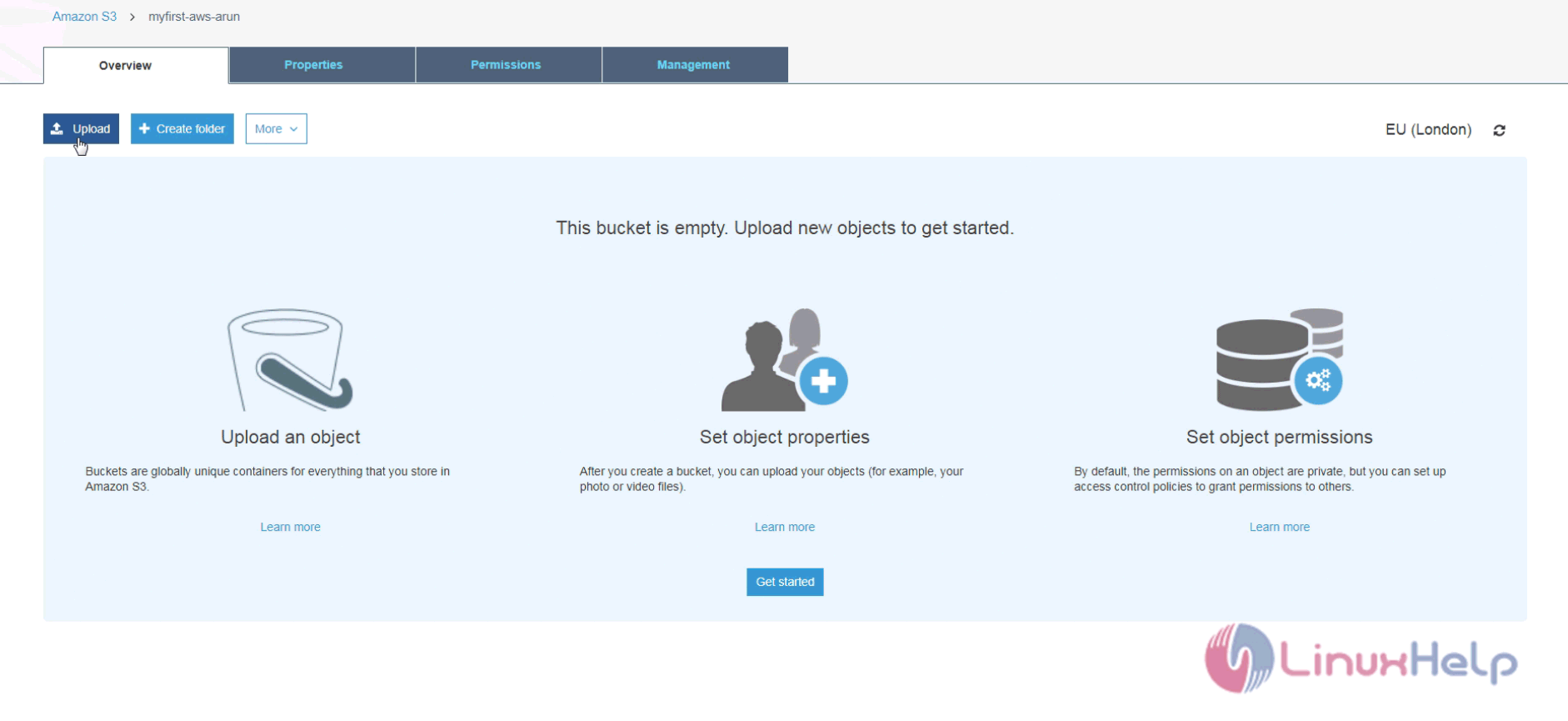
Proceed
Object

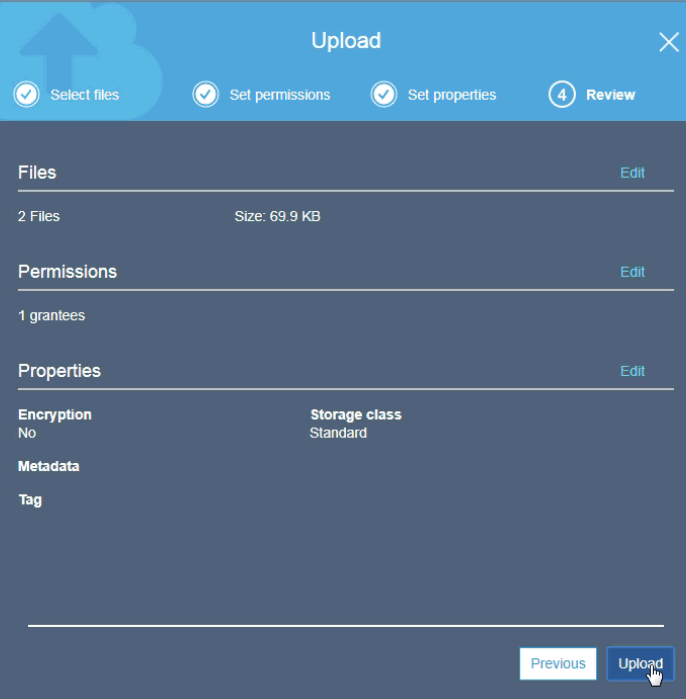
And then, keep default settings on set permission and set properties menu and finally preview your settings.
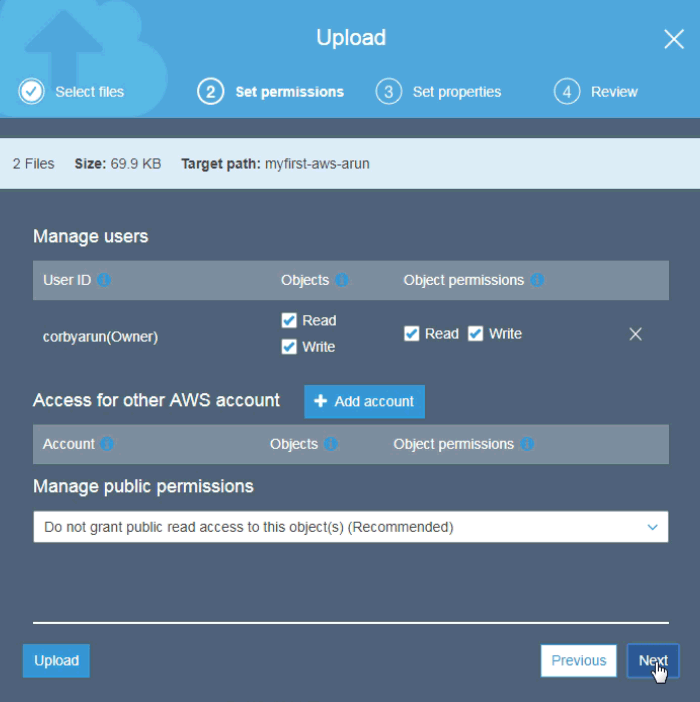
Default
Preview

You shall now see that the objects are uploaded into buckets.
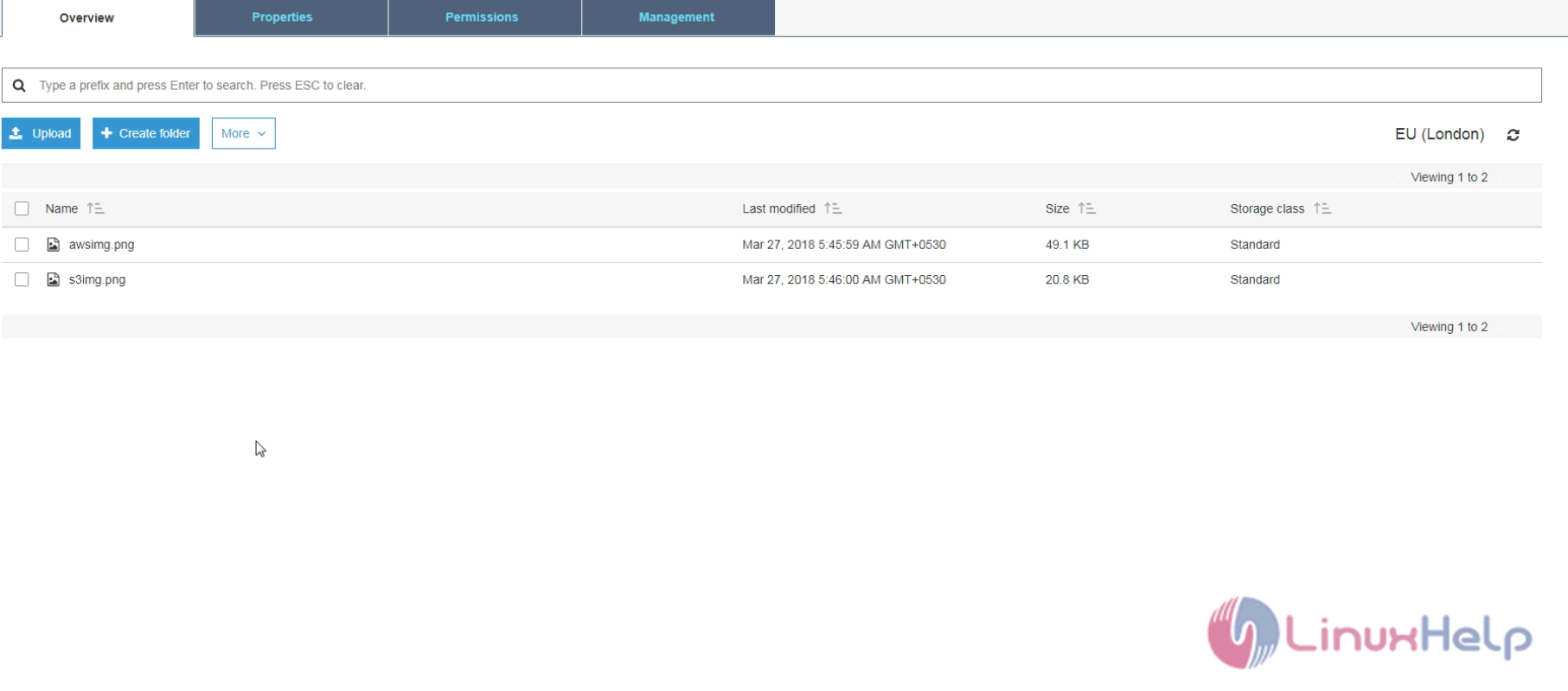
Upload


With this, the tutorial on creating Buckets on AWS S3 comes to an end.

Tags:
jackson
Author: 

Comments ( 0 )

No comments available

Add a comment
{{postCtrl.cmtErrMsg}}

Frequently asked questions ( 5 )

Q

What is a bucket in s3?

A

A bucket is a logical unit of storage in Amazon Web Services (AWS) object storage service, Simple Storage Solution S3. Buckets are used to store objects, which consist of data and metadata th

Q

Whether Is Amazon s3 free?

A

AWS Free Usage Tier* As part of the AWS Free Usage Tier, you can get started with Amazon S3 for free. Upon sign-up, new AWS customers receive 5 GB of Amazon S3 storage in the Standard Storage

Q

What is an Amazon s3 account?

A

Amazon S3 has a simple web services interface that you can use to store and retrieve any amount of data, at any time, from anywhere on the web. It gives any developer access to the same highl

Q

What is s3 bucket policy?

A

An S3 ACL is a sub-resource that's attached to every S3 bucket and object. It defines which AWS accounts or groups are granted access and the type of access. When you create a bucket or an ob

Q

What does Amazon s3 stand for?

A

Amazon S3 (Simple Storage Service) is a cloud computing web service offered by Amazon Web Services (AWS). Amazon S3 provides object storage through web services interfaces (REST, SOAP, and Bi

Back To Top!
Rank
User
Points

Top Contributers

userNamenaveelansari
135850

Top Contributers

userNameayanbhatti
92510

Top Contributers

userNamehamzaahmed
32150

Top Contributers

1
userNamelinuxhelp
31040

Top Contributers

userNamemuhammadali
24500
Can you help Lucas ?
Various options in Top command

Am using Top command only to view the load average, what are the various options in Top command..??

Networking
  • Routing
  • trunk
  • Netmask
  • Packet Capture
  • domain
  • HTTP Proxy
Server Setup
  • NFS
  • KVM
  • Memory
  • Sendmail
  • WebDAV
  • LXC
Shell Commands
  • Cloud commander
  • Command line archive tools
  • last command
  • Shell
  • terminal
  • Throttle
Desktop Application
  • Linux app
  • Pithos
  • Retrospect
  • Scribe
  • TortoiseHg
  • 4Images
Monitoring Tool
  • Monit
  • Apache Server Monitoring
  • EtherApe 
  • Arpwatch Tool
  • Auditd
  • Barman
Web Application
  • Nutch
  • Amazon VPC
  • FarmWarDeployer
  • Rukovoditel
  • Mirror site
  • Chef
Contact Us | Terms of Use| Privacy Policy| Disclaimer
© 2025 LinuxHelp.com All rights reserved. Linux™ is the registered trademark of Linus Torvalds. This site is not affiliated with linus torvalds in any way.