• Categories
    Category
    {{ postCtrl.tags }}
    • {{ category.tag_type }}

      • {{tag.tag_name}}
      • View more
  • Categories
    Category
    {{ postCtrl.tags }}
    • {{ category.tag_type }}

      • {{tag.tag_name}}
      • View more
  • News
  • Tutorials
  • Forums
  • Tags
  • Users
Tutorial News Comments FAQ Related Articles

How To Create Build Monitor View In Jenkins

{{postValue.id}}

To Create Build Monitor View In Jenkins

Introduction:

Build Monitor Plugin allows a highly visible view of the status of selected Jenkins jobs. It is easy to accommodate various computer screen sizes and is ideal as an Extreme Feedback Device to be displayed on a screen on your office wall.

Procedure:

Step 1: Install the Build Monitor View plugin from manage plugin

Step 2: Go to available section and search the plugin then install it
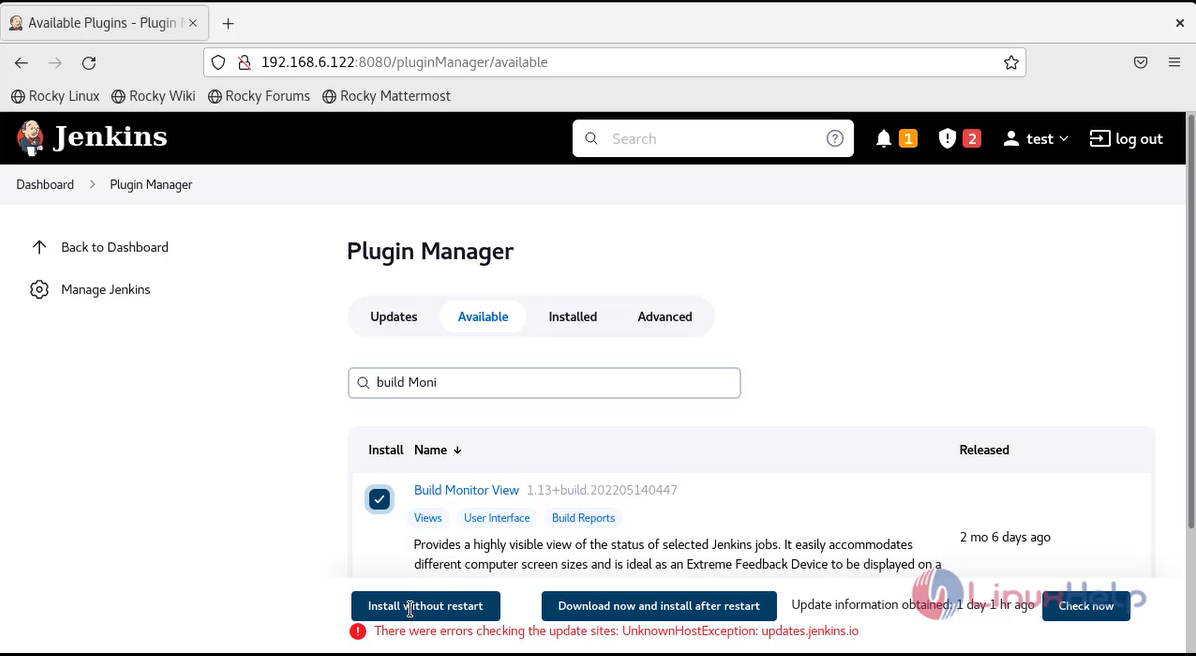
snap 1

Step 3: Plugin installation image shown below
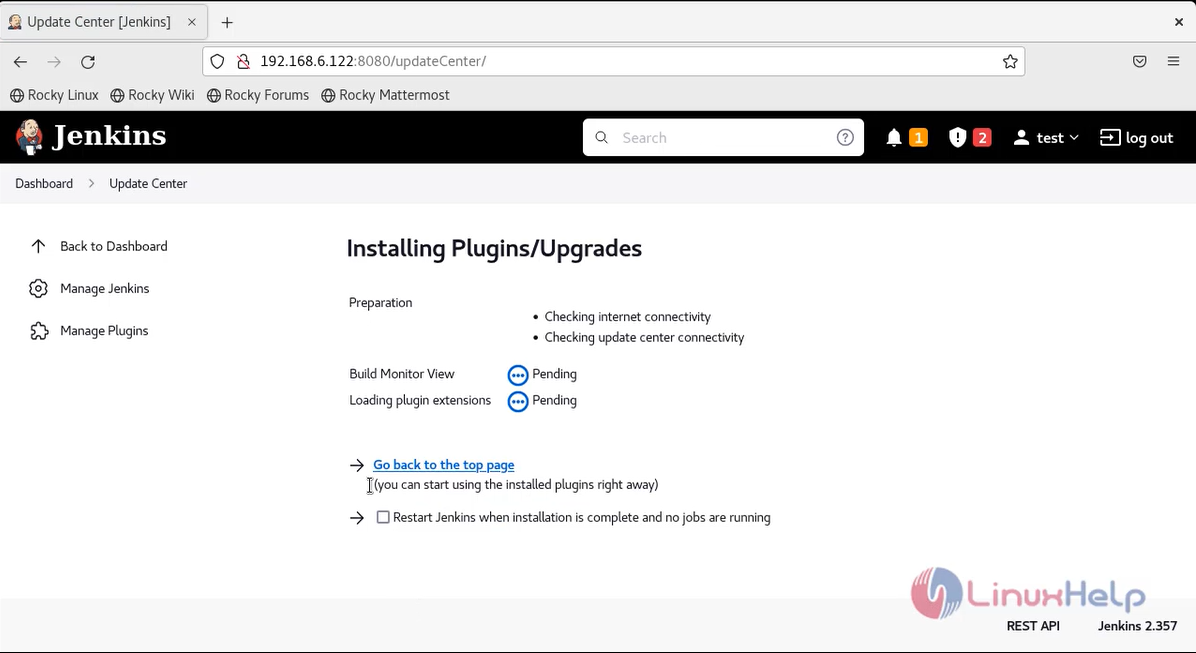
Snap 2

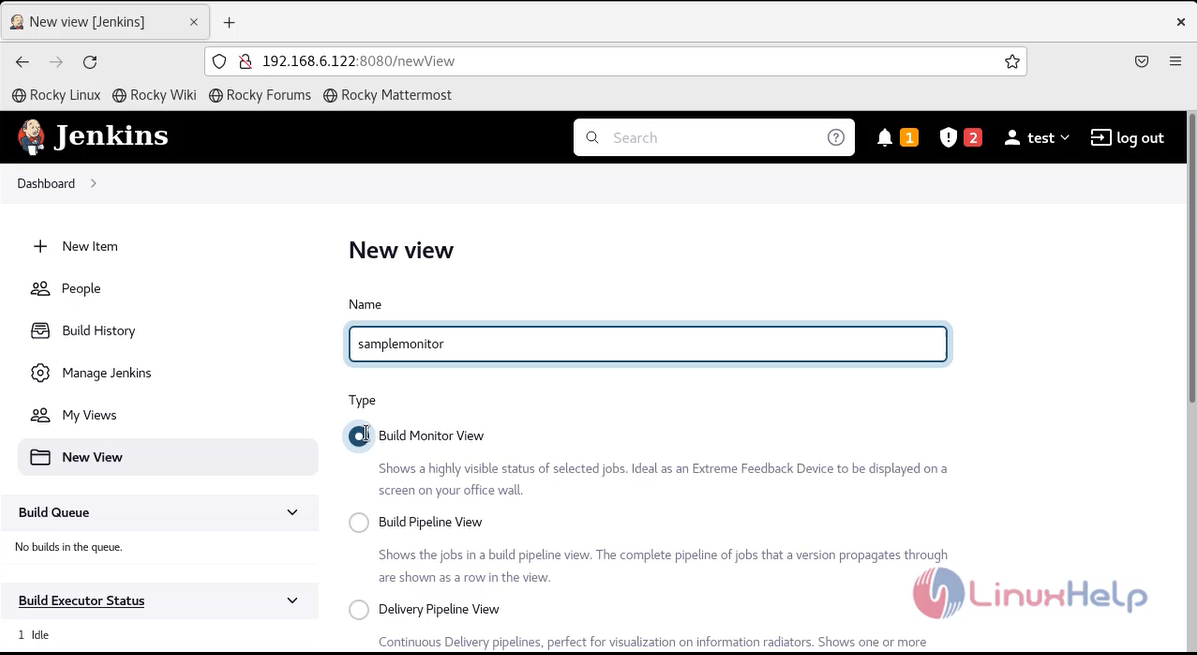
Step 4: click the plus button to create monitor view

Step 5: Give name and select build monitor view snap 3
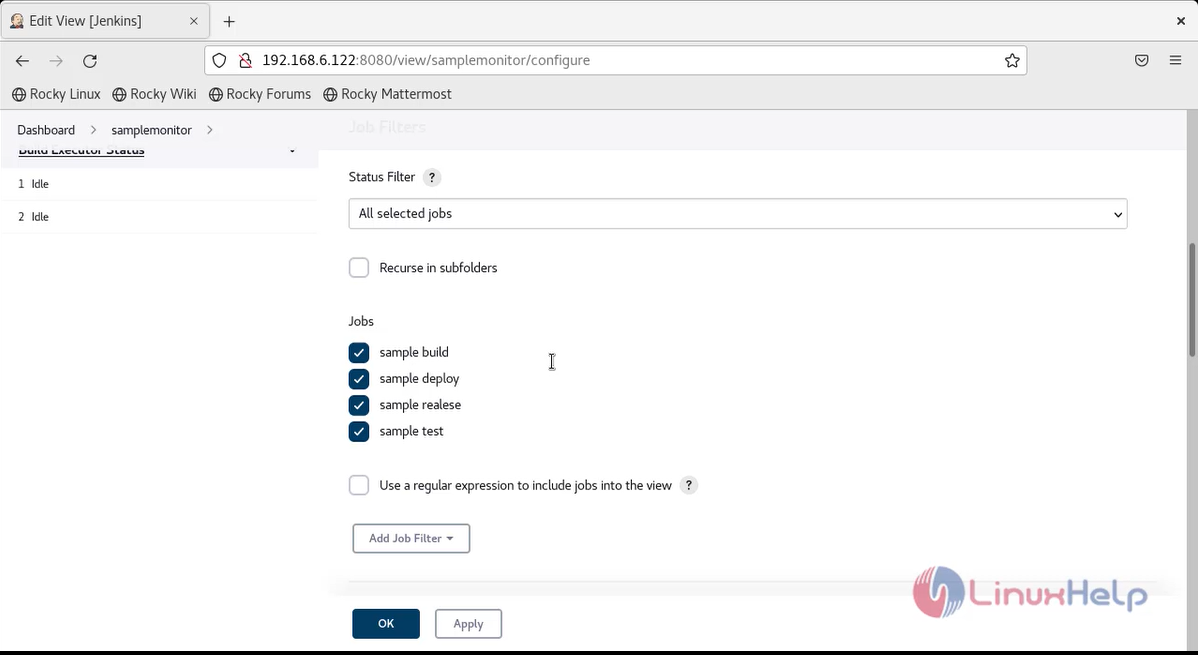
Step 6: Select the jobs which you need to view snap 4
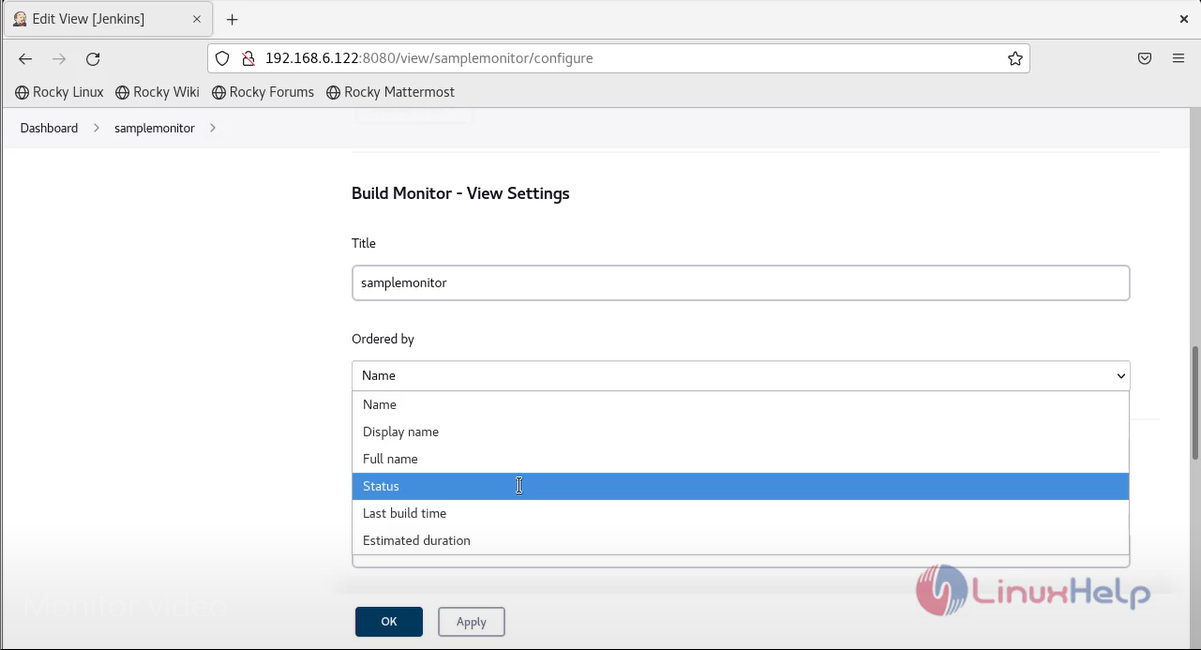
Step 7: select option status in ordered by section snap 5
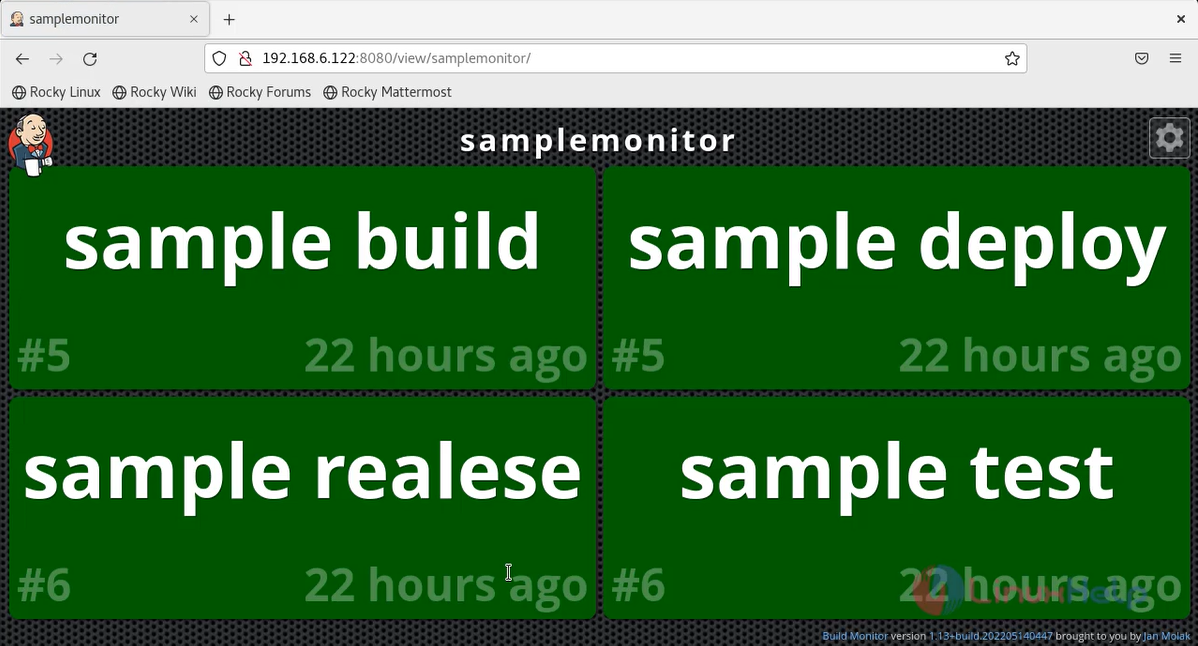
Step 8: Build monitor view image as shown below snap 6
Conclusion:

We have reached the end of this article. In this guide, we have walked you through the steps required to create build monitor view in Jenkins. Your feedback is much welcome.

Tags:
stephan
Author: 

Comments ( 0 )

No comments available

Add a comment
{{postCtrl.cmtErrMsg}}

Frequently asked questions ( 5 )

Q

What do you mean by building a pipeline in Jenkins?

A

Creating a chain of jobs in Jenkins is the process of automatically starting the sequential job after one job is executed successfully. This approach lets the user build multi-step build pipelines or trigger the rebuild of a project if one of the Project dependencies is updated.

Q

What do you mean by a Jenkins File and what are its advantages?

A

The audit trail for the Pipeline can be monitored.It serves as a single source of truth for the Pipeline, which can be viewed and edited by multiple members of the project.

Q

Does Jenkins use a shared library?

A

Yes, Jenkins has an integrated feature where developers can use shared libraries.

Q

What are the core technical features of Jenkins?

A

The core technical features of Jenkins
*Continuous Integration,
*Continuous Delivery,
*Continuous Deployment.

Q

Which programming language is used to write code in Jenkins?

A

Java is the programming language that is used to write code in Jenkins.

Back To Top!
Rank
User
Points

Top Contributers

userNamenaveelansari
135850

Top Contributers

userNameayanbhatti
92510

Top Contributers

userNamehamzaahmed
32150

Top Contributers

1
userNamelinuxhelp
31040

Top Contributers

userNamemuhammadali
24500
Can you help Luke ?
workbench for debian

I am using workbench in CentOS whereas now I need to use Debian Operating system so could you please help to install and use in Debian?

Networking
  • Routing
  • trunk
  • Netmask
  • Packet Capture
  • domain
  • HTTP Proxy
Server Setup
  • NFS
  • KVM
  • Memory
  • Sendmail
  • WebDAV
  • LXC
Shell Commands
  • Cloud commander
  • Command line archive tools
  • last command
  • Shell
  • terminal
  • Throttle
Desktop Application
  • Linux app
  • Pithos
  • Retrospect
  • Scribe
  • TortoiseHg
  • 4Images
Monitoring Tool
  • Monit
  • Apache Server Monitoring
  • EtherApe 
  • Arpwatch Tool
  • Auditd
  • Barman
Web Application
  • Nutch
  • Amazon VPC
  • FarmWarDeployer
  • Rukovoditel
  • Mirror site
  • Chef
Contact Us | Terms of Use| Privacy Policy| Disclaimer
© 2025 LinuxHelp.com All rights reserved. Linux™ is the registered trademark of Linus Torvalds. This site is not affiliated with linus torvalds in any way.