• Categories
    Category
    {{ postCtrl.tags }}
    • {{ category.tag_type }}

      • {{tag.tag_name}}
      • View more
  • Categories
    Category
    {{ postCtrl.tags }}
    • {{ category.tag_type }}

      • {{tag.tag_name}}
      • View more
  • News
  • Tutorials
  • Forums
  • Tags
  • Users
Tutorial News Comments FAQ Related Articles

How to create Employee Directory on Odoo

{{postValue.id}}

How to create Employee Directory on Odoo

Odoo is an all-in-one management software that offers a range of business applications that form a complete suite of enterprise management applications. The Odoo solution is ideal for SMEs and also fits both small and large companies alike. Odoo is an all-in-one business software capable of covering all business needs, including eCommerce, Website Builder, Warehouse Management, Billing & Accounting, Human Resources, Marketing, Manufacturing, Purchase Management, etc. This tutorial explains on how to create employee directory on odoo.

ODOO- EMPLOYEE DIRECTORY

The employee directory is very useful for the Human Resources department to create employee record after recruitment and keep track of all the details associated with the particular employee or employees. Install the Employee Directory under apps panel and install it if it is not installed in the Odoo. Click create tab below the Departments header.
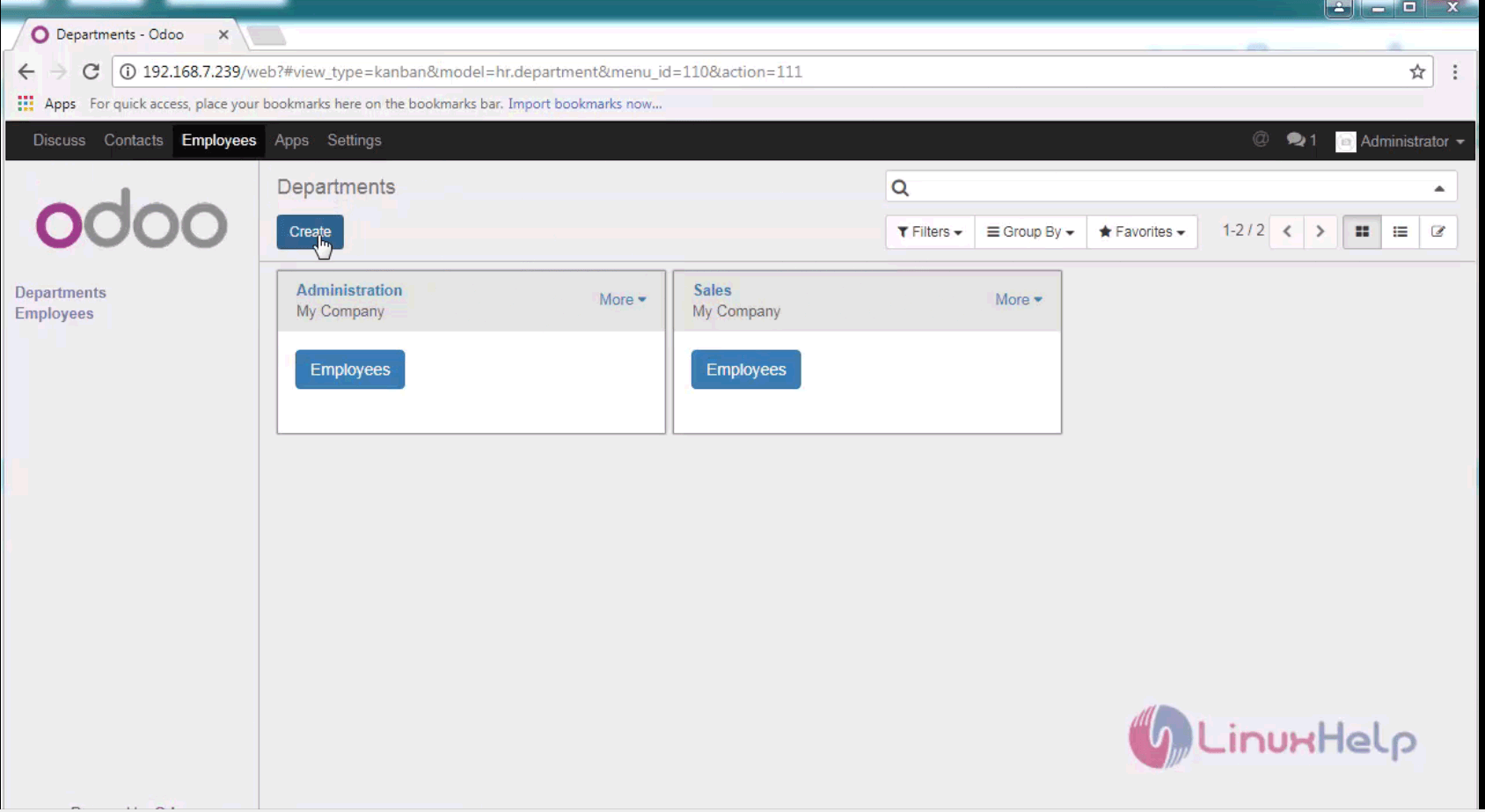
employee tab

Next provide Department details, if the user is creating a new record, create and edit the department name and add all the department and their associate managers and then create employee record.

Follow the above step for creating all the required departments.
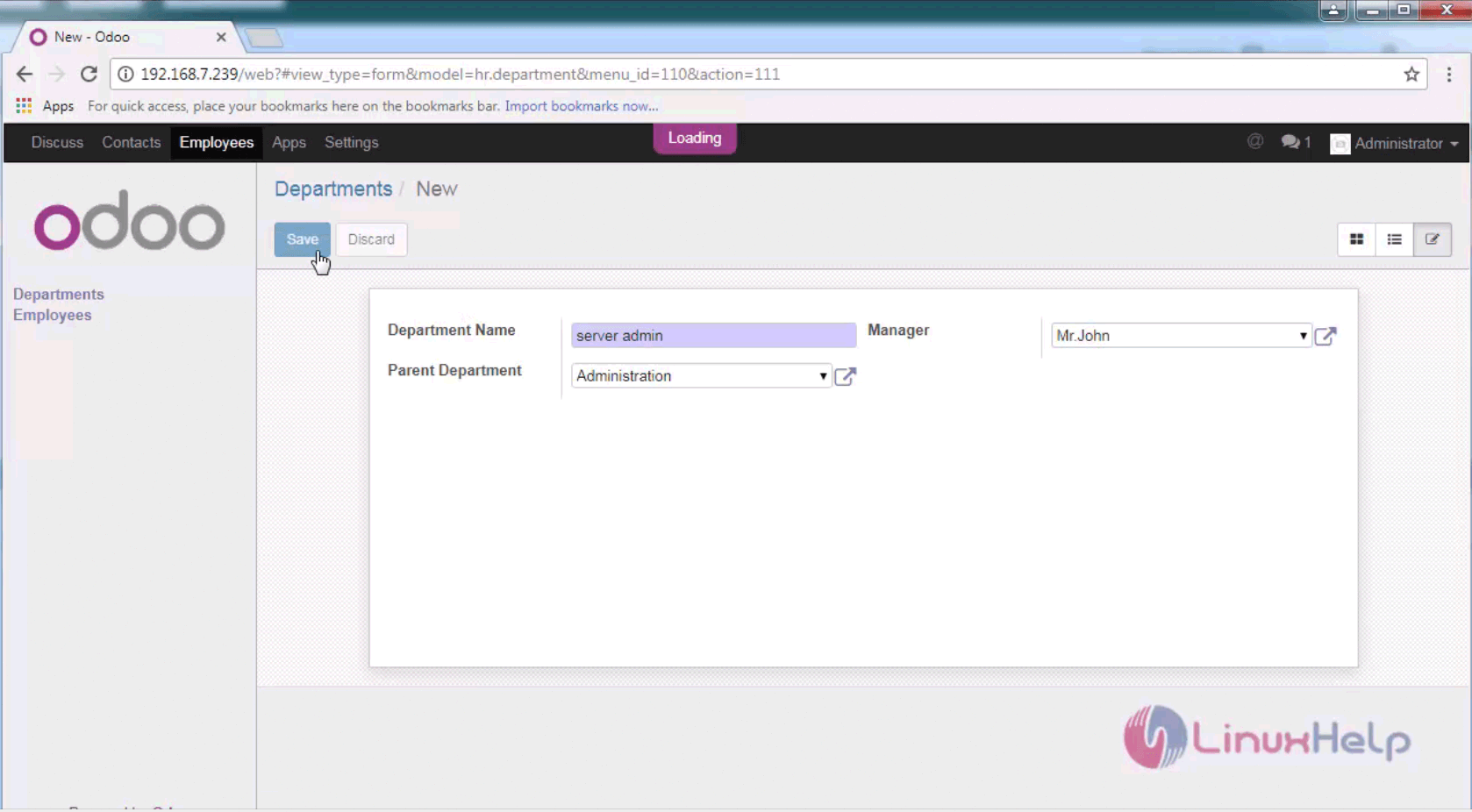
department details

Then add the Employee records such as Designation, Manager or their lead names and click create option.
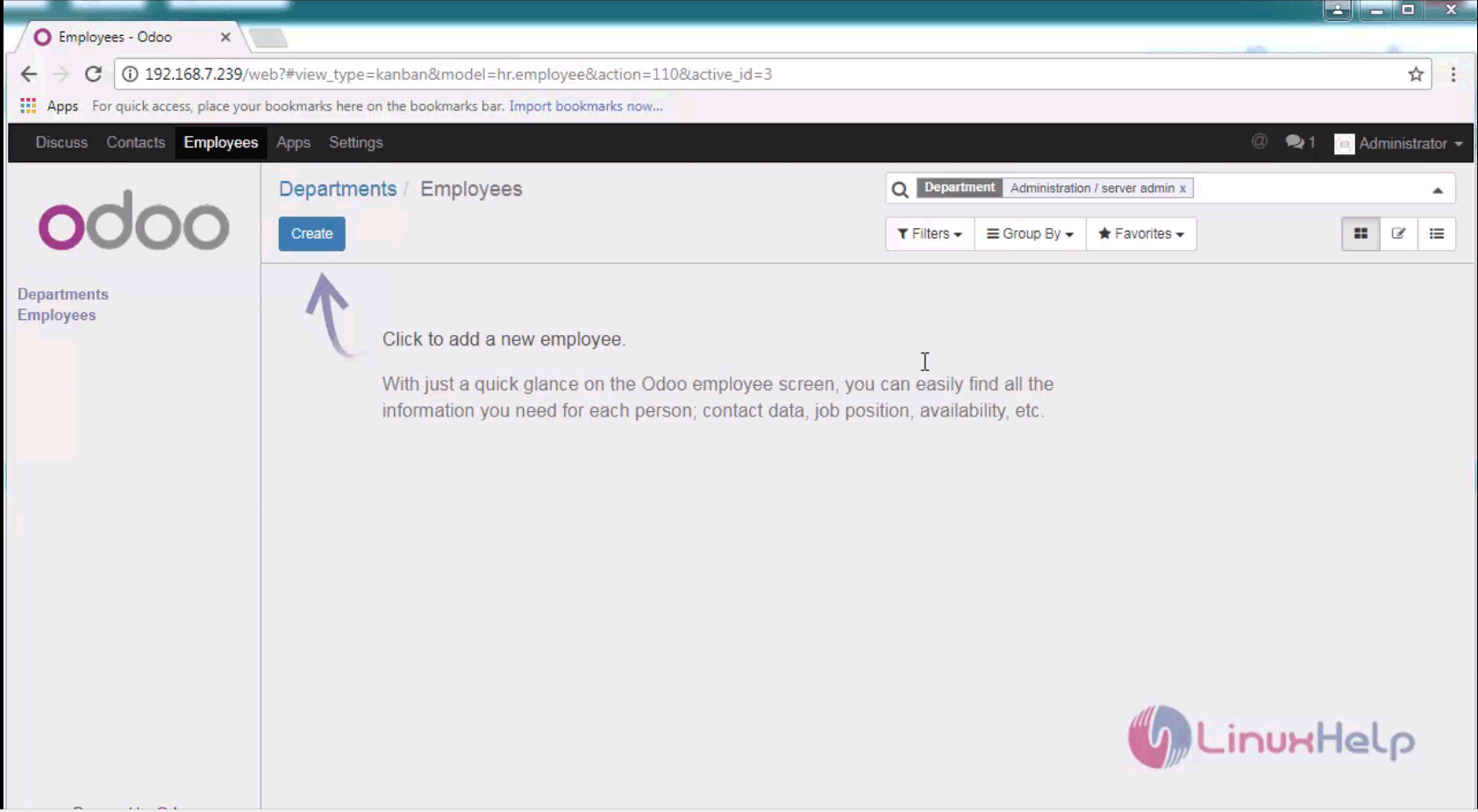
create directory

The employee information that is given is shown in a full report as shown below.
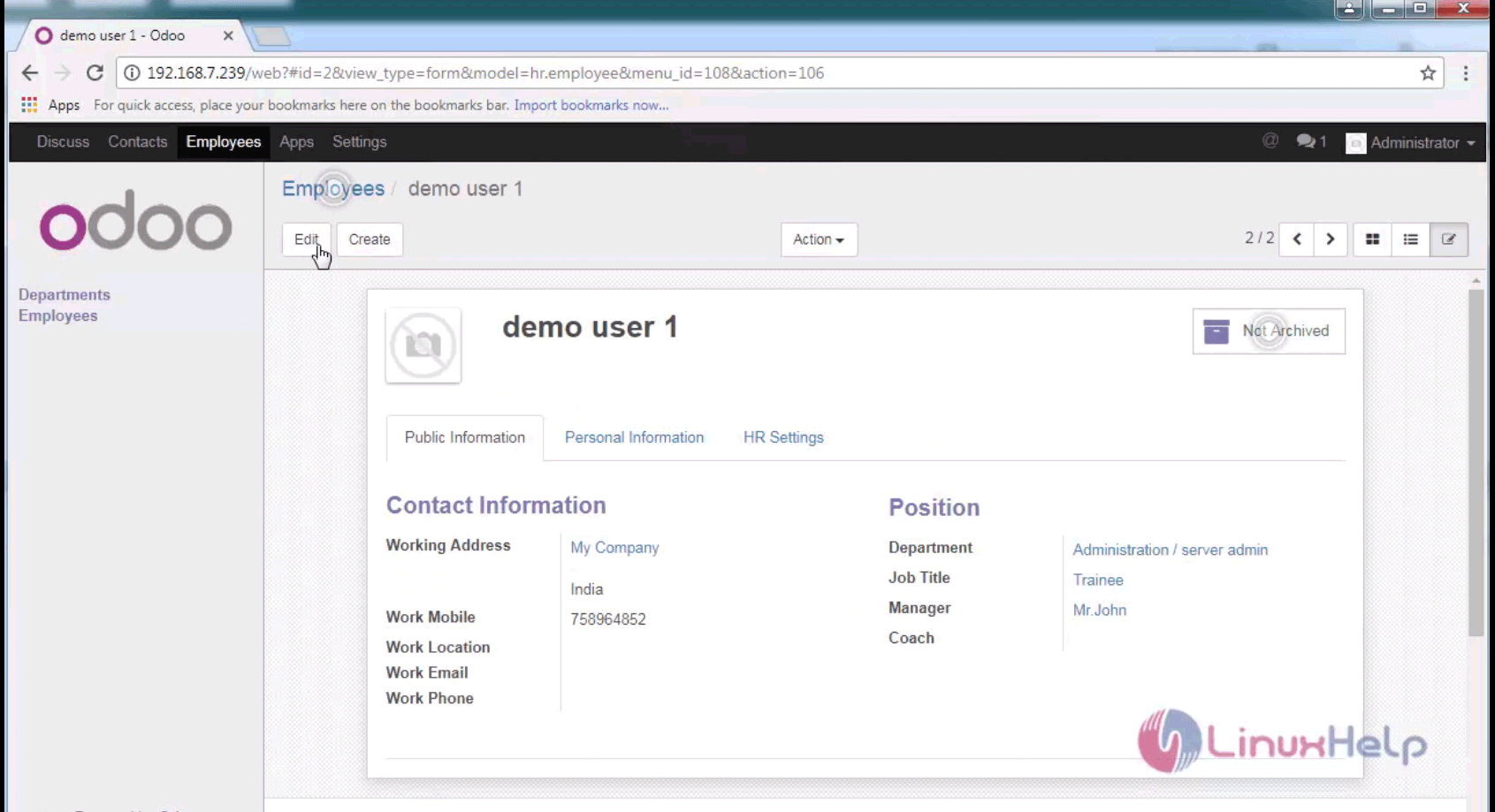
employee directory

That was an easy procedure, Wasn' t it? Odoo is written in Python, JavaScript, and XML.

Tags:
matthew
Author: 

Comments ( 0 )

No comments available

Add a comment
{{postCtrl.cmtErrMsg}}

Frequently asked questions ( 4 )

Q

What license shall I use for Odoo Modules?

A

Every Odoo modules you use are published with reference to the open source AGPL License similar to other elements of the system. As the modules are also components within the same software, they are supposed to be published under this license.

Q

How To Create Employee Contract In Odoo?

A

An employment contract acts as a consensual agreement between an employer and employee and is the basis of any employment relationship. Odoo is an integrated open source application which efficiently manages the employee requisites.

Q

What is the procedure to install a theme in Odoo development?

A

Getting your favorite theme for your online Odoo store is very simple. First, you have to get the desired theme that adds style and functionality to your store from Odoo apps. Within the Odoo installation tab

Q

Is it possible to import data from other software applications to my OpenERP Online System?

A

Yes, it is possible for users to import data from other software applications to the online ERP system. Data importation is allowed from.CSV text files (Comma Separated Values) for any item within the system. Your own scripts can also be even connected through web-services. Data migration services are also provided for Odoo users.

Back To Top!
Rank
User
Points

Top Contributers

userNamenaveelansari
135850

Top Contributers

userNameayanbhatti
92510

Top Contributers

userNamehamzaahmed
32150

Top Contributers

1
userNamelinuxhelp
31040

Top Contributers

userNamemuhammadali
24500
Can you help Sebastian ?
How to change non required to required field in SuiteCRM Custom/Default Modules

How to change not required to the required field in SuiteCRM Custom/Default Modules?

Networking
  • Routing
  • trunk
  • Netmask
  • Packet Capture
  • domain
  • HTTP Proxy
Server Setup
  • NFS
  • KVM
  • Memory
  • Sendmail
  • WebDAV
  • LXC
Shell Commands
  • Cloud commander
  • Command line archive tools
  • last command
  • Shell
  • terminal
  • Throttle
Desktop Application
  • Linux app
  • Pithos
  • Retrospect
  • Scribe
  • TortoiseHg
  • 4Images
Monitoring Tool
  • Monit
  • Apache Server Monitoring
  • EtherApe 
  • Arpwatch Tool
  • Auditd
  • Barman
Web Application
  • Nutch
  • Amazon VPC
  • FarmWarDeployer
  • Rukovoditel
  • Mirror site
  • Chef
Contact Us | Terms of Use| Privacy Policy| Disclaimer
© 2025 LinuxHelp.com All rights reserved. Linux™ is the registered trademark of Linus Torvalds. This site is not affiliated with linus torvalds in any way.