• Categories
    Category
    {{ postCtrl.tags }}
    • {{ category.tag_type }}

      • {{tag.tag_name}}
      • View more
  • Categories
    Category
    {{ postCtrl.tags }}
    • {{ category.tag_type }}

      • {{tag.tag_name}}
      • View more
  • News
  • Tutorials
  • Forums
  • Tags
  • Users
Tutorial News Comments FAQ Related Articles

How to create extension groups Elastix 5

{{postValue.id}}

To create extension groups in Elastix 5

Elastix 5 is a recent version of the most sought after unified communication server. It features a secure 3CX telephony engine. As a part of our Elastix 5 series, we have already covered the method to create an extension on Elastix 5. This article explains the method to create a group for the extensions.

To create extension groups

Select the Groups option available on the left panel of the Elastix 5 dashboard.
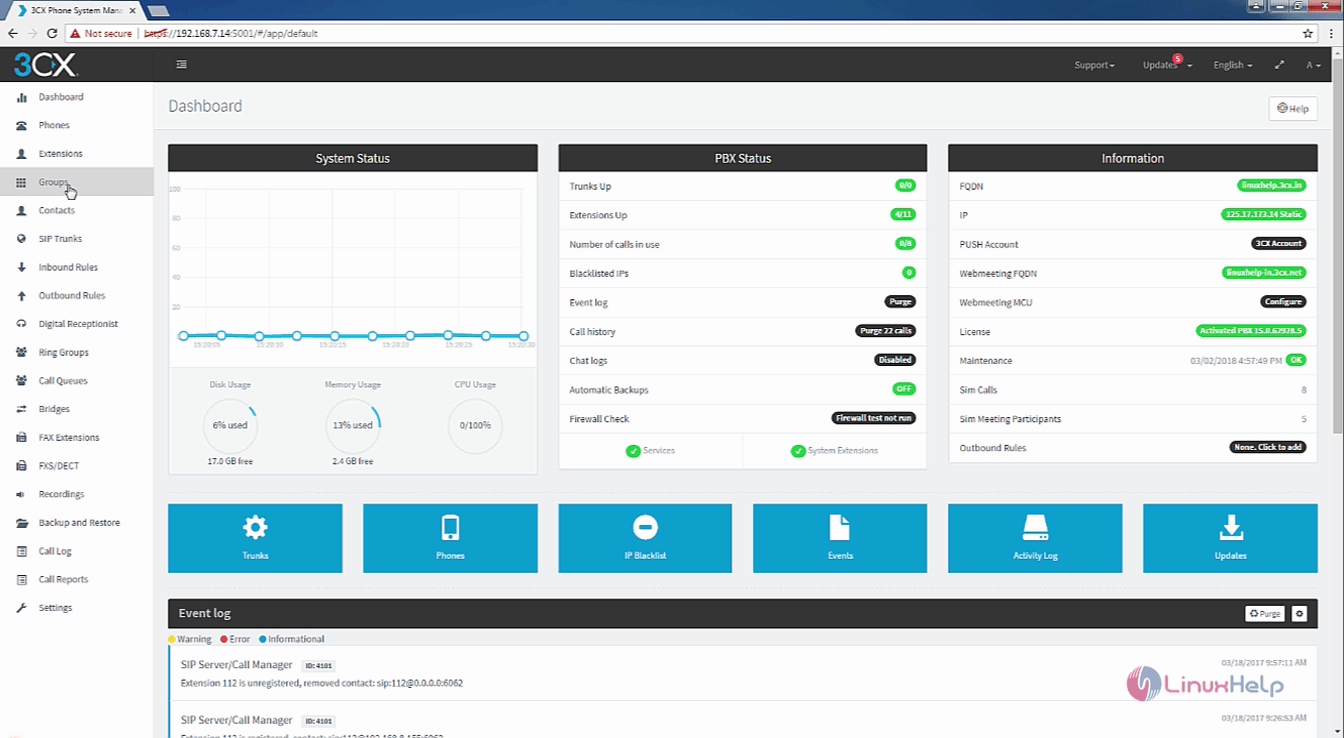
Groups

Now, click on add button to enable extension groups.
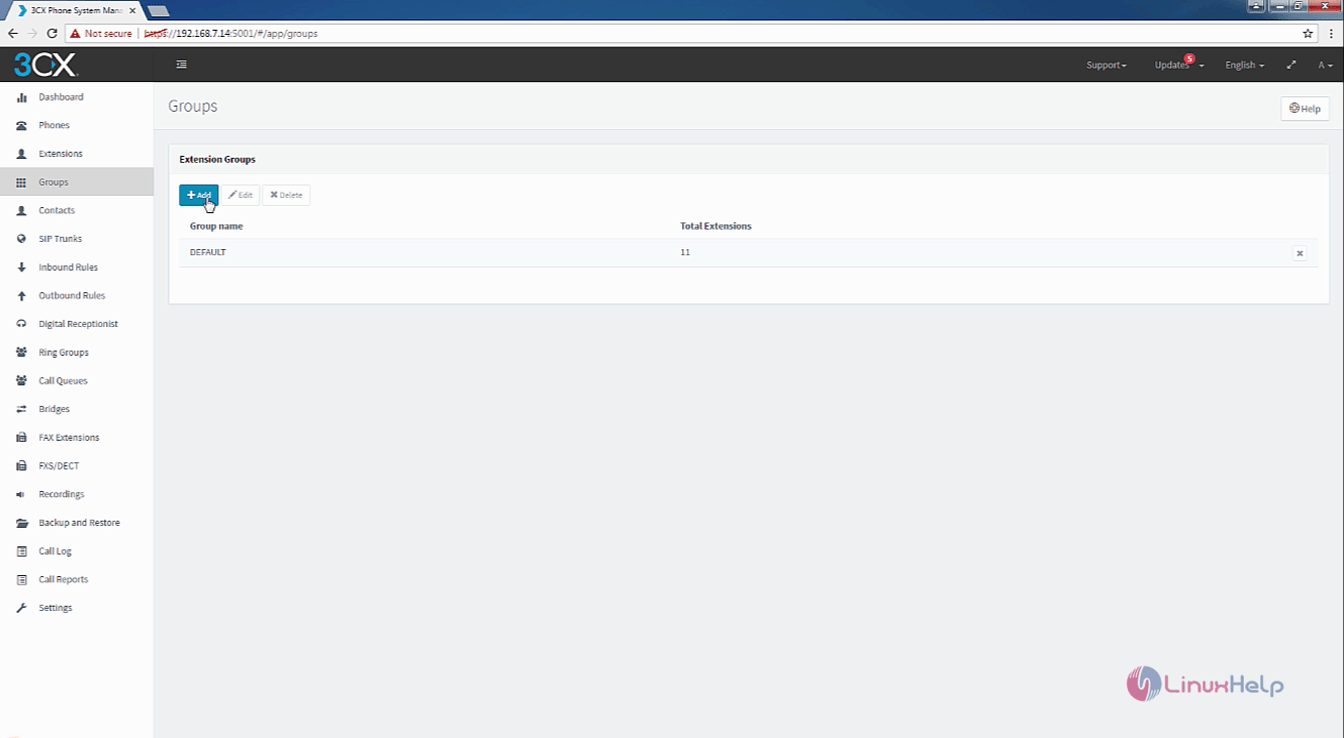
add

Enter the group name for your new extension groups and then click on Group Rights option.
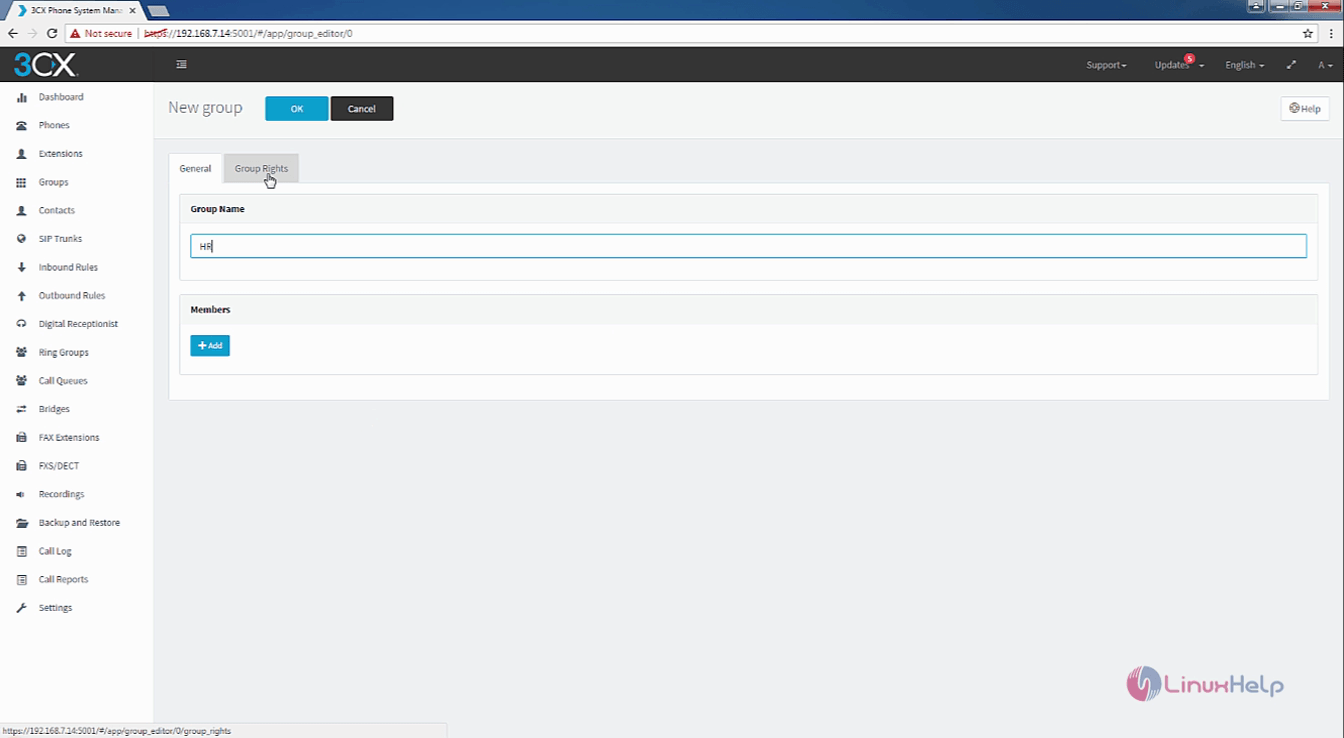
Group_Name

Once it is done, enable or disable the group rights.
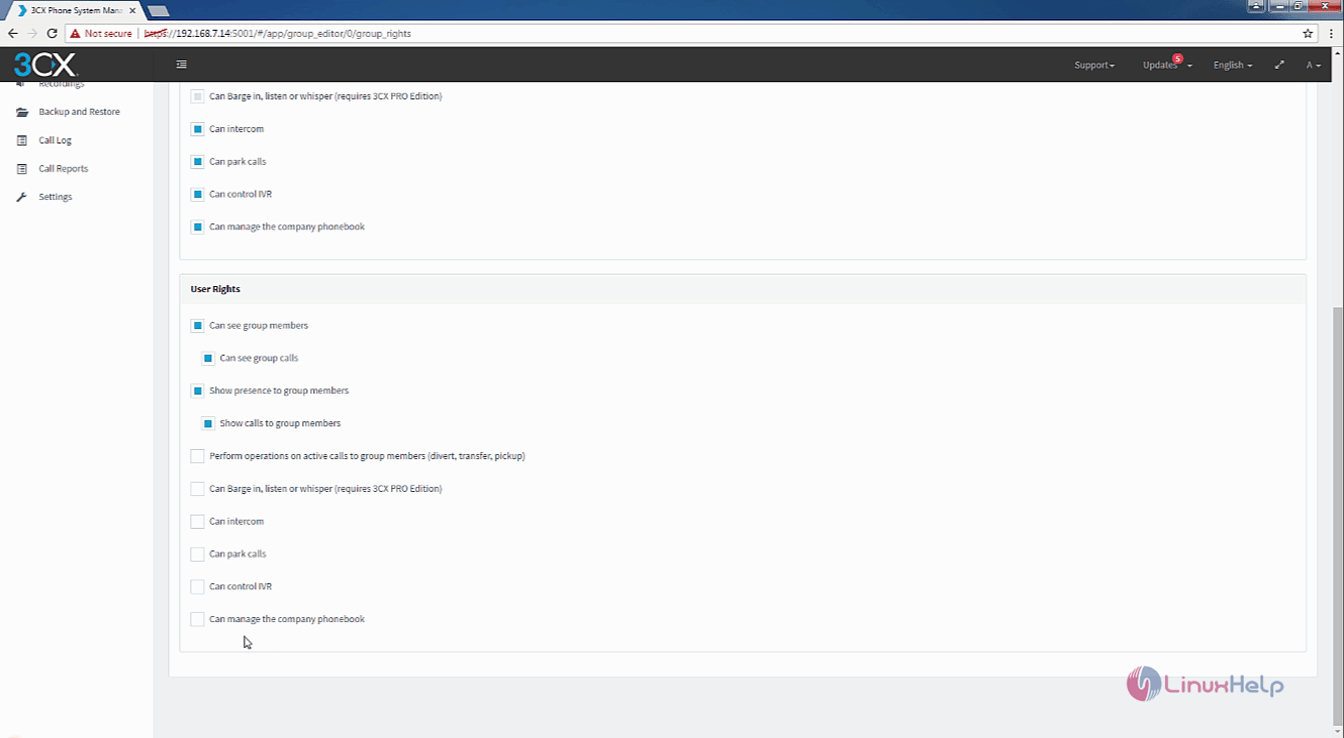
group_rights

Now you can add members to the group.
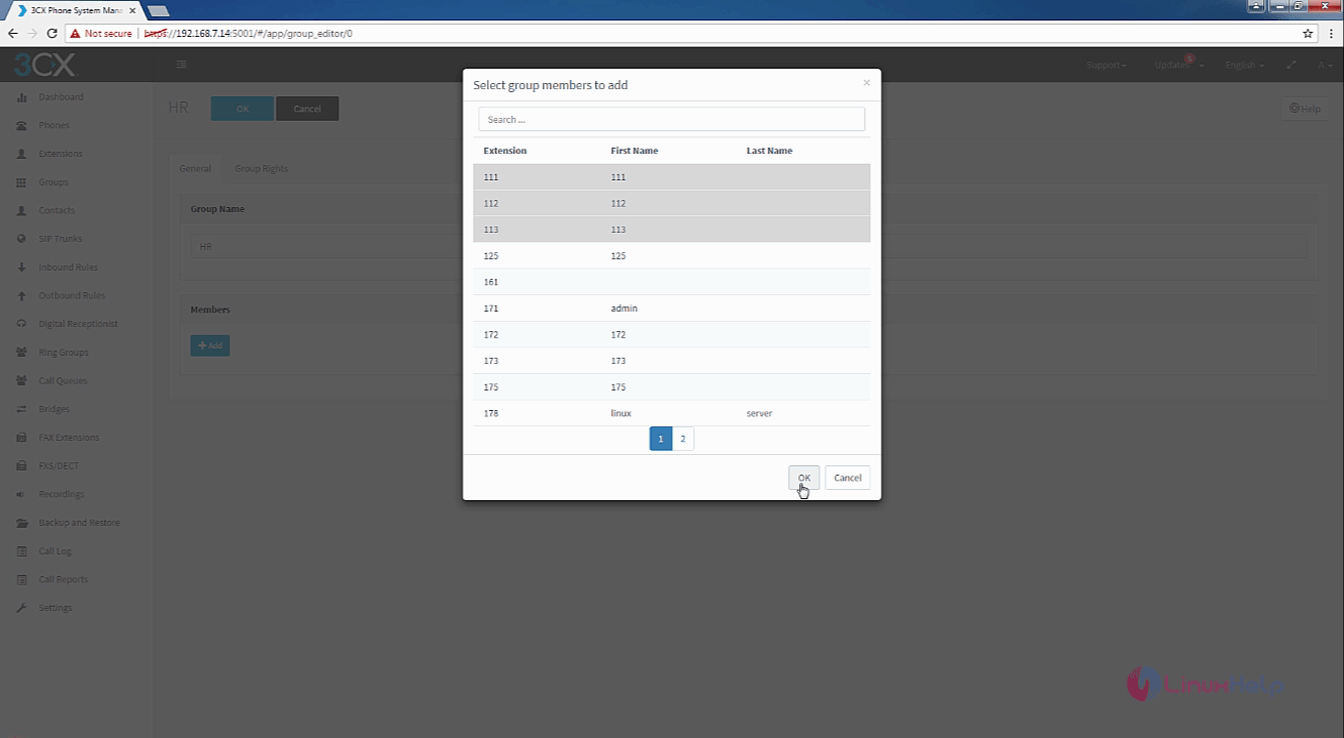
add_members

Finally, click OK to create the new group.
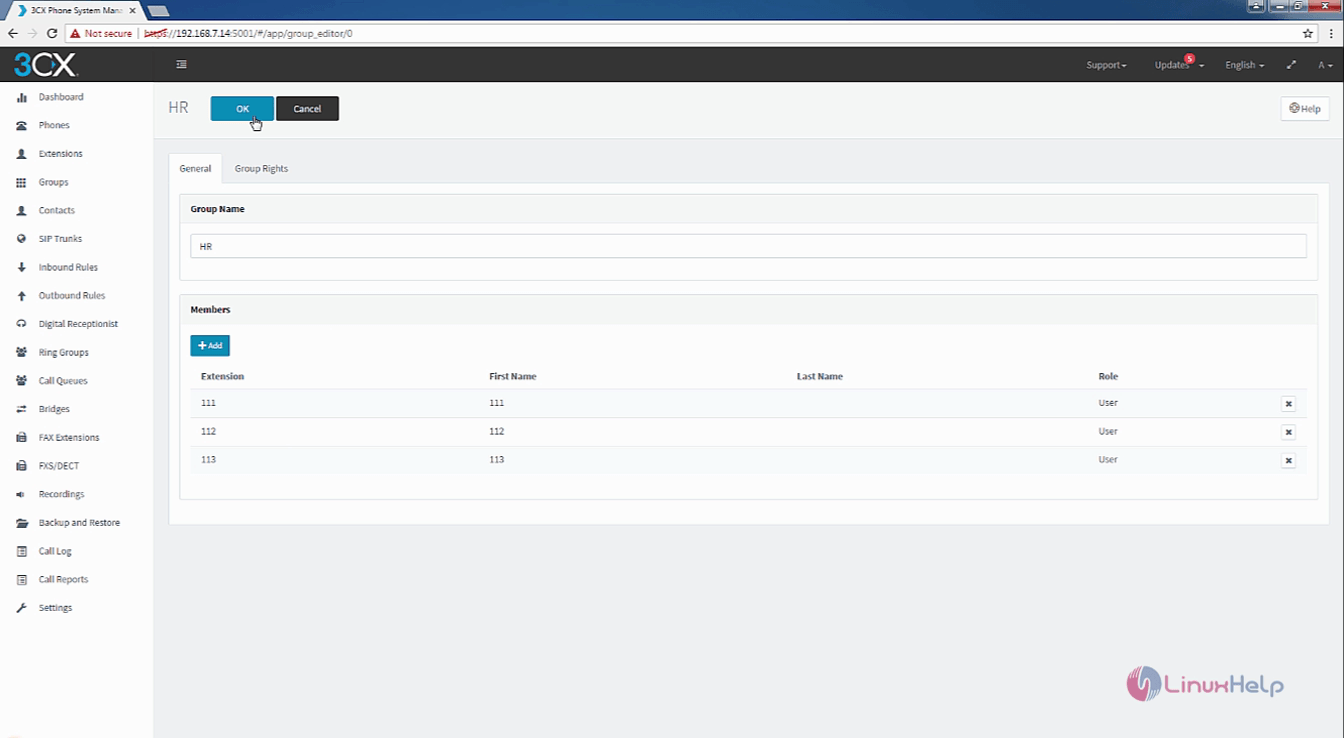
new_group

To add group membership for an extension

You can also add the group membership for an extension. Select the extensions for which memberships has to be added and click Edit.
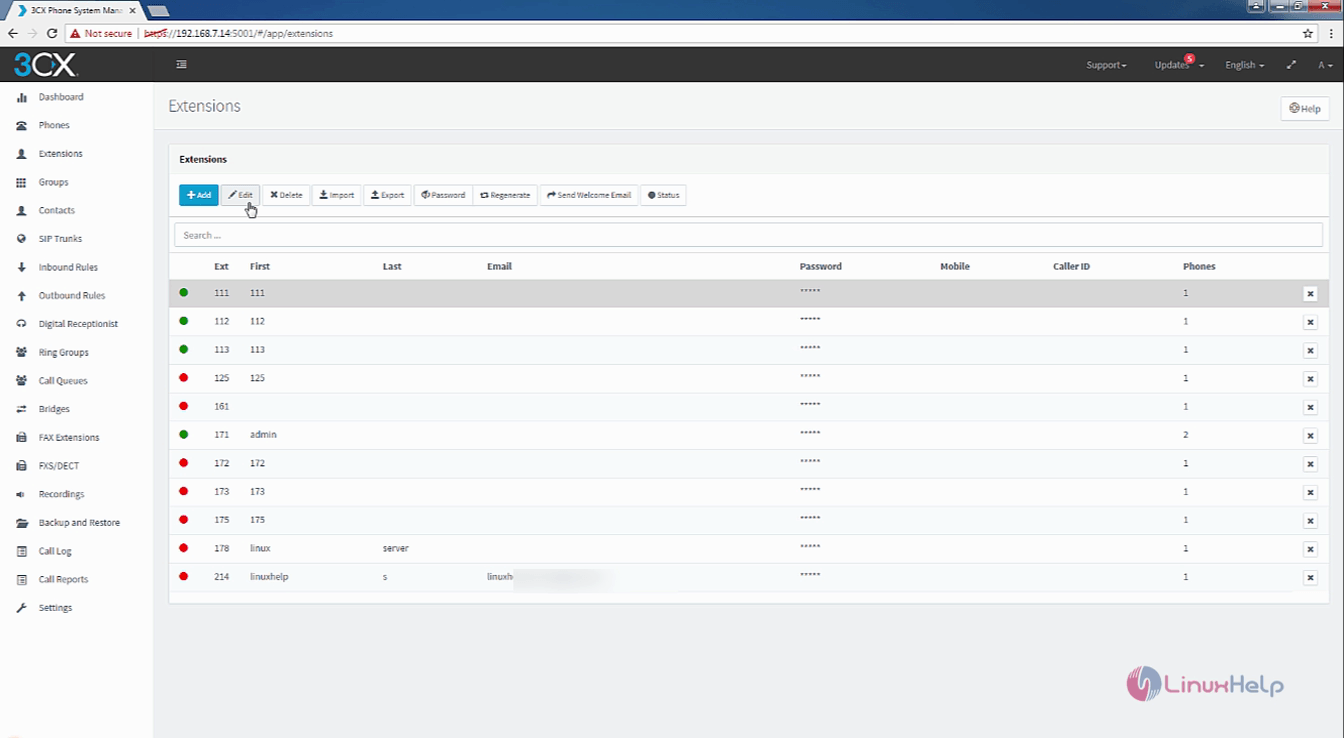
edit

Now click on the Rights tab and select the group membership.
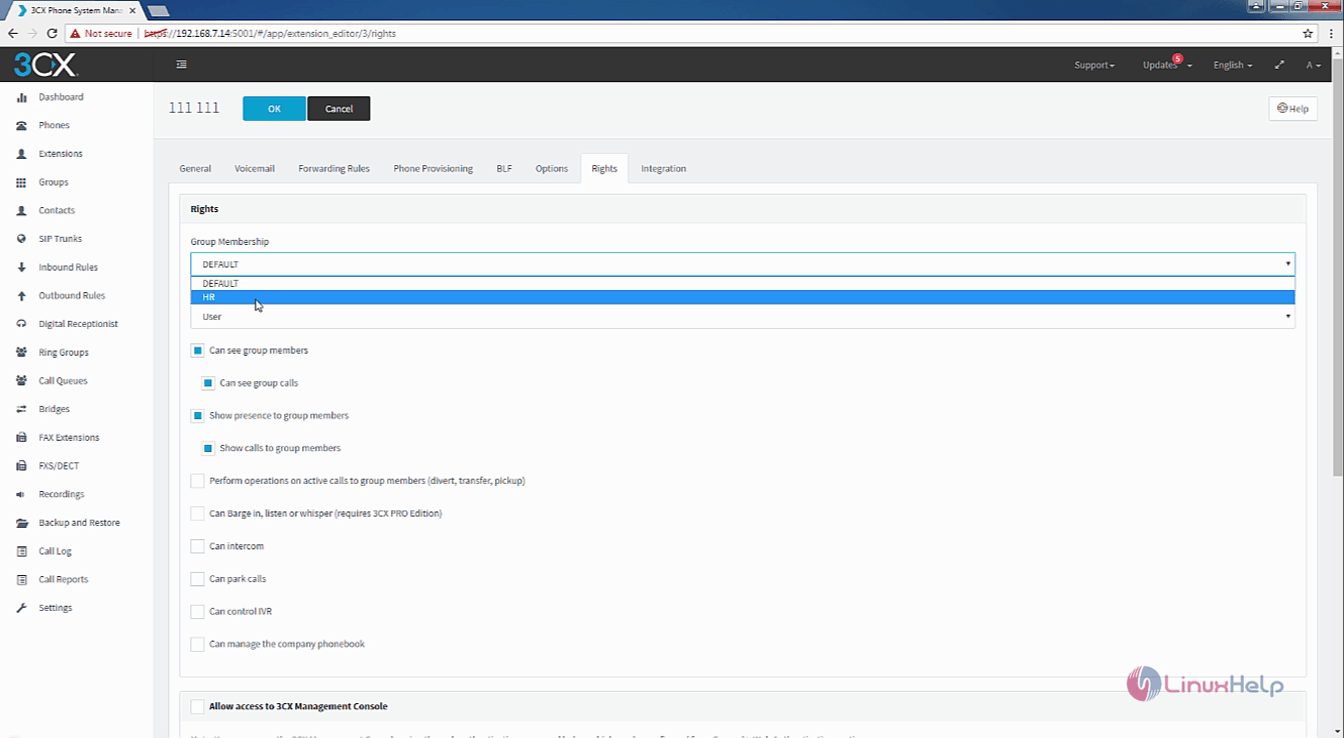
group_membership

Finally, click OK to save the changes for the extension.
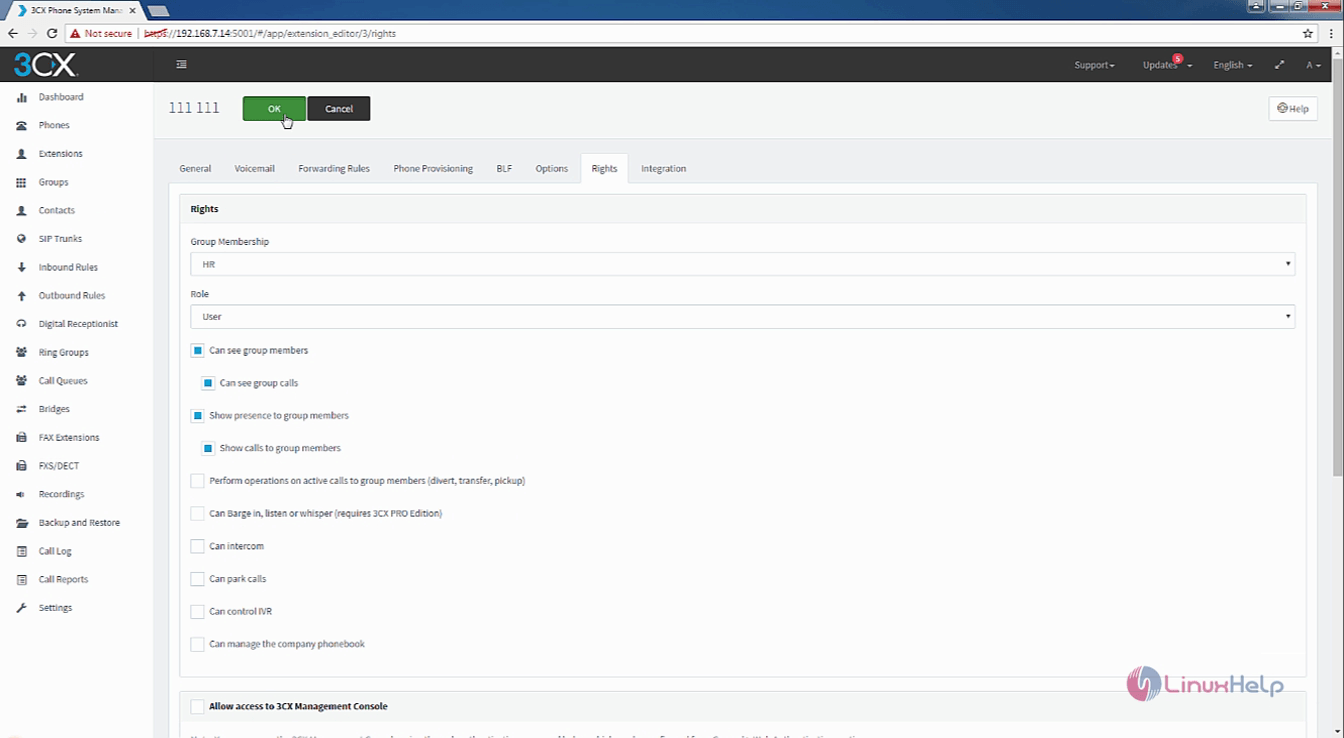
save

Wasn' t the procedure quite simple? Stay connected for more tutorials on Elastix 5.

Tags:
jackson
Author: 

Comments ( 0 )

No comments available

Add a comment
{{postCtrl.cmtErrMsg}}

Frequently asked questions ( 5 )

Q

what is the client requirements?

A

"Modern Web Browser (IE10 or above, Google Chrome, Safari, Firefox, Opera)
Javascript enabled
Adobe Flash Player (for recording playback or lack of websocket support in a browser)"

Q

"how to Command line usage in elastix?
"

A

"The service daemon can be started also by hand at the Linux console. You can try by changing to fop2_server directory and running it from there, eg:

cd /usr/local/fop2
./fop2_server"

Q

"how to command line activate the license?

"

A

"Run the following command,
/usr/local/fop2/fop2_server --register"

Q

What Equipment is Required?

A

Very little is actually required to get an Asterisk PBX up and running. An older PC running Linux, even if it is a few years old, will usually suffice as Linux can typically be run on lower performance CPUs, unlike Windows. In fact, for the purpose of this Asterisk SIP project, I used a Network Attached Storage (NAS) device from Synology, the DS-213J.

Q

I’m getting DistributionNotFound and entry_point errors when I try to run Curator. What am I doing wrong?

A

"If you can run pip install -U setuptools, it should correct the problem.

You may also be able to download and install manually:

wget https://pypi.python.org/packages/source/s/setuptools/setuptools-15.1.tar.gz -O setuptools-15.1.tar.gz
pip install setuptools-15.1.tar.gz"

Back To Top!
Rank
User
Points

Top Contributers

userNamenaveelansari
135850

Top Contributers

userNameayanbhatti
92510

Top Contributers

userNamehamzaahmed
32150

Top Contributers

1
userNamelinuxhelp
31040

Top Contributers

userNamemuhammadali
24500
Can you help Isaiah ?
What is the use of SUID & SGID commands

How to set the special permissions to the files and folders using SUID and SGID commands...

Networking
  • Routing
  • trunk
  • Netmask
  • Packet Capture
  • domain
  • HTTP Proxy
Server Setup
  • NFS
  • KVM
  • Memory
  • Sendmail
  • WebDAV
  • LXC
Shell Commands
  • Cloud commander
  • Command line archive tools
  • last command
  • Shell
  • terminal
  • Throttle
Desktop Application
  • Linux app
  • Pithos
  • Retrospect
  • Scribe
  • TortoiseHg
  • 4Images
Monitoring Tool
  • Monit
  • Apache Server Monitoring
  • EtherApe 
  • Arpwatch Tool
  • Auditd
  • Barman
Web Application
  • Nutch
  • Amazon VPC
  • FarmWarDeployer
  • Rukovoditel
  • Mirror site
  • Chef
Contact Us | Terms of Use| Privacy Policy| Disclaimer
© 2025 LinuxHelp.com All rights reserved. Linux™ is the registered trademark of Linus Torvalds. This site is not affiliated with linus torvalds in any way.