How to create Linux Virtual Machine on Microsoft Azure
To Create Linux Virtual Machine On Microsoft Azure
Introduction:
Microsoft Azure, often referred to as Azure, is a cloud computing service operated by Microsoft for application management via Microsoft-managed data centers. SSH provides password or public-key based authentication and encrypts connections between two network endpoints.
Procedure:
Step 1: Login to Microsoft Azure portal
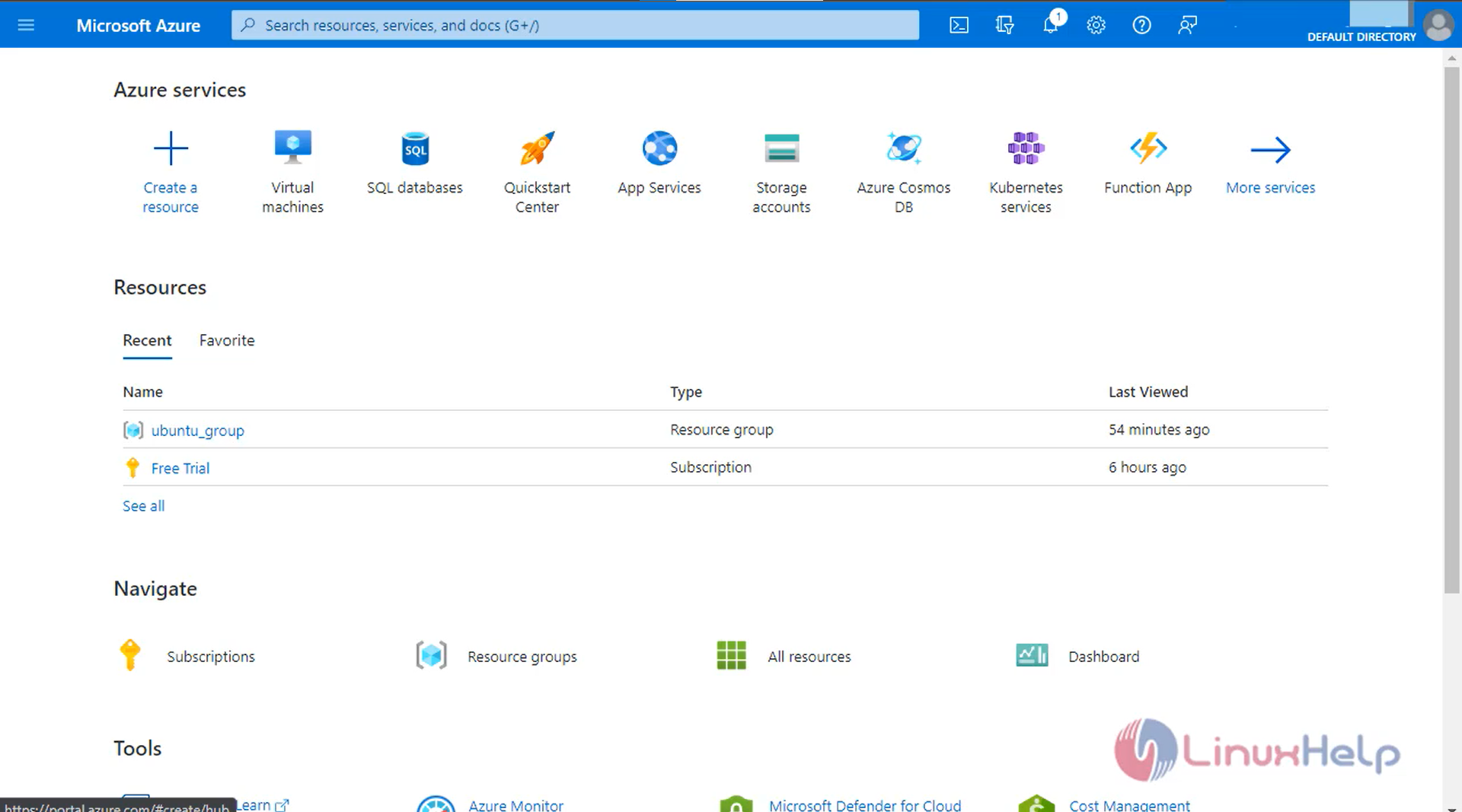
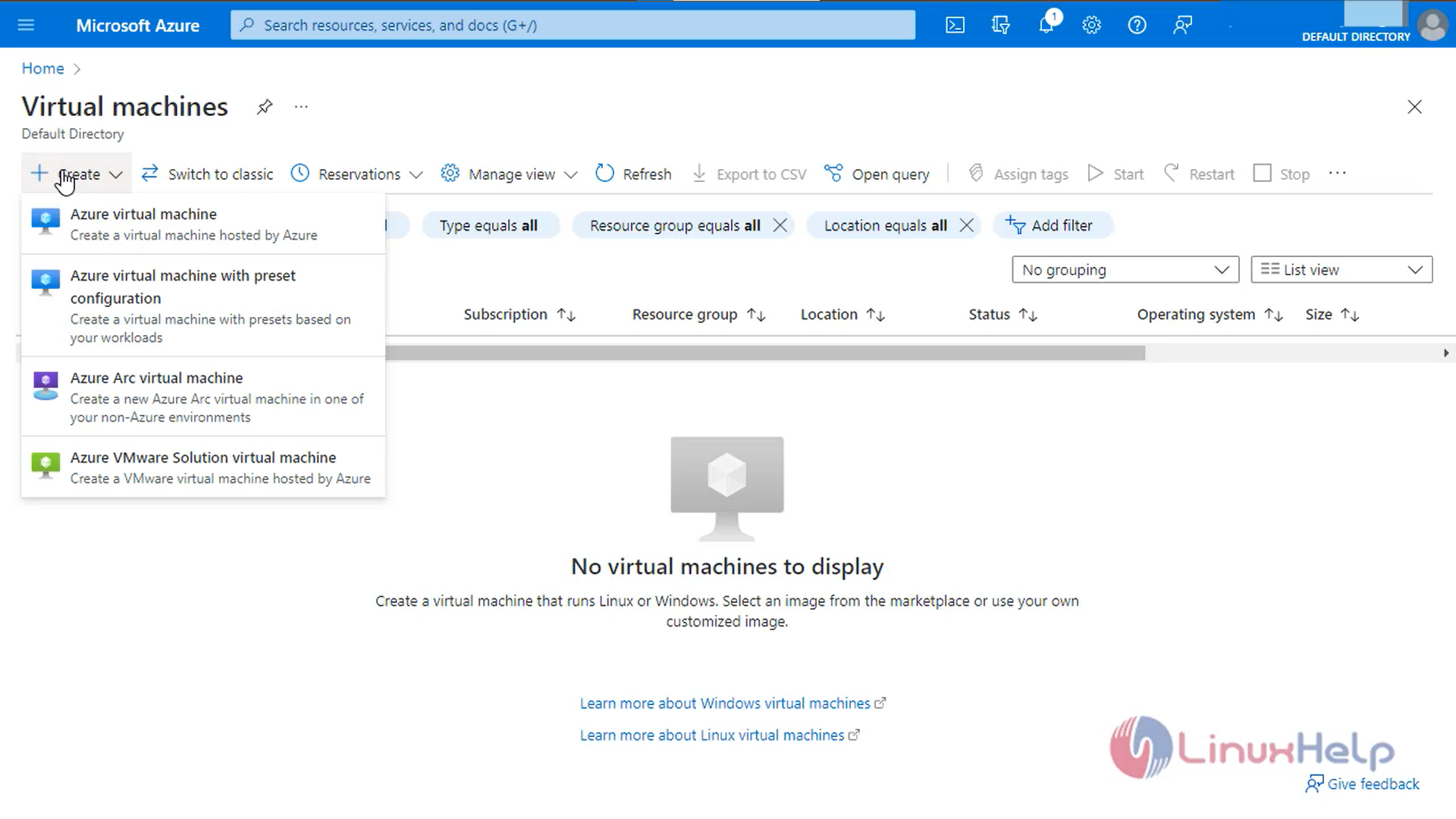
Step2: Select virtual machine and click Create
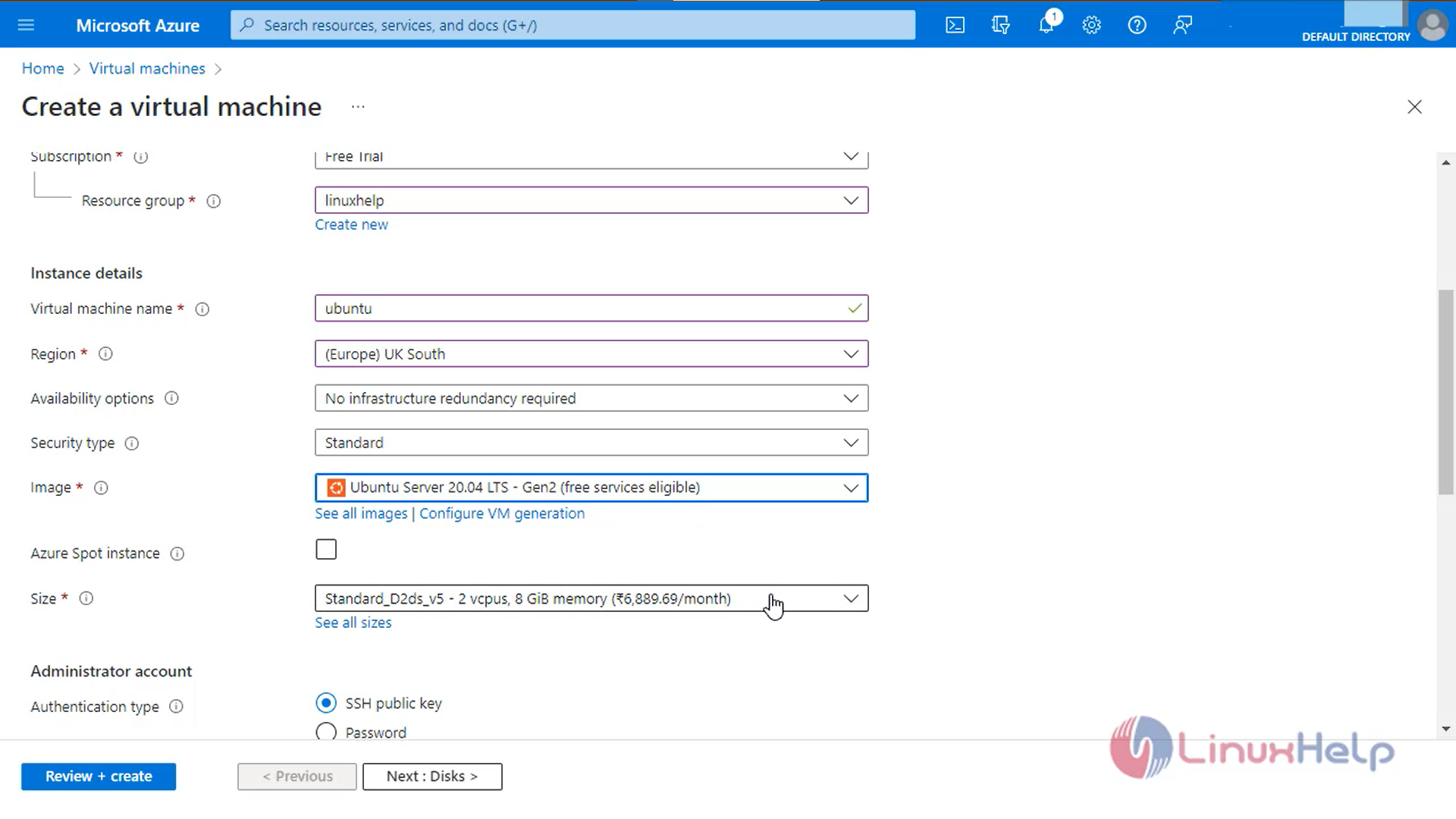
Step 3: Enter the Project details Instance Details and Administration account details
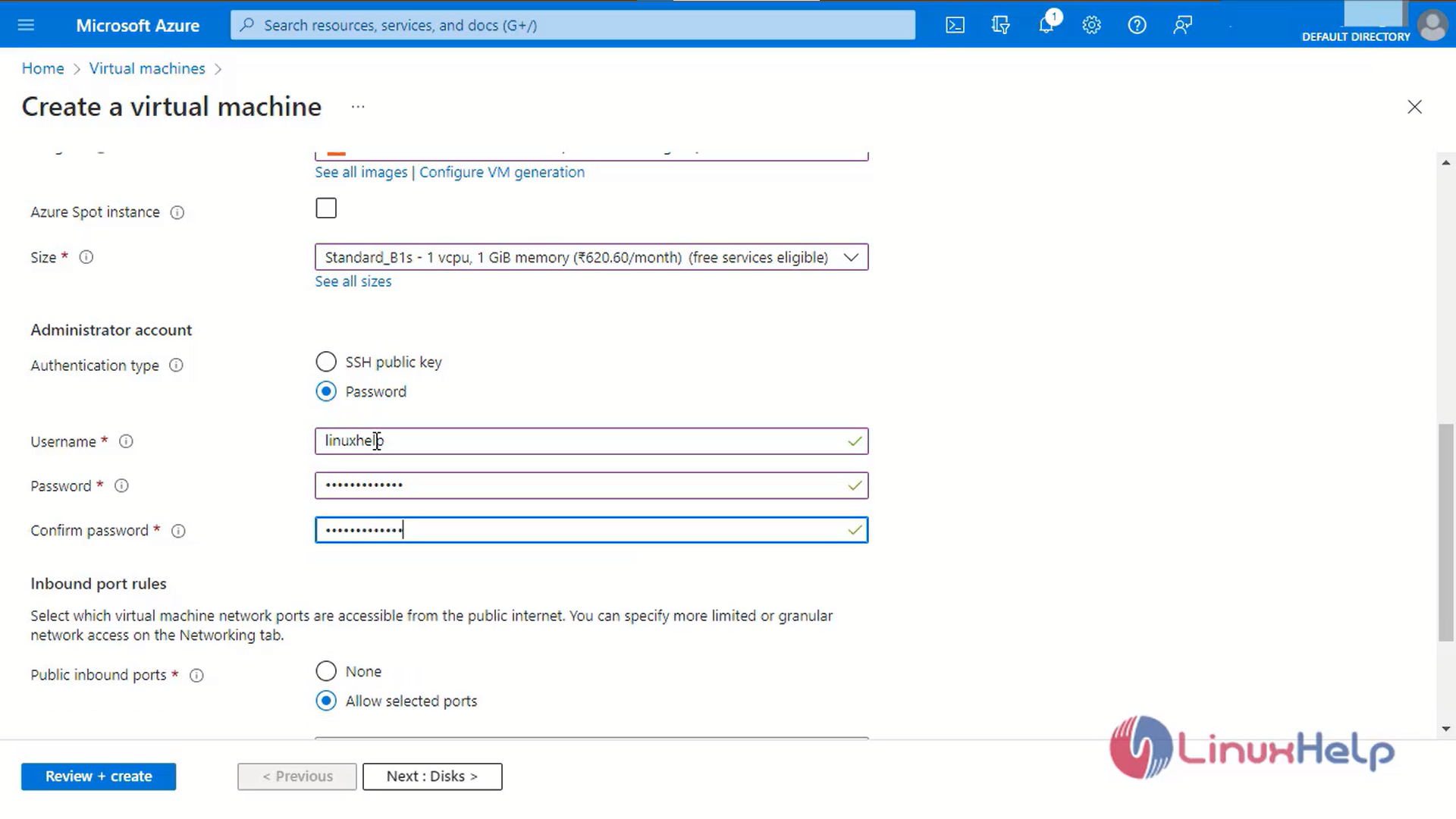
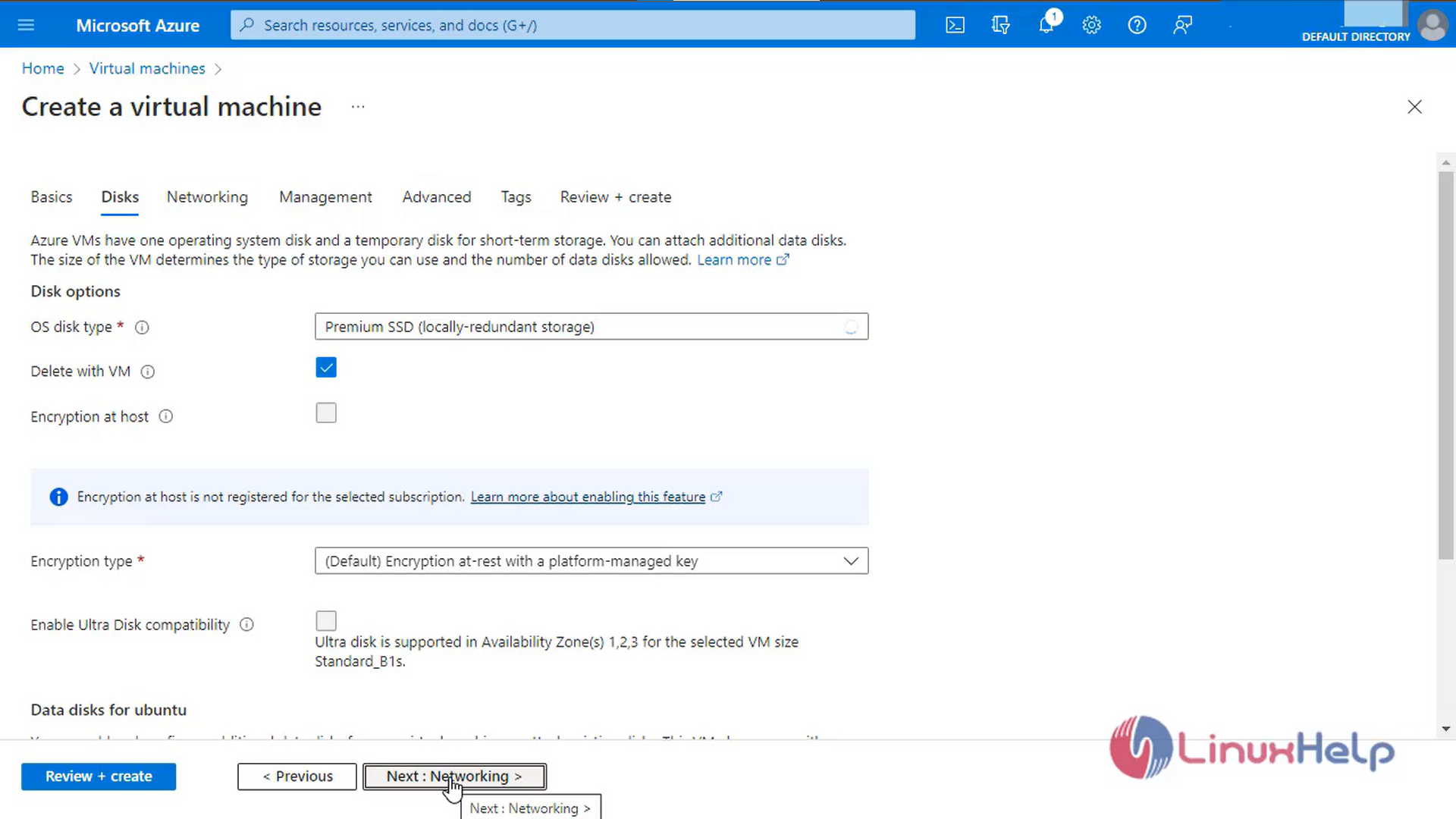
Step 4: Enter the Disk Details and click next
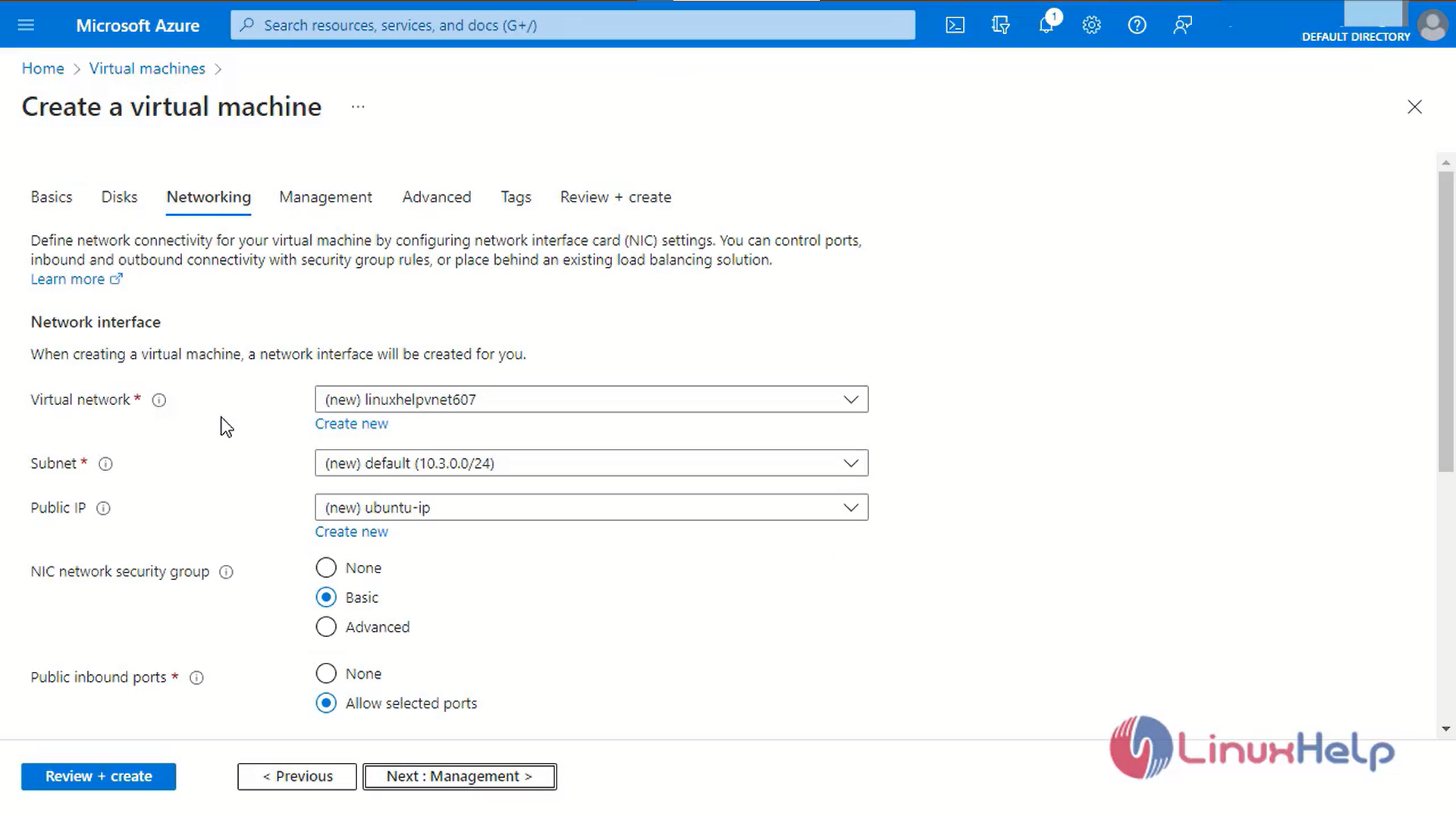
Step 5: Enter the Networking Interface Details
Step 6: Set to Default configuration in management, advanced and tags tab
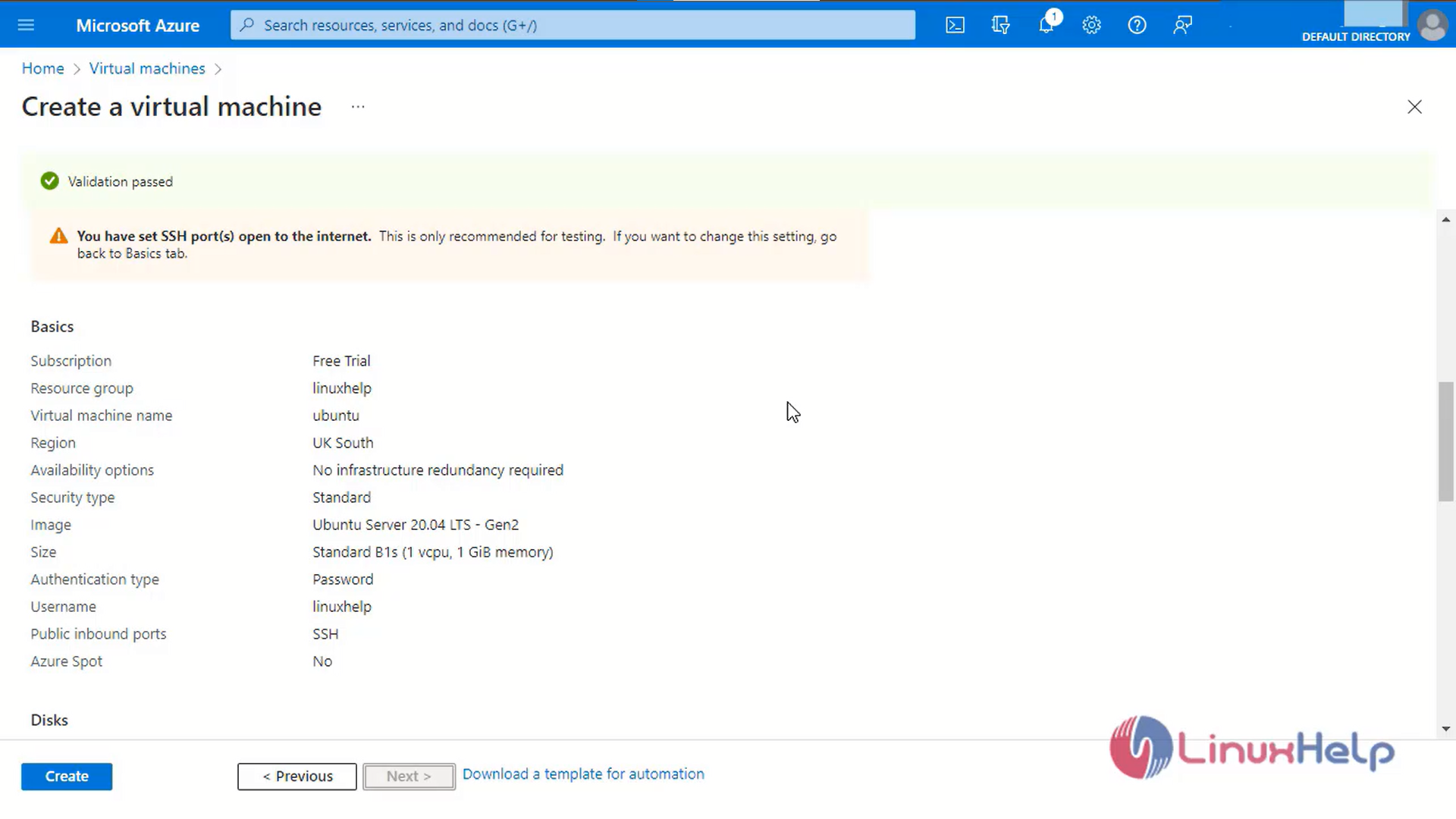
Step 7: Review and Click Create to create the virtual machine
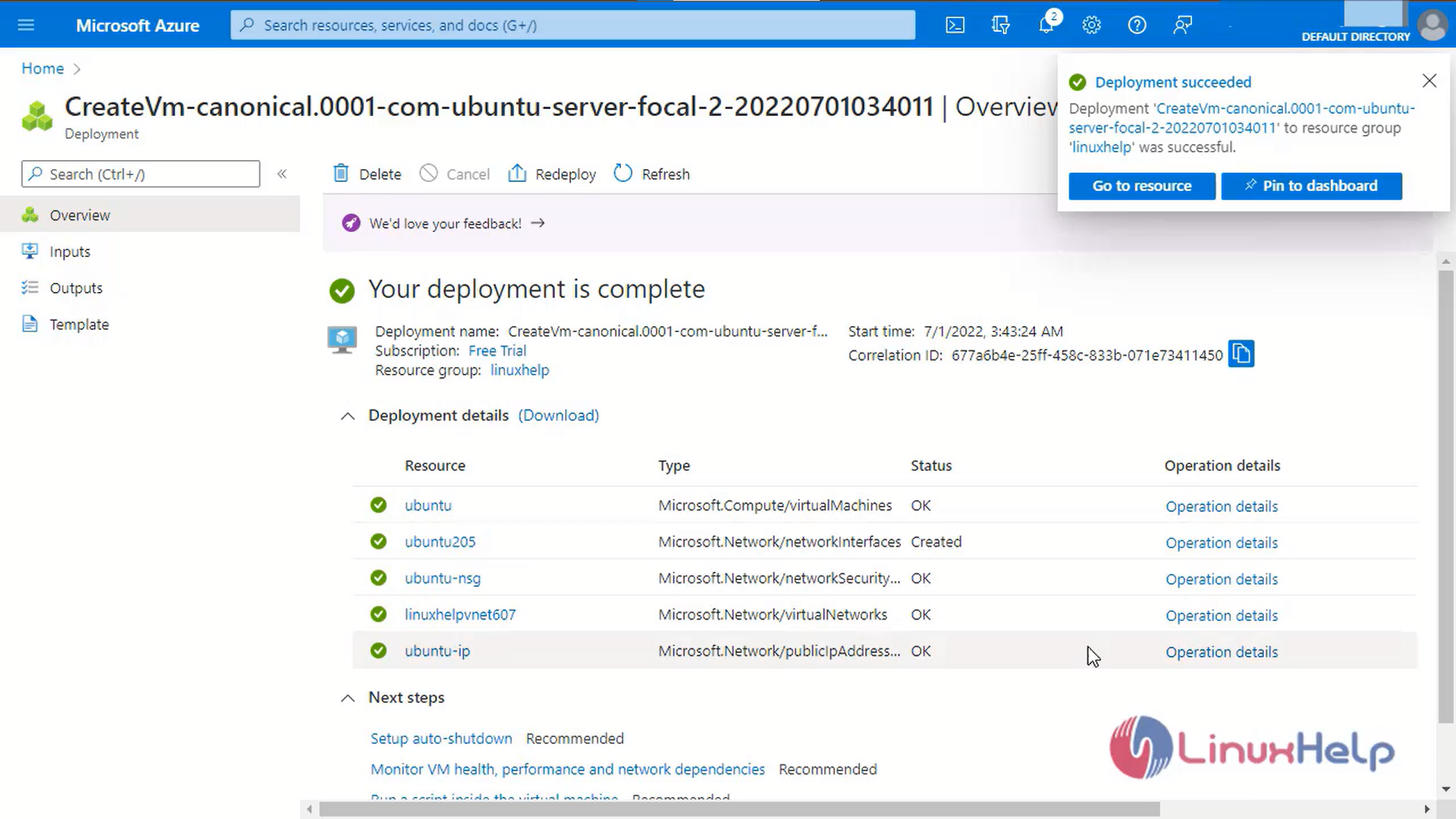
Step 8: The Deployment is successful
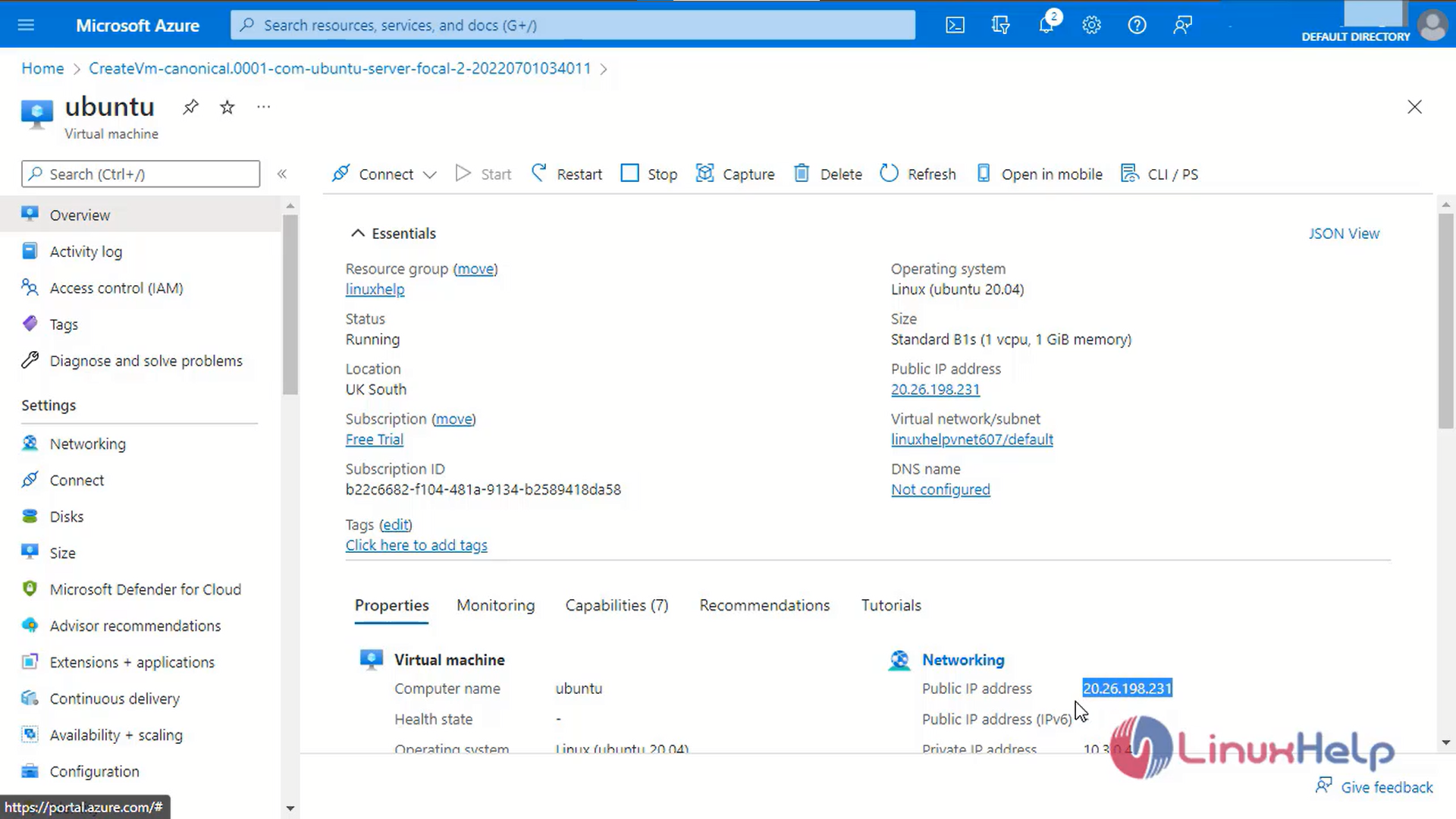
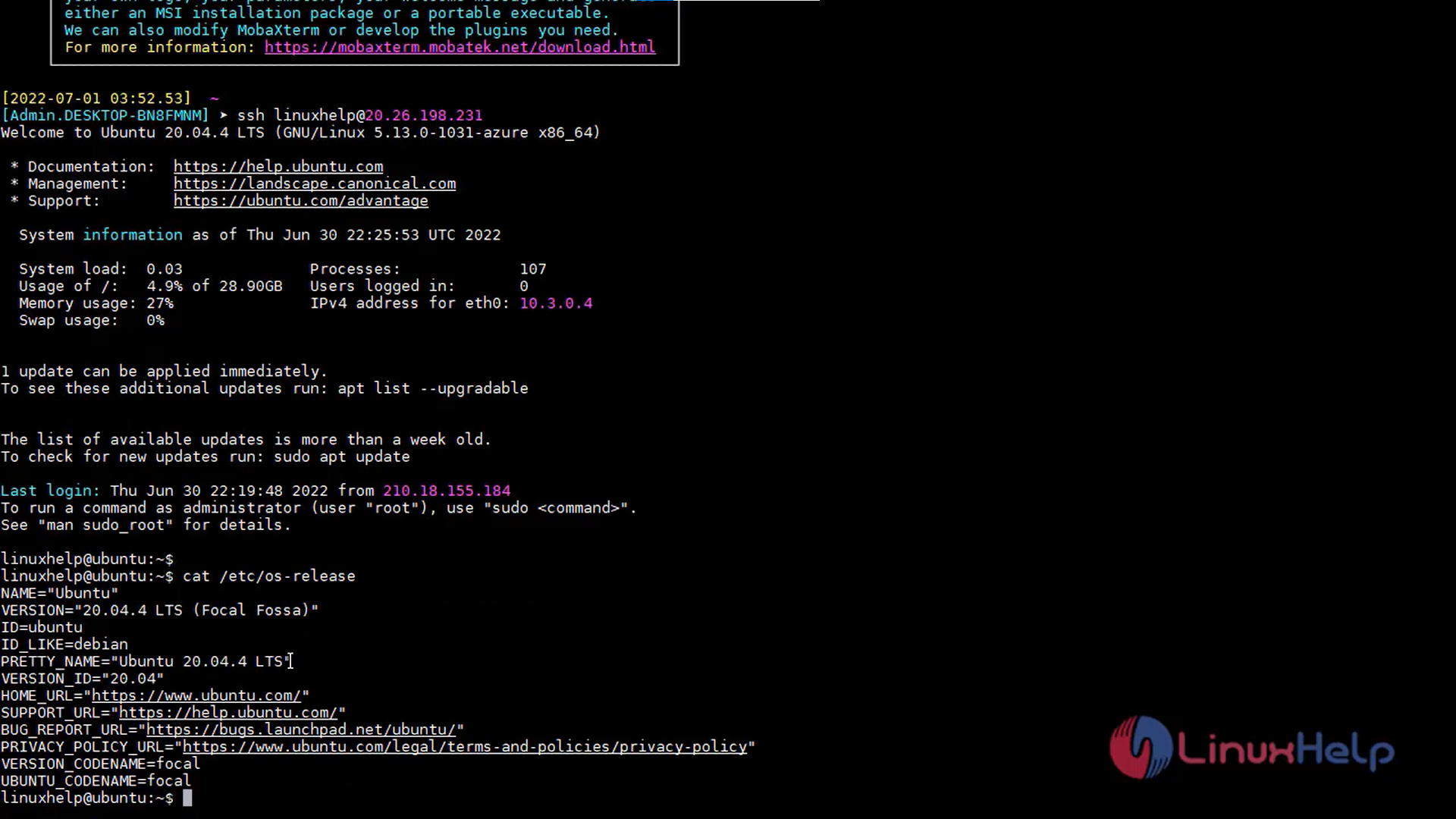
Step9: Copy the public IP address and login via SSH
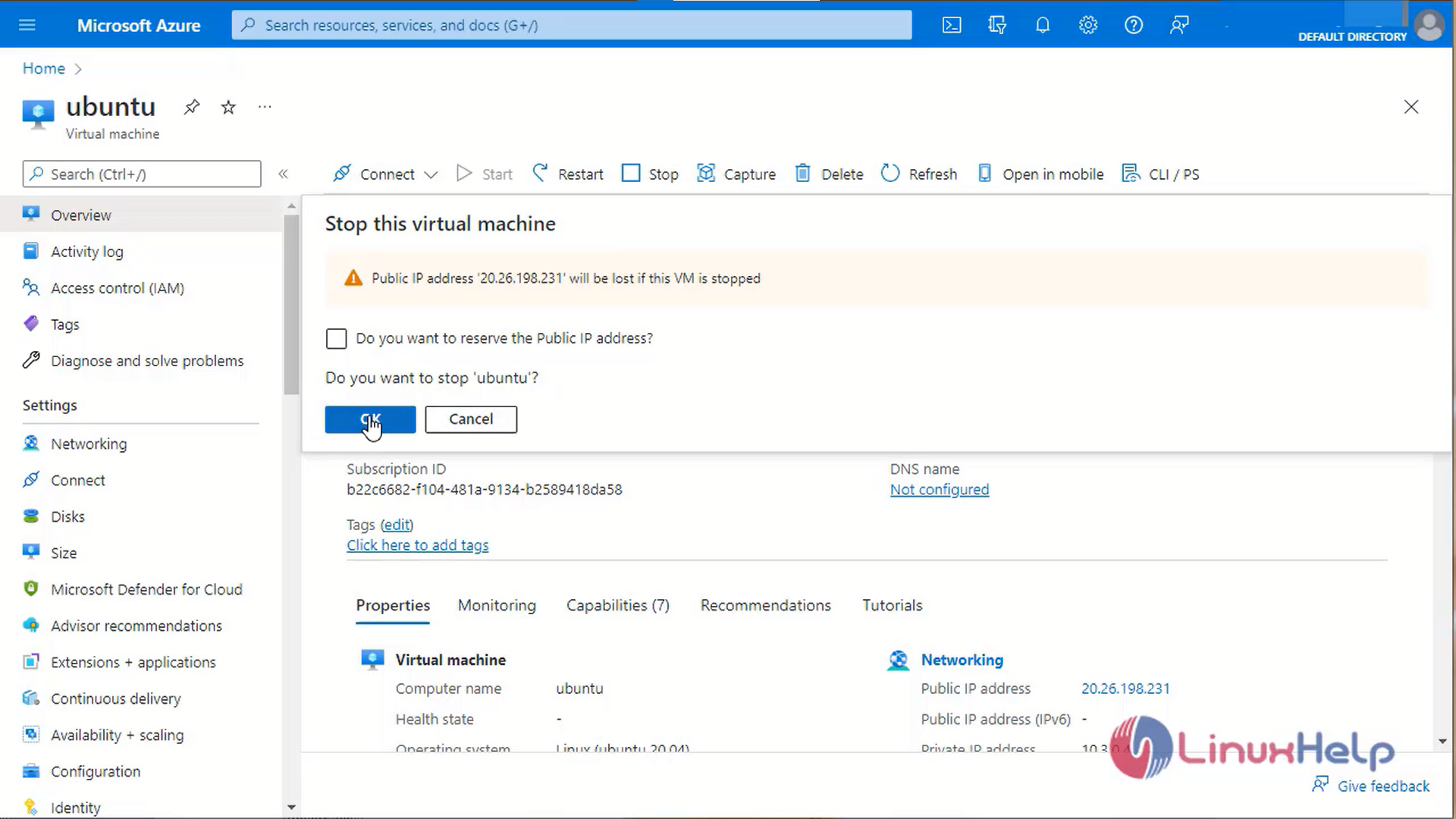
Step 10: To stop the virtual machine click stop icon
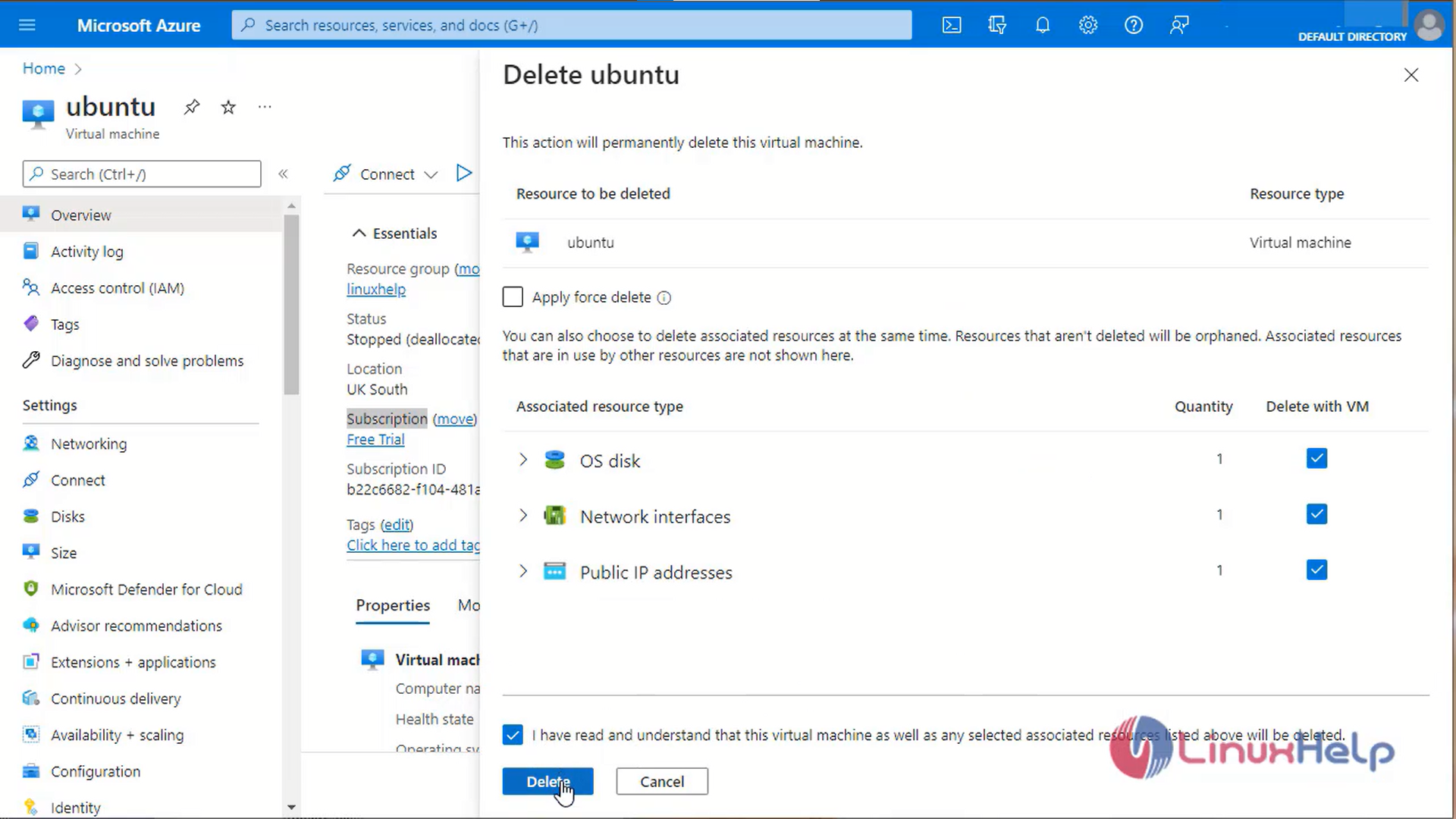
Step 11: To delete the virtual machine click the delete button
Conclusion:
We have reached the end of this article. In this guide, we have walked you through the steps required to create linux virtual machine on Microsoft Azure. Your feedback is much welcome.
Comments ( 0 )
No comments available