• Categories
    Category
    {{ postCtrl.tags }}
    • {{ category.tag_type }}

      • {{tag.tag_name}}
      • View more
  • Categories
    Category
    {{ postCtrl.tags }}
    • {{ category.tag_type }}

      • {{tag.tag_name}}
      • View more
  • News
  • Tutorials
  • Forums
  • Tags
  • Users
Tutorial News Comments FAQ Related Articles

How to create Misc Application in Elastix

{{postValue.id}}

To create Misc Application in Elastix

The Misc Application is a module available in Elastix. It is used for adding feature codes that can be used to dial from the internal phones which connects the various destinations available in the free PBX. This article covers the method to add the Misc Application in Elastix.

To create Misc Application

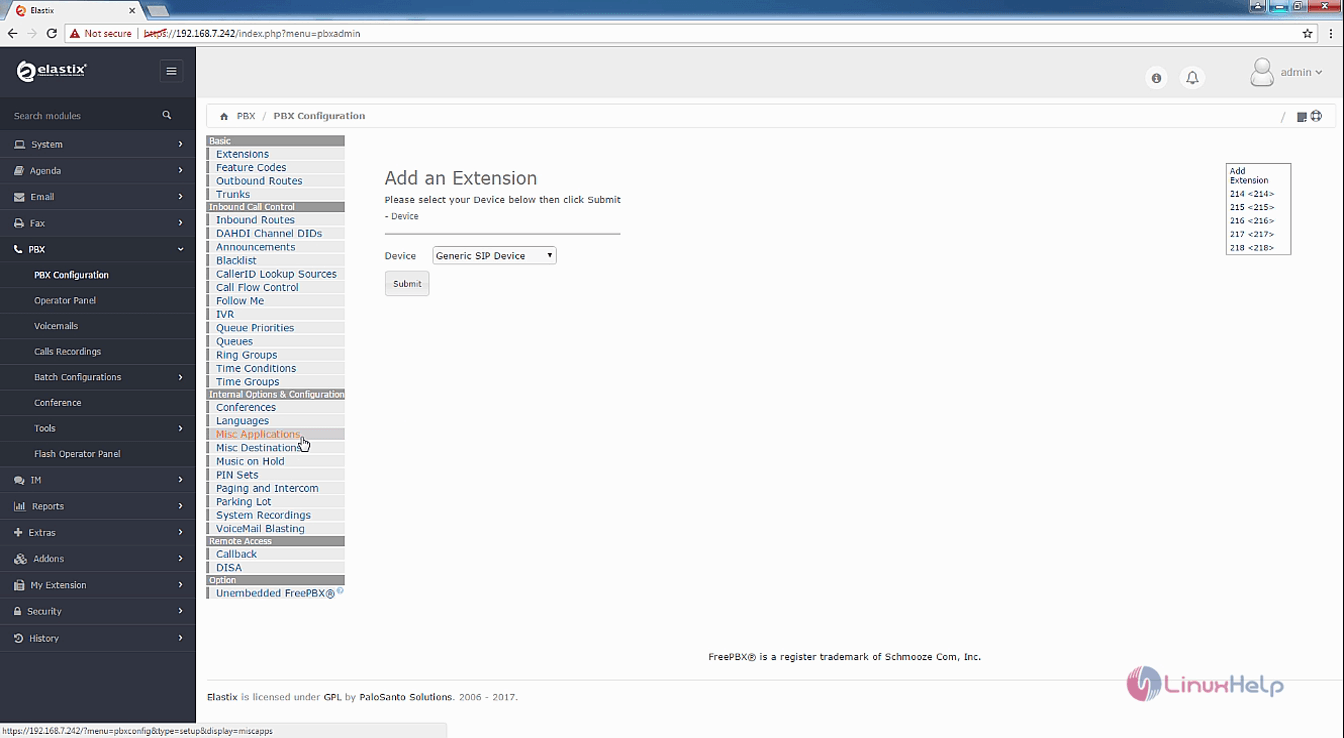
Open your Elastix dashboard and choose PBX ---> PBX configuration. Select Misc from the listed options.
Elastix_Configuration


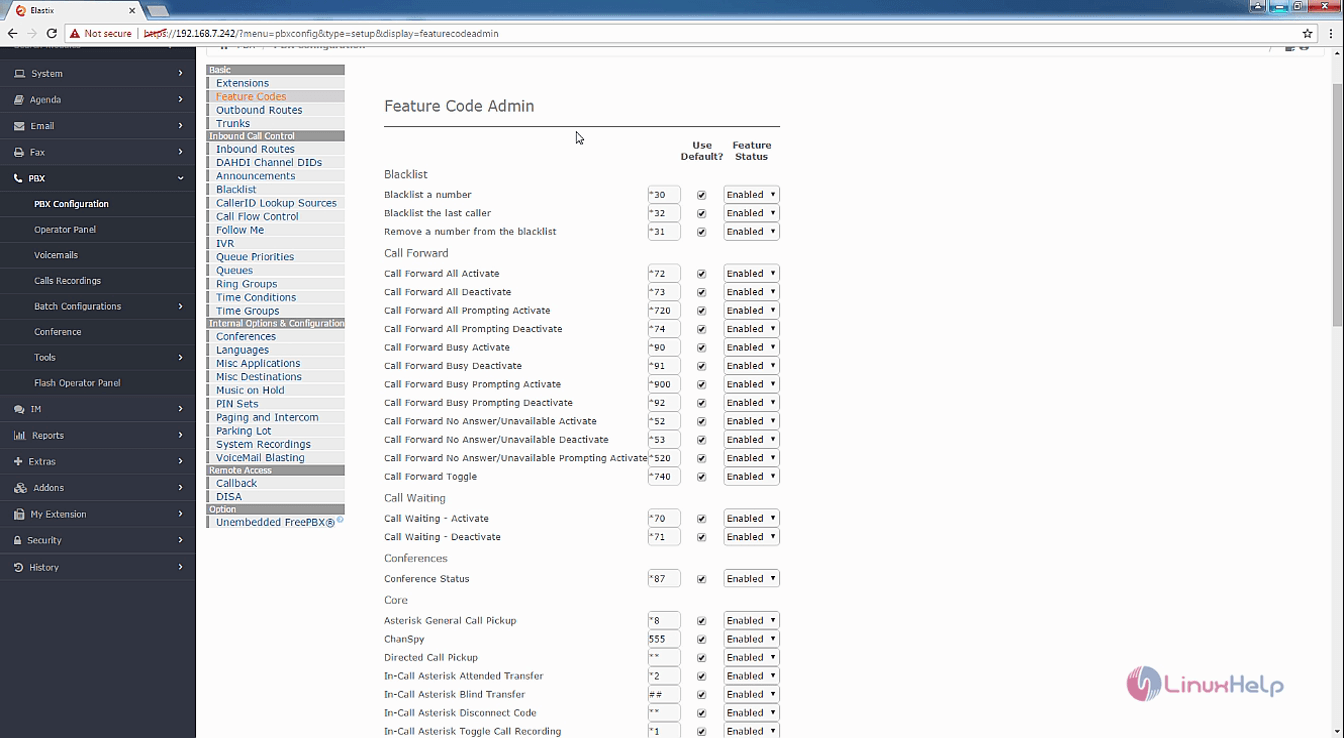
Click on the Feature Codes which contains the default features codes of Elastix. You can enable, disable or even modify the feature codes.
Features_Elastix
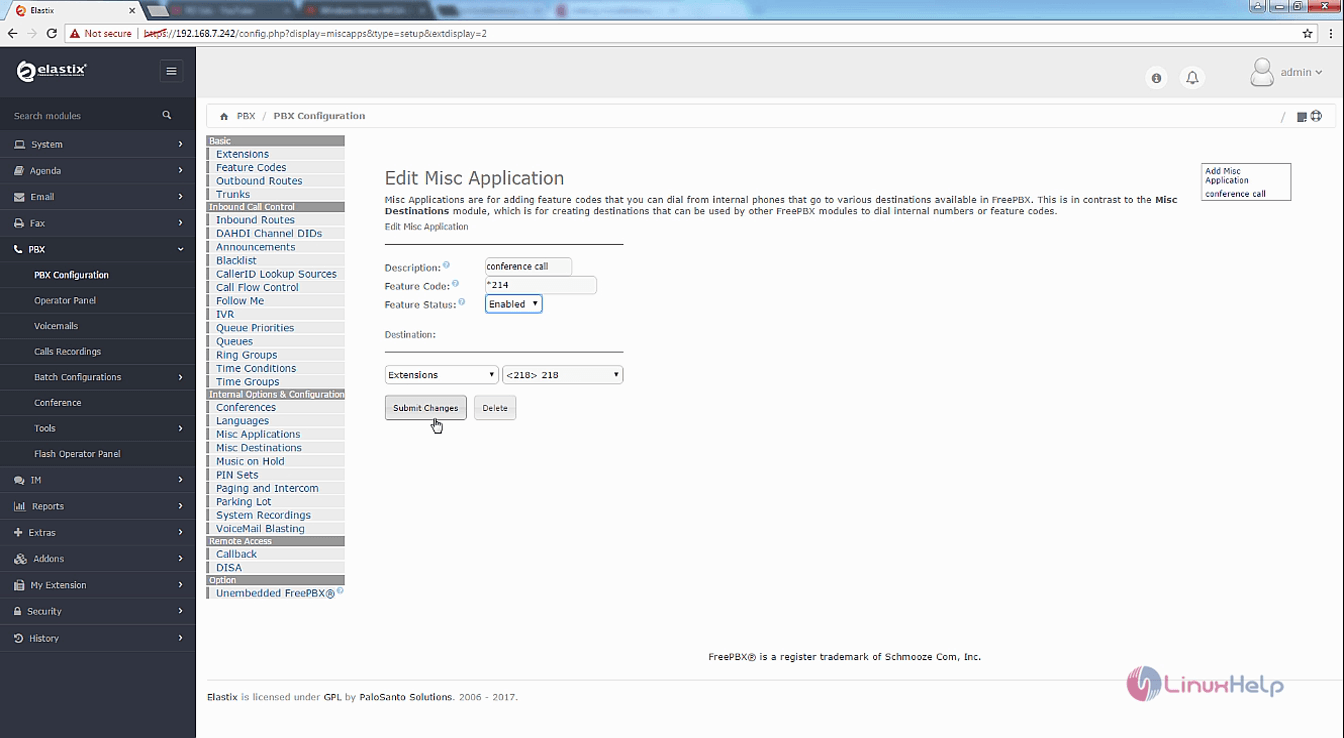
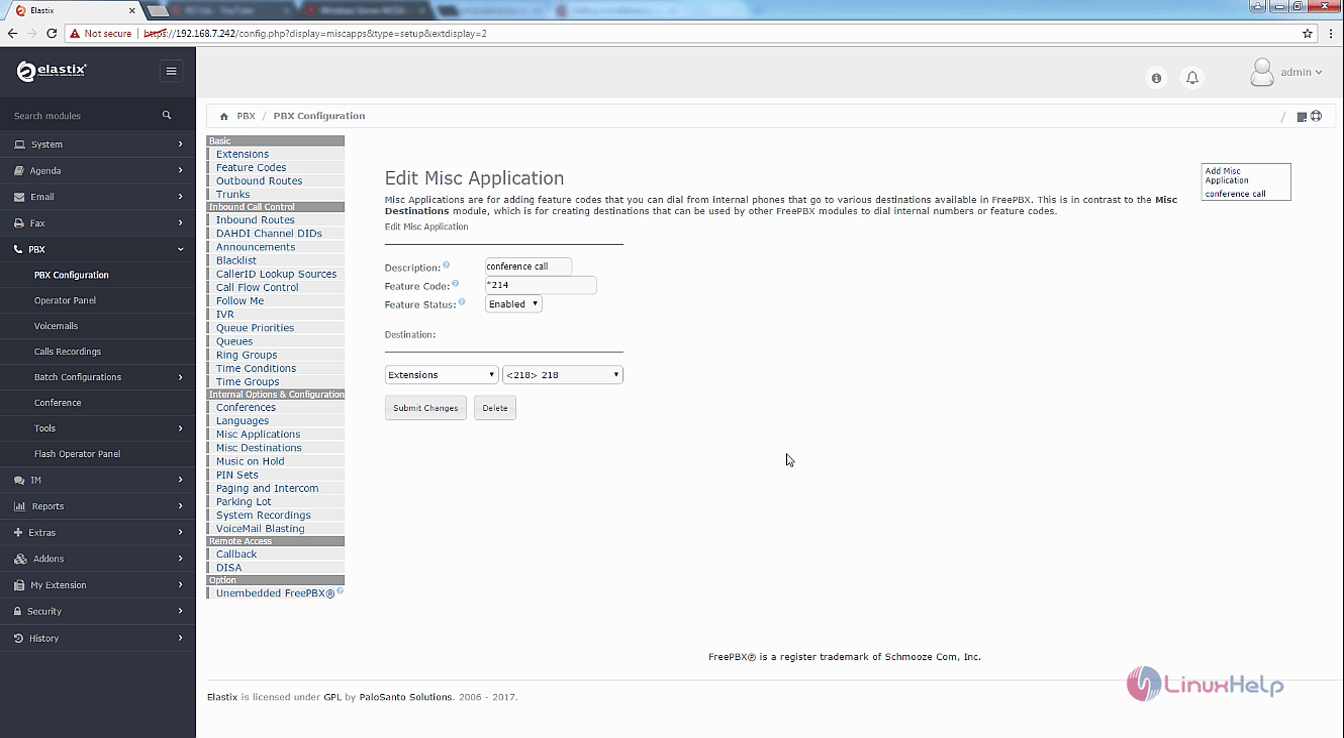
Now add the new Misc Application by entering the feature code and a description. Enable the feature status and choose the destination. Click on Submit Changes and Apply Config.
Edit_Misc_Application
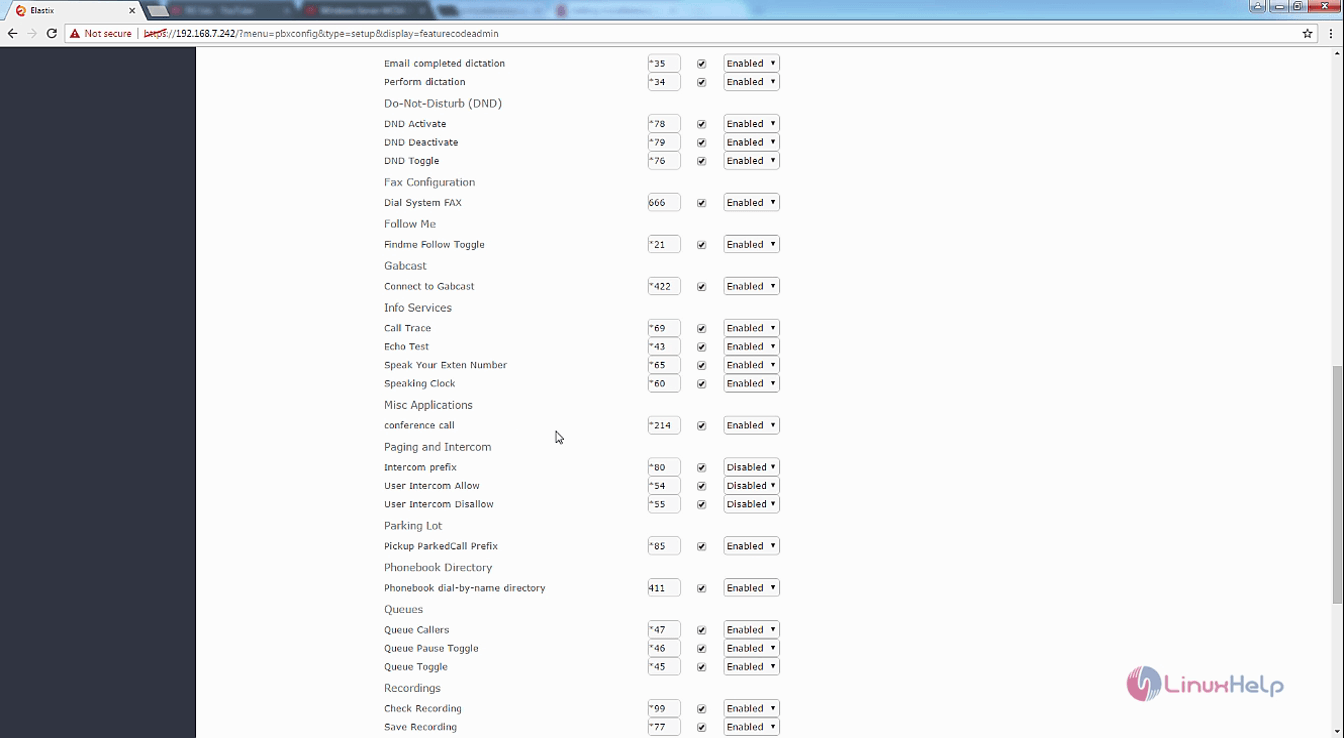
New Misc Application is now added along with a new feature code.
feature_code_admin

You can also make some changes to the newly created Misc Application.
Misc

Tags:
owen
Author: 

Comments ( 0 )

No comments available

Add a comment
{{postCtrl.cmtErrMsg}}

Frequently asked questions ( 5 )

Q

How to create conference in Elastix?

A

follow this link, https://www.linuxhelp.com/how-to-create-conference-in-elastix/

Q

where to find elastix error log files?

A

You can view log for asterisk in below file /var/log/asterisk/full and you can view the logs for your elatix login interface in below file vim /var/log/elastix/audit.log

Q

How to configure IVR in Elastix?

A

refer this link, https://www.linuxhelp.com/how-to-add-system-recordings-and-create-ivr-in-elastix/

Q

Who can avail the OCI Miscellaneous services?

A

Only a registered Overseas Citizen of India (OCI) cardholder can avail
the OCI Miscellaneous Services.

Q

Whether hard copy of the application is required to be submitted for the
change of address/occupation?

A

No. Upon submission of online application, the data shall be captured and new
address/occupation shall be printed which may be kept in the OCI registration
certificate booklet for record purpose. However, if the applicant wishes to avail
this service, he/she can apply for the same.

Back To Top!
Rank
User
Points

Top Contributers

userNamenaveelansari
135850

Top Contributers

userNameayanbhatti
92510

Top Contributers

userNamehamzaahmed
32150

Top Contributers

1
userNamelinuxhelp
31040

Top Contributers

userNamemuhammadali
24500
Can you help Ganesh Konka ?
Zentya 6.1 http proxy configuration

please send link for creating zentyal 6.1 for http proxy and firewall as gateway.

Networking
  • Routing
  • trunk
  • Netmask
  • Packet Capture
  • domain
  • HTTP Proxy
Server Setup
  • NFS
  • KVM
  • Memory
  • Sendmail
  • WebDAV
  • LXC
Shell Commands
  • Cloud commander
  • Command line archive tools
  • last command
  • Shell
  • terminal
  • Throttle
Desktop Application
  • Linux app
  • Pithos
  • Retrospect
  • Scribe
  • TortoiseHg
  • 4Images
Monitoring Tool
  • Monit
  • Apache Server Monitoring
  • EtherApe 
  • Arpwatch Tool
  • Auditd
  • Barman
Web Application
  • Nutch
  • Amazon VPC
  • FarmWarDeployer
  • Rukovoditel
  • Mirror site
  • Chef
Contact Us | Terms of Use| Privacy Policy| Disclaimer
© 2025 LinuxHelp.com All rights reserved. Linux™ is the registered trademark of Linus Torvalds. This site is not affiliated with linus torvalds in any way.