• Categories
    Category
    {{ postCtrl.tags }}
    • {{ category.tag_type }}

      • {{tag.tag_name}}
      • View more
  • Categories
    Category
    {{ postCtrl.tags }}
    • {{ category.tag_type }}

      • {{tag.tag_name}}
      • View more
  • News
  • Tutorials
  • Forums
  • Tags
  • Users
Tutorial News Comments FAQ Related Articles

How to create Misc Destinations and add it to the IVR in issabel

  • 0:39 PBX configuration
  • 0:49 Misc Configuration
{{postValue.id}}

creating Misc Destinations and add it to the IVR in issabel

Misc Destinations is a module available in issabel for adding miscellaneous destinations that can be used by other modules for routing the incoming calls. This article explains the method to create a Misc Destinations module and the technique to add it to the IVR module in issabel.

To configure

To create Misc Destinations

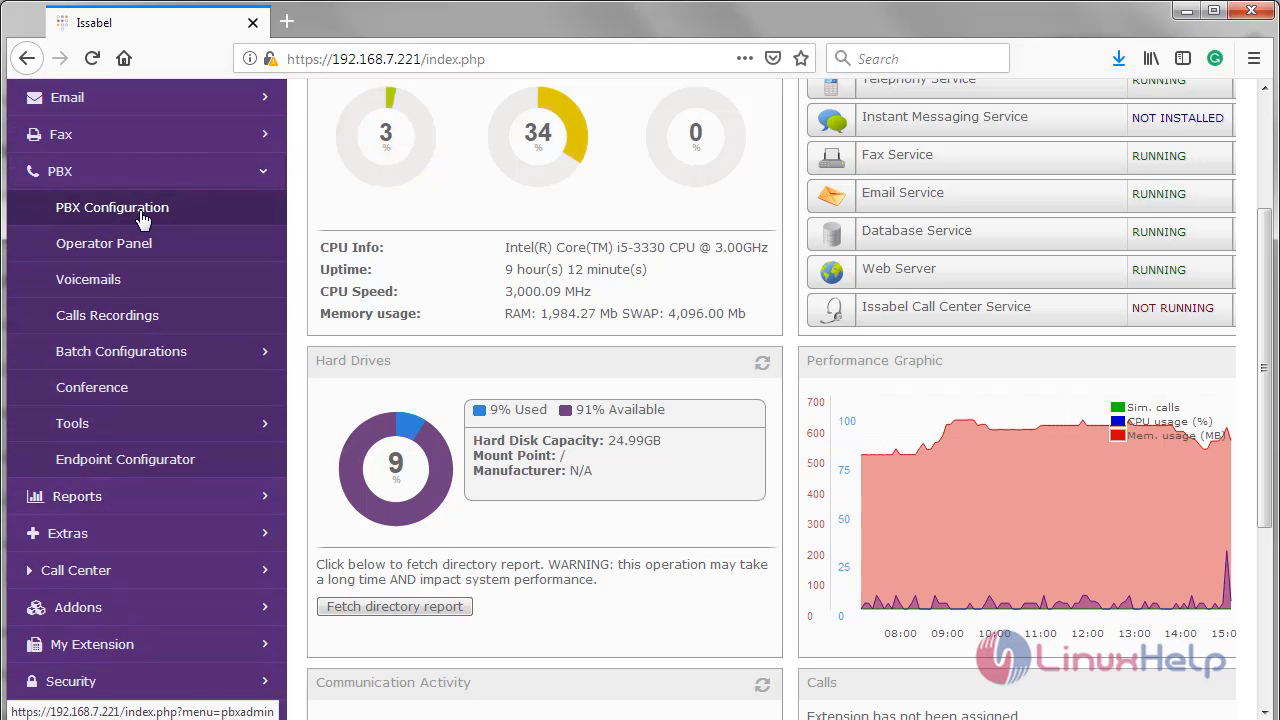
Open your issabel Dashboard and choose PBX ---> PBX configuration from the left pane of your dashboard. Select Misc Destinations from the listed options. 1 2
Add your description for the Misc destination and the number to which you need to create a Misc destination. Once you have configured, click on submit changes and click on the apply config.

3 4

A New Misc destination is now added.

5

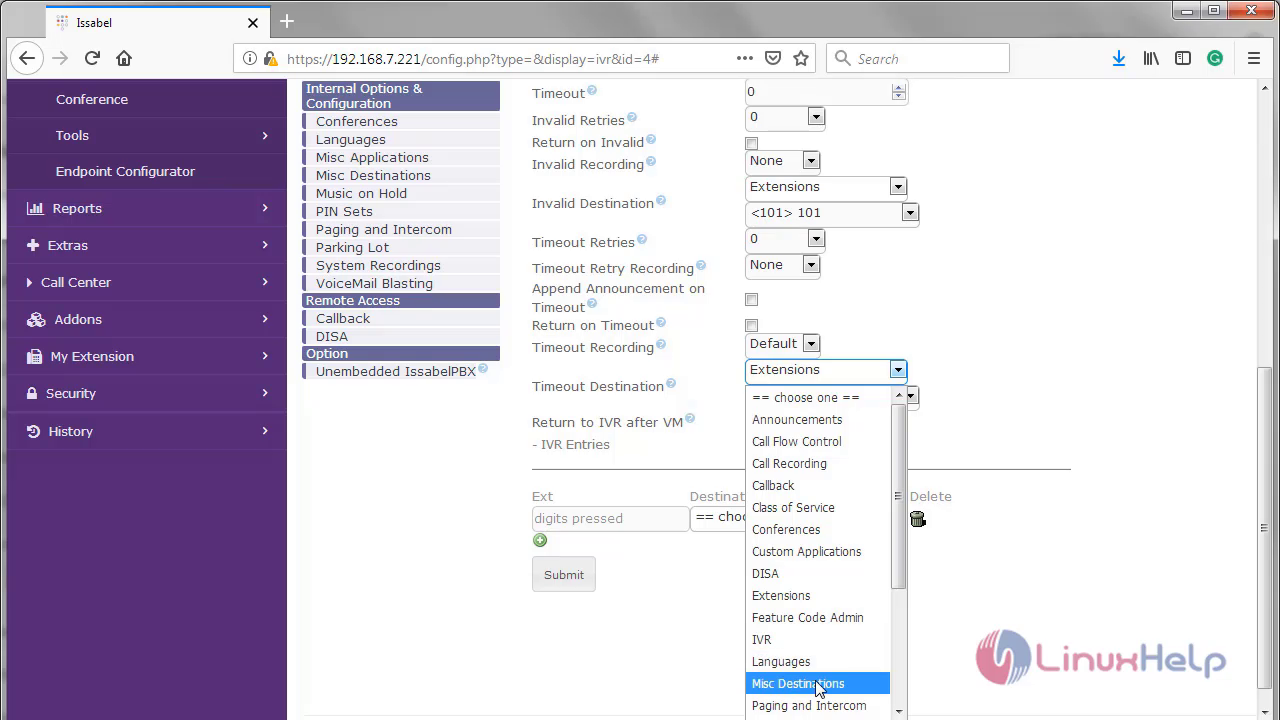
The next procedure is to add the Misc Destination to IVR. Choose the IVR option and choose Misc Destination option from the drop down list box for the Timeout Destination field.

6 7

</ads2.

Now, select the newly created Misc Destination.
8

Finally click Submit and Apply Config.

9 10

Now the Misc Destination is added to the IVR.

11

With this, the method to create Misc Destinations & adding it to the IVR on Issabel comes to an end.

Tags:
aiden
Author: 

Comments ( 0 )

No comments available

Add a comment
{{postCtrl.cmtErrMsg}}

Frequently asked questions ( 5 )

Q

What is the Misc Destinations Module in Issabel?

A

The Misc Destinations Module is used to create a miscellaneous destination to which you can route calls from another module.


For example, you might create a misc destination called "My Mobile Phone" that dials your mobile telephone number. Then, you could set up an IVR so that if a caller presses 9, they would be routed to "Misc Destinations:My Mobile Phone."

Q

How does Misc Destinations Module Works?

A

The Misc Destinations module works together with any module that can route calls to a destination, including the Inbound Routes Module and IVR Module.

Q

How to access download page of issabel?

A

you can download issabel iso, use the following link, https://sourceforge.net/projects/issabelpbx/.

Q

How to update issabel PBX?

A

update the Issabel PBX using following command yum update issabelPBX -y

Q

What are the advantages of issabel?

A

It integrates a complete functionality for PBX, IP telephony, mail servers, fax servers, conference rooms, instant messaging services, etc.

Video conference service: “Issabel Meet”.

Call Center functionality.

Easy to use interface.

Back To Top!
Rank
User
Points

Top Contributers

userNamenaveelansari
135850

Top Contributers

userNameayanbhatti
92510

Top Contributers

userNamehamzaahmed
32150

Top Contributers

1
userNamelinuxhelp
31040

Top Contributers

userNamemuhammadali
24500
Can you help Ganesh Konka ?
Zentya 6.1 http proxy configuration

please send link for creating zentyal 6.1 for http proxy and firewall as gateway.

Networking
  • Routing
  • trunk
  • Netmask
  • Packet Capture
  • domain
  • HTTP Proxy
Server Setup
  • NFS
  • KVM
  • Memory
  • Sendmail
  • WebDAV
  • LXC
Shell Commands
  • Cloud commander
  • Command line archive tools
  • last command
  • Shell
  • terminal
  • Throttle
Desktop Application
  • Linux app
  • Pithos
  • Retrospect
  • Scribe
  • TortoiseHg
  • 4Images
Monitoring Tool
  • Monit
  • Apache Server Monitoring
  • EtherApe 
  • Arpwatch Tool
  • Auditd
  • Barman
Web Application
  • Nutch
  • Amazon VPC
  • FarmWarDeployer
  • Rukovoditel
  • Mirror site
  • Chef
Contact Us | Terms of Use| Privacy Policy| Disclaimer
© 2025 LinuxHelp.com All rights reserved. Linux™ is the registered trademark of Linus Torvalds. This site is not affiliated with linus torvalds in any way.