How to create Queues in AI SmartCaller
{{postValue.id}}
To Create Queues In AI SmartCaller
Inrtoduction
Queue functionality is highly beneficial in our AI smart caller system. By utilizing the Queue, we are able to manage call routing and other options effectively. Additionally, we can establish a designated wait time for callers, which will influence the processing of their requests accordingly.
Procedure:
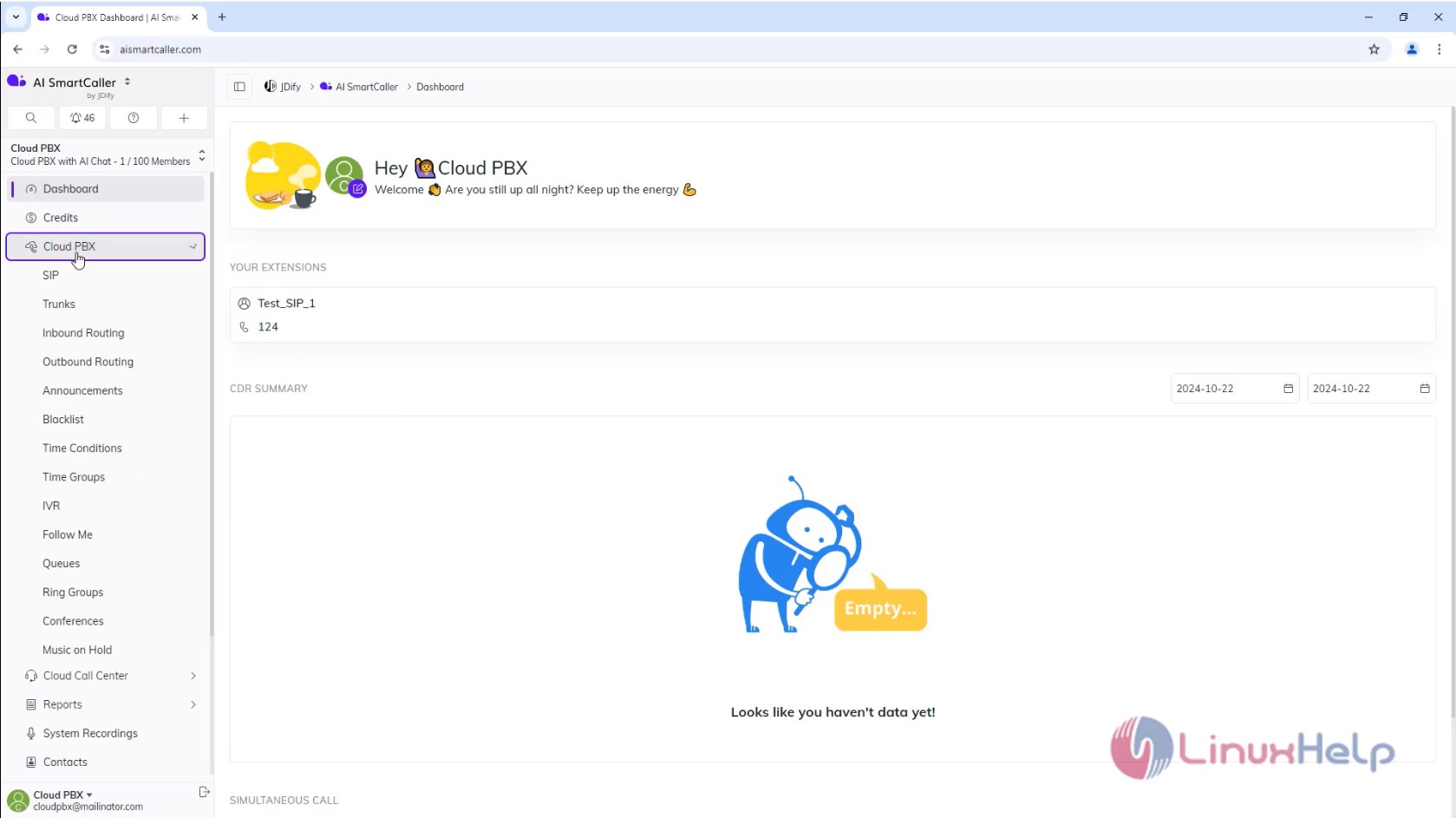
Step1: Click on Cloud PBX
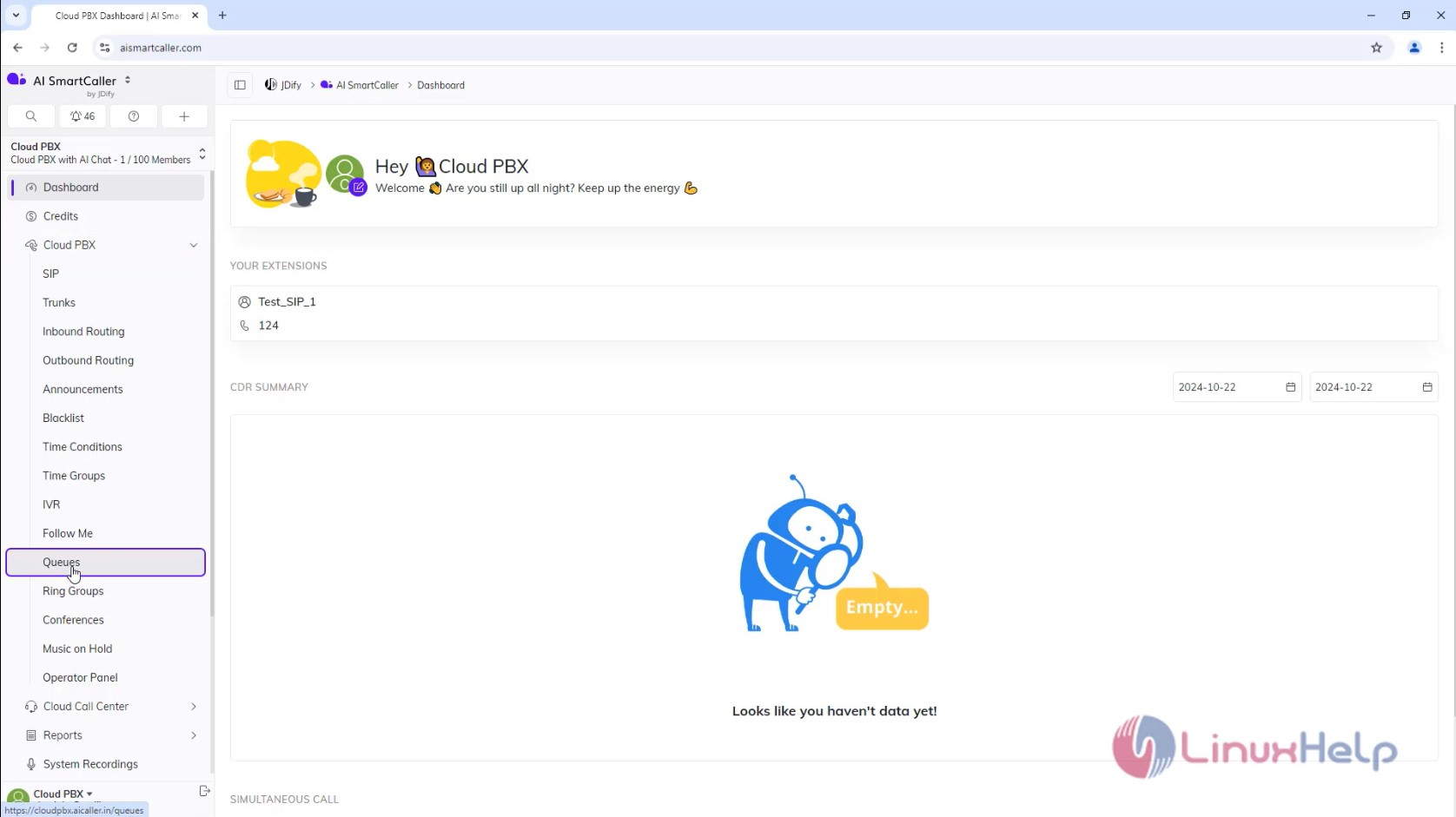
Step2: Click on Queues
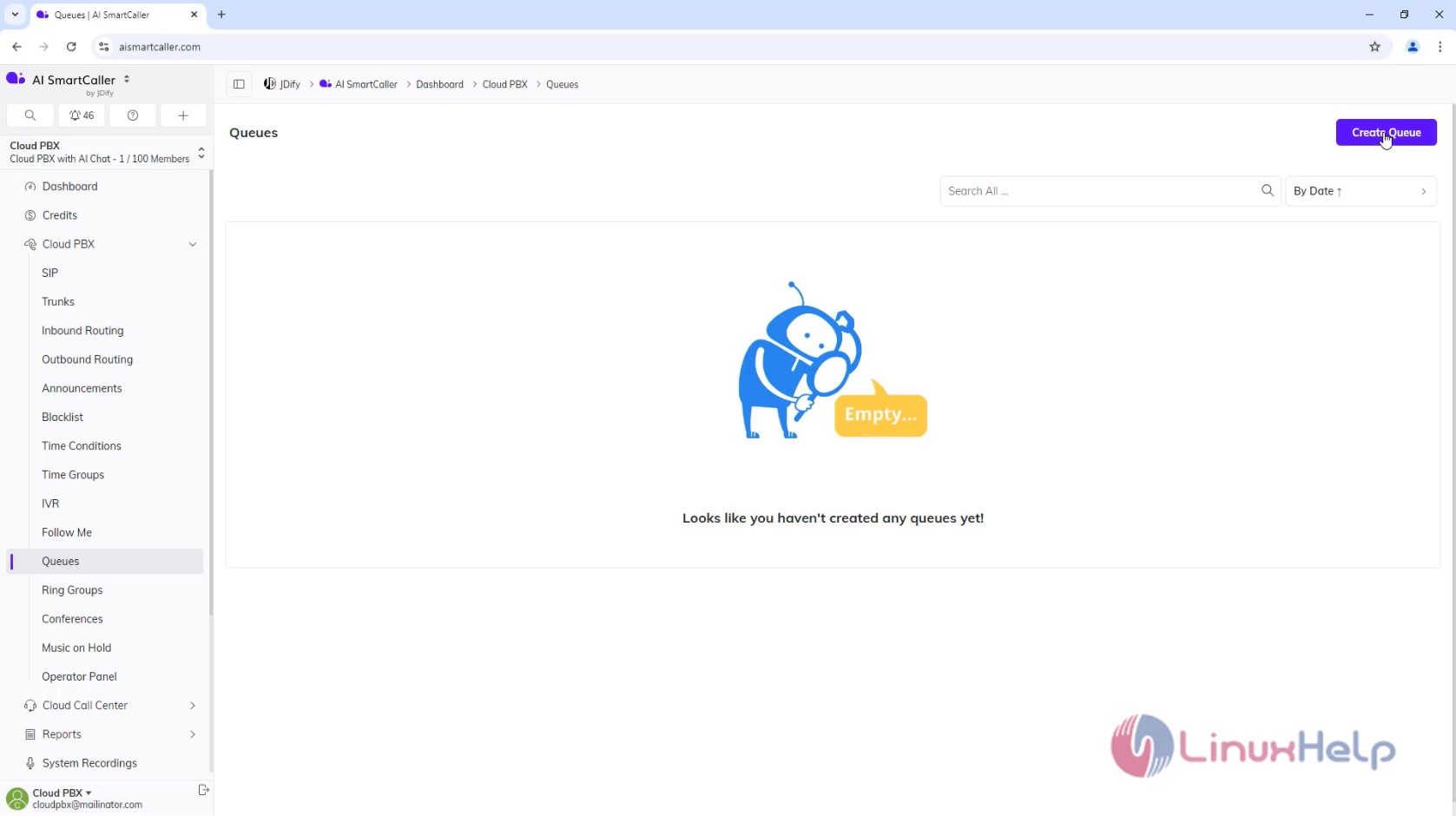
Step3: Click Create Queue
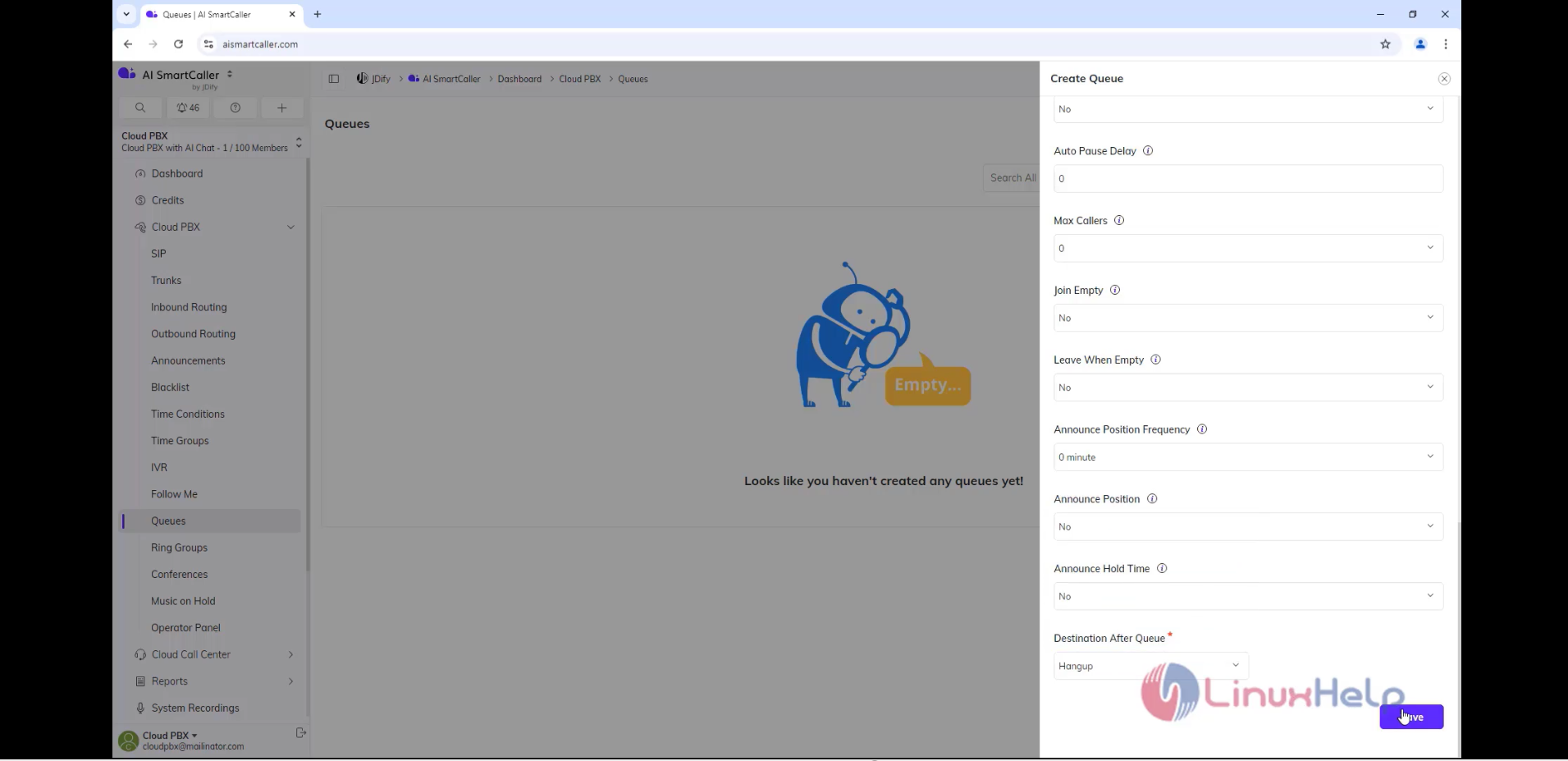
Step4: Enter the Details & Click Save
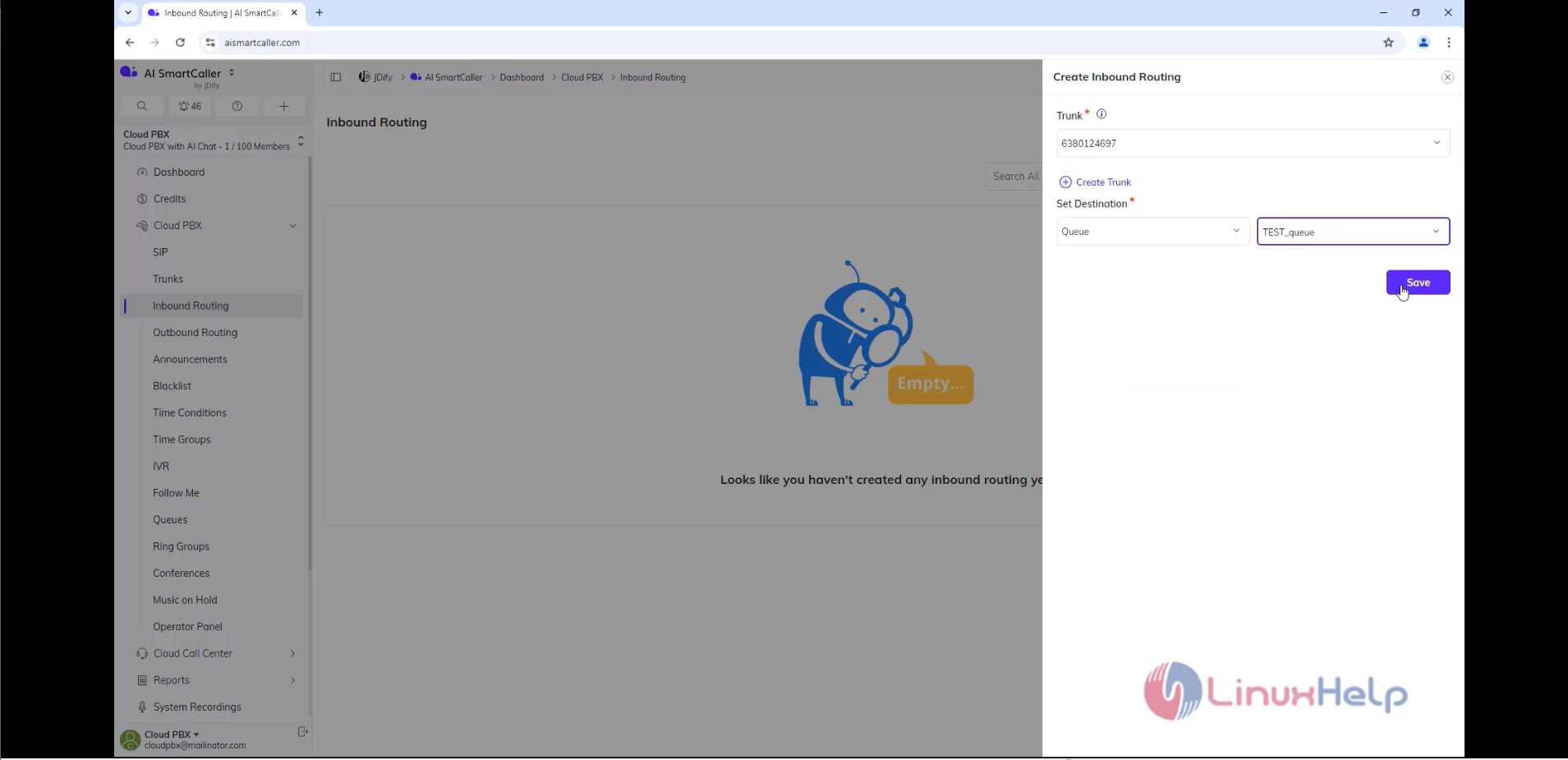
Step5: Create Inbound Routing into Queue
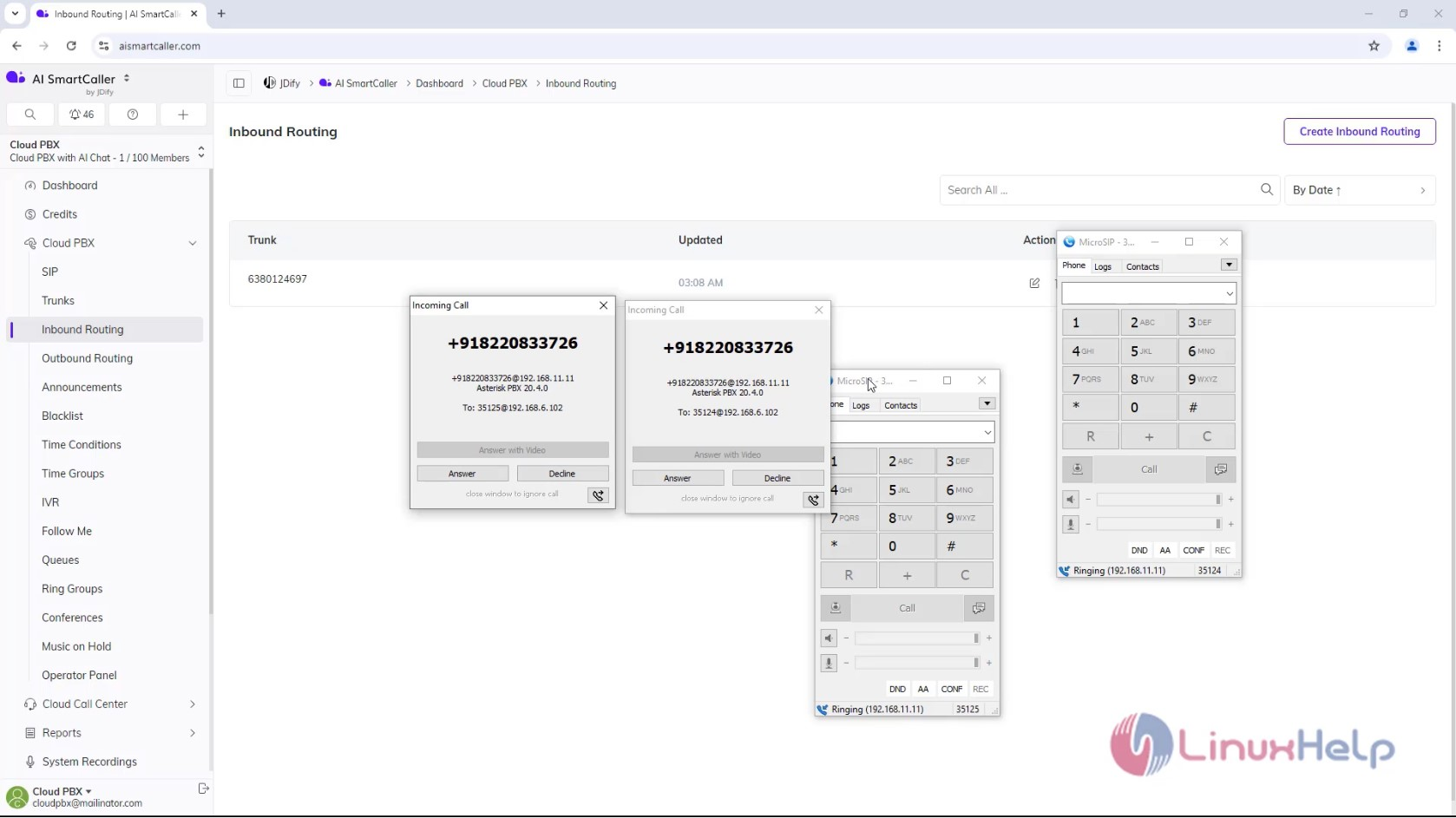
Step 6: Make the Test Call
Conclusion:
We have reached the end of this article. In this guide, we have walked you through the steps How to create Queue on AI SmartCaller. Your feedback is much welcome.
Comments ( 0 )
No comments available