• Categories
    Category
    {{ postCtrl.tags }}
    • {{ category.tag_type }}

      • {{tag.tag_name}}
      • View more
  • Categories
    Category
    {{ postCtrl.tags }}
    • {{ category.tag_type }}

      • {{tag.tag_name}}
      • View more
  • News
  • Tutorials
  • Forums
  • Tags
  • Users
Tutorial News Comments FAQ Related Articles

How to create Recurring Invoice on Invoice Ninja

{{postValue.id}}

How to create Recurring Invoice on Invoice Ninja

In our previous article, we have seen how to do payment on Invoice Ninja. Today you will be briefed on how to create Recurring Invoice on Invoice Ninja. Invoice Ninja is a free, open-source solution for invoicing and billing customers. The concerned clients can print the invoices, download them as PDF files, and even pay the vendor from online from within the system. It also supports 45 integrated payment gateways to send invoices to customers within seconds.

Recurring Invoice Procedure

To start with the Recurring Invoice procedure, log in to Invoice Ninja with your credentials. The dashboard appears on the screen with all the required options.
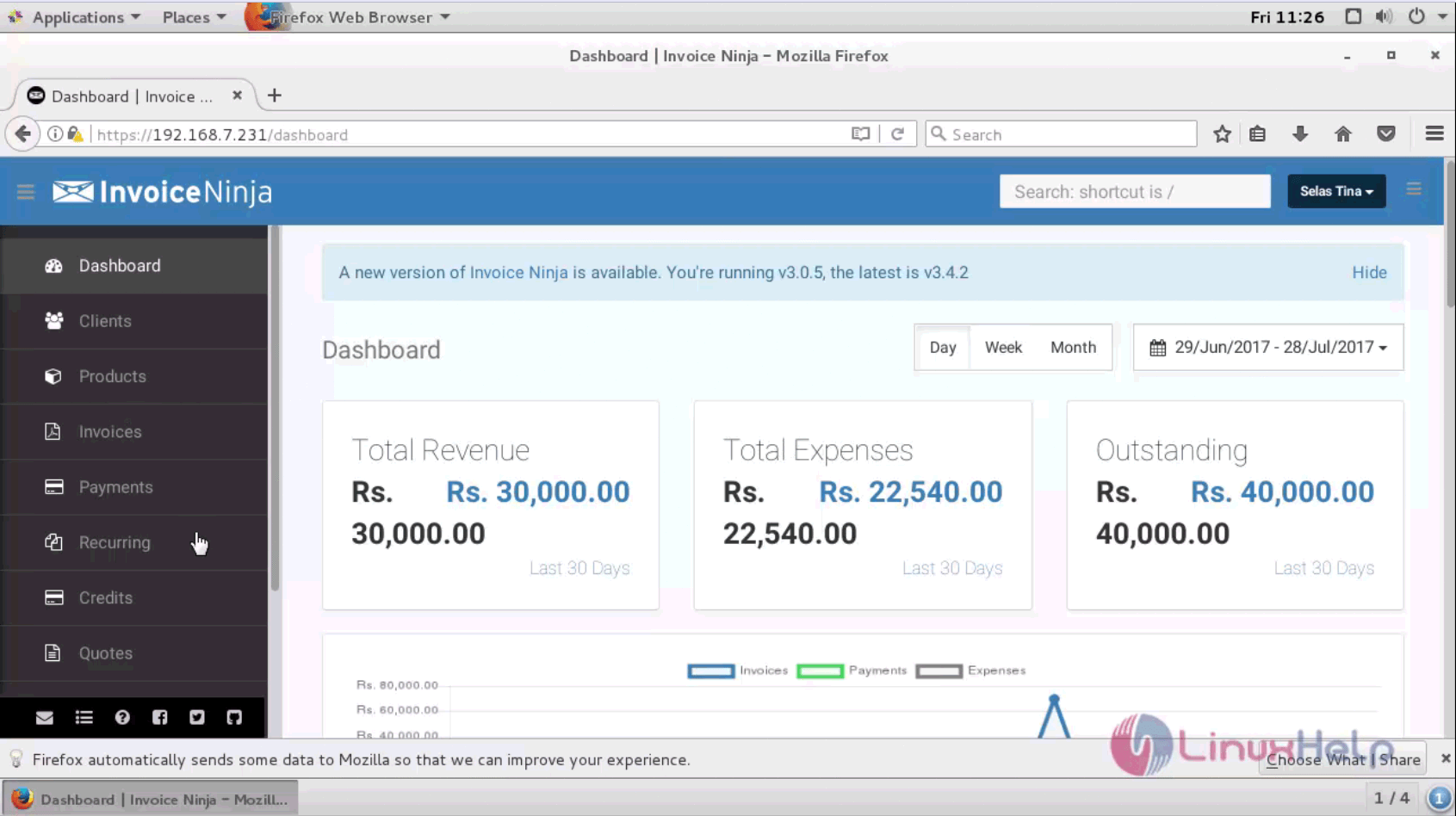
dashboard

Go to the Recurring menu on the left pane of menu and provide the client name, recurring time, start date and end date, due date and other relevant details.
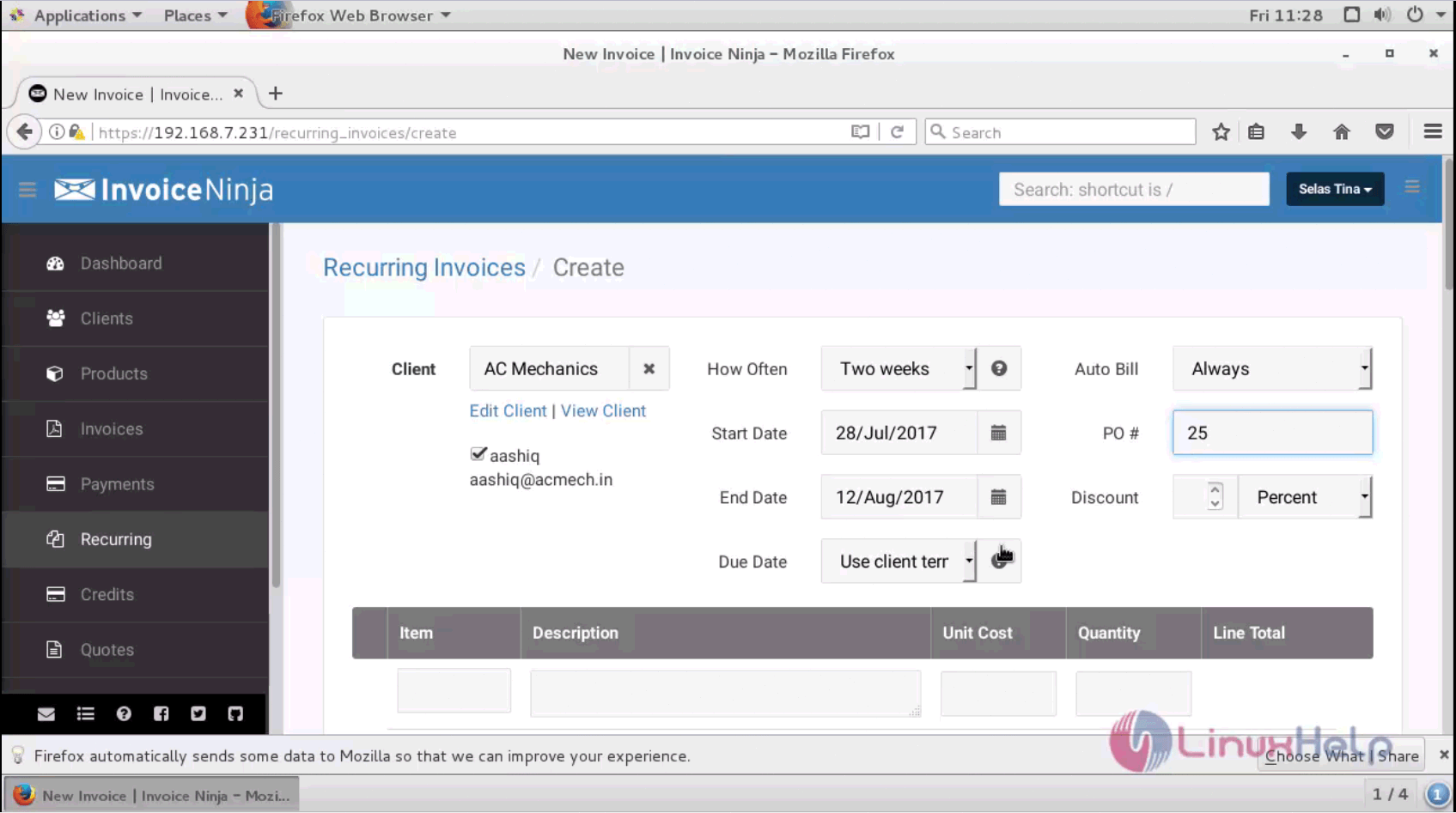
recurring menu

Next provide the item description, cost and quantity.
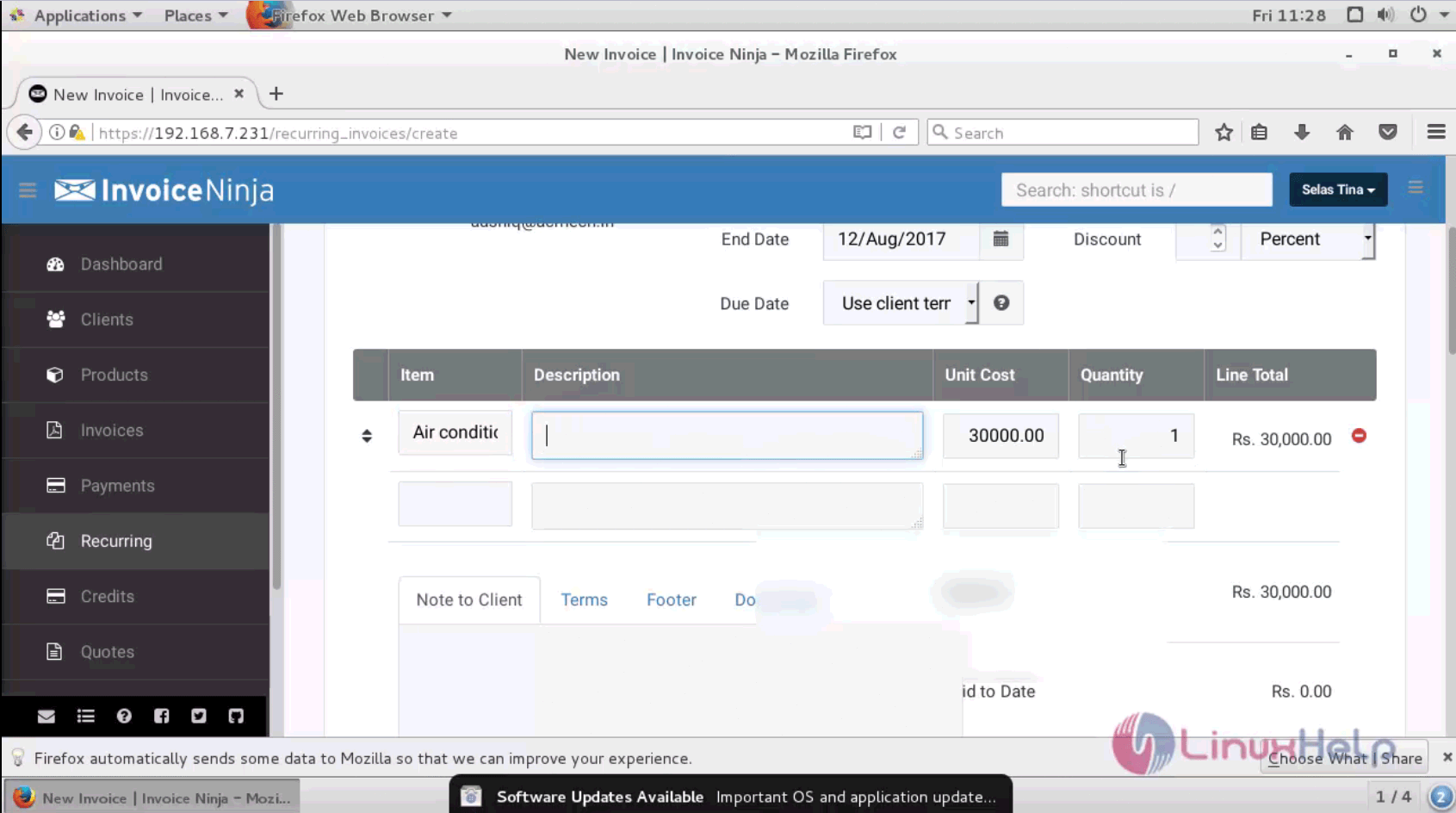
items

You can also save the invoice as draft, mark as sent, and email the invoice to the customer.
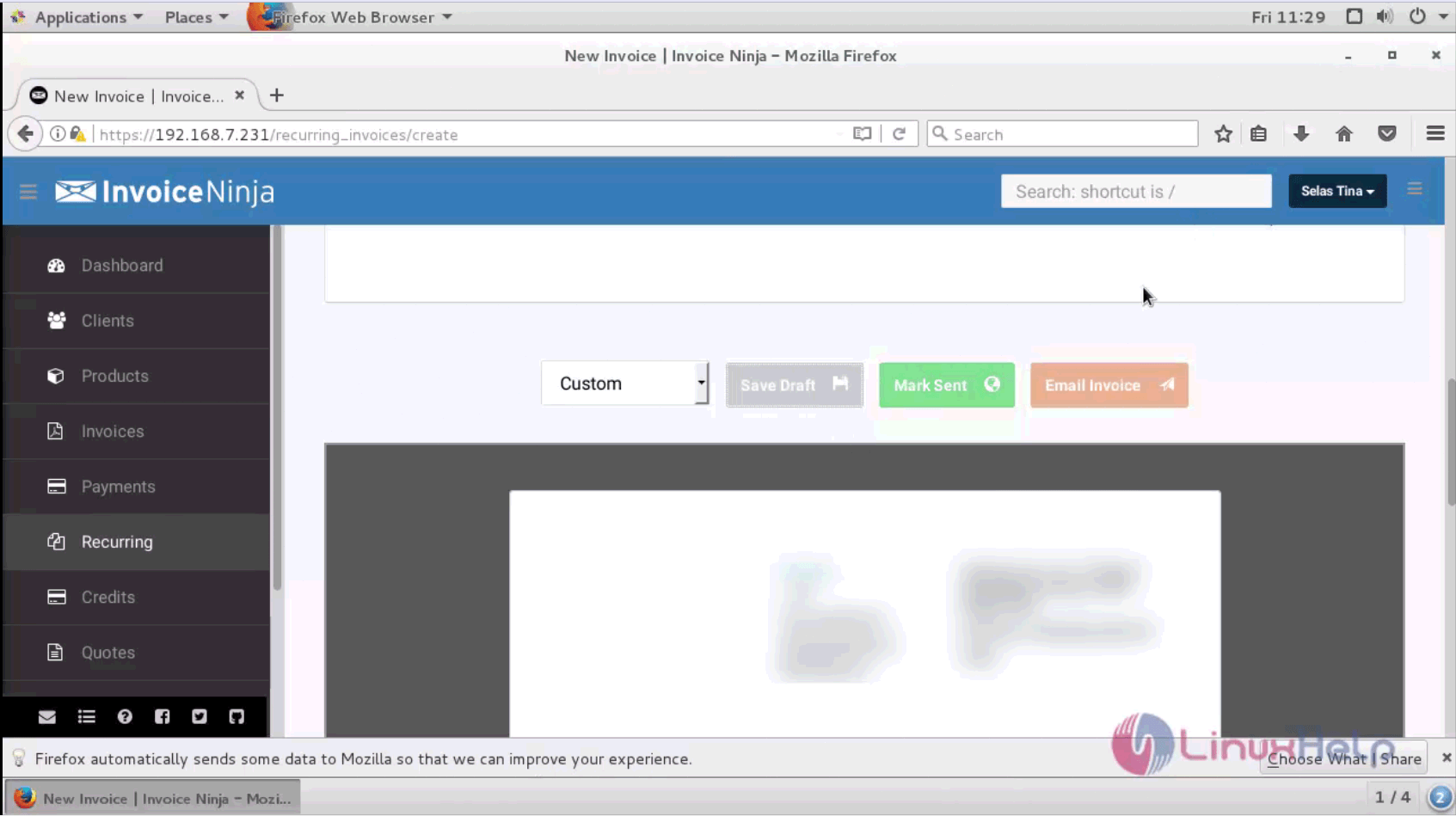
invoice details

The Recurring Invoice has been successfully created.
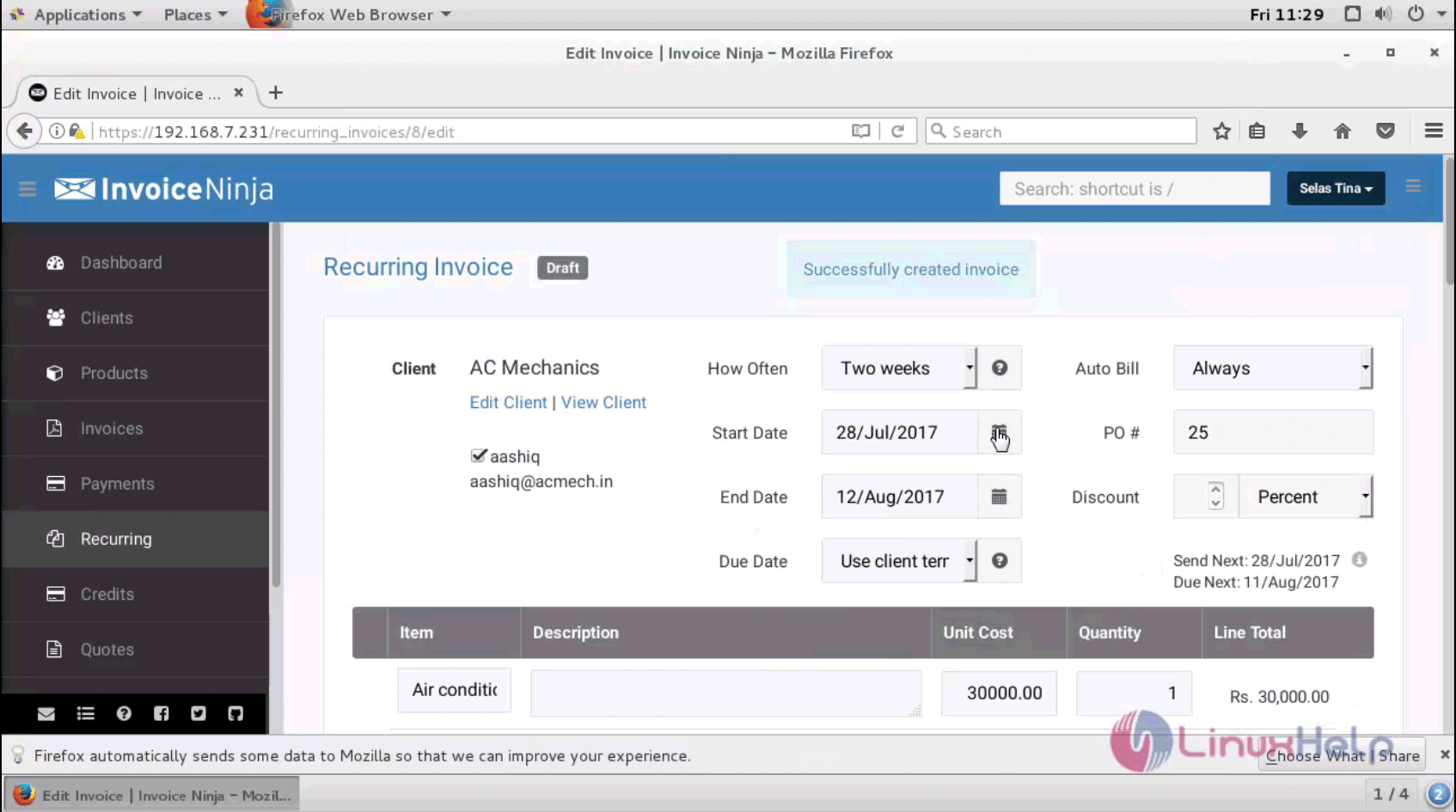
invoice format

The table contains the newly created recurring invoice along with the other invoices.
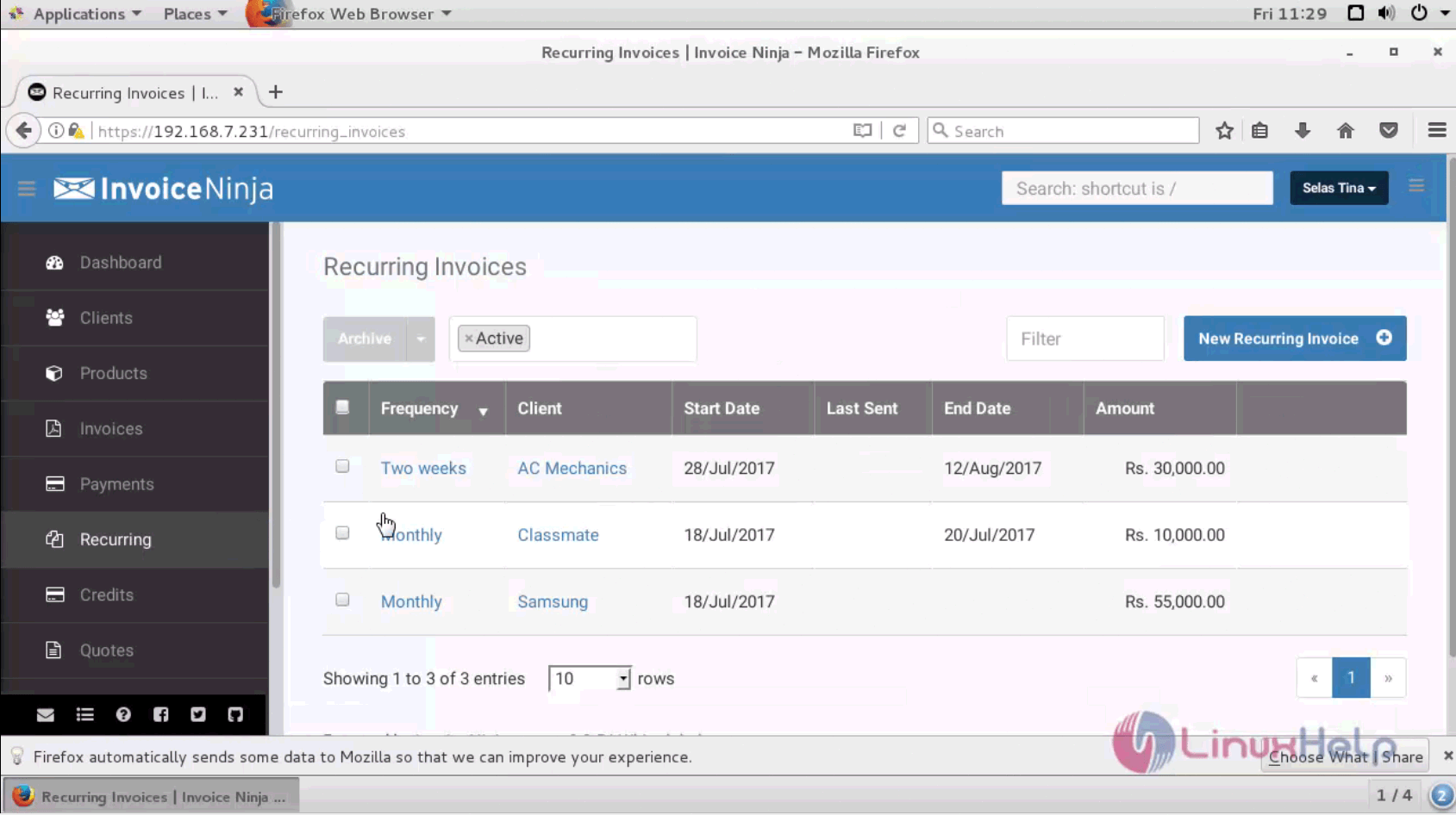
recurring invoices

A new Recurring Invoice is added successfully on Invoice Ninja. Stay tuned to know about how to use Credit module in Invoice Ninja in our upcoming articles.

Tags:
noah
Author: 

Comments ( 0 )

No comments available

Add a comment
{{postCtrl.cmtErrMsg}}

Frequently asked questions ( 5 )

Q

What is the API request limit innvoice Ninja?

A

The API limit is 1000 requests per hour.

Q

How do I create an invoice after receiving a payment?

A

Create a zap with the value ‘Paid’ set to total amount.

Q

What is clone invioce?

A

Clone to Invoice: Duplicate the recurring invoice as a new recurring invoice.

Q

What are the private notes in Invoice Ninja?

A

Private notes: Comments and notes that you added when creating the recurring invoice. Only you can see them.

Q

What are the recurring invoices list provides a display of all active recurring invoices?

A

Here is a description of the columns in the recurring invoices list table, from left to right:
Frequency: How often the client is billed with this invoice, ie. Weekly, monthly, etc.
Client name: The client’s name
Start Date: The date the recurring invoice series started
Last sent: The date the last invoice was sent for this recurring invoice series
Amount: The amount due

Back To Top!
Rank
User
Points

Top Contributers

userNamenaveelansari
135850

Top Contributers

userNameayanbhatti
92510

Top Contributers

userNamehamzaahmed
32150

Top Contributers

1
userNamelinuxhelp
31040

Top Contributers

userNamemuhammadali
24500
Can you help David Lopez Guillen ?
Ayuda urgente instale SSL para servidor Opensuse y ahora no funciona tengo servicio web

hola segui este tutorial para tener un certificado ssl y ahora no se ve mi app en la red, espero alguien pueda ayudarme, tengo M9oodle en3.5 en un servidor open suse y ahora no funciona por favor ayuda.

https://www.linuxhelp.com/how-to-create-ssl-certificate-in-opensuse

Networking
  • Routing
  • trunk
  • Netmask
  • Packet Capture
  • domain
  • HTTP Proxy
Server Setup
  • NFS
  • KVM
  • Memory
  • Sendmail
  • WebDAV
  • LXC
Shell Commands
  • Cloud commander
  • Command line archive tools
  • last command
  • Shell
  • terminal
  • Throttle
Desktop Application
  • Linux app
  • Pithos
  • Retrospect
  • Scribe
  • TortoiseHg
  • 4Images
Monitoring Tool
  • Monit
  • Apache Server Monitoring
  • EtherApe 
  • Arpwatch Tool
  • Auditd
  • Barman
Web Application
  • Nutch
  • Amazon VPC
  • FarmWarDeployer
  • Rukovoditel
  • Mirror site
  • Chef
Contact Us | Terms of Use| Privacy Policy| Disclaimer
© 2025 LinuxHelp.com All rights reserved. Linux™ is the registered trademark of Linus Torvalds. This site is not affiliated with linus torvalds in any way.