• Categories
    Category
    {{ postCtrl.tags }}
    • {{ category.tag_type }}

      • {{tag.tag_name}}
      • View more
  • Categories
    Category
    {{ postCtrl.tags }}
    • {{ category.tag_type }}

      • {{tag.tag_name}}
      • View more
  • News
  • Tutorials
  • Forums
  • Tags
  • Users
Tutorial News Comments FAQ Related Articles

How to create report on invoice ninja

{{postValue.id}}

To create a Report on Invoice Ninja

In our previous article we have been briefed on how to create a vendor record on Invoice Ninja. Today you will be explained about how to create a report on Invoice Ninja. Invoice Ninja is a free, open-source solution for invoicing and billing customers. The concerned clients can print the invoices, download them as PDF files, and even pay the vendor from online from within the system. It also supports 45 integrated payment gateways to send invoices to customers within seconds.

Creating a Report

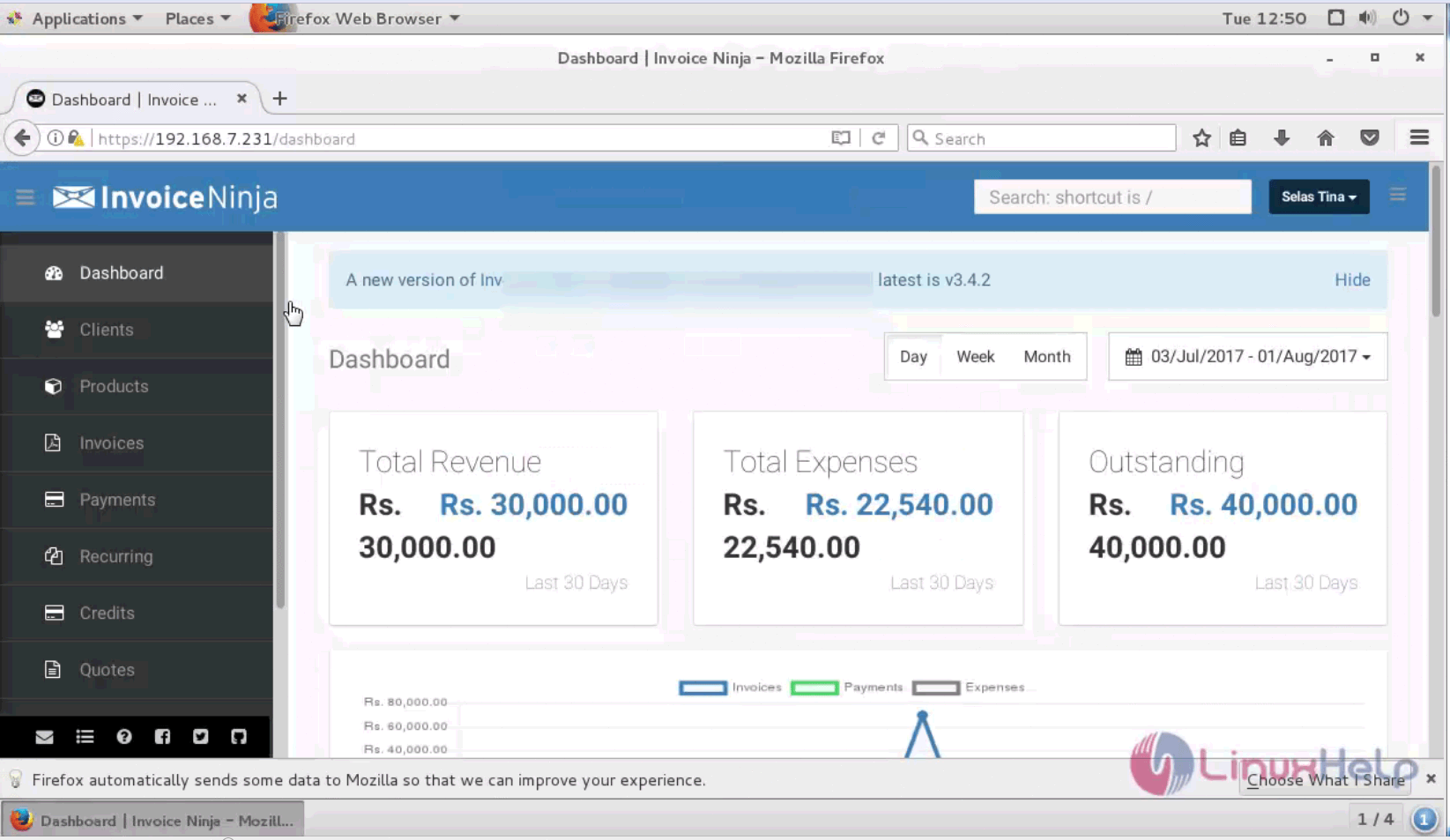
Very first page is dashboard that comprises of the overview of total expenditure, Revenue and actions taken.
1

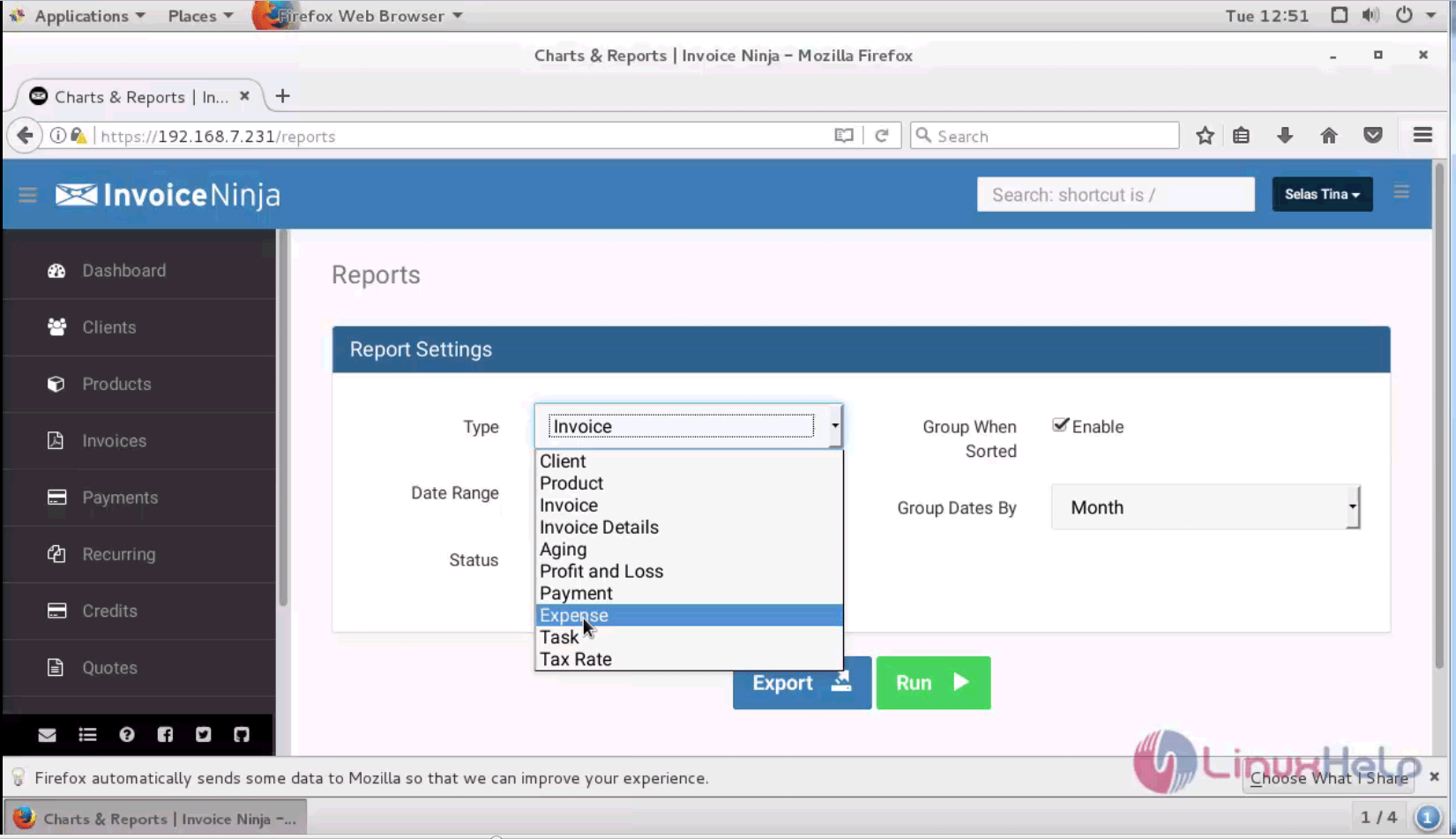
Go to the report menu
2

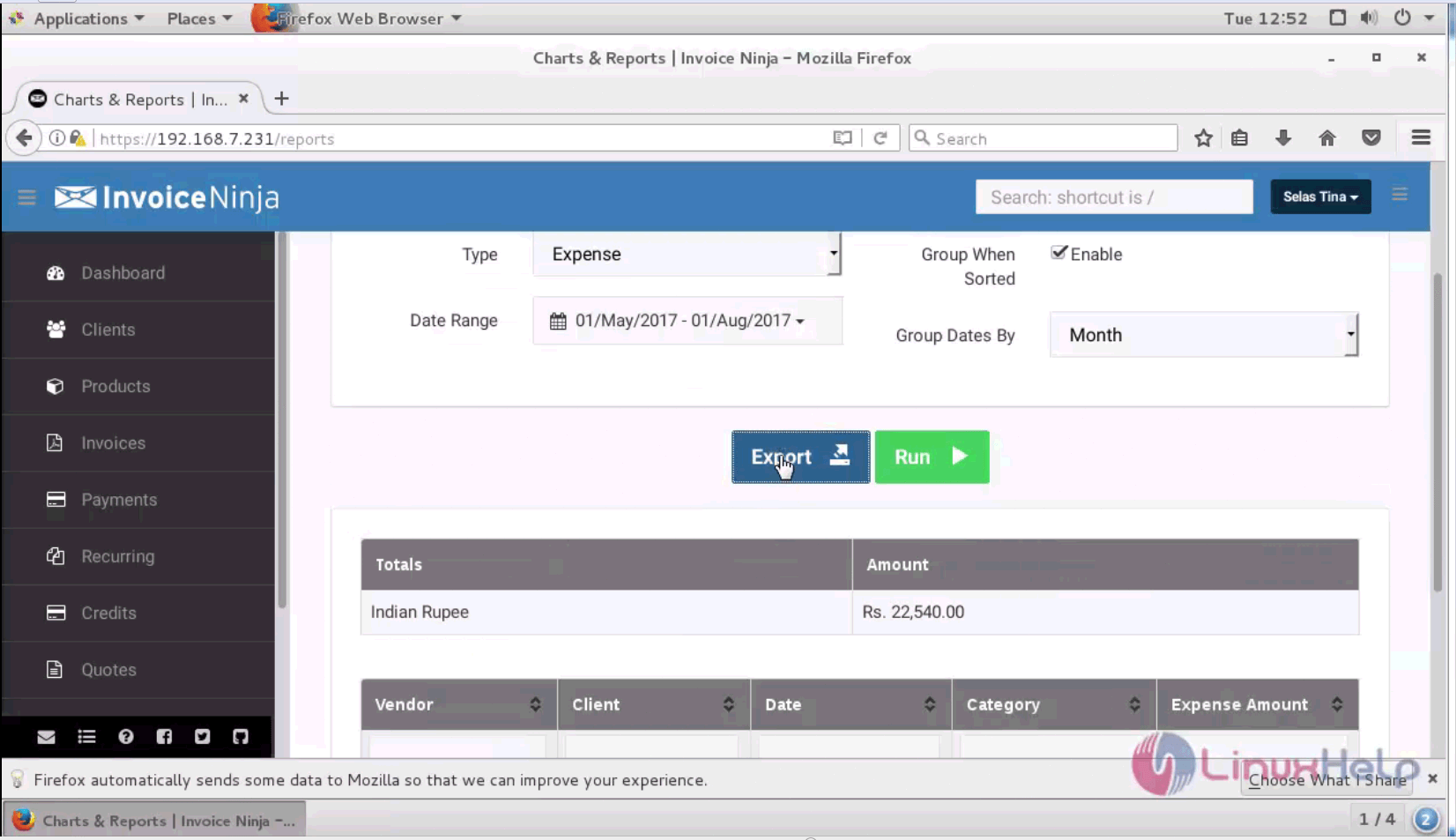
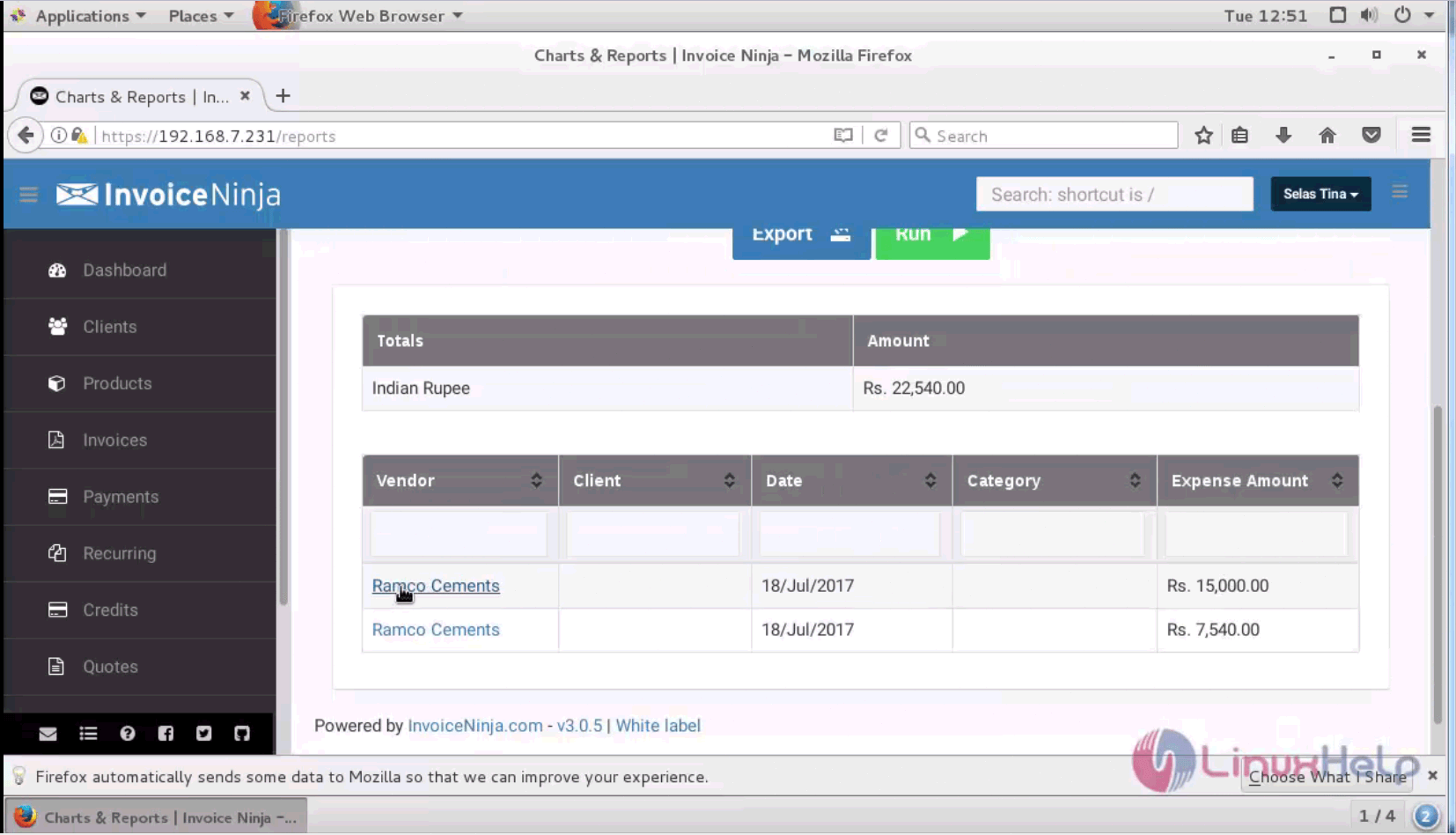
Select the category date range and run
3
4

you can also export it as spreadsheet
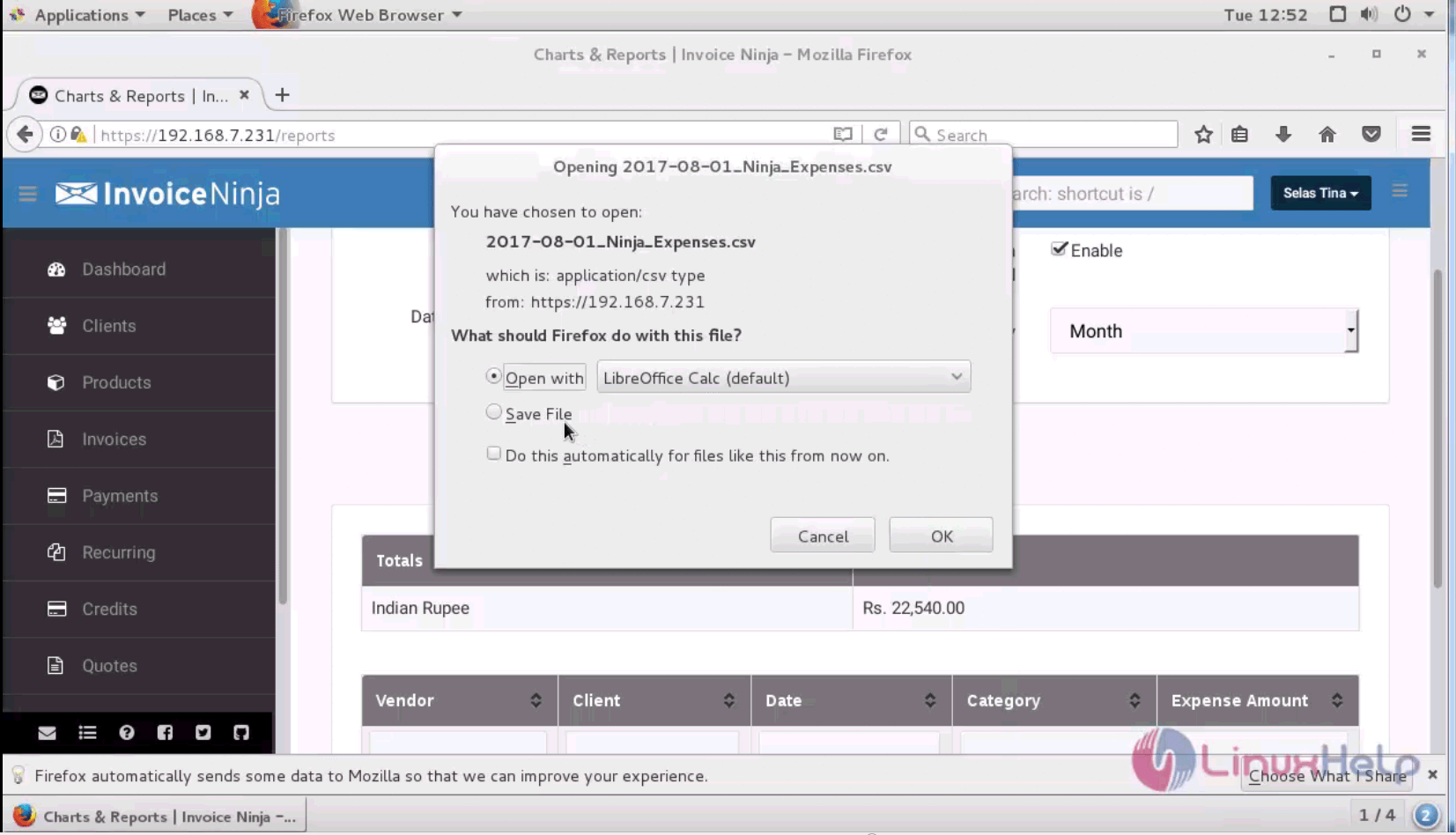
5

That was all, and with this the method to create a report in Invoice Ninja is covered.

Tags:
michael
Author: 

Comments ( 0 )

No comments available

Add a comment
{{postCtrl.cmtErrMsg}}

Frequently asked questions ( 5 )

Q

Does archiving a client affect the client’s balance?

A

No, archiving a client will not affect the client’s balance. Deleting a client will remove all client details, including the balance.

Q

How do I convert a quote to an invoice?

A

Go to the Quotes list page, and locate the relevant quote from the list. Click on the Action button in the far right column of the quote entry, and select Convert to Invoice from the drop d

Q

Where can I view the client’s portal?

A

To view a client’s portal, go to their Client Overview page by clicking on the client’s name in the table on the Clients list page. Click View Portal, which appears just below the Contacts s

Q

Can I try out the free version before deciding if I want to upgrade to Pro?

A

Of course! Sign up for the free version. You can choose to upgrade to Pro at any time.

Q

How do I convert a quote to an invoice?

A

Go to the Quotes list page, and locate the relevant quote from the list. Click on the Action button in the far right column of the quote entry, and select Convert to Invoice from the drop down menu.

Back To Top!
Rank
User
Points

Top Contributers

userNamenaveelansari
135850

Top Contributers

userNameayanbhatti
92510

Top Contributers

userNamehamzaahmed
32150

Top Contributers

1
userNamelinuxhelp
31040

Top Contributers

userNamemuhammadali
24500
Can you help Isaiah ?
What is the use of SUID & SGID commands

How to set the special permissions to the files and folders using SUID and SGID commands...

Networking
  • Routing
  • trunk
  • Netmask
  • Packet Capture
  • domain
  • HTTP Proxy
Server Setup
  • NFS
  • KVM
  • Memory
  • Sendmail
  • WebDAV
  • LXC
Shell Commands
  • Cloud commander
  • Command line archive tools
  • last command
  • Shell
  • terminal
  • Throttle
Desktop Application
  • Linux app
  • Pithos
  • Retrospect
  • Scribe
  • TortoiseHg
  • 4Images
Monitoring Tool
  • Monit
  • Apache Server Monitoring
  • EtherApe 
  • Arpwatch Tool
  • Auditd
  • Barman
Web Application
  • Nutch
  • Amazon VPC
  • FarmWarDeployer
  • Rukovoditel
  • Mirror site
  • Chef
Contact Us | Terms of Use| Privacy Policy| Disclaimer
© 2025 LinuxHelp.com All rights reserved. Linux™ is the registered trademark of Linus Torvalds. This site is not affiliated with linus torvalds in any way.