• Categories
    Category
    {{ postCtrl.tags }}
    • {{ category.tag_type }}

      • {{tag.tag_name}}
      • View more
  • Categories
    Category
    {{ postCtrl.tags }}
    • {{ category.tag_type }}

      • {{tag.tag_name}}
      • View more
  • News
  • Tutorials
  • Forums
  • Tags
  • Users
Tutorial News Comments FAQ Related Articles

How to create Task on invoice ninja

{{postValue.id}}

To create Task on Invoice Ninja

In our previous article we have been briefed on how to create Expense Record on Invoice Ninja. Today you will be explained about how to create a task on Invoice Ninja. Invoice Ninja is a free, open-source solution for invoicing and billing customers. The concerned clients can print the invoices, download them as PDF files, and even pay the vendor from online from within the system. It also supports 45 integrated payment gateways to send invoices to customers within seconds.

Creating a Task

Log into Invoice Ninja with your credentials. You' ll be taken to the dashboard which consists of overview of total expenditure, Revenue and actions taken.
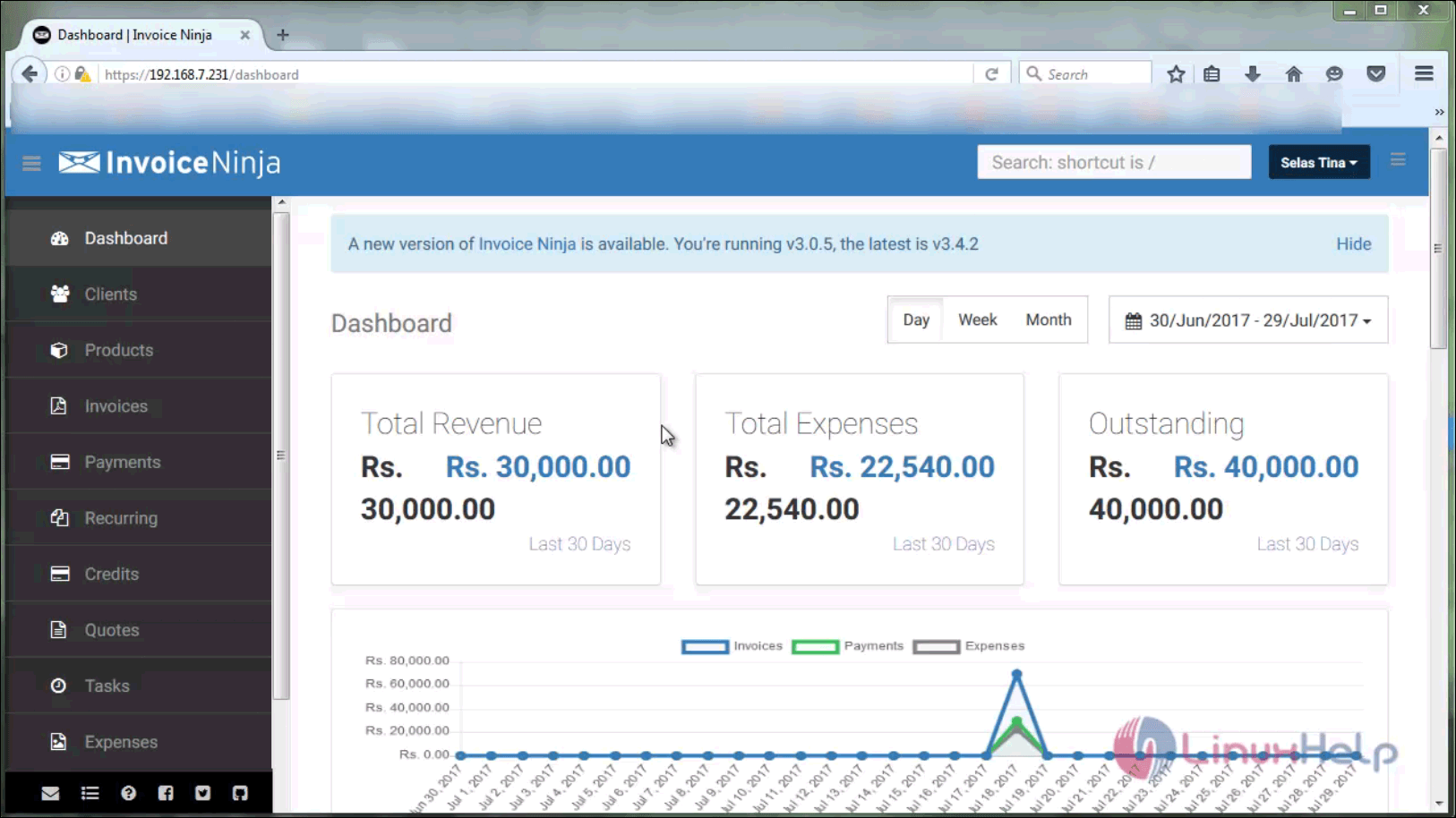
Dashboard

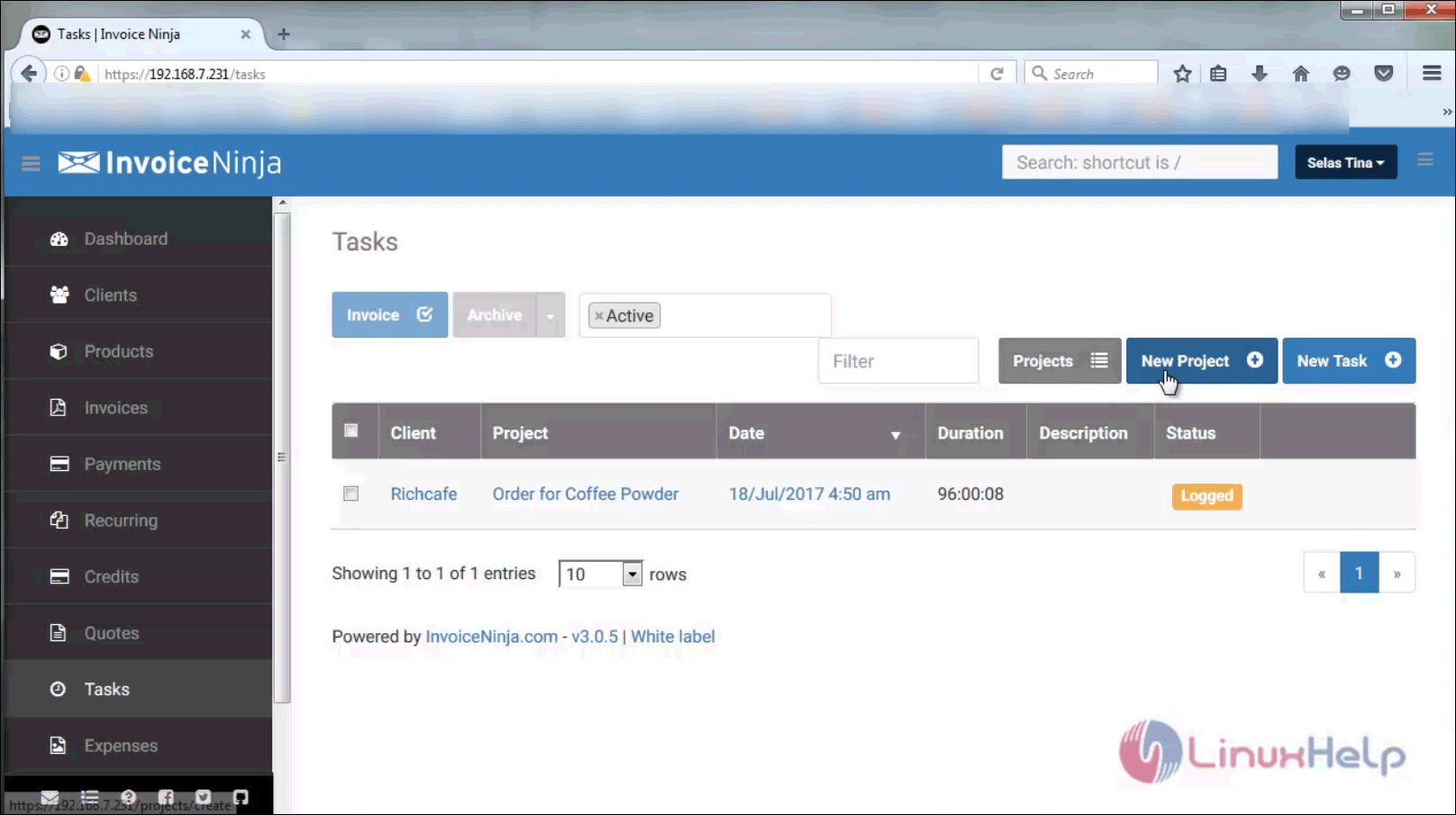
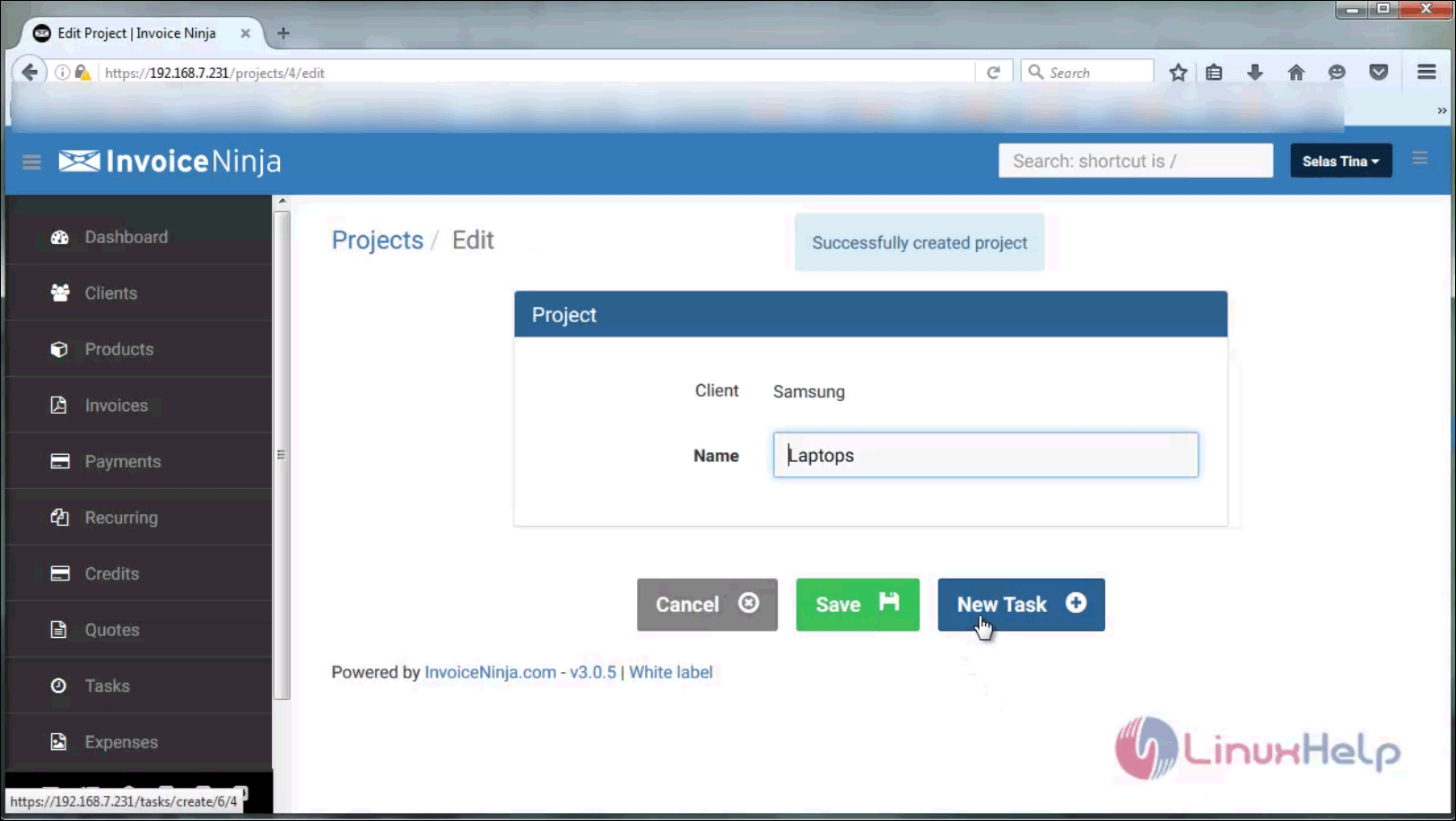
Go to the Task menu and create a new project, and in that create new task
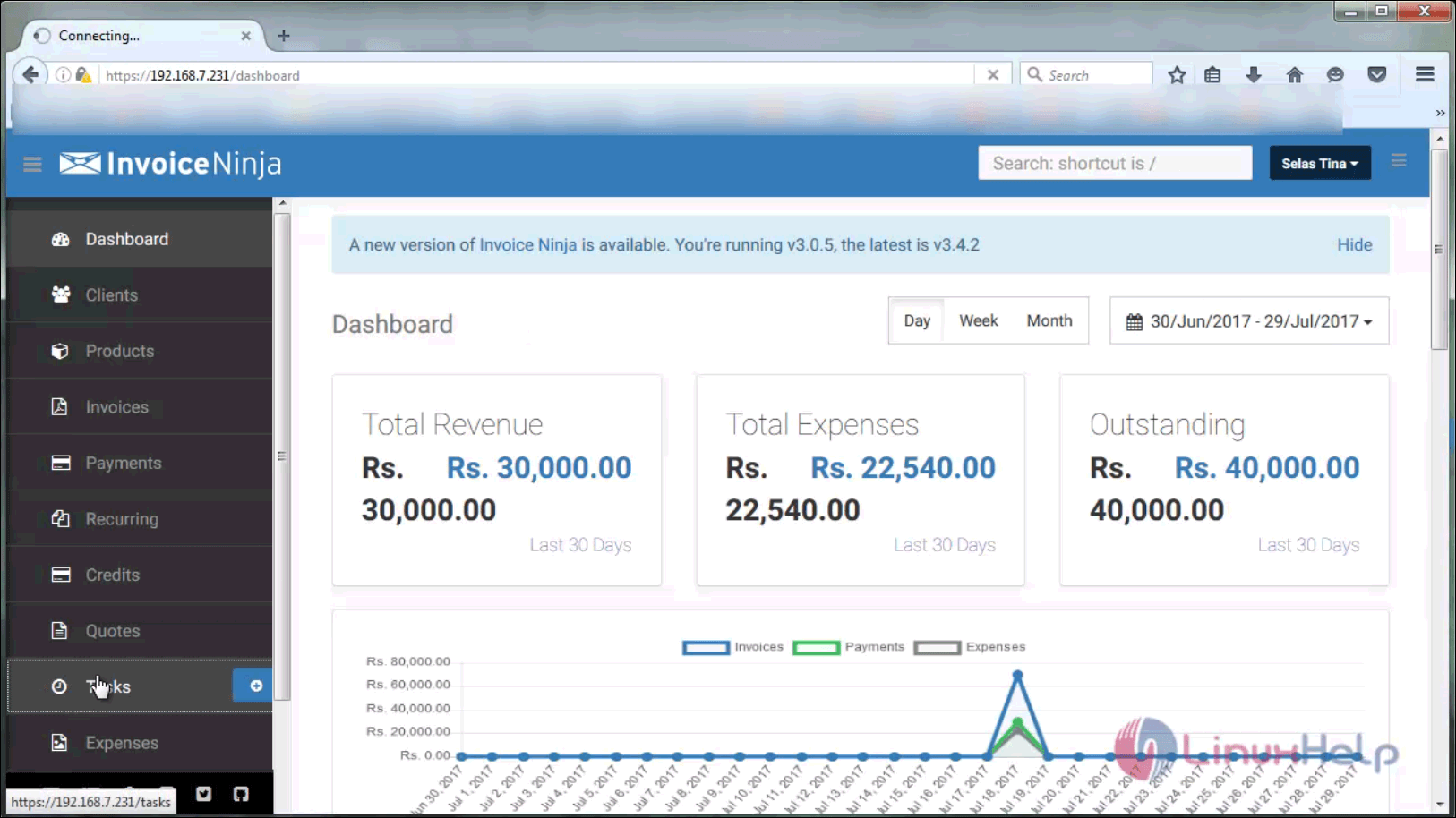
task menu
new project
project

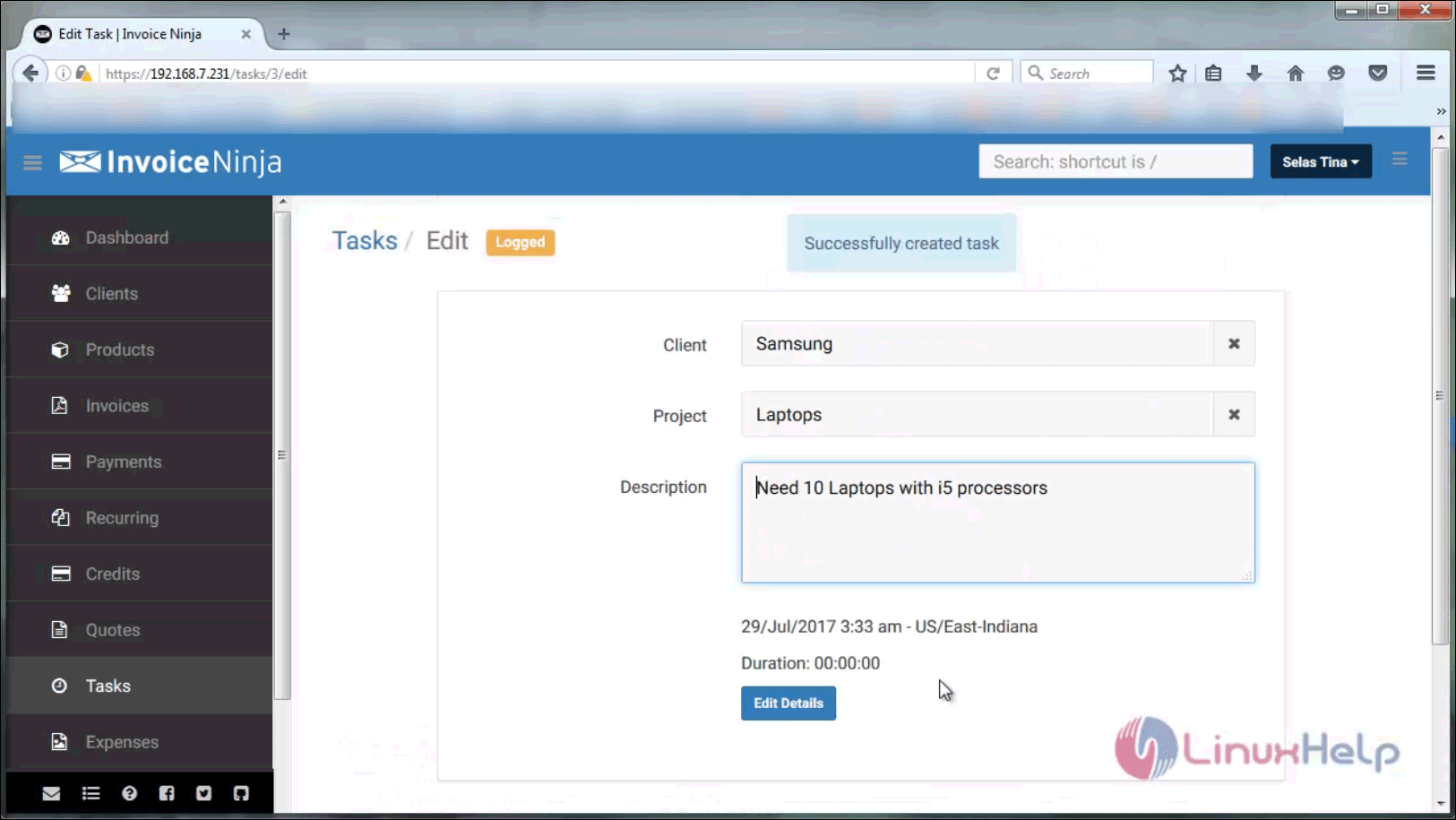
Create task for that project and provide a description. Set timer if you want and save the changes.
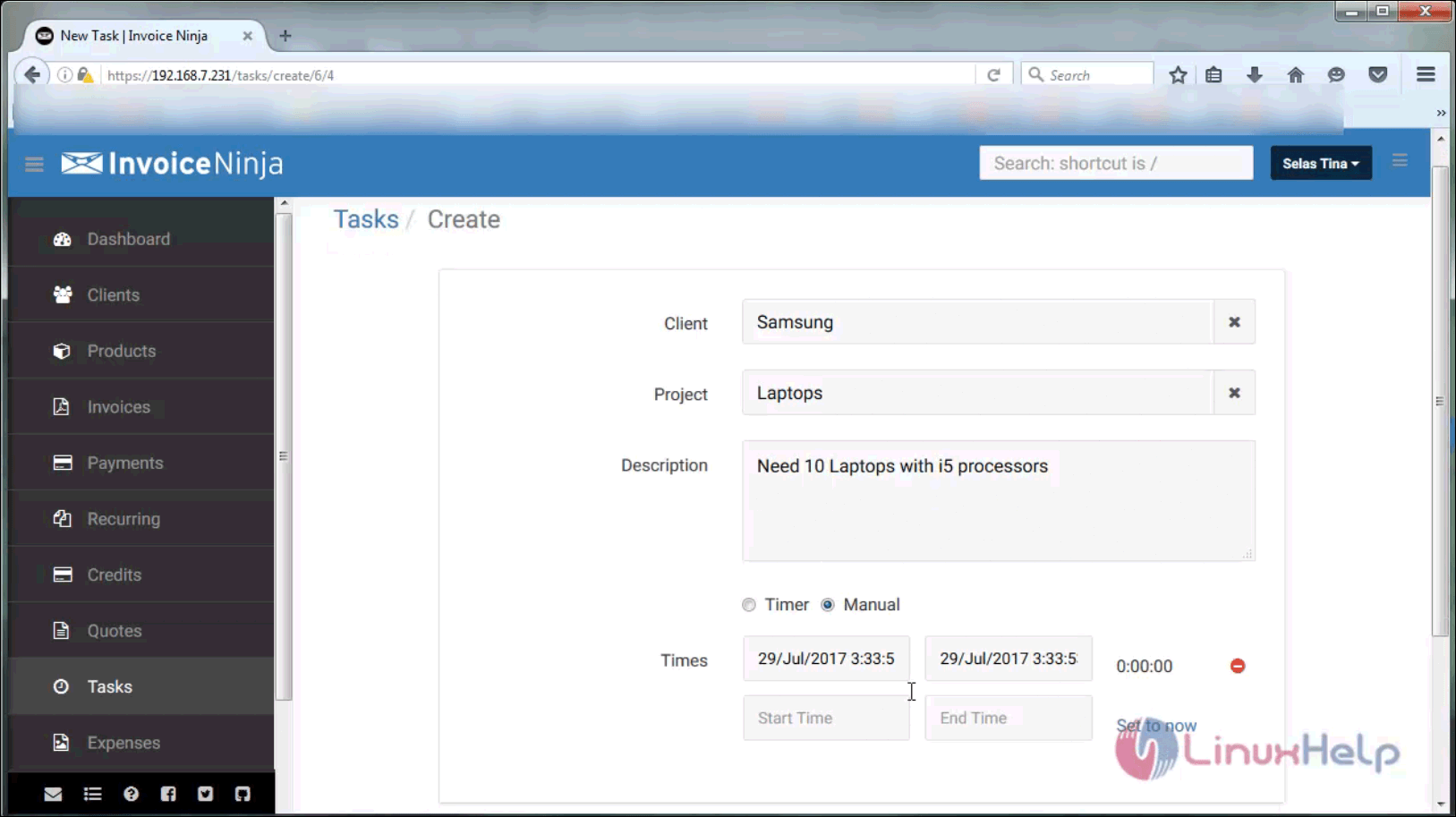
manual

Your task has been created.
edit
That was it. Stay connected to learn about the method to create a vendor record.

Tags:
elijah
Author: 

Comments ( 0 )

No comments available

Add a comment
{{postCtrl.cmtErrMsg}}

Frequently asked questions ( 5 )

Q

What are partial payments?

A

Partial payments allow your clients to partially pay their bill at different times, as opposed to requiring full invoice payment in a one-time transaction.

Q

How do I apply credit to a payment?

A

select a current client with credit, on the “Enter Payment” page you can choose “Apply Credit”, While creating new payment

Q

What is token billing?

A

Token billing enables credit card storage within a gateway so your card can be charged at a later date.

Q

How Can I customize my invoicing URL?

A

If you are a Pro/Enterprise user, you can. Go to Advanced Settings > Email Settings. Scroll down to the Invoice Link section and select Website. You’ll need to provide a link to your website, and embed the code on your relevant web page. Click on the small question mark icon next to the text field to get a copy of the code.

Q

What is the product library and how does it work?

A

The product library is a list of popular services or items you frequently include in your invoices. For example, a product might be “one hour of graphic design”, with a set charge of $100.

Back To Top!
Rank
User
Points

Top Contributers

userNamenaveelansari
135850

Top Contributers

userNameayanbhatti
92510

Top Contributers

userNamehamzaahmed
32150

Top Contributers

1
userNamelinuxhelp
31040

Top Contributers

userNamemuhammadali
24500
Can you help Isaiah ?
What is the use of SUID & SGID commands

How to set the special permissions to the files and folders using SUID and SGID commands...

Networking
  • Routing
  • trunk
  • Netmask
  • Packet Capture
  • domain
  • HTTP Proxy
Server Setup
  • NFS
  • KVM
  • Memory
  • Sendmail
  • WebDAV
  • LXC
Shell Commands
  • Cloud commander
  • Command line archive tools
  • last command
  • Shell
  • terminal
  • Throttle
Desktop Application
  • Linux app
  • Pithos
  • Retrospect
  • Scribe
  • TortoiseHg
  • 4Images
Monitoring Tool
  • Monit
  • Apache Server Monitoring
  • EtherApe 
  • Arpwatch Tool
  • Auditd
  • Barman
Web Application
  • Nutch
  • Amazon VPC
  • FarmWarDeployer
  • Rukovoditel
  • Mirror site
  • Chef
Contact Us | Terms of Use| Privacy Policy| Disclaimer
© 2025 LinuxHelp.com All rights reserved. Linux™ is the registered trademark of Linus Torvalds. This site is not affiliated with linus torvalds in any way.