How to create User and Admin Profile on Fortigate Firewall
To Create User And Admin Profile On FortiGate Firewall
Introduction:
Fortigate firewalls are purpose-built with security processers to enable the industry's best threat protection and performance for ssl-encrypted traffic. by providing granular visibility of applications, users, and iot devices, these appliances are designed to identify issues quickly and intuitively.
Installation Procedure:
Step 1: This is the Administrators option giving access to admin privileges
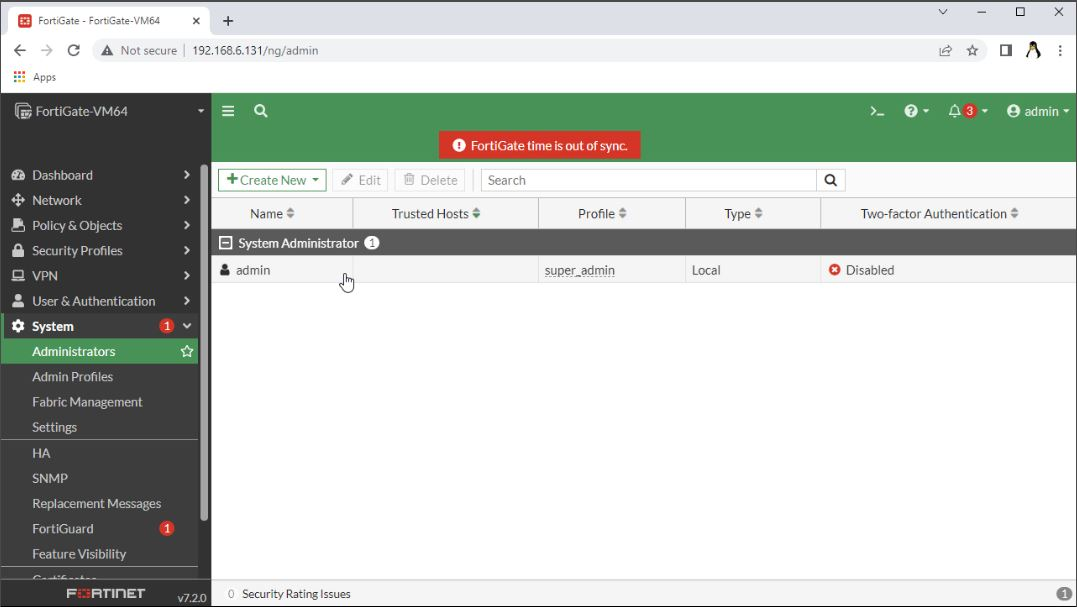
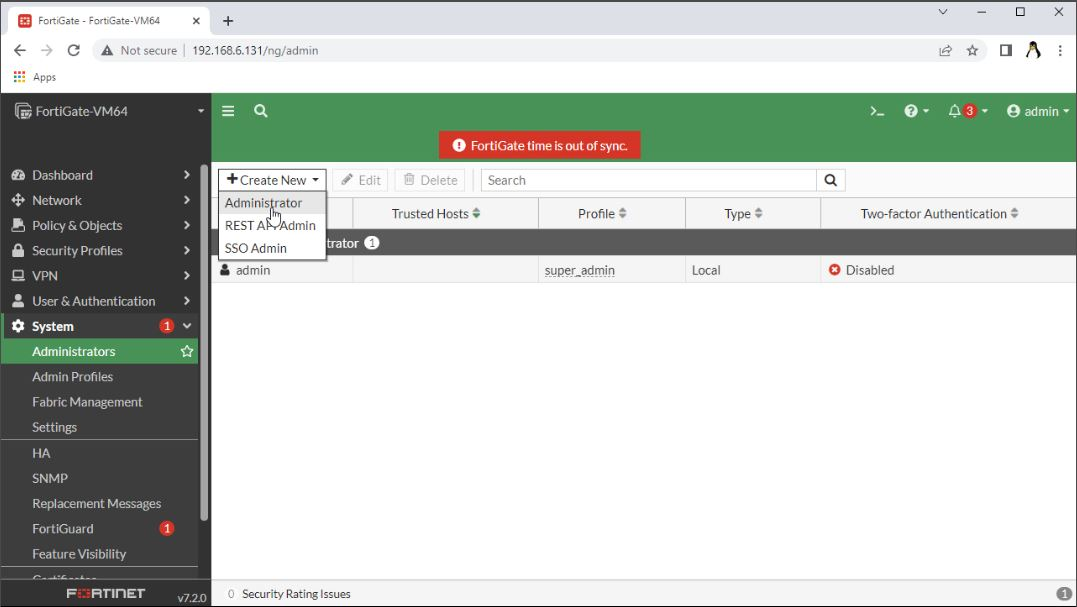
Step 2: Create New administrators account option
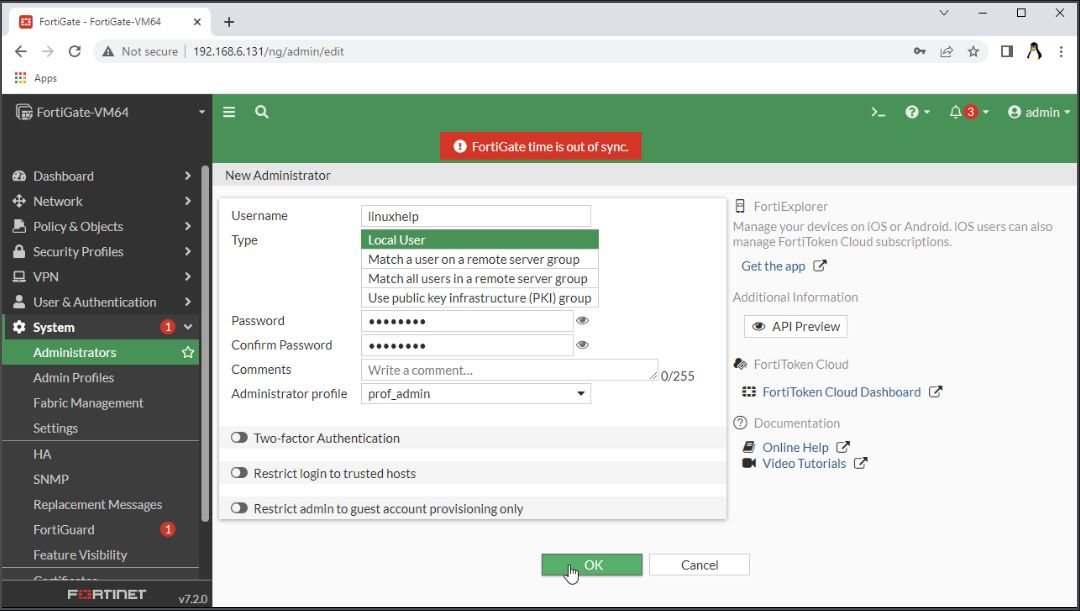
Step 3: Create users in the name of linuxhelp and add the administrators profile
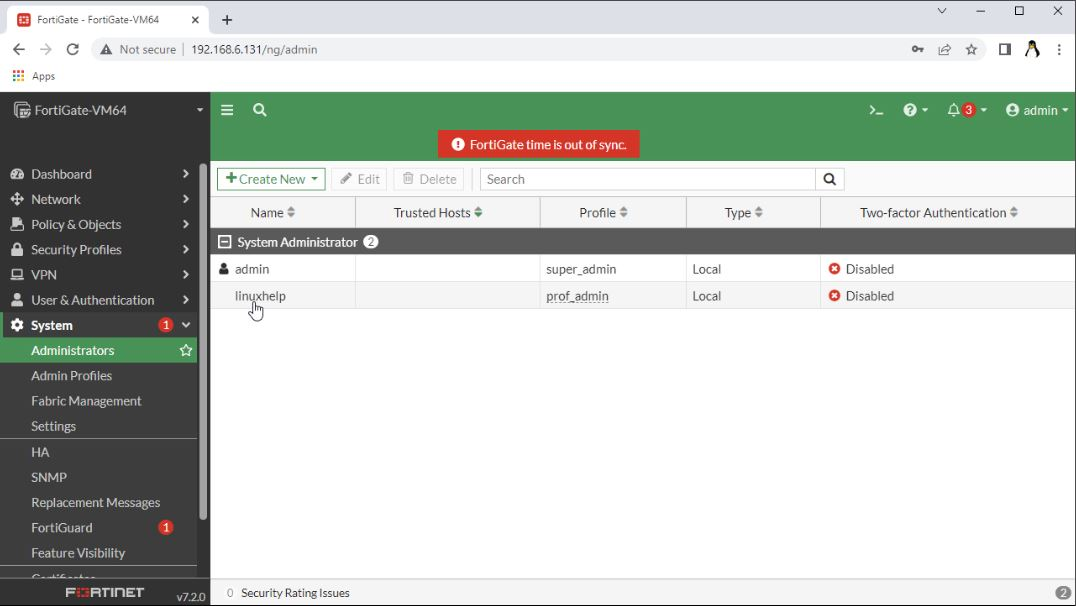
Step 4: Now the Account is created
Step 5: Click on the admin profile option and change the permission access
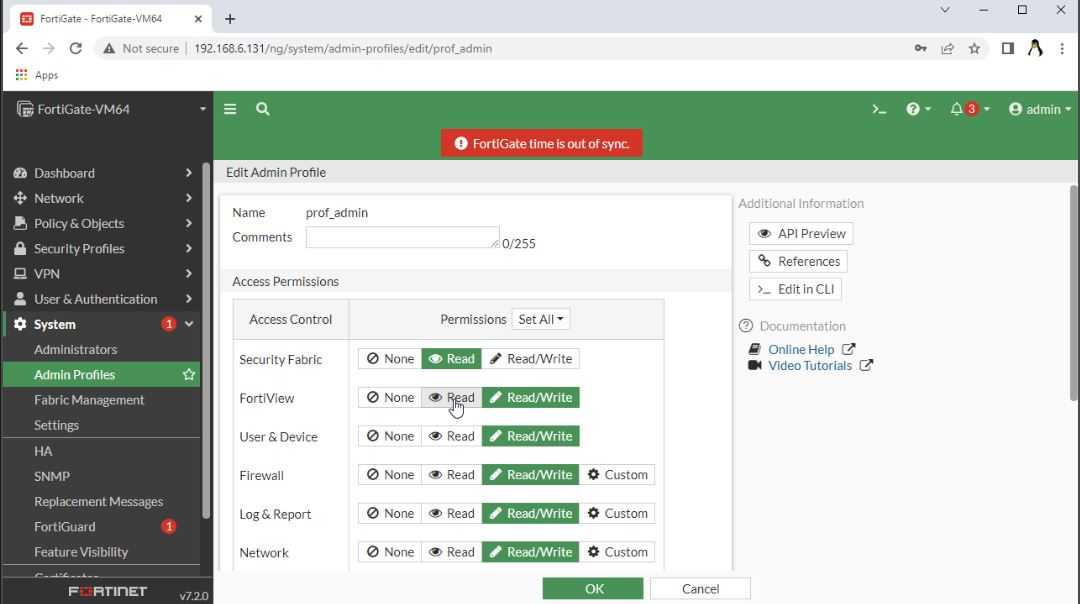
Step 6: Create New admin profile
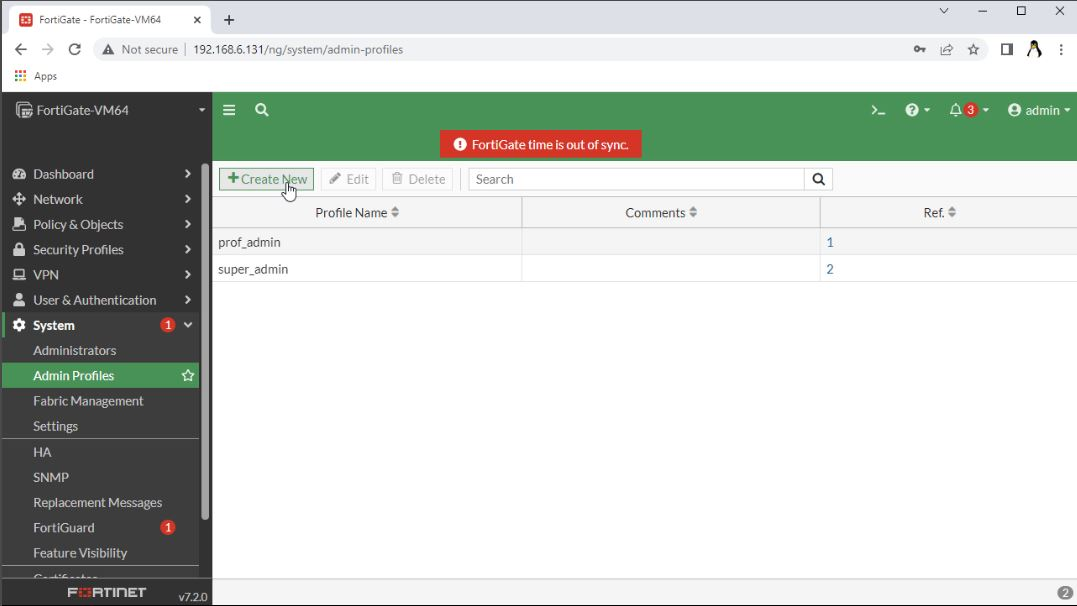
Step 7: Create and add the user name
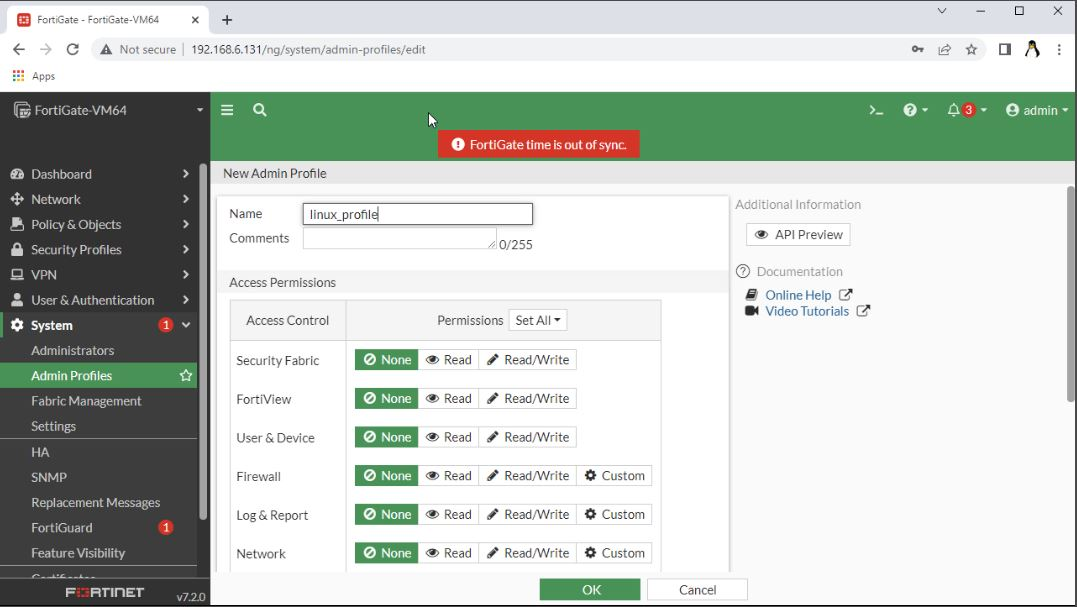
Step 8: After create the account, give all the Permissions and click ok
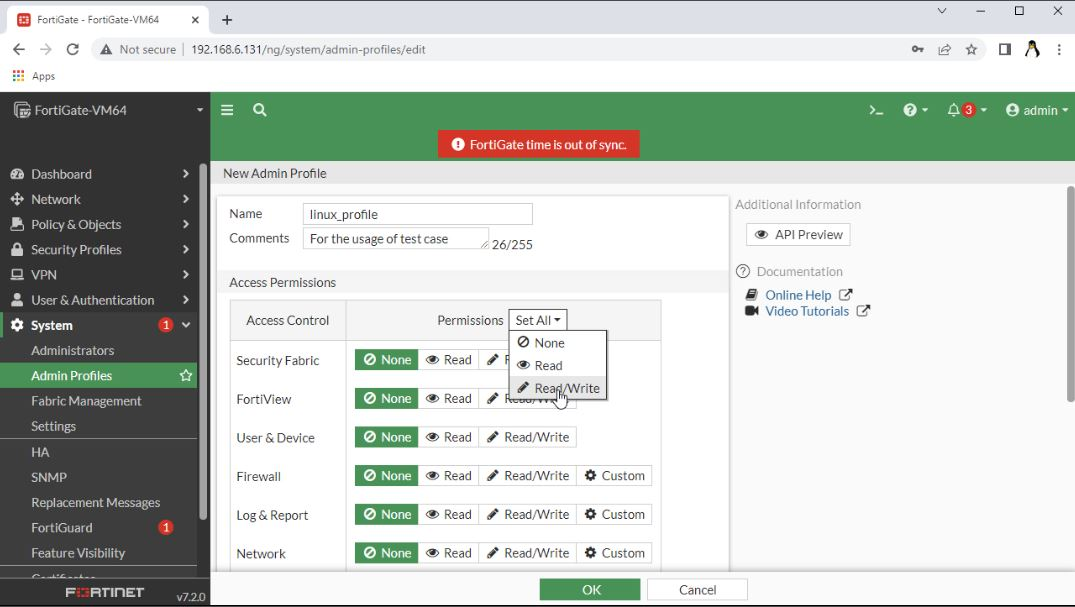
Step 9: Admin Profile is created successfully
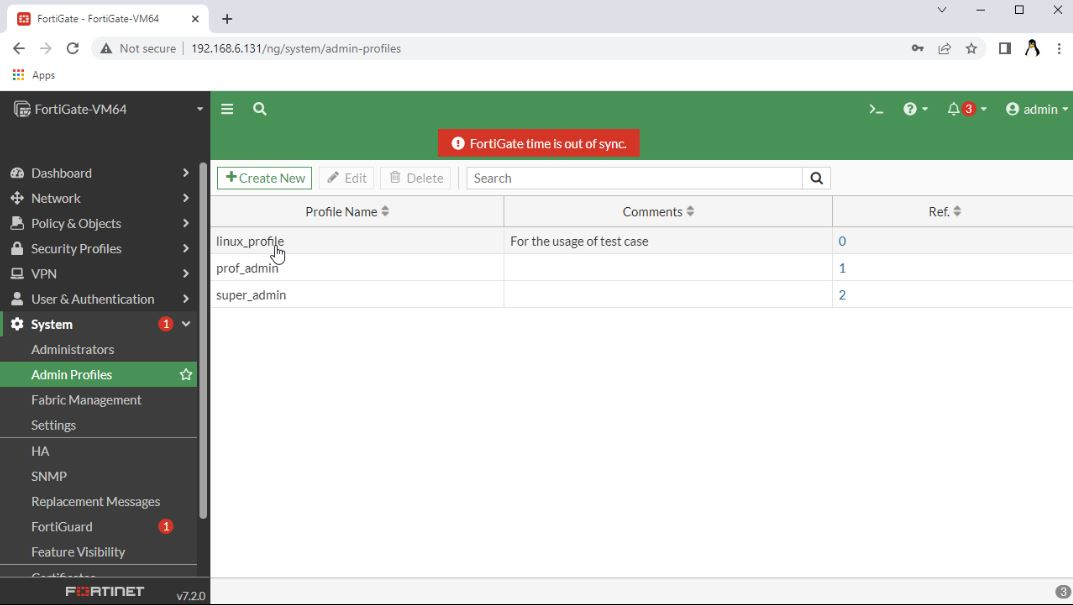
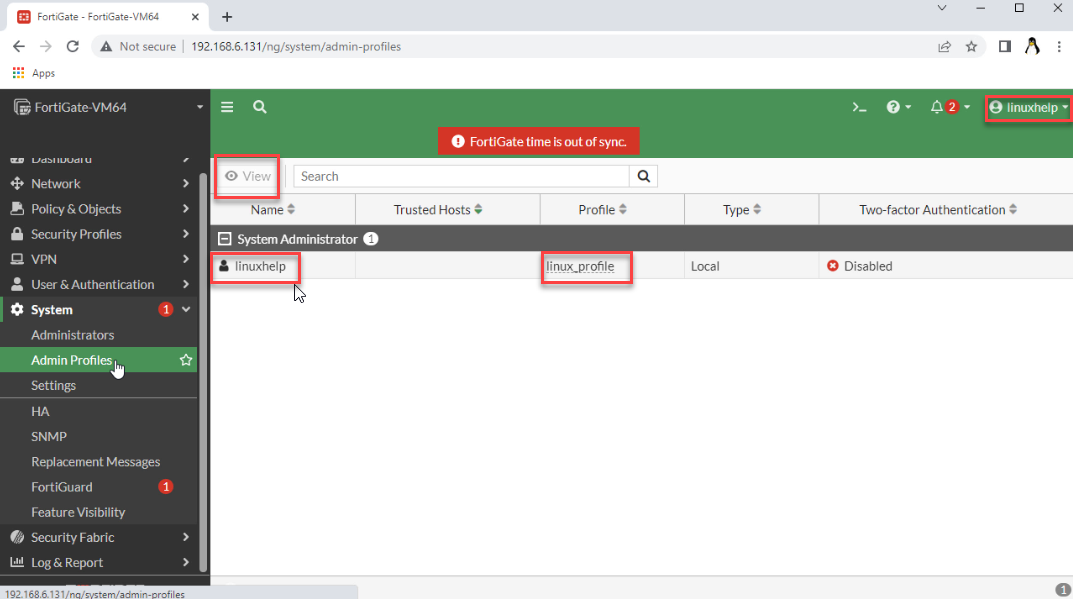
Step 10: Change the admin profile for linuxhelp as linux_profile and access it
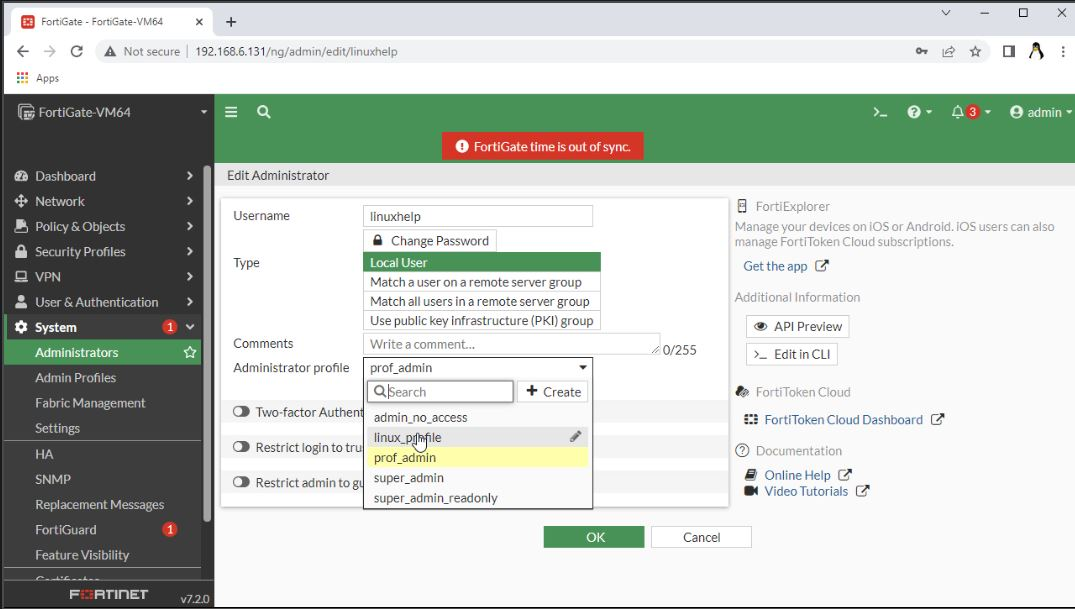
Step 11: Check whether the admin profile is added or not
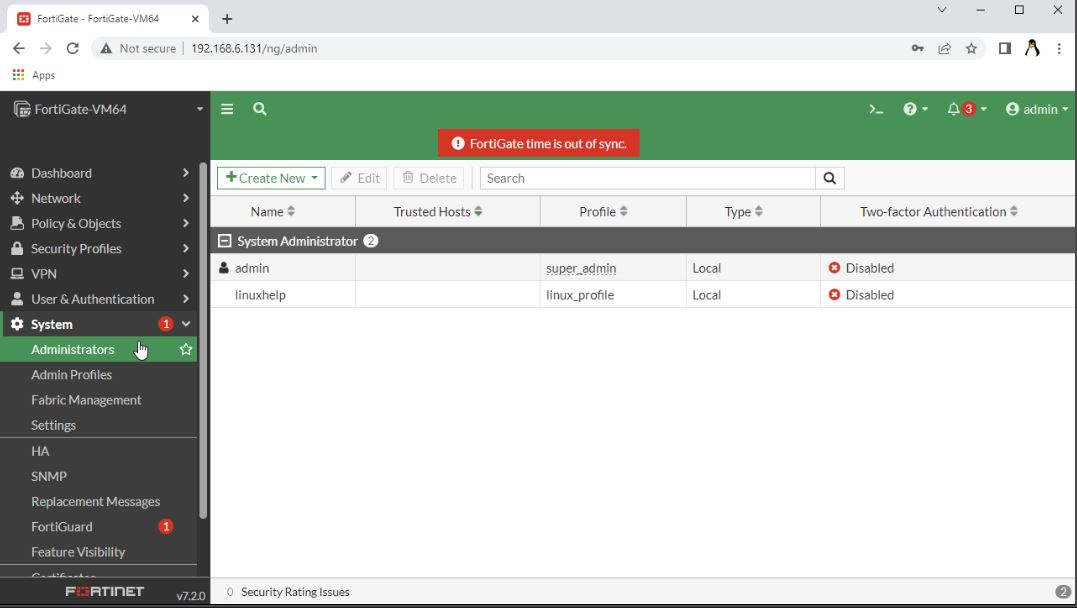
Step 12: Login to the newly user we created
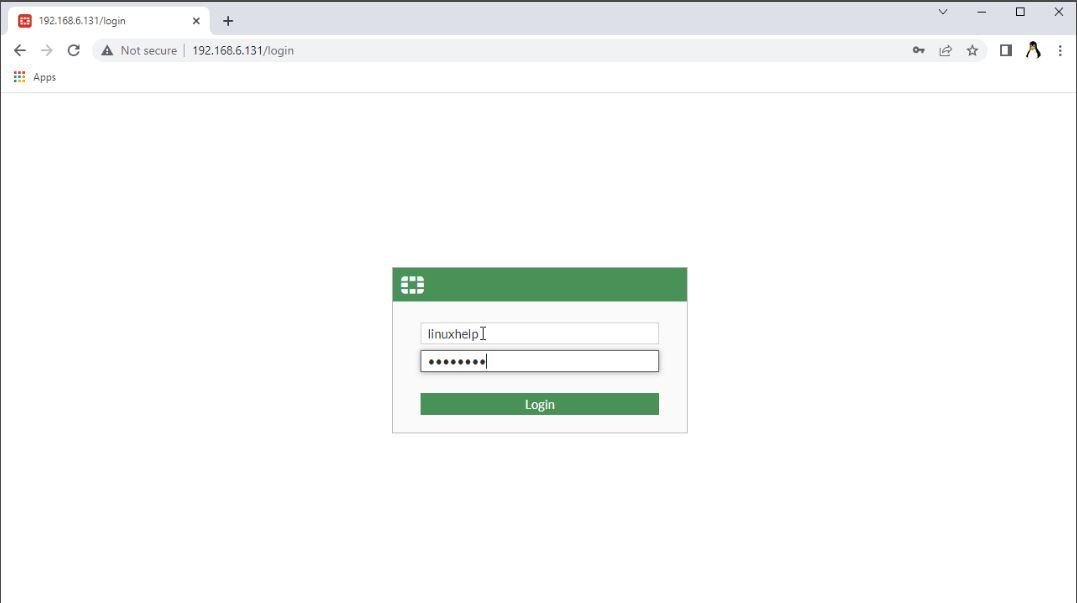
Step 13: the new user successfully logged in
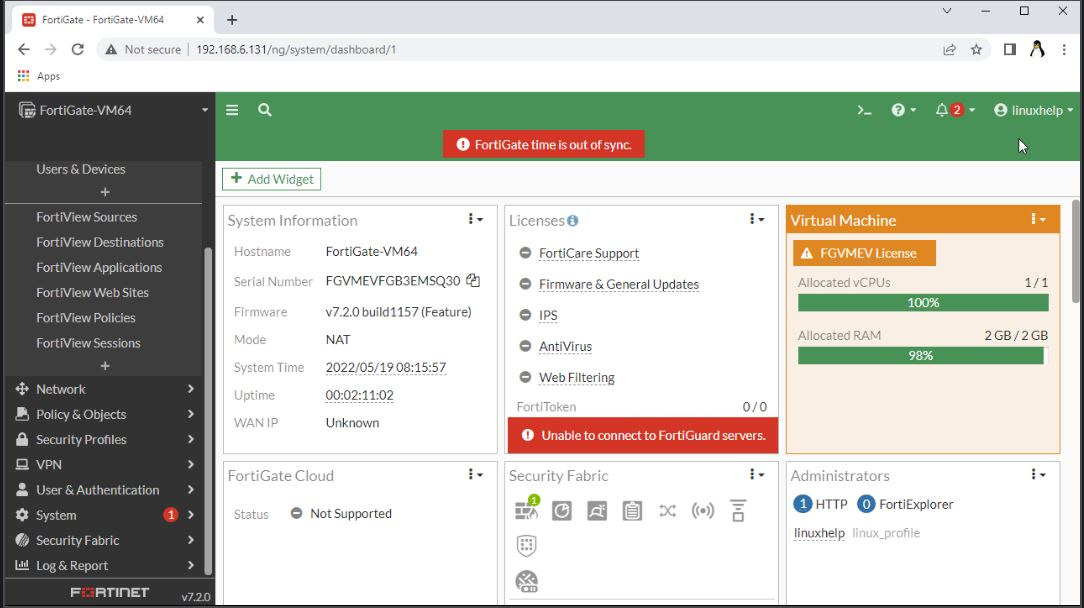
Step 14: Here we can see the Permissions and admin privileges
Conclusion:
We have reached the end of this article. In this guide, we have walked you through the steps required to Create User And Admin Profile On FortiGate Firewall.Your feedback is much welcome.
Comments ( 0 )
No comments available