• Categories
    Category
    {{ postCtrl.tags }}
    • {{ category.tag_type }}

      • {{tag.tag_name}}
      • View more
  • Categories
    Category
    {{ postCtrl.tags }}
    • {{ category.tag_type }}

      • {{tag.tag_name}}
      • View more
  • News
  • Tutorials
  • Forums
  • Tags
  • Users
Tutorial News Comments FAQ Related Articles

How to execute WSGI file with Dynamic content in Apache

{{postValue.id}}

To execute WSGI file with Dynamic content in Apache

WSGI is an internet standard based on Python and is used as an interface between the web server and the application you intend to run. Through this article you will learn the method to execute WSGI Python file in dynamic webpage content in apache webserver on your CentOS machine.

Prerequisites

Executing a WSGI file requires prior installation of Apache service as it is very vital for the process.

To execute WSGI file

Make sure you have the mod_wsgi package installed in your machine. Use the following command for the same purpose.

[root@server1 Desktop]# yum install mod_wsgi* -y
Loaded plugins: fastestmirror, langpacks
Loading mirror speeds from cached hostfile
 * base: mirror.fibergrid.in
 * extras: mirror.fibergrid.in
.
.
.
Installed:
  mod_wsgi.x86_64 0:3.4-12.el7_0                                                               

Complete!

Now that mod_wsgi is installed, create a directory under document root as follows in which you should move wsgi script file.

[root@localhost Desktop]# mkdir /var/www/dynamic

Run the following command to move wsgi script file into the new directory.

[root@localhost Desktop]# mv scripts.wsgi  /var/www/dynamic/

Set the selinux context for that script file location as it adds additional information such as user, role, type, and a level to that file. Use the following command.

[root@localhost Desktop]# semanage fcontext -a -t httpd_sys_script_exec_t ' /var/www/dynamic(/.*)?' 

Once thes elinux context is set, restore the selinux configuration using restorecon command as follows.

[root@localhost Desktop]# restorecon -Rc /var/www/dynamic/scripts.wsgi
restorecon reset /var/www/dynamic/scripts.wsgi context unconfined_u:object_r:admin_home_t:s0-> unconfined_u:object_r:httpd_sys_script_exec_t:s0

Once it is done, configure the VirtualHost by creating a file in apache conf.d location and configure it as follows.

[root@localhost Desktop]# vim /etc/httpd/conf.d/wsgi.conf
listen 8086
< virtualhost *:8086> 
servername server1.example.com
documentroot /var/www/dynamic
WSGIScriptAlias / /var/www/dynamic/scripts.wsgi
< /virtualhost> 

And then, configure selinux context for newly created port as follows.

[root@localhost Desktop]# semanage port -a -t http_port_t -p tcp 8086

Once it is done, add the port into firewall and reload service as follows.

[root@localhost Desktop]# firewall-cmd --permanent --add-port=8086/tcp
[root@localhost Desktop]# firewall-cmd &ndash reload

Check the apache syntax using below command.

[root@localhost Desktop]# httpd &ndash t

Finally, restart the apache service so that the process to take effect.

[root@localhost Desktop]# systemctl restart httpd.service

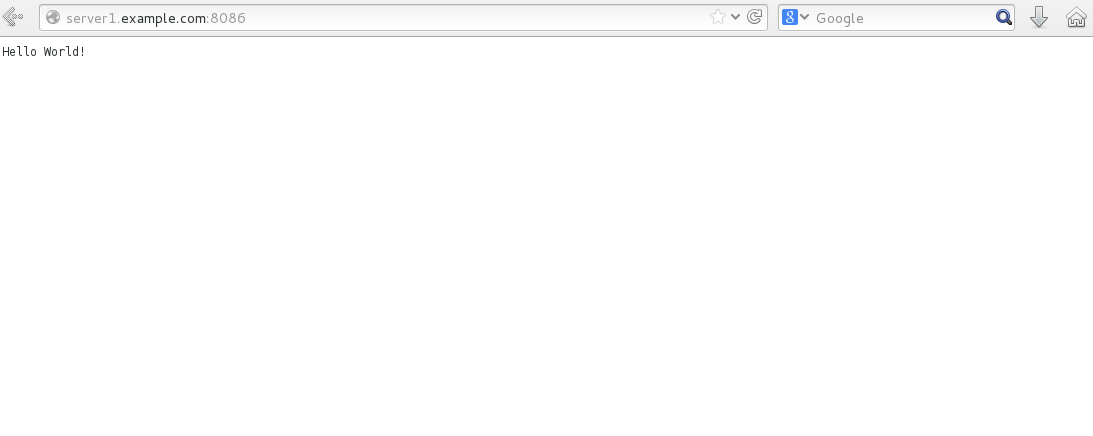
Open the browser and enter your server name with dynamic port number.
browser

Now you see the wsgi file output.
WSGI_output

Executing WSGI was quite simple, isn' t it? WSGI files are very useful as they specify the way in which web applications can be chained together to process one request.

Tags:
jacob
Author: 

Comments ( 0 )

No comments available

Add a comment
{{postCtrl.cmtErrMsg}}

Frequently asked questions ( 5 )

Q

while calling in a browser it shows server not found. How to solve this error?

A

"check you have properly configured semanage for documentroot. Or else disable selinux and then try

"

Q

Why am I seeing the error message ‘premature end of script headers’ in the Apache error logs?

A

If using daemon mode, this is a symptom of the mod_wsgi daemon process crashing when handling a request. You would probably also see the message ‘segmentation fault’. See answer for the question about ‘segmentation fault’ above.

Q

Do I have to restart Apache every time I make a change to the Python code for my WSGI application?

A

If the code you are changing lies outside of the WSGI script file then what you may need to do will depend on how mod_wsgi is being used.

Q

Why do I get the error ‘IOError: sys.stdout access restricted by mod_wsgi’?

A

A portable WSGI application or application component should not output anything to standard output. This is because some WSGI hosting mechanisms use standard output to communicate with the web server.

Q

Why are client user credentials not being passed through to the WSGI application in the ‘HTTP_AUTHORIZATION’ variable of the WSGI environment?

A

"the passing of HTTP authentication credentials must be explicitly enabled by the web server administrator. This can only be done using directives placed in the main Apache configuration file.

Back To Top!
Rank
User
Points

Top Contributers

userNamenaveelansari
135850

Top Contributers

userNameayanbhatti
92510

Top Contributers

userNamehamzaahmed
32150

Top Contributers

1
userNamelinuxhelp
31040

Top Contributers

userNamemuhammadali
24500
Can you help Gibbson ?
How do i run both nginx and apache in same instance on centos

Hi...,

my server is based centos operating system and my webserver is already running on Apache.... i need to run both apache and nginx on same instance ... please help me to implement this concept...

Networking
  • Routing
  • trunk
  • Netmask
  • Packet Capture
  • domain
  • HTTP Proxy
Server Setup
  • NFS
  • KVM
  • Memory
  • Sendmail
  • WebDAV
  • LXC
Shell Commands
  • Cloud commander
  • Command line archive tools
  • last command
  • Shell
  • terminal
  • Throttle
Desktop Application
  • Linux app
  • Pithos
  • Retrospect
  • Scribe
  • TortoiseHg
  • 4Images
Monitoring Tool
  • Monit
  • Apache Server Monitoring
  • EtherApe 
  • Arpwatch Tool
  • Auditd
  • Barman
Web Application
  • Nutch
  • Amazon VPC
  • FarmWarDeployer
  • Rukovoditel
  • Mirror site
  • Chef
Contact Us | Terms of Use| Privacy Policy| Disclaimer
© 2025 LinuxHelp.com All rights reserved. Linux™ is the registered trademark of Linus Torvalds. This site is not affiliated with linus torvalds in any way.