How to install abantecart On LinuxMint-18.3
How to install AbanteCart On LinuxMint 18.3
AbanteCart is an open source e-commerce platform based on PHP. AbanteCart used to build your own online business portal so you can start selling your products in minimal time.it provides lots of features stock management, order history, password reminder, multi-currency and multi-language support and extra. It also has support for a variety of payment gateways such as Paypal, Payza, Bank Transfer, Skrill, WorldPay and many more like this.
Pre-requirements
Install LAMP (apache, php7.2, mariadb-server)
In MariaDB (create database, user and give privilages to user)
For PHP installation
1.add-apt-repository ppa:ondrej/php
2.apt-get update
Modules apt-get install php7.2
(php-mbstring php-mcrypt php-mysql php-xml php-gd php-imap php-ldap php-odbc php-pear php-xmlrpc php-xml-parser)
Installing Abantecart
Download the package of abantecart from its official website through the terminal using wget command
linuxhelp ~ # wget https://github.com/abantecart/abantecart-src/archive/master.zip
--2018-04-08 06:27:27--  https://github.com/abantecart/abantecart-src/archive/master.zip
Resolving github.com (github.com)... 192.30.253.112, 192.30.253.113
Connecting to github.com (github.com)|192.30.253.112|:443... connected.
HTTP request sent, awaiting response... 302 Found
Location: https://codeload.github.com/abantecart/abantecart-src/zip/master [following]
--2018-04-08 06:27:29--  https://codeload.github.com/abantecart/abantecart-src/zip/master
Resolving codeload.github.com (codeload.github.com)... 192.30.253.120, 192.30.253.121
Connecting to codeload.github.com (codeload.github.com)|192.30.253.120|:443... connected.
HTTP request sent, awaiting response... 200 OK
Length: unspecified [application/zip]
Saving to: ‘ master.zip’

master.zip                        [                                   < =>             ]  35.37M   937KB/s    in 49s

2018-04-08 06:28:19 (742 KB/s) - ‘ master.zip’  saved [37084491]
After downloading extract that downloaded file using unzip command
linuxhelp ~ # unzip master.zip
Archive:  master.zip
a9df918cee40cc7f32e68ee136a683dc30632f5c
creating: abantecart-src-master/
inflating: abantecart-src-master/.gitignore
inflating: abantecart-src-master/.travis.yml
inflating: abantecart-src-master/LICENSE.txt
inflating: abantecart-src-master/README.md
inflating: abantecart-src-master/install.txt
.
.
.
inflating: abantecart-src-master/tests/phpunit/AbanteCartTestBootstrap.php
creating: abantecart-src-master/tests/phpunit/core/
creating: abantecart-src-master/tests/phpunit/core/helper/
inflating: abantecart-src-master/tests/phpunit/core/helper/SystemCheckTest.php
inflating: abantecart-src-master/tests/phpunit/core/helper/UtilsTest.php
creating: abantecart-src-master/tests/phpunit/core/lib/
inflating: abantecart-src-master/tests/phpunit/core/lib/AConfigTest.php
inflating: abantecart-src-master/tests/phpunit/core/taskTest.php
inflating: abantecart-src-master/tests/phpunit/phpunit_mysql.xml
And then rename the abantecart directory as follows
linuxhelp ~ # ls
abantecart-src-master  master.zip
linuxhelp ~ # mv abantecart-src-master/ abantecart
And then now, move the abantecart directory into the /var/www/html directory
linuxhelp ~ # ls
abantecart  master.zip
linuxhelp ~ # mv abantecartr/ /var/www/html/
Next, we need to change ownership for abantecart directory
linuxhelp ~ # cd /var/www/html/
linuxhelp html # ls
abantecart  index.html
linuxhelp html # chown  -R  www-data:www-data abantecart/
Next, configure a virtual host for abantecart, so go to the site-available location.
linuxhelp html # cd /etc/apache2/sites-available/
Create an empty file named as abantecart.conf
linuxhelp sites-available # vim abantecart.conf
Add the following lines to the configuration file
< VirtualHost *:80>
ServerAdmin admin@linuxhelp1.com
DocumentRoot /var/www/html/abantecart/
ServerName linuxhelp1.com
ServerAlias www.linuxhelp1.com
< Directory /var/www/html/abantecart/>
Options FollowSymLinks
AllowOverride All
Order allow,deny
allow from all
< /Directory>
ErrorLog /var/log/apache2/linuxhelp1.com-error_log
CustomLog /var/log/apache2/linuxhelp1.com-access_log common
< /VirtualHost>
Next, enable the abantecart.conf file as follows
linuxhelp sites-available # 2ensite  abantecart.conf
Enabling site abantecart.
To activate the new configuration, you need to run:
  service apache2 reload
Make an entry to the host' s file
linuxhelp sites-available #vim /etc/hosts
< give your ip address>     < give your domain name>
Finally, restart the Apache web server to make the changes effect
linuxhelp sites-available # systemctl restart apache2.service
Go to the apantecart directory and rename the public_html to index.html
linuxhelp ~ # cd /var/www/html/abantecart/
linuxhelp abantecart # ls
install.txt  LICENSE.txt  public_html  README.md  release_notes.txt  tests
linuxhelp abantecart # mv public_html/ index.html
we have to restart apache web server again
linuxhelp abantecart # systemctl restart apache2.service
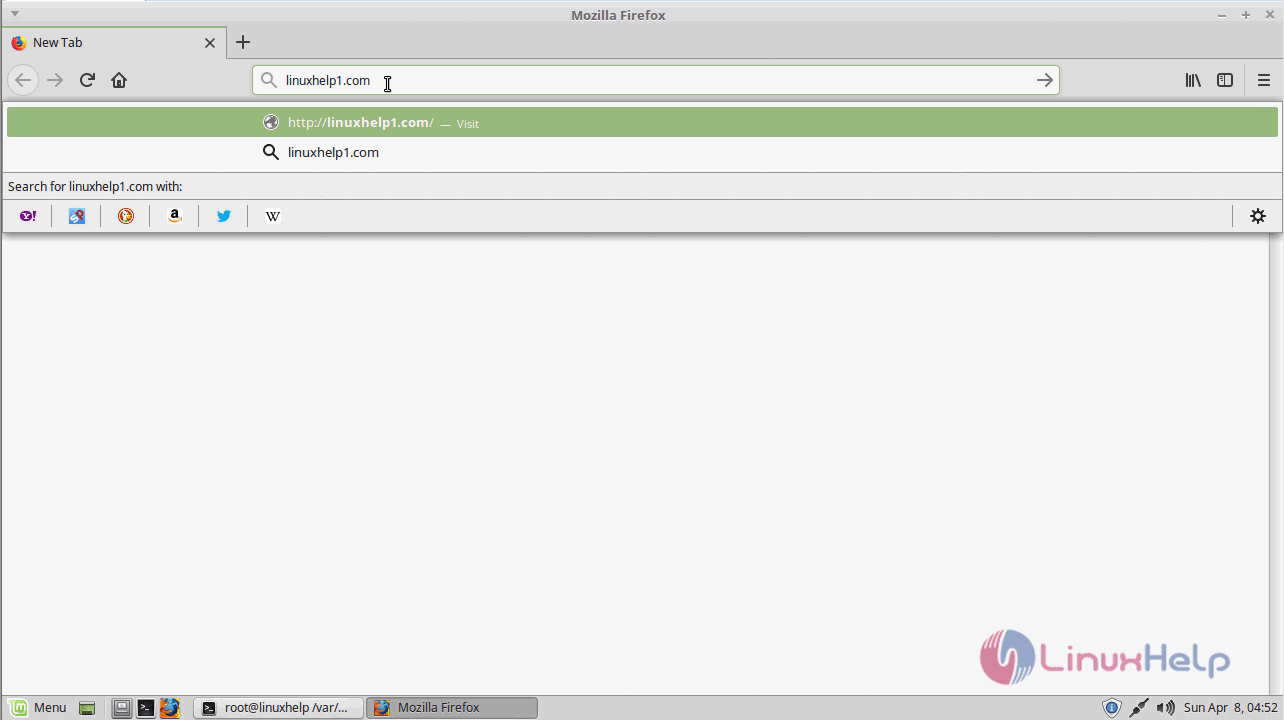
Now you can proceed the further installation and configuration from the browser by navigating to the following URL: http://< ipaddress or domain name
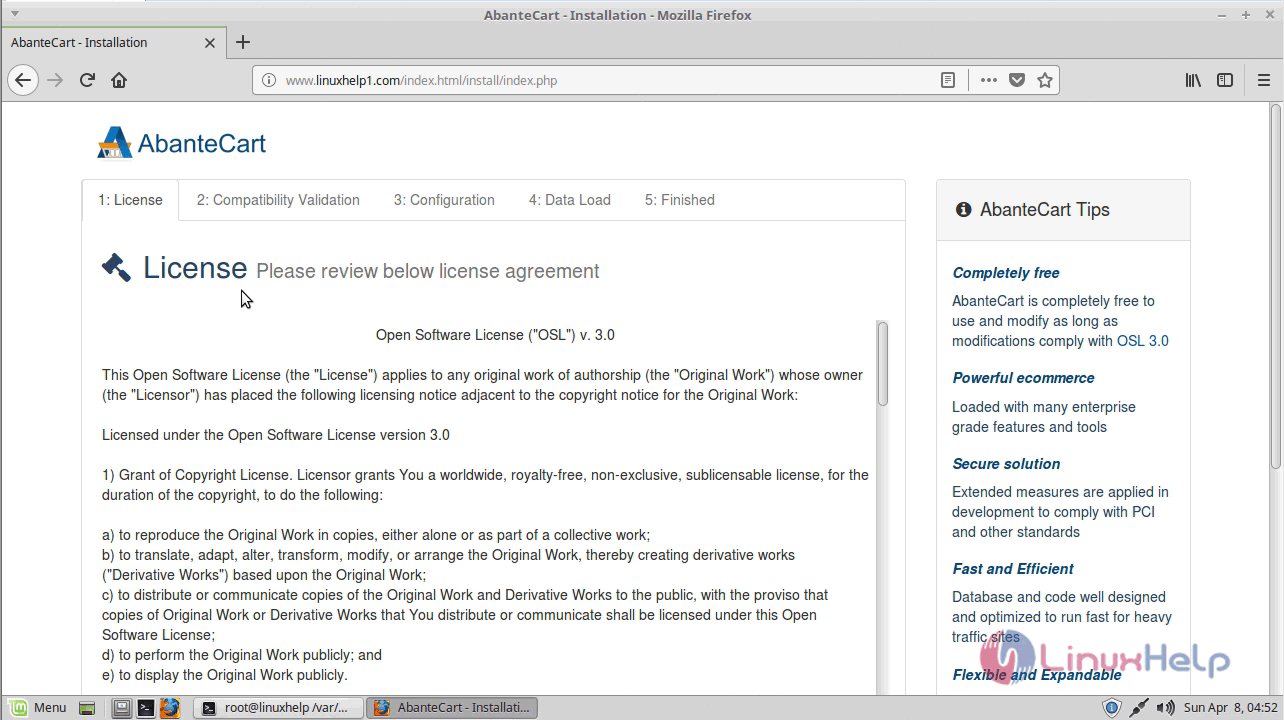
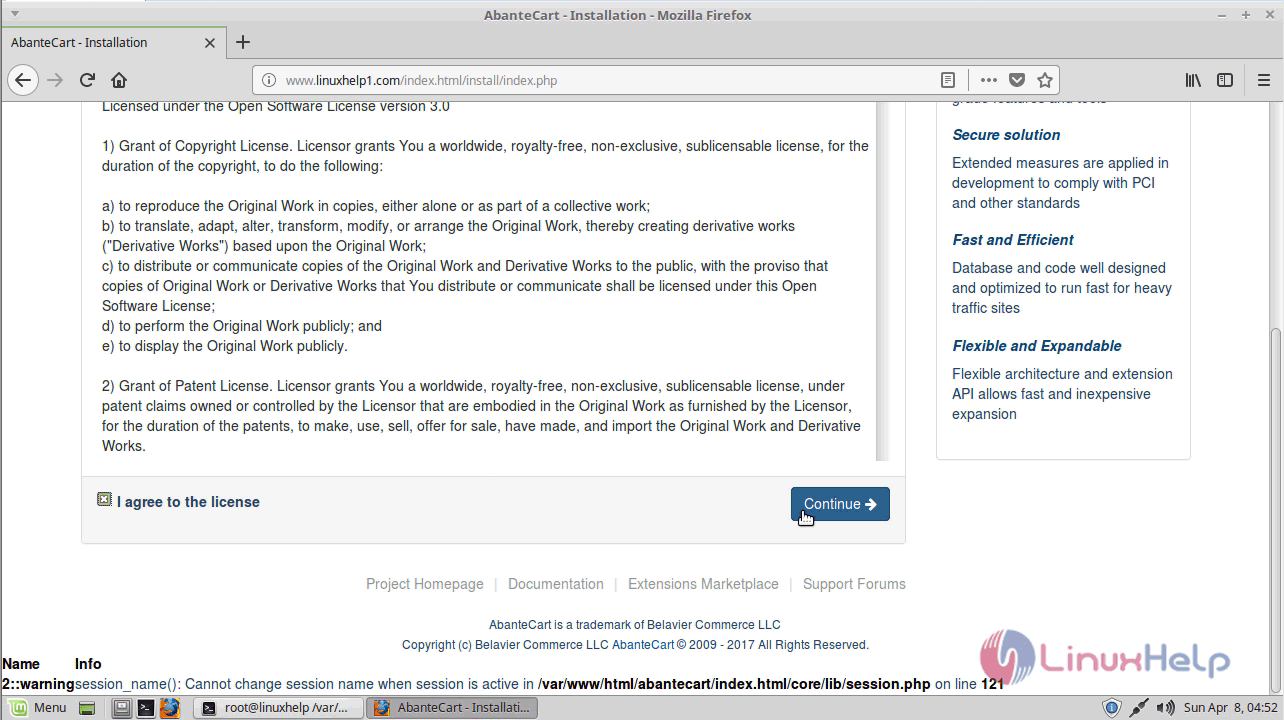
Agree to the license terms and click continue
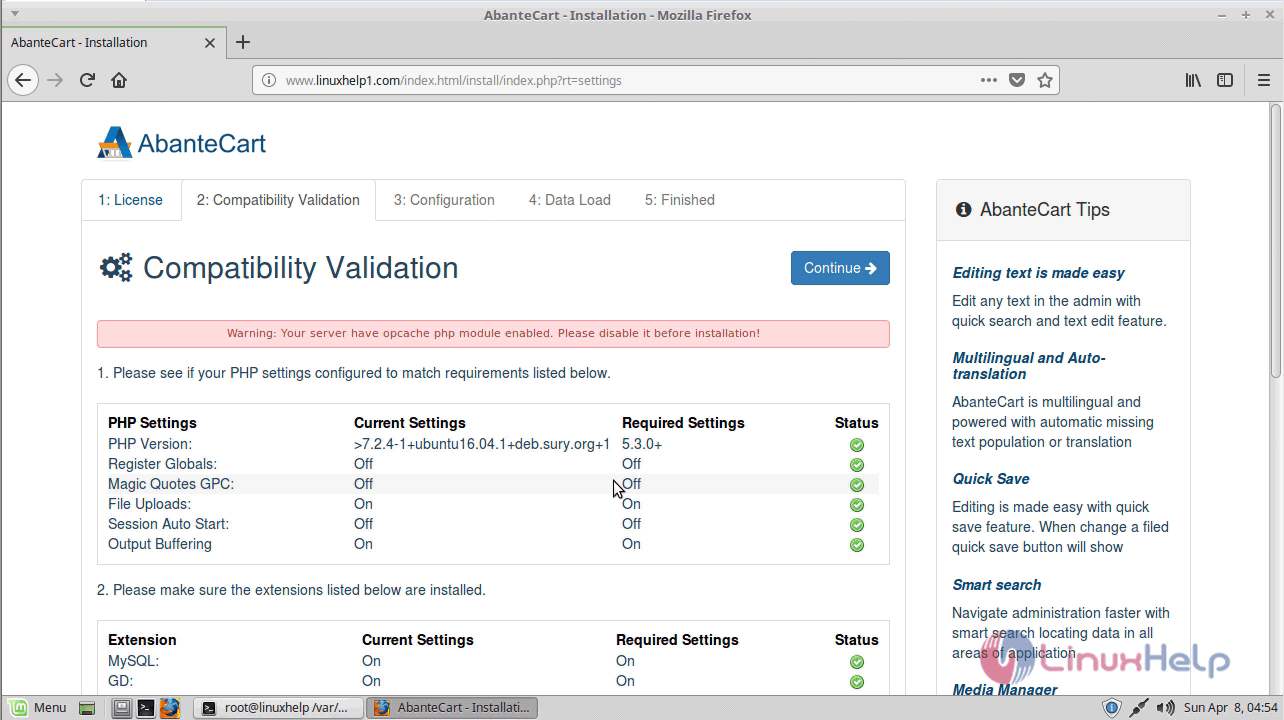
After the compatibility validation, if all the system requirements are met, continue further
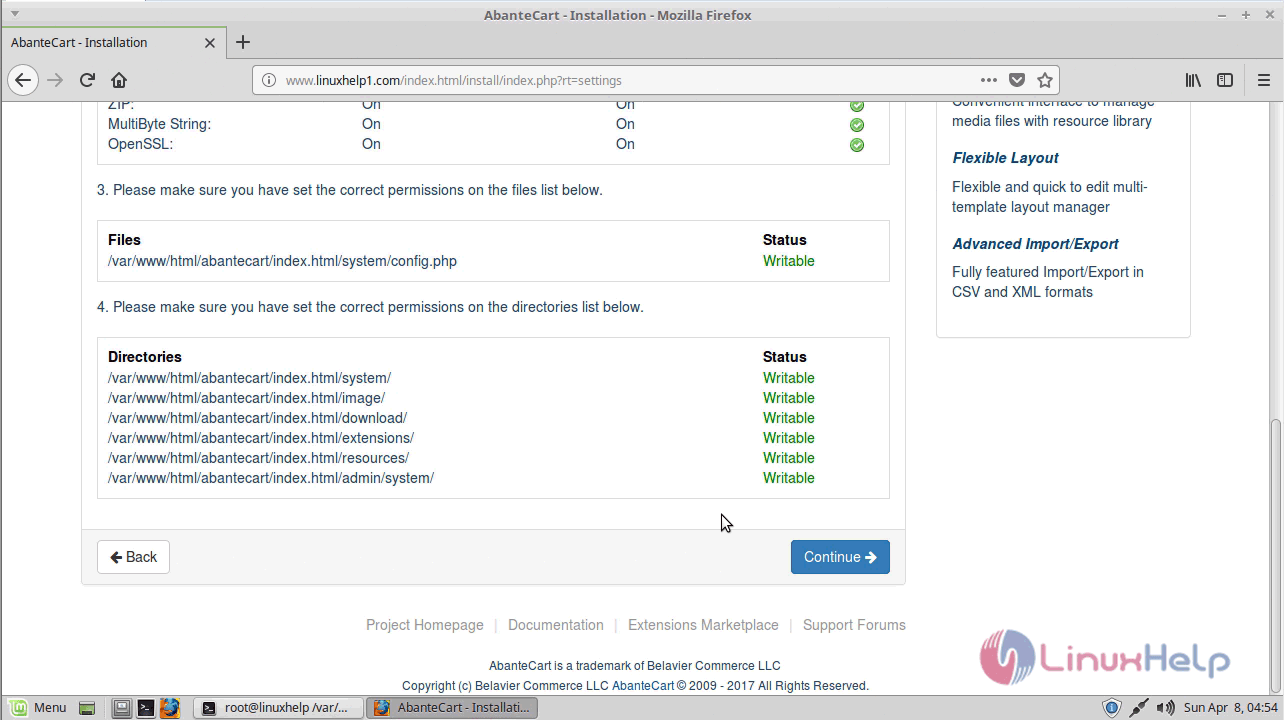
Now configure the database setup and proceed further
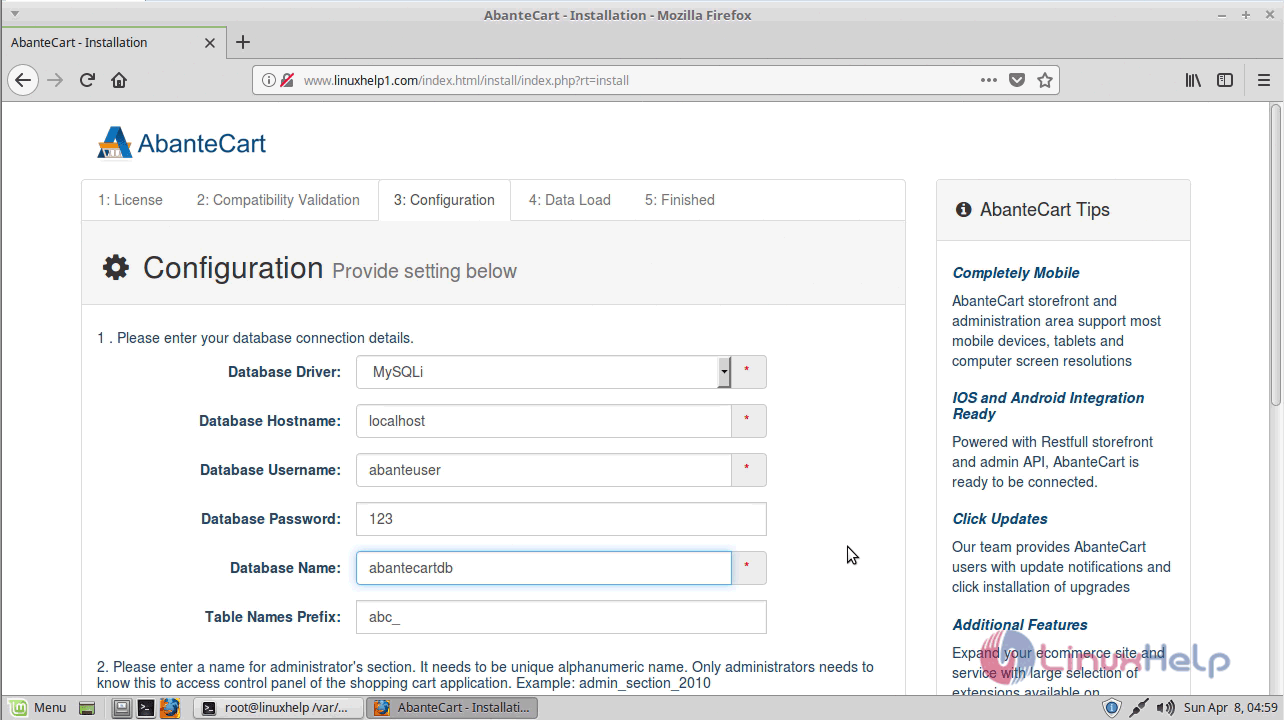
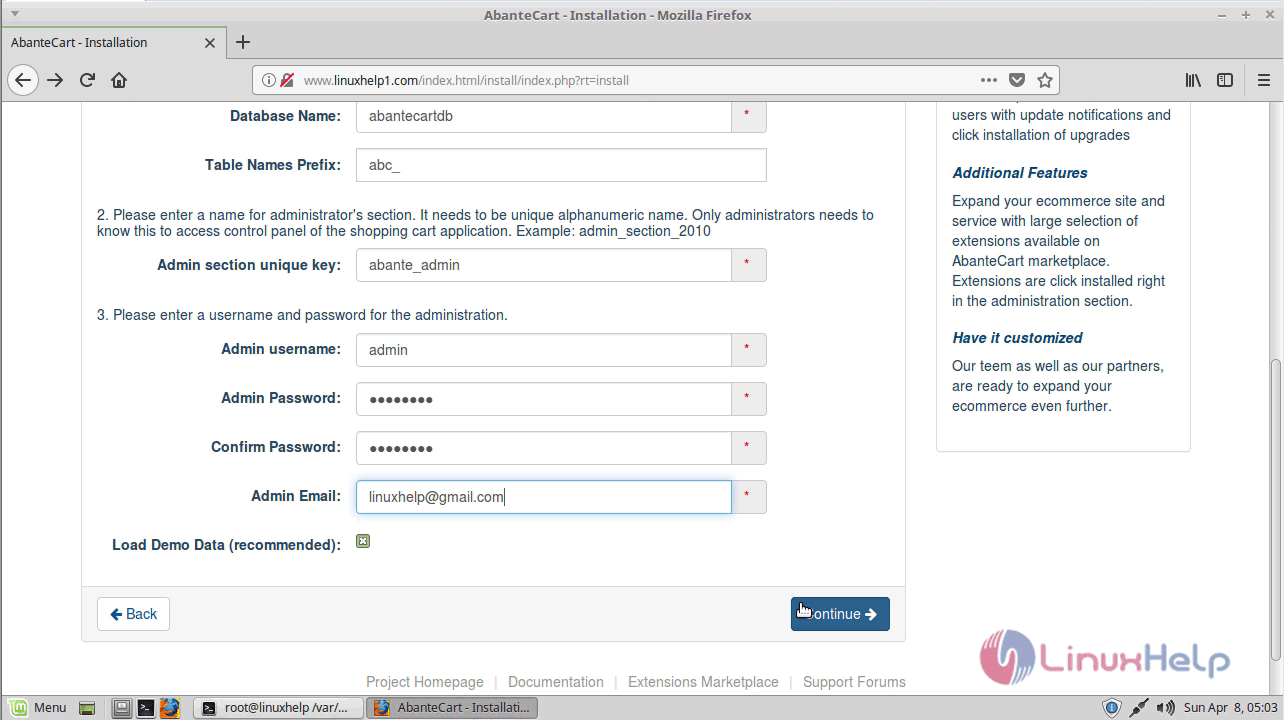
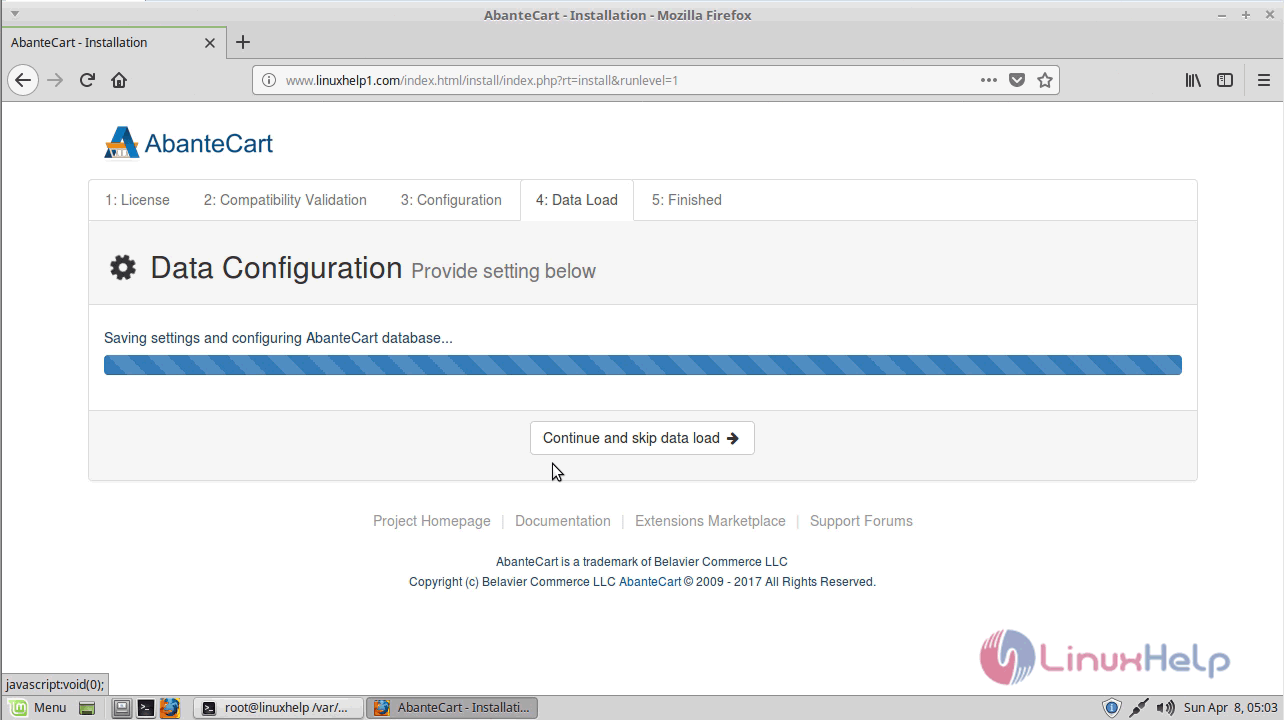
After completion, you will see the following page
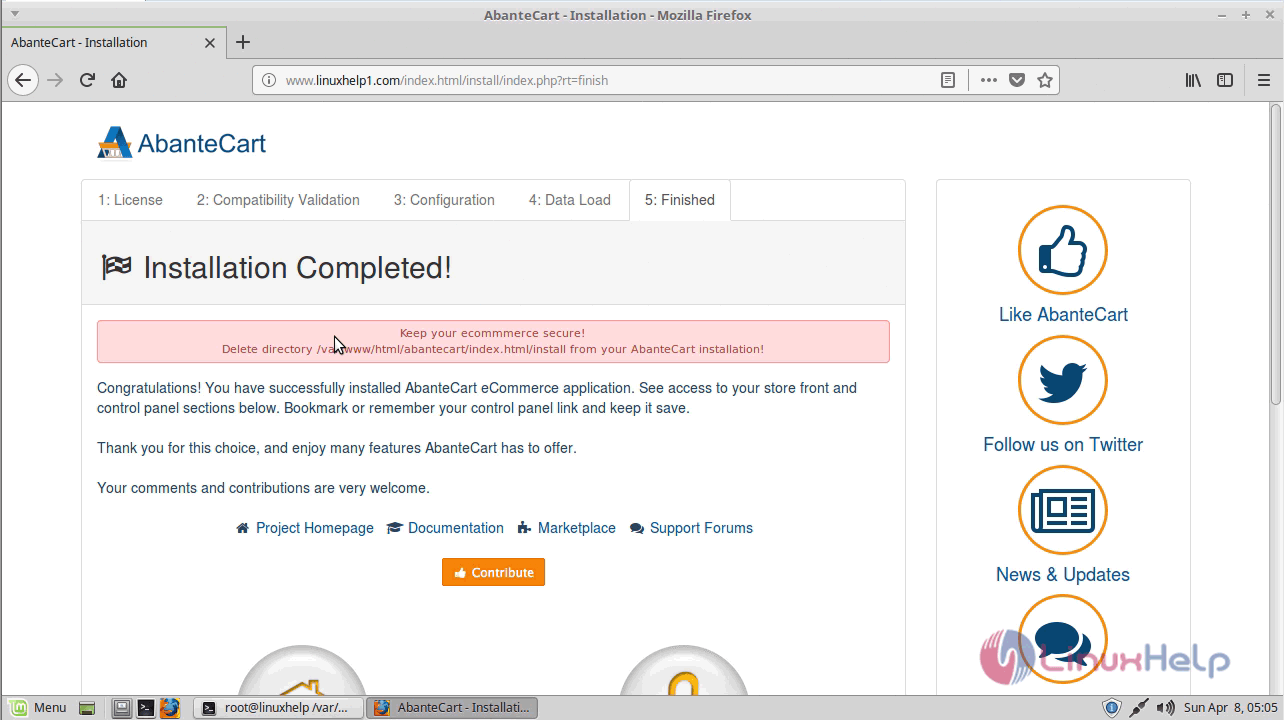
Now you can login to your control panel
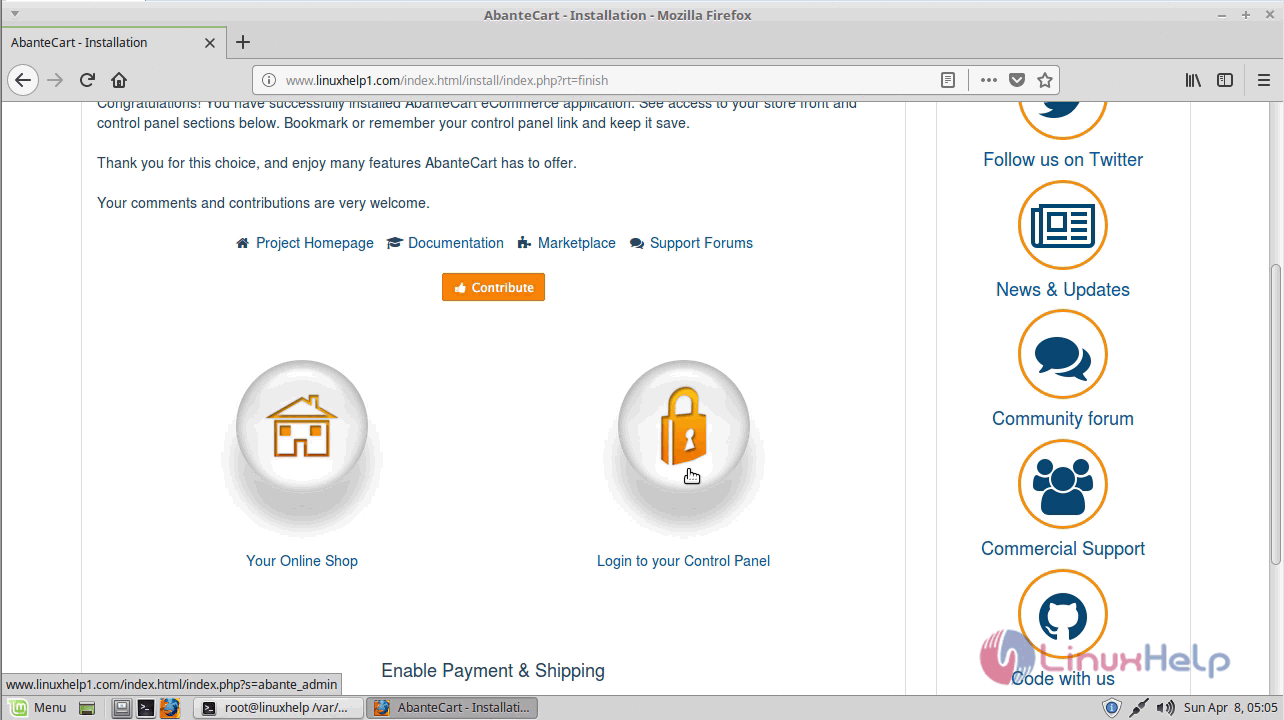
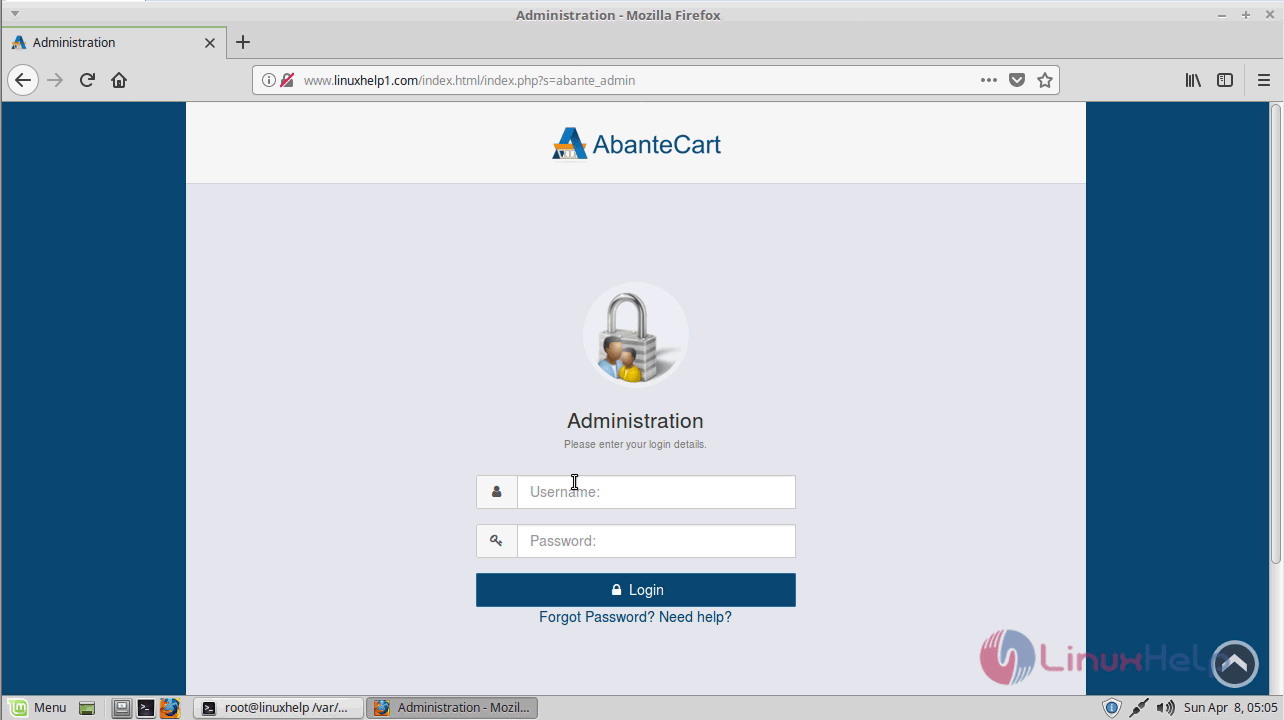
Here it will show log in page of admin
Enter the login credentials created during the setup
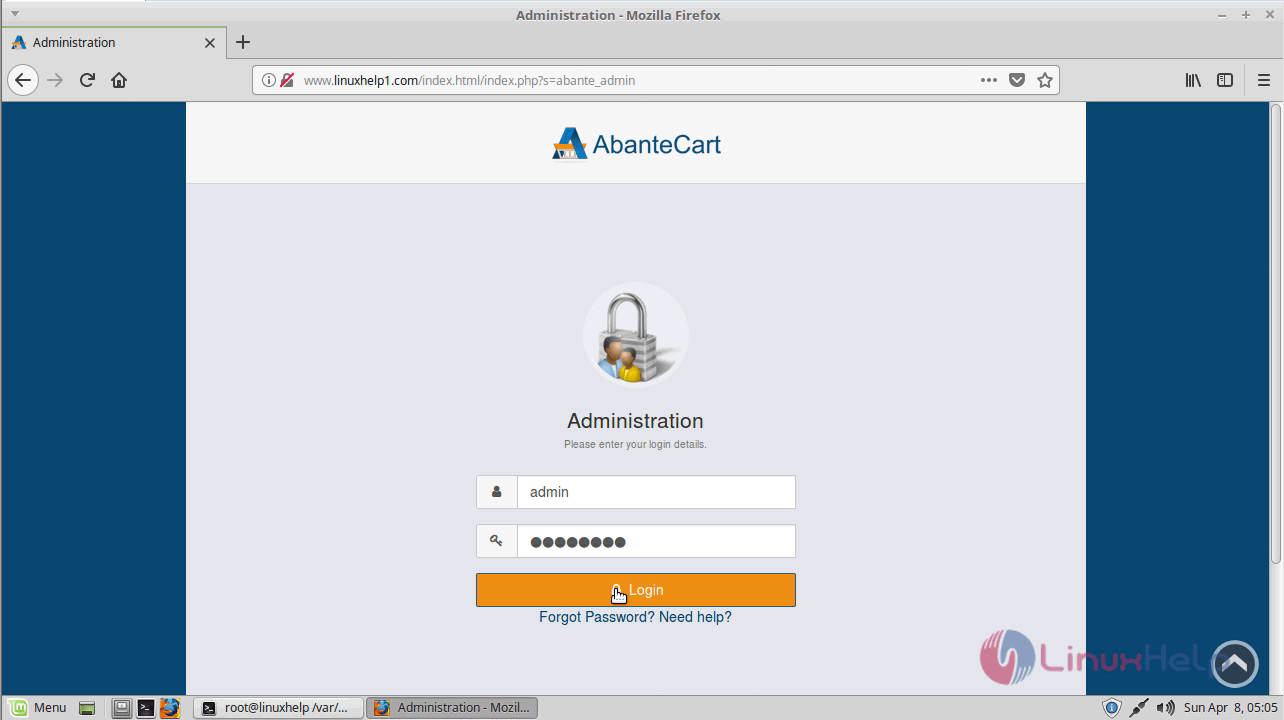
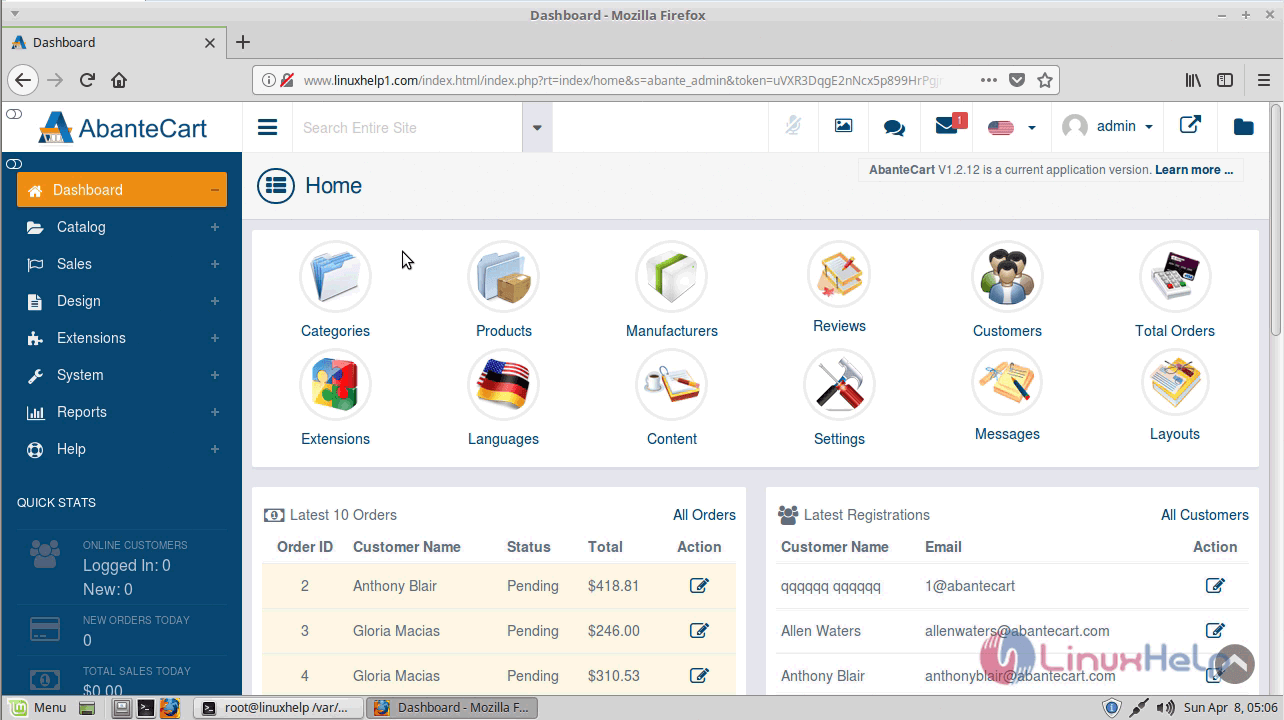
After successful login, you will see the admin dashboard.
with this, the method to install abantecart On LinuxMint-18.3 comes to an end.
Comments ( 0 )
No comments available