How to install Adobe Reader on Linuxmint 18.3
To install Adobe Reader on Linux Mint 18.3
Adobe Acrobat is a family of application software and Web services developed by Adobe Systems to view, create, manipulate, print and manage files in Portable Document Format. In this tutorial, we will cover the installation of adobe reader on Linuxmint 18.3
Installation
We need to install few dependencies for adobe reader before starting the installation.
linuxhelp ~ # apt-get install gtk2-engines-murrine:i386 libcanberra-gtk-module:i386 libatk-adaptor:i386 libgail-common:i386
Reading package lists... Done
Building dependency tree
Reading state information... Done
The following packages were automatically installed and are no longer required:
  libcurl3 libmcrypt4
Use ' sudo apt autoremove'  to remove them.
The following additional packages will be installed:
  cups cups-bsd cups-client cups-common cups-core-drivers cups-daemon cups-server-common gcc-6-base:i386 libasound2:i386 libatk-bridge2.0-0:i386
.
.
.
Setting up libatk-bridge2.0-0:i386 (2.18.1-2ubuntu1) ...
Setting up libgail18:i386 (2.24.30-1ubuntu1.16.04.2) ...
Setting up libgail-common:i386 (2.24.30-1ubuntu1.16.04.2) ...
Setting up libatk-adaptor:i386 (2.18.1-2ubuntu1) ...
Setting up libltdl7:i386 (2.4.6-0.1) ...
Setting up libtdb1:i386 (1.3.8-2) ...
Setting up libvorbis0a:amd64 (1.3.5-3ubuntu0.2) ...
Setting up libvorbis0a:i386 (1.3.5-3ubuntu0.2) ...
Setting up libvorbisenc2:amd64 (1.3.5-3ubuntu0.2) ...
Setting up libvorbisfile3:amd64 (1.3.5-3ubuntu0.2) ...
Setting up libvorbisfile3:i386 (1.3.5-3ubuntu0.2) ...
Setting up libcanberra0:i386 (0.30-2.1ubuntu1) ...
Setting up libcanberra-gtk0:i386 (0.30-2.1ubuntu1) ...
Setting up libcanberra-gtk-module:i386 (0.30-2.1ubuntu1) ...
Processing triggers for libc-bin (2.23-0ubuntu9) ...
After installing the dependencies we have to add the repository for adobe reader using the following command.
linuxhelp ~ # add-apt-repository " deb http://archive.canonical.com/ precise partner"
And then update the system repository.
linuxhelp ~ # apt-get update
Hit:1 http://ppa.launchpad.net/audio-recorder/ppa/ubuntu xenial InRelease
Hit:2 http://archive.ubuntu.com/ubuntu xenial InRelease
Ign:3 http://archive.canonical.com precise InRelease
Hit:4 http://archive.ubuntu.com/ubuntu xenial-updates InRelease
Hit:5 http://archive.canonical.com/ubuntu xenial InRelease
.
.
.
Hit:15 http://packages.linuxmint.com sylvia Release
Fetched 134 kB in 2s (65.3 kB/s)
Reading package lists... Done
W: http://archive.canonical.com/dists/precise/Release.gpg: Signature by key 630239CC130E1A7FD81A27B140976EAF437D05B5 uses weak digest algorithm (SHA1)
Finally, we have to install adobe reader application using the following command.
linuxhelp ~ # apt-get install adobereader-enu
Reading package lists... Done
Building dependency tree
Reading state information... Done
Note, selecting ' acroread-bin:i386'  instead of ' adobereader-enu'
The following packages were automatically installed and are no longer required:
  libcurl3 libmcrypt4
Use ' sudo apt autoremove'  to remove them.
The following additional packages will be installed:
  cpp-5 gcc-5 gcc-5-base gcc-5-base:i386 libasan2 libatomic1 libcc1-0 libcilkrts5 libgcc-5-dev libgfortran3
  libgomp1 libice6:i386 libicu55 libicu55:i386 libitm1 liblsan0 libmpx0 libpango1.0-0:i386 libpangox-1.0-0:i386
.
.
.
Setting up libgcc-5-dev:amd64 (5.4.0-6ubuntu1~16.04.9) ...
Setting up cpp-5 (5.4.0-6ubuntu1~16.04.9) ...
Setting up gcc-5 (5.4.0-6ubuntu1~16.04.9) ...
Setting up libgfortran3:amd64 (5.4.0-6ubuntu1~16.04.9) ...
Setting up libpangoxft-1.0-0:i386 (1.38.1-1) ...
Setting up libpango1.0-0:i386 (1.38.1-1) ...
Setting up libxt6:i386 (1:1.1.5-0ubuntu1) ...
Setting up acroread-bin:i386 (9.5.5-1precise1) ...
Processing triggers for libc-bin (2.23-0ubuntu9) ...
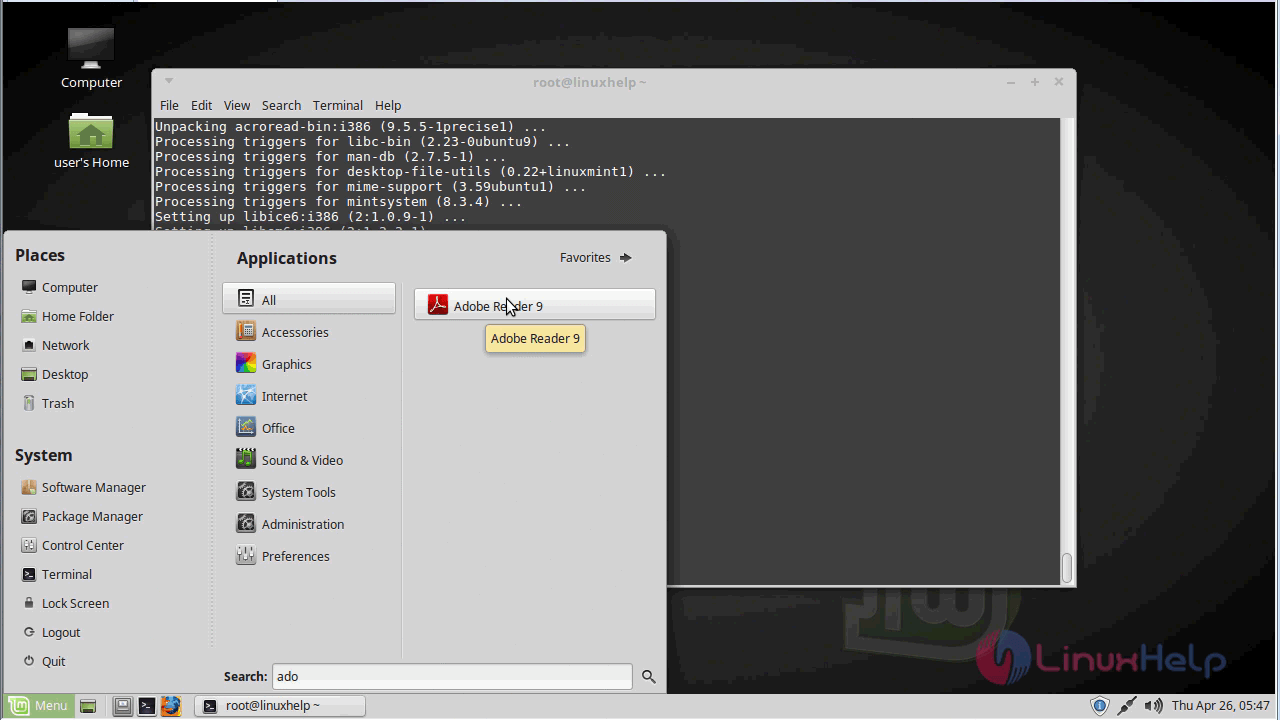
You can access the application from the menu after the installation.
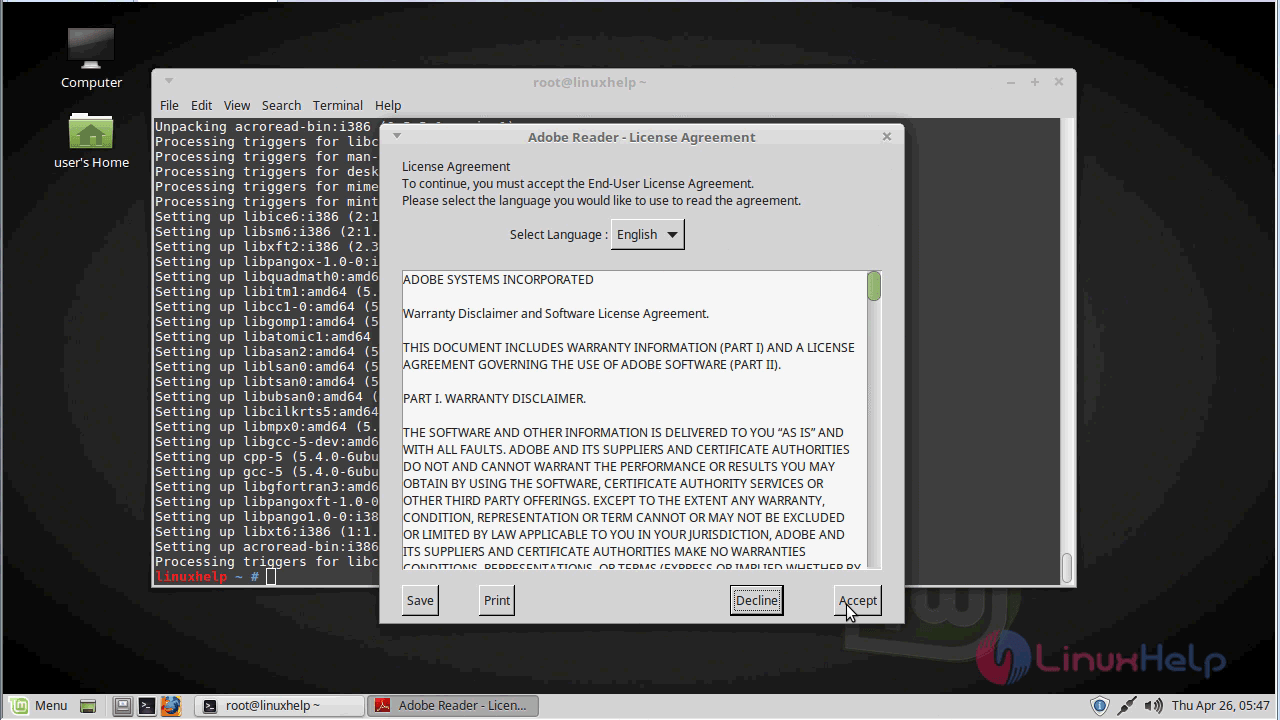
Accept the license & terms while the application starts.
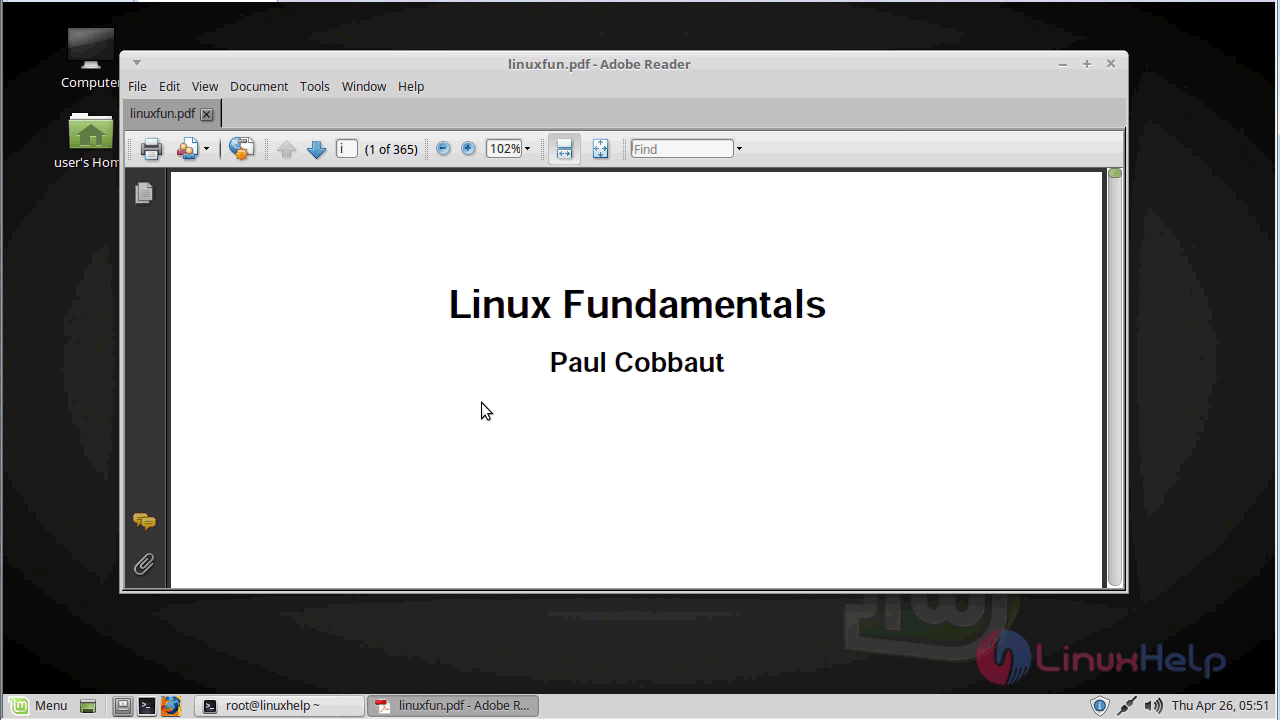
With this, the method to install Adobe Reader on Linux Mint 18.03 comes to an end.
Comments ( 4 )
apt-get install libxml2:i386 gdebi-core
apt-get install gdebi-core
wget ftp://ftp.adobe.com/pub/adobe/reader/unix/9.x/9.5.5/enu/AdbeRdr9.5.5-1_i386linux_enu.deb
gdebi Adbe*.deb
sudo add-apt-repository "deb http://archive.canonical.com/ precise partner"
sudo apt-get update
sudo apt install adobereader-enu