How to Install and configure GitLab in CentOS 8.1
To Install and Configure GitLab on CentOS 8.1
INTRODUCTION:
A GitLab is a version control system. It is a web-based DevOps lifecycle tool that provides a Git-repository manager providing wiki, issue-tracking, and continuous integration and deployment pipeline features, using an open-source license, developed by GitLab Inc. This video will cover the installation and configuration of GitLab on CentOS 8.1.
First, check the installed version of OS
[root@linuxhelp www]# rpm –q centos-release
Centos-release-8.1.1911.0.8.el8.x86_64
Now install the dependencies using following command:
[root@linuxhelp www]# yum install curl policycoreutils openssh-server openssh-clients
Loading mirror speeds from cached hostfile
 * base: centos.excellmedia.net
 * epel: ftp.riken.jp
 * extras: centos.excellmedia.net
 * updates: centos.excellmedia.net
Resolving Dependencies
-->  Running transaction check
 Verifying  : openssh-6.4p1-8.el7.x86_64                                                                                                                                                                                              11/14
  Verifying  : openssh-clients-6.4p1-8.el7.x86_64                                                                                                                                                                                      12/14
 Verifying  : policycoreutils-python-2.2.5-11.el7.x86_64                                                                                                                                                                              13/14
  Verifying  : libcurl-7.29.0-19.el7.x86_64                                                                                                                                                                                            14/14
Updated:
  curl.x86_64 0:7.29.0-25.el7.centos                     openssh-clients.x86_64 0:6.6.1p1-25.el7_2                     openssh-server.x86_64 0:6.6.1p1-25.el7_2                     policycoreutils.x86_64 0:2.2.5-20.el7
Dependency Updated:libcurl.x86_64 0:7.29.0-25.el7.centos                                        openssh.x86_64 0:6.6.1p1-25.el7_2                                        policycoreutils-python.x86_64 0:2.2.5-20.el7
Complete!
To install GitLab Community edition Download the GitLab CE from official link and install it using the following command
[root@linuxhelp www]# rpm –ivh gitlab-ce-13.5.4-ce.0.el8.x86_64.rpm
Loaded plugins: fastestmirror, langpacks
Loading mirror speeds from cached hostfile
 * base: centos.excellmedia.net
 * epel: ftp.yzu.edu.tw
 * extras: centos.excellmedia.net
 * updates: centos.excellmedia.net
Resolving Dependencies
-->  Running transaction check
--->  Package gitlab-ce.x86_64 0:8.9.6-ce.0.el7 will be installed
gitlab:
gitlab: For a comprehensive list of configuration options please see the Omnibus GitLab readme
gitlab: https://gitlab.com/gitlab-org/omnibus-gitlab/blob/master/README.md
gitlab:
It looks like GitLab has not been configured yet skipping the upgrade script.
  Verifying  : gitlab-ce-8.9.6-ce.0.el7.x86_64                                                                                                                                                                                           1/1
Installed:
  gitlab-ce.x86_64 0:8.9.6-ce.0.el7                                                                                                                                                                                                        Complete!
Now configure GitLab using the following command
[root@linuxhelp www]# gitlab-ctl reconfigure
Starting Chef Infra Client, version 15.14.0
resolving cookbooks for run list: ["gitlab"]
Synchronizing Cookbooks:
  - gitlab (0.0.1)
  - package (0.1.0)
  - redis (0.1.0)
  - postgresql (0.1.0)
  - registry (0.1.0)
  - nginx (0.1.0)
  - runit (5.1.3)
  - crond (0.1.0)
Installing Cookbook Gems:
Compiling Cookbooks...
Recipe: gitlab::default
  * directory[/etc/gitlab] action create (up to date)
  Converging 276 resources
  * directory[/etc/gitlab] action create (up to date)
  * directory[Create /var/opt/gitlab] action create (up to date)
  * directory[Create /var/log/gitlab] action create (up to date)
  * directory[/opt/gitlab/embedded/etc] action create (up to date)
  * template[/opt/gitlab/embedded/etc/gitconfig] action create (up to date)
Recipe: gitlab::web-server
  * account[Webserver user and group] action create
    * group[Webserver user and group] action create (up to date)
    * linux_user[Webserver user and group] action create (up to date)
     (up to date)
Recipe: gitlab::users
  * directory[/var/opt/gitlab] action create (up to date)
  * account[GitLab user and group] action create
    * group[GitLab user and group] action create (up to date)
Recipe: letsencrypt::disable
  * crond_job[letsencrypt-renew] action delete
    * file[/var/opt/gitlab/crond/letsencrypt-renew] action delete (up to date)
     (up to date)
Recipe: gitlab::database_reindexing_disable
  * crond_job[database-reindexing] action delete
    * file[/var/opt/gitlab/crond/database-reindexing] action delete (up to date)
     (up to date)
Recipe: monitoring::grafana
  * runit_service[grafana] action restart (up to date)
Running handlers:
Running handlers complete
Chef Infra Client finished, 23/833 resources updated in 11 minutes 08 seconds
gitlab Reconfigured!
Now open your browser and type your IP address
 this is password generation page
 this is user creation page
 this is the git lab project setup page
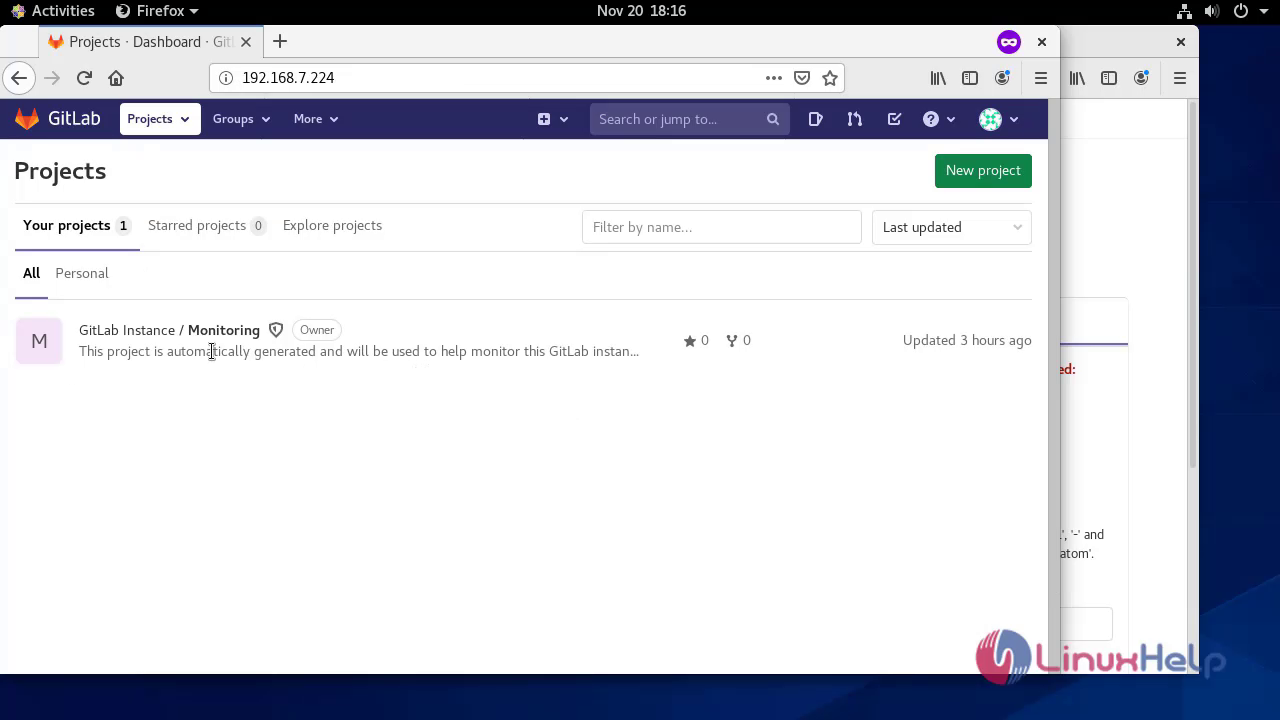
With this the process of installation and configuration of GitLab comes to the end.
Comments ( 0 )
No comments available