How to install and configure Monstra CMS on Fedora 34
To Install and configure monstra cms on Fedora 34.
Introduction:
Monstra CMS is an open-source project licensed under the MIT LICENSE. It allows you to create several administrators, editors, users, and it offers a very flexible API for plugins and themes.
Step 1: Check the installed version of OS.
[root@linuxhelp ~]# cat /etc/os-release
NAME=Fedora
VERSION="34 (Workstation Edition)"
ID=fedora
VERSION_ID=34
VERSION_CODENAME=""
PLATFORM_ID="platform:f34"
PRETTY_NAME="Fedora 34 (Workstation Edition)"
ANSI_COLOR="0;38;2;60;110;180"
LOGO=fedora-logo-icon
CPE_NAME="cpe:/o:fedoraproject:fedora:34"
HOME_URL="https://fedoraproject.org/"
DOCUMENTATION_URL="https://docs.fedoraproject.org/en-US/fedora/34/system-administrators-guide/"
SUPPORT_URL="https://fedoraproject.org/wiki/Communicating_and_getting_help"
BUG_REPORT_URL="https://bugzilla.redhat.com/"
REDHAT_BUGZILLA_PRODUCT="Fedora"
REDHAT_BUGZILLA_PRODUCT_VERSION=34
REDHAT_SUPPORT_PRODUCT="Fedora"
REDHAT_SUPPORT_PRODUCT_VERSION=34
PRIVACY_POLICY_URL="https://fedoraproject.org/wiki/Legal:PrivacyPolicy"
VARIANT="Workstation Edition"
VARIANT_ID=workstation
Step 2: Now download Monstra CMS using the below command.
[root@linuxhelp ~]# wget https://monstra.org/monstra-3.0.4.zip
--2021-12-16 05:30:15--  https://monstra.org/monstra-3.0.4.zip
Resolving monstra.org (monstra.org)... 65.8.80.19, 65.8.80.49, 65.8.80.51, ...
Connecting to monstra.org (monstra.org)|65.8.80.19|:443... connected.
HTTP request sent, awaiting response... 200 OK
Length: 1739269 (1.7M) [application/zip]
Saving to: ‘monstra-3.0.4.zip’

monstra-3.0.4.zip            100%[===========================================>]   1.66M  1.42MB/s    in 1.2s

2021-12-16 05:30:17 (1.42 MB/s) - ‘monstra-3.0.4.zip’ saved [1739269/1739269]
Step 3: Now unzip the Downloaded master.zip file.
[root@linuxhelp ~]# unzip monstra-3.0.4.zip -d /var/www/monstra
Archive:  monstra-3.0.4.zip
   creating: /var/www/monstra/monstra-3.0.4/
  inflating: /var/www/monstra/monstra-3.0.4/sitemap.xml
  inflating: /var/www/monstra/monstra-3.0.4/rss.php
  inflating: /var/www/monstra/monstra-3.0.4/robots.txt
  inflating: /var/www/monstra/monstra-3.0.4/install.php
  inflating: /var/www/monstra/monstra-3.0.4/index.php
  inflating: /var/www/monstra/monstra-3.0.4/favicon.ico
  inflating: /var/www/monstra/monstra-3.0.4/README.md
  inflating: /var/www/monstra/monstra-3.0.4/LICENSE.md
  inflating: /var/www/monstra/monstra-3.0.4/CHANGELOG.md
  inflating: /var/www/monstra/monstra-3.0.4/.htaccess
  inflating: /var/www/monstra/monstra-3.0.4/.gitignore
   creating: /var/www/monstra/monstra-3.0.4/tmp/
  inflating: /var/www/monstra/monstra-3.0.4/tmp/.htaccess
   creating: /var/www/monstra/monstra-3.0.4/storage/
 extracting: /var/www/monstra/monstra-3.0.4/storage/.htaccess
   creating: /var/www/monstra/monstra-3.0.4/public/
   creating: /var/www/monstra/monstra-3.0.4/plugins/
 extracting: /var/www/monstra/monstra-3.0.4/plugins/.htaccess
   creating: /var/www/monstra/monstra-3.0.4/libraries/
   creating: /var/www/monstra/monstra-3.0.4/engine/
  inflating: /var/www/monstra/monstra-3.0.4/engine/_init.php
  inflating: /var/www/monstra/monstra-3.0.4/engine/Uri.php
  inflating: /var/www/monstra/monstra-3.0.4/engine/Site.php
  inflating: /var/www/monstra/monstra-3.0.4/engine/Shortcode.php
  inflating: /var/www/monstra/monstra-3.0.4/engine/Security.php
  inflating: /var/www/monstra/monstra-3.0.4/engine/Option.php
  inflating: /var/www/monstra/monstra-3.0.4/engine/Monstra.php
  inflating: /var/www/monstra/monstra-3.0.4/engine/Alert.php
   creating: /var/www/monstra/monstra-3.0.4/boot/
  inflating: /var/www/monstra/monstra-3.0.4/boot/defines.php
   creating: /var/www/monstra/monstra-3.0.4/backups/
 extracting: /var/www/monstra/monstra-3.0.4/backups/.htaccess
 extracting: /var/www/monstra/monstra-3.0.4/backups/.empty
   creating: /var/www/monstra/monstra-3.0.4/admin/
  inflating: /var/www/monstra/monstra-3.0.4/admin/index.php
   creating: /var/www/monstra/monstra-3.0.4/tmp/minify/
 extracting: /var/www/monstra/monstra-3.0.4/tmp/minify/.htaccess
 extracting: /var/www/monstra/monstra-3.0.4/tmp/minify/.empty
   creating: /var/www/monstra/monstra-3.0.4/tmp/logs/
 extracting: /var/www/monstra/monstra-3.0.4/tmp/logs/.empty
   creating: /var/www/monstra/monstra-3.0.4/tmp/cache/
 extracting: /var/www/monstra/monstra-3.0.4/tmp/cache/.empty

inflating: /var/www/monstra/monstra-3.0.4/plugins/box/snippets/views/backend/index.view.php
  inflating: /var/www/monstra/monstra-3.0.4/plugins/box/snippets/views/backend/edit.view.php
  inflating: /var/www/monstra/monstra-3.0.4/plugins/box/snippets/views/backend/add.view.php
   creating: /var/www/monstra/monstra-3.0.4/libraries/Gelato/ErrorHandler/Resources/Views/Errors/
  inflating: /var/www/monstra/monstra-3.0.4/libraries/Gelato/ErrorHandler/Resources/Views/Errors/production.php
  inflating: /var/www/monstra/monstra-3.0.4/libraries/Gelato/ErrorHandler/Resources/Views/Errors/exception.php
Step 4: Now change the ownership using the below command.
[root@linuxhelp ~]# chown -R apache:apache /var/www/monstra
Step 5: Change permission for monstra using the below command.
[root@linuxhelp ~]# chmod -R 775 /var/www/monstra
Step 6: Next Configure the Apache VirtualHost open the .conf file for Monstra
[root@linuxhelp ~]# vim /etc/httpd/conf.d/monstra.conf
<virtualhost *:80>
servername linuxhelp1.com
documentroot /var/www/monstra
<directory /var/www/monstra>
allowoverride all
allow from all
</directory>
</virtualhost>
Step 7: Open the hosts entry file and put your ip and domain.
[root@linuxhelp ~]# vim /etc/hosts
Step 8: Restart the apache service.
[root@linuxhelp ~]# systemctl restart httpd
Step 9: Then go to the browser then search your ip or domain.
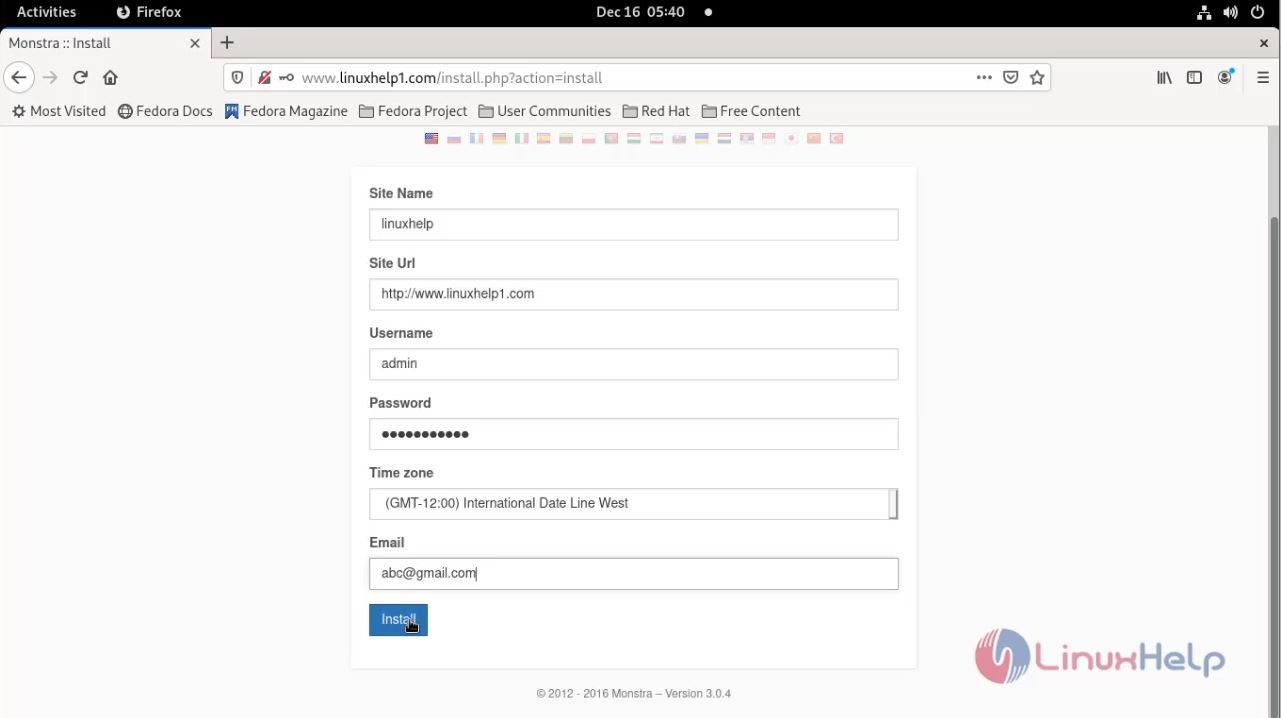
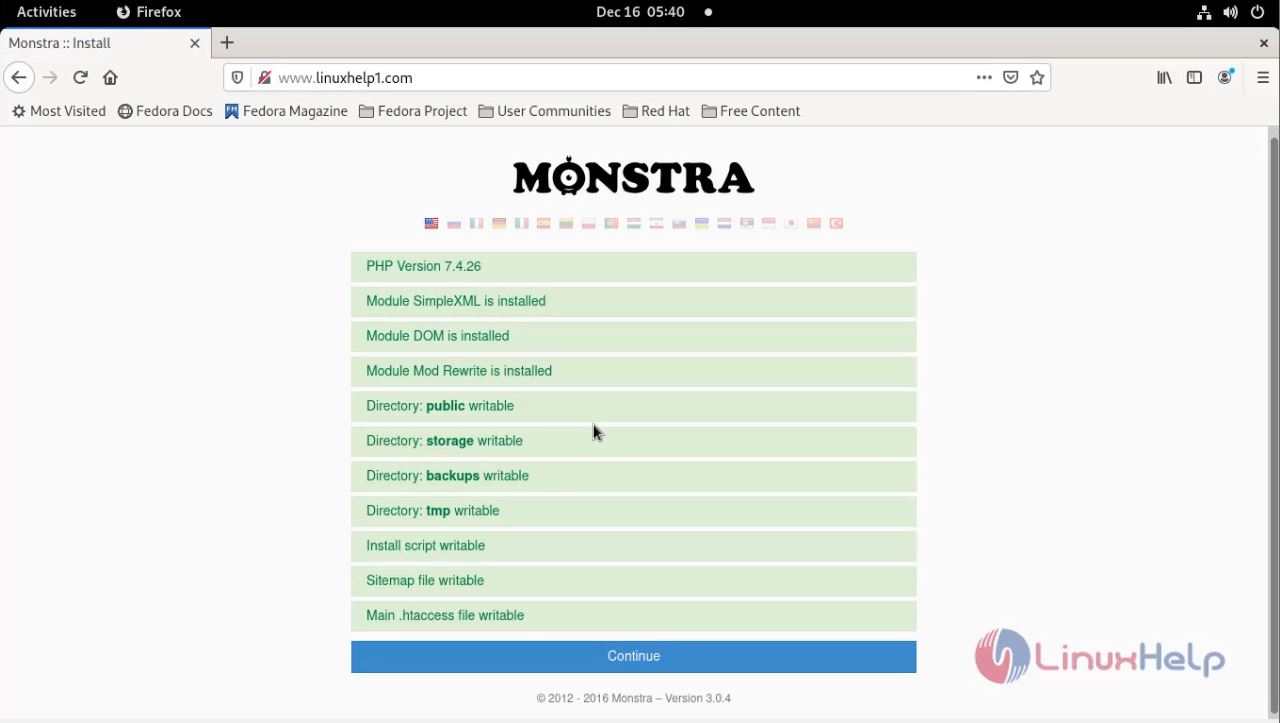 step 10 : creating site
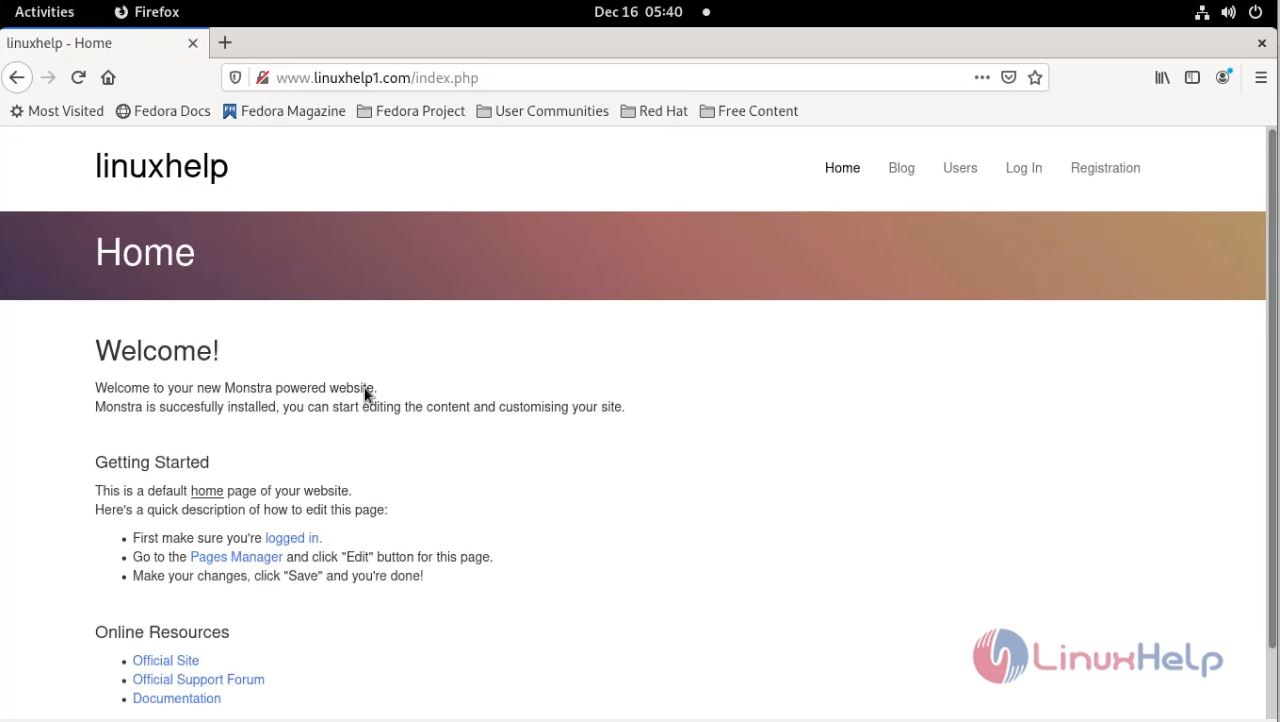
 step 11 : Default view of our website.
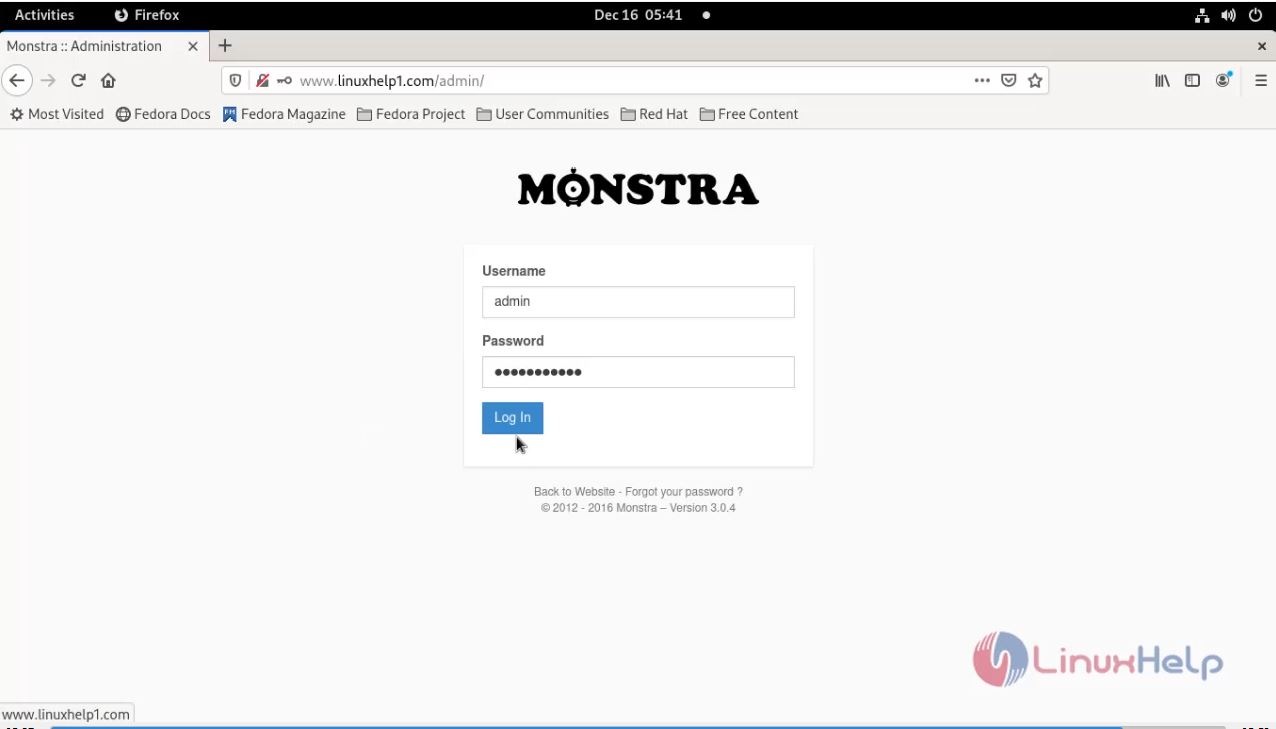
 step 12 : login into admin account
 step13 : Dashboard of Admin account.
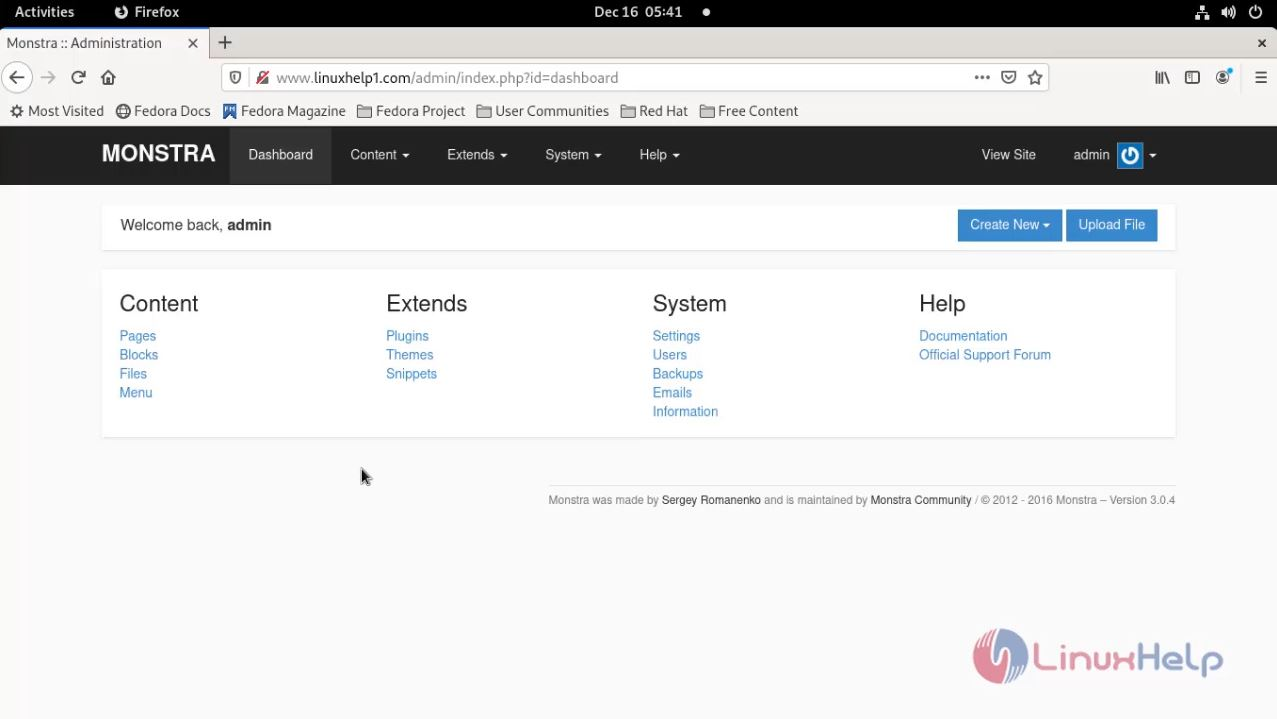
The process of installing Monstra CMS on fedora 34 comes to end.
Comments ( 0 )
No comments available