How to Install and Configure ProFTPD Server in Ubuntu/Debian
To Install and Configure ProFTPD Server in Ubuntu/Debian
FTP server allows the user to create a FTP connection between the local computer and a web server. ProFTPD is free & open-source, released under the GPL license, which is a FTP server for Unix/Linux servers. It is easily configurable and very effective.
Installation of ProFTPD Server
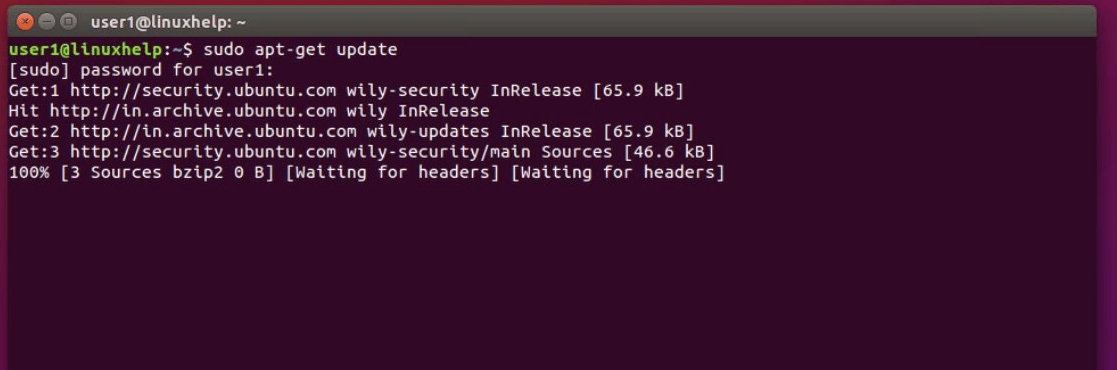
First update the system packages using apt-get update command in terminal.
Now install ProFTPD server by using the following command.
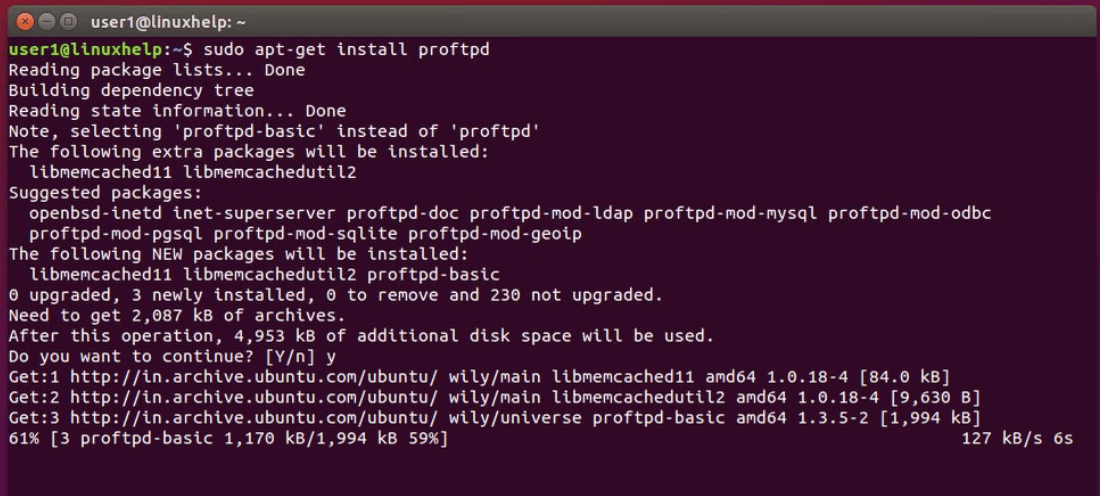
During installation, choose the usage type for your ProFTPD server that fits your need.

ProFTPD Server Configuration
Open the /etc/proftpd/proftpd.conf, by using your favorite editor.
user1@linuxhelp:~$ sudo vim /etc/proftpd/proftpd.conf
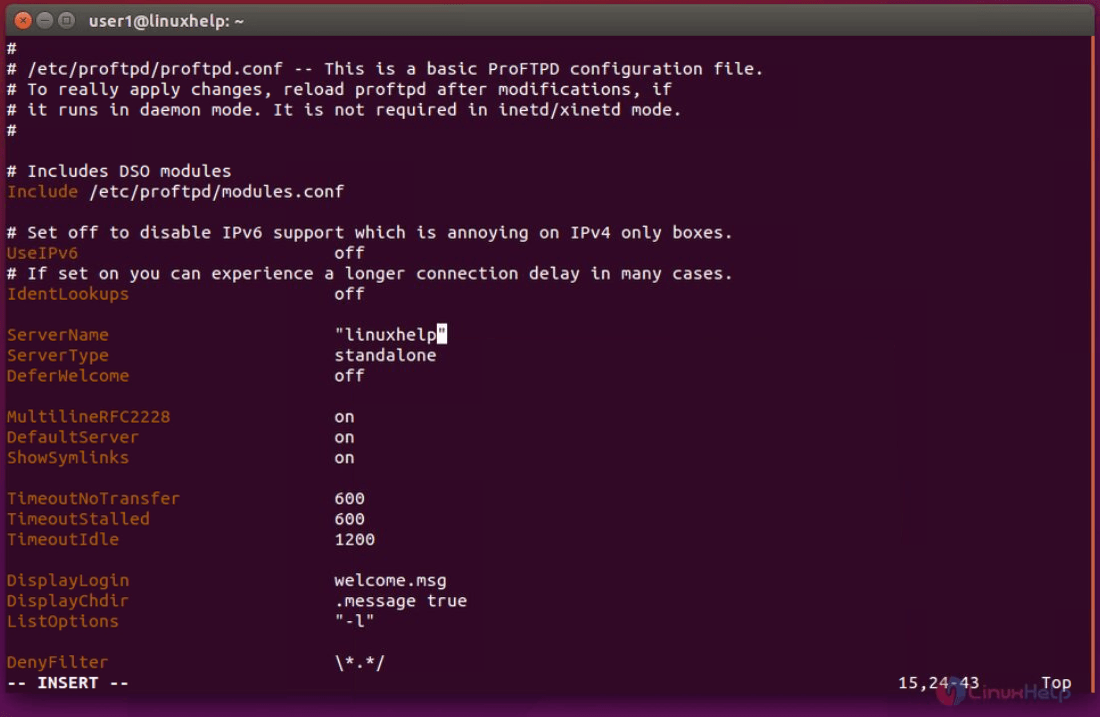
Change the content of the file as follows.
ServerName: Set default server name.
UseIPV6: If no need switch it to " Off" .
DefaultRoot : Uncomment this line. (to restrict users with their home folders)
RequireValidShell: Uncomment this line and enable logging in for users by make it " On" .
AuthOrder: Uncomment the line. (to enable the usage of local passwords)
Port: The default port for the FTP server is 21. (We can also define any custom port)
SystemLog: The default log file path, you may change it if you want.
After making above changes save the file and press the “ ESC” key then write :wq! to save and quite.
Now using the below command restart the ProFTPD server.
user1@linuxhelp:~$ sudo service proftpd restart
A default “ proftpd” user created automatically during the above installation and set the password for proftpd user.
user1@linuxhelp:~$ sudo passwd proftpd
Enter new UNIX password:
Retype new UNIX password:
passwd: password updated successfully
Now open the browser using the following addresses which asks for the user name and password.
ftp://youripaddress
OR
ftp://yourdomian.com
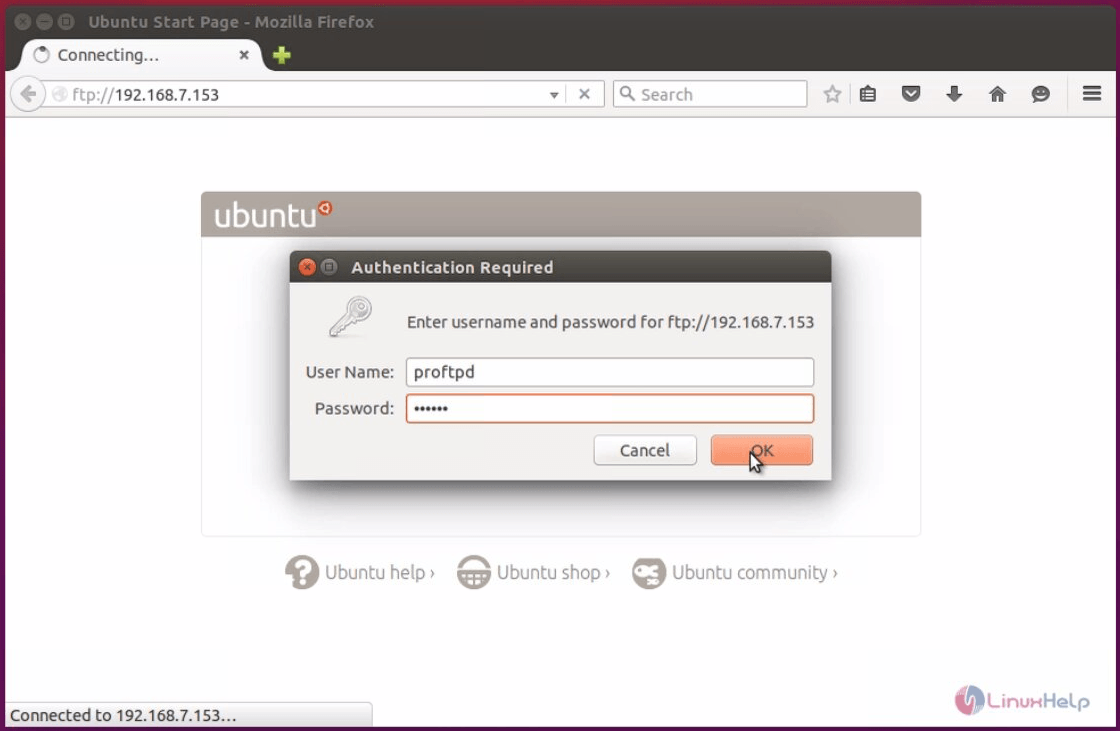
Enter " proftpd" in the User Name and Password.

To Create ProFTPD Users
We are going to create a new user with the /var/www/ folder as the home folder, so we can access it easily.
Run the following command to create a FTP user.
user1@linuxhelp:~$ sudo useradd proftpduser
user1@linuxhelp:~$ sudo passwd proftpduser
Enter new UNIX password:
Retype new UNIX password:
passwd: password updated successfully
Now change it’ s home folder to /var/www/ using the below command.
user1@linuxhelp:~$ sudo usermod -m -d /var/www/ proftpduser
While creating a new users in Linux, define the user home directory with useradd command.
Restart the ProFTPD server using the following.
user1@linuxhelp:~$ sudo service proftpd restart
Finally we can access it from the FTP server easily. (Use Filezilla or any other FTP client to access your FTP server)
Troubleshooting ProFTPD
By default, error messages will be stored in /var/log/proftpd/proftpd.log. User may check this file if the ProFTPD server installation is not working properly. Keep restarting the ProFTPD server until it works (in case if there were no other errors).
user1@linuxhelp:~ sudo vim /var/log/proftpd/proftpd.log

Comments ( 0 )
No comments available