How to install and setup Subsonic Media Server
To install and setup Subsonic Media Server for Streaming Media files over Network
Subsonic is a media server for Streaming Media files over Network. It is a web based music streamer, podcast receiver and jukebox that is used to enjoy music from anywhere. It also provides facility to share music files and folders. Installation of Subsonic Media Server is explained in this manual.
To install Subsonic Media Server
Before installing Subsonic, install the openjdk which is required for the installation of Subsonic Server.
root@linuxhelp:~# apt-get install openjdk-6-jre -y
Reading package lists... Done
Building dependency tree
Reading state information... Done
The following extra packages will be installed:
  ca-certificates-java fonts-dejavu-extra icedtea-6-jre-cacao icedtea-6-jre-jamvm icedtea-netx icedtea-netx-common java-common libatk-wrapper-java libatk-wrapper-java-jni
  libgif4 openjdk-6-jre-headless openjdk-6-jre-lib ttf-dejavu-extra tzdata tzdata-java
Suggested packages:
  default-jre equivs icedtea-plugin sun-java6-fonts fonts-ipafont-gothic fonts-ipafont-mincho ttf-wqy-microhei ttf-wqy-zenhei fonts-indic
.
.
.
Processing triggers for libc-bin (2.21-0ubuntu4) ...
Processing triggers for ca-certificates (20150426ubuntu1) ...
Updating certificates in /etc/ssl/certs...
0 added, 0 removed  done.
Running hooks in /etc/ca-certificates/update.d...
done.
Now download the Subsonic package from its official link,
http://www.subsonic.org/pages/download.jsp
Or use the following command to download it.
root@linuxhelp:~# wget http://subsonic.org/download/subsonic-6.0.deb
--2016-08-19 15:09:41--  http://subsonic.org/download/subsonic-6.0.deb
Resolving subsonic.org (subsonic.org)... 52.51.15.224
Connecting to subsonic.org (subsonic.org)|52.51.15.224|:80... connected.
HTTP request sent, awaiting response... 200 OK
Length: 58514186 (56M) [application/x-debian-package]
Saving to: ‘ subsonic-6.0.deb’

subsonic-6.0.deb                           100%[==========================================================================================> ]  55.80M   164KB/s   in 3m 9s

2016-08-19 15:12:50 (302 KB/s) - ‘ subsonic-6.0.deb’  saved [58514186/58514186]
Run the below command to install Subsonic.
root@linuxhelp:~# dpkg -i subsonic-6.0.deb
Selecting previously unselected package subsonic.
(Reading database ... 177832 files and directories currently installed.)
Preparing to unpack subsonic-6.0.deb ...
Unpacking subsonic (6.0) ...
Setting up subsonic (6.0) ...
Processing triggers for ureadahead (0.100.0-19) ...
Processing triggers for systemd (225-1ubuntu9) ...
To launch Subsonic
To start the Subsonic service, utilize the following command.
root@linuxhelp:~# /etc/init.d/subsonic start
[ ok ] Starting subsonic (via systemctl): subsonic.service.
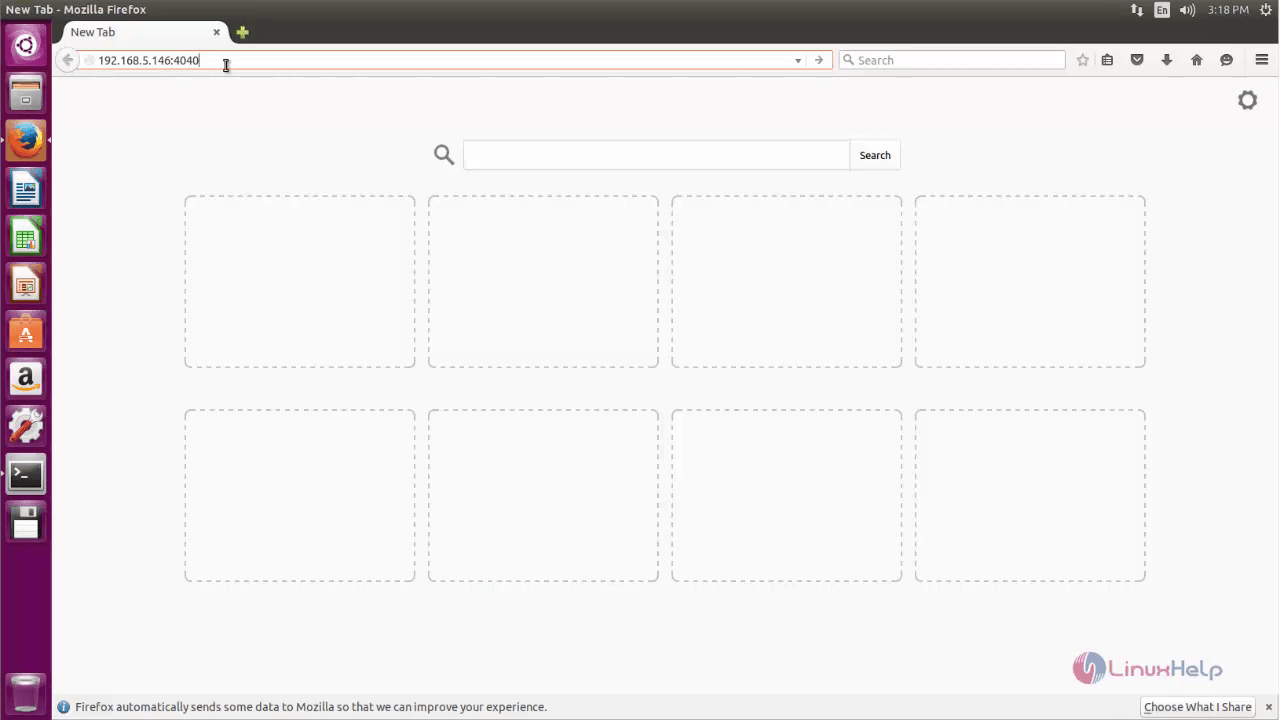
Open the browser and dive into http://< IP_address> :4040
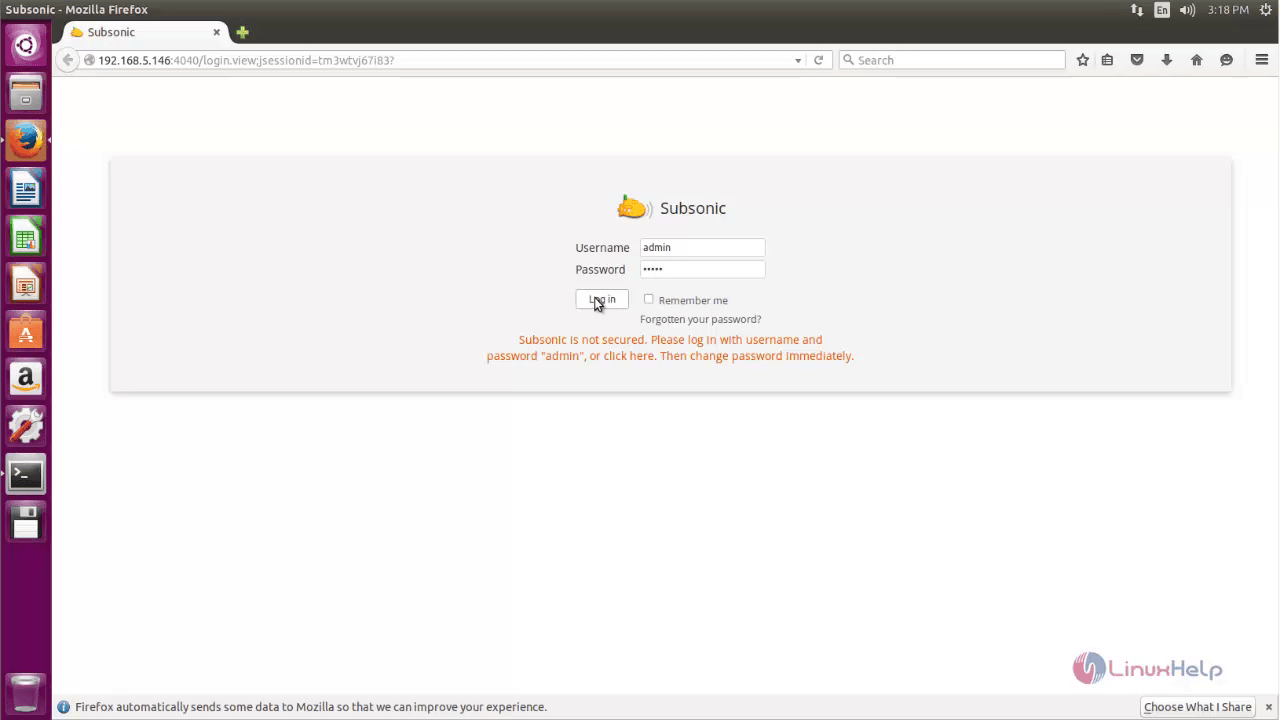
Login to Subsonic with the respective credentials.
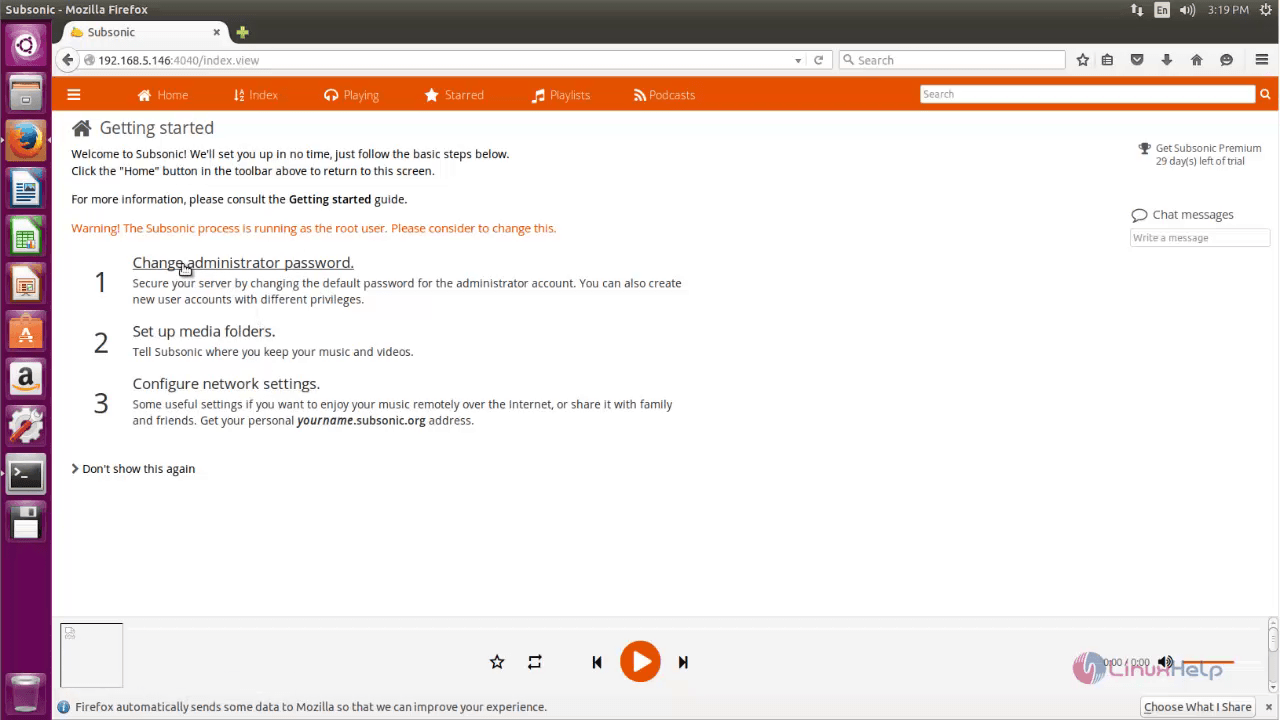
After the successful login, configure the security needs. First change the Administrator password through Change administrator password interface.
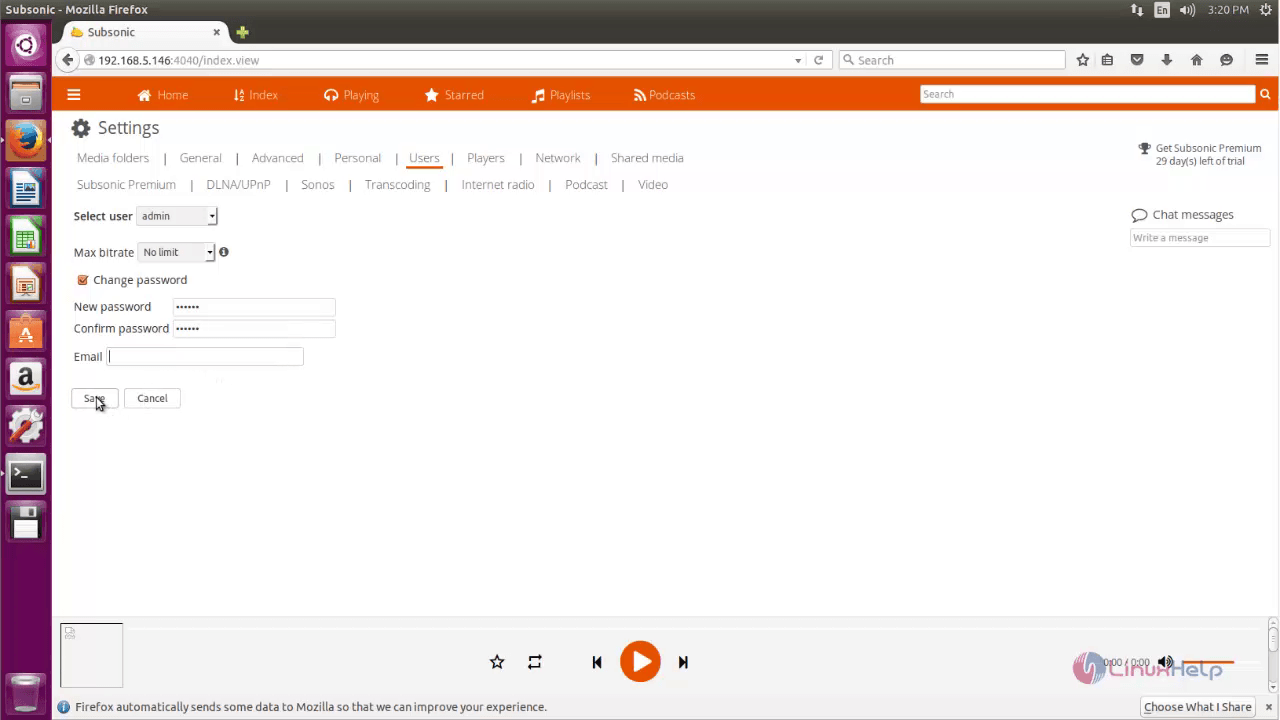
Create the password for the Admin access.
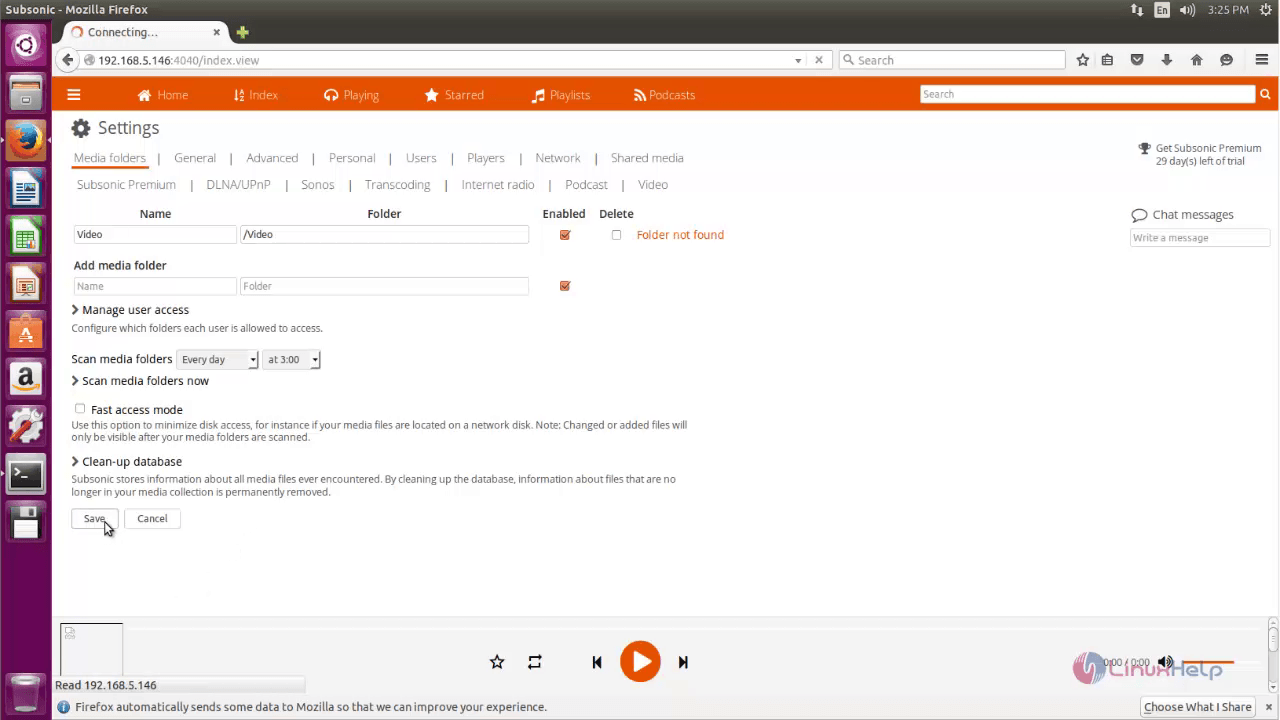
Then Create folders to store the media files using the Set up media folders option.
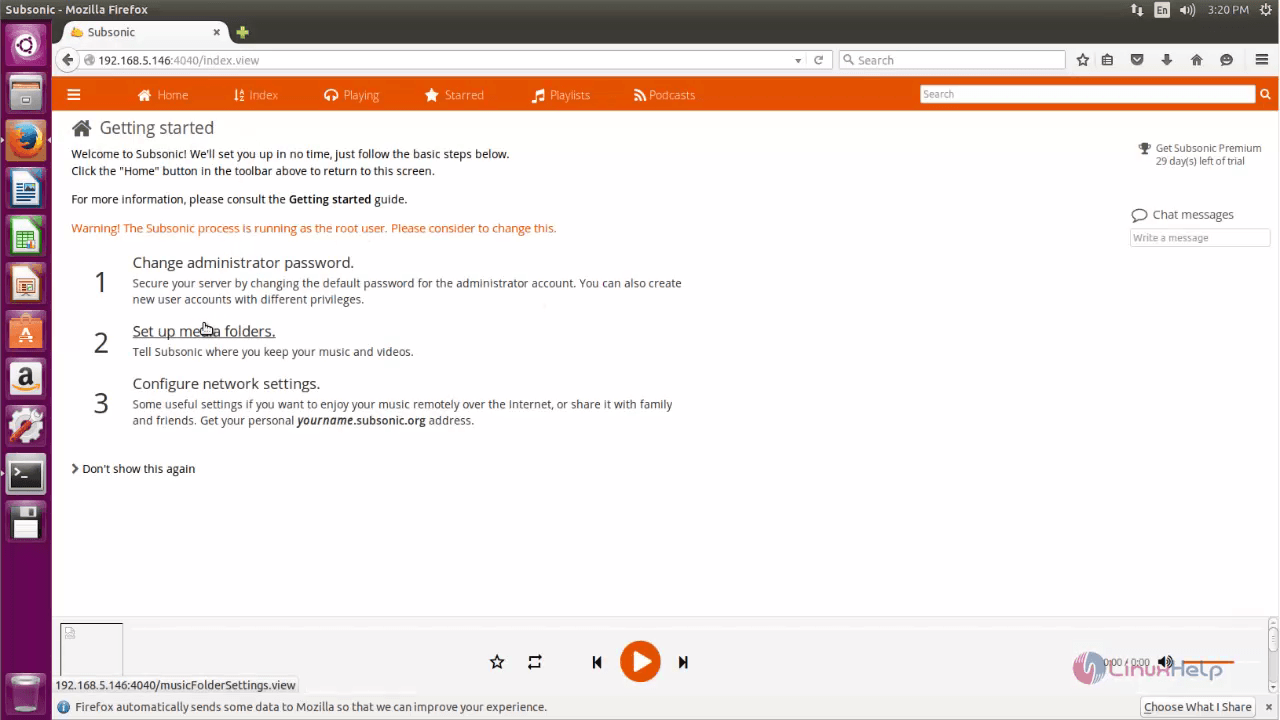
Set the exact path for the directory where the media files are to be stored.
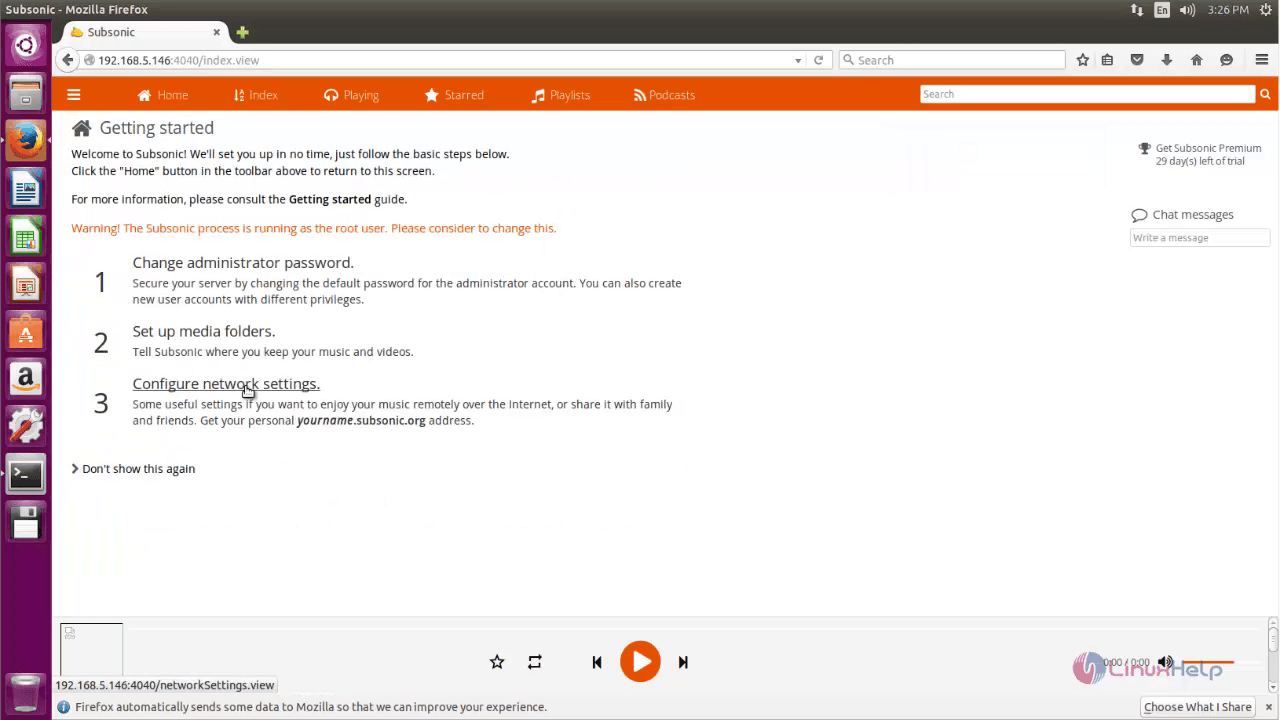
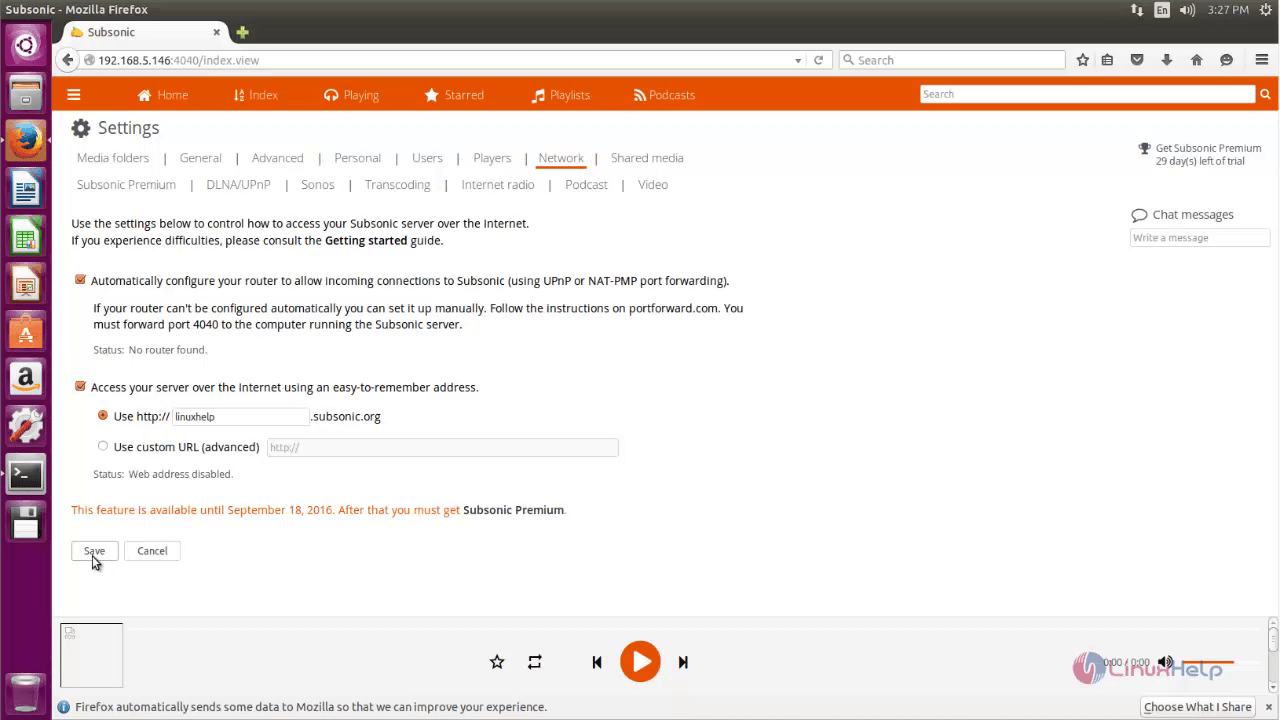
Finally start configuring the network settings.
Comments ( 0 )
No comments available