How to install and use Xtreme download manager on Ubuntu 17.04
How to install and use Xtreme download manager on Ubuntu 17.04
Xtreme download manager is very powerful utility that has ability to increase download speed up-to 500% (depending on connection), it can pause/resume downloads even broken downloads are resume-able. xdman also has functionality to grab videos from around the internet and offers schedule downloads. Xtreme Download Manager uses sophisticated dynamic segmentation algorithm, data compression and connection reuse to speed up the download process. It supports HTTP, HTTPS and FTP protocols, firewalls, proxy servers, file redirects, cookies, authorization etc. This tutorial covers the installation procedure of Xtreme download manager on Ubuntu 17.04.
Installation procedure
To start with the download process, execute the wget command followed by the download link to download the Xtreme download manager package.
root@linuxhelp11:~# wget https://sourceforge.net/projects/xdman/files/xdm-setup-x64.tar.xz
--2017-08-23 12:49:52--  https://sourceforge.net/projects/xdman/files/xdm-setup-x64.tar.xz
Resolving sourceforge.net (sourceforge.net)... 216.34.181.60
Connecting to sourceforge.net (sourceforge.net)|216.34.181.60|:443... connected.
HTTP request sent, awaiting response... 302 Found
.
.
Saving to: ‘ xdm-setup-x64.tar.xz’
xdm-setup-x64.tar.x 100%[===================> ]  24.81M   224KB/s    in 91s
2017-08-23 12:51:30 (278 KB/s) - ‘ xdm-setup-x64.tar.xz’  saved [26014268/26014268]
Extract the downloaded file by running the tar command.
root@linuxhelp11:~# tar -xvf xdm-setup-x64.tar.xz
xdm-setup/install.sh
xdm-setup/
xdm-setup/readme.txt
Enter into the extracted directory by running the cd command.
root@linuxhelp11:~# cd xdm-setup/
List the contents of the directory by running the ll command.
root@linuxhelp11:~/xdm-setup# ll
total 88956
drwxr-xr-x  2 user user     4096 Nov  1  2016 ./
drwxr-xr-x 16 user user     4096 Aug 23 12:52 ../
-rwxrwxrwx  1 user user 91078656 Nov  9  2016 install.sh*
-rw-r--r--  1 user user      477 Oct 29  2016 readme.txt
Install the install.sh file to install the Xtreme download manager.
root@linuxhelp11:~/xdm-setup# ./install.sh
rm: cannot remove ' /opt/xdman' : No such file or directory
Initializing setup...
88939+0 records in
177878+0 records out
91073536 bytes (91 MB, 87 MiB) copied, 0.967421 s, 94.1 MB/s
Extracting files...
Installing...
.
.
Finishing installation...
The Xtreme Download Manager is installed successfully in your system. You can start XDM from start menu, or type xdman in terminal as non root user
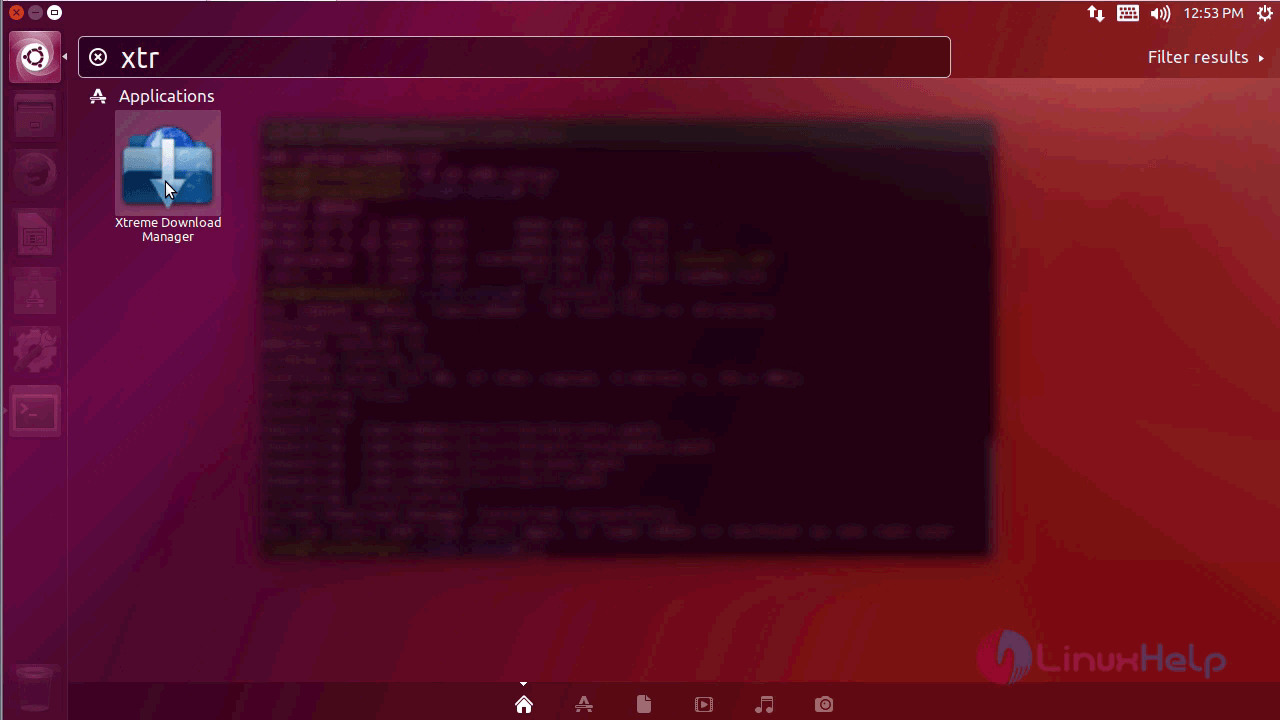
After installing go to ubuntu dashboard and type xtreme in the search bar. Click on the icon to run the application.
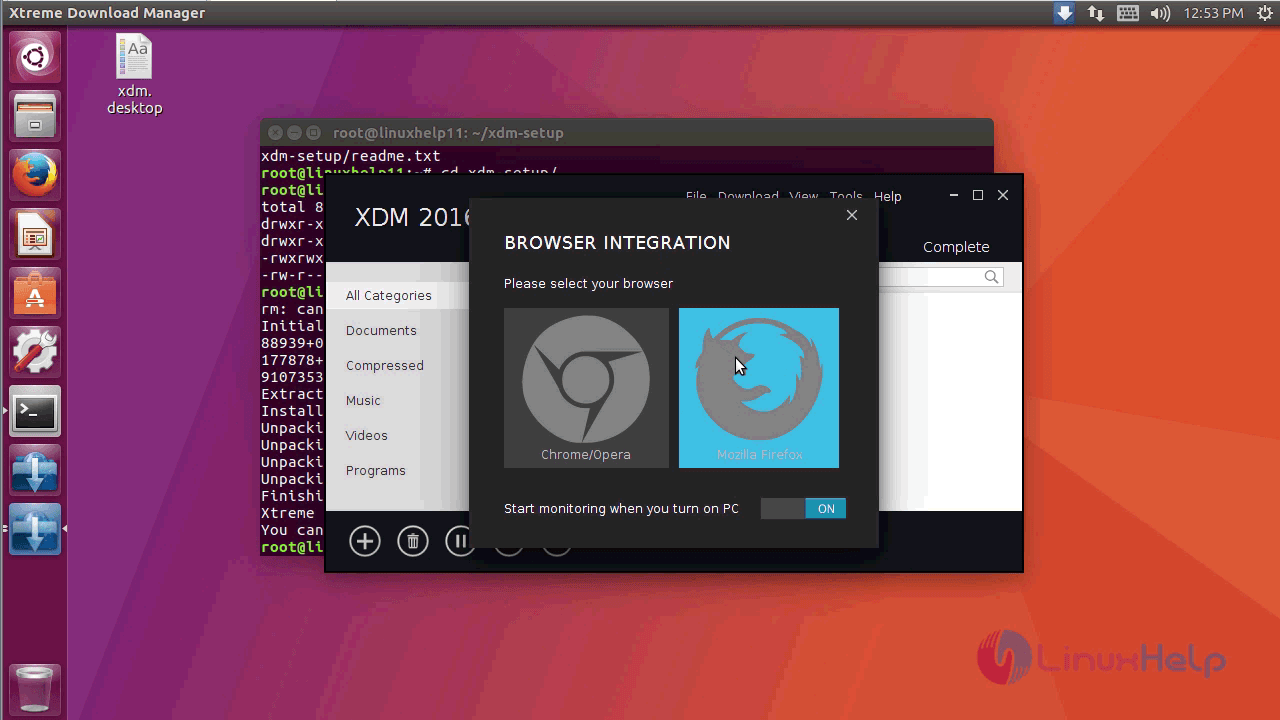
The application is running successfully. Select the type of browser to run the application in.
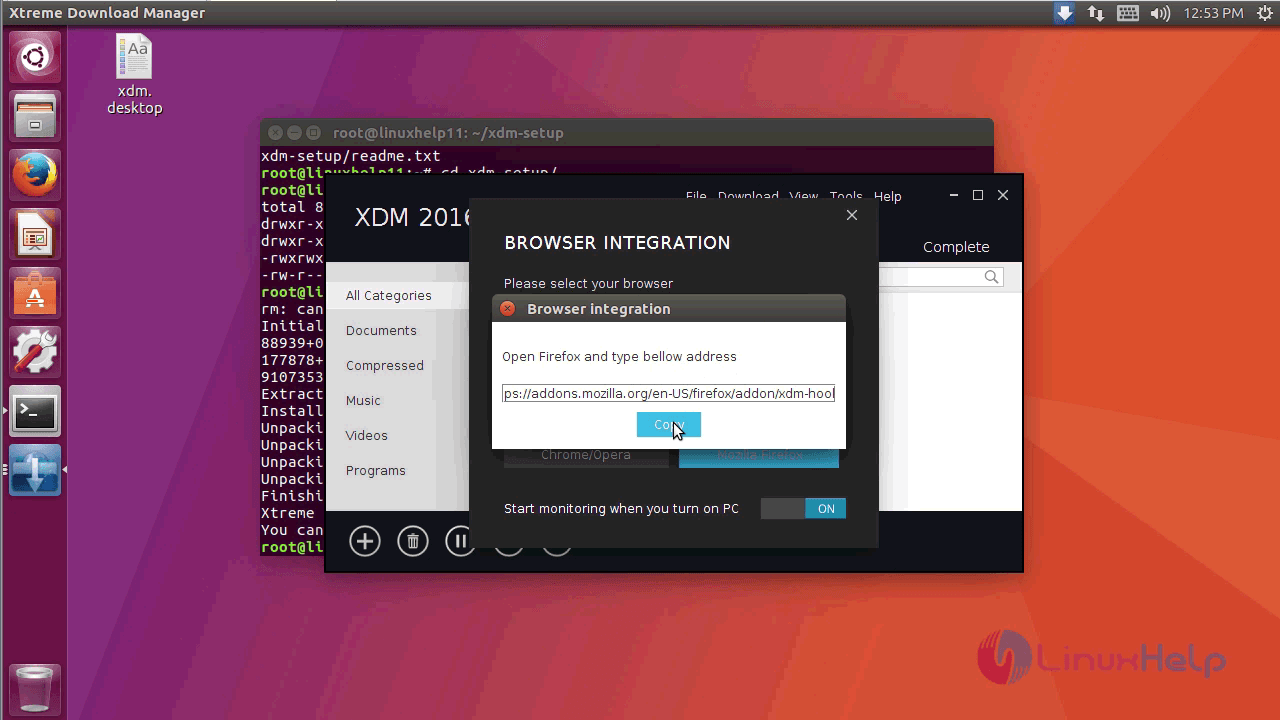
A popup window will appear on the screen. A link will be shown as below, copy the link.
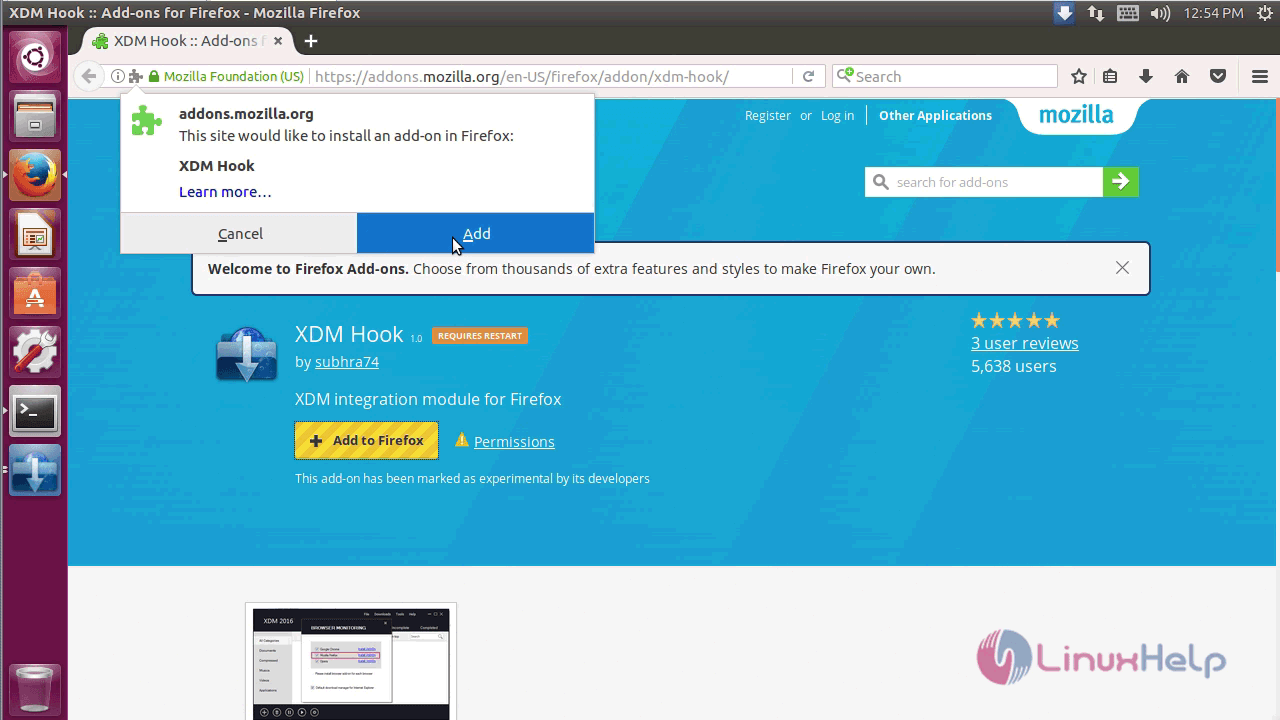
Open the browser and paste the URL. It will redirect to the page and select the add to firefox option.
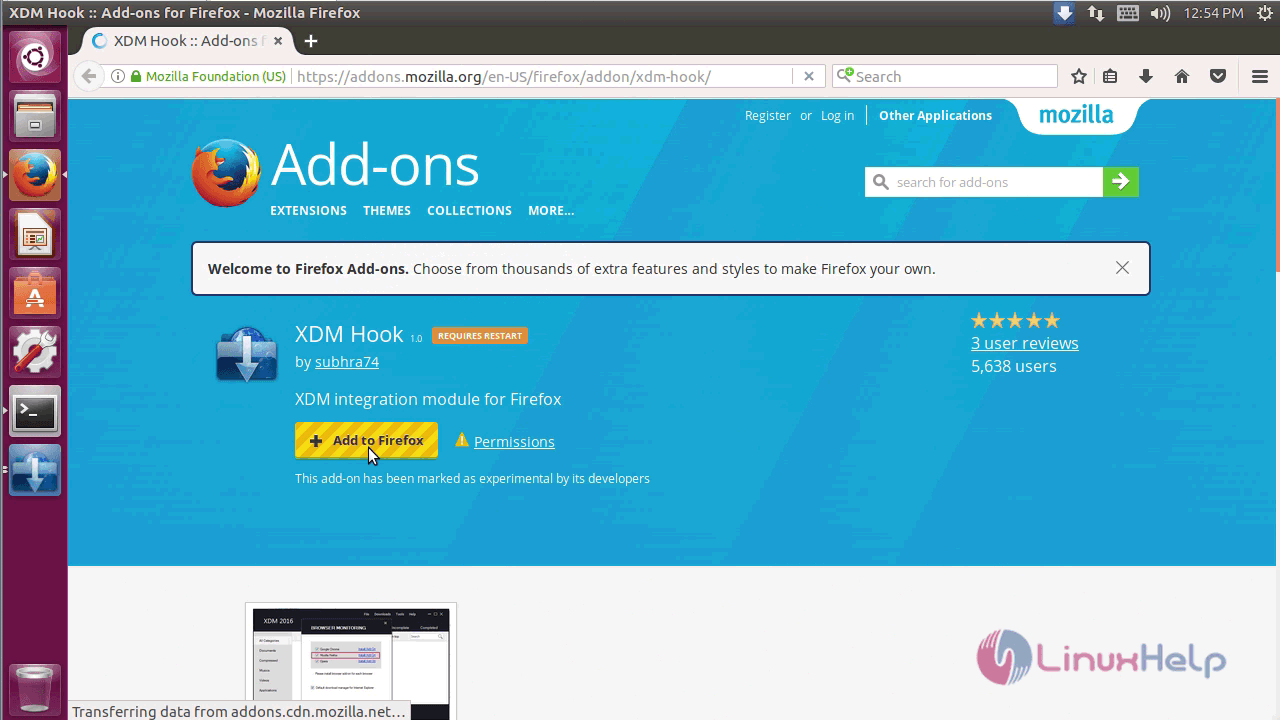
The integration module is installed on the browser.
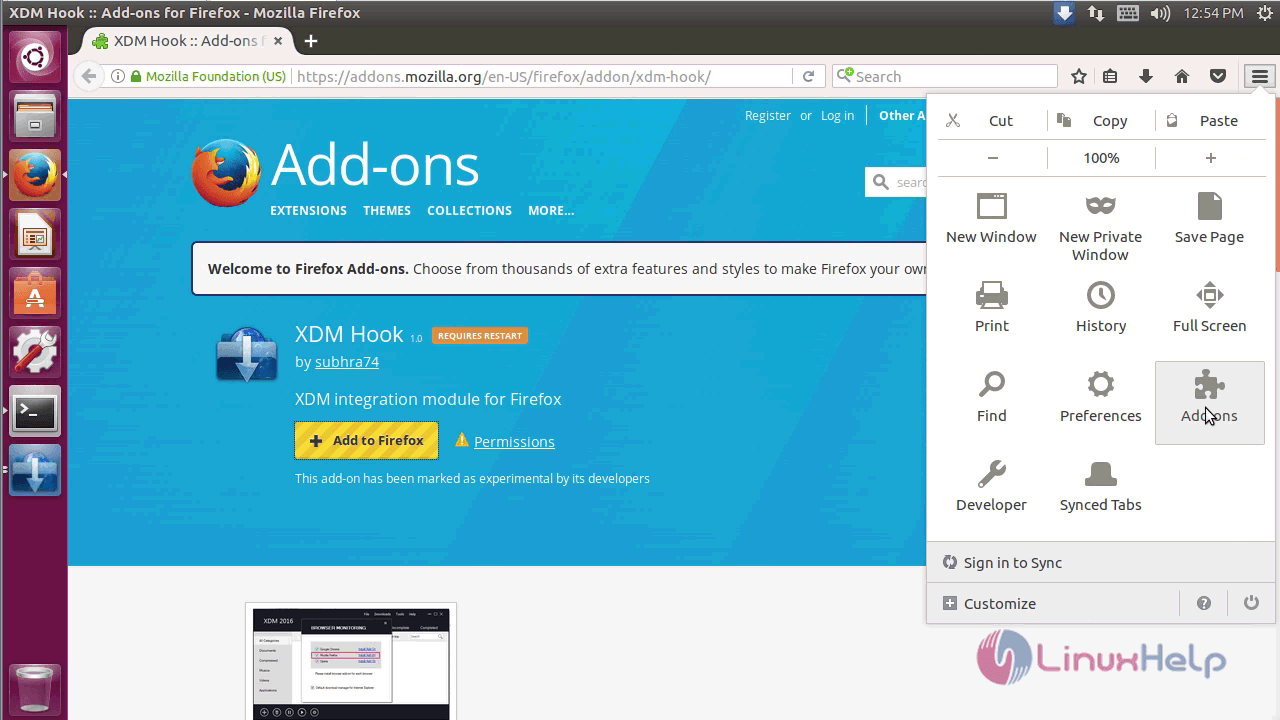
Next open the settings and click add-ons.
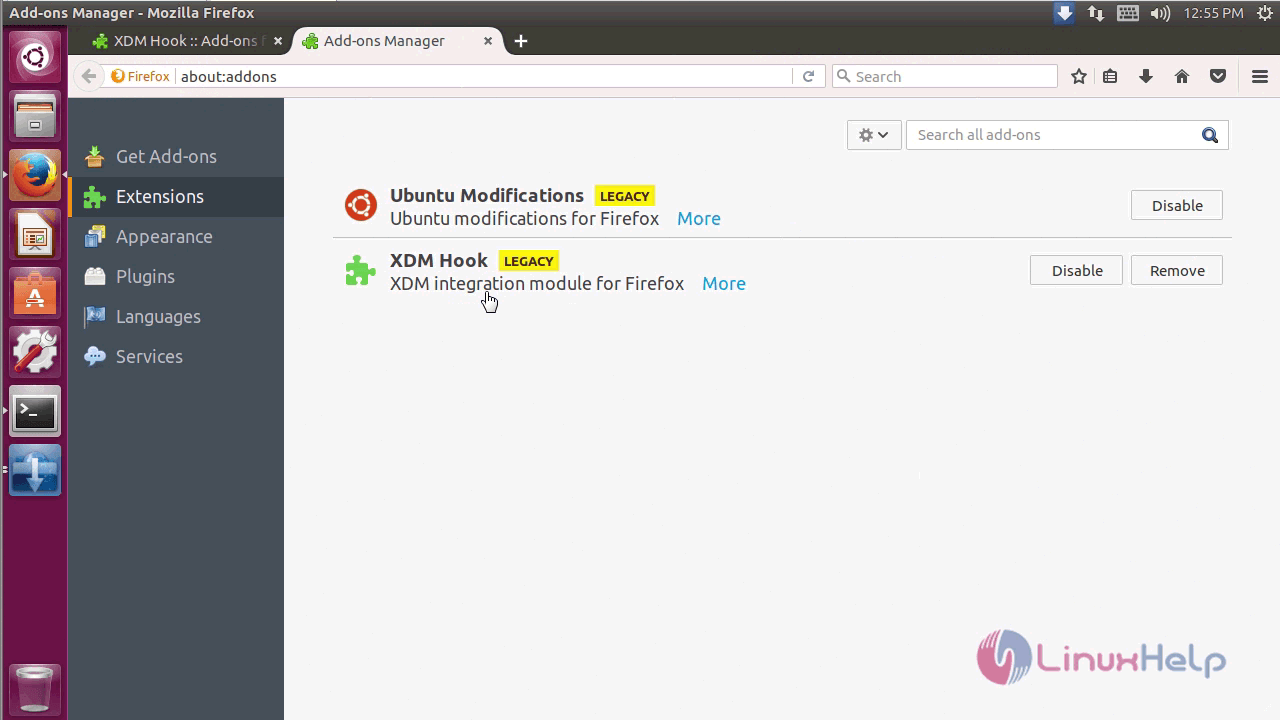
Click on the extension, it will show the xtreme download manager is installed in browser.
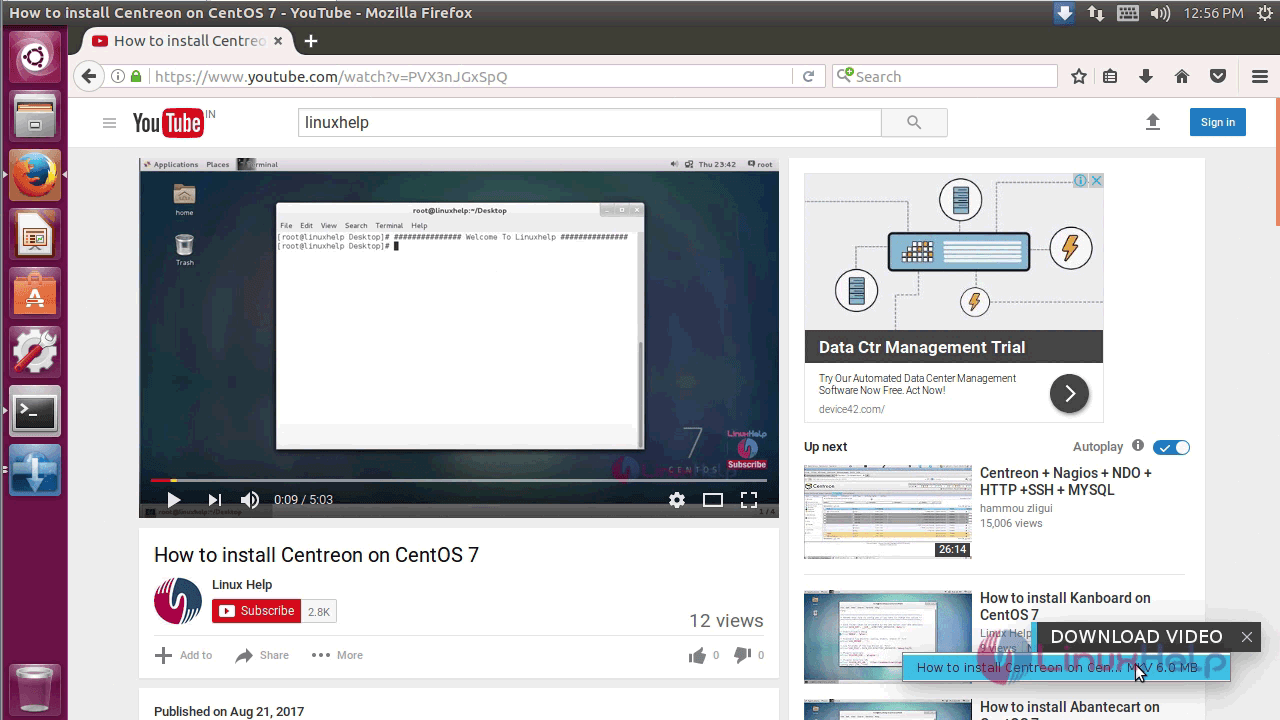
To check the working of application, play any video, the xdm will open a small popup window and click it.
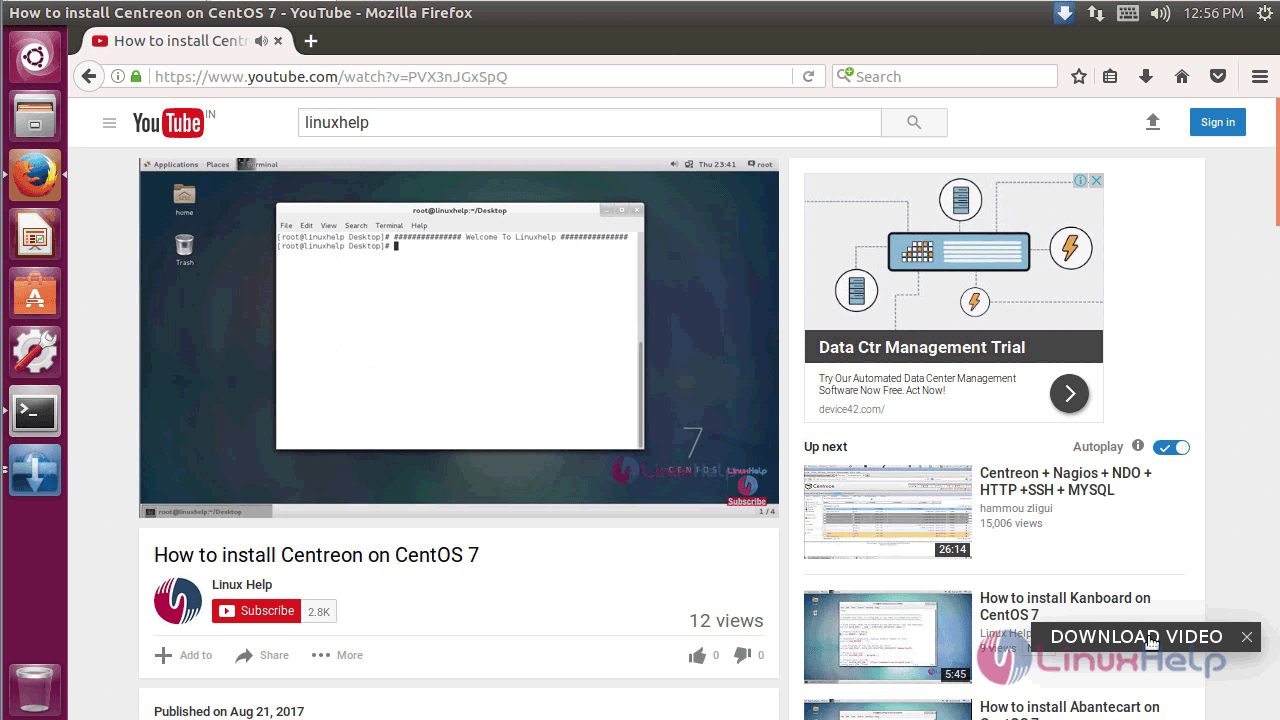
A small pop-up window appears on the screen and click it.
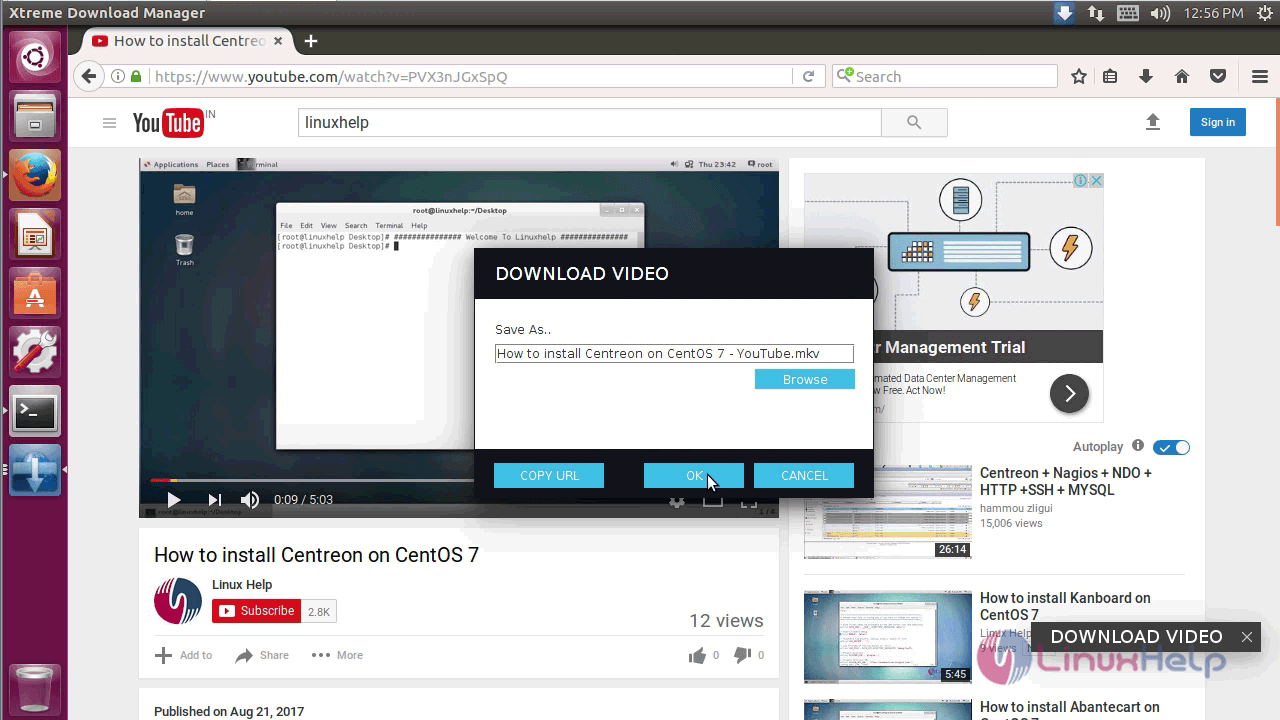
Click ok to download the video to your system.
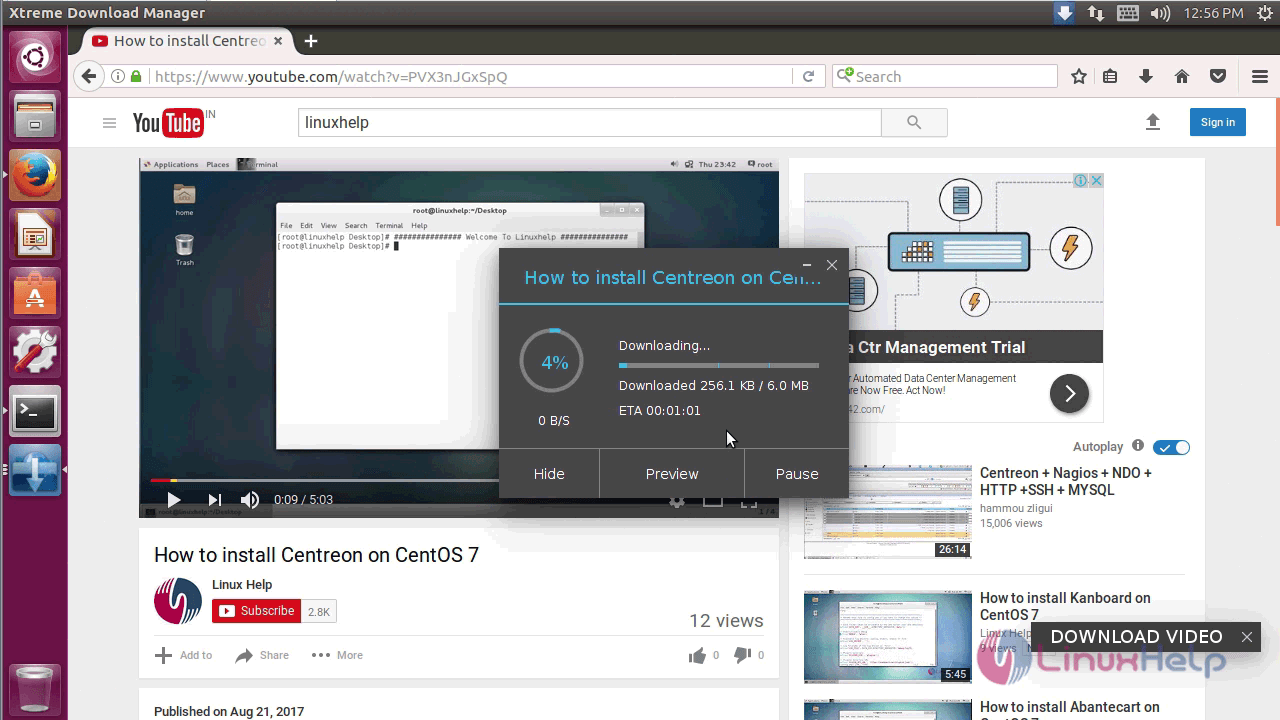
A progress bar shows the downloading progress.
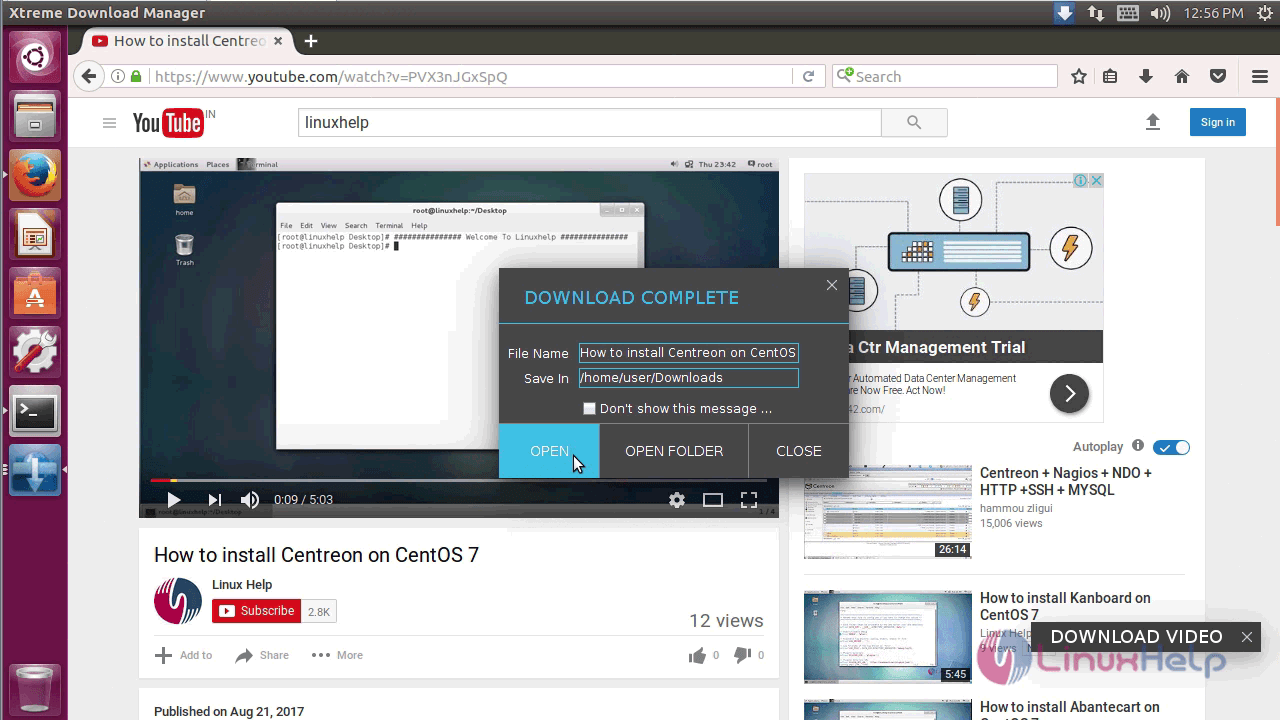
The download is complete and click open to play the video.
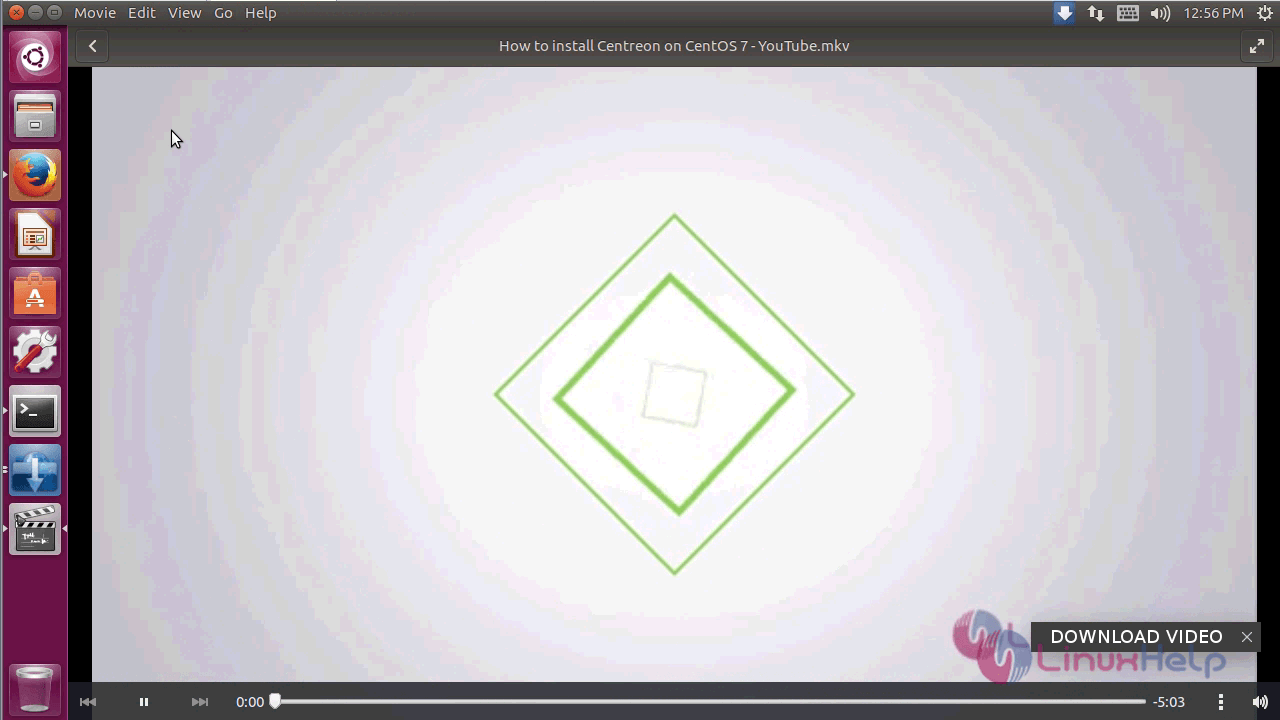
The downloaded video is playing with any glitches.
This installation of Xtreme download manager is complete.
Comments ( 1 )