How to Install Apache CouchDB on Ubuntu
To Install Apache CouchDB on Ubuntu
Apache Couchdb is commonly known as couchdb, developed by Apache Software Foundation. It is a NoSQL open source document-oriented database. CouchDB uses JSON to store data with documents so we can access from a web browser via HTTP and works smoothly with all latest modern web and mobile apps.
To prepare server for CouchDB
Before going to install couchdb update your repositories.
root@linuxhelp:~# apt-get update
Hit http://in.archive.ubuntu.com wily InRelease
Hit http://in.archive.ubuntu.com wily-updates InRelease
Hit http://security.ubuntu.com wily-security InRelease
.
.
.
Get:7 http://in.archive.ubuntu.com wily/universe amd64 Packages [6,704 kB]
Get:8 http://in.archive.ubuntu.com wily/multiverse amd64 Packages [138 kB]
Get:9 http://in.archive.ubuntu.com wily/main i386 Packages [1,416 kB]
Get:10 http://in.archive.ubuntu.com wily/restricted i386 Packages [16.0 kB]
Fetched 9,930 kB in 1min 43s (95.9 kB/s)
Reading package lists... Done
Now install the package that allows you to manage the source repositories.
root@linuxhelp:~# apt-get install software-properties-common -y
Reading package lists... Done
Building dependency tree
Reading state information... Done
The following packages were automatically installed and are no longer required:
  libavahi-client-dev libavahi-common-dev libavahi-compat-libdnssd1
  libdbus-1-dev libjs-jquery libruby2.1 libyaml-0-2 ruby2.1
  rubygems-integration
.
.
.
Rebuilding /usr/share/applications/bamf-2.index...
Processing triggers for mime-support (3.58ubuntu1) ...
Setting up python3-software-properties (0.96.13.1) ...
Setting up software-properties-common (0.96.13.1) ...
Setting up software-properties-gtk (0.96.13.1) ...
Now we need to add the PPA repository to install CouchDB by running the following command.
root@linuxhelp:~# add-apt-repository ppa:couchdb/stable -y
gpg: keyring `/tmp/tmpdlpga6gq/secring.gpg'  created
gpg: keyring `/tmp/tmpdlpga6gq/pubring.gpg'  created
gpg: requesting key C17EAB57 from hkp server keyserver.ubuntu.com
gpg: /tmp/tmpdlpga6gq/trustdb.gpg: trustdb created
gpg: key C17EAB57: public key " Launchpad PPA for Apache CouchDB"  imported
gpg: Total number processed: 1
gpg:               imported: 1  (RSA: 1)
OK
After adding PPA repositories update your repositories
root@linuxhelp:~# apt-get update
Get:1 http://security.ubuntu.com wily-security InRelease [65.9 kB]
Hit http://in.archive.ubuntu.com wily InRelease
Get:2 http://in.archive.ubuntu.com wily-updates InRelease [65.9 kB]
Get:3 http://ppa.launchpad.net wily InRelease [15.4 kB]
Hit http://in.archive.ubuntu.com wily-backports InRelease
.
.
.
Hit http://in.archive.ubuntu.com wily-backports/multiverse Translation-en
Hit http://in.archive.ubuntu.com wily-backports/restricted Translation-en
Hit http://in.archive.ubuntu.com wily-backports/universe Translation-en
Fetched 1,436 kB in 14s (101 kB/s)
Reading package lists... Done
To Install CouchDB
Execute the following command to install the CouchDB.
root@linuxhelp:~# apt-get install couchdb -y
Reading package lists... Done
Building dependency tree
Reading state information... Done
The following packages were automatically installed and are no longer required:
  libavahi-client-dev libavahi-common-dev libavahi-compat-libdnssd1
  libdbus-1-dev libjs-jquery libruby2.1 libyaml-0-2 ruby2.1
  rubygems-integration
.
.
.
Setting up couchdb (1.6.1-0ubuntu6ppa2~wily1) ...
Setting up lksctp-tools (1.0.16+dfsg-2) ...
Processing triggers for libc-bin (2.21-0ubuntu4) ...
Processing triggers for ureadahead (0.100.0-19) ...
By defaults, CouchDb runs under localhost and it has port number as 5984. You can verify about couchdb on your browser by using the URL http://localhost:5984 or else install curl to verify it using curl command.
root@linuxhelp:~# apt-get install curl -y
Reading package lists... Done
Building dependency tree
Reading state information... Done
The following packages were automatically installed and are no longer required:
  libavahi-client-dev libavahi-common-dev libavahi-compat-libdnssd1
  libdbus-1-dev libjs-jquery libruby2.1 libyaml-0-2 ruby2.1
.
.
.
Processing triggers for man-db (2.7.4-1) ...
Setting up libcurl3-gnutls:amd64 (7.43.0-1ubuntu2.1) ...
Setting up curl (7.43.0-1ubuntu2.1) ...
Processing triggers for libc-bin (2.21-0ubuntu4) ...
Now run the following command to verify.
root@linuxhelp:~# curl localhost:5984
{" couchdb" :" Welcome" ," uuid" :" 363ff0099f4129f2be84af6c8984d2ff" ," version" :" 1.6.1" ," vendor" :{" version" :" 15.10" ," name" :" Ubuntu" }}
To create a CouchDB Database
We able to create database in couchdb in two ways either using command line or using browser interface. To create a database via command line run the following command.
root@linuxhelp:~# curl -X PUT localhost:5984/new_database
{" ok" :true}
To Secure CouchDb Installation
Now we need to secure CouchDB by changing the user and group ownership for couchdb. Before changing the ownership stop couchdb by executing the following command.
root@linuxhelp:~# stop couchdb
stop: Unable to connect to Upstart: Failed to connect to socket /com/ubuntu/upstart: Connection refused
We are getting error because of running Ubuntu in a virtual host. To fix this we need to modify initctl by the following two commands and then try to stop couchdb
root@linuxhelp:~# dpkg-divert --local --rename --add /sbin/initctl
Adding ' local diversion of /sbin/initctl to /sbin/initctl.distrib'
root@linuxhelp:~# ln -s /bin/true /sbin/initctl
root@linuxhelp:~# stop couchdb
Now change the ownership for /usr/share/couchdb, /etc/couchdb and /usr/bin/couchdb directories.
root@linuxhelp:~# chown -R couchdb:couchdb /usr/share/couchdb /etc/couchdb /usr/bin/couchdb
And set the permission for the same directories and give complete access to couchdb users and group
root@linuxhelp:~# chmod -R 0770 /usr/share/couchdb /etc/couchdb /usr/bin/couchdb
Finally start CouchDB.
root@linuxhelp:~# start couchdb
Now we can access the couchdb from the web browser by using the below URL
http://localhost:5984/_utils
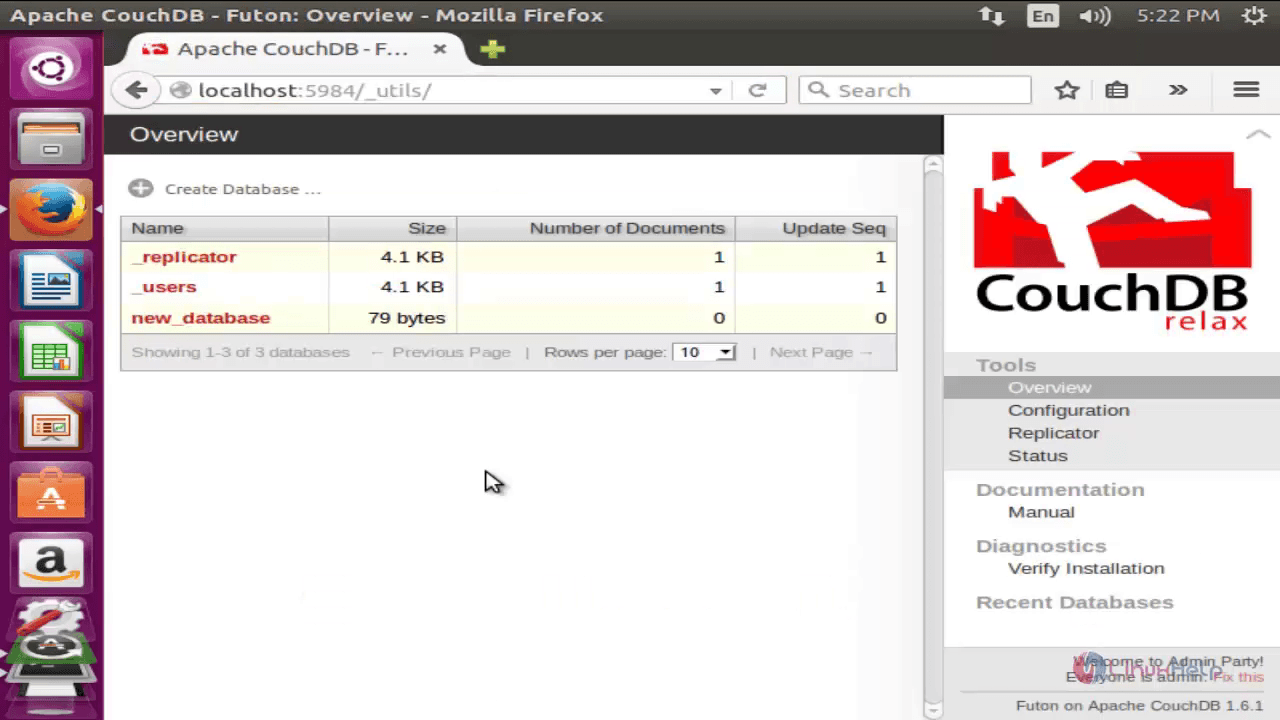
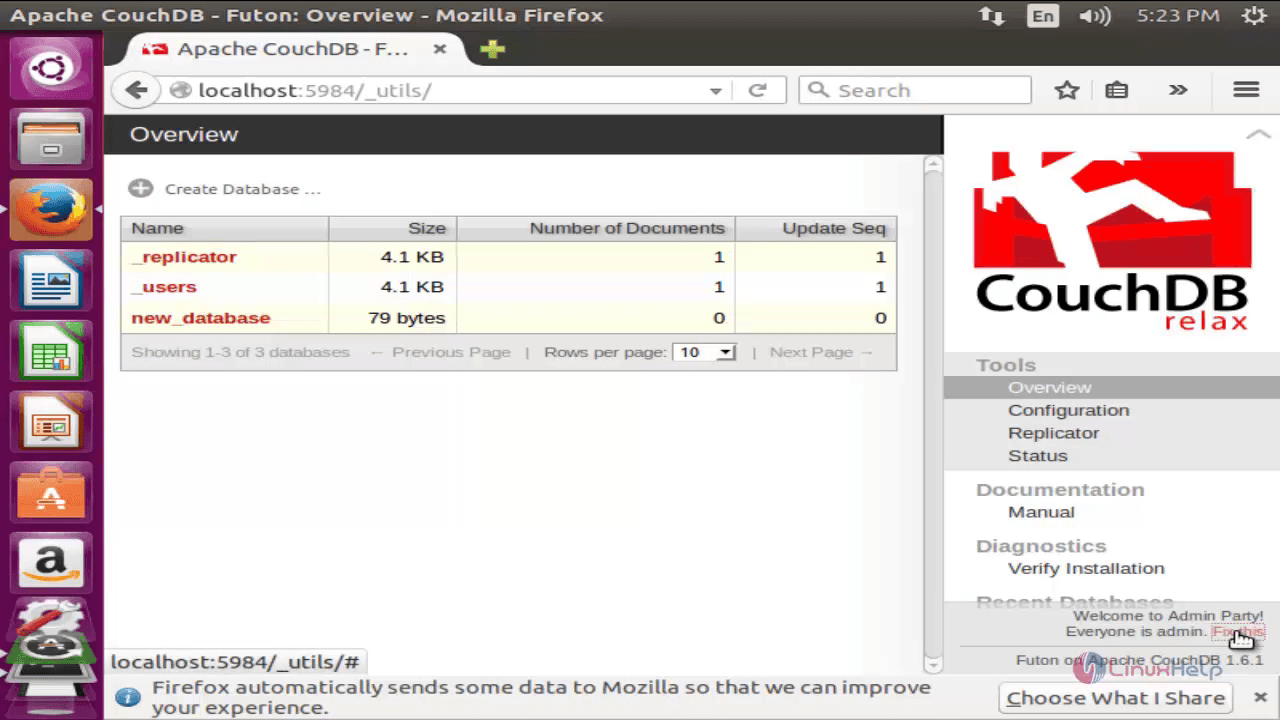
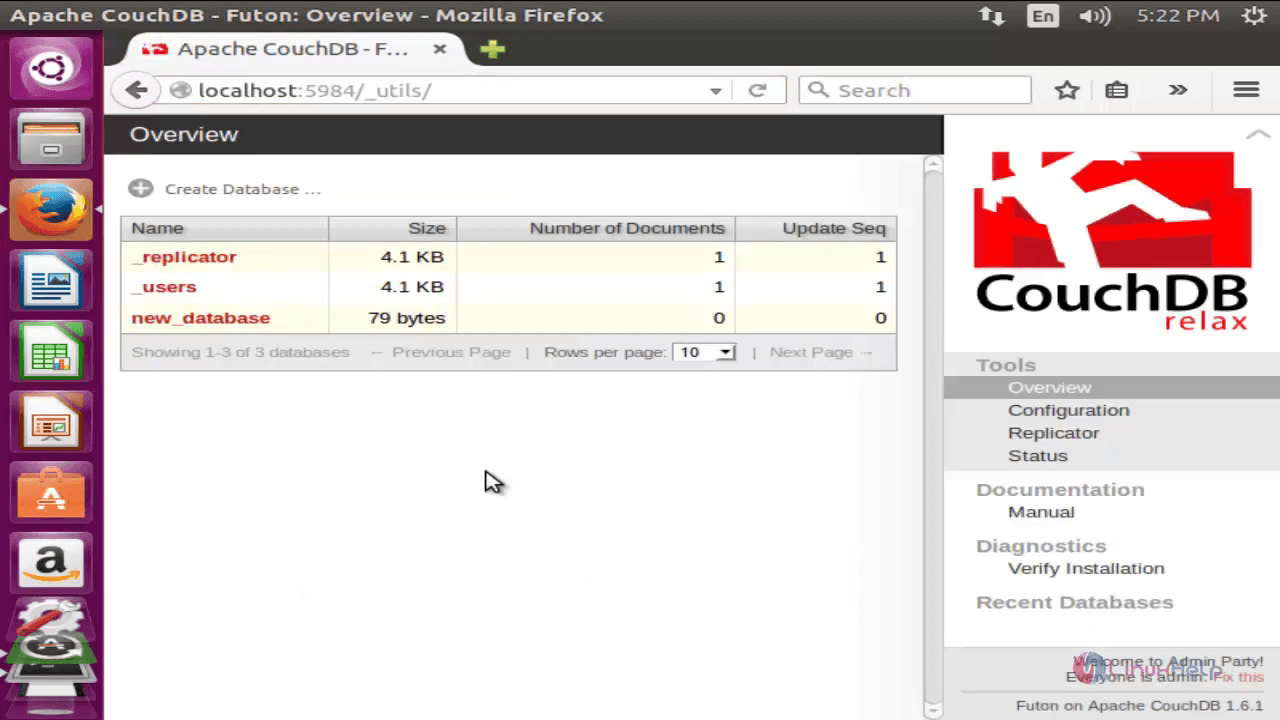
Now we need to create admin user for couchdb. Without admin user, all users will be considered as admin by default. To create admin user select “ Fix this” that should appears in the bottom right corner as shown below.
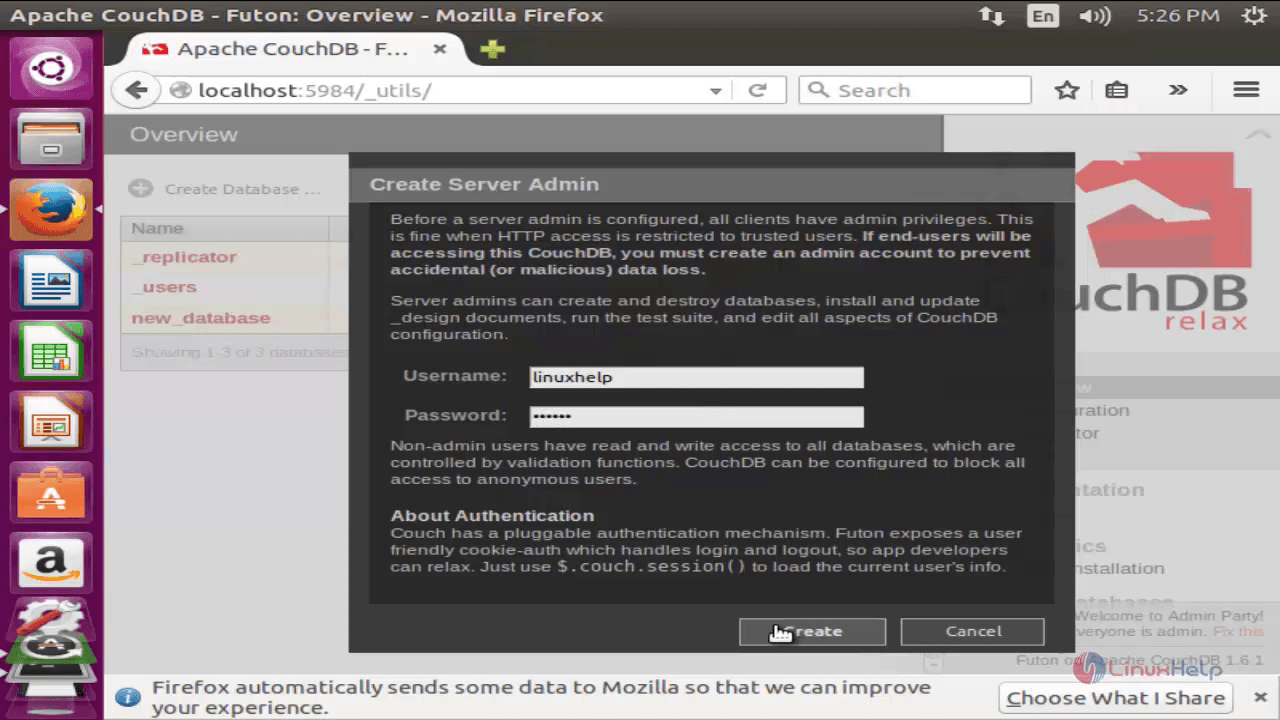
Now enter the username and password for your admin user and select “ create” .
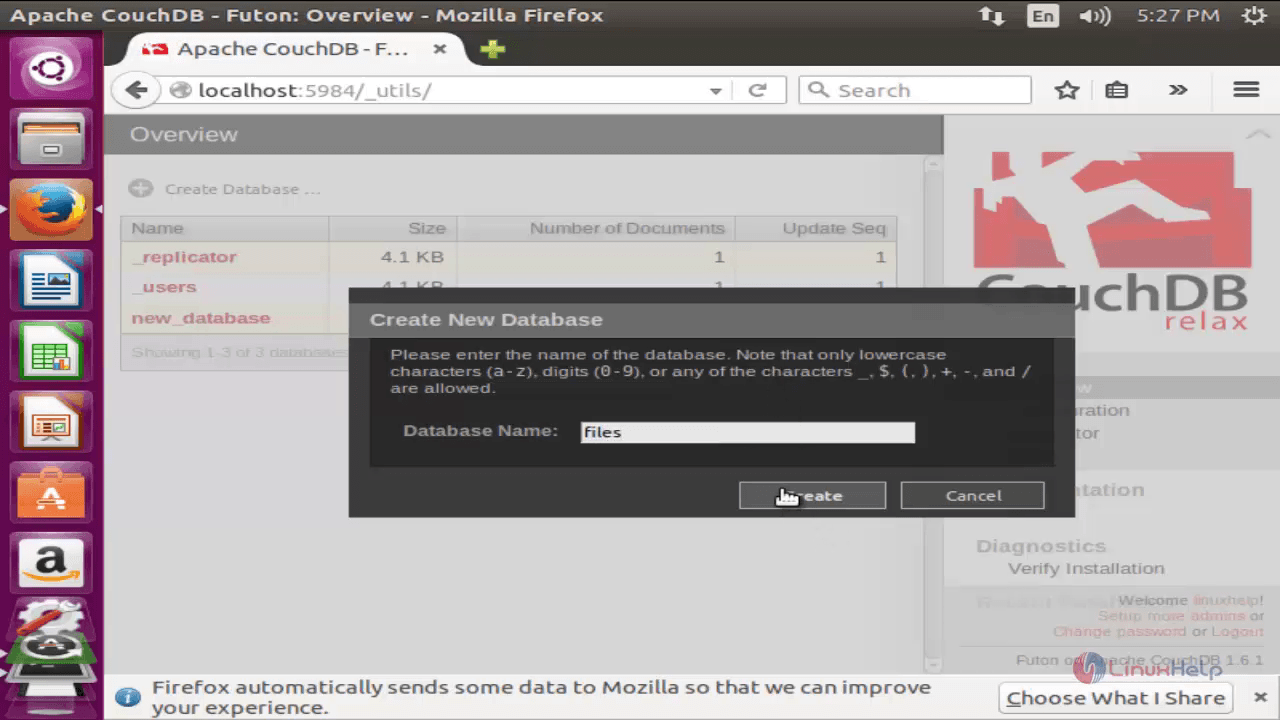
To create a Database select “ Create Database”
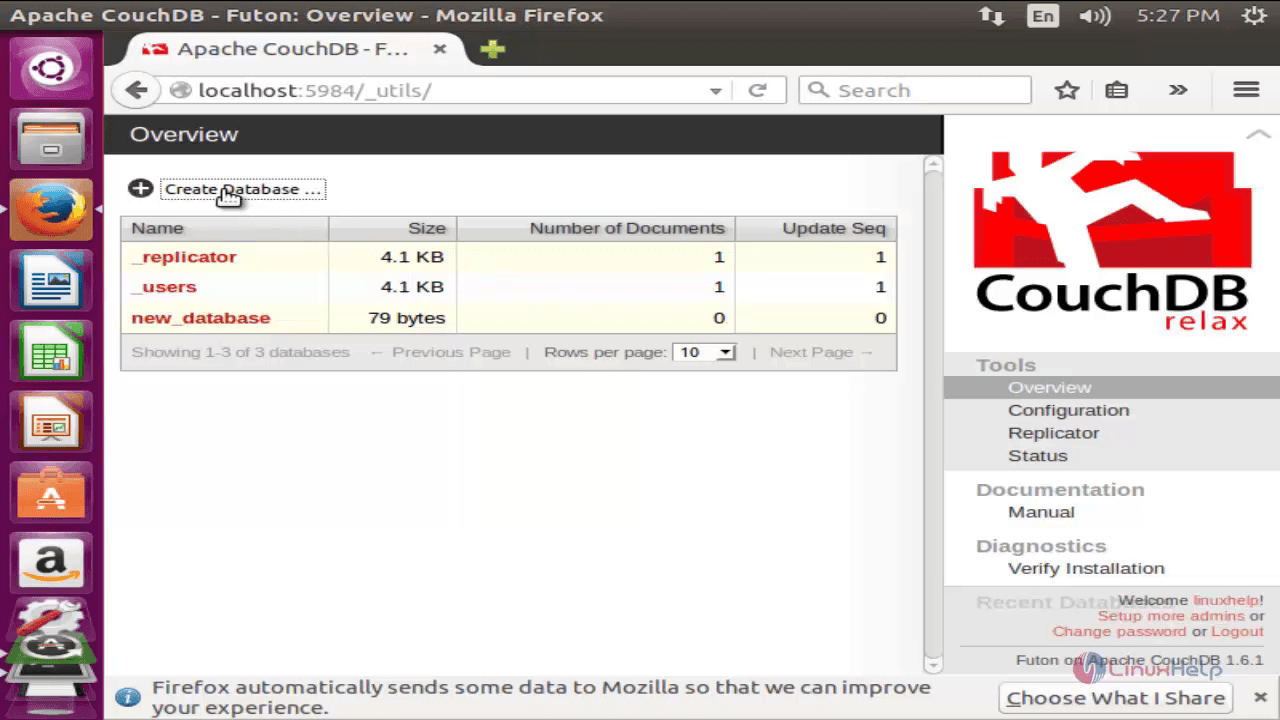
Now enter the name for your database and select “ Create” .
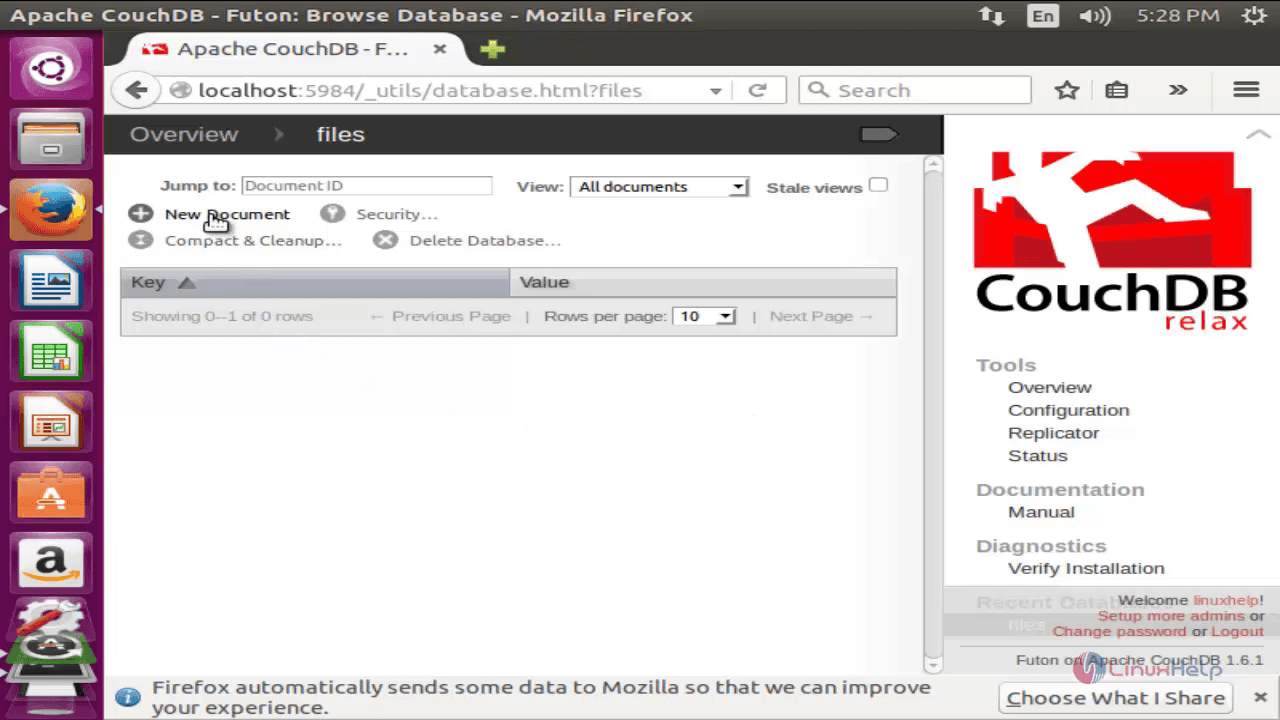
Inside the database select “ New Document” to create a new document in the database.
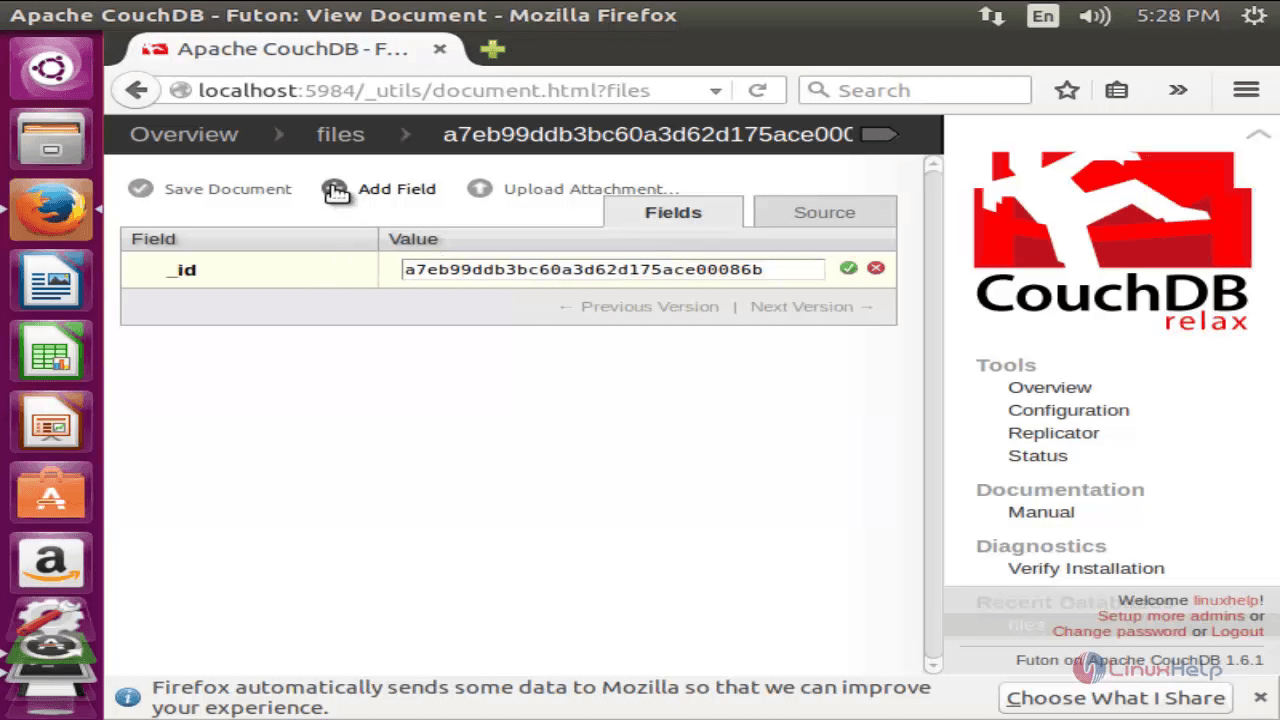
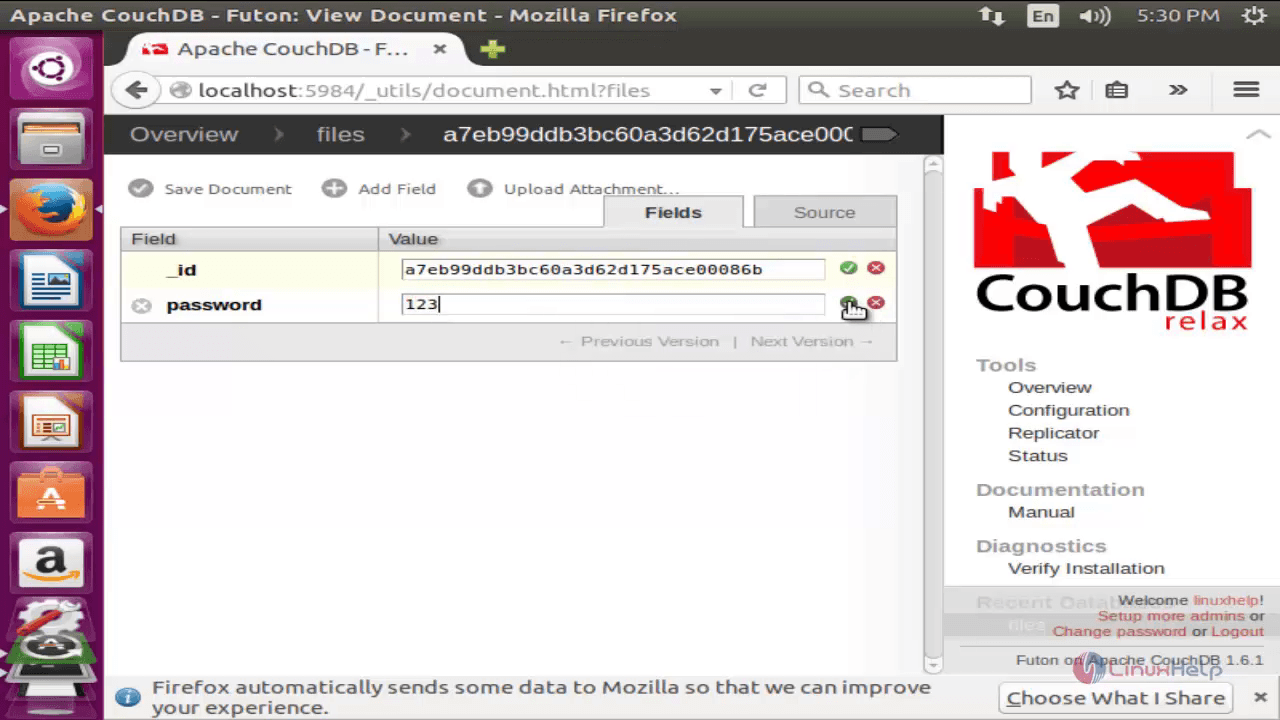
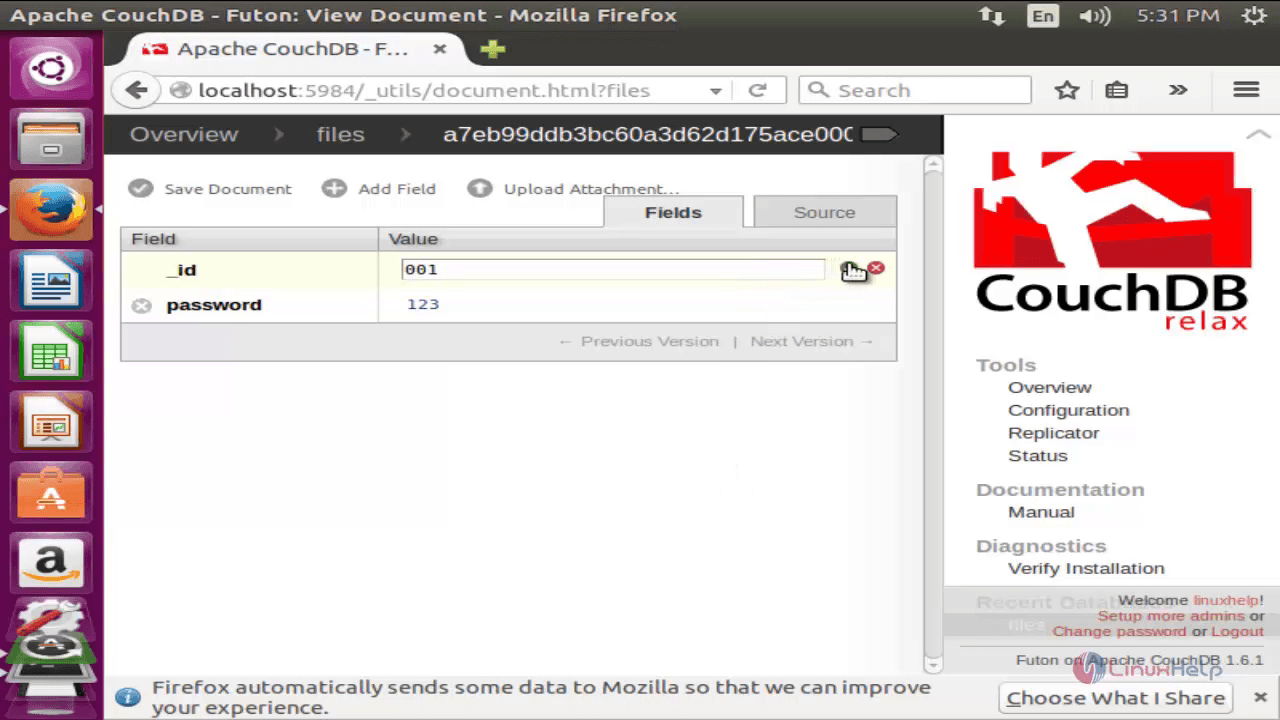
Here you can add any fields an values to the document as follows.
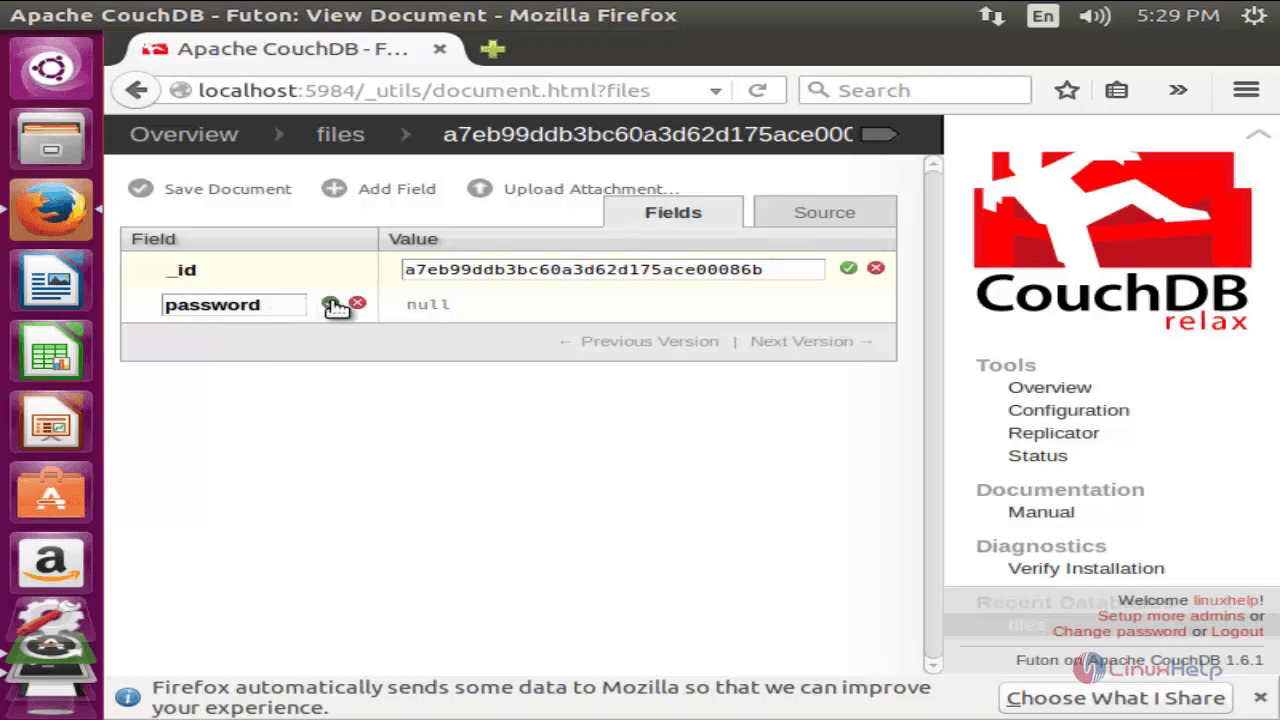
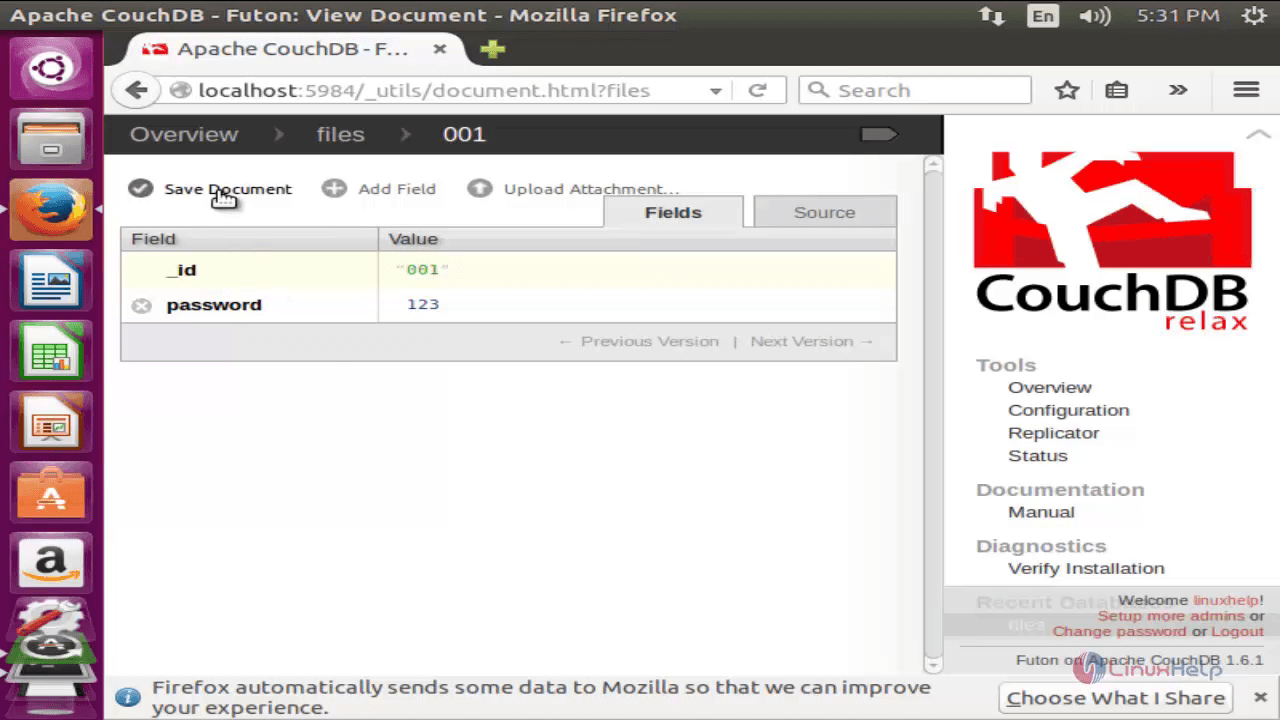
Now save the document
Comments ( 0 )
No comments available