How to install Apache GUI on Linux mint -18.03
To install Apache GUI on Linux mint -18.03
Apache GUI is a free and open source Apache Web Server Graphical user interface. It is written in Java programming language. It is used to ease and speed up management of the Apache Web Server.
Pre-requirements
Install apache and java
FOR PHP INSTALLATION:
add-apt-repository ppa:webupd8team/java
apt-get update
apt-get install oracle-java8-installer
apt install oracle-java8-set-default
Download Apache GUI by using wget command.
linuxhelp ~ # wget https://excellmedia.dl.sourceforge.net/project/apachegui/1.12-Linux-Solaris-Mac/ApacheGUI-1.12.0.tar.gz
--2018-06-30 01:33:02--  https://excellmedia.dl.sourceforge.net/project/apachegui/1.12-Linux-Solaris-Mac/ApacheGUI-1.12.0.tar.gz
Resolving excellmedia.dl.sourceforge.net (excellmedia.dl.sourceforge.net)... 202.153.32.19
Connecting to excellmedia.dl.sourceforge.net (excellmedia.dl.sourceforge.net)|202.153.32.19|:443... connected.
HTTP request sent, awaiting response... 200 OK
Length: 54063420 (52M) \[application/x-gzip\]
Saving to: &lsquo ApacheGUI-1.12.0.tar.gz&rsquo

ApacheGUI-1.12.0.tar.gz   100%\[===================================> \]  51.56M  1.11MB/s    in 47s

2018-06-30 01:33:50 (1.10 MB/s) - &lsquo ApacheGUI-1.12.0.tar.gz&rsquo  saved \[54063420/54063420\]
Extract the downloaded package.
linuxhelp ~ # tar -zxvf ApacheGUI-1.12.0.tar.gz
ApacheGUI/
ApacheGUI/.\_.DS\_Store
ApacheGUI/.DS\_Store
ApacheGUI/.\_tomcat
ApacheGUI/tomcat/
ApacheGUI/bin/
ApacheGUI/bin/default-history-database.db
ApacheGUI/bin/default-gui-database.db
ApacheGUI/bin/README
ApacheGUI/bin/.\_run.sh
ApacheGUI/bin/run.sh
.
.
.
ApacheGUI/tomcat/webapps/ApacheGUI/resources/codemirror/demo/emacs.html
ApacheGUI/tomcat/webapps/ApacheGUI/resources/codemirror/demo/runmode.html
ApacheGUI/tomcat/webapps/ApacheGUI/resources/codemirror/demo/search.html
ApacheGUI/tomcat/webapps/ApacheGUI/resources/codemirror/demo/activeline.html
ApacheGUI/tomcat/webapps/ApacheGUI/resources/codemirror/demo/matchhighlighter.html
ApacheGUI/tomcat/webapps/ApacheGUI/resources/codemirror/demo/xmlcomplete.html
ApacheGUI/tomcat/webapps/ApacheGUI/resources/codemirror/demo/marker.html
ApacheGUI/tomcat/webapps/ApacheGUI/resources/codemirror/demo/theme.html
ApacheGUI/tomcat/webapps/ApacheGUI/resources/codemirror/demo/folding.html
ApacheGUI/tomcat/webapps/ApacheGUI/resources/codemirror/demo/vim.html
ApacheGUI/tomcat/webapps/ApacheGUI/HistoryFiles/empty
Go to &ldquo /ApacheGUI/bin&rdquo directory and execute the run.sh file.
linuxhelp ~ # ls
ApacheGUI  ApacheGUI-1.12.0.tar.gz
linuxhelp ~ # cd ApacheGUI/
linuxhelp ApacheGUI # ls
bin  tomcat
linuxhelp ApacheGUI # cd bin/
linuxhelp bin # ls -la
total 44
drwxr-xr-x 2 501 staff 4096 Mar 12 19:01 .
drwxr-xr-x 4 501 staff 4096 Mar 12 19:01 ..
-rw-r--r-- 1 501 staff 9216 Mar 12 19:01 default-gui-database.db
-rw-r--r-- 1 501 staff 3072 Mar 12 19:01 default-history-database.db
-rwxr-xr-x 1 501 staff 5021 Mar 12 19:01 README
-rwxr-xr-x 1 501 staff  176 Mar 12 19:01 .\_run.sh
-rwxr-xr-x 1 501 staff   98 Mar 12 19:01 run.sh
-rwxr-xr-x 1 501 staff  100 Mar 12 19:01 stop.sh
Make an entry to the host file.
linuxhelp bin # vim /etc/hosts
< Give your ip >       < Give your domain>
Restart the Apache web server.
linuxhelp bin # systemctl restart apache2.service
Access Apache GUI through the browser by typing your server IP address or hostname. http://www.linuxhelp1.com:9999/ApacheGUI/
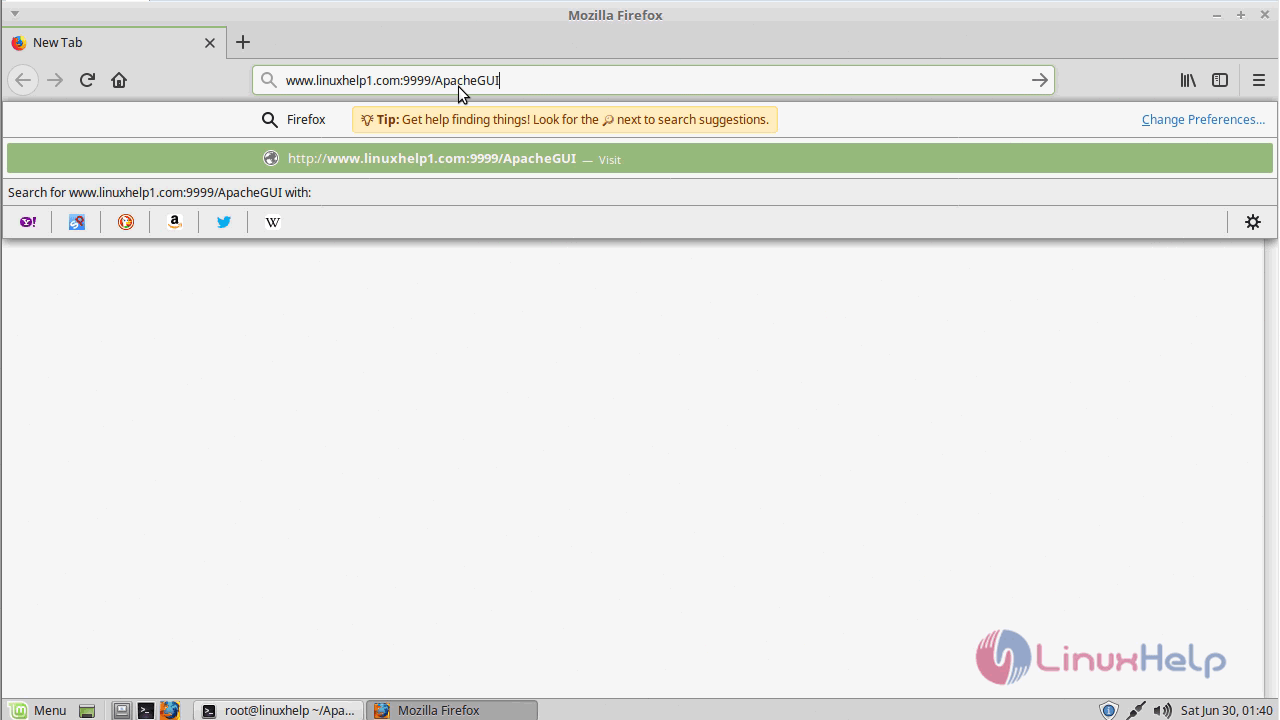
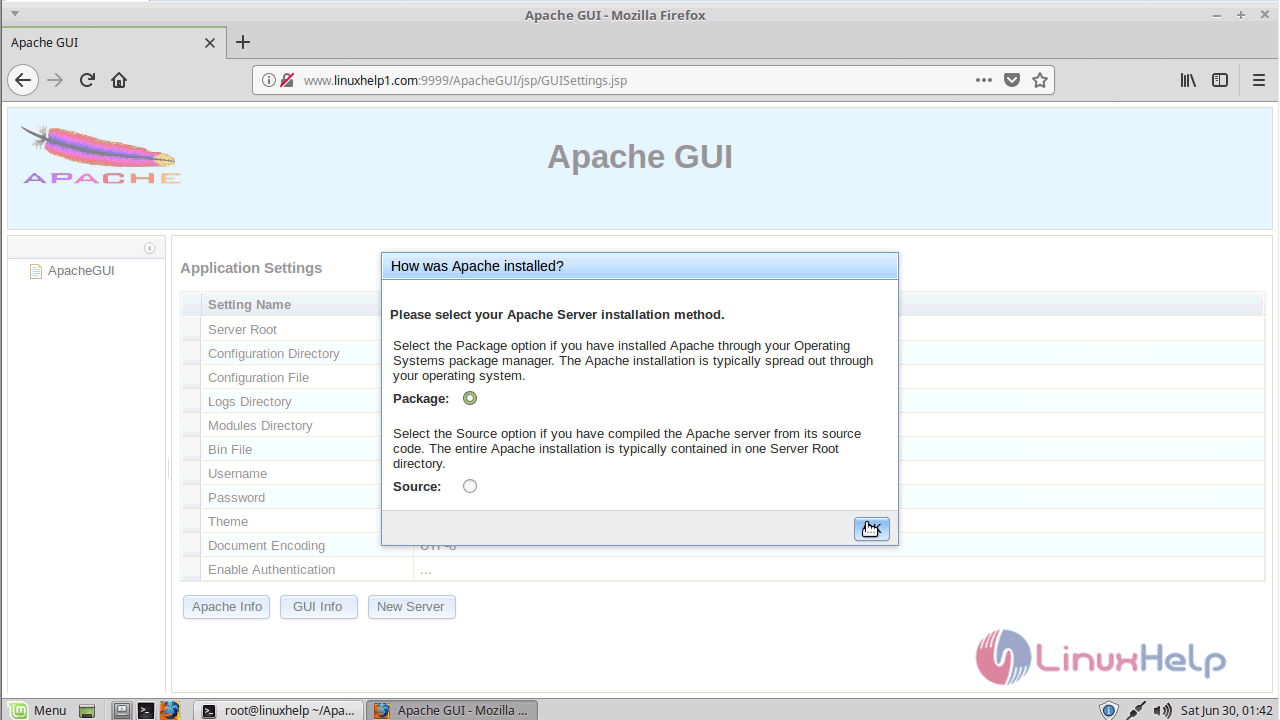
Select the Server installation method.
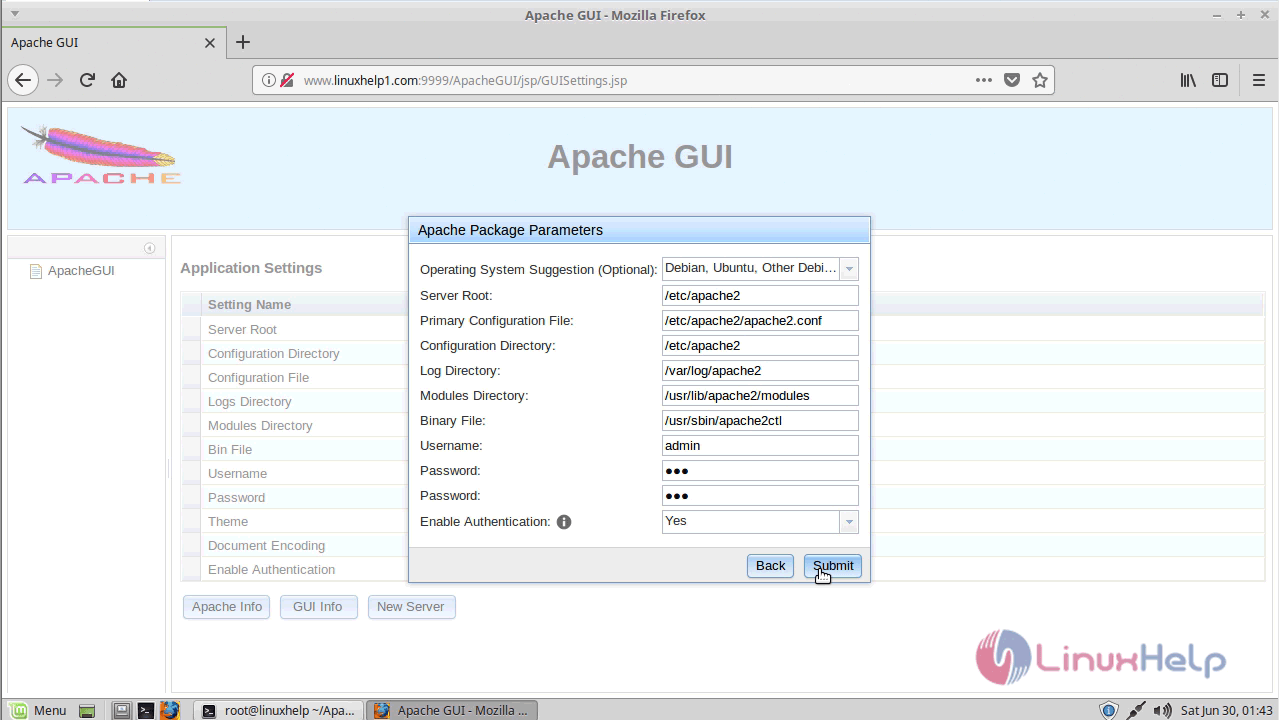
select your operating system, Enter the user name and password.
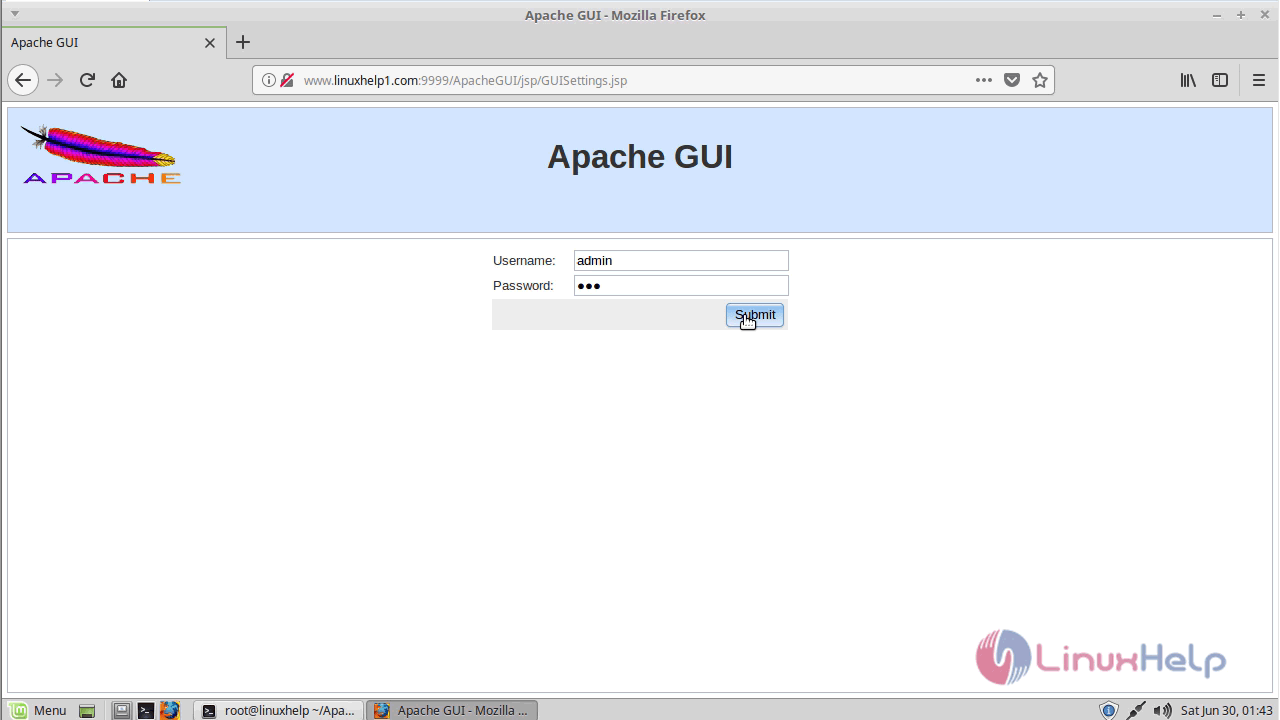
Login page of apache gui appears
The apache graphical user interface
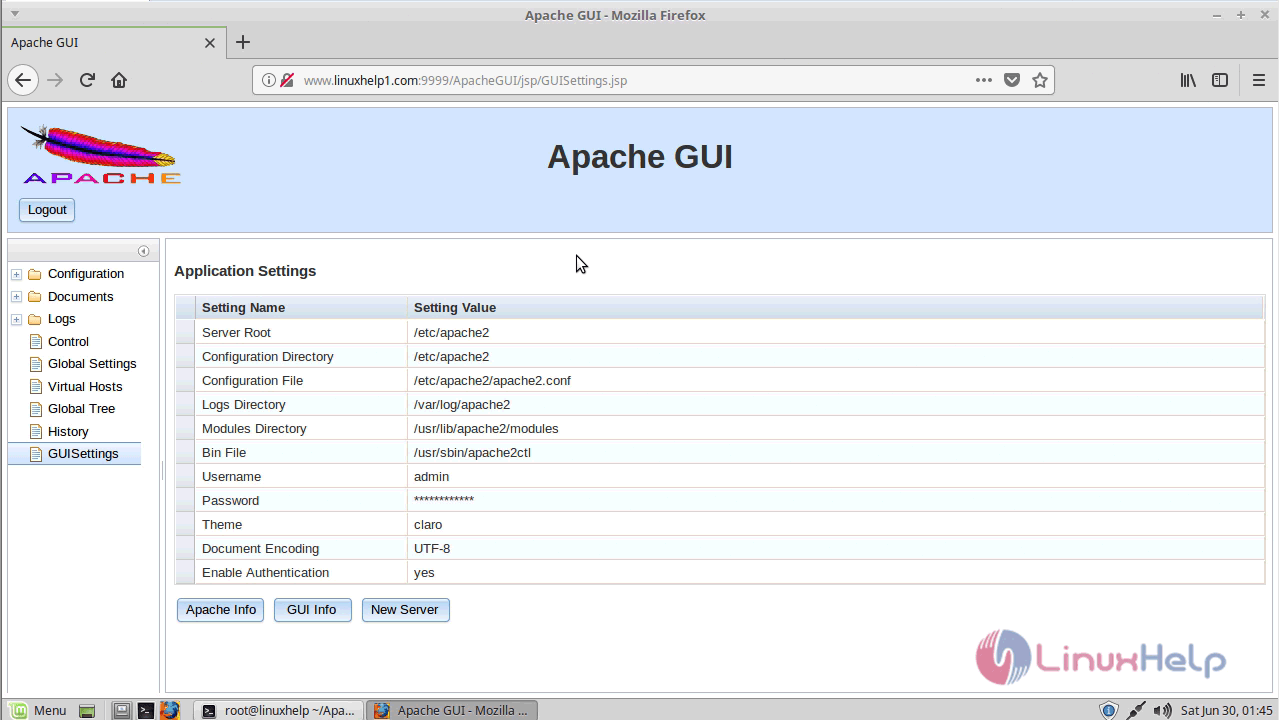
With this, the method to install Apache GUI on Linux mint -18.03 comes to an end.
Comments ( 0 )
No comments available