How to install Apache Open office in Ubuntu
To install Apache Open office in Ubuntu
In this tutorial, we will learn how to install Apache Open Office. Apache Open Office is the leading open-source office software for word processing, spreadsheets, presentations etc., which is available in many languages and works on all computers. It stores the data in an international open standard format.
At first, add the java repository into the repolist by using the following command.
root@user1-linuhelp:~# add-apt-repository ppa:webupd8team/java
 Oracle Java (JDK) Installer (automatically downloads and installs Oracle JDK7 / JDK8 / JDK9). There are no actual Java files in this PPA.

More info (and Ubuntu installation instructions):
- for Oracle Java 7: http://www.webupd8.org/2012/01/install-oracle-java-jdk-7-in-ubuntu-via.html
.
.
.
gpg: Total number processed: 1
gpg:               imported: 1  (RSA: 1)
OK
Update the repos, by executing the following command.
root@user1-linuhelp:~# apt-get update
Hit http://security.ubuntu.com wily-security InRelease
Hit http://in.archive.ubuntu.com wily InRelease
Hit http://ppa.launchpad.net wily InRelease
.
.
.
Hit http://in.archive.ubuntu.com wily-updates/main Sources
Fetched 5,898 kB in 5min 26s (18.1 kB/s)
Reading package lists... Done
Install the java package.
root@user1-linuhelp:~# apt-get install oracle-java8-installer Reading package lists... Done Building dependency tree Reading state information... Done .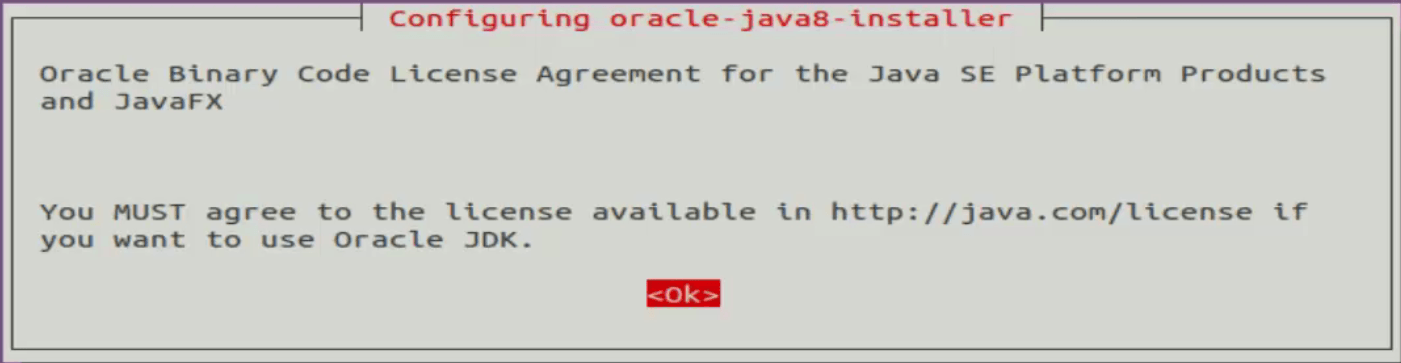
. Oracle JRE 8 browser plugin installed Setting up gsfonts-x11 (0.22) ...
Remove all the previously install office packages.
root@user1-linuhelp:~# apt-get remove --purge libreoffice* libexttextcat-data* & &  sudo apt-get autoremove
Reading package lists... Done
Building dependency tree
Reading state information... Done
.
.
.
Processing triggers for fontconfig (2.11.1-0ubuntu6) ...
Processing triggers for libc-bin (2.21-0ubuntu4) ...
Processing triggers for man-db (2.7.4-1) ...
Download the open office package using the wget command.
root@user1-linuhelp:~# wget http://sourceforge.net/projects/openofficeorg.mirror/files/4.0.0/binaries/en- US/Apache_OpenOffice_4.0.0_Linux_x86-64_install-deb_en-US.tar.gz
--2016-07-07 15:06:49--  http://sourceforge.net/projects/openofficeorg.mirror/files/4.0.0/binaries/en-US/Apache_OpenOffice_4.0.0_Linux_x86-64_install-deb_en-US.tar.gz
.
.
.
Apache_OpenOffice_4 100%[=====================> ] 155.62M  81.1KB/s   in 20m 37ss
2016-07-07 15:27:33 (129 KB/s) - ‘ Apache_OpenOffice_4.0.0_Linux_x86-64_install-deb_en-US.tar.gz’  saved [163175282/163175282]
Extract the downloaded package by using tar command.
root@user1-linuhelp:~# tar -xvf Apache_OpenOffice_4.0.0_Linux_x86-64_install-deb_en-US.tar.gz
en-US/
en-US/DEBS/
en-US/DEBS/openoffice-en-us-math_4.0.0-3_amd64.deb
.
.
.
en-US/readmes/README_en-US
en-US/readmes/README_en-US.html
Run the following commands to install the debian packages.
root@user1-linuhelp:~# dpkg -i en-US/DEBS/*.deb
Selecting previously unselected package openoffice.
(Reading database ... 170736 files and directories currently installed.)
Preparing to unpack .../openoffice_4.0.0-3_amd64.deb ...
.
.
.
Setting up openoffice-calc (4.0.0-3) ...
Setting up openoffice-brand-calc (4.0.0-3) ...
root@user1-linuhelp:~# dpkg -i en-US/DEBS/desktop-integration/*.deb
Selecting previously unselected package openoffice-debian-menus.
(Reading database ... 175083 files and directories currently installed.)
Preparing to unpack .../openoffice4.0-debian-menus_4.0-9702_all.deb ...
.
.
.
Rebuilding /usr/share/applications/bamf-2.index...
Processing triggers for mime-support (3.58ubuntu1)...
Restart the system once the packages are installed.
root@user1-linuhelp:~# restart
Now Launch the open office.
root@user1-linuhelp:~# openoffice4
Welcome screen of open office will be shown, click Next icon.
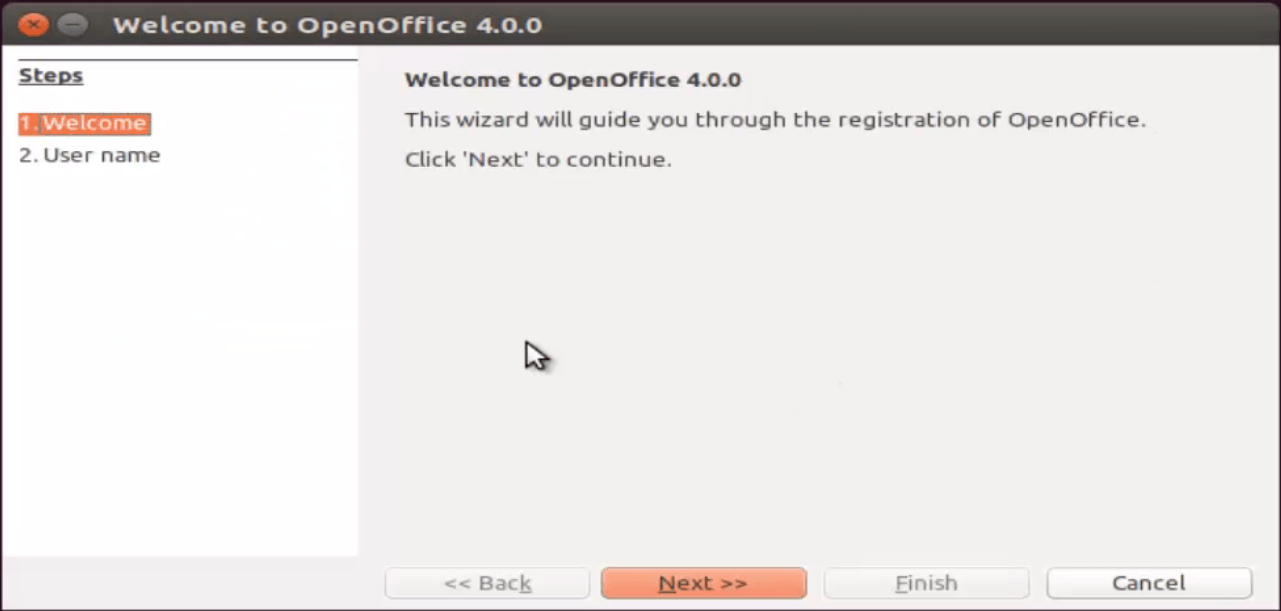
Enter the User name and click Finish icon.
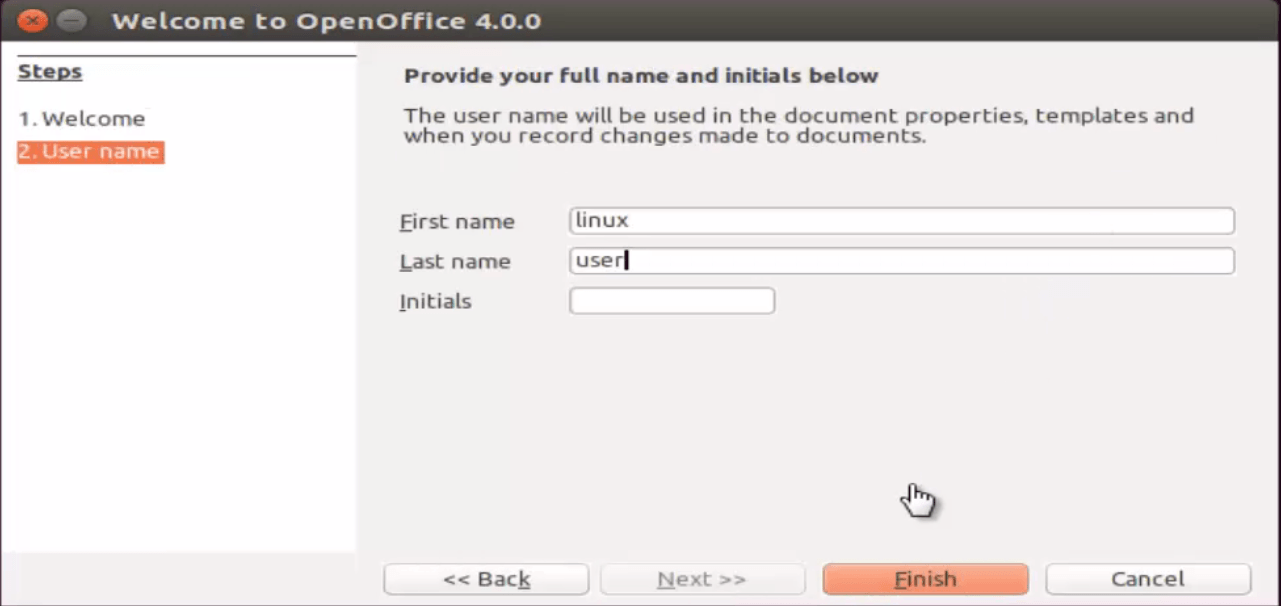
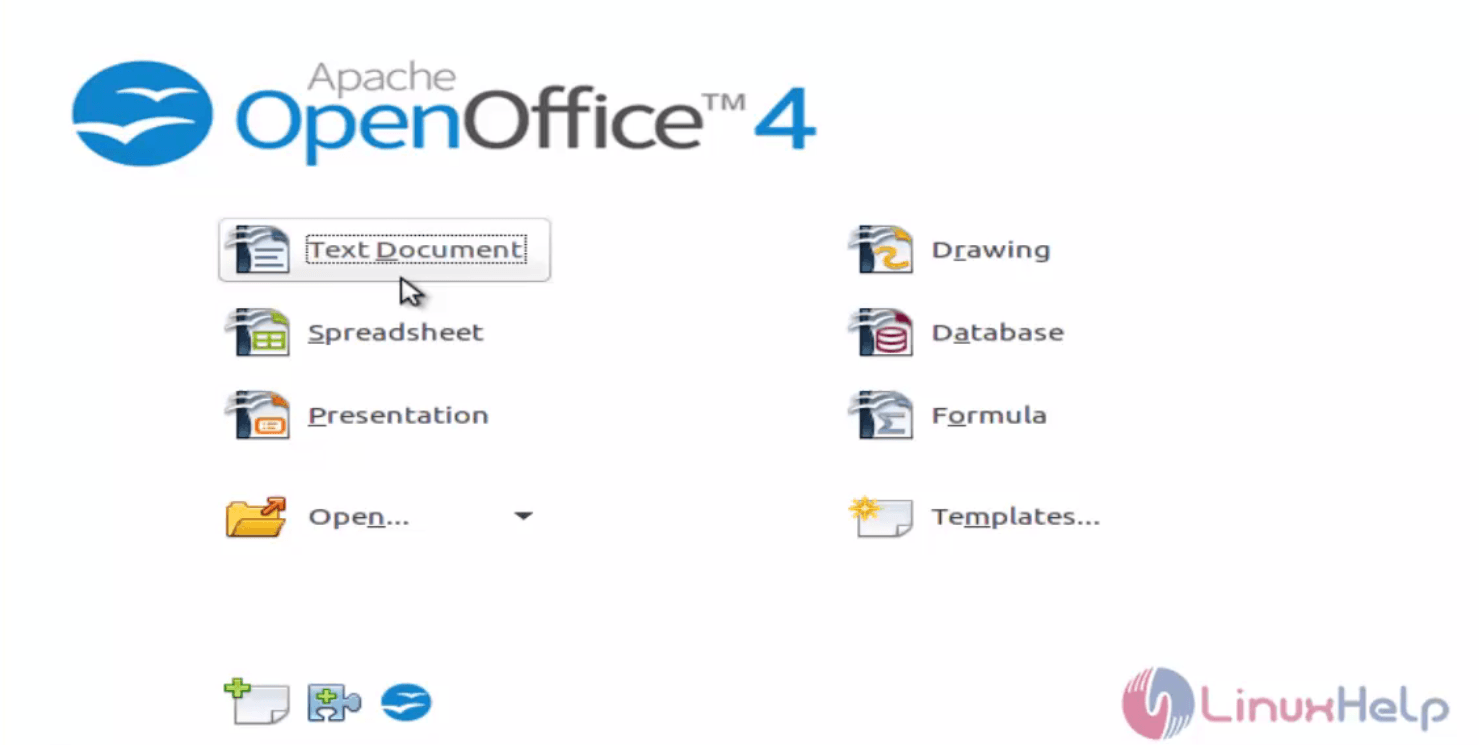
Now the Apache Open Office is logged in successfully.
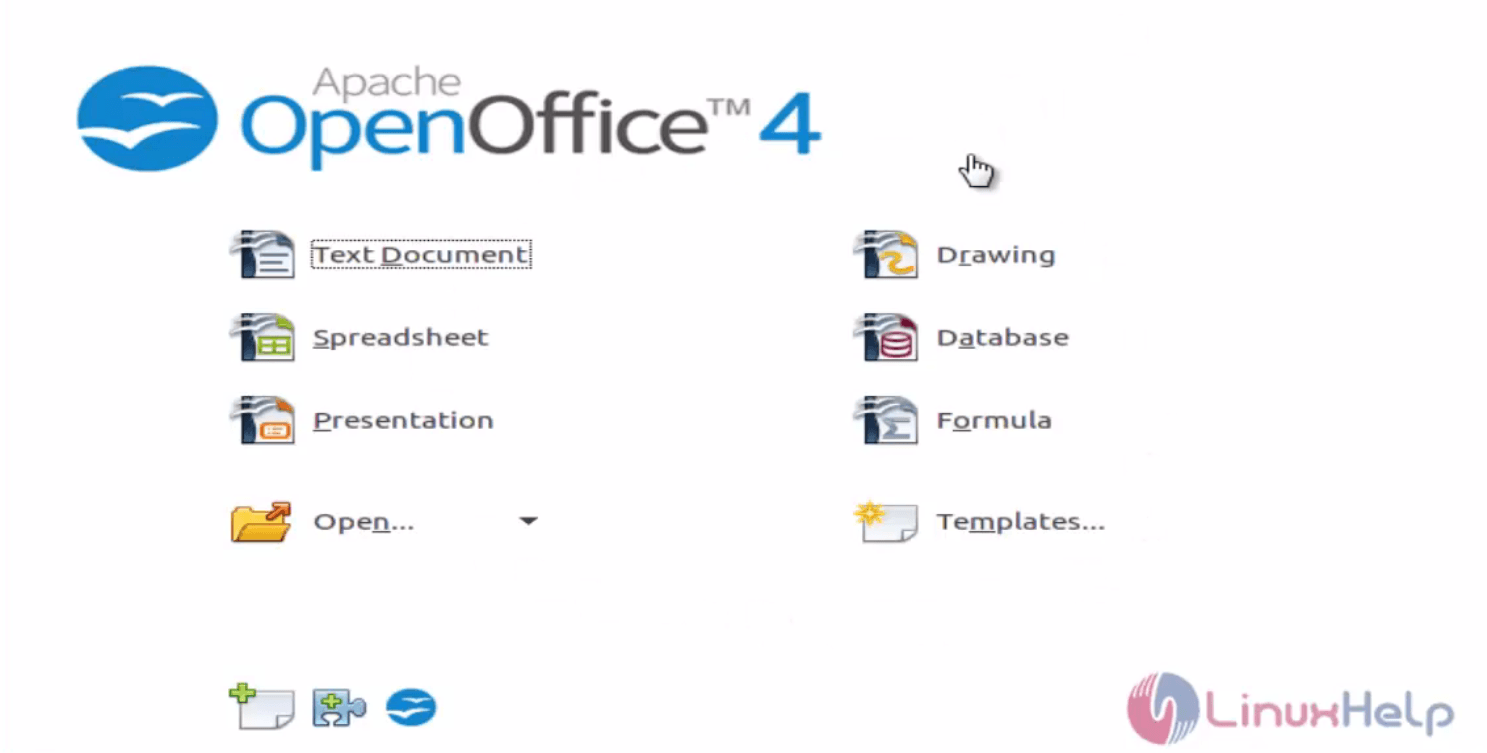
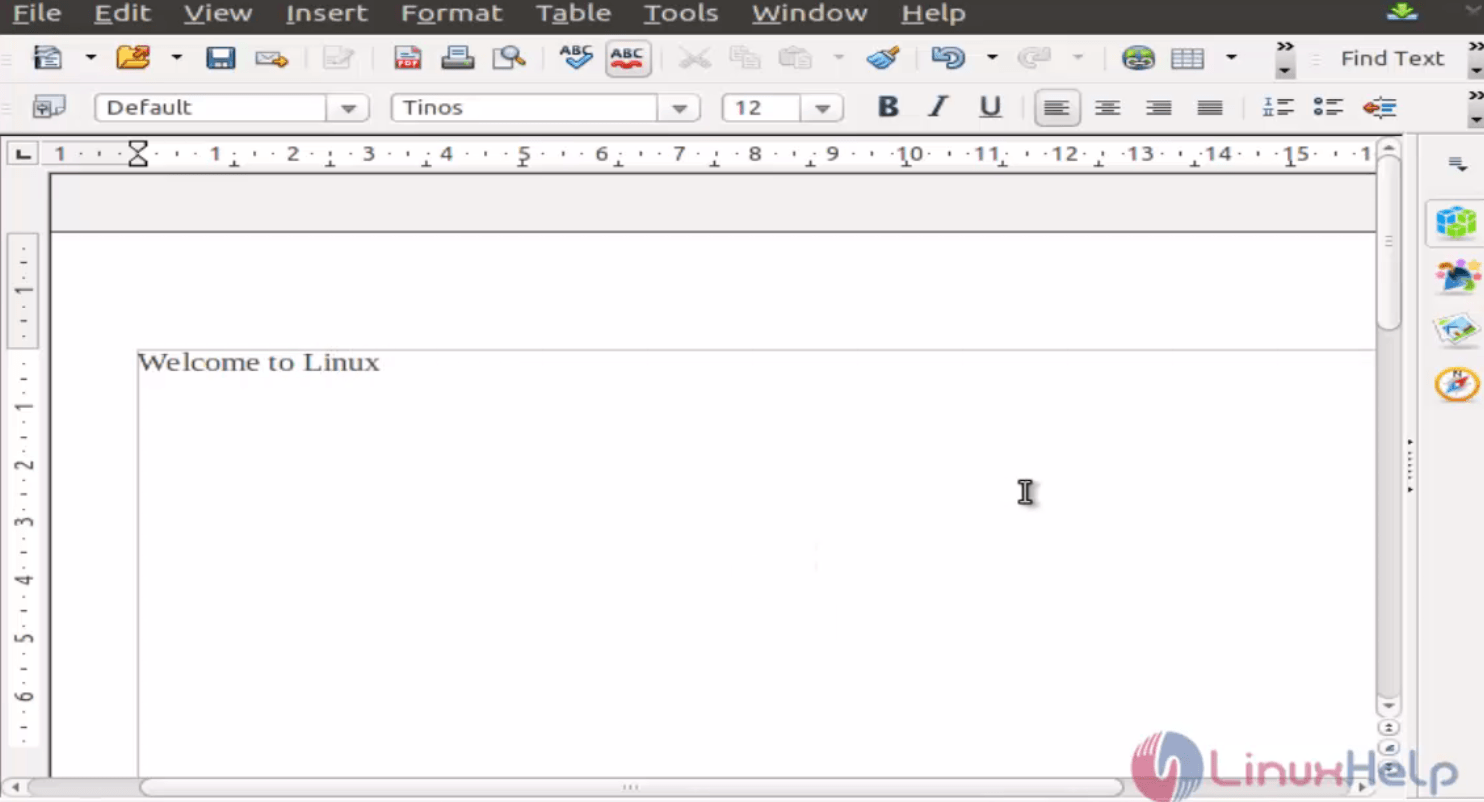
If you want to make any document means, click Text Document option and create the file.
Comments ( 0 )
No comments available