How to Install Appgrid on Ubuntu 19.04
{{postValue.id}}
Installation Of Appgrid on Ubuntu 19.04
Installation procedure
Check the Ubuntu version by using the following command
root@linuxhelp:~# lsb_release -a
No LSB modules are available.
Distributor ID:	Ubuntu
Description:	Ubuntu 19.04
Release:	19.04
Codename:	disco
Add the repositories with the following command.
root@linuxhelp:~# add-apt-repository ppa:appgrid/stable
 THIS SOFTWARE IS PROVIDED BY THE COPYRIGHT HOLDERS AND CONTRIBUTORS "AS IS" AND ANY EXPRESS OR IMPLIED WARRANTIES, INCLUDING, BUT NOT LIMITED TO, THE IMPLIED WARRANTIES OF MERCHANTABILITY AND FITNESS FOR A PARTICULAR PURPOSE ARE DISCLAIMED. IN NO EVENT SHALL THE COPYRIGHT HOLDER OR CONTRIBUTORS BE LIABLE FOR ANY DIRECT, INDIRECT, INCIDENTAL, SPECIAL, EXEMPLARY, OR CONSEQUENTIAL DAMAGES (INCLUDING, BUT NOT LIMITED TO, PROCUREMENT OF SUBSTITUTE GOODS OR SERVICES; LOSS OF USE, DATA, OR PROFITS; OR BUSINESS INTERRUPTION) HOWEVER CAUSED AND ON ANY THEORY OF LIABILITY, WHETHER IN CONTRACT, STRICT LIABILITY, OR TORT (INCLUDING NEGLIGENCE OR OTHERWISE) ARISING IN ANY WAY OUT OF THE USE OF THIS SOFTWARE, EVEN IF ADVISED OF THE POSSIBILITY OF SUCH DAMAGE.
 More info: https://launchpad.net/~appgrid/+archive/ubuntu/stable
Press [ENTER] to continue or Ctrl-c to cancel adding it.

Hit:1 http://in.archive.ubuntu.com/ubuntu disco InRelease
Hit:2 http://security.ubuntu.com/ubuntu disco-security InRelease
Hit:3 http://in.archive.ubuntu.com/ubuntu disco-updates InRelease
Get:4 http://ppa.launchpad.net/appgrid/stable/ubuntu disco InRelease [15.4 kB]
Hit:5 http://in.archive.ubuntu.com/ubuntu disco-backports InRelease
Get:6 http://ppa.launchpad.net/appgrid/stable/ubuntu disco/main amd64 Packages [580 B]
Get:7 http://ppa.launchpad.net/appgrid/stable/ubuntu disco/main i386 Packages [580 B]
Get:8 http://ppa.launchpad.net/appgrid/stable/ubuntu disco/main Translation-en [412 B]
Fetched 16.9 kB in 2s (7,336 B/s)
Reading package lists... Done
Update the added repositories with the update command.
root@linuxhelp:~# apt update
Hit:1 http://security.ubuntu.com/ubuntu disco-security InRelease
Hit:2 http://ppa.launchpad.net/appgrid/stable/ubuntu disco InRelease
Hit:3 http://in.archive.ubuntu.com/ubuntu disco InRelease
Hit:4 http://in.archive.ubuntu.com/ubuntu disco-updates InRelease
Hit:5 http://in.archive.ubuntu.com/ubuntu disco-backports InRelease
Reading package lists... Done
Building dependency tree
Reading state information... Done
166 packages can be upgraded. Run 'apt list --upgradable' to see them.
Install the appgrid by using the following command
root@linuxhelp:~# apt install appgrid -y
Reading package lists... Done
Building dependency tree
Reading state information... Done
The following additional packages will be installed:
  app-install-data gir1.2-gnomekeyring-1.0 libgnome-keyring-common libgnome-keyring0 policykit-1-gnome
The following NEW packages will be installed:
  app-install-data appgrid gir1.2-gnomekeyring-1.0 libgnome-keyring-common libgnome-keyring0
  policykit-1-gnome
0 upgraded, 6 newly installed, 0 to remove and 166 not upgraded.
Need to get 15.2 MB of archives.
After this operation, 47.4 MB of additional disk space will be used.
.
.
.
.
Processing triggers for mime-support (3.60ubuntu1) ...
Processing triggers for hicolor-icon-theme (0.17-2) ...
Processing triggers for gnome-menus (3.32.0-1ubuntu1) ...
Processing triggers for desktop-file-utils (0.23-4ubuntu1) ...
Processing triggers for libc-bin (2.29-0ubuntu2) ...
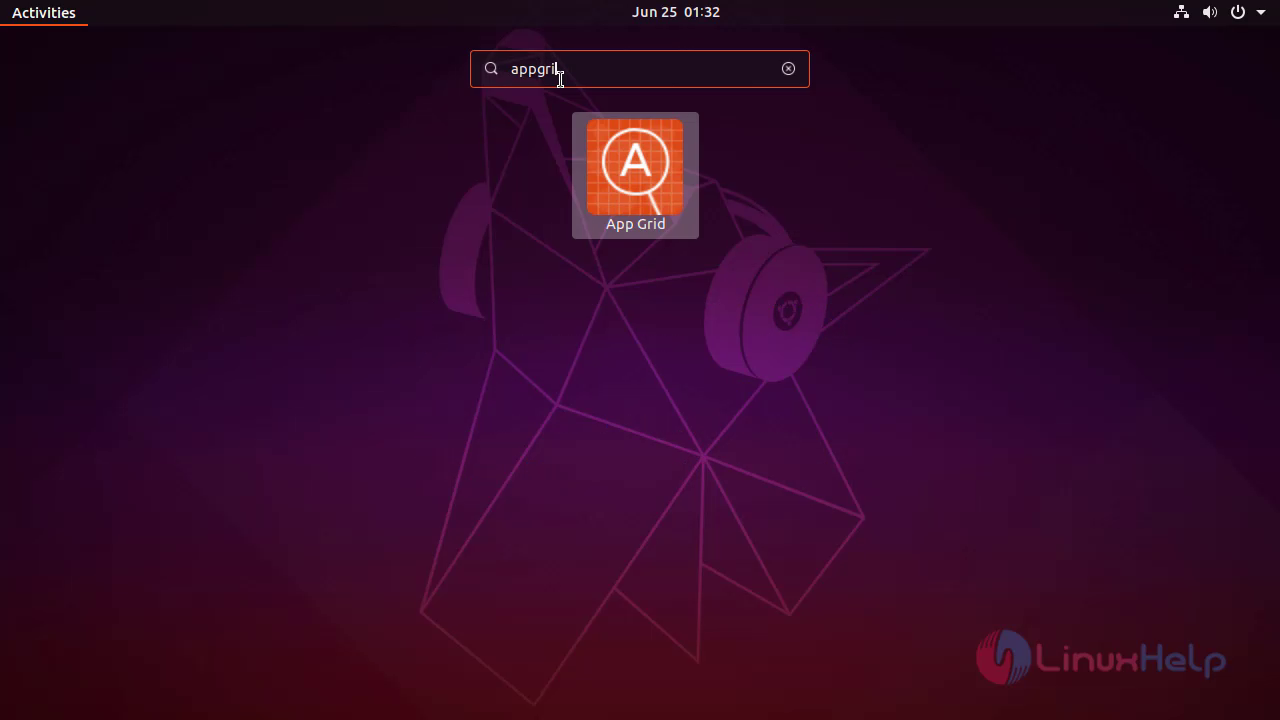
Search for the app grid
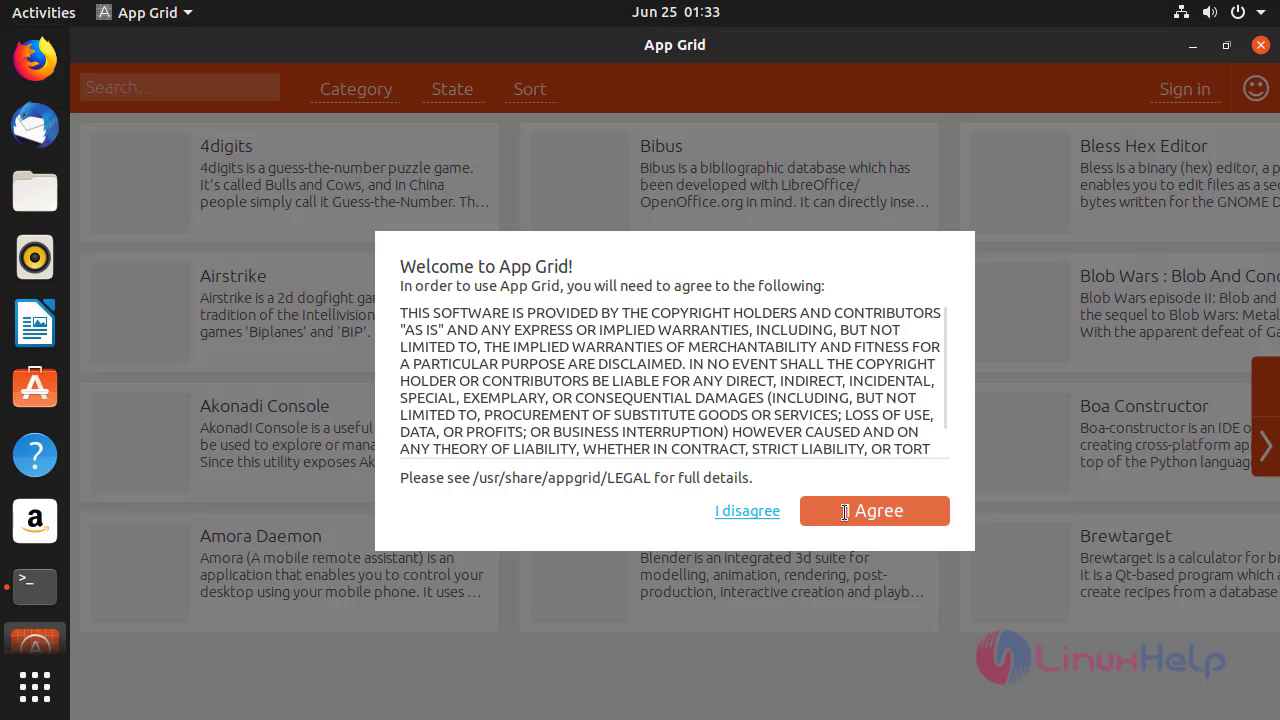
 Accept the license
 This is the appgrid software
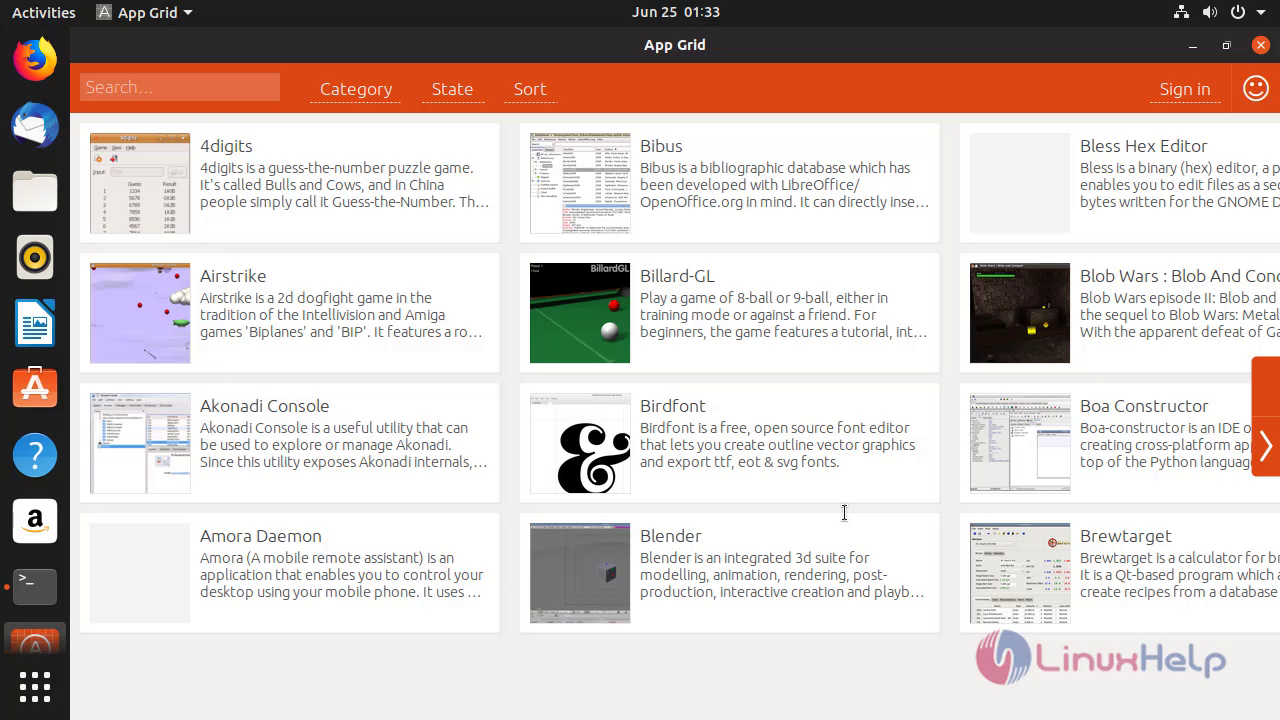
With this, the installation of appgrid software on Ubuntu 19.04 is completed
Comments ( 0 )
No comments available