How to Install Appgrid Software on Linuxmint 19
Installation of Appgrid on Linuxmint 19
App Grid alternative lightweight application center. Has a simple interface, works quickly, The program was written from scratch. When you click on the application page of this program. It immediately displays all the screenshots, the program description for more information. Clicking on the arrow you can display the reviews. Top right there is a button to Install or, if the application is already installed, then Run, and Delete.This tutorial covers the installation of appgrid on linuxmint 19.
Installation procedure
Check the linuxmint version by using the following command
root@linuxhelp:~# lsb_release -a
No LSB modules are available.
Distributor ID:	LinuxMint
Description:	Linux Mint 19 Tara
Release:	19
Codename:	tara
Add the repositories with the following command.
root@linuxhelp:~# add-apt-repository ppa:appgrid/stable
No protocol specified
Unable to init server: Could not connect: Connection refused
No protocol specified
Unable to init server: Could not connect: Connection refused
You are about to add the following PPA:
 THIS SOFTWARE IS PROVIDED BY THE COPYRIGHT HOLDERS AND CONTRIBUTORS "AS IS" AND ANY EXPRESS OR IMPLIED WARRANTIES, INCLUDING, BUT NOT LIMITED TO, THE IMPLIED WARRANTIES OF MERCHANTABILITY AND FITNESS FOR A PARTICULAR PURPOSE ARE DISCLAIMED. IN NO EVENT SHALL THE COPYRIGHT HOLDER OR CONTRIBUTORS BE LIABLE FOR ANY DIRECT, INDIRECT, INCIDENTAL, SPECIAL, EXEMPLARY, OR CONSEQUENTIAL DAMAGES (INCLUDING, BUT NOT LIMITED TO, PROCUREMENT OF SUBSTITUTE GOODS OR SERVICES; LOSS OF USE, DATA, OR PROFITS; OR BUSINESS INTERRUPTION) HOWEVER CAUSED AND ON ANY THEORY OF LIABILITY, WHETHER IN CONTRACT, STRICT LIABILITY, OR TORT (INCLUDING NEGLIGENCE OR OTHERWISE) ARISING IN ANY WAY OUT OF THE USE OF THIS SOFTWARE, EVEN IF ADVISED OF THE POSSIBILITY OF SUCH DAMAGE.
 More info: https://launchpad.net/~appgrid/+archive/ubuntu/stable
Press Enter to continue or Ctrl+C to cancel

Executing: /tmp/apt-key-gpghome.xRQ6QOt18W/gpg.1.sh --keyserver hkp://keyserver.ubuntu.com:80 --recv-keys 3B765FAE
gpg: key 241FE6973B765FAE: 12 signatures not checked due to missing keys
gpg: key 241FE6973B765FAE: public key "Launchpad PPA for appgrid" imported
gpg: Total number processed: 1
gpg:               imported: 1
Update the added repositories with the update command.
root@linuxhelp:~# apt update
Hit:1 http://archive.ubuntu.com/ubuntu bionic InRelease
Hit:2 http://archive.canonical.com/ubuntu bionic InRelease
Ign:3 http://packages.linuxmint.com tara InRelease
Hit:4 http://packages.linuxmint.com tara Release
Get:5 http://ppa.launchpad.net/appgrid/stable/ubuntu bionic InRelease [15.4 kB]
Get:7 http://archive.ubuntu.com/ubuntu bionic-updates InRelease [88.7 kB]
.
.
.
Get:23 http://archive.ubuntu.com/ubuntu bionic-updates/multiverse amd64 DEP-11 Metadata [2,468 B]
Get:24 http://archive.ubuntu.com/ubuntu bionic-backports/universe amd64 DEP-11 Metadata [7,228 B]
Fetched 3,958 kB in 12s (326 kB/s)
Reading package lists... Done
Building dependency tree
Reading state information... Done
631 packages can be upgraded. Run 'apt list --upgradable' to see them.
Install the appgrid by using the following command
root@linuxhelp:~# apt install appgrid -y
Reading package lists... Done
Building dependency tree
Reading state information... Done
The following additional packages will be installed:
  gir1.2-gnomekeyring-1.0 libgnome-keyring-common libgnome-keyring0 python3-asn1crypto python3-blinker python3-cryptography
  python3-jwt python3-oauthlib
Suggested packages:
  python-blinker-doc python-cryptography-doc python3-cryptography-vectors
The following NEW packages will be installed:
  appgrid gir1.2-gnomekeyring-1.0 libgnome-keyring-common libgnome-keyring0 python3-asn1crypto python3-blinker
  python3-cryptography python3-jwt python3-oauthlib
0 upgraded, 9 newly installed, 0 to remove and 631 not upgraded.
.
.
.
.
Setting up python3-cryptography (2.1.4-1ubuntu1.3) ...
Setting up python3-oauthlib (2.0.6-1) ...
Setting up appgrid (0.298) ...
Created symlink /etc/systemd/system/multi-user.target.wants/appgrid.service → /lib/systemd/system/appgrid.service.
Warning: The postinst maintainerscript of the package appgrid
Warning: seems to use apt-key (provided by apt) without depending on gnupg or gnupg2.
Warning: This will BREAK in the future and should be fixed by the package maintainer(s).
Note: Check first if apt-key functionality is needed at all - it probably isn't!
Warning: apt-key should not be used in scripts (called from postinst maintainerscript of the package appgrid)
OK
Processing triggers for libc-bin (2.27-3ubuntu1)...
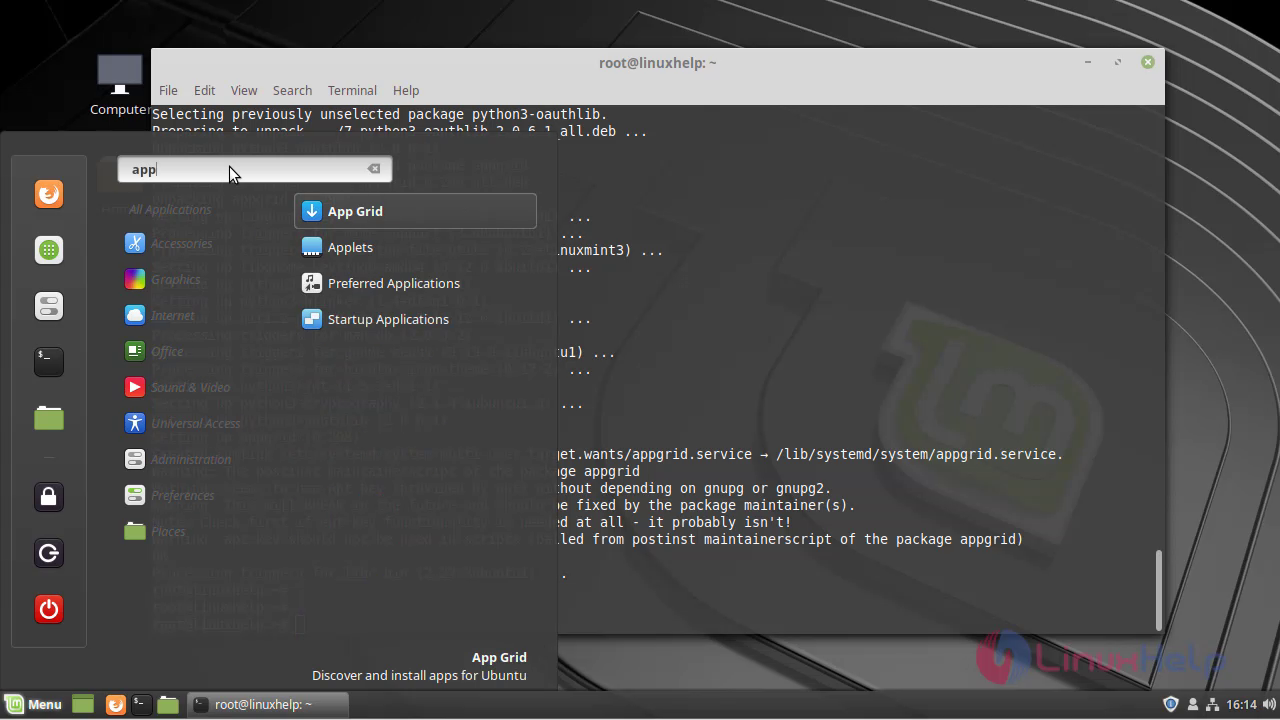
Search for the app grid
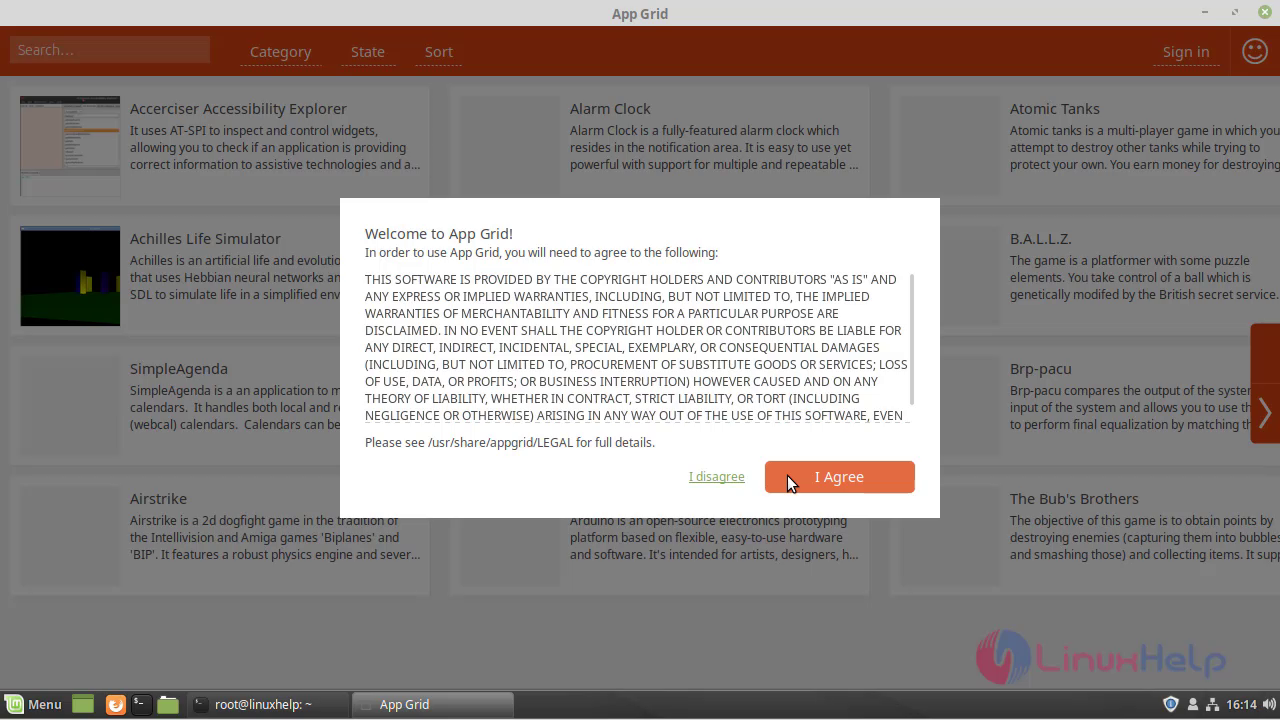
 **Accept the license **
 This is the appgrid software
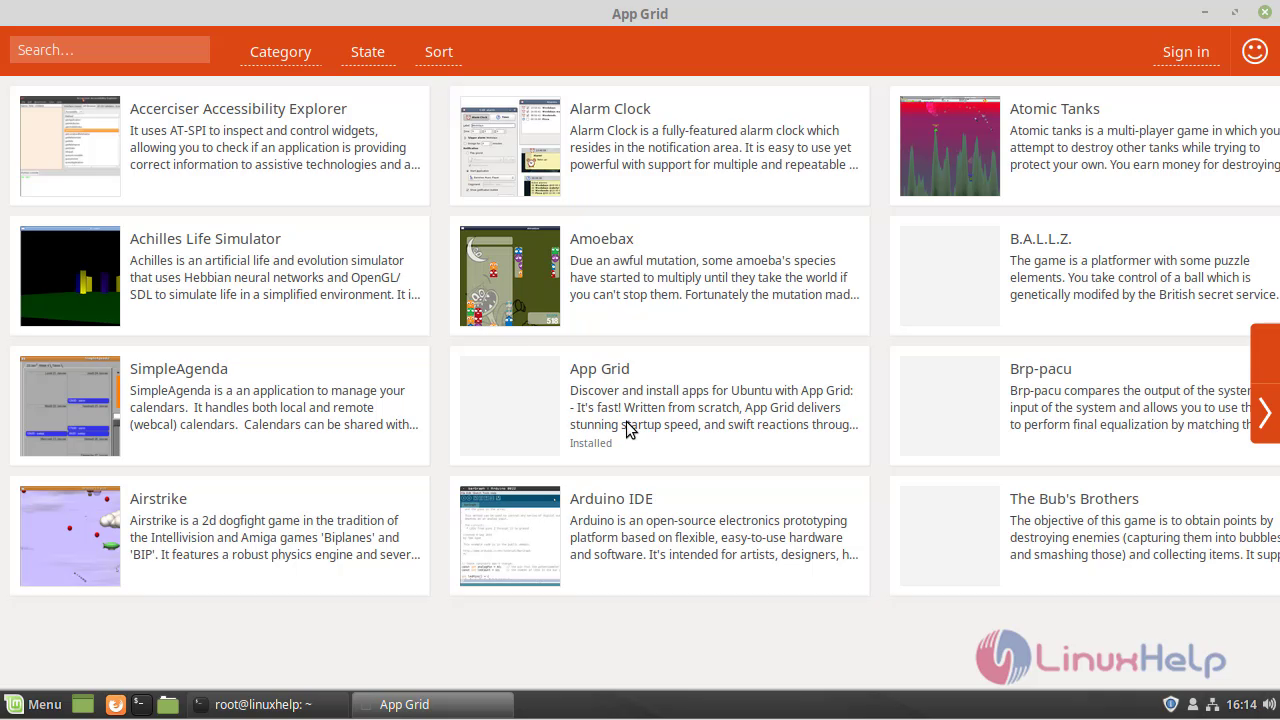
With this, the installation of appgrid software on linuxmint 19 is completed
Comments ( 0 )
No comments available