• Categories
    Category
    {{ postCtrl.tags }}
    • {{ category.tag_type }}

      • {{tag.tag_name}}
      • View more
  • Categories
    Category
    {{ postCtrl.tags }}
    • {{ category.tag_type }}

      • {{tag.tag_name}}
      • View more
  • News
  • Tutorials
  • Forums
  • Tags
  • Users
Tutorial News Comments FAQ Related Articles

How to install Apricity OS

{{postValue.id}}

To install Apricity OS

Apricity OS is a modern, elegant derivative of Arch Linux system. It is available for only for the 64- bit instruction. Installation of Apricity OS is explained in this manual.

First download the ISO image file from official site and boot it to DVD or USB.
Insert the bootable media into your system and restart it. IN the installation Menu page select “ boot apricity OS (x86_64)”
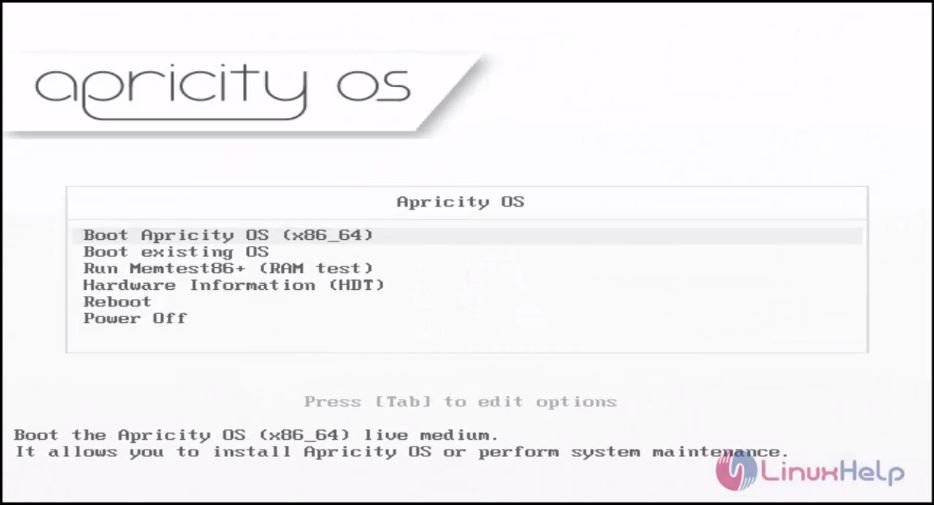
Apricity_OS
Choose your language and click “ next”
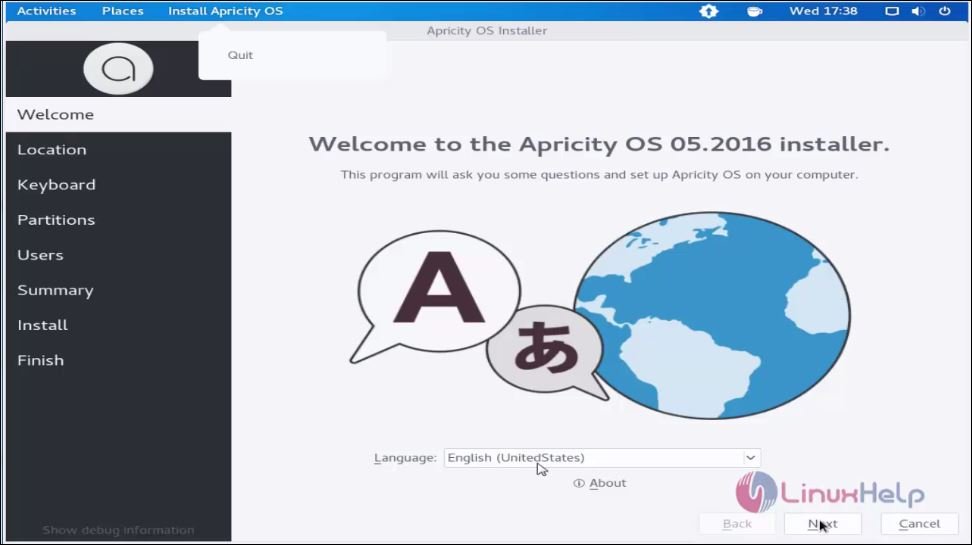
language
select your location and click “ next”
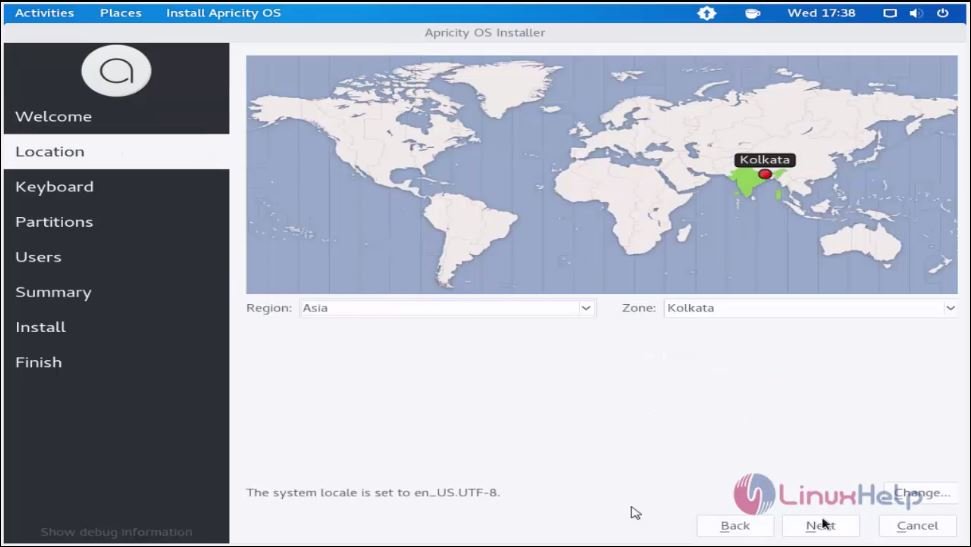
location

select the keyboard layout and click “ next”
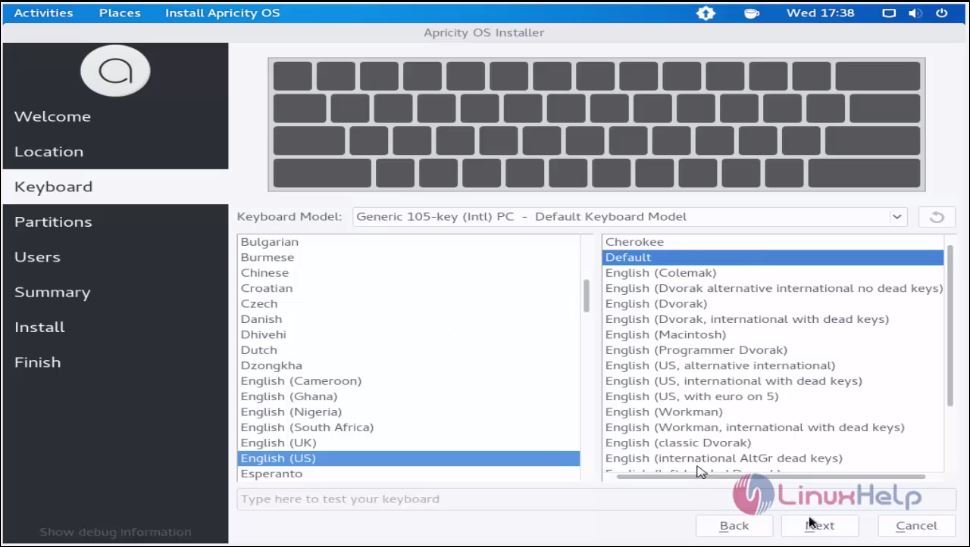
 keyboard layout
Choose the manual partitioning option and click next.
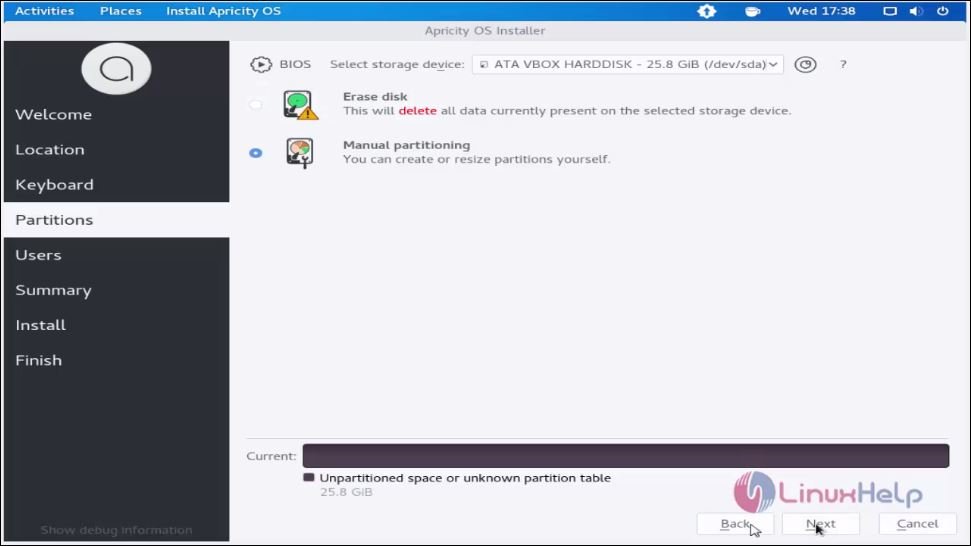
manual partitioning
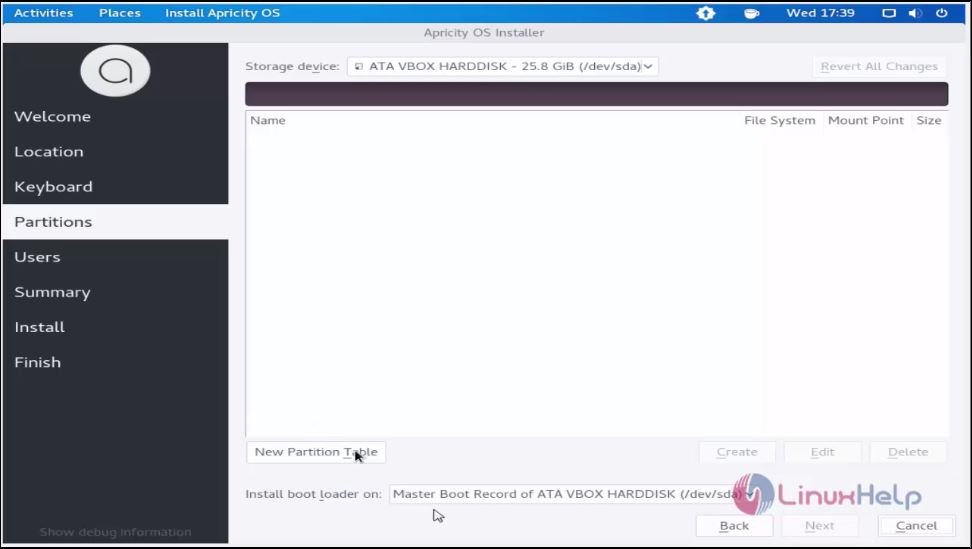
Click “ new partition table” to start creating new partition table.
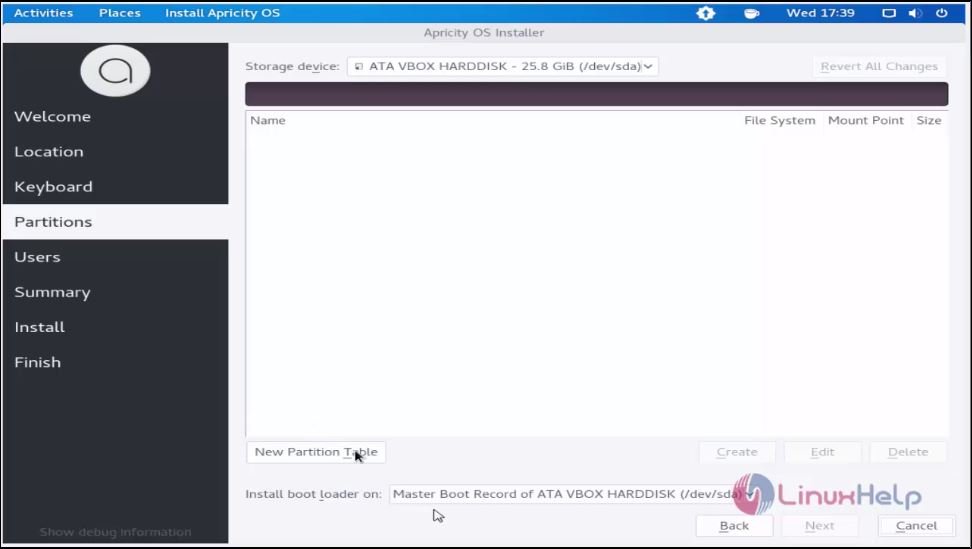
New_partition_table
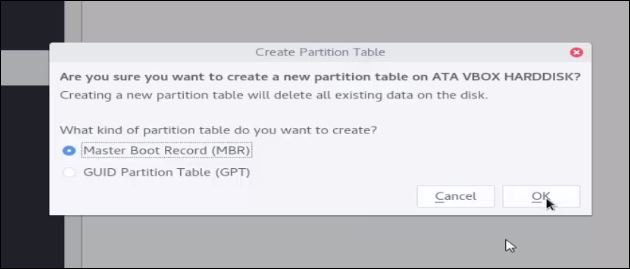
Choose the partition table type and click “ ok”
partitions
create_partition_table
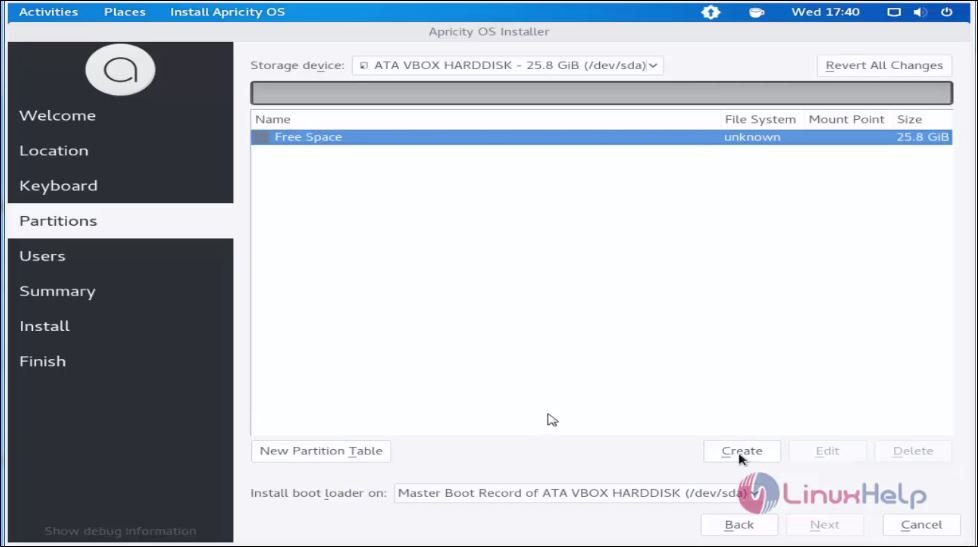
Choose the free space of hard disk and click create.
8
Mount point.
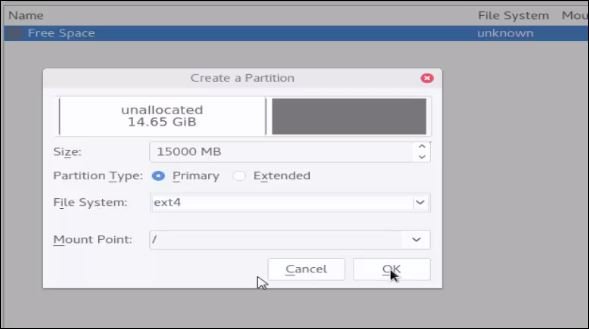
size :15000MB
partition Type : primary
File System : ext4
Mount Point : /
then click “ ok”
partition
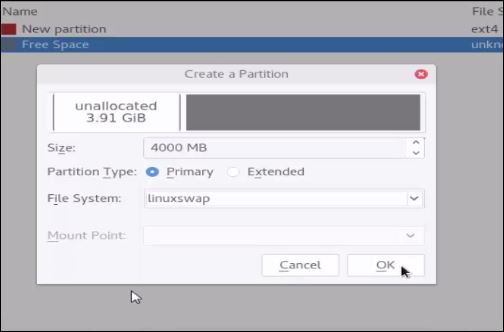
Then do Swap prtition.
size :4000MB
partition Type : primary
File System :linuxswap
and click “ ok”
10
After partition process you just click “ next”
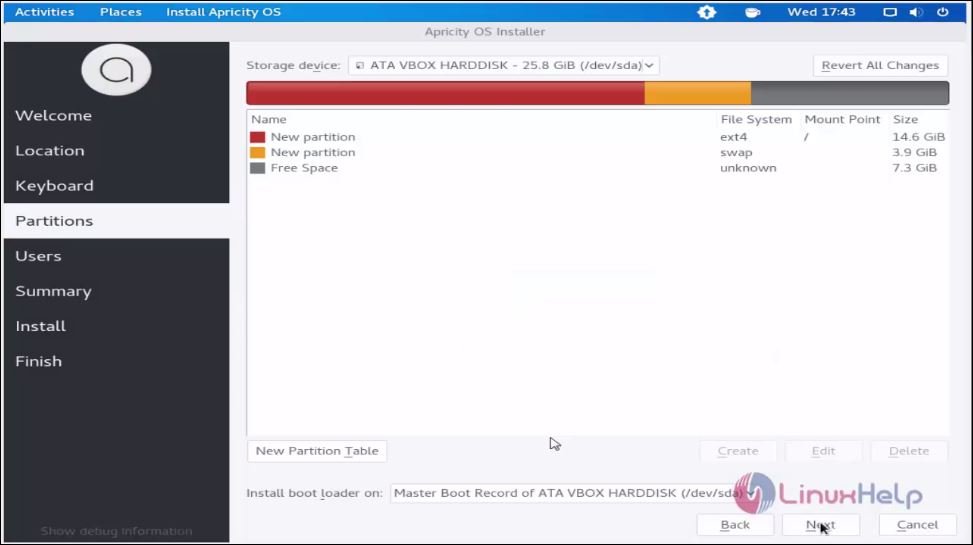
post_partition
Set user and host name to create a new user.
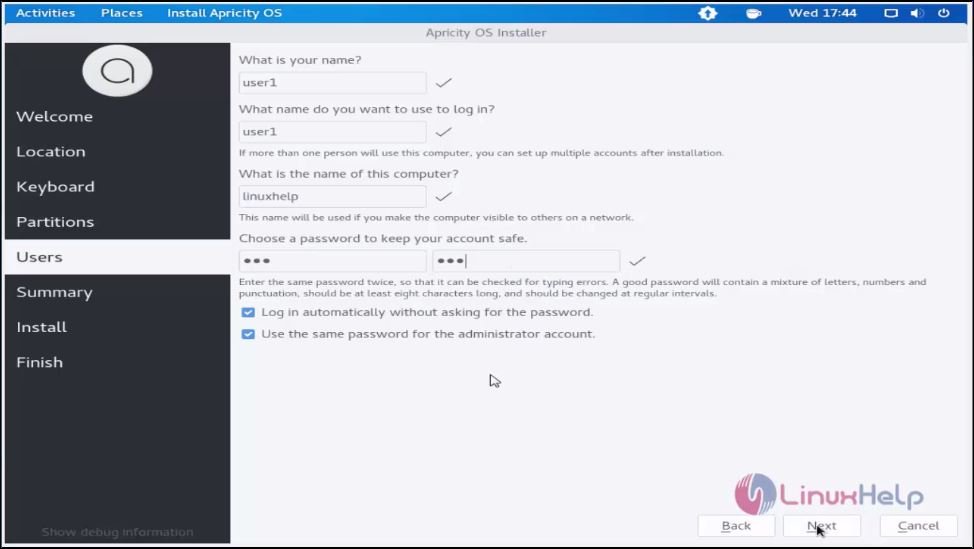
create_new_user

Verify the configuration summary and click " next"
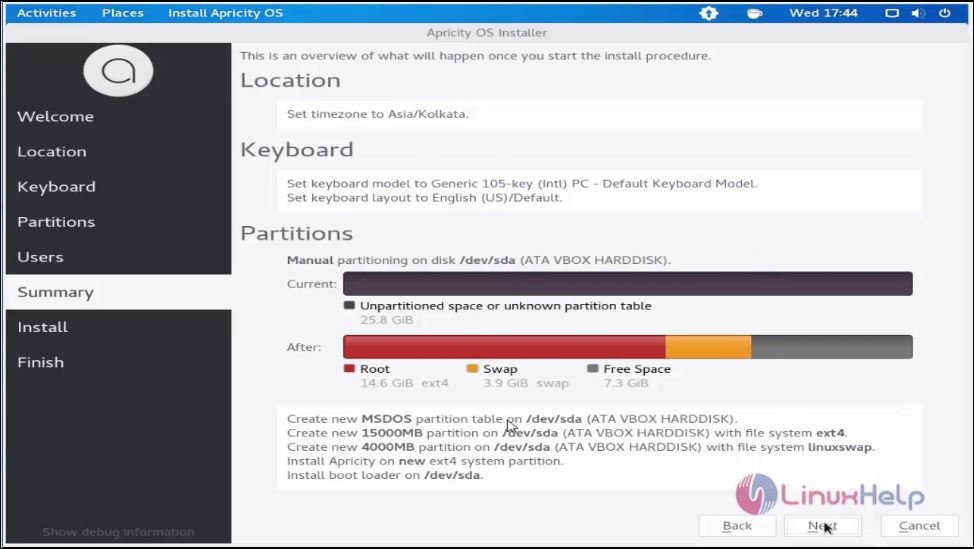
configuration_summary
The installation wizard is successfully completed.
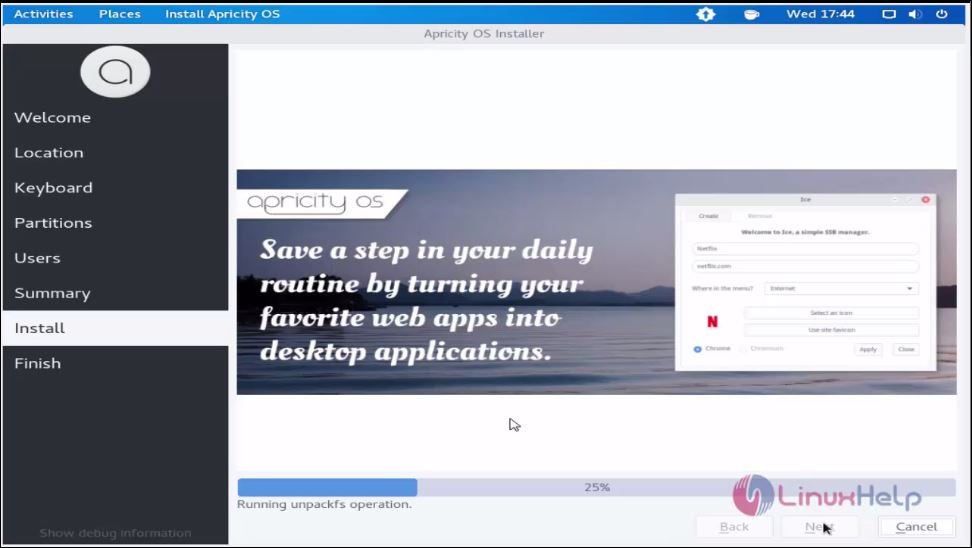
installation_wizzard
After installation, click Restart now option.
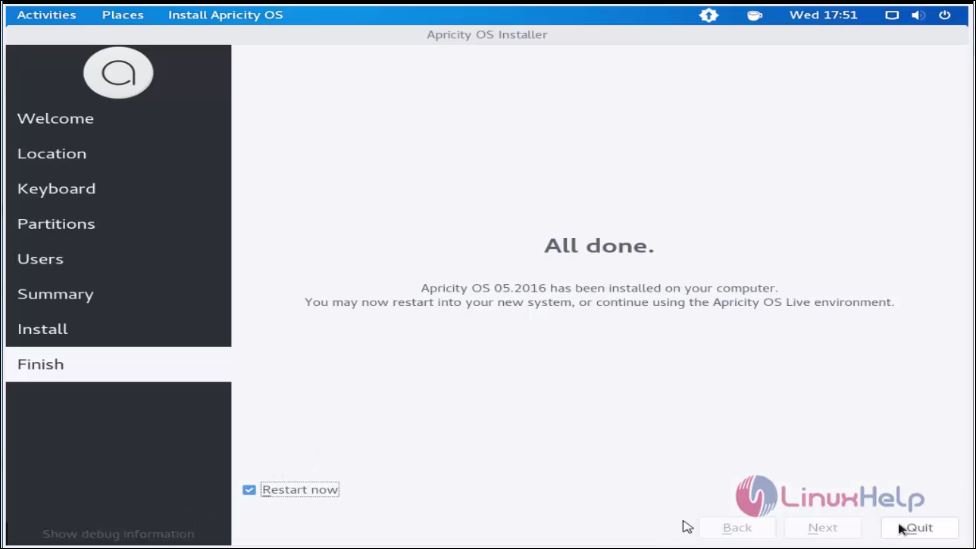
restart_option
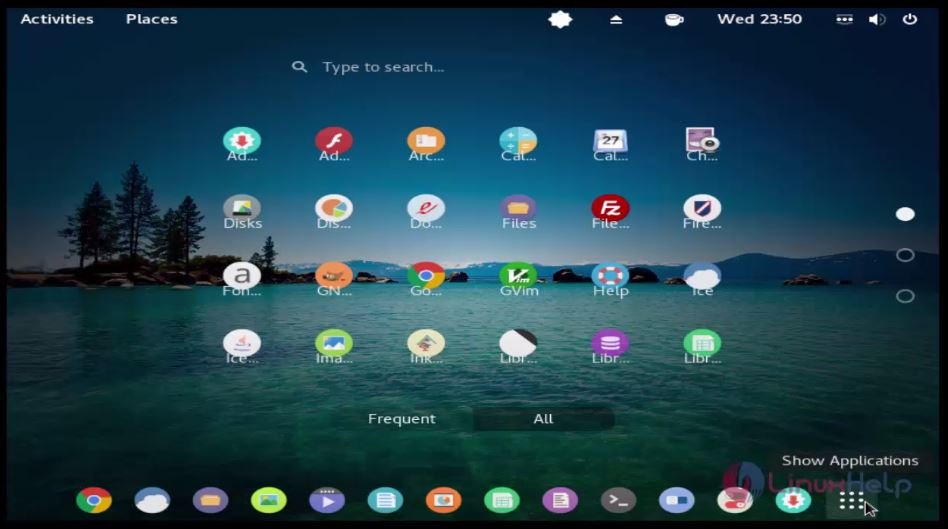
You will be automatically logged in to the system.
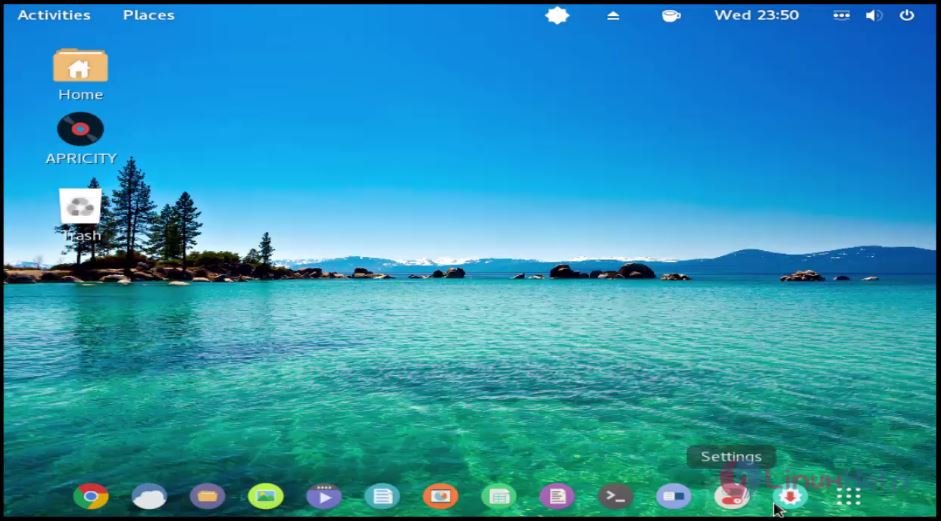
Automatic_Login
activities

Tags:
owen
Author: 

Comments ( 0 )

No comments available

Add a comment
{{postCtrl.cmtErrMsg}}

Frequently asked questions ( 5 )

Q

What is the Desktop available for the Apricity OS?

A

The desktop available for Apricity OS
GNOME,
Cinnamon are the desktop available for apricity OS

Q

How can you tell the Categories for the Apricity OS?

A

These are the categories in
Desktop,
Live Medium,
netBooks

Q

Why should be using the Apricity OS?

A

Apricity OS is a modern, elegant derivative of Arch Linux system. It is available for only for the 64- bit instruction.

Q

What are the alternatives for the Apricity OS?

A

There are so many OS some
Debian
ubuntu
Centos

Q

What was Apricity OS?

A

Apricity OS must come to an end. It has been our privilege to develop the operating system, and to be a part of a community as great as our own. But unfortunately, we no longer have time for its required upkeep.

Back To Top!
Rank
User
Points

Top Contributers

userNamenaveelansari
135850

Top Contributers

userNameayanbhatti
92510

Top Contributers

userNamehamzaahmed
32150

Top Contributers

1
userNamelinuxhelp
31040

Top Contributers

userNamemuhammadali
24500
Can you help Lucas ?
Various options in Top command

Am using Top command only to view the load average, what are the various options in Top command..??

Networking
  • Routing
  • trunk
  • Netmask
  • Packet Capture
  • domain
  • HTTP Proxy
Server Setup
  • NFS
  • KVM
  • Memory
  • Sendmail
  • WebDAV
  • LXC
Shell Commands
  • Cloud commander
  • Command line archive tools
  • last command
  • Shell
  • terminal
  • Throttle
Desktop Application
  • Linux app
  • Pithos
  • Retrospect
  • Scribe
  • TortoiseHg
  • 4Images
Monitoring Tool
  • Monit
  • Apache Server Monitoring
  • EtherApe 
  • Arpwatch Tool
  • Auditd
  • Barman
Web Application
  • Nutch
  • Amazon VPC
  • FarmWarDeployer
  • Rukovoditel
  • Mirror site
  • Chef
Contact Us | Terms of Use| Privacy Policy| Disclaimer
© 2025 LinuxHelp.com All rights reserved. Linux™ is the registered trademark of Linus Torvalds. This site is not affiliated with linus torvalds in any way.