How to install Arc themes and icons on Ubuntu
How to install Arc themes and icons on Ubuntu 16.04
Arc is a flat theme with a subtle color scheme and transparent elements like GTK header bars and Nautilus sidebar. It needs the Unity Tweak Tool to run the application. This tutorial covers the installation procedure of Arc themes and icons on Ubuntu 16.04.
Installation procedure
To start the installation procedure, install the repository for arc theme by executing the following command.
root@linuxhelp1:~# add-apt-repository ppa:noobslab/themes
 themes uploaded on http://www.NoobsLab.com PPA
For exact theme version and support visit on site and see themes page
 More info: https://launchpad.net/~noobslab/+archive/ubuntu/themes
Press [ENTER] to continue or ctrl-c to cancel adding it
gpg: keyring `/tmp/tmps57bxz1k/secring.gpg'  created
gpg: keyring `/tmp/tmps57bxz1k/pubring.gpg'  created
gpg: requesting key F59EAE4D from hkp server keyserver.ubuntu.com
gpg: /tmp/tmps57bxz1k/trustdb.gpg: trustdb created
gpg: key F59EAE4D: public key " Launchpad PPA for NoobsLab"  imported
gpg: no ultimately trusted keys found
gpg: Total number processed: 1
gpg:               imported: 1  (RSA: 1)
OK
The repository is installed in the target system. Update the repository by running the apt-get update command.
root@linuxhelp1:~# apt-get update
Hit:1 http://ppa.launchpad.net/freyja-dev/unity-tweak-tool-daily/ubuntu xenial InRelease
Hit:2 http://in.archive.ubuntu.com/ubuntu xenial InRelease
Hit:3 http://ppa.launchpad.net/noobslab/themes/ubuntu xenial InRelease
Hit:4 http://security.ubuntu.com/ubuntu xenial-security InRelease
Hit:5 http://in.archive.ubuntu.com/ubuntu xenial-updates InRelease
Hit:6 http://in.archive.ubuntu.com/ubuntu xenial-backports InRelease
Reading package lists... Done
The target system is updated with the required repository. Install the Arc Theme package by executing the following command and press y to continue with the installation.
root@linuxhelp1:~# apt-get install arc-theme -y
Reading package lists... Done
Building dependency tree
Reading state information... Done
The following additional packages will be installed:
  gnome-themes-standard gnome-themes-standard-data gtk2-engines-pixbuf
The following NEW packages will be installed:
  arc-theme gnome-themes-standard gnome-themes-standard-data gtk2-engines-pixbuf
0 upgraded, 4 newly installed, 0 to remove and 488 not upgraded.
Need to get 364 kB of archives.
After this operation, 11.5 MB of additional disk space will be used.
Get:1 http://ppa.launchpad.net/noobslab/themes/ubuntu xenial/main amd64 arc-theme all 16.04~xenial~NoobsLab.com [280 kB]
Get:2 http://in.archive.ubuntu.com/ubuntu
.
.
.
theme_16.04~xenial~NoobsLab.com_all.deb ...
Unpacking arc-theme (16.04~xenial~NoobsLab.com) ...
Setting up gnome-themes-standard-data (3.18.0-2ubuntu1) ...
Setting up gnome-themes-standard:amd64 (3.18.0-2ubuntu1) ...
Setting up gtk2-engines-pixbuf:amd64 (2.24.30-1ubuntu1) ...
Setting up arc-theme (16.04~xenial~NoobsLab.com) ...
Now add the repository to install Arc Icons in the target system by executing the following command.
root@linuxhelp1:~# add-apt-repository ppa:noobslab/icons
 This PPA contains different icons from different creators but available by http://www.NoobsLab.com
 More info: https://launchpad.net/~noobslab/+archive/ubuntu/icons
Press [ENTER] to continue or ctrl-c to cancel adding it
gpg: keyring `/tmp/tmp0zvugq8j/secring.gpg'  created
gpg: keyring `/tmp/tmp0zvugq8j/pubring.gpg'  created
gpg: requesting key F59EAE4D from hkp server keyserver.ubuntu.com
gpg: /tmp/tmp0zvugq8j/trustdb.gpg: trustdb created
gpg: key F59EAE4D: public key " Launchpad PPA for NoobsLab"  imported
gpg: no ultimately trusted keys found
gpg: Total number processed: 1
gpg:               imported: 1  (RSA: 1)
OK
The repository is installed in the target system. Update the repository by running the apt-get update command.
root@linuxhelp1:~# apt-get update
Hit:1 http://in.archive.ubuntu.com/ubuntu xenial InRelease
Hit:2 http://ppa.launchpad.net/freyja-dev/unity-tweak-tool-daily/ubuntu xenial InRelease
Get:3 http://security.ubuntu.com/ubuntu xenial-security InRelease [102 kB]
Hit:4 http://in.archive.ubuntu.com/ubuntu xenial-updates InRelease
Get:5 http://ppa.launchpad.net/noobslab/icons/ubuntu xenial InRelease [17.5 kB]
Hit:6 http://in.archive.ubuntu.com/ubuntu xenial-backports InRelease
Hit:7 http://ppa.launchpad.net/noobslab/themes/ubuntu xenial InRelease
.
.
.
Fetched 3,683 kB in 15s (244 kB/s)
Selecting previously unselected package arc-icons.
(Reading database ... 175769 files and directories currently installed.)
Preparing to unpack .../arc-icons_1.2~xenial~NoobsLab.com_all.deb ...
Unpacking arc-icons (1.2~xenial~NoobsLab.com) ...
Setting up arc-icons (1.2~xenial~NoobsLab.com) ...
The application is successfully installed and ready for use.
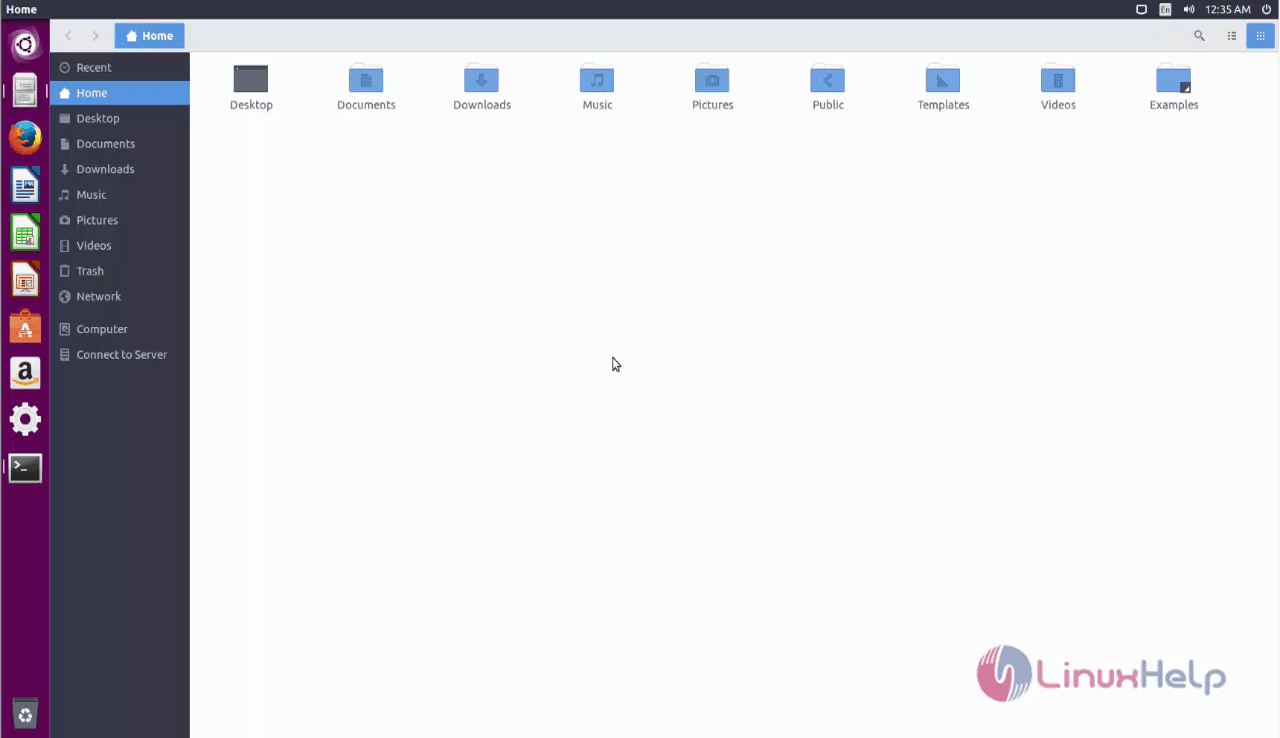
Wasn' t that an easy installation procedure? The Arc theme supports GTK3 and GTK2 based desktop environment.
Comments ( 0 )
No comments available