How to install Atom - A Hackable Text and Source Code Editor
{{postValue.id}}
To install Atom - A Hackable Text and Source Code Editor
In this article we are going to discuss about the Atom text editor. It is a source code editor which runs in different OS platforms. It is a desktop application developed using web technologies.
Features
- Cross Platform support
- Plug-ins
- Embedded File System Browser
- Built in Package Manager
- Smart Approach
- Split Panel
- Polished edges
- Integrated Development Environment
- Find and replace text in single file option is available.
Prerequisite
- Git
- io.js (1.x)
- npm Version 1.4.x
- C++
- node.js version 0.10.x
- Gnome Keyring
- node.js Version 0.12.x
Installation process
For 64 bit architecture, two binary packages are available i.e DEB and RPM.
To compile it, follow the steps as shown below.
To install
For installing, download DEB or RPM, for Debian and RedHat based systems using wget command.
[root@linuxhelp ~]# wget https://github.com/atom/atom/releases/download/v1.8.0/atom.x86_64.rpm
--2016-06-10 11:02:23--  https://github.com/atom/atom/releases/download/v1.8.0/atom.x86_64.rpm
Resolving github.com (github.com)... 192.30.252.123
Connecting to github.com (github.com)|192.30.252.123|:443... connected.
Resolving github-cloud.s3.amazonaws.com (github-cloud.s3.amazonaws.com)... 54.231.80.128
Connecting to github-cloud.s3.amazonaws.com (github-cloud.s3.amazonaws.com)|54.231.80.128|:443... connected.
HTTP request sent, awaiting response... 200 OK
Length: 64364944 (61M) [application/octet-stream]
Saving:

100%[=====================================================> ] 64,364,944   299KB/s   in 3m 10s

2016-06-10 11:05:35 (331 KB/s) - ‘ atom.x86_64.rpm’  saved [64364944/64364944]
After the download is completed, use “ yum localinstall” command to install atom.rpm package.
[root@linuxhelp ~]# yum localinstall atom.x86_64.rpm
Loaded plugins: fastestmirror, langpacks
Marking atom.x86_64.rpm to be installed
Resolving Dependencies
-->  Running transaction check
--->  Package atom.x86_64 0:1.8.0-0.1.fc21 will be installed
-->  Finished Dependency Resolution
.
.
.

Installed:
  atom.x86_64 0:1.8.0-0.1.fc21

Complete!
Now the package is installed successfully.
To start the text editor, by running the following command on the terminal.
[root@linuxhelp ~]# atom

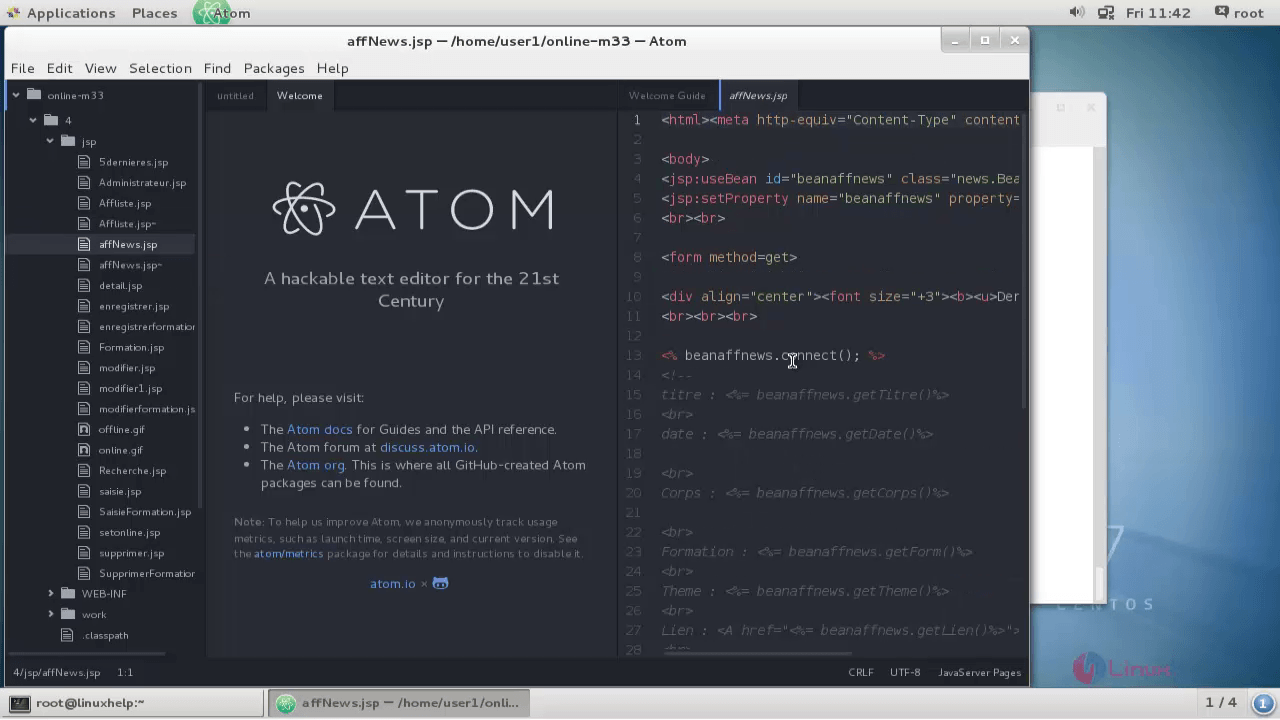
Here you select the project in left panel and edit the source code in right panel.
Comments ( 0 )
No comments available