How to install Avidemux 2.6.12 in Ubuntu
{{postValue.id}}
To install Avidemux 2.6.12 in Ubuntu 16.04
Avidemux is an open-source video editor tool to perform encoding videos. It is programmed in C++ and its graphics is designed using GTK+. The video editor supports files of various types and codecs. In this article we will learn how to install Avidemux in Ubuntu.
Features
- Supports image export options
- Improved UI and tinypy
- Improved audio and video effects
- Supports Subtitles option
To install Avidemux
Enable the repository by using the following command.
root@linuxhelp1:~# add-apt-repository ppa:rebuntu16/avidemux+unofficial
 EN: Here is a PPA for Avidemux, a good successor of Virtualdub. The following packages should be well enough for daily usage. Have fun using it !
I' m also working on the latest commits from the Github repository (third link).
Any bug when installing ? Please, contact me.

NOTE: libavidemux2.6(-unstable)-dev package is still not multi-arch. Using pkg-config files should solve this problem.

FR: Ce PPA est consacré  à  Avidemux, un Virtualdub-like. Les paquets devraient ê tre suffisamment bons pour une utilisation quotidienne. Amusez-vous bien !
Je travaille é galement sur les derniè res ré visions à  partir des dé pô ts Github (troisiè me lien).
Des soucis à  l' installation ? N' hé sitez pas à  m' en parler.

http://avidemux.org/
https://github.com/mean00/avidemux2
.
.
.

 More info: https://launchpad.net/~rebuntu16/+archive/ubuntu/avidemux+unofficial
Press [ENTER] to continue or ctrl-c to cancel adding it

gpg: keyring `/tmp/tmp4xgeah4o/secring.gpg'  created
gpg: keyring `/tmp/tmp4xgeah4o/pubring.gpg'  created
gpg: requesting key 98F78EB3 from hkp server keyserver.ubuntu.com
gpg: /tmp/tmp4xgeah4o/trustdb.gpg: trustdb created
gpg: key 98F78EB3: public key " Launchpad PPA for Nguyen Thanh Tung"  imported
gpg: Total number processed: 1
gpg:               imported: 1  (RSA: 1)
OK
Now updating the newly added repository by running the following command.
root@linuxhelp1:~# apt-get update -y
Hit:1 http://security.ubuntu.com/ubuntu xenial-security InRelease
Hit:2 http://in.archive.ubuntu.com/ubuntu xenial InRelease
Get:3 http://ppa.launchpad.net/rebuntu16/avidemux+unofficial/ubuntu xenial InRelease [17.6 kB]
Hit:4 http://in.archive.ubuntu.com/ubuntu xenial-updates InRelease
Hit:5 http://in.archive.ubuntu.com/ubuntu xenial-backports InRelease
Get:6 http://ppa.launchpad.net/rebuntu16/avidemux+unofficial/ubuntu xenial/main amd64 Packages [27.2 kB]
Get:7 http://ppa.launchpad.net/rebuntu16/avidemux+unofficial/ubuntu xenial/main i386 Packages [27.1 kB]
Get:8 http://ppa.launchpad.net/rebuntu16/avidemux+unofficial/ubuntu xenial/main Translation-en [5,584 B]
Fetched 77.5 kB in 2s (38.3 kB/s)
Reading package lists... Done
After updating the repository, install the avidemux software with the help of the following command.
root@linuxhelp1:~# sudo apt-get install avidemux2.6-gtk avidemux2.6-qt4
Reading package lists... Done
Building dependency tree
Reading state information... Done
The following packages were automatically installed and are no longer required:
libpango1.0-0 libpangox-1.0-0 linux-headers-4.4.0-21 linux-headers-4.4.0-21-generic linux-image-4.4.0-21-generic
linux-image-extra-4.4.0-21-generic
Use ' sudo apt autoremove'  to remove them.
The following additional packages will be installed:
avidemux2.6-common avidemux2.6-jobs-qt4 avidemux2.6-plugins-common avidemux2.6-plugins-gtk avidemux2.6-plugins-qt4
avidemux2.6-plugins-vsproxy avidemux2.6-plugins-vsproxy-qt4 esound-common i965-va-driver javascript-common lame libaften0
libaudiofile1 libavcodec-ffmpeg56 libavidemux2.6-6 libavidemux2.6-ffmpeg libavidemux2.6-gtk-6
.
.
.
Setting up libsdl1.2debian:amd64 (1.2.15+dfsg1-3) ...
Setting up liblavplay-2.1-0 (1:2.1.0+debian-4) ...
Setting up vdpau-driver-all:amd64 (1.1.1-3ubuntu1) ...
Processing triggers for libc-bin (2.23-0ubuntu3) ...
Now the installation has been completed successfully.
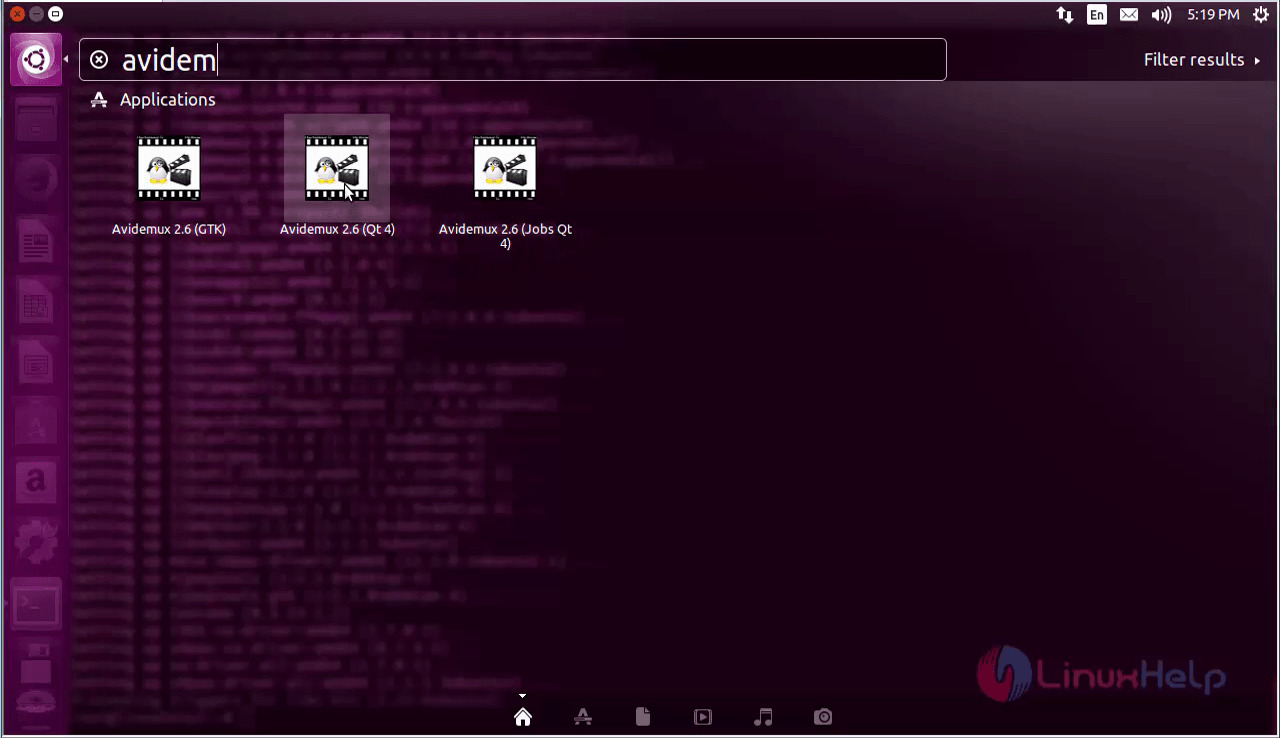
Search and open the Avidemux 2.6(QT 4) application from the dashboard.
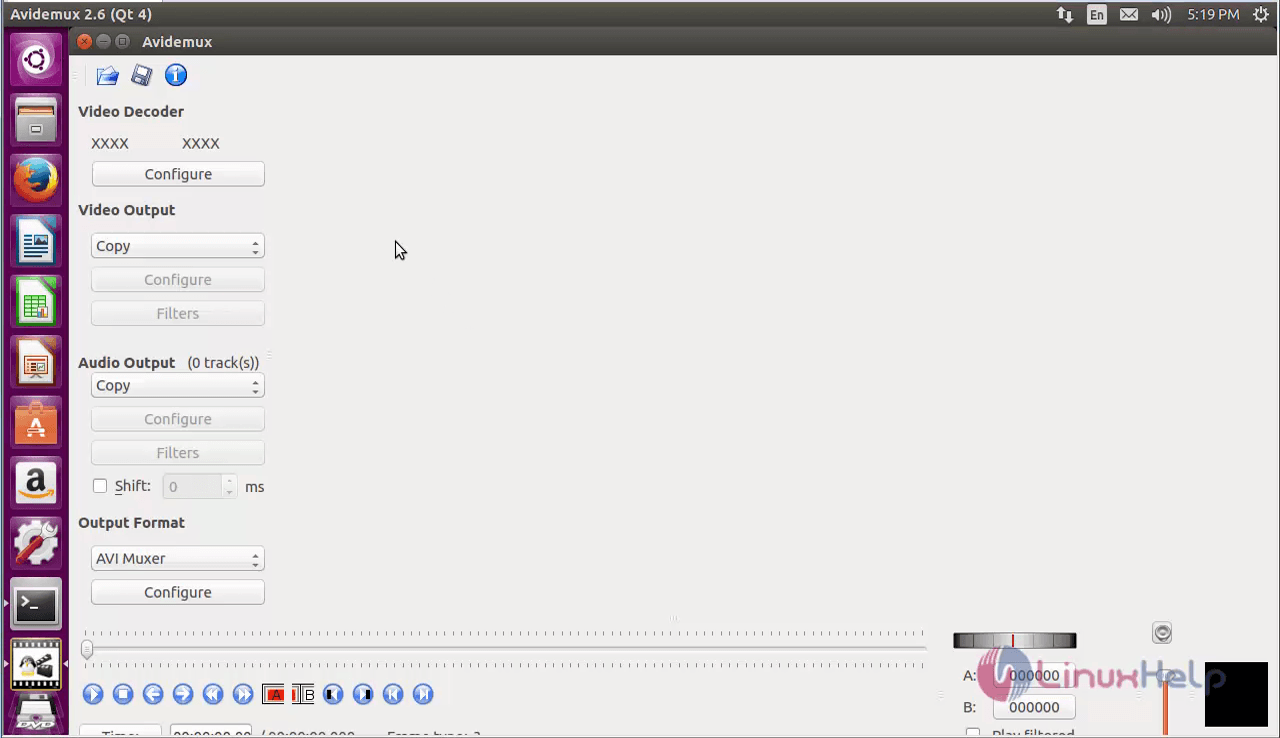
Avidemux home page appears.
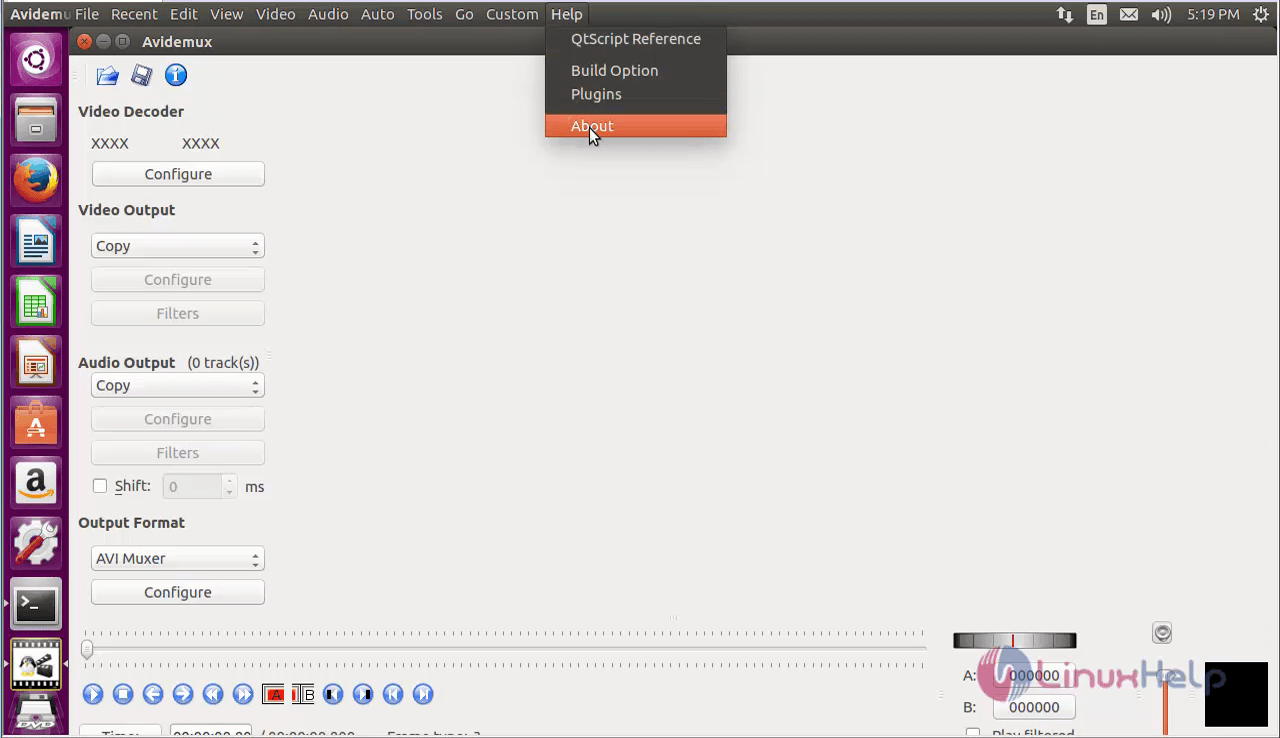
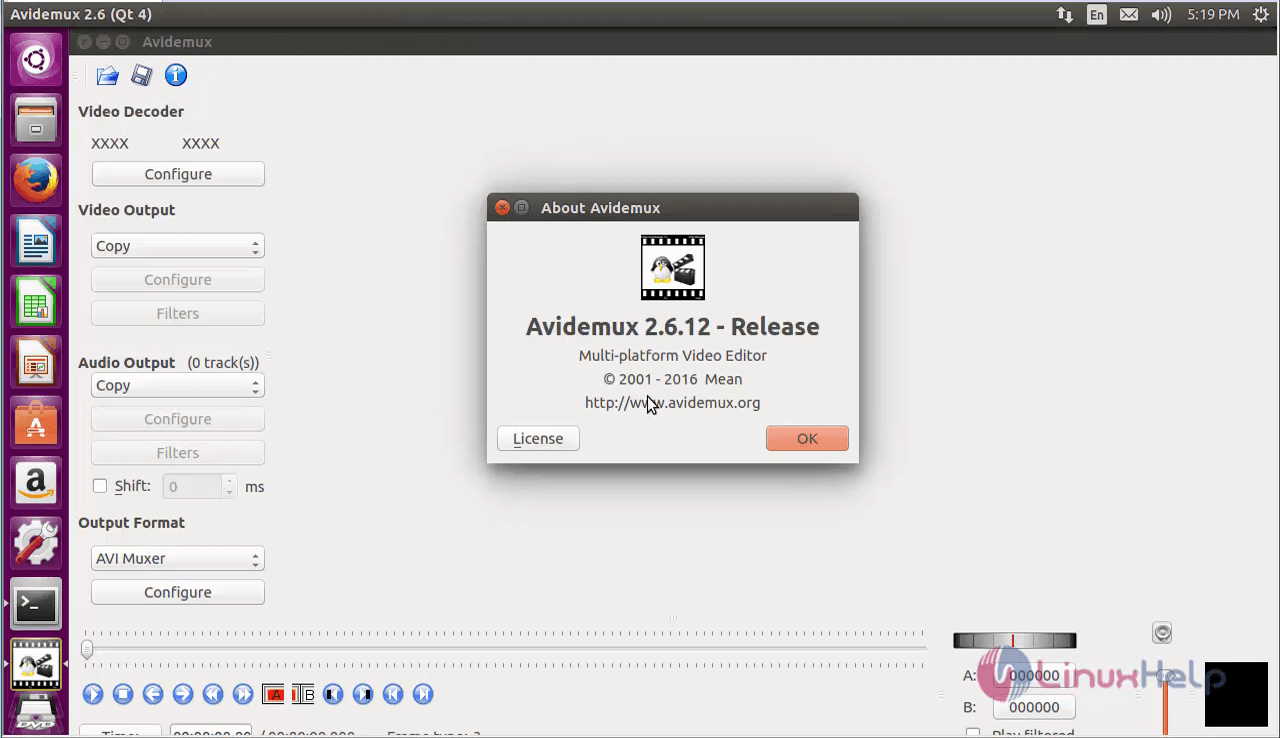
To check the version of the Avidemux, click on the Help &rarr About.
Comments ( 0 )
No comments available